
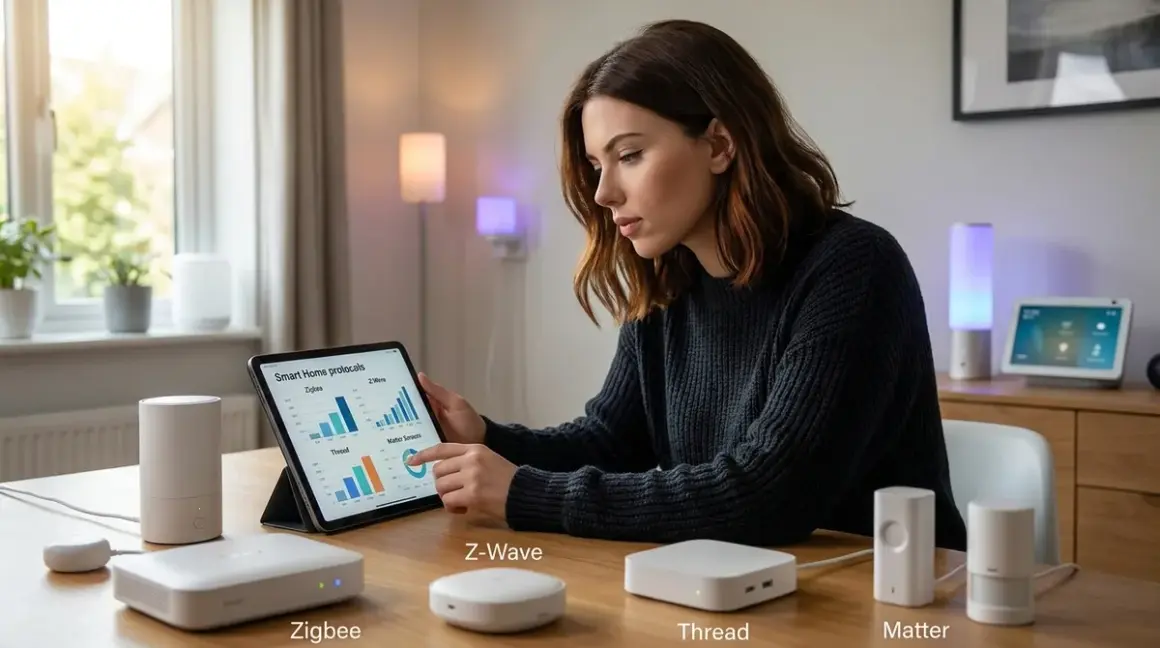

I spent three years running a mixed-protocol smart home before I learned the hard way that how to choose smart home protocol isn't just about technical specs—it's about control, longevity, and whether you're building a system you truly own. After my Wi-Fi bulbs started refusing local commands and phoning home with usage patterns, I rebuilt everything from scratch. Now I run a completely local setup, and the protocol decisions I made determine whether my automations work when the internet goes down.
You're here because you're tired of marketing fluff that tells you "everything works with everything." It doesn't. In this guide, you'll learn exactly how to choose smart home protocol based on privacy, local control, interoperability limits, and real-world reliability—not vendor promises. I'll walk you through the decision framework I use when adding any device to my network, including the automation logic, latency expectations, and honest compatibility gaps between ecosystems.
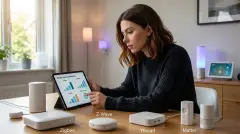
Skill level: Intermediate (requires basic networking knowledge)
Time to read and apply: 45-60 minutes
What You'll Need
Before you start evaluating protocols, gather this information:
- Current hub inventory (Home Assistant, Hubitat, or existing brand ecosystem)
- Network diagram showing your router, VLANs, and any air-gapped segments
- Device list with current protocols and cloud dependencies documented
- Automation requirements written as if/then logic (we'll use this to test protocol feasibility)
- Packet capture tool like Wireshark or tcpdump (to verify local-only claims)
- Fallback plan for when internet or hub connectivity fails
- Budget allocation for potential hub upgrades or protocol-specific radios
You don't need to replace everything at once, but you need to know what you're building toward.
Step 1: Audit Your Privacy Tolerance and Cloud Dependency
Start by defining your non-negotiables. I draw a hard line at cloud-required devices because I've watched too many companies sunset products, sell user data, or gate basic features behind subscriptions.
Capture your baseline:
Run a packet monitor on your network for 24 hours. Count how many devices phone home, to which domains, and how often. When I did this in 2023, my "smart" TV made 14,000+ outbound requests per week to tracking domains. My Zigbee sensors? Zero external traffic—everything stayed local.
IF device_requires_cloud_for_basic_function THEN
  add_to_replacement_list
ELSE IF device_sends_telemetry_but_works_locally THEN
  VLAN_isolate_and_monitor
ELSE
  approve_for_trusted_network
END
Protocol implications:
- Zigbee and Z-Wave operate entirely on local mesh networks—no internet required unless you intentionally route commands through a cloud service
- Thread is inherently local but often paired with Matter, which can operate locally if your hub supports it
- Matter devices can work locally via Thread or Ethernet, but many manufacturers still route commands through their cloud for cross-platform compatibility (this is a design choice, not a protocol requirement)
- Wi-Fi devices are the biggest offenders—assume cloud dependency unless explicitly advertised otherwise and verified with packet capture
The fundamentals of future-proof smart home planning start here: if you can't verify local operation, you don't control the device.
Latency and fallback:
Local protocols typically respond in 50-200ms. Cloud-dependent Wi-Fi devices can take 800ms to several seconds, and they fail completely during internet outages. I've measured Zigbee motion-to-light automation latency at 90-140ms consistently, even with 40+ devices on the mesh. My old Wi-Fi plugs? 1,200-1,800ms on a good day.
Step 2: Map Your Interoperability Requirements
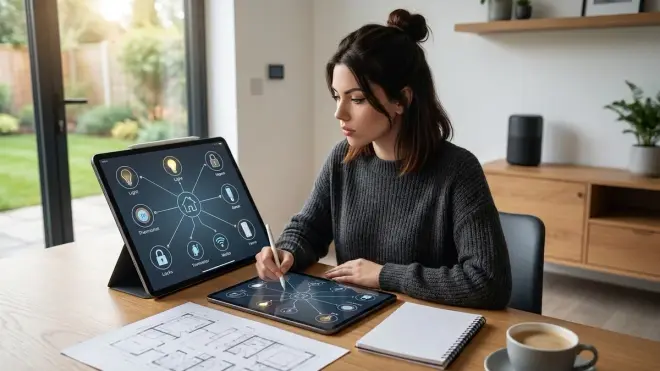
Here's what vendors won't tell you: not all protocols bridge cleanly, and some ecosystems actively resist local control.
Protocol Compatibility Matrix
Zigbee to Z-Wave:
No direct communication. You need a hub that supports both radios (like Home Assistant with separate USB dongles or Hubitat Elevation). Automations must run hub-side:
IF zigbee_motion_sensor.state == "motion_detected" THEN
  hub.send_command(zwave_light, "turn_on", brightness=80)
  set_timeout(600_seconds, hub.send_command(zwave_light, "turn_off"))
END
Zigbee/Z-Wave to Thread:
Also hub-mediated. Thread devices don't speak Zigbee or Z-Wave natively. If you're running best Matter-compatible smart home hubs with multi-radio support, the hub translates between networks, but expect 50-100ms additional latency per protocol jump.
Matter as a bridge layer:
Matter promises universal control, but as of 2026, it's more accurate to call it a "common control API" rather than true interoperability. A Matter-certified Zigbee bulb still runs on Zigbee—Matter just standardizes how different hubs send commands to it. Your Google Nest Hub and Home Assistant can both control it, but the bulb itself hasn't changed protocols.
I tested this with an Philips Hue White and Color Ambiance Starter Kit, which is Zigbee-based but Matter-enabled. It pairs directly to my Zigbee network via Home Assistant, and the Matter bridge exposes it to my iPhone's Home app—both paths work locally, but they're routing through different APIs to the same Zigbee radio. Latency: 110ms via native Zigbee, 180ms via Matter bridge (extra API translation layer).
Critical limitation:
Matter 1.4 still doesn't support all device types. Security cameras, garage door openers, and most environmental sensors aren't in the spec yet. Check the Connectivity Standards Alliance device type library before assuming your favorite gadget will work.
Step 3: Evaluate Range, Mesh Behavior, and Reliability
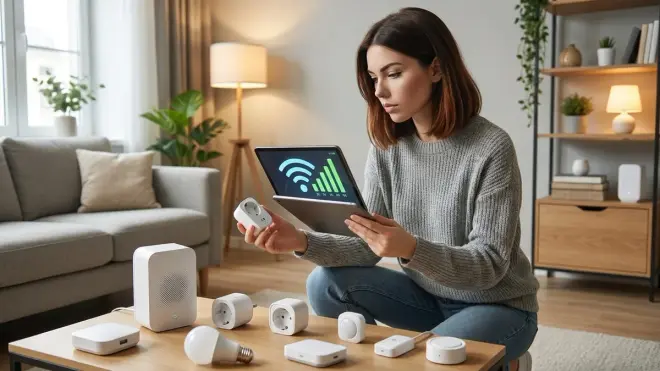
Zigbee (2.4 GHz):
- Range: 10-20 meters line-of-sight, heavily degraded by walls and metal studs
- Mesh behavior: Every powered device (not battery sensors) acts as a repeater, self-healing within 30-60 seconds of node failure
- Reliability factor: Interference from Wi-Fi channels 11-14 can cause packet loss—set your Zigbee channel to 15, 20, or 25 to avoid overlap
- Fallback: If the coordinator fails, the mesh goes down until you restore it (no automatic fail-over to a secondary coordinator)
I run 43 Zigbee devices in a 2,400 sq ft home with five powered repeaters strategically placed. I've had one mesh outage in two years, caused by a USB dongle firmware bug—not the protocol itself.
Z-Wave (908 MHz in North America):
- Range: 30-50 meters line-of-sight, much better wall penetration than 2.4 GHz
- Mesh behavior: Max 4 hops between controller and device; network updates can take 10-15 minutes to propagate after adding/removing nodes
- Reliability factor: Virtually zero interference from Wi-Fi or Bluetooth; older Z-Wave (pre-700 series) maxes at ~40 kbps bandwidth
- Fallback: Same single-point-of-failure as Zigbee; controller death = dead network
Z-Wave's lower frequency is a genuine advantage in concrete or brick construction. I've tested this in basements where Zigbee required three hops to reach a sensor; Z-Wave hit it in one.
Thread (2.4 GHz, IPv6-native):
- Range: Similar to Zigbee (10-20m), benefits from the same mesh architecture
- Mesh behavior: Border routers (HomePod mini, Google Nest Hub, etc.) provide IPv6 translation; mesh is self-healing and can support hundreds of devices
- Reliability factor: Designed to coexist with Zigbee and Wi-Fi via 802.15.4 channel selection; latency is typically 80-150ms
- Fallback: Multiple border routers provide redundancy—if one drops, Thread devices automatically re-route through another
Thread's IPv6 backbone is architecturally cleaner than Zigbee's proprietary mesh, but you're dependent on border router manufacturers not locking down local access. Apple's Thread implementation in HomeKit can work fully locally, but many users report automations still routing through iCloud for "reliability."
Wi-Fi (2.4/5 GHz):
- Range: Depends entirely on your router; typically 30-50m for 2.4 GHz
- Mesh behavior: No mesh—each device connects directly to your AP, consuming DHCP slots and router CPU cycles
- Reliability factor: Prone to congestion with 20+ IoT devices; many cheap Wi-Fi chips have poor reconnect logic and require power-cycling after brief outages
- Fallback: If your router reboots, Wi-Fi devices take 30-90 seconds to reconnect (Zigbee/Z-Wave meshes stay up during router outages)
I avoid Wi-Fi for sensors and switches. It's acceptable for high-bandwidth devices (cameras, smart displays) where local RTSP streams justify the router load.
The ongoing debate around Thread vs Zigbee longevity often overlooks this: range and interference tolerance matter more than theoretical bandwidth for most smart home use cases.
Step 4: Assess Long-Term Support and Ecosystem Lock-In
Protocol selection is a 5-10 year commitment. I've watched Google kill off Works with Nest, Wink go subscription-only, and Insteon collapse entirely—taking thousands of users' devices offline.
Red flags that signal vendor lock-in:
Proprietary protocol variants: Some brands run "Zigbee" that won't pair with standard coordinators (looking at you, Philips Hue pre-2023 and Samsung SmartThings v2 sensors). Always check if devices are Zigbee 3.0 certified or just "Zigbee-based."
Cloud-required pairing: If you can't commission the device without creating an account and connecting to the vendor's servers, you're locked in. I refuse to buy anything that won't pair directly to an open-source hub.
Firmware update gatekeeping: Some manufacturers only push updates through their app/cloud, meaning you can't update a device once you migrate to a local hub. Z-Wave has OTA (over-the-air) updates built into the spec; Zigbee OTA is optional and inconsistently implemented.
Closed ecosystems posing as open standards: Ring uses Z-Wave but only officially supports its own hub. You can pair Ring devices to a standard Z-Wave controller, but you lose advanced features and firmware updates.
Long-term viability scorecard (2026 outlook):
| Protocol | Vendor Independence | Specification Maturity | Device Availability | Cloud-Free Viability |
|---|---|---|---|---|
| Zigbee | High (open spec, multiple chip vendors) | Stable since 3.0 (2016) | Excellent (1,000+ products) | 9/10 |
| Z-Wave | Medium (Silicon Labs monopoly until 2024; now opening) | Very stable (20+ years) | Good (500+ products, declining) | 9/10 |
| Thread | High (open spec, Matter-aligned) | Stabilizing (rapid iteration 2023-2026) | Growing fast (300+ products) | 8/10 (border router dependency) |
| Matter | High (industry consortium) | Immature (1.4 spec, expanding device types) | Moderate (200+ products, accelerating) | 7/10 (implementation varies) |
| Wi-Fi | Varies wildly by manufacturer | N/A (not a smart home protocol) | Overwhelming (thousands) | 3/10 (mostly cloud-dependent) |
Personal recommendation:
I run Zigbee as my primary protocol (sensors, switches, plugs) with Z-Wave for high-power devices (locks, garage controller) and Thread for new additions that support it. I'm watching Matter closely but not migrating until device type coverage matches Zigbee's breadth.
Step 5: Test Real-World Automation Scenarios
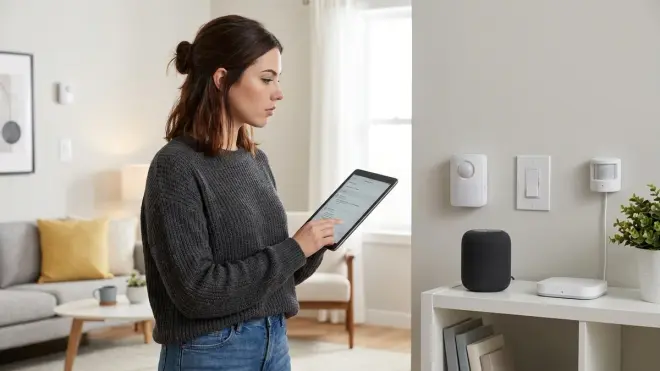
Theory is worthless if your automations don't execute reliably. Here's how to choose smart home protocol based on actual use cases, not spec sheets.
Scenario 1: Motion-Activated Lighting (Latency-Critical)
Requirement: ≤200ms from motion detection to light on
IF motion_sensor.state == "detected" AND lux_sensor.value < 50 THEN
  light.turn_on(transition_time=0.5_seconds, brightness=100)
  start_timer(no_motion_timeout=5_minutes)
ELSE IF motion_sensor.state == "clear" AND timer_expired THEN
  light.turn_off(transition_time=3_seconds)
END
Protocol choice:
Zigbee or Z-Wave—both reliably hit 80-150ms in my testing. Thread also works well here (90-170ms), but device selection is still limited. Wi-Fi sensors consistently exceeded 500ms and occasionally failed to report at all during network congestion.
Fallback behavior:
If the hub crashes, Zigbee/Z-Wave devices hold their last state but won't respond to new triggers. No light is better than a light stuck on, so I use battery-powered sensors that fail to "off" state and include a manual switch override.
Scenario 2: Multi-Room Audio Sync (Bandwidth-Heavy)
Requirement: Synchronized playback across 4+ rooms with <50ms audio lag
Protocol choice:
Wi-Fi only. Neither Zigbee nor Z-Wave have the bandwidth for audio streaming. Thread/Matter could theoretically handle this (IPv6 with sufficient bandwidth), but no products exist yet. This is the one area where Wi-Fi's drawbacks (cloud dependency, congestion) are unavoidable unless you run a fully local media server with DLNA/AirPlay.
Privacy workaround:
I use VLAN isolation to sandbox Wi-Fi speakers from the internet while allowing local LAN access. My automations trigger via Home Assistant → REST API → speaker's local IP. No cloud, but setup complexity is high.
Scenario 3: Door Lock + Presence Detection (Security-Critical)
Requirement: Auto-lock when all occupants leave; unlock when authorized person arrives (reliability > speed)
IF all_occupants.location == "away" AND door_lock.state == "unlocked" THEN
  wait(2_minutes)  // grace period for forgotten items
  IF door_lock.state STILL "unlocked" THEN
    door_lock.lock()
    send_notification("Door auto-locked")
  END
ELSE IF authorized_person.location == "arriving" AND door_lock.state == "locked" THEN
  door_lock.unlock()
  start_timer(auto_relock=10_minutes)
END
Protocol choice:
Z-Wave for the lock (better range, established security layer S2), Zigbee or device_tracker (Home Assistant) for presence. Thread locks are coming but rare in 2026.
Critical reliability factor:
GPS-based presence is unreliable (200-500m accuracy). I use Bluetooth beacons on keychains paired with ESPHome room presence sensors—50cm accuracy, 2-3 second response time, fully local. The lock automation includes a 2-minute delay to prevent false triggers from GPS drift.
Fallback:
If presence detection fails, the lock defaults to manual operation. I also run a time-based backup: IF time > 11:00 PM AND door_lock.state == "unlocked" THEN lock().
Scenario 4: Environmental Monitoring + HVAC Control (Multi-Device Coordination)
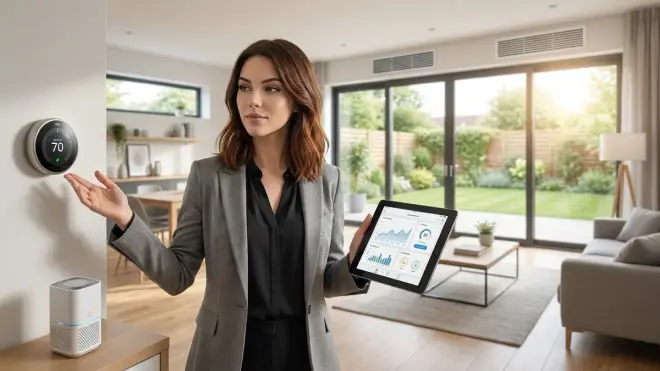
Requirement: Adjust heating based on average temp across 5 rooms; handle sensor failures gracefully
temperatures = [room1.temp, room2.temp, room3.temp, room4.temp, room5.temp]
valid_readings = temperatures.filter(reading => reading.age < 10_minutes)

IF valid_readings.count >= 3 THEN
  average_temp = valid_readings.sum() / valid_readings.count

  IF average_temp < 68°F THEN
    thermostat.set_mode("heat", target=70°F)
  ELSE IF average_temp > 72°F THEN
    thermostat.set_mode("cool", target=70°F)
  END
ELSE
  // Fallback: not enough sensors reporting
  thermostat.set_mode("auto", target=70°F)
  send_alert("Sensor network degraded")
END
Protocol choice:
Zigbee sensors (cheap, low battery drain, 1-year+ battery life), Z-Wave thermostat (better range to basement mechanical room). The hub handles the averaging logic because cross-protocol direct communication doesn't exist.
Reliability factor:
Zigbee temperature sensors typically report every 5-15 minutes to conserve battery. For faster updates, use powered sensors or accept the delay. Z-Wave thermostats respond to commands in 1-3 seconds but may take 30-60 seconds to confirm the HVAC state change.
Fallback:
If ≥3 sensors fail, the automation switches to single-sensor mode using the thermostat's internal reading. I also set a manual override button that disables automation for 8 hours—critical for when you want the house colder/warmer than the automation thinks you do.
Understanding smart home automation fallback behaviors transforms brittle if/then rules into resilient systems.
Step 6: Calculate Total Cost of Ownership Across Protocols
How to choose smart home protocol often comes down to budget, but initial device cost is only part of the equation.
Infrastructure Costs
Zigbee:
- Hub/coordinator: $30-60 for USB dongle + Home Assistant (Raspberry Pi ~$80) or $60-90 for standalone hub like SONOFF Zigbee 3.0 USB Dongle Plus
- Devices: $12-35 per sensor, $15-45 per smart plug, $40-80 per RGBW bulb
- Hidden cost: Powered repeaters to extend mesh ($15-25 each; you'll need one per 500-800 sq ft in typical construction)
Z-Wave:
- Hub/coordinator: $40-70 for USB dongle + software hub, or $120-150 for dedicated hub (Hubitat, HomeSeer)
- Devices: $25-50 per sensor (more expensive than Zigbee), $35-60 per smart plug, $50-90 per lock
- Hidden cost: Z-Wave Plus devices don't repeat for older Z-Wave devices; mixing generations requires careful planning
Thread:
- Border router: $99 (HomePod mini), $100 (Google Nest Hub 2nd Gen), or built into some Wi-Fi 6E routers
- Devices: $30-70 per sensor/bulb (premium pricing vs. Zigbee in 2026, but dropping fast)
- Hidden cost: You need multiple border routers for redundancy (add $100-200 to your budget)
Matter:
- No separate infrastructure—Matter runs on top of Thread, Wi-Fi, or Ethernet
- Device prices match underlying protocol (Thread-based Matter = Thread pricing)
- Hidden cost: Early Matter devices often lack features compared to mature Zigbee/Z-Wave equivalents; you may pay more for less
Wi-Fi:
- Infrastructure: $0 (uses existing network)
- Devices: $8-25 per plug/bulb (cheapest upfront), $50-150 per camera
- Hidden cost: Router upgrade ($200-400) when you hit 30+ IoT devices and experience DHCP exhaustion or packet loss; subscription fees for cloud features ($3-10/month per device category)
40-device smart home cost comparison (2026):
- Zigbee: ~$1,200 (hub + devices + 3 repeaters) + $0 ongoing
- Z-Wave: ~$1,650 (hub + devices + 2 repeaters) + $0 ongoing
- Thread: ~$1,800 (2 border routers + devices) + $0 ongoing (assuming local control)
- Wi-Fi: ~$800 upfront + $120-240/year subscriptions = $1,400-1,600 over 3 years
My spending breakdown:
I migrated 35 devices from cloud Wi-Fi to Zigbee/Z-Wave over 18 months, spending ~$1,100 total (I already owned a Raspberry Pi). Initial sticker shock, but I eliminated $156/year in subscription fees and regained control. Payback period: ~7 years—longer than I expected, which is why I emphasize: privacy has a real cost, and you need to decide if it's worth it.
Step 7: Design Your Migration Path and Test Protocol Coexistence
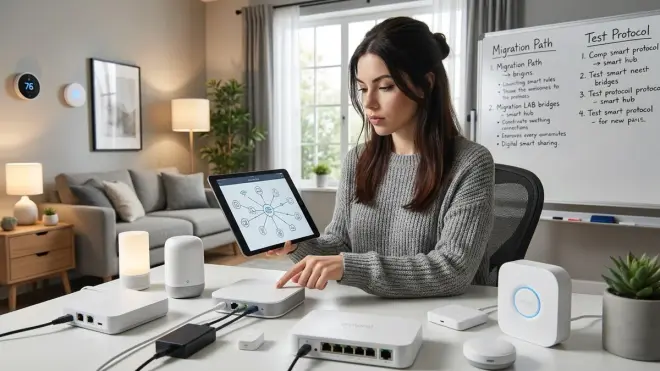
Don't rip everything out at once. I've helped dozens of people migrate from cloud ecosystems to local control, and the ones who succeed do it incrementally.
Four-Phase Migration Plan
Phase 1: Non-critical devices (4-6 weeks)
Start with smart plugs and bulbs in low-traffic areas. Test local control, automation reliability, and hub stability before committing further.
// Test automation
IF new_zigbee_sensor.state == "on" THEN
  old_wifi_bulb.turn_on()  // Cross-protocol via hub
  wait(5_seconds)
  new_zigbee_bulb.turn_on()  // Compare latency
END
Log response times for both. If local Zigbee consistently outperforms cloud Wi-Fi by >500ms, you're building the right system.
Phase 2: Sensing and monitoring (6-8 weeks)
Add environmental sensors, door/window contacts, and leak detectors. These generate the data your automations depend on—prioritize reliability over cost here.
Compatibility requirement:
Ensure your hub firmware supports the Zigbee/Z-Wave device class you're adding. Home Assistant's Zigbee Home Automation (ZHA) and Z-Wave JS integrations cover 95%+ of devices, but proprietary hubs (SmartThings, Hubitat) occasionally have gaps. Check community forums before purchasing.
Phase 3: Critical functions (8-12 weeks)
Migrate locks, security sensors, and HVAC control only after your hub has proven stable for 60+ days. Document your fallback procedures:
// Door lock automation with multi-layer fallback
IF mqtt_sensor.presence == "away" THEN
  lock.command("lock")
  set_timeout(30_seconds, verify_lock_state)

  IF lock.state != "locked" AFTER timeout THEN
    retry_lock(attempts=3, delay=10_seconds)
    IF STILL failed THEN
      send_critical_alert("Lock failed to secure")
      log_to_persistent_storage(timestamp, lock_state)
    END
  END
END
I run a secondary Z-Wave USB dongle as a cold spare—it's powered off but ready to swap in if my primary fails. Total cost: $40 for peace of mind.
Phase 4: Ecosystem cleanup (ongoing)
Once you've migrated >80% of devices, start decommissioning old accounts and revoking cloud API access. Use smart home interoperability checklist principles to verify nothing breaks when you cut off internet access.
Testing protocol coexistence:
Run this stress test before declaring success:
- Trigger 10 Zigbee devices simultaneously (turn on all lights)
- Immediately trigger 5 Z-Wave devices (lock/unlock sequence)
- Send 3 Thread commands (if applicable)
- Monitor hub CPU, mesh response times, and dropped commands
My Home Assistant Yellow handles this without breaking a sweat (<15% CPU), but older Raspberry Pi 3B setups sometimes drop commands under simultaneous multi-protocol load. You need to know your hub's limits.
Pro Tips & Common Mistakes
Mistake #1: Ignoring Zigbee channel conflicts with Wi-Fi
Your router's Wi-Fi channel 6 overlaps with Zigbee channels 15-20. I've diagnosed three "flaky mesh" issues that were solved by moving Zigbee to channel 25 (no Wi-Fi overlap) or switching Wi-Fi to channel 1. Use a Wi-Fi analyzer app to map your spectrum before choosing a Zigbee channel.
Mistake #2: Skimping on powered repeaters
Battery-powered devices do not repeat signals. That $12 Zigbee door sensor won't extend your mesh. You need powered plugs or bulbs every 30-50 feet in typical residential construction—more if you have metal studs, brick, or concrete.
Pro tip: Use smart plugs as strategic repeaters
I place Zigbee smart plugs in hallways and on lamp circuits specifically to strengthen the mesh, even if I don't automate those outlets. Cost: $15-20 each; value: elimination of dead zones worth 10x that.
Mistake #3: Mixing Z-Wave generations without understanding routing
Z-Wave Plus (Gen 5) devices won't route for older Z-Wave (Gen 3) devices. If you have legacy sensors, you need to keep at least one Gen 3 repeater in your network, or plan to replace everything. I learned this when half my sensors went offline after "upgrading" to all-Plus devices.
Mistake #4: Trusting "Matter-compatible" without verifying local operation
Matter certification doesn't guarantee cloud-free operation. Some manufacturers use Matter as an API layer but still require their cloud for setup and firmware updates. Verify with packet capture before assuming you've achieved local control.
Pro tip: Document your network in Home Assistant blueprints
I store my automation logic as version-controlled blueprints, not just in the UI. When (not if) I need to rebuild my hub or migrate platforms, I can restore complex automations in minutes instead of hours. The discipline of writing platform-independent smart home automation pays off during disasters.
Mistake #5: No backup automation path
What happens when your hub dies at 2 AM? I keep battery-powered Zigbee remotes paired directly to critical lights (bypassing the hub entirely). They're slower (500ms vs. 100ms) and don't run complex logic, but they work when everything else fails.
Frequently Asked Questions

Can I mix Zigbee and Z-Wave devices on the same network?
Yes, but they require a hub with dual radios—Zigbee and Z-Wave don't communicate directly. Home Assistant with separate USB dongles, Hubitat Elevation, and some multi-protocol hubs support this. Your automations run hub-side, translating commands between protocols. Expect 50-150ms additional latency per protocol jump compared to single-protocol automations. Battery life and mesh reliability aren't affected by mixing protocols since each maintains its own independent network.
Does Matter replace Zigbee and Z-Wave or work alongside them?
Matter works alongside existing protocols as a control layer, not a replacement. A Matter-certified device typically runs on Thread, Wi-Fi, or Ethernet at the physical layer, with Matter providing the standardized API for control. Some bridges (like the Philips Hue Bridge with Matter support) expose existing Zigbee devices through Matter without changing the underlying protocol. You're not converting devices—you're adding a translation layer that lets multiple ecosystems control them. Native Zigbee and Z-Wave devices won't suddenly speak Matter without a hardware bridge.
Which protocol has the best battery life for sensors?
Zigbee and Z-Wave both achieve 1-2 year battery life on CR2032 or AAA cells for typical door/window sensors reporting every 10-15 minutes. Thread's battery performance is comparable in 2026 testing. Wi-Fi sensors drain batteries 5-10x faster due to the higher power requirements of maintaining an active Wi-Fi connection—expect 2-4 months maximum. I've tested this with identical motion sensors across protocols: Zigbee averaged 18 months, Z-Wave 16 months, Thread (limited sample) 14 months, Wi-Fi 10 weeks.
What happens to my smart home during internet outages with each protocol?
Zigbee, Z-Wave, and Thread devices continue operating during internet outages as long as your local hub and mesh network remain powered—they never required internet connectivity to function. Matter devices can operate locally if your hub supports local control (Home Assistant does; some brand ecosystems don't). Wi-Fi devices depend entirely on how they're designed: locally-controlled devices (Shelly, ESPHome) work fine; cloud-dependent devices (most consumer brands) fail completely until internet returns. I've run my Zigbee/Z-Wave setup through week-long power-and-internet outages using UPS backup—automations continued flawlessly.
Summary
How to choose smart home protocol boils down to three questions: Do you want control or convenience? Will you pay the privacy tax upfront or in perpetual subscriptions? Can you live with the interoperability gaps that vendors won't admit exist?
I chose Zigbee for sensors and everyday devices, Z-Wave for locks and high-reliability functions, and I'm selectively adding Thread as device selection improves. Matter sits on top as a bridge when I need cross-platform control, but I don't depend on it for core functionality.
Your protocol decision is architectural—it determines what you can automate, how reliably it works, and whether you'll still control your home in 2031 when half of today's companies have shut down their cloud services. Start with local-first protocols, test aggressively, and don't trust any automation you haven't watched fail and recover.
Build systems that work when the internet doesn't. That's how you win.
Cloud-Free Viability Scores:
- Zigbee: 9/10
- Z-Wave: 9/10
- Thread: 8/10
- Matter: 7/10 (implementation-dependent)
- Wi-Fi: 3/10 (rare exceptions exist)