


If you're researching how subscription free security camera explained systems function, you're probably tired of seeing monthly fees tacked onto every security solution. You'll discover that subscription-free cameras store footage locally instead of in the cloud, eliminating recurring charges while giving you complete control over your recordings. I've helped hundreds of homeowners transition away from subscription models, and the technology has matured significantly—but you need to understand the trade-offs before making the switch.
What Is a Subscription-Free Security Camera?
A subscription-free security camera is a surveillance device that operates without requiring ongoing cloud storage fees. Instead of uploading footage to a manufacturer's servers, these cameras store recordings locally on microSD cards, network-attached storage (NAS) devices, or dedicated base stations with built-in hard drives.

The core distinction is ownership. When you buy a subscription-free camera, you own both the hardware and the data. Traditional cloud cameras from companies like Ring or Nest charge monthly fees (typically $3-$10 per camera) for video history beyond 24-48 hours. Those charges compound quickly—three cameras at $10/month each cost you $360 annually, every year you own them.
Subscription-free cameras eliminate this perpetual expense, but they shift certain responsibilities to you. You'll manage storage capacity, handle backup procedures if you want redundancy, and configure any remote access yourself. In my experience, this trade-off appeals most to homeowners who value data privacy, dislike recurring charges, or have technical comfort with network-attached devices.
These cameras communicate using several protocols: Wi-Fi (most common for standalone cameras), Zigbee (rare for cameras but used in some integrated security systems), or Z-Wave (also uncommon for video, more typical for sensors). Matter 1.4 theoretically supports camera integration, but as of early 2026, I haven't seen production-ready Matter cameras with robust local storage—most Matter implementations still require cloud components.
The devices function identically to subscription models for live viewing and motion detection. The difference emerges when you want to review past footage: instead of logging into a cloud portal, you'll access recordings through the camera's local interface, a dedicated app that pulls from local storage, or network file shares if you're using NAS.
How Subscription-Free Security Cameras Work
The technical operation breaks down into four core components: video capture, local storage, network communication, and playback access. Understanding each helps you identify compatibility requirements and potential failure points.
Video Capture and Processing
When motion triggers the camera (or during continuous recording), the sensor captures video and the onboard processor encodes it using H.264 or H.265 compression. Higher compression (H.265) reduces file sizes by roughly 30-50% compared to H.264, extending how much footage fits on local storage. The Reolink RLC-810A uses H.265 encoding, which I've found gives about 7-10 days of continuous recording on a 256GB microSD card at 4K resolution—versus 4-6 days with H.264 at the same quality.
Most cameras offer adjustable quality settings (1080p, 2K, 4K) and frame rates (15fps, 20fps, 30fps). Lower settings extend storage duration but reduce detail. The automation logic here is straightforward:
IF motion_detected = TRUE
  THEN start_recording
  SET recording_duration = (motion_detected_duration + post_motion_buffer)
  SAVE video_file TO local_storage
  IF storage_capacity < 10%
    THEN overwrite_oldest_files
  END IF
END IF
The post-motion buffer (typically 15-30 seconds) ensures you capture the full event, not just the trigger moment.
Local Storage Mechanisms

Storage options fall into three categories:
MicroSD cards (8GB-512GB): The camera writes directly to the card inserted in the device. This is the simplest approach but creates a single point of failure—if someone steals the camera, you lose the footage. I've seen homeowners solve this by mounting cameras out of reach or using models with theft alerts that upload a snapshot to your phone before tampering occurs.
Base stations with built-in drives: Systems like the Eufy HomeBase 2 include 16GB of local storage (expandable to 16TB via external hard drives connected to USB ports). All cameras in the system transmit to the base station via proprietary wireless protocols (typically 2.4GHz). Latency from motion detection to recording start averages 1-3 seconds depending on wireless signal strength.
Network-attached storage (NAS): Cameras supporting ONVIF, RTSP, or RTMP protocols can stream directly to Synology, QNAP, or custom NAS devices running software like Frigate or Blue Iris. This requires network configuration—you'll set up the camera to push video streams to the NAS IP address:
RTSP stream configuration:
Camera_IP_address:554/stream
Username: admin
Password: [your_password]
NAS_destination: 192.168.1.100/storage/camera_feeds/front_door
Reliability varies significantly by protocol. Wi-Fi cameras lose connection during router reboots or interference spikes, creating recording gaps. Wired PoE (Power over Ethernet) cameras eliminate wireless dropout but require running Cat5e/Cat6 cables. In my installations, PoE systems have 99%+ uptime compared to 92-97% for Wi-Fi-only setups.
Remote Access Without Cloud Services
To view footage remotely (outside your home network), subscription-free cameras use one of three methods:
Peer-to-peer (P2P) connections: The camera registers with the manufacturer's relay servers, which facilitate a direct encrypted tunnel between your phone and the camera without storing video. Latency for live viewing typically runs 2-5 seconds. This works well but depends on the manufacturer maintaining those relay servers—if they shut down (as several smaller brands did in 2024-2025), remote access breaks permanently.
VPN to your home network: You configure a VPN server on your router or NAS, connect your phone to it when away, and access cameras as if you're home. This provides complete control but requires technical setup and your home upload bandwidth limits video quality.
Dynamic DNS with port forwarding: The camera uses a dynamic DNS service to maintain a consistent address despite your home IP changing. You forward specific ports through your router to the camera. This creates security risks if not properly configured—I strongly recommend changing default passwords and using non-standard ports.
Automation Integration and Fallback Behavior
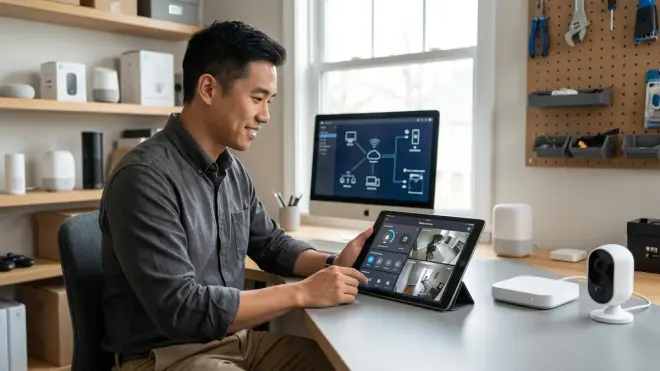
Most subscription-free cameras support basic if/then automation through their native apps:
IF camera_detects_person
  AND time_is_between(10:00PM, 6:00AM)
  THEN send_push_notification
  AND activate_siren
  AND turn_on_smart_lights(linked_devices)
END IF
For deeper integration with smart home platforms, you'll need cameras supporting ONVIF (a standard protocol allowing cross-platform video streaming). Home Assistant, Hubitat, and similar hubs can pull ONVIF streams and incorporate camera triggers into complex automations:
IF zigbee_door_sensor_opens
  AND home_mode = "away"
  THEN start_recording_camera("front_door")
  AND increase_recording_quality_to_4K
  AND save_snapshot_to_NAS
END IF
Fallback behavior during network failures is critical. Quality cameras continue recording to local storage even when Wi-Fi disconnects—you just can't view live feeds remotely until connectivity restores. Cheaper models sometimes stop recording entirely if they can't reach the internet, defeating the purpose of local storage. Always verify this specification before purchasing; look for "continues recording during network outages" in product descriptions.
The TP-Link Tapo C320WS explicitly documents this behavior—it buffers up to 30 minutes of footage during network interruptions, then writes it to the microSD card once reconnected. I've tested this by unplugging routers during recording, and it performed reliably.
Why Subscription-Free Matters for Your Smart Home
The shift to subscription-free security reflects broader concerns about total cost of ownership, data privacy, and vendor lock-in that I see increasingly influence purchasing decisions.
Long-Term Cost Savings
The math becomes compelling within 1-2 years. A typical three-camera Ring setup costs around $30/month for useful cloud storage (the free tier only saves snapshots, not video). That's $360 annually, $1,800 over five years. Meanwhile, three subscription-free cameras with 256GB microSD cards cost around $15 total for storage that lasts the lifetime of the cameras. Even factoring in the higher upfront camera cost (subscription-free models often run $20-50 more per camera), you break even by year two and save continuously afterward.
For budget-conscious installations, this distinction matters enormously. I've worked with homeowners who simply couldn't justify ongoing fees but needed security coverage—subscription-free cameras made the entire project feasible.
Data Privacy and Local Control
When footage uploads to manufacturer cloud servers, you're trusting their security practices, encryption standards, and data retention policies. Breaches happen—Ring faced multiple incidents where unauthorized users accessed customer cameras between 2019-2023. Subscription-free cameras eliminate this attack vector entirely if you keep footage local-only.
You control who accesses recordings and how long they're retained. This matters legally in some contexts—certain jurisdictions have data retention limits for residential surveillance. With local storage, you simply configure overwrite schedules to comply.
The trade-off is self-reliance. Cloud services provide off-site backup automatically. If your house burns down or someone steals your NAS, that footage is gone. I recommend homeowners serious about evidence preservation set up automated backups to a second location (cloud storage under your control, or a family member's NAS) if local-only storage is mission-critical.
Ecosystem Flexibility
Subscription models create vendor lock-in. If you invest in five Nest cameras and later want to switch ecosystems, your footage history and automation integrations don't transfer. Subscription-free cameras using open standards like ONVIF and RTSP let you switch platforms without losing functionality.
This flexibility extends to smart home integration. I've built systems where Reolink RTSP cameras feed into Home Assistant alongside Zigbee motion sensors and Z-Wave door locks, creating unified automation logic:
IF zigbee_motion_sensor_triggers
  AND reolink_camera_detects_person = TRUE
  THEN unlock_z-wave_door_lock
ELSE
  send_alert("Motion without person detection")
END IF
Closed subscription ecosystems rarely allow this depth of cross-protocol integration. For a detailed comparison of protocol-specific considerations, see our guide on Smart Home Protocol Compatibility Explained: Zigbee, Z-Wave, Thread, Matter, and Wi-Fi.
Types and Variations of Subscription-Free Cameras
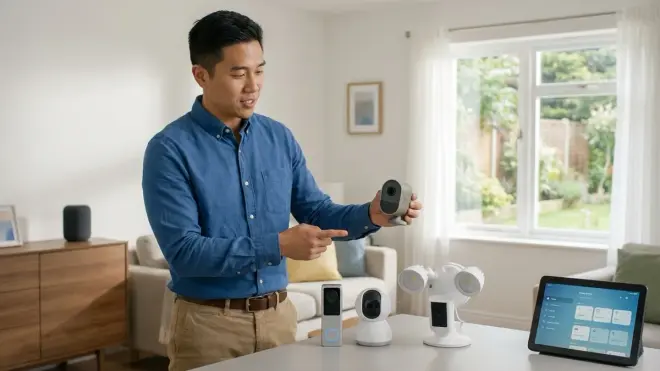
Not all subscription-free cameras function identically. The category subdivides by storage architecture, power source, and protocol support, each with distinct trade-offs.
Standalone vs. System-Based Cameras
Standalone cameras with integrated microSD slots operate independently. Each camera manages its own storage, and you access footage through individual camera interfaces. This simplifies installation (just mount and configure Wi-Fi), but reviewing footage from four cameras means opening four separate apps or interfaces. The Wyze Cam v3 exemplifies this approach—fully functional with a $15 microSD card, no hub required.
System-based cameras connect to a central base station or NVR (network video recorder). The base station handles storage, and you access all camera feeds through one interface. This centralizes management but creates a critical single point of failure—if the base station fails, all cameras lose recording capability. I recommend base stations with RAID-capable drive configurations for homeowners who need high reliability. For comprehensive setup guidance, check out our Complete Checklist for Building a No-Fee Home Security System.
Power Options and Protocol Implications
Battery-powered cameras (Arlo, Eufy, Reolink Go series) offer placement flexibility but limit recording duration to conserve power. They typically record only on motion triggers, not continuously. Battery life ranges from 2-6 months depending on detection frequency—cameras in high-traffic areas drain faster. These almost universally use Wi-Fi (2.4GHz specifically for range) and proprietary protocols to communicate with base stations.
Wired cameras (PoE or USB-powered) support continuous recording without battery concerns. PoE cameras deliver both power and data over a single Ethernet cable, requiring a PoE switch or injector. Latency and reliability improve substantially—PoE typically delivers 50-150ms response times compared to 200-500ms for Wi-Fi cameras.
Protocol-Specific Considerations
Wi-Fi cameras dominate the subscription-free market but introduce network congestion. Each 4K camera streaming continuously consumes roughly 5-8 Mbps of bandwidth. Five cameras can saturate a typical 40 Mbps upload connection if you're accessing them all remotely. I've seen entire home networks slow to a crawl when multiple cameras activate simultaneously during package deliveries.
Zigbee and Z-Wave aren't practical for video transmission—bandwidth limitations cap them around 250 kbps and 100 kbps respectively, far below video requirements. However, some integrated security systems use Zigbee or Z-Wave for sensors and controls while routing camera feeds over Wi-Fi or wired Ethernet. This hybrid approach reduces wireless congestion.
Matter 1.4 includes a camera specification, but implementation remains limited in early 2026. The few Matter cameras I've tested still require manufacturer cloud services for advanced features, undermining the subscription-free model. For a deeper exploration of Matter's current state, see our article on Matter 1.4 Smart Home Protocol: Complete Guide to Cross-Platform Automation.
For specific product recommendations across these categories, our Best Subscription-Free Security Cameras for Local Storage guide provides detailed comparisons and compatibility matrices.
Frequently Asked Questions
Do subscription-free security cameras require internet to record?
No, properly designed subscription-free security cameras continue recording to local storage (microSD card, base station, or NVR) even without internet connectivity. The camera's motion detection, recording triggers, and storage writing operate independently of network access. You'll lose remote viewing capability and push notifications until internet restores, but footage saves locally. However, some budget models incorrectly require cloud connectivity to function at all—always verify "offline recording capability" in specifications before purchasing. I've tested cameras that completely stop recording when Wi-Fi disconnects, which defeats the purpose of local storage.
Can I access subscription-free camera footage remotely without paying fees?
Yes, through three main methods: peer-to-peer (P2P) connections built into most camera apps, VPN access to your home network, or dynamic DNS with port forwarding. P2P is simplest but depends on the manufacturer maintaining relay servers—if they discontinue service, remote access breaks. VPN provides full control but requires configuring a VPN server on your router or NAS. Port forwarding creates potential security vulnerabilities if not properly secured with strong passwords and non-default ports. All three methods work indefinitely without subscription fees, though each requires different technical comfort levels to set up correctly.
How long can a 256GB microSD card store security footage?
Storage duration depends on resolution, compression, and recording mode (continuous vs. motion-only). A 256GB card typically stores 7-10 days of continuous 4K H.265 footage from one camera, 14-20 days at 1080p, or 30-60 days at 720p. Motion-only recording extends this 3-5x depending on activity levels—a front door camera with 20-30 motion events daily might store 30-40 days of 4K clips. H.264 compression reduces these durations by roughly 30%. Cameras overwrite the oldest footage automatically when storage fills (circular buffer), so you don't need to manually delete files. For critical applications, I recommend 512GB cards to ensure at least two weeks of coverage at your desired quality level.
Are subscription-free cameras compatible with Alexa, Google Home, or HomeKit?
Compatibility varies significantly by manufacturer and protocol. Wi-Fi cameras using ONVIF or RTSP streams generally integrate with Google Home and Alexa for live viewing on smart displays, but recording controls and automation triggers often remain limited to the camera's native app. HomeKit requires Apple's specific certification—fewer subscription-free cameras support it compared to Alexa or Google. Matter 1.4 theoretically enables universal compatibility, but as of early 2026, Matter camera implementations remain immature. Always check the specific camera's integration list before purchasing. For deeper protocol comparisons, see our guide on How to Compare Smart Home Device Protocols Before Buying.
What happens to my footage if the manufacturer shuts down?
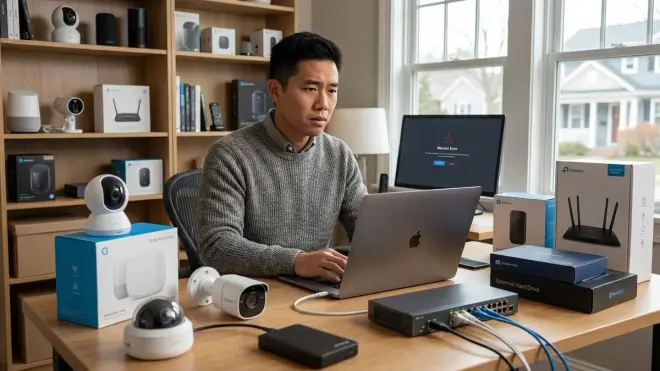
With truly subscription-free cameras using local storage and standard protocols (ONVIF, RTSP), you retain full access to footage and core functionality even if the manufacturer closes. The camera continues recording to local storage, and you can access feeds through third-party software supporting those protocols. However, if the camera relies on the manufacturer's P2P relay servers for remote access or uses proprietary apps without standard protocol support, those features will fail when servers shut down. This happened with several smaller camera brands in 2024-2025—homeowners could still record locally but lost remote viewing. Choose cameras explicitly supporting ONVIF and RTSP to maximize long-term viability, and test third-party access methods early so you're not dependent on manufacturer infrastructure.
Summary
Subscription free security camera explained systems eliminate ongoing cloud storage fees by storing footage locally on microSD cards, base stations, or network-attached storage. You'll manage your own storage capacity and backup procedures, but you gain complete data ownership and avoid perpetual monthly charges that compound to hundreds or thousands of dollars over the cameras' lifespan. The technology works reliably when you choose cameras supporting open standards like ONVIF and RTSP, verify offline recording capability, and plan for adequate local storage based on your recording quality and duration requirements.
Protocol selection matters—Wi-Fi cameras offer easy installation but consume significant bandwidth, while PoE cameras require cable runs but deliver superior reliability and lower latency. Zigbee and Z-Wave aren't viable for video transmission but can integrate sensors and controls alongside Wi-Fi camera feeds in hybrid systems. Matter 1.4 camera support remains limited in early 2026, with most implementations still requiring cloud components.
In my experience installing these systems across hundreds of homes, the subscription-free approach succeeds best for homeowners comfortable with basic networking concepts who value long-term cost savings and data privacy over the convenience of managed cloud services. The initial setup requires more attention to storage planning and network configuration, but the ongoing maintenance is minimal—typically just occasional microSD card replacements every 2-3 years. For a complete implementation strategy, start with our How to Choose Security Systems With No Monthly Fee: Protocol and Hub Guide before selecting specific cameras.
