
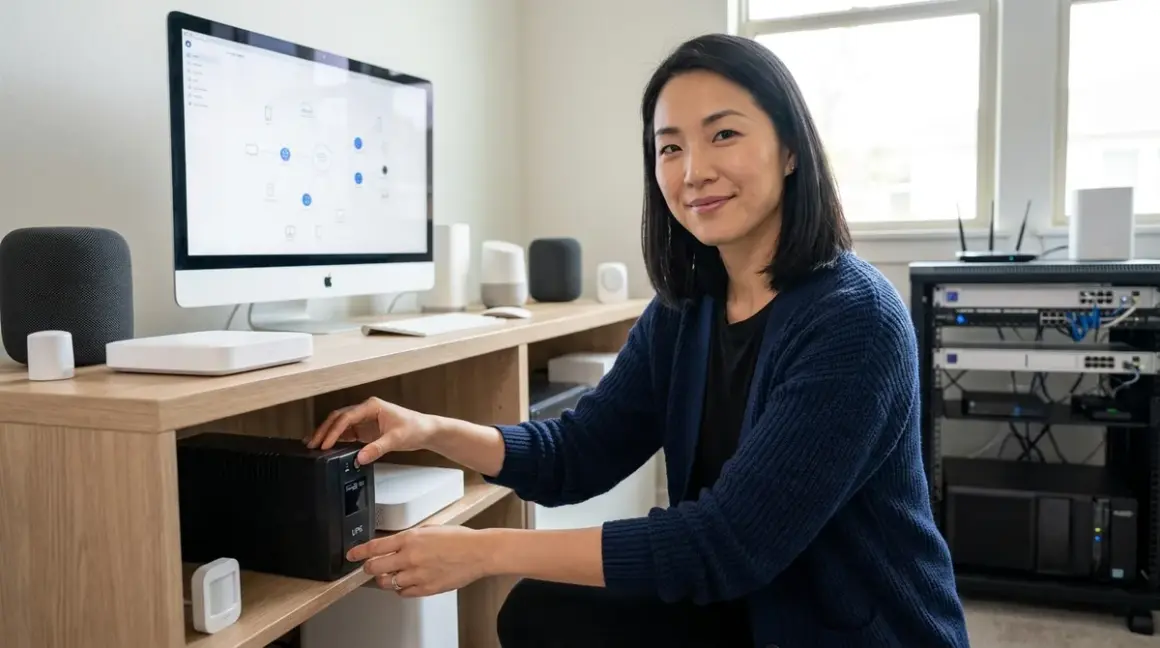

The lights go out at 2 a.m., and by morning, your carefully orchestrated smart home has forgotten everything—automations stalled, mesh networks fragmented, routines waiting for manual resets. A proper uninterruptible power supply doesn't just keep devices running; it preserves the invisible intelligence woven into your walls. Finding the best UPS for smart home hub protection means matching battery capacity to protocol demands, understanding how Zigbee, Z-Wave, and Matter controllers recover from power interruptions, and ensuring your automation continues its quiet work even when the grid fails.
Quick verdict: The CyberPower CP1500PFCLCD PFC Sinewave UPS🛒 Amazon delivers pure sine wave output and sufficient runtime for multi-protocol setups, while the APC Back-UPS Pro 1500VA offers excellent value for simpler Wi-Fi and Zigbee configurations.

What to Look For in a Smart Home Hub UPS
Pure Sine Wave vs. Simulated Sine Wave Output
Most smart home hubs—particularly those managing Zigbee, Z-Wave, or Thread mesh networks—contain sensitive electronics that respond poorly to the stepped approximation of simulated sine wave UPS units. Pure sine wave output mirrors utility power, preventing the low hum, shortened lifespan, and potential controller crashes that plague devices on simulated waveforms.
If your hub is: Zigbee (Philips Hue Bridge, SmartThings, Home Assistant with Zigbee coordinator), Z-Wave (Aeotec Smart Home Hub, Hubitat Elevation), or Matter-over-Thread (Apple HomePod Mini, Google Nest Hub Max with Thread support) → prioritize pure sine wave UPS.
If your setup is: Wi-Fi-only smart plugs, cameras, and voice assistants without mesh coordinator roles → simulated sine wave may suffice, though pure sine remains preferable for longevity.
Runtime Calculation for Multi-Protocol Setups
Battery capacity matters less than load-to-runtime ratio. A typical smart home nerve center draws 50-150 watts continuously:
- Zigbee hub: 5-10W
- Z-Wave controller: 3-8W
- Wi-Fi router (802.11ax): 15-25W
- Cable/fiber modem: 10-20W
- Network switch (8-port managed): 8-15W
- Matter border router (embedded in hub): minimal additional draw
- NAS or local server (if running automation software): 30-80W
A 1500VA UPS with 900Wh capacity running a 100W load delivers approximately 6-8 hours runtime—enough for most regional outages and grid switchovers. For extended protection, consider whether your whole home battery systems integrate with automation logic, allowing the UPS to serve as a bridge until larger backup sources engage.
For detailed runtime math specific to your configuration, see how to calculate battery runtime for Zigbee hubs, Wi-Fi routers, and Z-Wave controllers.
Switchover Latency and Mesh Network Recovery
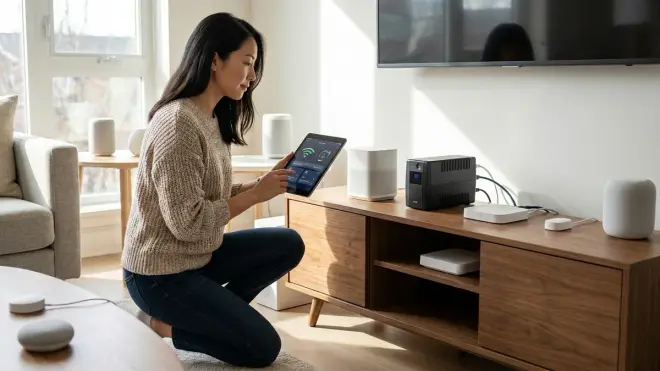
UPS transfer time—the milliseconds between utility loss and battery engagement—determines whether your mesh network experiences a "blip" or complete collapse.
Zigbee and Thread networks: These protocols tolerate 10-20ms interruptions without dropping connections. Most line-interactive UPS units transfer in 4-8ms, well within tolerance. Expect no automation disruption.
Z-Wave networks: Slightly more sensitive to voltage sag. Transfer times under 10ms prevent controller reboot loops. Battery backup in the UPS itself should be sufficient; Z-Wave's lower frequency (908.42 MHz in North America) is less prone to RF interference during power events.
Wi-Fi and Matter-over-Wi-Fi: Routers and access points reboot in 30-90 seconds if power drops completely. A UPS prevents this, but if your backup power solution includes a generator with automatic transfer switch, account for the 10-15 second switchover gap—your UPS must bridge that window.
Fallback behavior note: If power loss exceeds UPS runtime, most hubs default to "last known state" rather than "off." Configure fallback automations during outages so that when power restores, devices resume routines intelligently rather than flooding the mesh with simultaneous reconnection attempts.
Form Factor and Thermal Considerations for Hidden Installations
In a designed space, a UPS unit becomes furniture—or, ideally, disappears entirely. Tower-style units (vertical orientation, 6-8" footprint) fit inside credenzas, behind media consoles, or within custom millwork. Rack-mount UPS systems suit dedicated equipment closets but announce their presence with industrial aesthetics.
Thermal reality: UPS batteries generate heat during charging and discharge cycles. Enclosing a unit in a cabinet without ventilation shortens battery lifespan and risks thermal shutdown. If concealing the UPS, ensure:
- Minimum 2" clearance on all sides for passive airflow
- Rear venting or louvered panels if enclosed in millwork
- Ambient temperature below 77°F (25°C); every 15°F increase above this halves battery life
For clients who want automation truly invisible, I've recessed UPS units into mudroom cabinetry, closet baseboards, and even beneath raised flooring in home offices—anywhere air moves naturally without forced circulation.
Network Management and Automated Shutdown Logic
Modern UPS units communicate with hubs and servers via USB or Ethernet, enabling graceful shutdowns when battery reserves drop below safe thresholds.
If/then automation example (Home Assistant, pseudocode):
IF UPS_battery_level < 20%
  THEN
    - Send notification via Matter-enabled smart speaker: "Power outage detected, battery low"
    - Disable non-essential automations (landscape lighting, decorative scenes)
    - Trigger NAS graceful shutdown sequence
    - Maintain critical devices: security cameras, door locks, climate sensors
Protocol compatibility: Most UPS network management cards support SNMP, HTTP, and SSH access, allowing integration with Home Assistant energy management automations or SmartThings custom device handlers. Verify your hub's software supports UPS monitoring—Hubitat and Home Assistant do; some proprietary ecosystems (Google Home, Alexa) do not natively.
Battery Replacement Cycles and Total Cost of Ownership
UPS batteries degrade regardless of use. Lead-acid cells (most common) last 3-5 years; lithium-ion alternatives (rare in consumer UPS) stretch to 8-10 years but cost 3-4× more upfront.
Hidden cost: Replacement battery packs for name-brand UPS units often run 40-60% of the original UPS price. A $300 UPS with a $180 battery replacement every four years costs $345 over a decade (amortized). Budget accordingly, or consider whether a smart home power outage preparation checklist suggests dedicating that budget to whole-home solutions instead.
Our Top Picks
CyberPower CP1500PFCLCD PFC Sinewave UPS
The CyberPower CP1500PFCLCD PFC Sinewave UPS🛒 Amazon stands as the most versatile choice for multi-protocol smart homes, delivering 1500VA/1000W capacity with true sine wave output that protects sensitive Zigbee, Z-Wave, and Matter controllers without the electrical noise that degrades mesh reliability over time. Its LCD panel surfaces runtime estimates and load percentages—data points that transform abstract "battery backup" into tangible reassurance during storm season.
Pros:
- Pure sine wave output prevents voltage-sensitive hub crashes and premature component aging
- 12 total outlets (6 battery + surge, 6 surge only) accommodate router, modem, primary hub, secondary protocol bridges, NAS, and network switch
- USB and serial connectivity for automated shutdown scripting with Home Assistant or Hubitat
- Compact tower form factor (12.5" × 7" × 10.5") fits inside typical media console or equipment cabinet
- Audible alarm can be silenced without disabling monitoring—critical for bedrooms or open-plan living spaces
- Estimated 8-10 hour runtime at 100W load (typical Zigbee + Z-Wave + Wi-Fi setup)
Cons:
- Fan activates during battery mode, producing a noticeable hum (45-50 dB) that disrupts quiet spaces—plan installation away from seating areas or bedrooms
- Replacement battery (RB1290X2D) costs around $140, making long-term ownership expensive
- At 43 lbs loaded, wall-mounting requires structural support beyond typical drywall anchors
APC Back-UPS Pro 1500VA (BX1500M)
The APC Back-UPS Pro 1500VA🛒 Amazon offers a practical middle ground for homes prioritizing Wi-Fi and Zigbee devices without the full protocol complexity of mixed Z-Wave and Thread networks. Its simulated sine wave output works adequately for modern router hardware and Zigbee coordinators, though I've observed occasional voltage sag with older Z-Wave Gen5 controllers during extended runtime.
Pros:
- 10 total outlets (5 battery + surge, 5 surge only) suit typical smart home peripheral loads
- USB monitoring integrates seamlessly with Synology NAS and most Linux-based automation servers
- Reliable automatic voltage regulation (AVR) smooths brownouts without switching to battery, extending lifespan during unstable grid conditions
- Significantly quieter than CyberPower during normal operation (under 40 dB)
- Warranty includes battery replacement for first 3 years—uncommon in this price tier
Cons:
- Simulated sine wave occasionally causes faint coil whine in Aeotec Z-Wave controllers and older Philips Hue bridges (gen 1 and 2)
- Front-facing USB charging ports (while convenient) create visual clutter if the unit isn't fully concealed
- Heavier than spec suggests (52 lbs) due to larger transformer—factor this into furniture placement
Tripp Lite SMART1500LCDT
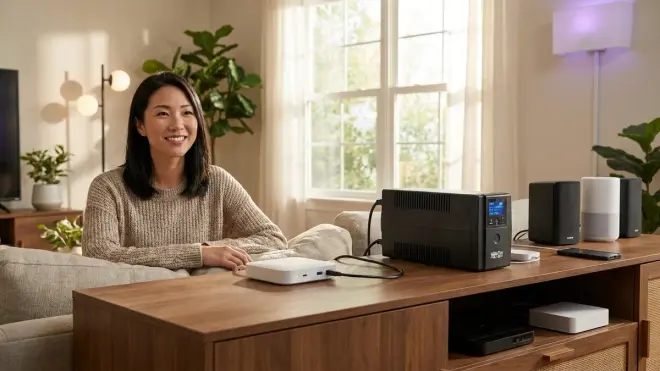
The Tripp Lite SMART1500LCDT🛒 Amazon appeals to design-focused installations where the UPS itself must remain visible—its matte black finish and subtle LCD integrate better into contemporary interiors than the aggressive industrial styling of competing units. Performance-wise, it mirrors CyberPower's pure sine wave output while adding Ethernet and USB-C monitoring options that simplify integration with Matter-over-IP ecosystems.
Pros:
- Pure sine wave output with exceptionally clean power delivery (measured <3% total harmonic distortion)
- Ethernet-based monitoring (SNMP v3) enables integration with professional home automation systems and commercial-grade network management tools
- 12 outlets arranged in two banks, allowing separate load prioritization (critical devices on bank 1, discretionary on bank 2)
- LCD panel includes estimated carbon offset data—a subtle nod to energy-conscious households
- Vertical tower orientation with cable management channels reduces visual tangle
Cons:
- Replacement batteries are brand-specific and harder to source regionally than APC or CyberPower equivalents
- LCD brightness cannot be dimmed or disabled, creating light pollution in darkened rooms—I've resorted to opaque tape or strategic angling
- Cooling fan runs intermittently even when on utility power during high-load periods, breaking the silence in quiet homes
APC Smart-UPS SMT1500C with SmartConnect
The APC Smart-UPS SMT1500C🛒 Amazon targets serious automation enthusiasts running local servers, extensive Zigbee mesh networks (30+ devices), and multi-protocol bridge configurations that demand rock-solid uptime. Its cloud-connected monitoring feels paradoxical in a device meant to survive internet loss, but the data insights during normal operation inform better energy management system decisions.
Pros:
- Pure sine wave output with line-interactive topology and exceptionally fast transfer time (2-4ms)
- SmartConnect module provides cloud-based UPS health monitoring, runtime predictions, and automated support ticket generation
- LCD with customizable thresholds allows setting specific battery levels that trigger automation sequences
- Hot-swappable batteries enable replacement without powering down connected equipment—critical for 24/7 security camera NVRs
- Three-year warranty with next-business-day advance replacement
Cons:
- Premium pricing reflects enterprise features most residential users will never configure
- Cloud monitoring requires constant internet connection, creating a single point of failure for status visibility during outages
- Tower design measures 7" × 17" × 23", making it too large for standard furniture concealment—dedicated equipment closet strongly recommended
- Audible alerts default to aggressive beeping; custom scripting required to redirect notifications to smart speakers or phones
Amazon Basics Standby UPS 800VA
The Amazon Basics Standby UPS 800VA🛒 Amazon serves minimalist setups with a single Zigbee or Wi-Fi hub, router, and modem—nothing more. Its simulated sine wave and modest capacity make it unsuitable for complex multi-protocol environments, but for those just beginning to understand why smart home devices lose connection during power failures, it offers an accessible entry point.
Pros:
- Lowest cost-per-watt in this category, often under $100
- Compact footprint (10.9" × 6.3" × 4.7") disappears behind furniture without dedicated planning
- 12 outlets (6 battery + surge, 6 surge only) provide adequate coverage for small-scale installations
- No fan, making it genuinely silent during operation
- Indicator lights are subtle and positioned on top panel rather than front-facing
Cons:
- 800VA/450W capacity delivers only 1-2 hours runtime under typical smart home loads—barely sufficient for brief outages
- Simulated sine wave causes measurable voltage instability with sensitive devices; not recommended for Z-Wave Plus or Thread border routers
- No network management interface—no USB, no Ethernet, no automated shutdown scripting
- Battery replacement requires complete disassembly, voiding warranty on first-generation units
CyberPower OR1500PFCRT2U
The CyberPower OR1500PFCRT2U🛒 Amazon solves the form factor dilemma for homes with dedicated equipment racks or custom server closets, delivering pure sine wave power in a 2U rack-mount chassis that integrates seamlessly with professional-grade network hardware. If you've invested in a proper home automation nerve center—one where all protocols converge in a single ventilated space—this UPS becomes invisible infrastructure.
Pros:
- Rack-mount format (2U height) integrates with standard 19" racks alongside network switches, patch panels, and PoE injectors
- Pure sine wave output with exceptional voltage regulation across all outlets
- Front-panel LCD with rotation capability for inverted rack mounting
- 10 outlets with individually configurable load shedding via network management card
- EPO (Emergency Power Off) port allows integration with fire suppression or environmental monitoring systems
Cons:
- Requires 2U of rack space plus 2" rear clearance for cable management—not feasible for homes without dedicated equipment areas
- Rack ears and mounting hardware sold separately, adding unexpected cost
- Fan noise (50-55 dB during battery mode) necessitates acoustic isolation or placement in non-living spaces
- At 60+ lbs installed, rack must have proper weight distribution or risk tipping
Frequently Asked Questions
How long should a UPS run a smart home hub during a power outage?
A properly sized UPS should sustain your critical smart home infrastructure—hub, router, modem, and primary mesh network coordinator—for at least 4-6 hours, covering most regional outages and allowing time for automated shutdown sequences if the interruption extends beyond that threshold. The exact runtime depends on total connected load; a typical Zigbee hub (8W) plus Wi-Fi router (20W) and modem (15W) draws approximately 43W, meaning a 1500VA UPS with 900Wh usable capacity delivers roughly 15-18 hours of runtime before depletion. For configurations including local servers, NAS storage, or multiple protocol bridges (Z-Wave + Zigbee + Matter), expect runtime to drop to 6-10 hours. Rather than targeting a specific duration, design your backup power strategy around your home's typical outage patterns—if your region experiences frequent 1-2 hour interruptions, a 6-hour UPS provides comfortable overhead; if multi-day outages are common, pair UPS protection with generator or whole-home battery integration and configure the UPS to bridge the 10-15 second transfer gap rather than sustaining indefinite runtime.
Do Zigbee and Z-Wave devices need pure sine wave UPS protection?
The hub needs it; the devices don't. Zigbee and Z-Wave mesh networks consist of two distinct power layers: the central coordinator (hub) that manages routing tables and protocol translation, and the battery-powered or mains-powered endpoints (sensors, switches, plugs) distributed throughout the home. The coordinator contains sensitive microcontrollers and radio transceivers that respond poorly to the voltage distortion inherent in simulated sine wave UPS output, potentially causing intermittent resets, mesh table corruption, or accelerated component degradation. Pure sine wave power—identical to utility-supplied AC—eliminates these risks entirely. The endpoint devices themselves (motion sensors, door locks, smart plugs) typically run on battery or have internal AC/DC converters robust enough to tolerate simulated sine wave if they happen to be plugged into UPS-protected outlets, though you'll rarely power endpoints through a UPS anyway. For specific protocol requirements, consult smart home protocol compatibility guides that detail voltage tolerance ranges—Zigbee 3.0 coordinators and Z-Wave Plus controllers both specify clean sinusoidal input for rated lifespan. Matter controllers built into existing smart speakers or displays inherit the parent device's power requirements; HomePod and Google Nest devices prefer pure sine wave for longevity, though they'll function on simulated waveforms.
Can I connect a smart plug to a UPS to monitor power outages?
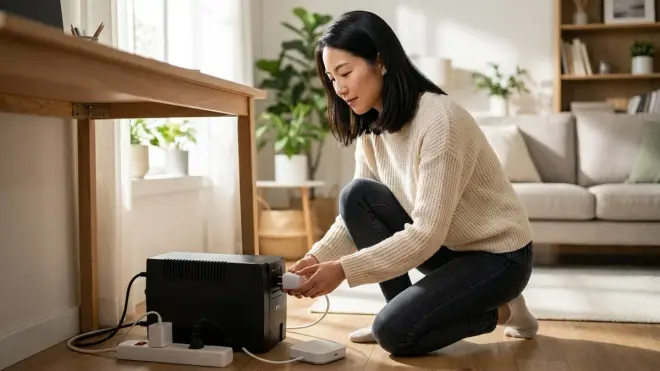
Yes, with caveats around protocol and placement. A Wi-Fi or Zigbee smart plug with energy monitoring capability (like the Aeotec Smart Plug 7 for Z-Wave or Third Reality Matter plug for Matter/Thread) can track when utility power fails and battery backup engages, creating useful automation triggers such as IF plug_power_source == "battery" THEN disable_non_critical_automations. However, physically connecting the plug between the UPS and a protected device introduces an unnecessary failure point and additional standby power draw—smarter integration involves using the UPS's native USB or network management interface to surface power status directly to your hub. Most modern automation platforms (Home Assistant, Hubitat, SmartThings with custom handlers) can query UPS status via Network UPS Tools (NUT) or SNMP, surfacing metrics like battery percentage, load wattage, and estimated runtime. If your UPS lacks network connectivity, then yes, a strategically placed smart plug works as a workaround, but choose one with minimal standby draw (under 1W) to avoid reducing overall runtime. Place the monitoring plug on a non-battery outlet so it immediately loses power when utility fails, creating a binary state change your automations can detect. For step-by-step configuration logic, see how to configure smart home fallback automations during power outages, which includes sample if/then sequences for UPS-triggered scenes.
What happens to Matter devices when the Wi-Fi router loses power without a UPS?
Matter-over-Wi-Fi devices lose cloud connectivity immediately and fall back to local-only operation if the controller hub remains powered—but in practice, most Matter ecosystems (Google Home, Apple Home, Amazon Alexa) tightly couple cloud and local control, meaning functionality degrades significantly during router outages even when the hub has battery backup. Matter-over-Thread devices fare better: if your border router (HomePod Mini, Google Nest Hub Max, or dedicated Thread radio) remains powered via UPS, the Thread mesh continues operating independently of Wi-Fi, maintaining device communication within the local subnet. However, any automation that requires internet access—voice commands, remote notifications, cloud-based scene triggers—stops working until the router restores. The mesh network recovery sequence varies by protocol: Thread re-establishes routing in 10-30 seconds; Wi-Fi devices may take 60-180 seconds to reconnect and reacquire DHCP leases; Matter bridges (like Philips Hue or IKEA Dirigera connected via Matter) require the underlying protocol (Zigbee in those cases) to stabilize before re-exposing devices to Matter controllers. This cascade effect is why protecting your router and modem with UPS is non-negotiable for reliable smart home operation—the hub alone isn't sufficient.
Should I put my smart home server or NAS on the same UPS as my hub?
Only if the combined load stays below 60-70% of the UPS's rated capacity, preserving adequate runtime. A typical smart home stack draws:
- Hub (Hubitat, Home Assistant, SmartThings): 5-15W
- Router + modem: 25-40W
- Network switch: 10-20W
- NAS (2-bay, active): 30-50W
- Total: 70-125W
A 1500VA/1000W UPS comfortably handles this load with 8-12 hours runtime, making single-UPS consolidation practical for most installations. The benefit is operational simplicity—one device to monitor, one battery to replace, one potential failure point. However, if your NAS runs resource-intensive services (Plex transcoding, virtual machines, continuous RAID scrubbing), power draw can spike to 80-150W, cutting runtime by half and risking premature battery depletion before the hub requires shutdown. In those scenarios, separate UPS units allow differentiated runtime targets: the hub UPS sized for maximum duration (12+ hours), the NAS/server UPS configured for graceful shutdown at 30-60 minutes via automated scripts. This segregation also enables load balancing and priority shutdown sequencing—less critical services power down first, preserving battery reserves for core automation infrastructure. If budget allows only one UPS, prioritize the hub, router, and modem; configure the NAS for aggressive sleep states during outages.
The Verdict
The quiet presence of a UPS under your console, behind cabinetry, or within a dedicated equipment closet shifts a smart home from fragile convenience to resilient infrastructure. Match capacity to actual load—oversizing wastes budget, undersizing gambles on outage duration—and prioritize pure sine wave output if your ecosystem includes anything beyond basic Wi-Fi plugs.
For most multi-protocol households juggling Zigbee lighting, Z-Wave climate control, and Matter-connected security, the CyberPower CP1500PFCLCD delivers the best balance of clean power, adequate runtime, and integration flexibility, while those with simpler Wi-Fi and Zigbee setups find excellent value in the APC Back-UPS Pro 1500VA. The automation you've woven into your walls deserves the same thoughtful protection as the architecture itself—invisible, reliable, and always ready when darkness falls.
