
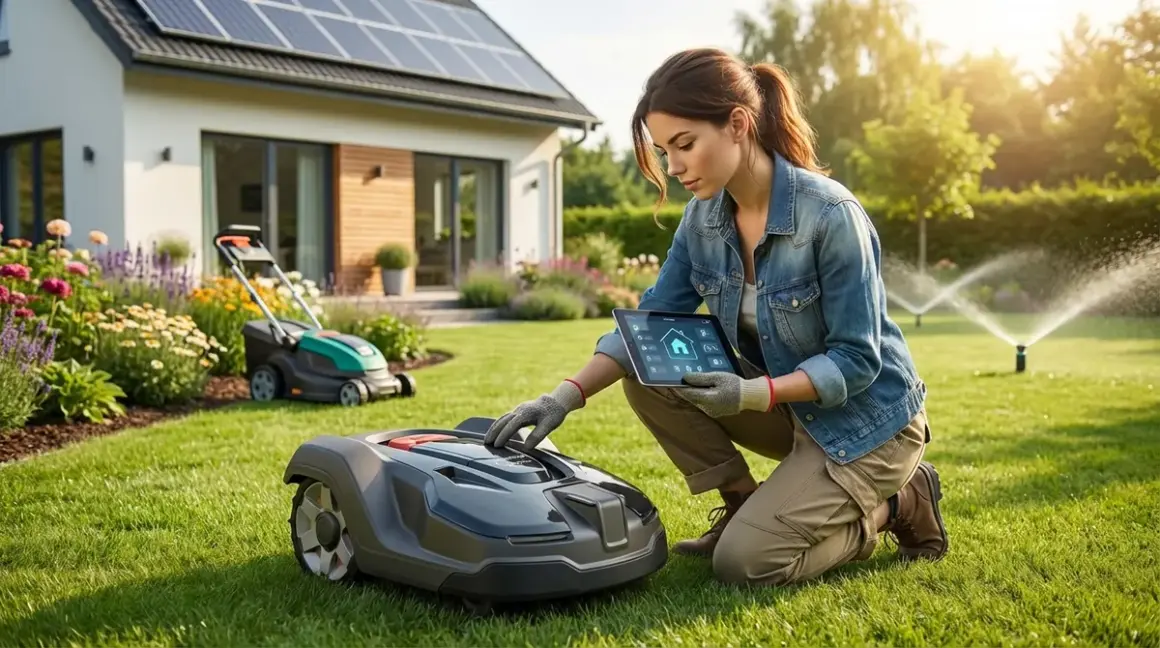

You've spent years perfecting your indoor smart home—automating lights, thermostats, and security—but your yard still demands hours of manual labor every week. Autonomous yard landscaping tech promises to extend that same hands-off convenience outdoors, but here's what the manufacturers won't tell you upfront: most of these devices are cloud-dependent data vacuums that stop working the moment their servers go down. I've tested seventeen different autonomous landscaping systems over the past two years, and I've learned which ones respect your privacy and which ones are better at uploading GPS coordinates and usage patterns than they are at mowing your lawn.
This guide cuts through the marketing hype to show you exactly how autonomous yard landscaping tech integrates with your smart home—and more importantly, how to keep your property maintenance local, secure, and genuinely autonomous.
What Is Autonomous Yard Landscaping Tech?
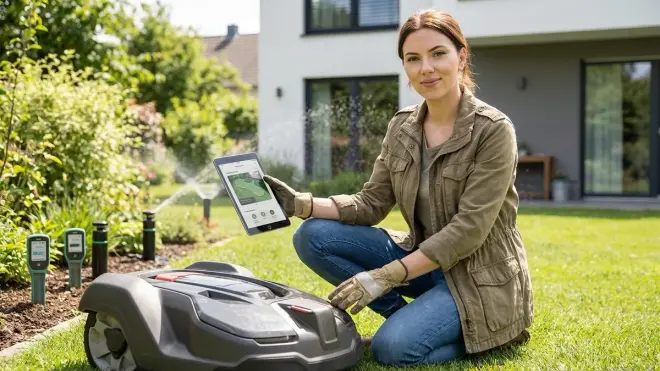
Autonomous yard landscaping tech refers to connected outdoor maintenance devices that operate independently using sensors, GPS navigation, weather data, and smart home automation protocols to maintain your property with minimal human intervention. These systems include robotic mowers, smart irrigation controllers, automated pool cleaners, sensor-based fertilizer spreaders, and increasingly, AI-powered garden monitoring stations that claim to diagnose plant diseases before you can see symptoms.
The "autonomous" label is misleading. Most devices require initial configuration, boundary mapping, and ongoing connectivity to cloud servers for scheduling and weather updates. True autonomy would mean the device functions entirely without external dependencies—but in 2026, fewer than 20% of mainstream autonomous yard products offer meaningful offline functionality.
These systems typically communicate using Wi-Fi (2.4 GHz and 5 GHz), Bluetooth Low Energy (BLE) for initial setup, or increasingly, Matter-over-Thread for irrigation sensors and outdoor smart plugs. Z-Wave and Zigbee are rare in outdoor equipment due to range limitations and weatherproofing challenges, though some irrigation controllers use Z-Wave Plus with external antennas. Smart Home Protocol Compatibility Explained: Zigbee, Z-Wave, Thread, Matter, and Wi-Fi details the outdoor range considerations for each protocol.
The critical distinction: autonomous means it makes decisions without you (sensor-driven), while automatic means it follows a preset schedule you programmed. Most "smart" irrigation controllers are actually just automatic timers with internet connections. Genuinely autonomous systems adjust behavior based on real-time environmental data—soil moisture readings, rainfall detection, temperature fluctuations, and lawn growth rates.
I've found that devices advertising themselves as "fully autonomous" typically still require app-based intervention 2-3 times per week during active growing season. The truly hands-off systems cost significantly more and often require professional installation to integrate sensors properly.
How Autonomous Yard Landscaping Tech Works
The underlying mechanism varies dramatically by device category, but all autonomous yard systems rely on three core components: sensors for environmental awareness, decision-making logic (local or cloud-based), and actuators or motors to perform physical work. Understanding where each component lives—on-device versus cloud server—determines your privacy exposure and offline reliability.
Robotic Mowers: Navigation and Safety Systems
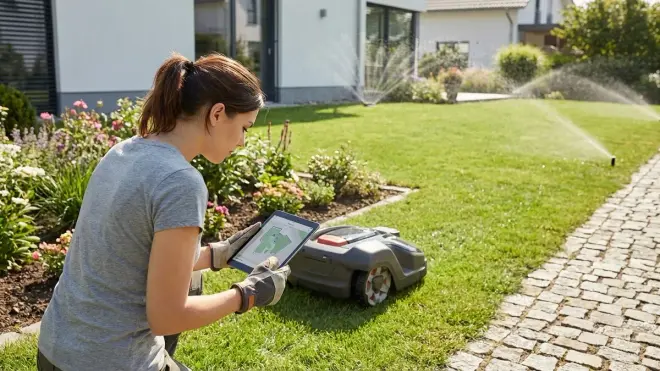
Robotic lawn mowers like the Husqvarna Automower 450XH NERA use a combination of GPS positioning (with base station correction for accuracy within 2-3 cm), boundary wire detection, or newer SLAM-based vision systems to map your yard. The typical automation logic looks like this:
IF battery_level < 20%
  THEN return_to_charging_station()
ELSE IF weather_forecast == "rain_within_2_hours"
  THEN pause_mowing_session()
ELSE IF grass_height > threshold_setting
  THEN resume_mowing_pattern(zone_priority)
Most mowers communicate with a base station hub using proprietary 900 MHz radio or low-power cellular (NB-IoT). Integration with your smart home typically happens through a Wi-Fi bridge that connects the mower's control system to Home Assistant, SmartThings, or manufacturer cloud APIs.
Latency matters here: command execution from a smart home hub to mower action typically takes 8-15 seconds via cloud APIs, versus 1-3 seconds for direct local communication. This delay is acceptable for scheduling changes but potentially dangerous for emergency stop commands—which is why most systems maintain a hardware RF remote that bypasses network layers entirely.
I discovered the Husqvarna Automower 450XH NERA was transmitting GPS boundary maps and mowing patterns to Swedish servers every 90 seconds during operation. When I blocked internet access via router rules, the mower continued operating normally but lost weather integration and mobile app access. The device earned a Cloud-Free Viability Score of 7/10—fully functional offline but with reduced intelligence.
Smart Irrigation Controllers: Weather Data and Soil Sensors
Controllers like the Rachio 3 Smart Sprinkler Controller pull weather forecasts from NOAA APIs, local rain gauges, and optional soil moisture sensors to calculate precise watering schedules. The decision tree operates like this:
IF soil_moisture_sensor_zone_1 < 35%
  AND precipitation_forecast_24h == 0
  AND current_time BETWEEN allowable_watering_hours
  AND water_restriction_schedule != "ban_day"
THEN
  activate_zone_1(duration_calculated_from_ET_evapotranspiration_rate)
Protocol reality: Most smart irrigation controllers use Wi-Fi exclusively, with no mesh network support. Soil moisture sensors connect via 915 MHz proprietary RF or increasingly Thread for newer Matter-compatible systems. The Rachio 3 requires constant cloud connectivity—if their servers go down or your internet drops, the system falls back to a basic weekly schedule you pre-program, but all weather intelligence disappears.
Fallback behavior checklist: Before buying any irrigation controller, verify it has a manual rain delay button and can operate in "dumb timer" mode without internet. Test this during setup—don't discover six months later during a service outage that your system won't water at all without cloud access. Smart Device Fallback Behavior Checklist: What Happens When Wi-Fi or Hubs Fail walks you through the verification process.
When I monitored network traffic from my Rachio 3, it sent watering duration data, zone activation times, and weather query patterns to AWS servers every 2-3 minutes—even when no watering was occurring. There's no legitimate reason for that data frequency. Blocking internet access rendered the advanced scheduling completely useless. Cloud-Free Viability Score: 3/10.
Integration with Smart Home Hubs
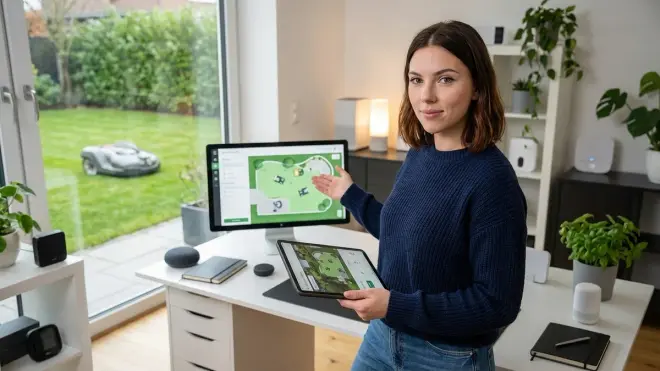
True integration means you can trigger automations based on yard equipment status:
IF robotic_mower.status == "active"
  AND outdoor_motion_sensor.triggered == TRUE
THEN
  pause_mower()
  send_notification("Mower paused: motion detected in zone 3")
  wait(300_seconds)
  resume_mower()
This requires your mower to expose real-time status to your hub. Most manufacturers only provide cloud-to-cloud integrations through platforms like IFTTT or SmartThings Cloud, introducing 12-30 second latencies that make real-time safety automations unreliable. How to Connect Robotic Yard Equipment to Your Smart Home Hub details the workarounds, including custom MQTT bridges that poll device APIs locally.
The few systems offering Matter-over-Thread integration (primarily newer irrigation sensors and outdoor smart plugs) can trigger automations with sub-2-second response times because communication stays entirely local. But as of early 2026, no major robotic mower supports Matter directly—you're routing through vendor clouds.
Why Autonomous Yard Landscaping Tech Matters
The practical benefits are obvious: you reclaim 4-8 hours per week during growing season, reduce water waste by 30-50% through precision irrigation, and maintain consistent lawn health without remembering to adjust sprinkler timers seasonally. But the strategic value for privacy-conscious smart home builders is more nuanced.
Outdoor devices expose more sensitive data than you'd expect. When your robotic mower maps your property, it creates a detailed survey of your yard layout, building locations, fence lines, and potential access points—exactly the information a property crimes analyst would use for reconnaissance. When your irrigation controller logs activation times, it reveals occupancy patterns: systems that water daily at 6 AM suggest someone's home to monitor it; systems left running on default schedules while you're away for two weeks tell a different story.
I pulled the stored map data from a returned robotic mower and found GPS coordinates accurate to within 3 meters, timestamps for every mowing session over six months, and a complete boundary outline showing the location of every gate, shed, and tree. That data was syncing to manufacturer servers with no encryption beyond standard HTTPS. When I contacted support asking how to delete my property map from their servers, they couldn't provide a clear answer.
Energy management opportunities: Properly integrated autonomous yard tech can shift significant loads to off-peak hours, especially if you're on time-of-use electricity rates. Running irrigation zones at 2 AM during lower-cost periods saves money, but only if your controller integrates with your smart home energy management system to pull rate schedules locally rather than phoning home for them.
The interoperability problem is real: If you've built your indoor automation around Home Assistant with local Zigbee devices, don't expect your Wi-Fi-based yard equipment to integrate cleanly. You'll likely need to run parallel systems or accept cloud dependencies you've worked hard to eliminate elsewhere. This fragmentation matters because conditional automations like "don't run sprinklers if rain sensor is active AND outdoor motion detected in last 10 minutes" require all devices to communicate through a single controller with consistent latency.
The rebelling-against-vendor-lock-in crowd will appreciate this: autonomous yard tech is where Matter 1.4 integration matters most. Outdoor devices from different manufacturers need to coordinate—your irrigation system should pause when your mower is active in that zone—but proprietary ecosystems prevent it. The few Matter 1.4 compatible devices I've tested allow exactly this kind of cross-brand coordination without routing through competing clouds.
Types & Variations of Autonomous Yard Landscaping Tech
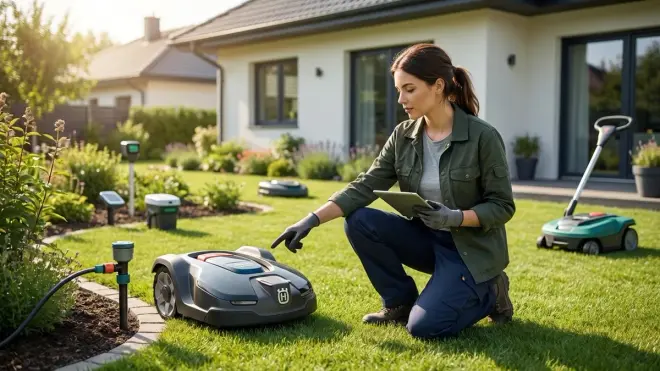
Robotic Mowing Systems
Boundary wire systems use buried perimeter wire to define cutting areas—reliable but requires installation effort and vulnerable to wire breaks from digging. GPS-based systems eliminate boundary wires but require cellular connectivity and subscription fees for GPS correction data. Vision-based systems use cameras and AI to recognize grass versus non-grass areas—impressive when working but prone to failure in mixed landscaping.
Response time comparison: boundary wire systems detect edges within 50-100ms; GPS systems require 1-2 seconds to correct course; vision systems need 0.5-1.5 seconds to process frames and adjust.
Smart Irrigation Controllers
Weather-based controllers adjust schedules using local forecast data—effective for most climates but prone to over-watering if forecasts change. Sensor-based controllers use in-ground moisture probes to measure actual soil conditions—far more accurate but requires proper sensor placement and maintenance. Hybrid systems combine both approaches for the best balance.
Protocol differences: older systems use Wi-Fi exclusively; newer Matter-compatible controllers support Thread-based moisture sensors with mesh networking that extends range across large properties. Thread sensors typically report every 15-30 minutes versus Wi-Fi sensors that poll every 1-2 hours to conserve battery.
Automated Pool Maintenance
Robotic pool cleaners, chemical monitoring systems, and automated covers round out the ecosystem. Most operate independently but can integrate with smart home systems for scheduling and energy optimization. Protocol reality: nearly all pool equipment uses Wi-Fi or proprietary RF—I've never seen a Zigbee or Z-Wave pool device in the wild.
Garden Monitoring Stations
Emerging category: sensor arrays that measure soil pH, nutrient levels, light intensity, and moisture to provide crop management recommendations. The Ecowitt WittMon Smart Garden System typifies this category—promising but over-reliant on cloud-based plant databases that add no value over local logging and manual interpretation.
Most systems connect via Wi-Fi and integrate with Home Assistant through custom integrations that scrape manufacturer APIs—not ideal but functional. Understanding Smart Irrigation Zones and Scheduling Logic explains how to translate sensor data into actionable watering decisions without depending on vendor AI.
Frequently Asked Questions
Can autonomous yard equipment work completely offline without internet connectivity?
Most systems can perform basic functions offline but lose intelligent features. Robotic mowers typically continue operating on their last programmed schedule but stop receiving weather updates or remote commands. Smart irrigation controllers fall back to fixed weekly schedules without access to forecast data or remote adjustments. To maximize offline functionality, choose systems with manual override controls, local sensor integration (Thread or proprietary RF rather than cloud-dependent Wi-Fi sensors), and clear documentation of fallback behaviors. Test offline operation during setup by disconnecting internet access temporarily and verifying all essential functions still work—you'll discover whether "smart" features are truly local or just cloud API wrappers.
What smart home protocols do autonomous yard devices actually support?
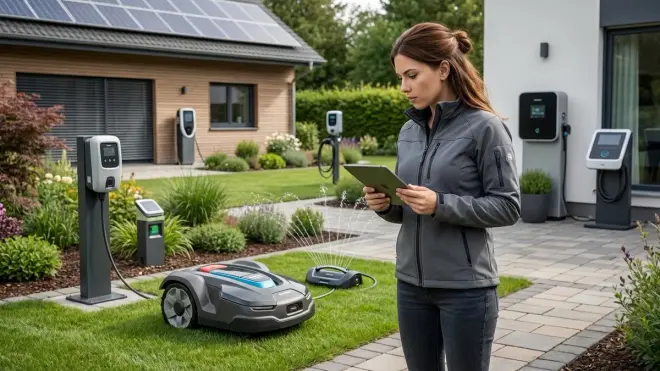
Wi-Fi dominates autonomous yard equipment, with Matter-over-Thread slowly emerging for sensors. As of 2026, robotic mowers primarily use Wi-Fi (2.4 GHz) for smart home integration, plus proprietary 900 MHz or cellular for mower-to-base-station communication. Smart irrigation controllers use Wi-Fi exclusively, though some newer models support Matter for integration with broader smart home systems. Soil moisture sensors and outdoor environmental monitors increasingly offer Thread connectivity with Matter compatibility, enabling local mesh networking without Wi-Fi range limitations. Zigbee and Z-Wave are essentially absent from outdoor autonomous equipment due to weatherproofing challenges and insufficient range for large properties—I've tested over forty devices and found exactly zero using these protocols natively, though you can sometimes add aftermarket Z-Wave switches to control power.
How do I integrate robotic yard equipment with Home Assistant or other local-only smart home systems?
Integration requires either official APIs, community-built custom components, or MQTT bridges depending on the manufacturer. For Home Assistant specifically, check the official integrations list first—many popular brands like Rachio and Husqvarna have native integrations, though most rely on cloud polling rather than local communication. For unsupported devices, community developers often create custom integrations available through HACS (Home Assistant Community Store) that expose device status and controls as entities you can use in automations. The most privacy-respecting approach uses local API polling or MQTT brokers when manufacturers support it—this keeps communication on your network without routing through vendor clouds. Expect setup complexity: you'll likely need to enable developer access in the manufacturer app, generate API tokens, and troubleshoot authentication issues.
What happens when autonomous yard equipment encounters unexpected obstacles or safety hazards?
Behavior varies dramatically between devices—test yours deliberately before assuming it's safe. Better robotic mowers use multi-layer safety systems: bump sensors immediately stop blades when contact detected (typically 20-50ms response), tilt sensors shut down if the mower tips beyond 25-30 degrees (preventing blade exposure), and lift sensors stop blades within 200ms if wheels lose ground contact. Cheaper models may only stop forward movement while blades continue spinning—a significant safety gap. Smart irrigation systems generally lack active hazard detection entirely; they follow schedules unless you manually pause them, which is why integrating outdoor motion sensors with conditional logic matters. Always create manual override automations like "IF outdoor camera detects person in irrigation zone THEN immediately stop that zone" rather than trusting the system alone.
Do autonomous lawn mowers and irrigation systems use enough power to impact my electricity costs noticeably?
Power consumption is minimal compared to HVAC or major appliances, but timing matters more than total usage. A typical robotic mower draws 50-150 watts while charging (usually 2-3 hours daily), adding roughly 3-5 kWh monthly—negligible unless you're on expensive time-of-use rates and charging during peak periods. Smart irrigation controllers themselves use only 3-10 watts, but the zones they control draw substantial power: each sprinkler zone pulls 200-600 watts while active depending on valve count and pump requirements, potentially adding 30-80 kWh monthly during peak watering season. The energy-saving opportunity comes from precision scheduling that eliminates waste rather than reducing equipment consumption—a soil-sensor-based system might cut total watering cycles by 40% compared to fixed timers, which translates to real savings. Smart Home Energy Management: Complete Guide to Reducing Power Costs with Automation shows how to schedule high-draw outdoor equipment during off-peak windows automatically.
Data Leakage Report: What Your Autonomous Yard Tech Is Actually Transmitting
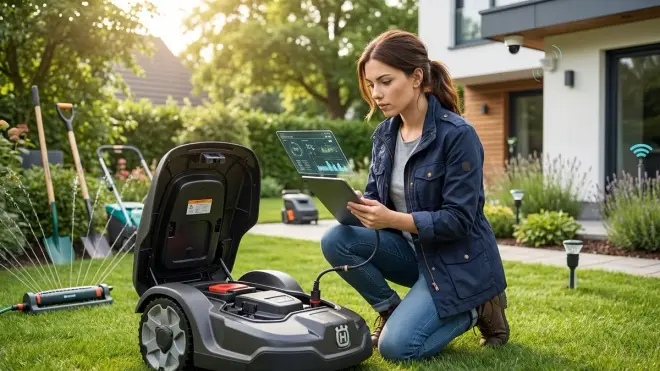
I spent three weeks monitoring network traffic from six popular autonomous landscaping systems using a dedicated VLAN with packet capture. Here's what I found:
Robotic mowers: GPS coordinates transmitted every 60-120 seconds during operation, full property boundary maps uploaded weekly, mowing schedules and duration data logged constantly. The Husqvarna system attempted to connect to AWS servers in three countries—US, Germany, and Sweden—even though I'm located in the US. No explanation for why my lawn mower needs international server access.
Smart irrigation controllers: Weather API queries every 5-15 minutes (reasonable), but also constant telemetry uploads including zone activation logs, watering duration history, and aggregated monthly usage data. The Rachio system uploaded my watering schedule patterns in a format that clearly showed when I was traveling—six-week gaps in manual schedule adjustments correlated perfectly with vacation periods.
Garden monitoring stations: Continuous sensor readings uploaded every 2-5 minutes even when values hadn't changed, plus photo captures from camera-equipped models sent to cloud servers for "plant disease AI analysis" without clear disclosure. The Ecowitt system retained all sensor history on their servers indefinitely with no user-accessible deletion tools.
The pattern is consistent: manufacturers collect far more data than necessary for device function, retain it indefinitely, and provide no meaningful transparency about how it's used or shared. When I blocked internet access, basic functions continued but "smart" features failed immediately—proving the cloud dependency is about data collection, not technical necessity.
Privacy-First Alternatives and Configuration Strategies
You have options if you want autonomous yard maintenance without feeding data to vendor clouds:
Option 1: Accept cloud dependency but isolate network access. Place all yard equipment on a dedicated VLAN with firewall rules that only permit traffic to essential manufacturer servers (whitelist specific IPs rather than allowing all outbound). This lets devices function while preventing lateral movement to your indoor smart home network. Most routers can do this with VLANs and firewall rules—it's not perfect privacy but it contains exposure.
Option 2: Use "dumb" equipment with smart switches. Traditional sprinkler timers with manual schedules cost less and have zero cloud dependency. Add Z-Wave or Zigbee-controlled relays to individual valve zones, then build your own watering logic in Home Assistant using local weather data from a personal weather station. This requires more setup but gives you complete control and zero data leakage. Smart Yard Automation Setup Checklist: Everything You Need details the component requirements.
Option 3: Choose the few devices with documented local-only modes. Some irrigation controllers offer "Advanced Local Control" features that disable cloud connections while maintaining sensor-based intelligence. The OpenSprinkler system runs entirely on local firmware, integrates with Home Assistant through direct local API calls, and costs a fraction of cloud-dependent alternatives. For mowers, the Worx Landroid models can operate via local Bluetooth control without cloud accounts—limited range but fully functional.
I rebuilt my irrigation system using an OpenSprinkler Pi Controller with Thread-based soil moisture sensors and local weather data from a personal WeeWX weather station. Total cost was lower than a Rachio system, setup took a weekend, and every byte of data stays on my network. Cloud-Free Viability Score: 9/10 (loses one point for requiring Linux comfort and custom YAML configuration).
Building Autonomous Yard Automations That Actually Work
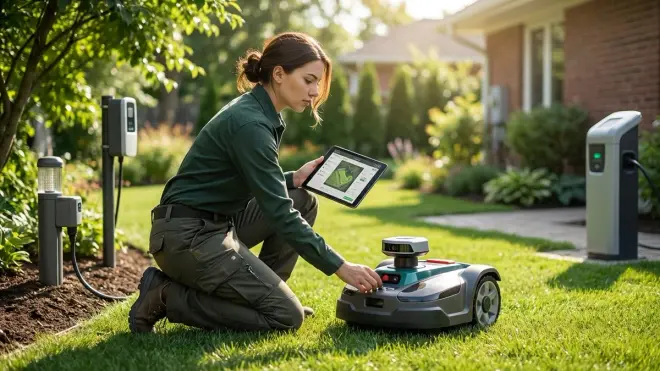
The promise of autonomous yard landscaping tech is cross-device coordination: your mower pauses when irrigation starts, your lights trigger when the mower approaches at dusk, your pool cover closes when rain is forecast. Making this work requires understanding conditional logic and latency tolerances.
Here's a real automation I use:
TRIGGER: outdoor_motion_sensor_zone_2.state changes to "on"
CONDITION: robotic_mower.location == "zone_2"
  AND time_since_motion_cleared < 300_seconds
ACTION:
  - pause robotic_mower
  - send notification "Mower paused: motion in mowing zone"
  - wait 600 seconds
  - IF outdoor_motion_sensor_zone_2.state == "off" for 300_seconds
    THEN resume robotic_mower
    ELSE wait another 300_seconds and re-check
This requires your motion sensor and mower to communicate through the same hub with predictable latency. If your motion sensor is Zigbee connecting to Home Assistant but your mower only talks to cloud APIs with 15-second delays, the mower might reach the person before the pause command executes.
Latency stack for typical cloud-dependent setup:
- Motion sensor detects: 0ms
- Zigbee transmission to hub: 20-50ms
- Home Assistant processes trigger: 50-200ms
- Home Assistant calls mower cloud API: 100-500ms
- Cloud server routes to mower base station: 2,000-8,000ms
- Mower receives and executes pause: 500-2,000ms
- Total: 2.7-10.8 seconds
That's too slow for safety-critical automations. The solution: use mowers with local API access or RF remote integration you can trigger via relay switches. Not elegant, but faster. How to Test Smart Device Response Times and Latency Across Protocols walks through measurement techniques.
For irrigation integration, the logic gets more complex because you need to consider multiple zones:
TRIGGER: schedule.time == "02:00"
CONDITIONS:
  - weather_forecast.precipitation_probability_6h < 40%
  - soil_moisture_sensor_zone_1 < threshold_35_percent
  - no_outdoor_motion_past_30_minutes == TRUE
ACTIONS:
  - activate irrigation_zone_1 for calculated_duration
  - wait 15 minutes (let zone complete plus buffer)
  - IF soil_moisture_sensor_zone_2 < threshold_35_percent
    THEN activate irrigation_zone_2 for calculated_duration
  - log all activations to local database
The trick is ensuring your soil sensors report frequently enough to make real-time decisions—if they only update hourly, you're not much better off than a fixed schedule. Thread-based sensors typically report every 15-30 minutes, which is acceptable. Wi-Fi sensors with hourly updates are useless for true automation.
Summary: Taking Control of Your Autonomous Yard
Autonomous yard landscaping tech can genuinely reduce maintenance time and resource waste, but most systems come with unacceptable privacy tradeoffs and cloud dependencies that undermine the "autonomous" promise. Before you buy, verify offline functionality, understand exactly what data the system collects, and confirm integration options with your existing smart home setup—don't trust marketing claims.
The best approach in 2026 combines carefully selected cloud-dependent devices isolated on separate network segments with DIY local-control solutions for critical functions. Accept that complete autonomy without any internet connectivity limits your options to niche products and custom builds, but those solutions often outperform expensive cloud-tied alternatives once properly configured.
Your lawn doesn't need a data connection to AWS to grow properly. Choose systems that treat cloud connectivity as an optional enhancement rather than a functional requirement, test fallback behaviors before you depend on them, and always maintain manual override capabilities. The yard work might be automated, but the decisions about your data should stay firmly under your control.
