
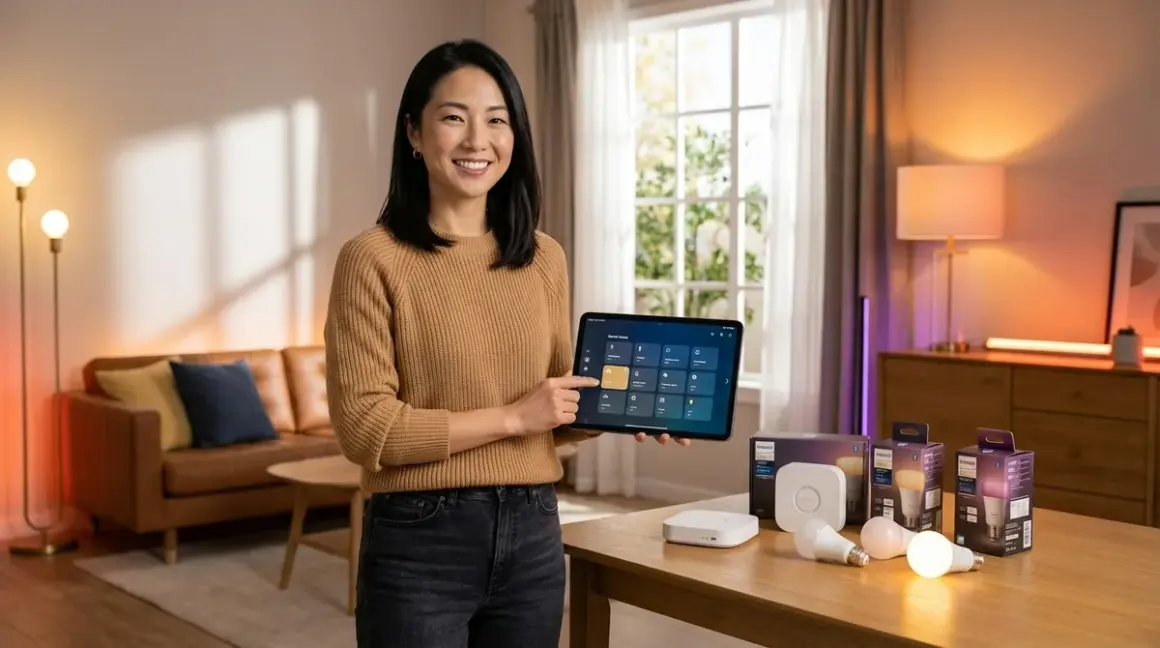

Choosing smart lighting isn't about bulbs—it's about orchestrating how light moves through your home, responding to the quiet rhythms of your day. After a decade of designing spaces where technology recedes into architecture, I've watched clients struggle with how to choose smart lighting that disappears into their routines rather than demanding attention. The difference between a system that feels effortless and one that becomes a frustrating novelty lies in understanding protocols, recognizing ecosystem boundaries before you commit, and aligning your budget with the experience you're actually trying to create.
This guide walks you through protocol selection, compatibility traps, and cost structures so you can build lighting that enhances atmosphere without visible compromise. You'll need about two hours to complete the decision framework outlined here, and no prior technical experience—just clarity about how you want your spaces to feel.

What You'll Need
- Current room inventory: list of spaces where you want automated lighting
- Existing smart home devices (if any): note their protocols (check device packaging or manuals for Zigbee, Z-Wave, Thread, Matter, Wi-Fi specifications)
- Hub or controller documentation: if you already own a smart home hub, identify which protocols it supports
- Budget range: total amount allocated for bulbs, switches, dimmers, and any required hubs
- Smartphone or tablet: for testing app interfaces during research phase
- Notebook or spreadsheet: to track protocol compatibility across devices as you evaluate options
Step 1: Identify the Protocol That Matches Your Desired Invisibility Level
Protocol choice determines not just compatibility, but how visible your automation becomes in daily life. Zigbee and Thread operate on mesh networks, meaning each device strengthens the signal—ideal for homes where you want bulbs scattered throughout without worrying about Wi-Fi congestion or dead zones. A Zigbee mesh typically handles 50-100ms response times, which feels instantaneous when you walk into a dark hallway.
Z-Wave offers slightly longer range (up to 100 meters vs Zigbee's 10-20 meters between nodes) but supports fewer simultaneous devices—better for larger homes with fewer light fixtures than for apartments with dense automation. Matter represents the newest standard, designed for cross-platform compatibility, but as of 2026 still requires a Matter-compatible controller and often works through Thread or Wi-Fi as the underlying transport layer. Wi-Fi bulbs connect directly to your router, eliminating hub requirements but flooding your network—every bulb becomes another device competing for bandwidth.
For those pursuing truly invisible systems, Zigbee and Thread offer the best balance: they require a hub (which can be concealed behind furniture or inside cabinetry), but once configured, they operate locally without cloud dependency. If your internet drops, Zigbee automations continue running.
When evaluating protocols, consider the complete breakdown of protocol differences before committing to any ecosystem.
Step 2: Map Your Ecosystem Lock-In Risk Before Buying a Single Bulb
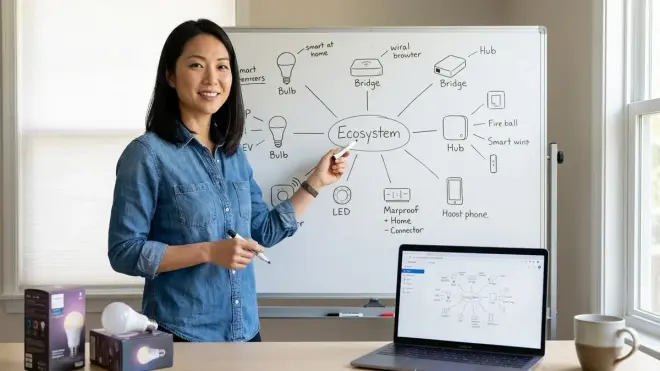
Every smart lighting purchase carries invisible commitments. The Philips Hue White and Color Starter Kit locks you into the Philips Hue ecosystem—a Zigbee system that requires the Hue Bridge hub and works beautifully within its own universe, but adds friction when integrating with non-Hue devices. You can expand with third-party Zigbee bulbs, but advanced features like entertainment sync and gradient lighting remain Hue-exclusive.
Amazon Alexa devices increasingly support Matter natively, meaning Matter-certified bulbs work across Alexa, Google Home, Apple HomeKit, and Samsung SmartThings without vendor-specific bridges. But Matter adoption remains incomplete—many popular bulbs still ship as Wi-Fi-only or Zigbee-only without Matter certification, and firmware updates to add Matter compatibility have been slow and unreliable across manufacturers.
Google Home users face similar fragmentation: some bulbs integrate directly through Wi-Fi, others require manufacturer-specific bridges that Google Home communicates with through the cloud. Cloud-dependent systems introduce latency (150-300ms typical response times) and fail entirely when your internet connection drops.
Apple HomeKit demands hardware-level security certification, which limits device selection but guarantees local processing through a HomePod, Apple TV, or iPad acting as a hub. Thread support through HomePod mini and Apple TV 4K (2021 or later) offers the most elegant path to invisible automation for Apple households, but you'll pay a premium—HomeKit-certified bulbs typically cost 30-50% more than equivalent non-certified alternatives.
Test ecosystem boundaries by listing every device you already own, noting which platforms they support, then confirming whether your desired bulbs will integrate natively or require workarounds like third-party bridges or Home Assistant.
Step 3: Define Your Automation Logic Requirements and Response Time Expectations
Smart lighting only disappears when it anticipates needs without conscious input. Before selecting protocols, write out your desired automations in if/then logic to expose compatibility requirements hidden in vague aspirations.
Example automation that looks simple but reveals protocol constraints:
IF motion detected in hallway
AND time between 11:00 PM – 6:00 AM
AND ambient light < 5 lux
THEN turn on hallway lights to 15% warm white
WAIT 2 minutes after motion stops
THEN fade lights off over 30 seconds
This automation requires a motion sensor, light sensor (often built into the motion sensor), and bulbs or switches that support dimming and gradual transitions. If your motion sensor uses Zigbee but your chosen bulbs require Wi-Fi, you'll need a hub that bridges both protocols—or you'll face cloud-dependent routing that adds 200-400ms latency and fails when internet drops.
Latency matters most in high-traffic spaces. Zigbee and Thread mesh networks typically deliver 50-150ms response times from motion trigger to light activation. Wi-Fi bulbs communicating through cloud services average 200-500ms. That quarter-second delay transforms "lights that anticipate you" into "lights you notice waiting for." Z-Wave typically falls between these extremes at 100-250ms depending on network congestion and hop count.
For detailed automation setup guidance, reference smart lighting automation logic and the complete automation comparison framework.
Step 4: Calculate Total System Cost Including Hidden Hub and Subscription Fees

Smart lighting budgets collapse when buyers focus on per-bulb costs while ignoring infrastructure. A $15 Wi-Fi bulb looks affordable until you've added 12 bulbs to your router, degrading your entire network. A $25 Zigbee bulb requires a hub, but that single hub supports 50+ devices without burdening your Wi-Fi.
Budget framework for invisible lighting systems:
Entry tier ($150-300): 4-6 Wi-Fi bulbs, no hub required, limited automation logic, cloud-dependent, moderate ecosystem lock-in. Best for renters testing smart lighting in 1-2 rooms.
Mid tier ($400-800): Zigbee or Thread hub ($50-150) + 8-12 smart bulbs/switches ($20-45 each), local automation capability, strong mesh reliability, expandable to 50+ devices on same hub. Best for homeowners committing to whole-home automation gradually.
Advanced tier ($1,200-2,500): Matter-compatible controller hub + mix of Thread bulbs, in-wall Zigbee switches, smart dimmers, motion sensors, and ambient light sensors. Requires more complex setup but delivers truly autonomous lighting that adapts to occupancy, time of day, and natural light levels. Best for those pursuing invisible automation across 3+ rooms.
Hidden costs emerge in subscription requirements and replacement infrastructure. Cloud-dependent systems increasingly push "premium" features—advanced scheduling, geofencing, voice control—behind monthly subscriptions ($3-10/month). Local-first systems (Zigbee, Z-Wave, Thread) avoid these recurring fees entirely.
Matter promises to eliminate these traps, but as of 2026, Matter bulbs still cost 20-40% more than equivalent Zigbee alternatives, and many manufacturers are abandoning Zigbee/Z-Wave models entirely, forcing early adopters to replace working infrastructure. Learn more about Matter migration challenges before committing to protocol-specific ecosystems.
Step 5: Test Fallback Behavior and Offline Functionality Before Committing
The most elegant smart lighting becomes the most frustrating when it fails invisibly. Every system needs defined fallback behavior—what happens when Wi-Fi drops, hubs lose power, or cloud services go down.
Wi-Fi bulbs typically revert to last known state or turn on at full brightness when power cycles. If your internet fails but power remains stable, many Wi-Fi bulbs lose all smart functionality—no automation, no app control, sometimes not even the ability to control them with wall switches. The LIFX Color A19 addresses this partially by maintaining local network control even when internet drops, but you'll lose cloud-dependent features like geofencing and third-party integrations.
Zigbee and Z-Wave mesh networks continue operating locally when internet fails, but require the hub to remain powered. If the hub loses power, bulbs typically default to on at last brightness when wall power restores. This creates problems in bedrooms where you want lights off by default. Better implementations allow you to configure default states per bulb.
Thread with Matter offers the most robust fallback: Thread networks operate entirely locally, and Matter's multi-admin architecture means if your primary controller fails, secondary controllers (your Apple TV, Google Hub, or Amazon Echo) can still issue commands. Response times increase slightly (by 50-100ms) when failover occurs, but automations continue running.
Test fallback behavior before completing installation by deliberately disconnecting internet, powering off hubs, and triggering automations to confirm they behave predictably under failure conditions. Consult the smart device fallback behavior checklist for comprehensive testing scenarios.
Step 6: Prioritize In-Wall Switches Over Smart Bulbs Where Aesthetics Demand Invisibility
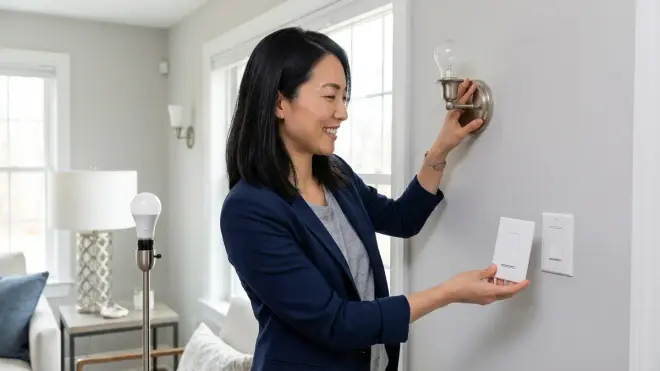
Smart bulbs seduce with easy installation and gradient color possibilities, but they expose a fundamental conflict: they require powered sockets, which means leaving wall switches on permanently. Guests instinctively toggle wall switches, cutting power to your smart bulbs and leaving you with dead automation and manual reset requirements.
In-wall smart switches and dimmers dissolve this friction entirely. A Zigbee or Z-Wave switch (like the Inovelli Blue Series Zigbee Switch) replaces your existing wall switch, controlling dumb bulbs while maintaining all smart functionality—schedules, automations, remote control, voice commands—without requiring constant socket power. When guests toggle the switch, it sends a wireless command to the hub rather than cutting power. Automations continue working, and the physical switch provides tactile control that feels natural.
In-wall switches require neutral wires in your electrical boxes—common in homes built after 1985 but often absent in older construction. If you lack neutral wires, your options narrow to specific no-neutral switches (fewer protocol choices, more expensive) or hiring an electrician to run neutral wires ($150-300 per location). For detailed comparison of in-wall versus surface-mount solutions, see in-wall smart switches versus surface mount alternatives.
The aesthetic advantage compounds: dumb LED bulbs cost $2-5 each versus $20-45 for smart bulbs, making whole-room lighting affordable. A $60 smart switch controlling five $3 bulbs costs less than three smart bulbs while delivering better guest-proof operation and simpler bulb replacement when they eventually fail.
Step 7: Build a Compatibility Checklist and Verify Before Purchase
How to choose smart lighting without creating incompatible device collections: construct a compatibility matrix that maps every proposed device against your hub, existing devices, and desired automations.
Essential compatibility verification points:
- Protocol match: Confirm the bulb/switch protocol exactly matches what your hub supports—"works with Alexa" doesn't mean the device uses a protocol your Alexa-compatible hub can communicate with directly
- Hub requirements: Many "Zigbee" or "Thread" devices require manufacturer-specific hubs (Philips Hue Bridge, Ikea Trådfri Gateway) and won't pair with generic hubs
- Firmware compatibility: Thread devices require Matter 1.2+ controllers; many 2024-era hubs need firmware updates to support Matter properly
- Voltage and fixture type: Confirm bulbs match your fixture voltage (110V in North America) and form factor (E26, E12, GU10, etc.)
- Dimmer compatibility: LED bulbs require specific dimmer types; standard incandescent dimmers cause flickering or failure
- Minimum/maximum load: Smart switches specify minimum wattage requirements (often 25W); controlling a single 9W LED bulb won't work
Use the smart lighting compatibility checklist to systematically verify every device before purchasing. For comprehensive protocol comparison, consult how to compare smart home protocols and the device mesh network reliability breakdown.
The most invisible automation begins with unglamorous verification work—confirming that every piece communicates seamlessly before installation eliminates the visible problem-solving that disrupts carefully designed spaces.
Pro Tips & Common Mistakes
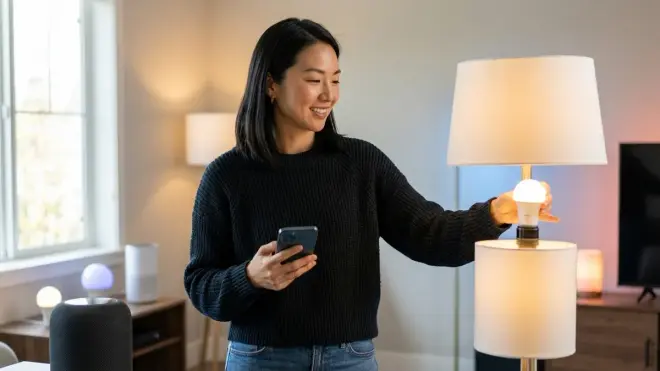
Start with switches in high-traffic spaces, bulbs in accent locations. The temptation to install smart bulbs everywhere leads to guest-induced failures and exhausting maintenance. Reserve smart bulbs for lamps, under-cabinet lighting, and color-accent applications where wall switches don't interfere. Control ceiling lights and primary fixtures with in-wall smart switches for bulletproof operation.
Common mistake: Assuming Matter eliminates all compatibility research. Matter reduces ecosystem lock-in, but not all Matter devices expose all features across all controllers. A Matter bulb might offer full color control through Google Home but only on/off through Apple HomeKit due to incomplete Matter implementation. Verify specific feature parity before assuming "Matter certified" means universal compatibility.
Buy one test device before committing to bulk purchases. Install a single smart switch or bulb, configure your desired automations, test latency and reliability for one week, verify fallback behavior, then expand. Discovering protocol incompatibility after installing 15 bulbs requires expensive replacement or compromised automation logic. See how to test device response times for systematic evaluation methods.
Hidden mistake: Ignoring smart switch LED indicators in bedrooms. Many smart switches include status LEDs that glow persistently—small light pollution that disrupts sleep. Check whether your chosen switches allow disabling indicator lights before installation in bedrooms, or plan for electrical tape as an inelegant workaround.
Plan mesh network density before installation. Zigbee and Thread require sufficient node density—devices close enough (10-20 meters) to relay signals reliably. Installing a hub and three bulbs separated by 25+ meters creates unreliable routing. Battery-powered devices (motion sensors, wireless switches) don't act as mesh repeaters; only powered devices extend the network. Reference mesh network reliability technical details for network planning guidance.
Frequently Asked Questions
What is the most reliable smart lighting protocol for homes with thick walls?
Z-Wave offers the longest single-hop range at up to 100 meters, making it most effective for homes with concrete, brick, or stone construction that blocks wireless signals. Zigbee and Thread require denser device placement—roughly one powered device every 10-15 meters—but create more resilient mesh networks once sufficient nodes are installed. For thick-wall construction, prioritize Z-Wave for primary lighting control or plan Zigbee/Thread installations with additional powered repeater devices strategically placed to overcome signal blocking.
Can I mix Zigbee and Z-Wave devices in the same smart lighting system?
Yes, but you'll need a hub that supports both protocols simultaneously, such as Samsung SmartThings, Hubitat Elevation, or Home Assistant with appropriate USB dongles. Zigbee and Z-Wave operate on different radio frequencies and cannot communicate directly—your hub translates between them. Automations that involve both protocols add slight latency (typically 50-100ms) because commands must route through the hub rather than executing directly on the mesh network. Mixing protocols increases complexity without meaningful benefit; choose one primary protocol and expand within that ecosystem for simpler maintenance and better reliability.
Do smart bulbs work normally when the wall switch is turned off?
No—cutting power to a smart bulb through the wall switch disconnects it from the mesh network and disables all smart functionality until power restores. Most smart bulbs default to full brightness when power cycles, overriding your automation settings and requiring manual reset. This makes smart bulbs problematic in locations with accessible wall switches unless you educate all household members and guests to leave switches on permanently, or cover switches with child-safety covers or custom plates. In-wall smart switches eliminate this conflict entirely by maintaining socket power while providing physical control through wireless commands.
How much does it cost to convert an entire home to smart lighting?
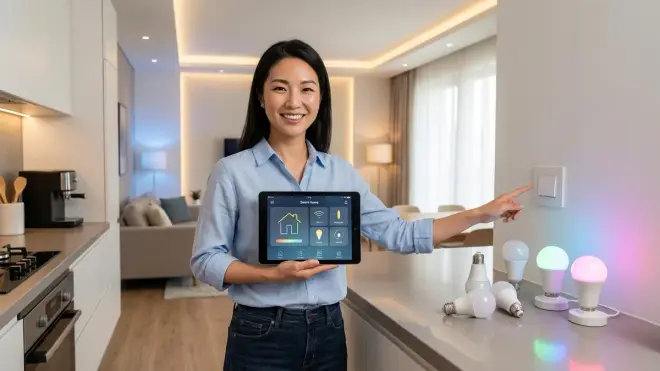
A 3-bedroom, 2-bathroom home with 8 rooms and 25 light fixtures typically costs $800-1,500 using in-wall smart switches for ceiling fixtures plus a few smart bulbs for accent lamps, plus $100-200 for a hub, for a total around $900-1,700. Using smart bulbs exclusively in every socket would cost $1,500-3,000 depending on bulb quality and protocol choice, but creates maintenance and guest-proofing challenges that make the savings illusory. Phased installation—starting with 3-4 high-impact rooms and expanding gradually—spreads costs across 6-12 months while confirming your chosen protocol meets real-world needs before full commitment.
Summary
Learning how to choose smart lighting means recognizing that protocols define not just compatibility but how automation feels in daily life—whether light responds instantly or lags noticeably, whether systems survive internet outages or fail invisibly. Start by selecting one protocol that matches your ecosystem, verify compatibility across every device before purchase, prioritize in-wall switches over smart bulbs where guests interact with controls, and test fallback behavior deliberately.
The lighting that enhances your home most effectively operates so intuitively you forget it exists—responding to presence, time, and ambient conditions without requiring conscious control. That invisibility requires careful planning before installation, not troubleshooting afterward. Build your compatibility matrix, verify every device connection, and choose systems that operate locally rather than depending on cloud services that introduce latency and recurring costs.
Your morning routine should feel effortless because light adjusts automatically, not because you've memorized which app controls which room.
