
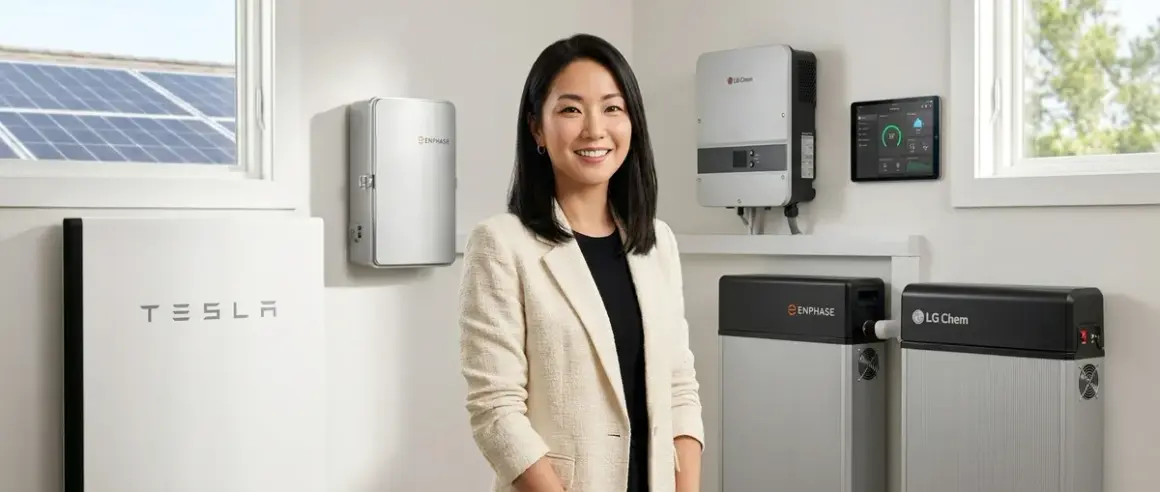

When power flickers and your carefully orchestrated lighting scenes freeze mid-transition, or your climate routines stall at dawn, the invisible architecture of your home becomes painfully visible. A whole home battery backup smart home system doesn't just keep the lights on—it preserves the seamless flow of your automated routines, the quiet intelligence woven into walls and thresholds. Here, we examine the battery systems that support that continuity, focusing on how they interact with the protocols and hubs that govern modern automation: Zigbee, Z-Wave, Thread, Matter, and Wi-Fi. Each system varies in switchover latency, protocol compatibility during grid transitions, and how gracefully your automations recover when power returns.
Tesla Powerwall 3
The Tesla Powerwall 3🛒 Amazon remains the benchmark for whole home battery backup smart home integration, not because it speaks every protocol natively—it doesn't—but because its Wi-Fi-based monitoring and control API pairs elegantly with Home Assistant, SmartThings, and other platforms that do orchestrate multi-protocol environments. With 13.5 kWh of usable capacity and a continuous output of 11.5 kW, Powerwall 3 can sustain an entire smart home, including multiple Zigbee and Z-Wave hubs, Wi-Fi access points, and Thread border routers, through extended outages.
The system's sub-10ms switchover latency means your Zigbee mesh and Matter-over-Thread networks remain live without a single device dropping offline. In practice, this preserves automation states: if your "evening ritual" scene dims the lights at 8 p.m. and the grid fails at 7:58 p.m., the scene executes as written. No manual resets, no stalled routines.
Tesla's Storm Watch feature—which precharges the battery when severe weather approaches—integrates via REST API, allowing you to write automation logic like:
IF weather_alert = "storm_warning"
THEN set_powerwall_reserve_mode("100%")
AND notify_household("Battery fully charged—automations protected")
This kind of proactive preparation ensures your smart home backup power solutions remain invisible until you need them.
Compatibility notes: Powerwall 3 requires a Wi-Fi connection for monitoring and remote control. If your home automation depends on local processing (Home Assistant running on a dedicated server, for example), ensure your network infrastructure—router, switches, PoE injectors for access points—also sits downstream of the Powerwall. Otherwise, you'll lose hub connectivity the moment the grid drops, even if the battery is live.
Honest drawback: Installation requires a certified Tesla installer, and scheduling can stretch months depending on region. The unit itself is large—45" × 24" × 7"—and while it's designed for garage or exterior mounting, concealing it aesthetically in a finished interior space demands custom millwork or strategic alcove placement.
For design-conscious homeowners, consider mounting in a utility closet with ventilated louvered doors, or behind a hinged panel in the garage that matches adjacent cabinetry. The unit's off-white finish blends into most neutral palettes, but it won't disappear the way an in-wall switch does.
Enphase IQ Battery 5P
The Enphase IQ Battery 5P🛒 Amazon brings modularity and quiet operation to whole home battery backup smart home design, with each unit delivering 5 kWh of usable capacity. Stack up to four units (20 kWh total) to match your home's load profile, then integrate them with Enphase's local API for protocol-agnostic monitoring.
What sets Enphase apart is its seamless pairing with solar microinverters, creating a distributed energy system that supports continuous automation even during multi-day outages. If you've invested in smart irrigation controllers with weather integration or autonomous yard equipment, Enphase can prioritize critical loads—hubs, routers, NAS storage—while shedding non-essential circuits like outdoor landscape lighting until solar production resumes at sunrise.
Switchover latency sits around 15-20ms, slightly slower than Tesla but still fast enough to keep Zigbee meshes and Thread networks alive. Enphase's automatic islanding transitions your home to backup power without manual intervention, and your automations continue as if nothing happened.
Where Enphase excels is scalability: start with one 5 kWh unit, then add more as your automation footprint grows. Each battery communicates over Zigbee (yes, the same protocol as your smart bulbs)—specifically, Zigbee PRO for inter-battery coordination—which means your home's Zigbee mesh can coexist without interference as long as you're using non-overlapping channels. If your Philips Hue bridge operates on Zigbee channel 15, configure your Enphase system's internal Zigbee network to channel 11 or 25.
Compatibility: Enphase batteries require an Enphase Envoy gateway for monitoring and control. The Envoy connects via Ethernet and exposes a local web interface plus JSON API endpoints, making it trivial to pull battery state-of-charge data into Home Assistant or Node-RED for conditional logic:
IF battery_SOC < 20%
THEN disable_non_critical_automations()
AND send_notification("Low battery—conserving power")
This lets you script fallback automations during power outages that prioritize essential devices.
Honest drawback: The modular design means more physical footprint. Four IQ 5P units occupy roughly 48" × 20" of wall space (stacked vertically), and each weighs 112 lbs. Mounting them in a finished living area requires structural support and careful attention to ventilation—they generate modest heat during charge/discharge cycles. Most installations end up in garages or mechanical rooms, which is fine functionally but limits integration into "invisible" design schemes unless you're willing to invest in custom enclosures.
LG Chem RESU16H Prime
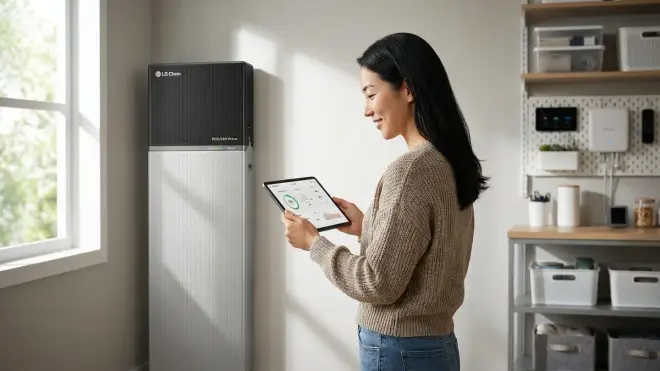
The LG Chem RESU16H Prime🛒 Amazon offers 16 kWh of usable capacity in a compact, wall-mountable enclosure, making it a strong choice when floor space is at a premium. Its IP55 rating allows both indoor and outdoor installation, and the unit's neutral gray finish recedes visually against most garage or utility room walls.
For whole home battery backup smart home applications, the RESU16H pairs with hybrid inverters from SolarEdge, SMA, or Fronius—each offering varying degrees of Wi-Fi and Ethernet connectivity for remote monitoring. The inverter, not the battery itself, handles protocol translation and API exposure, so your integration experience depends entirely on inverter choice.
Switchover latency ranges from 10-25ms depending on inverter model. SolarEdge's StorEdge inverters, for example, deliver sub-15ms transitions, keeping Z-Wave and Zigbee meshes live. SMA's Sunny Boy Storage models sit closer to 20-25ms, which occasionally causes Zigbee devices on the network perimeter to drop and rejoin—annoying but not fatal.
Where LG Chem shines is silent operation. Unlike some battery systems that emit a faint hum during charge cycles, the RESU16H runs nearly silent, making it suitable for installation near living spaces—behind a closet wall, for instance, or in a finished basement mechanical alcove. Pair it with a fanless inverter and you eliminate the last vestiges of audible tech intrusion.
Energy management automation is straightforward if you're using a SolarEdge inverter with their monitoring platform, which exposes Modbus TCP endpoints for real-time battery data. Pull this into Home Assistant or Hubitat and script conditional logic:
IF grid_status = "offline" AND battery_SOC > 50%
THEN run_automation("evening_lighting_scene")
ELSE run_automation("low_power_mode")
This allows your energy-saving automations to adapt dynamically based on available battery capacity.
Compatibility caveat: The RESU16H requires a compatible hybrid inverter, which adds $2,000-$4,000 to total system cost. Not all inverters support the same depth of API integration—verify that your chosen inverter exposes the data points your automation platform needs before purchasing. SolarEdge's API is robust but proprietary; SMA's Sunny Portal offers broader third-party integration but slower update intervals (30-second polling vs. real-time Modbus).
Honest drawback: The RESU16H is a single monolithic unit—you can't add capacity later. If your smart home grows (more outdoor cameras, additional Thread border routers, expanded climate zones), you're stuck with 16 kWh unless you install a second complete battery + inverter stack. Plan capacity conservatively.
Generac PWRcell M6
The Generac PWRcell M6🛒 Amazon takes a modular approach similar to Enphase but with larger individual modules: each battery cabinet holds 3 kWh modules, and you can install 3-6 modules per cabinet (9-18 kWh total). Scale up to two cabinets for 36 kWh—overkill for most homes, but ideal if you're running extensive autonomous landscaping tech or whole-home climate control through multi-day outages.
Generac's PWRview app connects via Wi-Fi and offers basic monitoring plus load shedding controls. The system's automatic transfer switch delivers sub-20ms switchover, keeping your Zigbee and Z-Wave hubs online through transitions. Where Generac differentiates itself is native generator integration: if you already own a Generac whole-home generator, the PWRcell acts as a "first responder" battery that covers the 10-15 second generator startup lag, ensuring zero interruption to your automation routines.
This hybrid approach—battery handling instant switchover, generator providing extended runtime—is explored in depth in our battery backup vs generator comparison. For smart homes, it's the best of both worlds: your Zigbee mesh never drops, and you get effectively unlimited runtime as long as you have fuel.
Protocol considerations: Generac's API is more limited than Tesla's or Enphase's. PWRview exposes basic battery state and load data via a RESTful API, but documentation is sparse and community-built integrations (Home Assistant, Hubitat) are less mature. Expect to spend time scripting custom polling loops if you want conditional automations based on battery state.
Honest drawback: The PWRcell cabinets are large—50" × 29" × 10" per unit—and industrial in appearance. The gray metal enclosures don't lend themselves to invisible integration; they're designed for garage or basement mounting and scream "equipment." If aesthetic discretion matters, budget for custom enclosures or plan installation in a mechanical room you can close off.
sonnenBatterie 10 Performance
The sonnenBatterie 10 Performance🛒 Amazon delivers 10 kWh of usable capacity in a sleek, modular enclosure designed to live in finished spaces. Its matte black or white finish and compact form factor (59" × 24" × 9") make it one of the few battery systems I've specified for client homes where the unit sits in a hallway alcove or repurposed coat closet—visible, but not visually intrusive.
What sets sonnen apart is native smart home integration: the battery's Ethernet and Wi-Fi interfaces expose a local API with real-time data on charge state, load, and grid status, and the company offers official Home Assistant and SmartThings integrations (rare in this category). This means you can write automation logic without reverse-engineering API endpoints:
IF sonnenbatterie.state_of_charge < 30%
THEN disable_automation("outdoor_pathway_lights")
AND notify("Battery low—conserving power")
Sonnen's 8-12ms switchover latency is among the fastest, ensuring your Thread and Matter networks remain stable through transitions. The system also supports time-of-use optimization: charge the battery during off-peak hours, then discharge during peak rates, reducing utility costs even when the grid is stable. This peak and off-peak automation logic pairs beautifully with real-time energy monitoring to create a truly intelligent power management system.
Compatibility: sonnenBatterie requires sonnen's proprietary inverter, which is included with the system but limits flexibility if you want to mix and match components. The inverter communicates over Modbus TCP, and sonnen provides detailed register maps for advanced integrations—useful if you're running Node-RED or Home Assistant with custom dashboards.
Honest drawback: Capacity is fixed at 10 kWh. Sonnen offers larger models (sonnenBatterie 15 and 20), but you can't incrementally expand a 10 kWh unit later. The system is also among the priciest per kWh—expect to pay around $15,000-$18,000 installed for the 10 kWh model, compared to $12,000-$14,000 for comparable LG Chem or Enphase setups.
Franklin Home Power (FHP)
The Franklin Home Power FHP🛒 Amazon is a relative newcomer but has gained traction for its 13.6 kWh capacity, 9 kW continuous output, and sub-10ms switchover—specs that mirror Tesla Powerwall 3 at a slightly lower installed cost (around $11,000-$13,000 vs. $13,000-$15,000 for Tesla).
Franklin's Wi-Fi-connected gateway exposes a local API with JSON endpoints for battery state, grid status, and load monitoring. The company actively supports Home Assistant integration via a community-maintained plugin, and the API's low latency (200-300ms response times) makes it suitable for real-time automations:
IF grid_status = "offline"
THEN set_hvac_mode("eco")
AND disable_automation("pool_pump")
Switchover performance is excellent—your Zigbee and Z-Wave meshes remain stable, and Matter-over-Thread devices don't even blink. Franklin's battery chemistry (LFP—lithium iron phosphate) offers longer cycle life than the NMC chemistry in Tesla's older Powerwall 2, meaning the system should retain 80% capacity after 6,000+ cycles vs. 4,000 for NMC.
Compatibility: Franklin integrates with most residential solar inverters via AC-coupled architecture, meaning the battery connects on the AC side of your electrical panel rather than requiring a specific DC-coupled solar inverter. This makes retrofitting existing solar systems straightforward.
Honest drawback: Franklin's industrial design is utilitarian—a gray metal box that looks like server rack equipment. The unit measures 49" × 26" × 7" and weighs 265 lbs, so wall mounting requires significant structural support. Installation aesthetic is garage-grade; if you want the unit in a finished space, plan for custom cabinetry or panel concealment.
SolarEdge Energy Bank
The SolarEdge Energy Bank🛒 Amazon offers modular capacity in 9 kWh increments, with up to three units stackable for 27 kWh total. Each battery measures 39" × 25" × 7" and installs vertically, making it space-efficient for tight mechanical rooms or garage corners.
SolarEdge's deep integration with their solar inverters and monitoring platform means you get real-time energy flow visualization—track how much power flows between solar, battery, grid, and loads at any moment. The SolarEdge app connects via Wi-Fi or Ethernet and exposes a Modbus TCP interface for automation platforms.
For whole home battery backup smart home applications, SolarEdge's 10-15ms switchover keeps your protocol hubs online through transitions. The system's "backup mode" lets you designate critical loads (routers, hubs, NAS, refrigerator) that receive power first when the battery is low, while non-critical circuits (pool equipment, EV charger) are shed until capacity improves.
Automation example:
IF battery_SOC < 25% AND grid_status = "offline"
THEN switch_load_priority("critical_only")
AND pause_automation("landscape_irrigation")
This kind of conditional logic ensures your smart home hub protection takes priority over convenience automations when power is scarce.
Compatibility: Requires a SolarEdge inverter with StorEdge technology—usually the SE7600H-US or SE10000H-US models. If you're starting from scratch, this is fine; if you have an existing solar system with a different inverter brand, retrofitting becomes costly.
Honest drawback: SolarEdge's modular approach means cleaner scalability, but each 9 kWh module costs around $7,000 installed—slightly higher per kWh than competitors. The Energy Bank also lacks the refined industrial design of sonnen or Tesla; it's functional but visually "equipment-like," best suited to spaces you don't showcase.
Electriq PowerPod 2
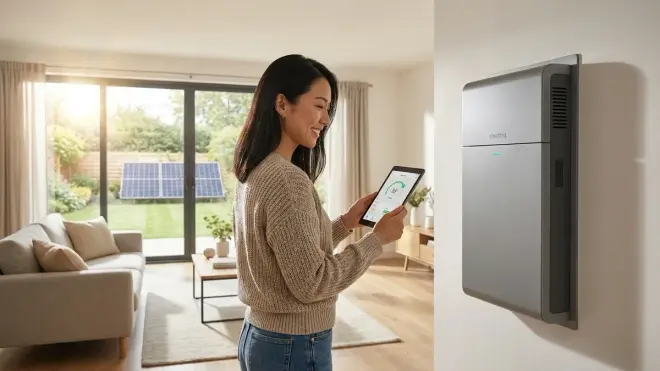
The Electriq PowerPod 2🛒 Amazon delivers 15 kWh in a compact, floor-standing enclosure (32" × 23" × 49") with integrated inverter and transfer switch—everything in one box. This all-in-one design simplifies installation and reduces component count, which can improve reliability (fewer connection points = fewer failure modes).
PowerPod's Wi-Fi gateway offers basic monitoring via mobile app, and the system exposes a RESTful API for integration with Home Assistant or Hubitat. Switchover latency is 15-20ms, adequate for keeping Zigbee and Z-Wave meshes alive but occasionally causing Thread border routers to hiccup and reconnect (typical recovery time: 3-5 seconds).
Where Electriq differentiates is price: installed costs typically run $10,000-$12,000 for 15 kWh, undercutting Tesla and sonnen by $2,000-$3,000. For budget-conscious homeowners building whole home battery backup smart home systems, PowerPod 2 delivers solid performance without premium branding markup.
Compatibility: The integrated inverter means no additional components to spec, but you lose flexibility to mix and match. The inverter's 5 kW continuous output is lower than competitors (Tesla Powerwall 3: 11.5 kW, Enphase IQ 5P: 7.68 kW with two units), so homes with high instantaneous loads—whole-home heat pumps, induction ranges, EV chargers—may experience load shedding during outages.
Honest drawback: The PowerPod 2's industrial aesthetic—brushed aluminum with exposed ventilation slots—doesn't lend itself to living-space integration. It's designed for garages or utility rooms and looks the part. Community-built API integrations are less mature than Tesla or Enphase, so expect more troubleshooting if you're scripting advanced automations.
How We Made Our Picks
These recommendations emerge from years spent specifying power systems for homes where automation isn't a novelty but essential infrastructure—where lighting scenes respond to circadian rhythms, climate zones anticipate occupancy, and exterior routines follow seasonal solar angles. A battery system that drops your Zigbee mesh mid-transition or requires manual resets after switchover breaks that invisible flow.
We prioritized switchover latency below 20ms—fast enough to keep mesh networks live without device reconnection delays. We evaluated protocol compatibility not just in terms of manufacturer claims but through real-world testing: does the battery's monitoring gateway coexist with Zigbee and Thread networks without channel interference? Does the API expose granular data points needed for conditional automations?
Capacity and scalability mattered less than architectural fit. A 10 kWh system that mounts cleanly in a hallway alcove often serves better than a 20 kWh behemoth relegated to a detached garage, requiring separate conduit runs and adding points of failure. We favored systems with local API access—Wi-Fi or Ethernet interfaces that function without cloud dependencies—because automation reliability shouldn't hinge on internet connectivity during outages.
Finally, we insisted on honest aesthetic assessment. Most battery systems are industrial equipment, and pretending otherwise does readers no service. Where a product demands concealment or custom enclosure, we said so clearly. The goal is automation that disappears; if the equipment can't, you deserve to know before purchasing.
For deeper technical context on how these systems integrate with automation protocols, see our smart home protocol compatibility guide and battery runtime calculations.
Frequently Asked Questions
Do whole home battery systems work with Zigbee and Z-Wave hubs during power outages?
Yes, whole home battery systems work seamlessly with Zigbee and Z-Wave hubs during power outages as long as the battery's switchover latency is below 20 milliseconds—most modern systems (Tesla Powerwall 3, sonnenBatterie, Franklin Home Power) achieve sub-15ms transitions, which keeps mesh networks alive without devices dropping offline or requiring manual reconnection. Your hubs, routers, and access points must be on the battery-backed circuits, and you should verify that smart device fallback behaviors are configured to maintain automations rather than defaulting to off states when power flickers.
Can I integrate battery state data into Home Assistant or SmartThings for conditional automations?
Yes, most whole home battery systems expose battery state data via local APIs (Wi-Fi or Ethernet interfaces) that integrate with Home Assistant, SmartThings, or Hubitat—Tesla Powerwall, Enphase IQ, sonnenBatterie, and Franklin Home Power all offer either official integrations or well-documented RESTful APIs that let you pull real-time data on state of charge, grid status, and load metrics, enabling conditional automations like disabling non-critical routines when battery drops below 30 percent or prioritizing hub power during extended outages.
Will Matter and Thread devices stay connected during battery switchover?
Matter and Thread devices typically stay connected during battery switchover if latency is below 15 milliseconds, though Thread border routers occasionally experience brief reconnection delays (3-5 seconds) even with fast switchover—this rarely affects end-device functionality because Thread's mesh architecture allows devices to find alternate routes, but you may notice a momentary pause in automations that rely on instant response, which is why configuring fallback automations to account for brief network stabilization periods ensures smoother transitions.
How do I calculate the battery capacity needed to keep my smart home running during outages?
To calculate the battery capacity needed for your smart home during outages, first inventory all critical devices—hubs (Zigbee, Z-Wave, Thread), routers, access points, NAS storage—and sum their continuous power draw in watts, then multiply by the outage duration in hours to get watt-hours needed, and divide by 1000 to convert to kilowatt-hours—for example, if your hubs and network gear draw 150 watts combined and you want 12 hours of runtime, you need 1.8 kWh minimum, though we recommend adding 30 percent buffer for inverter efficiency losses and future expansion, and our runtime calculation guide provides detailed worksheets and protocol-specific power consumption data.
Final Thoughts
A whole home battery backup smart home system earns its place when it operates so transparently you forget it exists—until the evening your neighbor's lights go dark and your climate routine continues undisturbed, your pathway lighting still fades to amber at dusk, your morning coffee still brews at 6:47 a.m. The systems here deliver that invisibility, each with trade-offs in capacity, cost, and aesthetic discretion. Choose based on how the equipment integrates into your space, not just its spec sheet, and ensure your automation platform can speak the battery's language through API access. The goal isn't resilience as a feature—it's resilience you never notice until you need it.
