
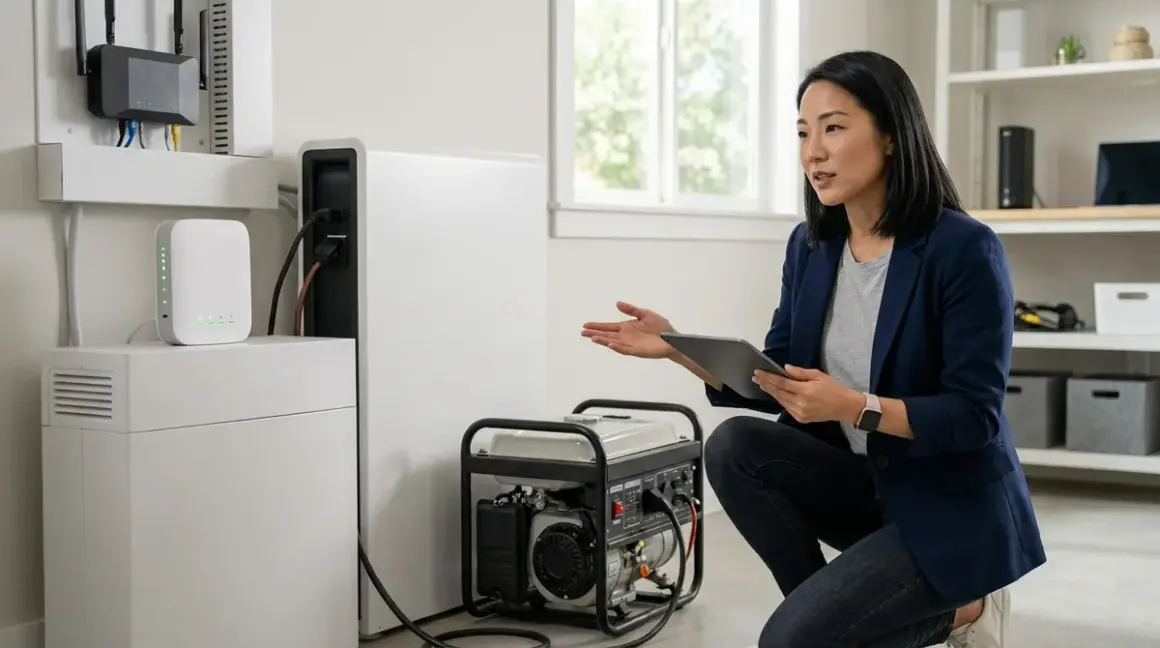

Battery backup systems preserve smart home protocol continuity instantly; generators disrupt mesh networks during transfer. When the grid fails, the technology woven into your walls, ceilings, and hidden cabinet corners reveals its fragility—or its resilience. This comparison examines how battery backup vs generator smart home solutions handle Zigbee, Z-Wave, Thread, Matter, and Wi-Fi devices during power transitions, focusing on switchover latency, protocol recovery behavior, and the invisible infrastructure that keeps automation flowing.
Quick Comparison
| Criterion | Battery Backup (UPS/Whole-Home) | Generator (Standby/Portable) |
|---|---|---|
| Switchover Latency | 0-10ms (instantaneous for online UPS); mesh networks remain intact | 10-30 seconds typical; all Wi-Fi/mesh protocols drop and reconnect |
| Protocol Compatibility | Preserves all protocols (Zigbee, Z-Wave, Thread, Matter, Wi-Fi) without interruption | Requires full protocol mesh rebuild; 30-90 seconds for Zigbee/Thread recovery |
| Runtime Without Refuel | 2-24 hours typical (UPS: 10-60 minutes; whole-home battery: 8-24 hours) | Unlimited with fuel; 8-20 hours per tank for portable units |
| Installation Footprint | Concealed easily (UPS under furniture; whole-home in garage/basement) | Visible outdoor pad required for standby units; portable units need ventilated storage |
| Automation Continuity | If/then logic executes uninterrupted; scheduled scenes fire on time | Automations pause during transfer; time-based triggers may fire late or skip |
Switchover Latency and Protocol Mesh Stability
The moment power fails, the invisible web of radio signals threading through your home either holds or collapses. Battery backup systems—whether a Best UPS Systems for Smart Home Hubs under your media console or a whole-home battery like Tesla Powerwall 3—maintain voltage without gap. Online double-conversion UPS units deliver zero switchover time; line-interactive models toggle in under 10 milliseconds. For Zigbee, Z-Wave, and Thread mesh networks, this is imperceptible. The coordinator hub never reboots. Router nodes never drop offline. Your lighting automations execute as if nothing happened.

Generators introduce 10-30 seconds of dead air during automatic transfer switch (ATS) activation. Every Wi-Fi access point reboots. Every smart plug, bulb, and sensor loses power simultaneously. When the generator spins up and the ATS closes, mesh networks rebuild from scratch: Zigbee devices ping their coordinator, Thread border routers reestablish routes, and Z-Wave nodes recalculate hop paths. Expect 30-90 seconds before automations resume, and some battery-powered sensors (like Zigbee motion detectors) may remain orphaned until manually power-cycled or until their next scheduled check-in.
I've watched clients lose their carefully tuned "arrival home" automation—garage door opens, pathway lights fade up, entryway music begins—because the 45-second generator switchover dropped their Zigbee hub mid-routine. The house came back online, but the sequence never fired. The front door opened into darkness.
Fallback behavior varies by protocol. Zigbee 3.0 devices typically rejoin within 60 seconds if the coordinator is stable. Z-Wave devices (especially Z-Wave Plus) cache network topology and recover faster—often under 45 seconds. Thread networks rely on border routers (often embedded in HomePods or Google Nest Hubs), and if those devices lose power briefly, the entire Thread mesh collapses until they reboot. Matter-over-Thread inherits this fragility; Matter-over-Wi-Fi fares no better, since the Wi-Fi network itself rebuilds during generator startup.
For insight into why smart home devices lose connection during power failures, the transfer gap is the culprit. Battery systems eliminate it entirely.
Runtime, Capacity Planning, and Hidden Infrastructure
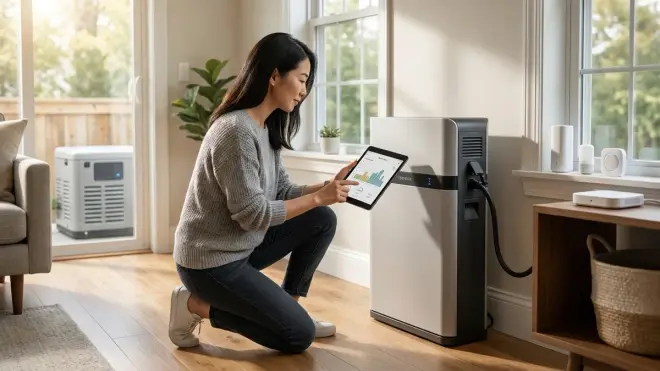
Battery backup excels when you need seamless continuity for hours, not days. A 1500VA UPS powering a Zigbee hub, Wi-Fi router, and cable modem runs 30-60 minutes under typical load (around 150W). Whole-home lithium systems like the Enphase IQ Battery 5P🛒 Amazon provide 8-24 hours depending on load—enough to ride out most regional outages without recharging. These systems hide beautifully: UPS units tuck under desks or behind media cabinets; wall-mounted home batteries install in garages or basements, silent and invisible from living spaces.
Generators offer unlimited runtime with refueling, but demand visible outdoor real estate. Standby generators sit on concrete pads beside the home, connected to natural gas lines or 250-500 gallon propane tanks. Portable generators require ventilated outdoor storage (never indoors—carbon monoxide) and 10-20 hours of runtime per 5-7 gallon tank at half-load. For extended outages exceeding 24 hours, generators become practical; for anything shorter, the infrastructure intrusion rarely justifies the disruption.
Capacity planning differs fundamentally. With battery backup, you size for critical loads only: hubs, routers, modem, perhaps a refrigerator. Calculate watts-per-device and target runtimes using this guide. With generators, you size for whole-home load (typically 10-22 kW for standby units) or selective circuit coverage (3-7 kW portable). The automation hardware itself draws negligible power—your Zigbee hub consumes 5-10W, your Wi-Fi router 15-25W—but if you're running HVAC, kitchen appliances, and water heaters, the generator approach scales better.
From a design perspective, battery systems preserve the "felt, not seen" philosophy. Generators announce themselves: the outdoor enclosure, the fuel lines, the weekly self-test rumble at 2 PM every Tuesday. They're functional, but they're never invisible.
Protocol-Specific Recovery Behavior and Automation Continuity
Zigbee networks rely on a mesh topology where router devices (mains-powered smart plugs, bulbs, switches) relay signals. During a generator switchover, every router drops offline simultaneously. When power returns, the coordinator hub (running on battery backup, if you've planned ahead) finds itself isolated until router nodes rejoin. Most Zigbee 3.0 devices initiate rejoin within 15-30 seconds, but if your hub also lost power, the entire network rebuilds from scratch—plan for 90+ seconds. Automations using if/then logic resume once devices report state:
IF motion_sensor.hallway == "detected"
AND time_of_day == "sunset_to_sunrise"
THEN lights.hallway.turn_on(brightness=30%, transition=1s)
If the motion sensor is still offline when you walk through, the light won't fire. Battery backup prevents this gap entirely.
Z-Wave networks handle power loss more gracefully thanks to persistent node routing tables, but the controller must remain powered. A generator switchover that briefly interrupts the Z-Wave hub forces a network heal, which can take 2-5 minutes depending on network size (30+ devices). Battery-backed controllers maintain topology; automations execute without delay.
Thread and Matter-over-Thread depend on border routers (Apple HomePod Mini, Google Nest Hub 2nd Gen, some Wi-Fi 6E routers). Lose power to the border router, and the entire Thread network collapses. Devices won't communicate with each other—no local control, no automations. Recovery requires the border router to reboot (15-45 seconds) and for Thread devices to rediscover routes (another 30-60 seconds). Battery backup for the border router solves this; generators leave you dark until the mesh rebuilds.
Matter-over-Wi-Fi depends on your Wi-Fi access points staying online. A generator switchover reboots the router, dropping all Matter devices offline until the network reconnects. Battery-backed routers and modems eliminate this. For guidance on how to configure smart home fallback automations during power outages, prioritize powering the controller infrastructure first—hubs, routers, border routers—and accept that devices themselves may cycle.
Wi-Fi-only devices (like Govee lights or Wyze cameras) lose connection instantly during generator transfer and require 30-90 seconds to reconnect after the network returns. Many retry every 15-30 seconds, but some (poorly coded devices) require manual power cycling. I've seen landscape lighting automations fail entirely after generator switchovers because the Wi-Fi smart plugs controlling them never rejoined the network until physically reset.
Energy Monitoring, Dynamic Load Shedding, and Automation Integration
Battery systems integrate elegantly with smart home energy monitoring to prioritize critical loads. Using if/then logic, you can automate load shedding when battery reserves drop below thresholds:
IF battery_backup.state_of_charge < 30%
AND outage_duration > 60 minutes
THEN:
  turn_off(lights.decorative_all)
  turn_off(smart_plugs.non_essential)
  set_thermostat(mode=off)
  notify("Battery backup low—non-critical devices disabled")
This approach extends runtime for the devices that matter—security cameras, communication hubs, medical equipment. Generators lack this granularity unless paired with expensive automatic transfer switches that support selective circuit control. Most residential ATSs switch the entire home or pre-defined critical panel; you can't dynamically adjust which circuits receive power based on fuel level or runtime estimates.
For systems using whole-home battery with solar integration (like Tesla Powerwall or Enphase IQ Battery), the battery recharges during daylight, extending outage coverage indefinitely if solar production exceeds consumption. Automations can shift energy-intensive tasks (laundry, EV charging, pool pumps) to solar-peak hours:
IF grid_status == "outage"
AND battery.state_of_charge > 70%
AND solar_production > 3kW
THEN smart_plugs.ev_charger.turn_on()
Generators run on fossil fuel, period. They don't recharge. They don't integrate with time-of-use rate optimization. They're binary: on or off.
Who Should Choose Battery Backup for Smart Home Continuity
Choose battery backup if you prioritize seamless automation continuity over extended runtime. Homes where lighting scenes, security protocols, and comfort routines depend on split-second responsiveness—where a 20-second gap feels like failure—benefit from zero-latency transfer. If your smart home architecture emphasizes hidden devices and concealed hubs, battery systems preserve that invisibility. They install behind walls, under furniture, or in utility closets, requiring no exterior footprint.
Battery backup suits urban and suburban environments where outages last hours, not days, and where generator noise and exhaust violate HOA covenants or local noise ordinances. If your automation includes time-sensitive routines—medication reminders for elderly residents, scheduled pet feeders, security arming sequences—battery backup ensures those events fire precisely when intended. For senior-friendly smart home setups, uninterrupted operation prevents confusion and missed alerts.
Finally, battery backup pairs naturally with solar installations and real-time energy monitoring, enabling sophisticated load management and time-of-use optimization that generators simply cannot match.
Who Should Choose Generators for Long-Duration Outages
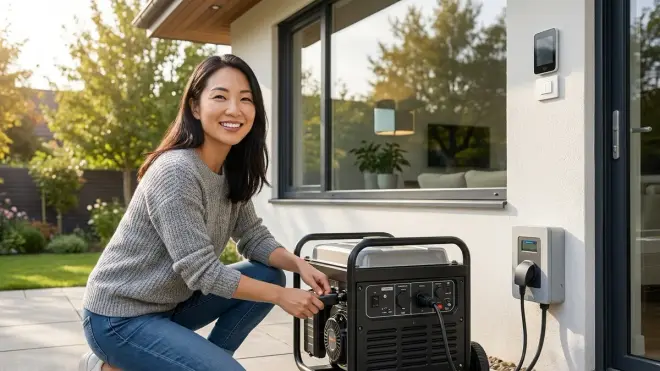
Generators become necessary when runtime exceeds battery capacity or when you need to power high-draw appliances—HVAC systems, well pumps, electric ranges, water heaters—that battery systems cannot sustain economically. Rural homes facing multi-day outages from storms, ice, or wildfire smoke benefit from fuel-based generation. If your property includes autonomous landscaping equipment or smart irrigation zones that must continue operation during extended grid failures, generators provide the watts.
Accept that generator switchover breaks mesh network continuity. Budget 60-90 seconds for protocol recovery after transfer. If your automations tolerate that gap—landscape lighting that can wait, non-critical HVAC adjustments, garage door openers—generators deliver reliable, long-duration power. For properties where aesthetics matter less than function, or where outdoor equipment pads already exist for pool pumps or HVAC condensers, adding a standby generator fits the existing infrastructure.
Generators also suit homes where battery replacement costs outweigh fuel simplicity. Lithium battery systems degrade over 10-15 years and cost $5,000-$15,000 to replace; propane and natural gas remain consumables you refill, not capital assets that depreciate.
Frequently Asked Questions
Can I use a UPS to keep my Zigbee hub and Wi-Fi router online during a generator transfer?
Yes, and this is the ideal hybrid approach. Power your Zigbee or Z-Wave hub, Wi-Fi router, and cable modem with a line-interactive or online UPS (aim for at least 1000VA, around 600W capacity). This eliminates the 10-30 second gap during generator transfer, keeping your mesh networks intact while the generator powers the rest of the home. Your automations execute without interruption, and devices never drop offline. For step-by-step guidance, see our smart home power outage preparation checklist.
Do Thread and Matter devices recover faster than Zigbee after a power outage?
No—Thread devices often recover more slowly because they depend on border routers (Apple HomePod, Google Nest Hub, some Wi-Fi 6E routers) that must reboot and reestablish network credentials before any Thread device can communicate. Zigbee devices rejoin their coordinator directly and typically reconnect within 30-60 seconds if the coordinator remained powered. Thread networks can take 60-90 seconds or longer if multiple border routers compete to rebuild the mesh. For protocol comparison details, see our guide to mesh network reliability.
Will my scheduled smart home automations run correctly on generator power after switchover?
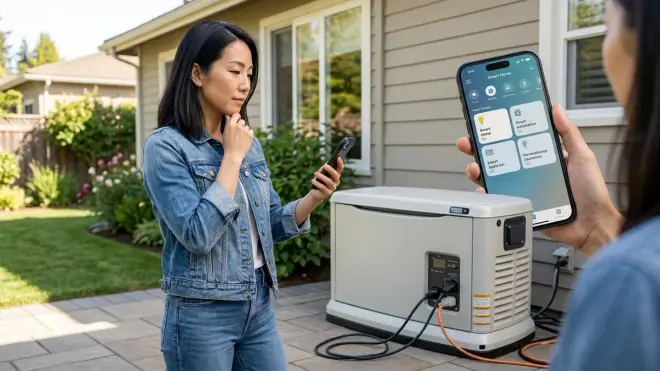
Scheduled automations will execute once the hub and devices reconnect, but time-sensitive triggers may fire late or skip entirely if the switchover happens mid-routine. For example, a "sunset" scene scheduled for 7:03 PM won't fire if the generator takes until 7:05 PM to transfer and the mesh rebuilds by 7:06 PM—the controller considers the trigger missed. Battery backup preserves real-time clock continuity and ensures scheduled events fire precisely. To build resilient automations that account for power gaps, review our article on smart device fallback behavior.
Bottom Line: Battery Backup Preserves the Invisible, Generators Sustain the Marathon
For battery backup vs generator smart home applications, the choice hinges on whether seamless protocol continuity outweighs extended runtime. Battery systems maintain the invisible intelligence woven into your architecture—lights respond instantly, sensors never orphan, automations execute on schedule. Generators provide days of power but fracture mesh networks during transfer, requiring 60-90 seconds for Zigbee, Z-Wave, and Thread devices to rebuild routes and resume communication.
The most resilient approach layers both: a UPS or small battery backup powering hubs, routers, and communication infrastructure, paired with a standby or portable generator for whole-home loads during multi-day outages. This hybrid preserves automation continuity while sustaining high-draw appliances, honoring both the technology that should be felt, not seen, and the practical realities of living through extended grid failures. Design your backup power architecture as carefully as you've hidden your sensors—because the best smart home is the one that never falters, even when the lights go out.
