

You've probably heard the pitch: smart home devices will help aging parents live independently, monitor their health, and summon help when needed. But most smart tech for seniors comes with surveillance baggage—cloud subscriptions, always-on microphones, and data pipelines that feed health patterns to who-knows-where. I rebuilt my elderly father's home using local-only automation after discovering his "helpful" fall detection camera was uploading continuous video to Amazon's servers. Here's how to set up genuinely useful automation without turning your parent's home into a data farm.
What Is Smart Tech for Seniors?
Smart tech for seniors refers to home automation devices designed to support aging in place—motion sensors that detect falls, voice-controlled lights that eliminate stumbling hazards, medication reminders, and door sensors that alert caregivers if someone wanders. Unlike general smart home gear, senior-focused systems prioritize simplicity, reliability, and safety over flashy features.
The challenge: most commercial senior-tech platforms require cloud subscriptions, monthly monitoring fees, and constant internet connectivity. Companies like LifeStation and Medical Guardian charge $30-50 monthly for systems that stop working entirely if your internet drops or they shut down their servers. Their marketing emphasizes "24/7 monitoring," but what they don't mention is that their backend systems analyze movement patterns, bathroom visit frequency, and sleep schedules—data gold for insurance companies and pharmaceutical advertisers.
The privacy-first alternative: Build senior automation using local protocols like Zigbee, Z-Wave, or Matter running through a self-hosted hub like Home Assistant. Your parent gets the same fall detection, medication reminders, and emergency alerts—but the data never leaves the house. No monthly fees. No surveillance. No sudden service shutdowns when a venture-backed startup folds.
The catch? You'll need to set it up yourself or hire someone who understands local automation. There's no customer support hotline. You trade corporate hand-holding for actual control.
How Smart Tech for Seniors Actually Works
Senior-focused smart home systems rely on four core components: sensors (detecting motion, falls, door openings), notification mechanisms (lights, speakers, phone alerts), control interfaces (voice assistants, wall-mounted tablets), and automation logic (if/then rules that tie everything together).
Sensor Layer: Detecting Events Without Video Surveillance
Most senior monitoring uses passive infrared (PIR) motion sensors distributed throughout the home. These detect body heat movement but don't capture images. A typical setup includes:
- Zigbee motion sensors in hallways, bathrooms, and bedrooms (50-200ms detection latency)
- Z-Wave door/window contact sensors on exit doors (30-100ms latency)
- Pressure-sensitive floor mats near beds and bathrooms (immediate response, no wireless latency)
- Smart buttons placed bedside or in bathrooms for manual emergency alerts
Here's the critical privacy difference: PIR sensors report "motion detected/cleared" as a binary state. They can't record faces, track individuals across rooms, or determine what you're doing—just that movement occurred. Cloud-based video systems like Nest Aware or Ring store continuous footage and run it through facial recognition and activity classification algorithms. Your parent's bathroom habits shouldn't be anyone's business, including yours as the caregiver.
Automation example:
IF motion sensor in bedroom shows no activity for 12 hours
AND front door sensor hasn't opened
THEN send SMS alert to caregiver: "No activity detected since [timestamp]"
For fall detection specifically, combine multiple sensors:
IF bathroom motion sensor triggers
AND no motion detected for 10 minutes afterward
AND bathroom door remains closed
THEN flash all lights red + play alert tone on smart speaker + send emergency SMS
This logic produces minimal false positives because it requires multiple conditions. If your parent simply sits on the toilet for 10 minutes scrolling their phone, the door sensor won't be closed the entire time, so no alert fires. Adjust timing thresholds based on observed patterns—after a week of monitoring, you'll know typical bathroom visit durations.
Control Interfaces: Voice, Buttons, and Simplified Dashboards
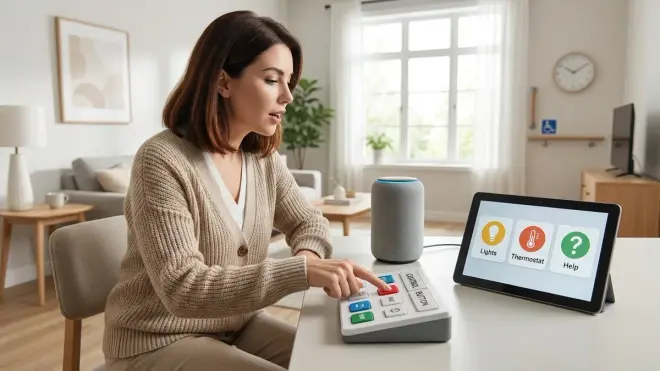
Most seniors struggle with smartphone apps. The "just ask them to open an app and press a button" approach fails when arthritis makes touchscreens difficult or cognitive decline makes navigation confusing. Effective senior interfaces use:
Voice control via local processing: Amazon Echo Dot (5th Gen) can process basic commands locally without cloud dependency if you configure it correctly. Set up Zigbee device control through Home Assistant's local voice processing (using Rhasspy or Wyoming Protocol)—your parent says "turn on bedroom light," and the command never leaves the network. Amazon's default cloud processing analyzes every utterance for advertising profiles, but local voice processing strips that out. Similarly, Google Nest speakers support limited local control through Matter 1.4, though Google still phones home far more than I'd like.
For true privacy, skip the branded assistants entirely. Use a Raspberry Pi 4 Model B running Home Assistant with a USB microphone and Rhasspy voice engine. Your parent still gets voice control, but zero data leaves the house. The setup requires technical knowledge—expect 4-6 hours of configuration if you're comfortable with Linux command line.
Physical buttons everywhere: Stick Zigbee buttons on walls, nightstands, and bathroom counters. Program single-press to call for help, double-press to turn on lights, long-press to trigger "goodnight" automation (lights off, doors locked). The Aqara Wireless Mini Switch is Zigbee-based, costs around $15, and lasts 2+ years on a coin battery. No apps. No screens. Just press.
Wall-mounted tablets with simplified dashboards: Mount an old iPad or Android tablet in the kitchen running Home Assistant's dashboard with giant buttons: "Turn on all lights," "Lock doors," "Call [daughter's name]." Disable all other apps. Lock the tablet into kiosk mode so your parent can't accidentally exit to confusing menus.
Notification Systems: Alerts That Actually Get Attention
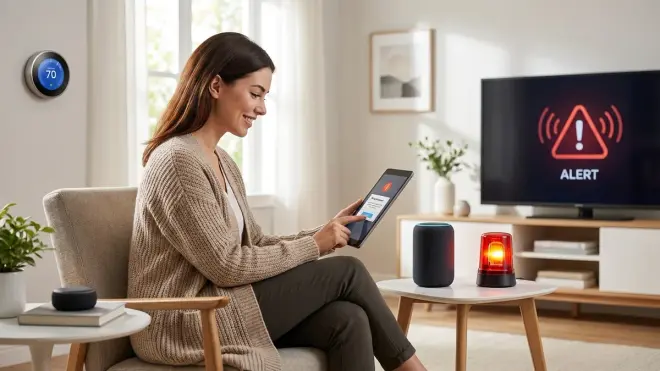
When something goes wrong—a fall, a midnight door opening, medication missed—your notification system needs redundancy. Internet fails. Phones die. People ignore texts.
Multi-channel alerting:
IF emergency event detected
THEN:
  - Flash all smart lights red (Zigbee lights respond in 50-200ms even if internet is down)
  - Play loud alert tone on all smart speakers (local Zigbee or Thread speakers work offline)
  - Send SMS to caregiver phone (requires internet, but fails gracefully)
  - Send push notification via Home Assistant mobile app (local network only, works even with internet down)
  - Trigger Z-Wave siren at 85dB (immediate local response)
The lights-flashing component is crucial because it works even when everything else fails. Zigbee mesh networks operate independently of your internet connection—as long as the hub has power and the mesh is intact, lights flash. I watched my father's system work during a 6-hour internet outage. Motion detection triggered correctly, lights flashed, and the Z-Wave siren blared. The only failure was the SMS to my phone, which sent 7 hours later when internet returned.
The Hub: Where Privacy Lives or Dies
Your choice of hub determines whether this system is truly local or just surveillance with extra steps. Here's the breakdown:
Home Assistant (Zigbee/Z-Wave/Matter): Open-source hub running on a $60 Raspberry Pi or $150 dedicated appliance. Processes all automation logic locally. Never phones home unless you explicitly configure external integrations. Supports every protocol—Zigbee via USB coordinator stick (I use the Sonoff Zigbee 3.0 dongle, around $20), Z-Wave via USB controller, Matter/Thread via compatible border router, Wi-Fi devices through local API calls. Steep learning curve. Zero monthly fees. Understanding Concealed Smart Home Hubs: Z-Wave, Zigbee & Matter Compatibility explains hub selection in detail.
SmartThings (Samsung): Cloud-dependent. Even "local processing" features require periodic check-ins with Samsung servers. Free, but your automation logic and sensor data flow through their infrastructure. Not acceptable for privacy-conscious deployments.
Apple Home (via HomePod or Apple TV): Processes most automations locally via HomeKit Secure Video, but vendor lock-in is brutal. Only works with Apple-certified devices, which are typically 2x the cost of generic Zigbee equivalents. Decent privacy compared to Google/Amazon—Apple's business model isn't ad-driven—but you're trapped in their ecosystem. If Apple decides to deprecate your devices (as they did with HomeKit Secure Video on first-gen Apple TV 4K), you're screwed.
Hubitat Elevation: Local processing, supports Zigbee and Z-Wave natively, Matter via update. Around $150 one-time cost. Solid privacy, but less flexible than Home Assistant. Good middle ground if you want local control without Linux command line.
Why Smart Tech for Seniors Actually Matters (And Where It Fails)
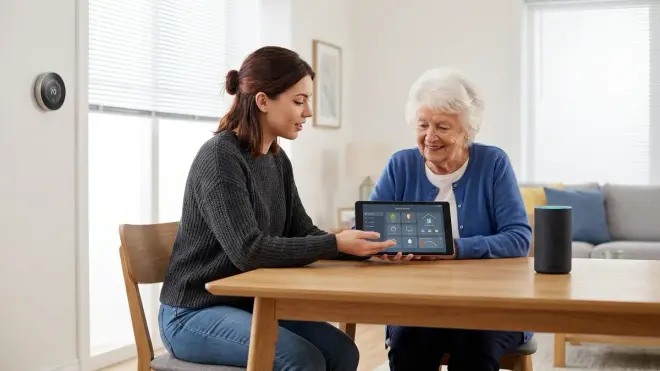
The aging-in-place crisis is real. The CDC reports that one in four adults over 65 falls each year, and 20% of those falls cause serious injury. The alternative to home automation—assisted living—costs $4,000-6,000 monthly. Smart sensors that detect prolonged inactivity and alert caregivers can genuinely save lives.
But here's what the industry won't tell you: commercial senior monitoring systems fail regularly, and when they do, they fail silently. LifeStation's fall detection pendant requires the wearer to push a button after falling. If your parent is unconscious, it doesn't help. Medical Guardian's automatic fall detection produces false positives so frequently (dropping a phone triggers it) that caregivers learn to ignore alerts—catastrophic when a real emergency happens. These systems also stop working entirely during internet or power outages unless you've paid for expensive battery backup and cellular failover.
Cloud dependency creates single points of failure:
- Server outages: When Ring's servers went down for 4 hours in 2024, millions of cameras and doorbells stopped working. Imagine a senior monitoring system doing that.
- Company shutdowns: Wink, once a major smart home hub, nearly bricked thousands of devices in 2020 when it tried to force a mandatory subscription. Seniors' safety systems shouldn't depend on a startup's quarterly revenue.
- Policy changes: Nest discontinued Works with Nest in 2023, breaking thousands of third-party integrations overnight. Your carefully configured alerts? Gone.
Local automation eliminates these vulnerabilities. When my father's internet went down during an ice storm (power stayed on, but Comcast line was cut), his Zigbee motion sensors and Z-Wave door contacts kept working. Home Assistant ran locally. Lights still flashed for alerts. The only thing that failed was outbound SMS to my phone—which I didn't need because I was checking the local dashboard on my laptop connected to his home network via VPN.
Where senior automation genuinely helps:
- Medication adherence: Time-based automations that flash lights and announce reminders at pill times. Set via simple cron triggers:
0 8,20 * * *for 8am and 8pm reminders. - Wandering prevention: Door sensors that trigger alerts if exit doors open between 10pm-6am. Z-Wave door sensors respond in 30-100ms—fast enough to catch someone mid-exit.
- Fall detection without cameras: Multi-sensor logic (motion in bathroom, then no motion for X minutes) catches most falls without video surveillance.
- Social check-ins: Daily "proof of life" automations that require the senior to press a button each morning. If not pressed by 10am, caregiver gets alerted. Simple, effective, private.
Where it fails: Automation can't replace human connection. It won't notice depression, cognitive decline, or subtle health changes. It's a safety net, not a replacement for actual caregiving.
Types of Senior-Focused Smart Home Systems
Senior automation falls into four categories, each with different privacy/control tradeoffs.
1. Commercial Medical Alert Systems (Cloud-Dependent, High Privacy Cost)
Life Alert, Medical Guardian, LifeStation, and similar services provide wearable pendants, automatic fall detection, and 24/7 call centers. Monthly fees range $25-60. These systems require landline or cellular connectivity and route all alerts through centralized servers.
Privacy issues: You're paying them to surveil your parent. Medical Guardian's privacy policy explicitly states they collect "location data, activity patterns, and health-related information" and may share it with "partners and affiliates" for "service improvement and marketing." Translation: they're building behavioral profiles and selling insights.
Cloud-Free Viability Score: 0/10. These systems are inherently cloud-dependent. No local alternative exists.
2. DIY Local Automation (Zigbee/Z-Wave/Matter via Self-Hosted Hub)
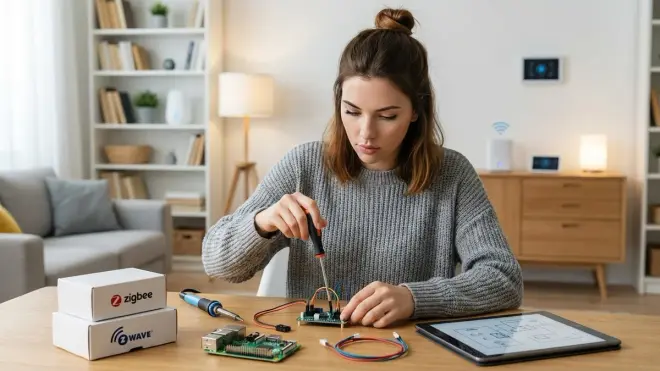
Build a senior monitoring system using Home Assistant, generic Zigbee sensors, and local notification logic. Total hardware cost around $300-500 depending on home size. Zero monthly fees. Full privacy. You own the data.
Protocols:
- Zigbee: Mature mesh network protocol. Sensors cost $10-30 each. 50-200ms latency. Rock-solid reliability if you have 3+ powered Zigbee devices (smart plugs, light bulbs) forming the mesh. Zigbee Motion Sensors vs Z-Wave Motion Sensors: Latency and Reliability Compared breaks down protocol performance.
- Z-Wave: Slightly more expensive ($20-40 per sensor) but longer range and better wall penetration. 30-100ms latency. Better for large homes or homes with thick walls.
- Matter 1.4: The new cross-platform standard. Still maturing—device selection is limited in 2026, but growing fast. Supports local control via Thread mesh networks. What Is Matter Protocol and Why It Matters for Senior Smart Homes explains adoption considerations.
Automation logic examples:
# Nighttime bathroom safety
IF time is between 10pm-6am
AND bathroom motion sensor triggers
THEN:
  - Turn on bathroom lights at 30% brightness (red spectrum to preserve night vision)
  - Turn on hallway lights at 20% brightness
  - Keep lights on for 5 minutes after last motion

# Medication reminder
IF time is 8:00am
AND medication_taken_today sensor = false
THEN:
  - Flash kitchen lights 3 times
  - Announce "Time for morning medication" on kitchen speaker
  - Wait 30 minutes, then check again
  - If still not taken by 9:00am, send SMS to caregiver
Cloud-Free Viability Score: 10/10. This is the gold standard for privacy. Everything runs locally. Zero data leaves the house.
3. Hybrid Systems (Local Processing with Optional Cloud Alerts)
Use local hub (Home Assistant, Hubitat) for automation logic and sensor processing, but route emergency alerts through cloud services like Twilio (SMS) or Pushover (push notifications). This keeps routine automation private while ensuring critical alerts reach caregivers even if you're not on the local network.
Configuration: Home Assistant → local Zigbee sensors → local automation logic → if emergency detected → API call to Twilio (cloud SMS gateway) → SMS to caregiver phone. Only the final alert transmission touches the cloud. Motion patterns, timing data, and activity logs stay local.
Cloud-Free Viability Score: 8/10. Core automation is private, but you're trusting a third-party SMS gateway with emergency event data. Twilio's privacy policy is better than LifeStation's, but it's still a data leak point.
4. Voice Assistant Ecosystem (Amazon Alexa, Google Home, Apple HomeKit)
Use a commercial voice platform to control smart devices. Simple to set up, widely compatible, but fundamentally cloud-dependent. Alexa and Google analyze every voice command for advertising profiles. Apple is slightly better—HomeKit processes some automations locally—but ecosystem lock-in limits device choices.
Privacy issues: Every "Alexa, turn on the lights" command is recorded, transcribed, and analyzed. Amazon's privacy dashboard lets you delete voice recordings manually, but recordings still flow through their servers initially. Amazon Alexa vs Google Home for Senior Citizens: Which Is Easier to Use? compares usability, but from a privacy perspective, both are surveillance devices with a helpful voice assistant bolted on top.
Cloud-Free Viability Score: 2/10. Apple HomeKit earns 2 points for local processing of basic automations. Alexa and Google would score 0/10.
Frequently Asked Questions
What is the easiest smart home system for seniors to use?
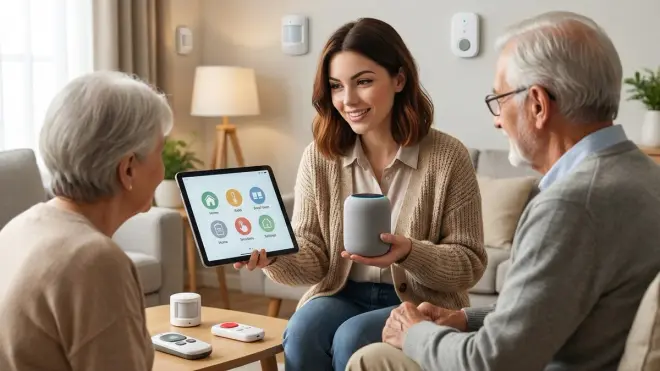
The easiest system for most seniors combines voice control for daily tasks (lights, music, weather) with physical buttons for critical functions (emergency alerts, door locks). Use large Zigbee wireless buttons placed on nightstands and bathroom walls programmed to trigger specific actions with single presses—no apps, no screens, just push the button. Pair this with a voice assistant configured for local processing through Home Assistant to avoid cloud dependency. The Amazon Echo Dot (5th Gen) can handle basic voice commands locally when integrated with Zigbee devices via Home Assistant, though full privacy requires more advanced setup using Rhasspy voice engine. Avoid systems that require smartphone apps or touchscreen navigation—these create frustration and abandonment. How to Choose Senior-Friendly Smart Home Devices: Accessibility Features That Matter covers usability features in depth.
Can smart home devices detect falls without cameras?
Yes, you can detect most falls using multi-sensor logic without video surveillance. Combine Zigbee or Z-Wave motion sensors with time-based rules: if motion is detected in a bathroom or bedroom, then no motion for 10+ minutes in that same zone, and the door remains closed, trigger an alert. This logic catches someone falling and remaining immobile while avoiding false positives from normal sitting or sleeping. For higher accuracy, add pressure-sensitive floor mats near beds and bathrooms that detect when someone steps onto the mat but doesn't step off within a reasonable timeframe. Commercial wearable fall detectors like Apple Watch's fall detection feature work but require the wearer to keep the device charged and on their body—compliance is the failure point. Sensor-based detection is passive and doesn't require the senior to remember anything. 7 Best Fall Detection Smart Home Systems for Aging in Place compares detection methods and accuracy rates.
Do senior smart home systems work without internet?
Local automation systems work perfectly without internet if you use Zigbee, Z-Wave, or Thread protocols with a self-hosted hub like Home Assistant or Hubitat. These protocols create independent mesh networks that communicate device-to-device without cloud servers. Motion sensors trigger lights, door sensors send alerts to local speakers, and automation logic executes entirely on the hub. The only functions that fail during internet outages are remote notifications to caregiver phones via SMS or cloud push services—but you can solve this by setting up local notifications through VPN access to the home network, or by using cellular backup (a $20/month hotspot keeps critical alert paths working). Commercial cloud-dependent systems like Ring, Nest, or SmartThings stop working entirely when internet fails, which is exactly when you need monitoring most. Smart Device Fallback Behavior Checklist: What Happens When Wi-Fi or Hubs Fail explains offline resilience for different protocols.
What smart home devices help with medication management for elderly people?
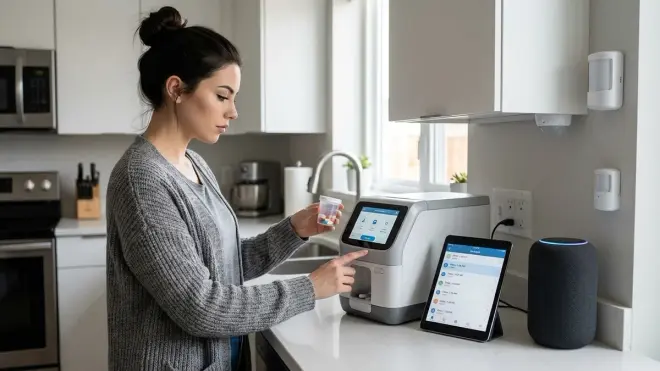
Medication management automation uses time-based triggers with multi-channel reminders: at scheduled pill times (8am, 8pm, etc.), flash kitchen lights, play a spoken reminder through local smart speakers, and display a notification on wall-mounted tablets. If the medication is taken (confirmed via a button press or smart pill dispenser sensor), mark the task complete. If not taken within 30-60 minutes, escalate to caregiver alerts via SMS or push notification. Use Zigbee or Wi-Fi smart pill dispensers like the Hero Automatic Pill Dispenser which dispense pills at scheduled times and detect when pills are removed from the tray, though note this device requires Wi-Fi and cloud connectivity, limiting privacy. For fully local systems, pair basic time-triggered light/sound reminders with manual confirmation buttons—your parent presses a Zigbee button after taking pills to cancel escalation alerts. This approach is less automated but fully private. Essential Smart Home Devices Checklist for Elderly Safety and Independence lists automation-compatible medication reminder setups.
How much does it cost to set up a senior-friendly smart home?
A basic privacy-first senior smart home costs $300-600 for initial hardware plus 6-12 hours of setup time if you're comfortable with technical configuration. Expect to spend around $60-150 for a hub (Raspberry Pi running Home Assistant or Hubitat Elevation), $80-200 for Zigbee or Z-Wave sensors (4-8 motion sensors, 2-4 door/window sensors, 2-4 smart buttons), $50-100 for smart lights (bulbs or in-wall switches), and $30-80 for smart speakers or sirens for alerts. There are zero monthly fees if you build with local protocols and self-hosted hubs. For comparison, commercial medical alert systems charge $25-60 monthly ($300-720 annually) and require 1-3 year contracts, giving you less control and zero privacy. If you're not technical enough to configure Home Assistant yourself, budget $500-1000 to hire a local smart home installer who understands privacy-first automation—ask specifically about local processing and avoid installers who only work with cloud platforms. How to Set Up a Senior-Friendly Smart Home System Step by Step provides detailed implementation guides with cost breakdowns.
Building Senior Automation That Actually Respects Privacy
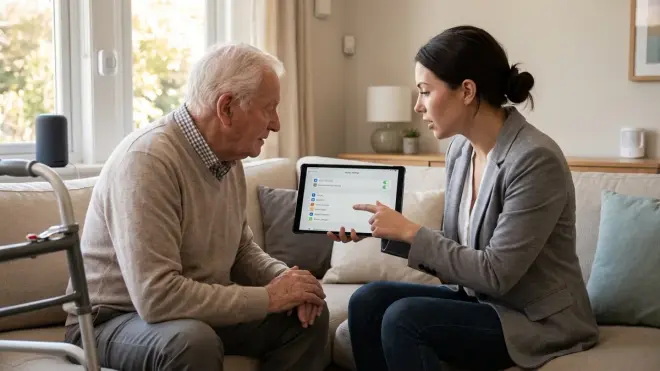
Here's what I learned rebuilding my father's monitoring system after ripping out the Life Alert pendant that was sending location pings every 15 minutes: simplicity and reliability matter more than features. He doesn't need voice control for 200 smart devices. He needs motion-triggered lights so he doesn't trip walking to the bathroom at night. He needs a big button next to his bed that summons help. He needs door sensors that alert me if he wanders outside at 2am.
The system I built uses 6 Zigbee motion sensors ($15 each), 4 Z-Wave door sensors ($25 each), 8 Philips Hue bulbs ($40 each, Zigbee protocol), 4 Aqara wireless buttons ($15 each), and a Raspberry Pi 4 running Home Assistant ($60). Total hardware cost: around $550. Setup took me about 10 hours spread across a weekend. Monthly cost: $0. He's been running it for 18 months. Zero cloud dependencies. Zero surveillance. Zero monthly fees.
It's worked through three internet outages, including one that lasted two days. Motion sensors kept triggering lights. Door sensors kept logging. The only thing that failed was SMS alerts to my phone—which I didn't need because I was checking the local Home Assistant dashboard via Tailscale VPN. When his power went out for 6 hours, everything died (obviously), but came back up automatically when power returned. No reconfiguration needed.
The hard part isn't the technology—it's convincing yourself you don't need corporate hand-holding. The smart home industry has conditioned us to believe automation requires subscriptions, customer support lines, and cloud servers. It doesn't. You're trading convenience (plug-and-play setup) for control (ownership of your data and logic). For most people helping aging parents, that's a trade worth making.
Start small. Add Zigbee motion sensors to trigger lights automatically. Add door sensors to alert you of nighttime wandering. Add a couple of wireless buttons for manual alerts. Run it all through Home Assistant on a Raspberry Pi. You'll spend a weekend learning, but you'll own a system that can't be shut down, deprecated, or monetized by a corporation looking to squeeze subscription revenue from your parent's decline.
That's what privacy-first senior automation looks like. No surveillance. No monthly fees. Just local sensors, local logic, and actual control over the technology that's supposed to help the people you care about.
