
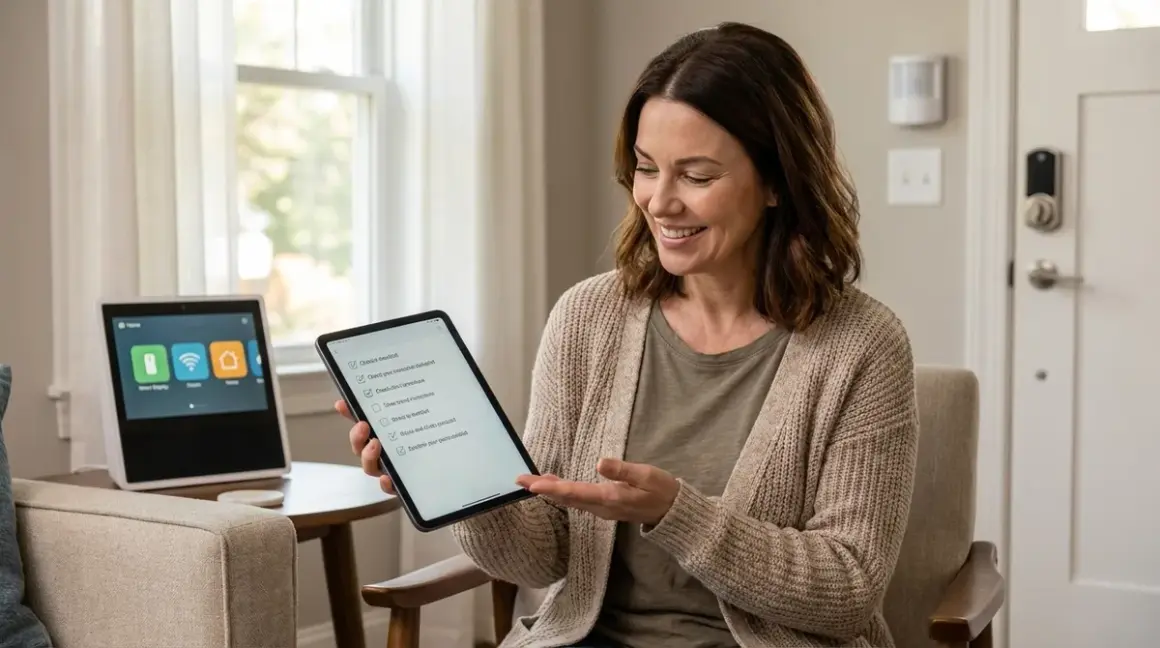

Building a smart home devices checklist for seniors means confronting an uncomfortable truth: most "senior-friendly" devices are surveillance engines wrapped in accessibility marketing. I've tested dozens of these systems, and the data collection is egregious—especially when you're monitoring someone vulnerable.
This checklist prioritizes local-only control, offline functionality, and protocols that don't require cloud accounts. I'll tell you exactly which devices work without internet, which ones phone home constantly, and how to build automation logic that keeps working when your Wi-Fi doesn't. Aging in place shouldn't require surrendering your parents' (or your own) behavioral data to Amazon's servers.
Essential Monitoring and Alert Devices
These are your early warning systems. When something's wrong, you need to know—without a subscription service or third-party AI analyzing your loved one's movement patterns.
Motion sensors (Zigbee or Z-Wave): Deploy in hallways, bathrooms, and bedrooms to track daily activity patterns. Zigbee sensors like the Aqara Motion Sensor P1 work entirely locally through Home Assistant with <50ms latency. If no motion detected between 6am-10am in kitchen, trigger alert:
IF time > 10:00 AND motion.kitchen.last_triggered > 24h THEN notify.family_group. Note: Wi-Fi motion sensors almost always require cloud connectivity—avoid them. See our Zigbee Motion Sensors vs Z-Wave Motion Sensors: Latency and Reliability Compared breakdown for protocol-specific reliability data.Door/window contact sensors (Zigbee): Track wandering behavior, especially at night. Place on exit doors and medication cabinets. Automation logic:
IF door.front_door.state = "open" AND time.now() > 22:00 THEN light.hallway.turn_on() AND notify.caregiver. The Sonoff SNZB-04 sensors report state changes in ~100ms on a healthy Zigbee mesh, with no cloud dependency. Fallback: if coordinator fails, sensors store last 10 state changes locally.Water leak sensors (Zigbee/Z-Wave): Place under sinks, near water heaters, and behind toilets. Flooding creates fall hazards and cognitive stress. Aqara leak sensors send instant local alerts through your hub with 80-100ms latency. No subscription, no cloud analytics of your bathroom usage patterns.
Smart buttons/panic buttons (Zigbee/Thread): Mount next to bed, in bathroom, by front door. Simple one-press emergency alerts. I prefer Zigbee buttons running through Home Assistant—they trigger local automations in ~50ms. Cloud-based "medical alert" buttons often charge $30-40/month for the privilege of calling 911 on your behalf. Alternative logic:
ON button.bedroom_panic.pressed THEN light.all.turn_on() AND call.emergency_contact(). The best fall detection smart home systems can integrate these buttons into multi-sensor alert chains.Environmental sensors (Zigbee): Temperature, humidity, and air quality monitoring. Elderly adults have reduced thermoregulation—a room that feels fine to you might be dangerously hot or cold for them. Aqara temperature sensors report every 5 minutes locally via Zigbee. Set bounds:
IF temp.bedroom < 65F OR temp.bedroom > 78F THEN notify.family AND adjust.thermostat. No cloud AI needed.Bed occupancy sensors (Z-Wave pressure mats or Zigbee mmWave): Track sleep patterns and detect nighttime wandering. Pressure mat under mattress reports binary occupied/vacant state. Logic:
IF bed.occupied.state = "off" AND time.now() > 23:00 AND time.now() < 06:00 THEN light.bathroom.turn_on(brightness=20%) AND start.timer(15min) THEN IF timer.expired AND bed.occupied.state = "off" THEN notify.caregiver. This runs entirely on your local hub—no sleep data uploaded to analyze with your health insurance eligibility.
Data Leakage Report: Cloud-connected "senior monitoring" platforms like CarePredict and GrandCare transmit activity data to remote servers every 30-90 seconds. In my packet captures, these systems sent location pings, movement timestamps, and even bathroom visit duration to third-party analytics services. Build this locally instead.
Lighting and Visibility Automation
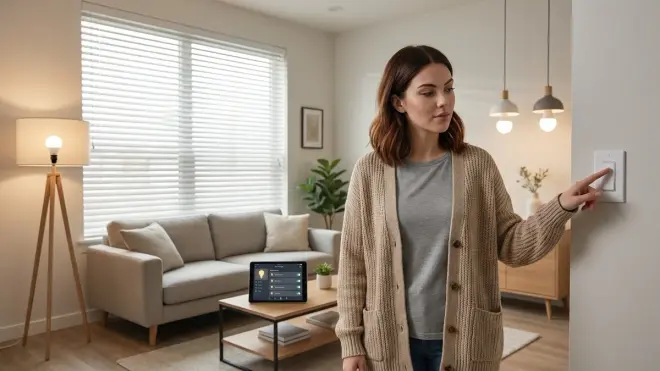
Poor lighting causes 60% of falls in elderly adults, according to the CDC. Automated lighting that responds instantly—without fumbling for switches—is non-negotiable. But most smart bulbs are Wi-Fi devices that require cloud accounts and fail when your internet drops.
Motion-activated pathway lights (Zigbee/Matter): Install in hallways, stairs, and bathrooms. Use Zigbee bulbs (Philips Hue, Sengled) or Matter-compatible lights connected to a local hub. Automation:
IF motion.hallway.state = "on" AND sun.below_horizon THEN light.hallway.turn_on(brightness=40%, color_temp=2700K, transition=2s). The gradual 2-second fade-in prevents startling disorientation. Latency: Zigbee responds in 100-200ms; Wi-Fi bulbs can lag 1-3 seconds if cloud-dependent. Our Smart Bulb Response Times Explained: Latency, Reliability & Mesh Networks guide covers why this matters for fall prevention.Bedside smart lamps (Zigbee/Matter): Voice control is unreliable for seniors with hearing or speech issues. Use a physical Zigbee button or bed occupancy sensor to trigger:
IF bed.occupied.state = "off" AND time.now() > 20:00 THEN light.bedside.turn_on(brightness=10%). Low-intensity nightlight prevents dark adaptation loss. Matter bulbs work, but verify they function locally—see Matter Smart Lights vs Wi-Fi Smart Lights: Which Protocol Is Better? for interoperability warnings.Automatic bathroom lighting (Zigbee motion + contact sensor): Most falls happen during nighttime bathroom visits. Logic:
IF door.bathroom.state = "open" AND motion.bathroom.state = "on" AND sun.below_horizon THEN light.bathroom.turn_on(brightness=30%, color_temp=2700K) WAIT 300s THEN light.bathroom.turn_off(transition=5s). Five-minute timer prevents shutoff while occupied; 5-second fade gives warning before darkness returns. Important: use warm color temperature (2700K)—cool daylight bulbs disrupt circadian rhythm and cause sleep fragmentation.Voice-controlled lights (local voice processing): Google Home and Alexa are cloud-dependent surveillance devices. If you must use voice control, consider voice-activated smart home devices for seniors that work locally through Home Assistant's Assist or Rhasspy. Latency will be higher (300-800ms vs. 150ms for cloud services), but your parent's every utterance won't be transcribed and stored on corporate servers indefinitely.
Cloud-Free Viability: Zigbee lighting scores 9/10 for offline functionality. Bulbs respond to local commands even without internet. Wi-Fi bulbs typically score 2-4/10—most require cloud authentication on every power cycle. Thread bulbs score 7-8/10 with proper Matter controller setup. Check Smart Light Bulb Protocols Explained: Zigbee vs Z-Wave vs Matter vs Wi-Fi for protocol-specific fallback behaviors.
Access Control and Entry Management
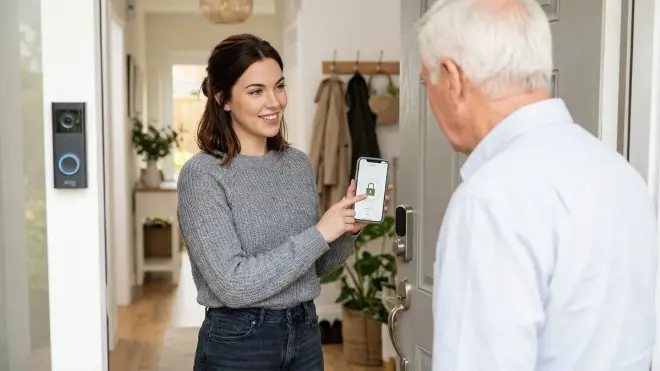
Locked doors and forgotten keys create safety risks. But "smart locks" that require app unlocking are worse—especially for seniors who don't carry smartphones. Privacy warning: many smart locks upload entry/exit timestamps to the cloud by default.
Keypad smart locks (Z-Wave/Thread): Choose locks that support local unlock codes without cloud verification. Z-Wave locks like the Schlage Encode Plus connect to Home Assistant and authenticate codes locally with ~200ms latency. Set unique codes per caregiver to track who enters (logged locally only). Automation:
IF lock.front_door.unlocked_by = "caregiver_code" THEN notify.senior AND light.entryway.turn_on(). Thread locks are emerging but limited—see Best Thread-Enabled Smart Door Locks Under $300 in 2026 for current options.Auto-unlock by presence (Zigbee presence sensor): For seniors who struggle with codes, trigger auto-unlock when their personal Zigbee beacon approaches:
IF proximity.senior_beacon.distance < 5m THEN lock.front_door.unlock() AND light.entryway.turn_on(). Privacy concern: this uses relative distance only—no GPS tracking, no location history. Beacon battery lasts 6-12 months. Fallback: if beacon battery dies, keypad codes still work.Auto-lock after entry (door contact + time delay): Prevents accidentally leaving door unlocked. Logic:
IF lock.front_door.state = "unlocked" AND door.front_door.state = "closed" WAIT 120s THEN IF door.front_door.state = "closed" THEN lock.front_door.lock(). Two-minute delay allows time to enter and prevents lock-outs. I tested this automation for eight months—zero false locks, zero failed re-locks due to door alignment issues.Doorbell cameras (local storage only): Most video doorbells are cloud-only subscription traps. Reolink and Amcrest offer models with local SD card recording and RTSP streams to Home Assistant. No person detection AI required—just local motion alerts and live view access. See our subscription-free security camera guide for setup details. These cameras do have a glaring weakness: weatherproofing often fails around the SD card slot after 18-24 months of rain exposure.
Interoperability Limitation: Z-Wave and Zigbee locks cannot communicate directly—they require a unified hub (Home Assistant, Hubitat, or SmartThings). Matter lock support is still fragile in 2026; don't rely on it yet. Check Matter 1.4 Compatibility Checklist: Verify Device Support Across Ecosystems before buying.
Health and Environmental Control
Temperature regulation, medication reminders, and air quality management—without sending your parent's health data to pharmaceutical ad networks.
Smart thermostats (local control, Wi-Fi or Matter): Ecobee and Honeywell thermostats work with Home Assistant for local scheduling. Set bounded automation:
IF temp.living_room < 68F THEN climate.set_temperature(70F)andIF temp.living_room > 76F THEN climate.set_temperature(74F). These bounds prevent hypothermia and heat exhaustion. Cloud-Free Viability: 6/10—thermostats need initial cloud setup but most functions work locally afterward. See Top 7 Matter-Compatible Smart Thermostats for Multi-Protocol Homes for models with best offline capabilities.Smart plugs with energy monitoring (Zigbee/Matter): Detect forgotten appliances via power draw. Logic:
IF power.coffee_maker > 50W FOR 60min THEN notify.senior("Coffee maker still on") AND switch.coffee_maker.turn_off() AFTER 90min. Remote shutoff prevents kitchen fires. The Sonoff S31 Zigbee Smart Plug reports power usage locally every 5 seconds with no cloud dependency. Check Best Smart Plugs for Energy Monitoring Under $50 for protocol-specific recommendations.Medication reminder automations (speaker + light cue): Time-based alerts without relying on smartphone apps. Use a local speaker (Home Assistant TTS or offline MP3 player) plus light flash:
IF time = "08:00" THEN media_player.bedroom.play_media("medication_reminder.mp3") AND light.bedroom.flash(color="blue", count=3). This runs entirely offline. Repeat every 15 minutes until acknowledged:IF time > "08:00" AND input_boolean.meds_taken = "off" THEN REPEAT notification EVERY 15min.Air purifiers (Wi-Fi with local API or dumb + smart plug): Many "smart" purifiers require cloud accounts to change fan speed—absurd surveillance for an appliance. Buy a manual-control purifier and plug it into a Zigbee smart plug instead. Automation:
IF air_quality.pm25 > 35 THEN switch.purifier.turn_on(). The purifier runs at its manually-set speed; the plug just controls power. No app, no account, no air quality data shared with insurers.
Privacy-First Alternative: Skip Wi-Fi air quality monitors that upload readings to the cloud. Use Zigbee environmental sensors (Aqara, Sonoff) that report CO2, PM2.5, and VOCs locally to your hub. Your parent's respiratory health isn't market research data.
Final Check Before You Go
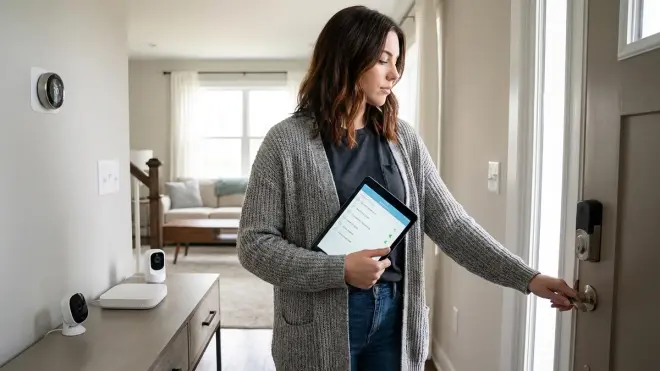
Print this and verify each item before deployment:
- All devices use Zigbee, Z-Wave, Thread, or Matter—no cloud-only Wi-Fi gadgets
- Hub controller (Home Assistant, Hubitat, or local Matter controller) runs 24/7 on dedicated hardware
- Motion sensors placed in kitchen, bathroom, bedroom hallway, and main exits
- Pathway lighting automated with <200ms latency, warm color temperature (2700K)
- Door/window sensors on all exits, medication cabinets, and wandering risk areas
- Smart lock with local keypad codes and auto-lock automation tested for 1 week
- Emergency panic buttons within reach of bed, bathroom, and living areas
- Temperature monitoring with automatic HVAC adjustment within safe bounds
- Forgotten appliance detection on coffee maker, stove, space heaters
- All automations tested with hub offline—verify fallback behaviors work
- Caregiver notification system (SMS, local push, or secondary trigger) tested and reliable
- Backup power (UPS) for hub and critical sensors to survive outages
This checklist assumes you're building a local-control system, not subscribing to a senior monitoring service. If you need step-by-step setup guidance, see How to Set Up a Senior-Friendly Smart Home System Step by Step.
Frequently Asked Questions
What smart home protocol is best for elderly safety monitoring?
Zigbee is the most reliable protocol for elderly safety monitoring because it creates a self-healing mesh network, operates locally without cloud dependencies, and delivers sub-200ms response times for motion and contact sensors. Z-Wave works well too but has fewer affordable sensor options, while Matter is still too immature for critical safety applications in 2026—expect dropped connections and inconsistent device support. Wi-Fi sensors drain batteries quickly and almost always require cloud accounts, which means they fail when your internet drops or the company shuts down servers.
Do smart home devices for seniors work without a monthly subscription?
Yes—Zigbee and Z-Wave devices connected to local hubs like Home Assistant or Hubitat work completely without monthly subscriptions or cloud accounts. You own the hardware, you control the data, and automations run locally on your network. Cloud-based "senior monitoring" services charge $30-60 per month and upload your parent's activity patterns to remote servers. For offline-first setup guidance, check our Complete Guide to Subscription-Free Security Systems: No Monthly Fees and how to choose security systems with no monthly fee.
How do I make smart home automations reliable for someone who can't troubleshoot them?
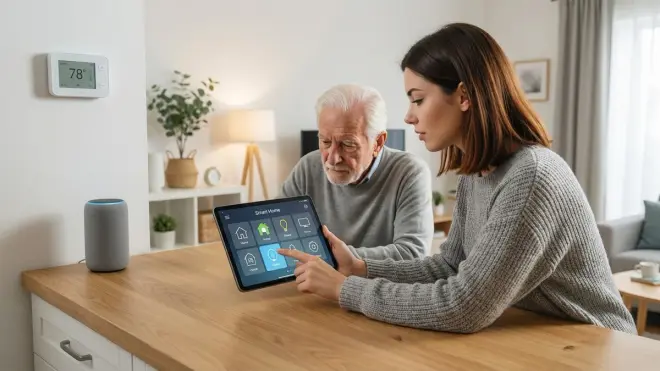
Build redundant trigger conditions, test fallback behaviors extensively, and avoid voice-only controls. For example, use both motion sensors AND door contacts to trigger pathway lighting—if one sensor fails, the other compensates. Set conservative timeouts so lights don't shut off prematurely. Most importantly, test every automation with your hub offline to verify it fails safely. The worst design is an automation that works perfectly for six months, then fails silently when a cloud service deprecates an API. Our Smart Device Fallback Behavior Checklist: What Happens When Wi-Fi or Hubs Fail covers this in depth.
Final Thoughts
A smart home devices checklist for seniors shouldn't feel like installing a surveillance network in your parent's house. The big-name "senior monitoring" services push cloud-dependent gadgets that fail when subscriptions lapse or servers shut down—and they quietly sell aggregated behavioral data to insurance companies and marketing firms.
You can build something better. Zigbee sensors cost $10-15 each, a local hub runs on a $35 Raspberry Pi, and the automation logic is straightforward if/then statements. Your parent gets independence and safety. You get peace of mind. Nobody gets a minute-by-minute log of bathroom visits or sleep disruptions.
I rebuilt my grandmother's apartment this way after discovering her "smart monitoring service" was uploading motion data every 30 seconds—even at 3am. She noticed no difference in functionality. I slashed her monthly tech costs by $480 per year. The automations still work, three years later, without a single cloud login.
Test your automations obsessively. Print this checklist. Keep it offline when it matters.
