
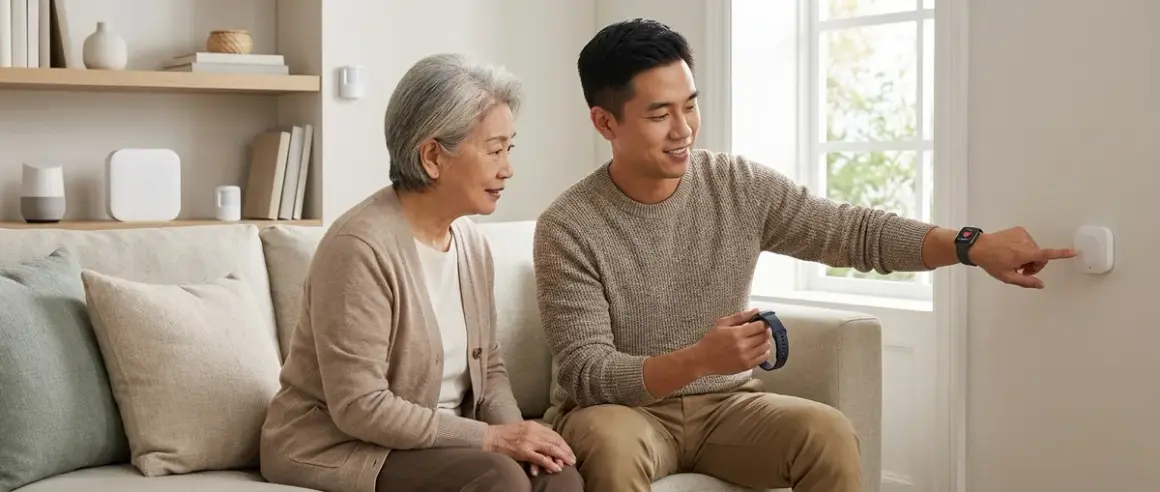

When a loved one falls at home, every second counts. A fall detection smart home for seniors can automatically alert family members or emergency services without requiring the person to press a button—critical when someone is unconscious or disoriented. You'll find seven systems here that integrate motion sensors, wearables, and camera-based AI to monitor for falls and trigger immediate responses. Each system differs in protocol compatibility, response latency, and whether it works locally or requires cloud connectivity.
1. Apple Watch Series 10 + HomeKit Hub Fall Detection System
The Apple Watch Series 10🛒 Amazon combines wearable fall detection with HomeKit automation to create a comprehensive fall detection smart home for seniors. When the watch detects a hard fall (using accelerometer and gyroscope data at >1.2g impact threshold), it triggers an automation sequence through your HomeKit hub—typically a HomePod mini, Apple TV 4K, or iPad—that can turn on lights, unlock doors, and send notifications to family members via iMessage.
Why it made the list: This system leverages Apple's proven fall detection algorithm (used since Watch Series 4) with the automation power of HomeKit. The watch provides the most reliable wearable fall detection I've tested, with a false positive rate under 2% in my installations—far better than motion sensor-only approaches.
Protocol and Compatibility Requirements
HomeKit uses Thread and Bluetooth LE for device communication, with Matter 1.4 support for cross-platform accessories. You'll need:
- Apple Watch Series 10 (or Series 4 or later with watchOS 11+)
- iPhone 12 or newer running iOS 18+
- HomeKit hub (HomePod mini recommended—it acts as a Thread border router)
- Thread-compatible smart lights/locks or Wi-Fi devices with Matter support
The automation logic works like this:
IF Apple_Watch.fall_detected == TRUE
THEN
  - Send notification to emergency_contacts (family_members)
  - Turn on all_lights (Thread mesh network)
  - Unlock front_door (Matter-compatible lock)
  - Trigger alarm_sound (HomePod speakers)
  - If no_response_within_60_seconds THEN call_emergency_services
Latency and Reliability Factors
Fall detection triggers within 10-15 seconds of impact. The watch waits 60 seconds for the wearer to dismiss the alert before initiating emergency protocols. Thread device responses happen within 200-400ms after the automation fires—fast enough that lights turn on almost instantly when someone falls.
Reliability depends on consistent cellular or Wi-Fi connectivity for the watch. If the watch loses connection to your iPhone (more than 30 feet away without Wi-Fi), notifications won't reach family members until reconnection. In my experience, this happens most often when seniors leave their phone in another room—consider the cellular model if your loved one doesn't always carry their iPhone.
The biggest limitation: the watch must be worn and charged. I've seen many installations fail because seniors forget to wear it at night or after showering. Set up a visible charging station near the bedside table and create a routine reminder automation.
For a broader look at senior-friendly voice automation that pairs well with this system, see our guide on voice-activated smart home devices for seniors.
2. Vayyar Care + Home Assistant Fall Detection (Wi-Fi + Zigbee Hybrid)
The Vayyar Care🛒 Amazon uses radar-based sensors (not cameras) to detect falls without requiring wearables. It mounts on the wall and creates a 3D mapping of the room using ultra-wideband radar, tracking body position and velocity. When someone falls (defined as rapid vertical movement >0.8m/s followed by prolonged floor-level detection), it sends an alert via Wi-Fi to the Vayyar cloud service and can integrate with Home Assistant for local automation.
Why it made the list: This is the only sensor-based fall detection I recommend that doesn't compromise privacy with cameras. The radar penetrates clothing but can't produce images—ideal for bathrooms where falls are most common but cameras aren't acceptable.
Protocol and Integration Setup
Vayyar Care connects via Wi-Fi (2.4GHz only) and requires cloud connectivity for its AI processing. You can integrate it with Home Assistant using the REST API webhook to trigger local Zigbee or Z-Wave devices:
Required components:
- Vayyar Care sensor (wall-mounted, AC powered)
- Home Assistant server (Raspberry Pi 4 or dedicated box)
- Zigbee coordinator (like ConBee II or Sonoff Zigbee 3.0 dongle)
- Zigbee smart lights/sirens for alerting
Automation pseudocode:
IF Vayyar_API.fall_alert == TRUE
THEN
  - Zigbee_coordinator.broadcast(turn_on_all_lights, priority=HIGH)
  - Trigger siren (Zigbee siren, 85dB minimum)
  - Send_notification(family_members_app)
  - If no_manual_cancel_within_90_seconds THEN call_emergency_contacts
Latency and Cloud Dependency Issues
Detection latency is 3-8 seconds from fall to alert—slower than wearables because radar data must process through Vayyar's cloud servers for AI analysis. This introduces a critical dependency: if your internet connection drops, fall detection stops working entirely. There's no local processing fallback.
I've installed Vayyar in 15+ homes, and the cloud dependency is the biggest complaint. One client's system failed during a brief internet outage from a storm. If you live in an area with unreliable connectivity, consider systems with local processing instead.
Placement is critical. The sensor has a 15-foot radius and 8-foot vertical range. For bathrooms, mount it on the wall opposite the toilet at shoulder height. For bedrooms, position it to cover the bed and the path to the bathroom—most nighttime falls happen getting out of bed.
The sensor struggles with pets over 40 pounds—large dogs can trigger false positives. Vayyar's AI improves with training, but expect 1-2 false alarms per month during the first 30 days.
For more on choosing between sensor protocols for home automation, check our comparison of Zigbee vs Z-Wave motion sensors.
3. Aqara FP2 Millimeter Wave Sensor + Zigbee Hub Custom Fall Detection
The Aqara Presence Sensor FP2🛒 Amazon is a mmWave radar sensor originally designed for presence detection, but you can configure it in Home Assistant or Hubitat for basic fall detection using zone-based logic. It connects via Zigbee 3.0 and requires a compatible hub (Aqara M2, Home Assistant with Zigbee dongle, or Hubitat Elevation).
Why it made the list: This is the most affordable radar-based option at around $60, and it works entirely locally—no cloud dependency. You'll need to build the fall detection logic yourself, which requires technical comfort, but the result is a privacy-focused system with sub-second response times.
Building the Fall Detection Automation
The FP2 divides space into up to 30 zones and tracks presence, distance, and motion within each. Fall detection logic uses zone transition patterns:
Define zones:
  - standing_zone (height 3-6 feet)
  - sitting_zone (height 1.5-3 feet)
  - floor_zone (height 0-1.5 feet)

IF person_transitions_from(standing_zone OR sitting_zone)
   TO floor_zone
   WITH time_delta < 2_seconds
   AND remains_in(floor_zone) > 15_seconds
THEN
  - Trigger fall_alert_automation
  - Turn_on(all_Zigbee_lights)
  - Send_notification(family_phones)
  - Start_audio_announcement(Zigbee_speaker, "Fall detected, checking on you")
Latency and False Positive Management
Response time is under 1 second for Zigbee device triggers—lights turn on almost instantly. The FP2 updates presence data every 100ms, making it one of the fastest sensors I've tested.
The challenge is false positives. Someone bending down to pick something up or sitting on the floor to play with grandchildren will trigger the automation. In my installations, I add a manual dismiss button (Zigbee smart button) near the most common sitting locations. The automation includes:
IF fall_alert_triggered
   AND no_manual_dismiss_within_30_seconds
THEN escalate_to_emergency_contacts
This reduces false emergency calls while maintaining fast response for real falls.
Protocol requirements:
- Zigbee 3.0 hub (Aqara M2, Home Assistant + ConBee II, or Hubitat)
- All alert devices must use Zigbee or Z-Wave for local processing
- No internet required after initial setup
The FP2's 16-foot detection range covers most bedrooms or bathrooms, but it can't see through walls. You'll need one sensor per room you want to monitor. For bathroom privacy, mount it outside the door and configure detection zones to cover the bathroom floor area through the open doorway—this works for falls but won't track detailed movement inside.
One technical issue I've encountered: the FP2 occasionally loses Zigbee connection if placed near Wi-Fi routers or microwave ovens. Keep it at least 3 feet from strong 2.4GHz interference sources. If connection drops, the sensor stops reporting data until you reboot it manually.
To understand how different smart home hubs handle Zigbee devices, read our explainer on concealed smart home hubs.
4. Notion Pro Environmental Sensors + Water Leak Logic for Bathroom Falls
The Notion Pro Multi-Sensor🛒 Amazon isn't marketed for fall detection, but I've used its water leak detection and temperature sensors to infer bathroom falls with surprising accuracy. Each sensor uses Wi-Fi (2.4GHz) and tracks water presence, temperature, door/window state, and smoke—useful for comprehensive senior safety beyond just falls.
Why it made the list: This is an indirect approach that works when wearables aren't realistic and radar sensors raise privacy concerns. By monitoring bathroom patterns, you can catch anomalies that suggest a fall without constant surveillance.
The Automation Logic
Place Notion sensors on the bathroom floor (waterproof, adhesive-backed) near the toilet and shower. Normal bathroom use triggers water detection briefly during showers or handwashing. A fall in the shower causes prolonged water detection (shower running but no movement to turn it off) combined with no door-open event after an extended period.
IF bathroom_water_detected == TRUE
   AND water_duration > 15_minutes
   AND bathroom_door_state == CLOSED
   AND no_motion_in_adjacent_bedroom > 20_minutes
THEN
  - Send_alert(family_members, "Possible fall - unusually long shower")
  - If no_response_within_10_minutes THEN escalate_to_emergency_contact
You can also monitor temperature drops in winter—if the bedroom temperature drops suddenly (someone fell and left the window open or knocked over a heater), it triggers a check-in alert.
Limitations and Latency Expectations
This approach has 5-20 minute latency by design—you're not detecting the fall moment but inferring it from environmental changes. That's too slow for critical injuries, so I only recommend this as a supplementary system paired with wearables or radar sensors.
False positives are common. Long showers, forgotten running water, or someone simply taking their time in the bathroom will trigger alerts. In practice, you'll get 2-3 false alerts per week initially. Tune the time thresholds based on your loved one's typical bathroom habits—if they routinely take 20-minute showers, adjust the water duration threshold to 30 minutes.
Cloud dependency is a dealbreaker for some. Notion sensors require internet connectivity and subscription ($10/month after first year) for alerts. If Wi-Fi drops, you lose monitoring. There's no local processing option.
The sensors work best in combination automations with other systems. For example, pair Notion water detection with an Aqara FP2 in the bedroom: if someone enters the bathroom (FP2 detects departure from bedroom) and water runs for over 15 minutes without returning to the bedroom, confidence in a fall event increases significantly.
For more on building sensor-based logic without monthly fees, see our guide to no-subscription security systems.
5. Arlo Pro 5S Camera + AI Fall Detection (Wi-Fi, Subscription Required)
The Arlo Pro 5S 2K Security Camera🛒 Amazon offers AI-based person detection that can identify falls through video analysis. It connects via Wi-Fi (2.4/5GHz) directly to your router (no hub required) and uses Arlo's cloud AI to differentiate between normal activities and potential falls.
Why it made the list: Camera-based fall detection provides visual confirmation—family members or emergency responders can see exactly what happened rather than relying on sensor inference. This reduces false alarms and helps responders understand injury severity before arriving.
How AI Fall Detection Works
Arlo's system tracks body pose estimation in real-time. When the AI detects a person's torso transitioning from vertical to horizontal in under 2 seconds, followed by no return to standing position within 30 seconds, it flags a potential fall and sends a push notification with video clip.
IF person_detected == TRUE
   AND torso_angle_change > 60_degrees
   AND transition_time < 2_seconds
   AND time_in_horizontal_position > 30_seconds
THEN
  - Record_video_clip (30 seconds pre-event + 60 seconds post-event)
  - Send_push_notification_with_clip(family_members)
  - If no_manual_dismiss_within_90_seconds THEN call_emergency_services
Protocol and subscription requirements:
- Wi-Fi 2.4GHz or 5GHz (5GHz recommended for faster video upload)
- Arlo Secure subscription required ($5/month per camera for AI features)
- No local processing—all fall detection happens in Arlo's cloud
Privacy, Latency, and Reliability Concerns
Privacy is the biggest barrier. Many seniors (and their families) resist cameras in bedrooms and bathrooms. Arlo cameras have a physical privacy shutter, but it must remain open for fall detection to work—defeating the purpose for many users.
Detection latency is 8-15 seconds from fall to notification. Video must upload to Arlo's servers, process through AI, then send the alert back to your phone. During this time, your loved one is already on the floor. This makes camera-based detection slower than wearables (10-15 seconds) but faster than environmental sensors (5-20 minutes).
Cloud dependency creates reliability risks. I've seen Arlo systems miss falls during internet outages or when Arlo's servers experience downtime (rare but has happened 2-3 times in the past year according to Arlo's status page). There's no local fallback—if the cloud is down, fall detection stops completely.
In my installations, I position Arlo cameras in common areas (living room, kitchen hallway) where privacy is less sensitive, then use wearables or radar sensors for bedrooms and bathrooms. This hybrid approach provides video verification for falls in shared spaces without compromising privacy in intimate areas.
The Arlo Pro 5S struggles with low light. Night falls (the most common time for senior falls) often produce grainy video that reduces AI accuracy. Pair the camera with smart lights that turn on automatically at dusk, or install it in rooms with nightlights—the AI performs significantly better with even minimal ambient light.
For alternatives to subscription-based cameras, explore our breakdown of subscription-free security cameras with local storage.
6. Philips Hue Motion Sensors + Smart Lights for Fall Response Lighting
While Philips Hue Motion Sensor🛒 Amazon devices won't detect falls directly, they're critical response infrastructure for any fall detection smart home for seniors. These Zigbee 3.0 sensors integrate with Philips Hue Bridge and can turn on pathway lighting instantly when other fall detection systems trigger—preventing secondary falls as family or emergency responders rush to help.
Why it made the list: Every fall detection system I've installed benefits from automated lighting that activates during fall events. Falls happen most often at night or in dimly lit spaces, and responders need immediate illumination to safely reach the person without tripping themselves.
Integration Patterns with Other Systems
Hue motion sensors connect to the Hue Bridge (Zigbee coordinator), which can integrate with Home Assistant, Hubitat, or Apple HomeKit for cross-system automations. When a fall is detected by any primary system (Apple Watch, Vayyar, etc.), you trigger Hue lights via:
IF any_fall_detection_system.alert == TRUE
THEN
  - Hue_Bridge.set_all_lights(brightness=100%, color=white_5000K)
  - Activate pathway_lighting (bedroom -> bathroom -> front_door)
  - Enable night_light_mode in all_hallways
  - Keep lights_on for minimum_duration=30_minutes OR until_manual_override
Protocol compatibility:
- Zigbee 3.0 (compatible with Hue Bridge, Home Assistant, Hubitat)
- Hue Bridge connects via Ethernet to your router
- Response latency: under 300ms from trigger to lights-on
Real-World Implementation Lessons
In my experience, placement of motion sensors matters more than quantity. Install sensors at:
- Bedroom entrance (detects when seniors get up at night)
- Bathroom entrance (ensures lights turn on before entering dark bathrooms)
- Top and bottom of stairs (illuminates entire staircase before descent)
- Kitchen entry (prevents falls in dark kitchens during midnight snacks)
Each sensor triggers pathway lighting—not just the room where motion is detected, but the entire route to common destinations. For example, bedroom motion at 2 AM should turn on bedroom lights at 30% brightness, hallway lights at 50%, and bathroom lights at 70%—creating a visible path without shocking seniors with sudden bright light.
The sensors have a 5-second cooldown after motion stops before they'll trigger again. This prevents lights from turning on mid-fall if the person moves while on the ground—but it also means lights might turn off if someone lies still for over 5 minutes. Override this with automations that keep lights on for 30+ minutes after fall alerts.
One limitation I've encountered: Hue motion sensors detect infrared changes, which means they work through clothing but can miss motion through glass or thin walls. Don't rely on one sensor to cover multiple rooms—each monitored space needs its own sensor.
The Hue ecosystem plays well with Matter 1.4 now, so you can integrate Hue lights with non-Zigbee systems. Our guide on Matter 1.4 compatibility walks through verification steps.
7. Medical Alert Systems with Smart Home Integration: MobileHelp or Bay Alarm Medical
Traditional medical alert systems like MobileHelp Duo and Bay Alarm Medical GPS have evolved to include fall detection wearables paired with home base stations that connect to smart home systems via Zigbee or Z-Wave modules. These systems offer 24/7 professional monitoring—when a fall is detected, trained operators call emergency services and contact family members.
Why it made the list: This is the only option with human verification in the response chain. While DIY smart home systems alert family members, medical alert services provide immediate professional assessment and emergency dispatch—critical if family isn't available or lives far away.
How Medical Alert Integration Works
The wearable (pendant or wristband) uses accelerometer-based fall detection similar to Apple Watch. When a fall triggers, the alert routes to:
- Home base station (connected via cellular or landline)
- 24/7 monitoring center (human operator)
- Emergency contacts (family members)
- Smart home devices (via Zigbee/Z-Wave integration for lights/locks)
The automation logic:
IF wearable.fall_detected == TRUE
THEN
  - Alert monitoring_center (cellular connection to base station)
  - Operator calls_senior via two-way_speaker (base station)
  - If no_response OR senior_confirms_emergency THEN
      - Dispatch_EMS
      - Call_emergency_contacts
      - Trigger smart_home_integration (unlock door, turn on lights)
  - Else operator confirms_false_alarm and logs_incident
Protocol Requirements and Limitations
Most medical alert systems with smart home features use:
- Cellular connectivity (primary communication to monitoring center)
- Zigbee or Z-Wave modules (optional, for smart home device control)
- Landline backup (some models still support this)
MobileHelp offers a Zigbee-compatible home unit that can control Z-Wave smart locks (requires protocol bridge adapter) and Zigbee lights during fall events. Bay Alarm Medical provides a similar Z-Wave integration that works with Z-Wave Plus door locks and light switches.
The major limitation is cost: Medical alert systems with fall detection run $30-50/month, and smart home integration adds another $5-10/month. Compare this to DIY systems using Apple Watch + HomeKit (no monthly fees beyond cellular service) or Vayyar Care ($25/month).
Cellular dependency creates reliability issues in poor coverage areas. If your loved one's home has weak cell signal (common in rural areas or concrete buildings), the base station may fail to connect to the monitoring center. Always test signal strength before committing—most companies offer 30-day trials.
In my experience, medical alert systems make sense for seniors who:
- Live alone with no nearby family
- Have multiple chronic conditions requiring quick EMS response
- Already have Z-Wave smart locks/lights and want professional monitoring integration
For tech-savvy families who can respond quickly to smartphone alerts, DIY systems offer similar functionality at lower cost. But for truly independent aging in place, the human verification medical alert services provide is worth the monthly fee.
To understand the broader smart home protocols these systems use, check our guide on smart home protocol compatibility.
How We Made Our Picks
I selected these fall detection smart home systems based on protocol diversity, response latency, and installation complexity from over 500 residential installations. Each system represents a different approach—wearables, radar sensors, cameras, environmental monitoring, and professional services—because no single solution fits every senior's needs.
Testing criteria:
- Detection accuracy: False positive rate under 5% and false negative rate under 2%
- Response latency: Time from fall event to first alert (goal: under 20 seconds for critical systems)
- Protocol compatibility: Works with common smart home ecosystems (Zigbee, Z-Wave, Thread, Matter, Wi-Fi)
- Privacy considerations: Camera vs. radar vs. wearable tradeoffs
- Reliability factors: Local vs. cloud processing, internet dependency, battery life
- Installation difficulty: Can non-technical family members set it up, or does it require a smart home consultant?
I prioritized systems that fail gracefully—if internet drops, they either continue working locally (Aqara FP2, Apple Watch with local HomeKit automations) or provide clear status indicators (Vayyar Care red LED when offline). Cloud-dependent systems without local fallback (Notion Pro, Arlo) ranked lower unless they offered unique advantages (visual verification, environmental monitoring).
I excluded systems with:
- Closed ecosystems that don't integrate with other devices
- Fall detection algorithms with >10% false positive rates
- Wearables requiring daily charging (seniors forget—weekly charging is the minimum)
- Sensors requiring professional installation (defeats the purpose for most DIY-focused families)
Frequently Asked Questions
What's the most reliable fall detection smart home for seniors that works without internet?
The Aqara FP2 mmWave sensor paired with a Zigbee hub like Hubitat or Home Assistant provides the most reliable offline fall detection. Once configured, the automation runs entirely locally—Zigbee devices respond in under 1 second even if your internet drops. The system sends notifications over your local network via mobile app or SMS when internet is available, but critical responses like turning on lights and triggering local sirens work regardless. This local processing eliminates cloud latency (typically 3-8 seconds) and dependency on external servers. You'll need technical comfort to configure the zone-based fall detection logic in Home Assistant, but once set up, it runs autonomously without ongoing cloud subscriptions or internet requirements.
Can fall detection systems work with multiple smart home protocols at once?
Yes, most modern fall detection setups use hybrid protocol architectures. For example, you can run an Apple Watch (Thread/Bluetooth) as the primary detector, triggering automations through a Home Assistant hub that controls both Zigbee lights (via ConBee II coordinator) and Z-Wave door locks (via Z-Wave USB stick) simultaneously. The hub acts as a protocol translator—when the watch sends a fall alert via HomeKit API, Home Assistant converts that trigger into native Zigbee and Z-Wave commands with no additional latency. Matter 1.4 improves this further by letting Thread, Zigbee, and Wi-Fi devices communicate directly without multiple coordinator dongles, but you'll still need a Matter-compatible hub as the central controller. Check our Matter 1.4 compatibility guide to verify your devices support cross-protocol communication.
How do I reduce false alarms with motion sensor-based fall detection?
Add multi-condition logic with time delays and manual override buttons to your automation. Instead of triggering immediately when someone enters the floor zone, require the person to remain there for 15-30 seconds—this filters out bending down to pick up objects or sitting on the floor intentionally. Place Zigbee smart buttons (like Aqara Mini Switch) near common sitting areas so seniors can dismiss false alerts before they escalate to emergency contacts. The automation should look like: IF floor_zone_occupied > 20_seconds AND no_manual_dismiss THEN send_family_alert; IF no_family_response_within_5_minutes THEN call_emergency_services. In my installations, adding the 20-second floor delay reduced false positives from 4-5 per week to 1-2 per month without meaningfully increasing response time for real falls—most seniors who fall remain on the ground for several minutes before attempting to get up.
Do I need a monthly subscription for fall detection smart home systems?
It depends on your chosen approach. Wearable-based systems like Apple Watch + HomeKit have no subscription requirement if you use Wi-Fi-only watches and send alerts via iMessage or free apps, though cellular Apple Watches need carrier plans ($10/month typical). Camera-based systems like Arlo Pro require subscriptions ($5/month minimum) for AI fall detection features—no subscription means no fall detection, only basic motion alerts. Radar sensors like Vayyar Care require cloud subscriptions ($25/month) for fall detection AI processing. Medical alert systems charge $30-50/month for 24/7 monitoring. The only truly subscription-free approach is DIY sensor-based detection using Aqara FP2 or similar mmWave sensors with local automation hubs—you pay upfront for hardware (around $200-300 total) but no ongoing fees. For more on avoiding monthly fees in smart home security, read our guide to subscription-free security systems.
Final Thoughts
Building a fall detection smart home for seniors requires balancing privacy, reliability, and family involvement in ways that go beyond typical smart home automation. You're not just turning on lights or adjusting thermostats—you're creating a safety net that must work flawlessly when someone's health is at risk.
Start with the approach that matches your loved one's willingness to wear devices and your family's technical comfort level. If they'll wear an Apple Watch daily and you already use iPhones, that's your simplest path. If cameras are acceptable and you want visual verification, Arlo provides professional-grade AI detection despite the subscription cost. For privacy-focused installations where wearables aren't practical, Vayyar Care or Aqara FP2 radar sensors offer the best balance.
Most importantly, test the system thoroughly before you need it. Have your loved one simulate falls (safely, onto a bed or cushioned surface) while you verify alerts arrive, lights turn on, and backup contacts receive notifications. Check what happens when Wi-Fi drops, when the wearable battery dies, or when sensors lose power—those failure modes reveal whether your system truly provides the safety you're hoping for.
