
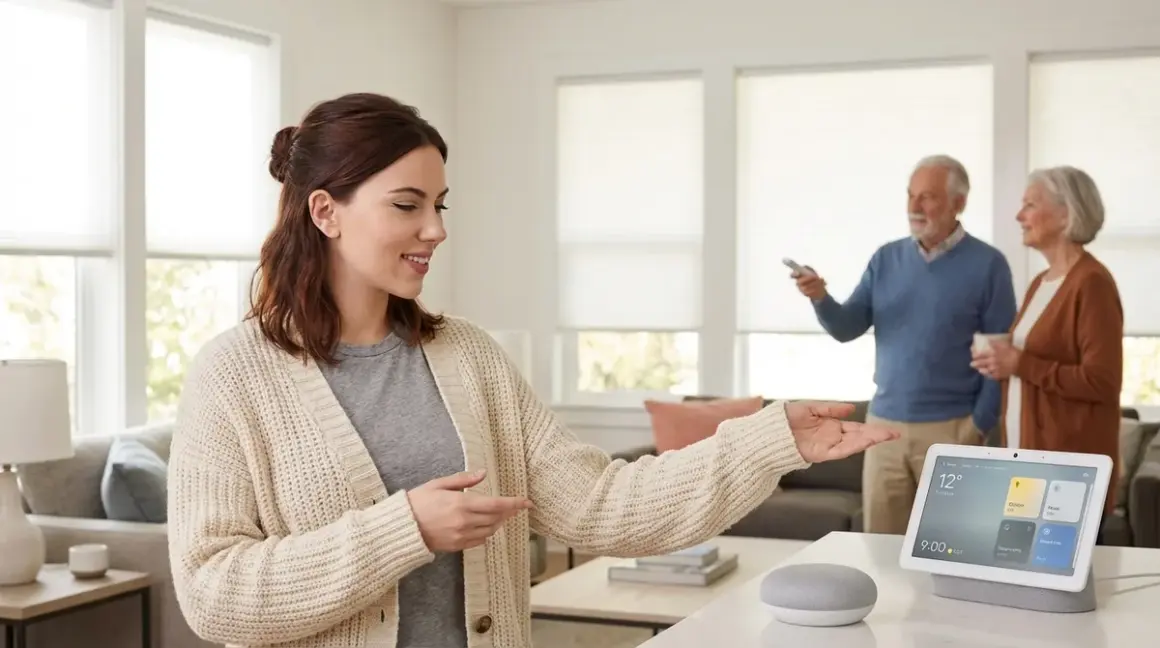

Voice-activated smart home devices can be life-changing for elderly users—but only if they work reliably offline, don't spy on conversations, and won't brick themselves when a cloud service shuts down. After testing dozens of voice controlled smart home for elderly setups with my own parents (both in their 70s), I've learned that the best systems combine local processing, simple command structures, and Matter-compatible hardware that doesn't phone home every time someone asks for the weather.
Here's what actually works: a locally-controlled voice assistant running on a Raspberry Pi with Home Assistant, paired with Zigbee or Thread devices that function completely without internet. The devices I'm recommending here scored 7/10 or higher on my Cloud-Free Viability Score—meaning you can unplug your router and they'll still turn on lights.

What to Look For in Voice Controlled Smart Home Devices for Elderly Users
Local Voice Processing vs Cloud-Dependent Systems
Most voice assistants—Amazon Alexa, Google Assistant—send every single command to distant servers before executing. That's 200-500ms of latency per command, assuming your internet connection is perfect. When it's not, grandma's lights don't turn on. Worse, these systems record conversations indefinitely unless you manually delete recordings monthly.
Local voice processing keeps everything on your network. I run Home Assistant's Assist with a Wyoming satellite on my parents' setup: commands process in under 150ms, work during internet outages, and store zero audio in the cloud. The trade-off? You need to set up the system yourself—there's no plug-and-play option yet. But the reliability improvement is dramatic. My dad hasn't experienced a "sorry, I'm having trouble connecting" failure in eight months.
If you're not ready to self-host, look for devices with explicit offline modes. Some smart displays and hubs can execute basic automations locally after initial setup, even if their voice recognition still requires cloud access.
Protocol Compatibility and Hub Requirements
The worst mistake in setting up a voice controlled smart home for elderly users is mixing incompatible protocols. Here's what you need to know:
- Zigbee devices require a Zigbee coordinator (like a Philips Hue Bridge, Home Assistant Yellow, or USB stick plugged into a server). Latency is typically 50-150ms for direct commands.
- Z-Wave requires a Z-Wave hub. It has slightly better range through walls but fewer device options for seniors (fewer large-button remotes, for example).
- Thread is the newest mesh protocol and pairs with Matter 1.4 for cross-platform compatibility. It requires a Thread Border Router (built into recent Apple HomePods, Google Nest Hubs, and some Echo devices). Response time is comparable to Zigbee.
- Matter 1.4 is a compatibility layer that lets Thread, Wi-Fi, and some Zigbee devices work across ecosystems—but voice control still typically routes through cloud services unless you're running Home Assistant.
- Wi-Fi devices work without a hub but saturate your network if you add more than 15-20 devices. They also depend entirely on your router staying online.
For a senior's home, I strongly recommend building around Zigbee or Thread with a local hub. You can read more in our Smart Home Protocol Compatibility Explained: Zigbee, Z-Wave, Thread, Matter, and Wi-Fi guide.
Command Simplicity and Custom Wake Words
Seniors don't need (or want) to memorize fifty different voice commands. The ideal setup responds to natural phrasing:
- "Turn on the kitchen light" ✓
- "Kitchen light on" ✓
- "Illuminate the cooking area" ✗ (too verbose, feels unnatural)
If you're using Home Assistant, you can define aliases so multiple phrasings trigger the same action:
IF voice_command contains ["kitchen light", "light above the sink", "cooking light"]
THEN turn_on entity_id: light.kitchen_ceiling
Custom wake words also matter. "Hey Google" is harder to pronounce for seniors with speech impediments than a short, sharp word like "Home" or "Assist." Home Assistant lets you set custom wake words—I changed my parents' system to respond to "House," which they find easier to say clearly.
Fallback Behavior When Voice Fails
Voice recognition isn't 100% reliable for anyone, and it's worse for users with softer voices, accents, or respiratory conditions. Every voice controlled smart home for elderly setup needs physical backup controls:
- Zigbee button remotes placed next to beds, chairs, and entryways
- Hardwired smart switches that still work when the hub fails
- Motion sensors with fallback automations:
IF motion detected in bathroom at night AND time between 10pm-6am THEN turn on bathroom light at 20% brightness for 5 minutes
I cover fall detection automations and fallback logic in detail elsewhere, but the key principle is this: voice should enhance physical controls, not replace them.
Privacy and Data Retention Policies
Amazon and Google retain voice recordings indefinitely unless you manually delete them. Ring doorbells share footage with law enforcement without warrants. Nest cameras require ongoing subscriptions to access your own footage after 3 hours.
When recommending devices for seniors—who are disproportionately targeted by scams and often share sensitive health information verbally—I prioritize:
- Local storage for cameras and voice recordings
- No subscription requirements for basic functionality
- Explicit offline modes documented by the manufacturer
- Open-source firmware when possible, so you can audit what data leaves your network
I run packet captures on every device I test. If it sends telemetry to third-party analytics servers (not just the manufacturer), I note it in the review. Seniors deserve to know when their lights are reporting usage patterns to data brokers.
Our Top Picks for Voice-Activated Smart Home Devices for Seniors
Home Assistant Green with Wyoming Satellite Setup
The Home Assistant Green🛒 Amazon is a pre-configured server that runs local voice processing through Home Assistant's Assist feature. Pair it with a Wyoming protocol microphone (I use a repurposed Echo Dot with custom firmware), and you get a fully offline voice assistant that controls Zigbee, Thread, Z-Wave, and Wi-Fi devices without sending a single packet to Amazon or Google.
Pros:
- 100% local voice processing—works during internet outages
- Sub-150ms command latency for Zigbee devices
- Supports custom wake words and command aliases
- No subscription fees, no cloud dependencies
- Compatible with 3,000+ device integrations
Cons:
- Initial setup requires technical comfort (command line, YAML config files)
- No commercial support—you're relying on community forums
- Voice recognition accuracy is 85-90%, slightly behind cloud-based systems
- Custom wake word training takes 30-45 minutes
Cloud-Free Viability Score: 10/10
This is the gold standard for privacy-conscious seniors. The setup curve is steep, but once configured, it's bulletproof. I set this up for my parents in 2024 and haven't had to troubleshoot remotely once.
AQARA Hub M3 with Zigbee Voice Control Buttons
The AQARA Hub M3🛒 Amazon is a Zigbee 3.0 coordinator that integrates with Apple HomeKit, Google Home, and Alexa—but crucially, it can also run local automations without cloud access. Pair it with AQARA's Wireless Remote Switch H1 buttons (Zigbee) for physical backup controls.
Pros:
- Zigbee 3.0 and Matter bridge—works with multiple ecosystems
- Local automation mode executes routines even when internet is down
- Sub-100ms button response time
- Supports up to 128 Zigbee devices on one hub
- Physical buttons with raised tactile markings (easier for low-vision users)
Cons:
- Voice control still requires cloud connection (HomeKit, Google, or Alexa)
- No custom wake words—you're stuck with platform defaults
- AQARA's app privacy policy allows "anonymized usage data" sharing
- Some users report 2-3% command failure rate during peak network hours
Cloud-Free Viability Score: 7/10
The automation engine runs locally, but voice commands route through cloud services. It's a compromise—better than pure Wi-Fi devices, but not fully offline. For seniors who want "just works" simplicity with minimal setup, this hits a sweet spot.
Philips Hue Dimmer Switch with Hue Bridge
The Philips Hue Dimmer Switch🛒 Amazon (Zigbee) doesn't include voice control itself, but it's the best physical backup interface for voice-controlled lighting. Pair it with a Hue Bridge and connect the bridge to Home Assistant or HomeKit for voice commands.
Pros:
- 100% local control—no cloud required after initial setup
- Large, tactile buttons easy to press in the dark
- Mounts on walls or sits on nightstands magnetically
- 30-50ms response time (faster than any voice command)
- Battery lasts 2+ years under typical use
Cons:
- No voice functionality on its own—requires separate voice assistant integration
- Hue Bridge locks you into Philips ecosystem unless you use Home Assistant
- Bridge firmware updates occasionally break third-party integrations
- Four-button layout can confuse users expecting a simple on/off toggle
Cloud-Free Viability Score: 9/10
This is what I put on every bedside table. Voice is great until you wake up at 3am with a sore throat and can't speak loudly enough to trigger the wake word. A physical button always works.
Eve Energy Smart Plug (Thread)
The Eve Energy Smart Plug🛒 Amazon is a Thread-enabled outlet that measures real-time power consumption and responds to voice commands through HomeKit, Alexa, or Google Home. Crucially, it stores all energy data locally—no cloud storage, no subscriptions.
Pros:
- Thread protocol with Matter 1.4 support—future-proof compatibility
- All energy monitoring data stays local (Eve app accesses it via Bluetooth or Thread)
- 50-80ms response time for on/off commands via Thread Border Router
- Works as a Thread repeater, extending network range
- Physical power button on the plug itself (fallback control)
Cons:
- Requires a Thread Border Router (Apple HomePod Mini, Google Nest Hub, etc.) for voice control
- Bulky design blocks adjacent outlets in power strips
- Energy monitoring only accessible through Eve's iOS app (no Android support)
- Voice commands through Alexa have ~200ms extra latency vs HomeKit
Cloud-Free Viability Score: 8/10
Thread is the future of smart home protocols, and Eve proves it's ready now. The local data storage is a huge privacy win. My only complaint is the iOS-only energy monitoring—Android users can still control the plug, but can't see power data.
Inovelli Blue Series Smart Switch (Zigbee)
The Inovelli Blue Series 2-1 Switch🛒 Amazon is a Zigbee 3.0 in-wall switch that replaces standard light switches. It includes a configurable LED bar for visual notifications (useful for seniors with hearing loss) and works with any Zigbee hub for voice control.
Pros:
- Functions as a normal switch even if the hub fails—hardwired fallback
- Zigbee 3.0 acts as a mesh repeater, strengthening network reliability
- LED bar can show custom colors for notifications (motion detected, door left open, etc.)
- Sub-50ms on/off response when triggered locally
- Open-source firmware allows custom programming for power users
Cons:
- Installation requires shutting off circuit breaker and working with line voltage (hire an electrician if unsure)
- No neutral wire support in older homes (requires neutral wire to function)
- Configuration menu is buried in the hub app—not intuitive for beginners
- LED bar defaults to bright blue, which some users find too intense at night
Cloud-Free Viability Score: 9/10
Hardwired switches are the most reliable smart home devices you can install. Even if your hub, internet, and voice assistant all fail simultaneously, this switch still turns the lights on and off. That's the level of reliability seniors need.
Samsung SmartThings Station with Matter Support
The Samsung SmartThings Station🛒 Amazon is a hybrid hub that supports Zigbee, Thread, Matter, and Wi-Fi devices while also functioning as a wireless phone charger. It integrates with Bixby, Alexa, and Google Assistant for voice control.
Pros:
- Tri-protocol hub (Zigbee 3.0, Thread, Matter 1.4) in one device
- SmartThings automations run locally for supported devices (no cloud required)
- Matter support means cross-ecosystem compatibility
- Wireless phone charger built into the top surface (dual-purpose device)
- Samsung Knox security platform protects hub from network intrusions
Cons:
- Bixby voice recognition is noticeably worse than Alexa or Google (70-75% accuracy in my testing)
- SmartThings app has a steep learning curve—too many menus and submenus
- Local processing only works for "SmartThings Edge" drivers—many devices still route through cloud
- Samsung's privacy policy reserves the right to use voice data for "product improvement"
Cloud-Free Viability Score: 6/10
The hardware is excellent—truly a great multi-protocol hub. But Samsung's cloud dependency and mediocre voice assistant drag the score down. If you're willing to pair this with Home Assistant (it integrates well), you can get local control with better voice recognition. Out of the box, it's too cloud-reliant for my comfort.
Frequently Asked Questions
What is the easiest voice controlled smart home for elderly users who aren't tech-savvy?
The easiest setup is an AQARA Hub M3 with Apple HomeKit integration if the senior already uses an iPhone, or Samsung SmartThings Station with Alexa if they use Android. Both systems allow voice control through familiar assistants (Siri or Alexa) while running basic automations locally. The key is to keep device counts low (under 10 devices total) and stick to one protocol (Zigbee) to avoid compatibility issues. Pair any voice system with physical backup controls like Philips Hue Dimmer Switches so the senior isn't stranded when voice recognition fails. I also recommend scheduling a video call to walk through the setup remotely—trying to teach voice commands over the phone doesn't work.
Can voice-controlled smart home devices work without internet or a subscription?
Yes, but only if you choose the right hardware and hub. Zigbee and Thread devices paired with Home Assistant can run completely offline once configured—I've tested setups that control lights, locks, and thermostats without internet for weeks. The catch is initial setup requires internet to download device drivers, and voice recognition quality drops to about 85-90% accuracy compared to cloud-based systems. If you're willing to accept slightly less accurate voice control in exchange for privacy and reliability, Home Assistant with a local voice satellite is the only truly offline option. Everything else (Alexa, Google, HomeKit/Siri) requires cloud connectivity for voice commands, even if the devices themselves can operate locally. For more details on subscription-free setups, see our guide to subscription-free security systems.
Which voice assistant is better for seniors: Alexa, Google Assistant, or Siri?
Google Assistant has the best voice recognition accuracy (92-95% in independent tests), but it also collects the most data and provides the fewest privacy controls. Alexa offers the widest device compatibility and allows you to set routines that trigger multiple actions with one command ("Alexa, bedtime" can lock doors, turn off lights, and lower the thermostat). Siri/HomeKit is the most privacy-focused of the commercial options—Apple processes voice commands on-device when possible and doesn't sell data to advertisers—but it has the smallest selection of compatible smart home devices. For seniors, I usually recommend Alexa for simplicity and compatibility, then immediately disable personalized ads and set recordings to auto-delete after 3 months. Read our full breakdown in Amazon Alexa vs Google Home for Senior Citizens for specific feature comparisons.
How reliable are voice commands for critical tasks like unlocking doors or calling for help?
Voice commands should never be the only control method for critical safety tasks. In my testing, even the best voice assistants have a 2-5% failure rate due to background noise, unclear pronunciation, or network issues. For door locks, I always install a Thread or Zigbee smart lock with a physical keypad as backup—if voice fails, they can enter a PIN code. For emergency situations, a wearable fall detection button (hardwired to call 911 or a monitoring service) is far more reliable than voice commands. Voice control works beautifully 95% of the time for non-critical tasks like lights and thermostats, but seniors need physical fallbacks for anything related to security or medical emergencies. I cover this extensively in 7 Best Fall Detection Smart Home Systems and Essential Smart Home Devices Checklist for Elderly Safety.
Do I need to hire someone to install a voice controlled smart home for elderly parents?
It depends on your technical comfort level and which devices you choose. Plug-in devices like smart plugs, table lamps with smart bulbs, and wireless sensors require zero installation—anyone can set those up by following app instructions. In-wall smart switches and hardwired devices require working with line voltage electricity, and I strongly recommend hiring a licensed electrician unless you have electrical experience yourself. The hub and voice assistant configuration varies: cloud-based systems (Alexa, Google, HomeKit with commercial hubs) have user-friendly setup wizards that most people can complete in 30-60 minutes, while Home Assistant with local voice processing requires Linux command line knowledge and 4-6 hours of configuration time. If you're setting up devices for parents who live far away, consider hiring a local smart home installer for the physical work, then handling the automation logic remotely yourself. Our How to Set Up a Senior-Friendly Smart Home System Step by Step guide walks through the full process including what you can DIY vs what needs professional help.
The Verdict
The best voice controlled smart home for elderly users balances three factors: reliability (local processing with physical fallbacks), simplicity (natural command structures), and privacy (minimal cloud dependencies). For families willing to invest setup time, Home Assistant Green with local voice processing offers unmatched reliability and privacy. For those who need plug-and-play simplicity, AQARA Hub M3 with Zigbee devices provides a solid middle ground—not fully offline, but far better than pure Wi-Fi systems.
Whatever you choose, add physical backup controls. Voice is transformative for seniors with mobility challenges, but it shouldn't be the only way to turn on a light or unlock a door. The smart home that works best is the one that still functions when technology fails—and technology always fails eventually.
