

Voice assistant protocol compatibility determines whether Alexa, Google Assistant, or Siri can actually control your smart devices—and it's the single most frustrating blind spot I see in residential installations. You'll buy a smart bulb, plug it in, try to add it to your voice assistant, and discover it requires a hub you don't own, speaks a protocol your assistant doesn't support, or needs an entirely separate app that doesn't play nicely with your ecosystem. Understanding voice assistant protocol compatibility before you buy saves you from boxed-up returns and half-functional automation systems that never deliver on their promises.
What Is Voice Assistant Protocol Compatibility?
Voice assistant protocol compatibility refers to the ability of smart home devices using specific wireless protocols—Zigbee, Z-Wave, Thread, Matter, or Wi-Fi—to communicate with and be controlled by voice assistants like Amazon Alexa, Google Assistant, or Apple's Siri. It's not just about whether a device "works with Alexa"; it's about whether your voice assistant can directly access that protocol or needs a bridge device to translate commands.
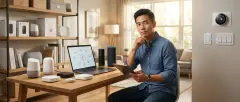
Here's the core issue: voice assistants don't speak all protocols natively. Amazon Echo devices support Zigbee directly through their built-in Zigbee hub (in Echo Plus, Echo Show 10, and Echo Studio models), but they can't communicate with Z-Wave devices without a separate hub. Google Home speakers don't have built-in protocol radios at all—they rely entirely on Wi-Fi and cloud connections to manufacturer-specific hubs. Apple HomePod supports Thread natively but requires a HomePod mini or Apple TV 4K to act as a Thread border router.
The compatibility layer works like this:
- Direct protocol support: The voice assistant hardware includes the radio (Zigbee, Thread) and can pair devices directly
- Hub-mediated support: The voice assistant connects via Wi-Fi to a manufacturer hub (Philips Hue Bridge, SmartThings Hub, Hubitat) that speaks the protocol
- Cloud-to-cloud integration: The voice assistant connects through the cloud to a device manufacturer's server, which then communicates with the device
Each layer adds latency, potential failure points, and dependency on internet connectivity. In my experience, homeowners who don't understand these layers end up with systems that stop working when their internet goes down or when a manufacturer shuts down a cloud service.
How Voice Assistant Protocol Compatibility Works
The technical architecture behind voice assistant protocol compatibility involves multiple communication layers, and understanding the signal path helps you predict where failures will occur and how responsive your system will be.
Direct Protocol Communication
When an Amazon Echo device with a built-in Zigbee hub pairs directly with a Sengled Smart Bulb, the communication path looks like this:
Voice command → Echo device (local Alexa processing) → Zigbee radio → Smart bulb
Response latency: 200-400ms typical
This is the fastest, most reliable path. The Echo acts as a Zigbee coordinator, maintaining a mesh network with the bulb and any Zigbee repeaters (like smart plugs). Your automation logic lives locally:
IF voice_command = "Alexa, turn on bedroom lights"
THEN zigbee_transmit(device_id: 0x3B7A, command: ON, brightness: 100%)
If your internet drops, this still works—the Echo can process basic voice commands locally and send Zigbee signals without cloud access. The limitation: only certain Echo models support this, and only for Zigbee devices. Z-Wave and Thread require different approaches.
Hub-Mediated Communication
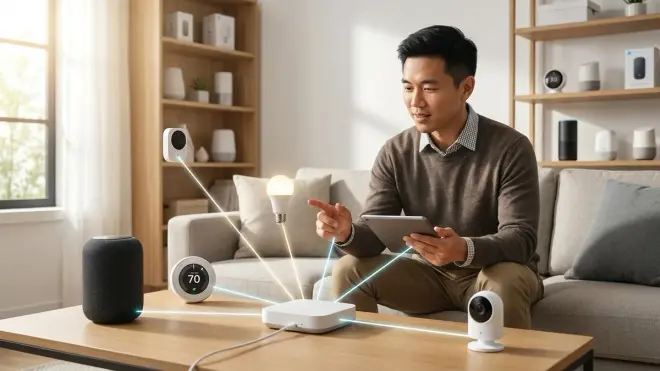
Most voice assistant protocol compatibility scenarios involve a separate hub. Here's the signal path when you control a Philips Hue bulb (Zigbee) through Google Assistant:
Voice command → Google Home (cloud) → Philips Hue cloud API → Hue Bridge (local Zigbee hub) → Smart bulb
Response latency: 800ms-2 seconds typical
The Hue Bridge maintains the Zigbee mesh network independently. Google Assistant doesn't know or care that the bulb uses Zigbee—it just sends REST API commands to Philips's cloud service, which routes them to your local bridge. The automation logic splits across systems:
// Google Assistant layer
IF voice_command = "Hey Google, dim the living room"
THEN call_api(philips_hue_cloud, scene: "living_room_dim")

// Philips Hue Bridge layer (local)
IF scene = "living_room_dim"
THEN zigbee_transmit(group_id: living_room, brightness: 30%)
This approach works with any protocol the hub supports, but you're dependent on cloud connectivity, the manufacturer's API stability, and the hub's local reliability. I've seen homeowners lose voice control for days when Philips or SmartThings pushed a bad firmware update to their hubs.
Matter Protocol Changes the Game (Partially)
Matter is designed to solve voice assistant protocol compatibility problems by providing a unified application layer that works over Thread, Wi-Fi, and Ethernet. When you pair a Matter 1.4-certified smart plug with your ecosystem, it becomes visible to all three major voice assistants simultaneously:
Voice command (Alexa, Google, or Siri) → Local Matter controller → Thread border router → Matter device
Response latency: 300-600ms typical
The key difference: Matter devices expose a standardized data model that all voice assistants can understand without manufacturer-specific cloud APIs. The automation logic looks like:
IF voice_command = "turn off the coffee maker"
THEN matter_command(device_type: on_off_plug_in_unit, endpoint: 1, cluster: OnOff, command: Off)
But here's the catch I see homeowners miss: Matter doesn't eliminate protocol compatibility issues. Your Matter controller (Echo, Google Nest Hub, or HomePod) still needs the appropriate radio:
- Thread-based Matter devices require a Thread border router (HomePod mini, Google Nest Hub 2nd gen, Echo 4th gen with Thread support)
- Wi-Fi-based Matter devices work through your existing network
- Matter-over-Zigbee or Matter-over-Z-Wave requires bridges (still rare in 2026)
And Matter doesn't replace existing protocols—your older Zigbee bulbs still need Zigbee support, regardless of whether you've adopted Matter for new purchases.
For a detailed breakdown of how these protocols differ technically, see our guide on Smart Home Protocol Compatibility Explained.
Why Voice Assistant Protocol Compatibility Matters
Understanding voice assistant protocol compatibility affects three critical aspects of your smart home: initial setup complexity, long-term reliability, and ecosystem lock-in.
Setup Complexity and Hidden Costs
When you don't verify protocol compatibility before purchasing, you discover gaps mid-installation. I've watched homeowners buy a Z-Wave smart lock, assuming their Google Home setup would control it, only to realize they need a $100+ SmartThings or Hubitat hub to bridge the connection. The advertised "Works with Google Assistant" label is technically true—but only after you buy additional hardware.
Here's what "works with" actually means for each protocol-assistant combination:
| Protocol | Amazon Alexa | Google Assistant | Apple HomeKit/Siri |
|---|---|---|---|
| Zigbee | Direct (Echo Plus/Show/Studio models only); otherwise requires hub | Requires Zigbee hub | Requires Zigbee hub with HomeKit bridge |
| Z-Wave | Requires Z-Wave hub (SmartThings, Hubitat) | Requires Z-Wave hub | Requires Z-Wave hub with HomeKit bridge (rare) |
| Thread | Limited (requires Matter bridge); native support coming | Requires Thread border router (Nest Hub 2nd gen+) | Native with HomePod mini/Apple TV 4K |
| Matter 1.4 | Native (Echo 4th gen+, Show 15) | Native (Nest Hub 2nd gen+, Pixel Tablet) | Native (HomePod, Apple TV) |
| Wi-Fi | Native (all Echo devices) | Native (all Google Home devices) | Native (all HomeKit-compatible devices) |
I've seen homeowners spend $300-500 on "missing link" hardware they didn't budget for because they bought devices without checking protocol support first.
Reliability and Failure Modes
Voice assistant protocol compatibility determines how your system fails when something goes wrong. Direct protocol support fails gracefully—if your internet drops, Alexa can still control Zigbee bulbs locally. Cloud-dependent integrations fail catastrophically—no internet means zero voice control, even though the devices are three feet from your speaker.
In my installation work, I prioritize Understanding Hub Requirements discussions early because hub-based architectures introduce single points of failure. If your SmartThings hub locks up (and they do, especially after firmware updates), every Z-Wave device becomes unreachable through voice control. Your fallback behavior becomes:
IF hub_offline = true
THEN voice_control = unavailable
THEN physical_switches = still_functional (if properly wired)
THEN manual_hub_reboot = required
For critical devices like smart locks, I always recommend Wi-Fi or Matter-based options that maintain local control paths.
Ecosystem Lock-In and Migration Pain
Voice assistant protocol compatibility creates long-term lock-in that's difficult to escape. If you build a 40-device Alexa + Zigbee system, switching to Google Assistant means losing direct Zigbee support and needing to add a separate hub. All your voice routines need rebuilding in Google's interface, and device names/groupings don't transfer.
Matter is supposed to solve this with multi-admin capabilities—one device, multiple controllers—but real-world interoperability in 2026 is still inconsistent. Some devices work flawlessly across ecosystems; others lose functionality when controlled by non-primary voice assistants.
Voice Assistant Protocol Support Breakdown by Ecosystem
Understanding exactly what each major voice assistant supports—and what it doesn't—prevents compatibility surprises.
Amazon Alexa Protocol Support
Native protocol support:
- Zigbee 3.0: Built into Echo Plus (2nd gen), Echo Show 10 (3rd gen), Echo Studio—these act as full Zigbee coordinators and can pair devices directly
- Wi-Fi: All Echo devices support Wi-Fi smart devices through cloud integrations
- Matter: Echo devices 4th gen and newer (released late 2023+) support Matter controllers; earlier models require firmware updates or don't support Matter at all
Requires hub/bridge:
- Z-Wave: Needs SmartThings Hub, Hubitat Elevation, or Home Assistant with Z-Wave dongle—Alexa connects via hub's cloud API
- Thread: Alexa doesn't support Thread directly; Thread devices must use Matter compatibility layer or a separate Thread border router
Latency expectations:
- Zigbee direct: 200-400ms from voice command to device action
- Hub-mediated (Z-Wave through SmartThings): 800ms-1.5 seconds
- Wi-Fi cloud-dependent devices: 1-3 seconds (manufacturer-dependent)
In my experience, Alexa's Zigbee support is its biggest advantage—you can build a fully functional smart home with just an Echo Plus and Zigbee devices, no additional hubs. But that also creates lock-in: those devices won't work with Google or Siri without adding a different Zigbee hub.
Google Assistant Protocol Support
Native protocol support:
- Wi-Fi: All Google Home and Nest speakers support Wi-Fi devices
- Thread: Google Nest Hub (2nd gen, released 2021) and Nest Hub Max include Thread border routers; other Google speakers don't support Thread
- Matter: Nest Hub 2nd gen, Nest Hub Max, and Nest Wifi Pro routers act as Matter controllers
Requires hub/bridge:
- Zigbee: Needs Philips Hue Bridge, SmartThings Hub, or similar—Google has zero native Zigbee support
- Z-Wave: Needs SmartThings Hub, Hubitat, or Home Assistant
Latency expectations:
- Wi-Fi direct: 500ms-1.5 seconds
- Hub-mediated (Zigbee through Hue Bridge): 1-2 seconds
- Matter over Thread: 400-700ms
Google's lack of native Zigbee support means you're always adding hubs for non-Wi-Fi, non-Matter devices. For planning purposes, see our Best Voice Assistant for Smart Home Automation comparison.
Apple HomeKit/Siri Protocol Support
Native protocol support:
- Thread: HomePod mini (2020+) and Apple TV 4K (2021+) include Thread border routers and act as HomeKit hubs
- Wi-Fi: All HomeKit-compatible devices work through iCloud HomeKit hub (requires HomePod, Apple TV, or iPad as hub)
- Matter: HomePod mini, HomePod 2nd gen, and Apple TV 4K support Matter controllers
Requires hub/bridge:
- Zigbee: Needs HomeKit-certified Zigbee hub (Philips Hue Bridge with HomeKit support, Aqara Hub)—far fewer options than Alexa/Google
- Z-Wave: Essentially unsupported; very few Z-Wave hubs offer HomeKit integration (Hubitat with Homebridge plugin is the most common workaround)
Latency expectations:
- Thread direct: 300-500ms
- Wi-Fi HomeKit devices: 600ms-1.2 seconds
- Hub-mediated Zigbee: 1-2 seconds
Apple's Thread support is the most mature of the three ecosystems, but HomeKit certification is notoriously strict—many devices that work with Alexa and Google don't offer HomeKit compatibility at all. Z-Wave is practically a non-starter unless you're willing to run Homebridge on a Raspberry Pi.
For step-by-step setup across these ecosystems, check out How to Set Up Voice Control for Your Smart Home.
Real-World Protocol Compatibility Scenarios
Let me walk you through three common installation scenarios I encounter, showing where voice assistant protocol compatibility breaks down and how to fix it.
Scenario 1: First-Time Smart Home (25 Devices, Budget-Conscious)
Customer goal: Voice control of lights, door lock, thermostat, and garage door across a 2,000 sq ft home.
Initial device list:
- 15x Wyze Bulbs (Wi-Fi)
- 1x August Wi-Fi Smart Lock (Wi-Fi)
- 1x ecobee SmartThermostat (Wi-Fi)
- 1x Chamberlain myQ Garage (Wi-Fi)
- 5x Zigbee motion sensors (picked because they were cheap on sale)
The compatibility problem: Customer owned a standard Google Home speaker (no Zigbee support, no Thread border router). The Zigbee motion sensors couldn't connect to anything. When they tried using them to trigger lights, they hit this dead end:
IF zigbee_motion_detected = true
THEN trigger_light_on
ERROR: No Zigbee coordinator available on Google Assistant
The fix: We added a Philips Hue Bridge ($60) to coordinate the Zigbee sensors and connected it to Google Assistant via the Hue cloud integration. Now the automation works:
// Hue Bridge layer (local Zigbee)
IF motion_sensor_01.state = "motion"
THEN set_flag(motion_detected = true)

// Google Assistant layer (cloud)
IF motion_detected = true AND time >= sunset
THEN call_api(wyze_cloud, device: "living_room_bulbs", command: ON)
Latency impact: Motion-to-light now takes 1.5-2 seconds instead of the 300-500ms it would take with direct protocol communication. It's acceptable for most use cases, but noticeably slower than Alexa + native Zigbee would have been.
Cost of the mistake: $60 for the Hue Bridge, plus two hours of reconfiguration and re-pairing devices.
Scenario 2: Multi-Protocol Home With Matter Migration
Customer goal: Gradually upgrade an existing Alexa + Zigbee system (60+ devices) to Matter without breaking existing automations.
Existing setup:
- Amazon Echo Plus (2nd gen) as Zigbee coordinator
- 40x Zigbee bulbs and switches (Sengled, Third Reality)
- 10x Z-Wave sensors and door locks (via SmartThings Hub)
- 5x Wi-Fi cameras
The compatibility challenge: Customer bought new Matter-certified smart plugs, assuming they'd "just work" with the existing Echo Plus. They didn't—the Echo Plus (2017 hardware) doesn't support Matter at all. The upgrade path required:
- Purchase Echo Show 15 (2023+ model with Matter support) - $280
- Keep Echo Plus as Zigbee-only coordinator for existing devices
- Use Echo Show 15 as Matter controller for new devices
The architecture now looks like this:
// Voice command routing
IF device_protocol = "Zigbee 3.0"
THEN route_command_to(echo_plus, zigbee_radio)
ELSE IF device_protocol = "Matter"
THEN route_command_to(echo_show_15, matter_controller)
ELSE IF device_protocol = "Z-Wave"
THEN route_command_to(smartthings_hub, cloud_api)
Multi-admin testing: The Matter plugs can be controlled by Alexa (primary) and Google Assistant (secondary) simultaneously. However, custom Alexa routines don't sync to Google—voice commands work, but automation logic has to be rebuilt separately in Google Home if you want identical behavior.
What broke during migration: Two Zigbee bulbs that were mesh-network edge devices lost connection when I moved the Echo Plus to a different room to make space for the Echo Show. I had to add a Zigbee smart plug as a repeater to extend the mesh back to them.
For detailed migration planning, see How to Migrate Your Smart Home to Matter 1.4 Without Breaking Automations.
Scenario 3: Zigbee Bulbs Behind In-Wall Switches (Automation Logic Conflict)
Customer goal: Voice control of dining room chandelier (8 Zigbee bulbs) while maintaining physical switch functionality.
The compatibility problem: Zigbee bulbs need constant power to maintain mesh network connectivity. If you turn off the physical switch, the bulbs go offline and become unreachable by voice commands. Customer kept flipping the physical switch out of habit, causing this failure:
Voice command: "Alexa, turn on dining room lights"
IF physical_switch = OFF
THEN zigbee_bulbs = no_power
THEN echo_zigbee_radio = cannot_reach_devices
RESULT: "Dining room lights aren't responding"
The fix options:
- Replace dumb switch with Zigbee smart switch (Inovelli, Jasco): Switch controls bulbs via Zigbee commands, not by cutting power—physical switch always leaves power on, just sends ON/OFF commands to bulb group
- Install switch lock/guard: Physical 3D-printed cover prevents accidental physical toggling
- Rewire switch as always-on and install battery-powered Zigbee remote: Physical switch bypassed entirely, remote sends Zigbee commands
We went with option 1—installed an Inovelli Blue Series Zigbee switch. Now the automation works correctly:
// Physical switch press
IF switch_press = single_tap
THEN zigbee_transmit(group: chandelier, command: TOGGLE)

// Voice command
IF voice_command = "dim chandelier to 40%"
THEN zigbee_transmit(group: chandelier, command: SET_LEVEL, value: 40%)

// Important: Power always on
physical_switch_relay = bypassed
bulb_power = always_available
Response time: Physical switch to light change: 150-250ms. Voice command to light change: 300-500ms (Alexa Echo Plus to Zigbee bulbs directly).
This scenario highlights that voice assistant protocol compatibility isn't just about wireless protocols—it's about understanding the entire control topology.
Common Voice Assistant Protocol Compatibility Mistakes
After 500+ installations, I see homeowners make the same compatibility errors repeatedly. Here are the most expensive mistakes and how to avoid them.
Mistake 1: Assuming "Works With Alexa" Means Direct Support
What homeowners think: If a product says "Works with Alexa," you can pair it directly with an Echo device.
The reality: "Works with Alexa" might mean:
- Direct Wi-Fi cloud integration (device's own app + Alexa skill)
- Requires manufacturer's hub (which then connects to Alexa via cloud API)
- Requires third-party hub (SmartThings, Hubitat) to bridge the protocol
How to verify before buying:
- Check the product's "Requirements" section for phrases like "hub required" or "bridge required"
- Look for explicit protocol specification—if it says "Z-Wave" and you only own Alexa Echo Dots (no Z-Wave radio), you'll need additional hardware
- Read the 1-star and 2-star Amazon reviews—frustrated buyers will explicitly say "Doesn't work without buying a $100 hub!"
I've seen homeowners spend $400 on a mix-and-match set of smart devices only to discover they need $200 more in hub hardware to make them communicate.
Mistake 2: Mixing Protocols Without Understanding Automation Limitations
The scenario: Customer buys 10 Zigbee motion sensors and 10 Wi-Fi smart bulbs, intending to create motion-activated lighting throughout the house.
The compatibility issue: Zigbee devices can't directly trigger Wi-Fi devices—the automation has to route through a hub or cloud service:
// What won't work (no direct protocol bridge)
IF zigbee_motion_sensor.state = "motion"
THEN wifi_bulb.command = ON
ERROR: Protocols cannot communicate directly

// What actually happens
IF zigbee_motion_sensor.state = "motion" (detected by Zigbee hub)
THEN hub_cloud_api.send_trigger("motion_detected")
THEN alexa_cloud.process_routine("motion_detected")
THEN wifi_bulb_cloud_api.send_command(ON)
This adds 1-2 seconds of latency and creates cloud dependency—if your internet is down, motion sensors won't trigger lights even though both devices are physically in your home.
Better approach: Match protocols for devices that need to interact in real-time. Zigbee motion sensors should trigger Zigbee bulbs. Wi-Fi sensors should trigger Wi-Fi bulbs. Or adopt Matter devices that can work across protocols through local Matter fabric communication.
Mistake 3: Ignoring Fallback Behavior During Outages
What homeowners assume: Voice control is a convenience feature; physical switches still work normally during internet/power outages.
The reality: Protocol-dependent fallback behavior varies dramatically:
| Scenario | Zigbee (Direct to Echo) | Z-Wave (via SmartThings) | Wi-Fi Cloud-Dependent | Matter (Thread/Border Router) |
|---|---|---|---|---|
| Internet outage | Basic voice commands work locally; Zigbee mesh unaffected | Hub stops processing cloud-based automations; local automations continue | Complete loss of voice control and app control | Local commands work if controller remains online |
| Hub/Controller failure | Loss of Zigbee coordinator; all devices unreachable | Complete system failure | Individual devices unaffected (can use manufacturer app) | Loss of Matter controller; devices revert to individual app control |
| Power outage (hub/router down) | Complete failure | Complete failure | Wi-Fi devices can't connect | Complete failure |
For detailed outage planning, see How to Configure Smart Home Fallback Automations During Power Outages and Smart Home Backup Power Solutions.
I always recommend battery backup (UPS) for critical hubs and routers if you have Zigbee, Z-Wave, or Thread devices—those protocols require powered coordinators/border routers to function. For UPS sizing guidance, see How to Calculate Battery Runtime for Zigbee Hubs, Wi-Fi Routers & Z-Wave Controllers.
Mistake 4: Overlooking Matter Multi-Admin Limitations
What the marketing promises: Matter devices work seamlessly with Alexa, Google, and Apple simultaneously—control from any assistant interchangeably.
What actually happens in 2026: Multi-admin mode works for basic ON/OFF and dimming commands, but:
- Custom routines/automations created in Alexa don't sync to Google Home or Apple Home—you have to rebuild them manually in each ecosystem
- Device names and room groupings don't sync across platforms (you name it "Bedroom Lamp" in Alexa, but it shows up as "Matter Light 3F4A" in Google Home until you rename it there too)
- Some advanced features only work through the primary controller (the one you paired with first)—color loop scenes on Matter bulbs might work through Alexa but not Google
Real automation example with limitations:
// Alexa routine (primary controller)
IF time = 7:00 AM on weekdays
THEN matter_device_01.command = ON (brightness: 60%, color_temp: 3000K)
AND bedroom_speaker.announce("Good morning")

// Google Assistant (secondary controller)
IF time = 7:00 AM on weekdays
THEN matter_device_01.command = ON (brightness: 100%, color_temp: 5000K)
// Note: Different settings; Alexa routine doesn't override or sync
Whichever routine fires first "wins"—if Alexa triggers at 7:00:00 and Google at 7:00:01, the light gets the Alexa settings, then immediately changes to Google settings one second later. It's messy.
For most homeowners, I recommend picking one voice assistant as your primary automation platform and using others only for basic voice commands.
Frequently Asked Questions
Which voice assistant has the best smart home protocol compatibility in 2026?
Amazon Alexa offers the broadest protocol compatibility due to built-in Zigbee support in Echo Plus, Echo Show, and Echo Studio models, allowing you to pair Zigbee devices directly without requiring a separate hub. Alexa also supports Matter (on 4th gen+ Echo devices), Wi-Fi devices natively, and integrates with Z-Wave and Thread devices through third-party hubs like SmartThings or Hubitat. Google Assistant requires external hubs for Zigbee and Z-Wave but includes Thread border routers in Nest Hub 2nd gen devices. Apple HomeKit has strong Thread support through HomePod mini and Apple TV 4K but limited Zigbee compatibility and virtually no Z-Wave support. If you're building a new system from scratch and want maximum flexibility, start with an Echo device that includes Zigbee, then add Matter devices as you expand—this gives you the widest device selection without forcing you to buy multiple hubs immediately.
Can I use multiple voice assistants to control the same smart home devices?
Yes, but with significant limitations depending on the protocols involved. Matter-certified devices support multi-admin mode, allowing you to pair the same device with Alexa, Google Assistant, and Apple HomeKit simultaneously—all three assistants can issue basic commands like ON/OFF and brightness adjustments. However, custom automations and routines don't sync between platforms, so you'll need to recreate your automation logic separately in each ecosystem if you want identical behavior. For non-Matter devices (Zigbee, Z-Wave, Wi-Fi), you can control them through multiple assistants only if they connect through a cloud-based hub that offers integrations for all platforms—for example, a Philips Hue Bridge exposes your Zigbee bulbs to Alexa, Google, and Siri simultaneously via cloud APIs. The catch: you're entirely dependent on cloud connectivity, and response times are 2-3x slower than direct protocol communication. In my experience, using multiple voice assistants creates more configuration headaches than convenience for most households—pick one as your primary platform and stick with it unless you genuinely need cross-platform access.
Do I need a hub if my voice assistant has built-in Zigbee or Thread support?
Not for devices using that specific protocol, but you'll still need separate hubs for other protocols. If you own an Echo Plus with built-in Zigbee, you can pair Zigbee bulbs, sensors, and switches directly to that Echo without any additional hardware—the Echo acts as your Zigbee coordinator. Similarly, if you have a HomePod mini (which includes a Thread border router), Thread-enabled devices pair directly without requiring a hub. However, protocol support is exclusive—your Zigbee-enabled Echo can't communicate with Z-Wave door locks or Thread sensors; those require separate hubs or border routers. The common mistake I see is homeowners buying one Echo Plus and assuming it eliminates all hub requirements, then discovering their Z-Wave smart lock won't pair because Alexa has zero native Z-Wave support. Check every device's protocol before purchasing, and verify your voice assistant supports that specific protocol natively, or budget for the appropriate hub.
What happens to voice control if my internet goes down?
Voice control during internet outages depends entirely on whether your devices use direct protocol communication or cloud-dependent integrations. Alexa with Zigbee devices paired directly to an Echo Plus can process basic voice commands locally—if your internet drops, you can still say "Alexa, turn on kitchen lights" and the Echo will send Zigbee commands to the bulbs without cloud access, though complex routines involving multiple device types will fail. Wi-Fi smart devices that rely on manufacturer cloud APIs lose all voice control functionality during outages—your voice assistant can't reach the manufacturer's server to relay commands, even though the device is physically on your local network. Hub-mediated setups (Z-Wave via SmartThings, Zigbee via Hue Bridge) vary by manufacturer: some hubs maintain local automation execution but lose voice control integration since the voice assistant can't contact the hub's cloud API. Matter devices theoretically support local control through Matter fabric, but real-world behavior in 2026 is inconsistent—some devices fall back gracefully, others become unreachable. For critical devices, I always recommend maintaining physical control options (wall switches, manual locks) as backups.
Can I add Matter devices to an existing Zigbee or Z-Wave smart home?
Yes, Matter devices integrate alongside existing Zigbee and Z-Wave devices, but they won't directly communicate with each other—you'll need a Matter-compatible controller (Echo 4th gen+, Google Nest Hub 2nd gen, HomePod mini/Apple TV 4K) to bridge communication between the different protocol networks. Your existing Zigbee devices continue using their Zigbee coordinator (Echo Plus, Hue Bridge, etc.), your Z-Wave devices continue using their Z-Wave hub (SmartThings, Hubitat), and new Matter devices pair with your Matter controller. All three systems exist independently, and your voice assistant acts as the control layer that ties them together through cloud automations or routines. For example, you might create a "goodnight" routine where your voice command triggers the Matter controller to turn off Matter-certified smart plugs, sends API calls to your Hue Bridge to turn off Zigbee bulbs, and sends Z-Wave commands through SmartThings to lock your door—three separate protocol systems coordinated by one voice assistant. The latency increases slightly because commands route through multiple hubs, but functionality remains intact. This gradual migration approach lets you adopt Matter without replacing functional existing devices, though you'll continue managing multiple hubs until your older devices reach end-of-life.
Summary: Navigating Voice Assistant Protocol Compatibility
Voice assistant protocol compatibility isn't just about whether a device "works with Alexa" or "supports Google Home"—it's about understanding the complete signal path from voice command to device response, including which radios your assistant hardware includes, whether you need bridges or hubs, and how your system behaves when networks or internet connectivity fail. Before buying any smart home device, verify that your voice assistant either supports that protocol directly (Zigbee in certain Echo models, Thread in HomePod mini and Nest Hub 2nd gen, Matter in 4th gen+ devices) or that you already own (or are willing to purchase) a compatible hub that bridges the protocol to your assistant's cloud API.
The most reliable systems I install match protocols to use cases: Zigbee or Z-Wave for mesh-network devices like sensors and in-wall switches that need low latency and local control; Wi-Fi for cameras and high-bandwidth devices that already require strong network coverage; Matter for new purchases where cross-platform compatibility matters; and Thread for battery-powered devices that benefit from low-power mesh networking. Mixing protocols inevitably increases complexity, latency, and failure points—but it's sometimes necessary to get the specific device features you need.
If you're starting fresh in 2026, prioritize Matter-certified devices paired with a Matter-compatible voice assistant to minimize future compatibility headaches. If you're expanding an existing system, audit your current protocol infrastructure using our Voice Assistant Smart Home Setup Checklist, identify gaps, and decide whether you're willing to add hubs or if you should standardize on protocols your assistant already supports natively. The upfront compatibility research pays off in years of reliable automation—systems built on solid protocol foundations just work, while mismatched systems require constant troubleshooting and workarounds.
