
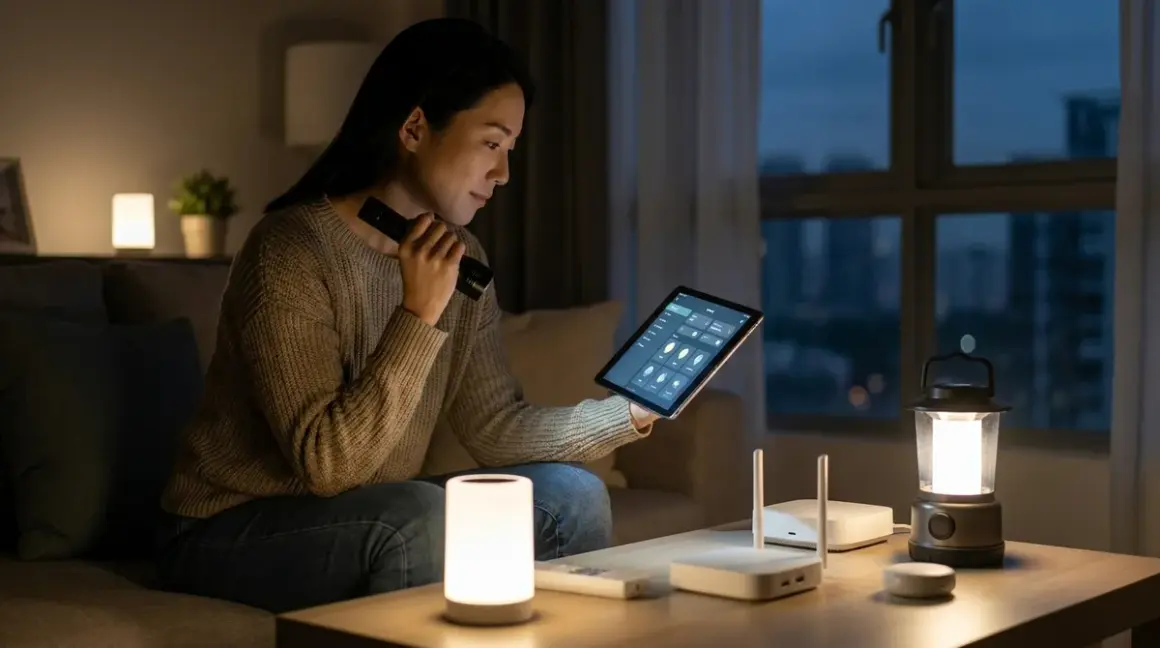

Power failures shouldn't erase the quiet intelligence woven into your home. When the grid falters, the automations that govern lighting transitions, climate rhythm, and security protocols often collapse—leaving spaces that once responded intuitively to your presence suddenly inert. Properly configured smart home automation power outage fallback behaviors preserve continuity during blackouts, ensuring essential functions persist through battery-backed infrastructure and intentional degradation pathways. This guide walks through building resilient automation architectures that gracefully degrade rather than disappear when power cuts.
You'll learn to prioritize critical automations, configure battery-backed protocol controllers, establish if/then logic that responds to power state changes, and design fallback sequences that maintain ambiance and security even as capabilities narrow. Expect to invest 3-4 hours for initial configuration, plus periodic testing. Intermediate technical comfort required—you'll work directly with hub automation engines and conditional logic structures.

What You'll Need
Hardware Infrastructure:
- Battery backup for primary hub (Zigbee, Z-Wave, Thread, or Matter controller)—typically a UPS rated for 4-8 hours runtime depending on protocol overhead
- Secondary battery backup for network equipment (router, modem)—independent UPS with 2-4 hour capacity minimum
- Power monitoring device (Zigbee or Matter energy sensor) to detect outage states
- Battery-powered sensors for critical detection zones (Zigbee motion, contact sensors with CR2032 cells lasting 12+ months)
- Battery-backed lighting on priority circuits (Zigbee bulbs retain last state; Thread devices with known fallback behaviors)
Software & Access:
- Administrative access to your primary automation platform (Home Assistant, Hubitat, SmartThings, or manufacturer ecosystem)
- Documented automation inventory—map which routines control climate, security, lighting ambiance
- Power state monitoring capability within your hub platform
- Backup configuration files stored off-device (cloud or local network storage)
Optional for Advanced Resilience:
- Whole-home battery system (Tesla Powerwall, Enphase, LG Chem) for extended runtime
- Generator with automatic transfer switch and smart integration
- Secondary hub on separate UPS as redundant controller
1. Map Your Automation Architecture to Power Dependencies
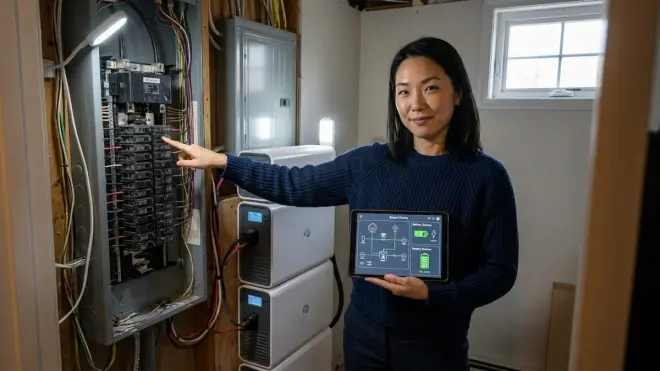
Before configuring fallback behaviors, surface exactly which automations survive power loss and which collapse immediately. The vulnerability landscape differs dramatically across protocols and device categories.
Begin by documenting every active automation's dependency chain. A typical smart home automation power outage scenario reveals cascading failures: Wi-Fi devices lose connectivity when your router dies (even if individually powered), cloud-dependent routines vanish when internet access cuts, and hub-based automations persist only as long as battery reserves last. Zigbee and Z-Wave mesh networks continue operating through battery-backed coordinators, but if individual mains-powered routers (smart plugs, light switches) lose power, the mesh topology degrades and routing efficiency plummets.
Create a dependency matrix: list each automation, its triggering sensors (battery vs. mains), action devices (battery vs. mains), required network infrastructure (local mesh vs. internet), and estimated runtime on backup power. A motion-triggered hallway light using a battery Zigbee sensor and mains-powered Zigbee bulb becomes single-point-of-failure the moment grid power cuts—the sensor broadcasts, but the bulb sits dark.
I've watched beautifully orchestrated lighting sequences—sunrise simulations timed to wake cycles, circadian-tuned color shifts through afternoon hours—collapse into darkness during brief brownouts because no one considered that the Philips Hue Bridge and bulbs all required continuous mains power. The dependency mapping revealed that a simple UPS on the bridge extended automation runtime from zero seconds to four hours, enough to gracefully transition into manual emergency lighting protocols.
Pay particular attention to protocol-specific failure modes. Wi-Fi devices become unreachable when the router fails, regardless of individual device power status. Thread networks require border routers to maintain external connectivity, and those routers need backup power. Matter 1.4 implementations may lose cross-ecosystem automations if the controlling hub loses power, even if individual devices remain powered through different circuits. Understanding these protocol compatibility nuances prevents architectural blind spots.
Document expected latency degradation as mesh networks lose routing nodes. A Zigbee automation that normally executes in 200-400ms might balloon to 2-3 seconds when half the mesh routers go dark, creating perceptible delays in motion-triggered lighting that feels sluggish rather than responsive.
2. Establish Power State Detection and Monitoring
Fallback automations require the system to know power has failed before they can respond appropriately. This detection mechanism becomes the trigger for degraded-mode behaviors.
The most reliable approach uses a power monitoring device on a mains circuit that remains unpowered during outages. A Zigbee or Matter smart plug monitoring a lamp plugged into a non-UPS circuit serves perfectly—when that plug reports zero watts and offline status, your hub knows the grid has failed. Configure this as a binary sensor in your automation platform:
IF power_monitor.state == "unavailable"
AND power_monitor.last_reading == 0W
FOR duration > 30 seconds
THEN trigger outage_mode_automations
The 30-second buffer prevents false triggers from momentary brownouts or device communication hiccups. Adjust timing based on your grid stability—areas with frequent flickers need longer delays to avoid automation thrashing.
Deploy multiple detection points if you have complex electrical infrastructure. Homes with subpanels, solar integration, or generator automatic transfer switches may experience partial power states where some circuits remain energized while others fail. A detection plug on each major panel lets you build nuanced fallback logic: "If main panel fails but subpanel persists, maintain security automations but suspend comfort automations."
For ultimate reliability, pair electrical monitoring with internet connectivity checks. Many hubs support ping-based detection:
IF internet_connection.state == "offline"
AND power_monitor.state == "unavailable"
THEN outage_mode_confirmed = true
This dual validation prevents false outage modes when only your ISP fails but power remains stable. I learned this the hard way after a client's home entered emergency lighting mode every time their cable provider experienced regional outages—the house bathed in dim red security lighting at 3 PM on sunny afternoons because the automation conflated internet loss with power failure.
Consider using battery voltage monitoring on your UPS devices as a secondary signal. Many UPS units expose battery percentage through USB or network protocols. When battery percentage begins declining, you know the UPS has switched to battery operation:
IF ups_battery.state < 95%
AND ups_battery.state.is_decreasing == true
THEN grid_power_lost = true
This provides earlier detection than waiting for downstream devices to go offline, giving you precious seconds to trigger pre-emptive automations like saving climate states or sending notifications before communication pathways degrade.
3. Configure Priority-Tiered Automation Degradation
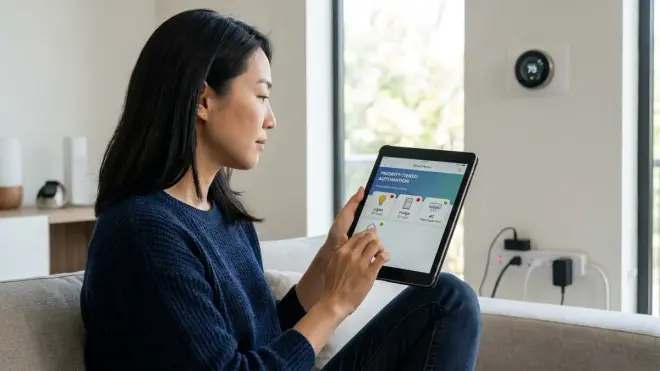
Not all automations deserve equal runtime during limited battery reserves. Establish explicit priority tiers that progressively shut down non-essential functions as backup power depletes, extending critical automation runtime as long as possible.
Structure your automation architecture into three tiers:
Tier 1 (Critical—maintain until final battery depletion): Security monitoring, alert notifications, emergency lighting pathways, essential climate monitoring (freeze warnings, extreme temperature alerts), water leak detection. These automations protect life safety and property.
Tier 2 (Important—maintain for 2-4 hours): Primary lighting automations in occupied spaces, basic comfort climate adjustments, door lock status monitoring, refrigerator temperature monitoring. These preserve livability and prevent secondary damage.
Tier 3 (Convenience—suspend immediately): Ambiance lighting scenes, circadian color adjustments, entertainment system automations, decorative lighting, smart irrigation controllers, robotic lawn equipment. These enhance experience but aren't essential during outages.
Implement tier-based shutdown logic tied to UPS battery percentage:
IF outage_mode_confirmed == true
THEN disable_tier_3_automations

IF ups_battery.percentage < 50%
THEN disable_tier_2_automations

IF ups_battery.percentage < 25%
THEN
  disable_all_non_security_automations
  activate_battery_critical_notifications
  reduce_hub_polling_frequency
The final conditional reduces hub activity itself—extending polling intervals from seconds to minutes, pausing non-essential logging, and entering minimal-activity mode. Every sensor query, every mesh network health check, every automation evaluation consumes processing power and radio transmission energy. In deep conservation mode, the hub wakes only to process critical triggers and check battery status.
Configure explicit disable routines for each tier rather than hoping automations gracefully fail. I've seen hubs continue executing complex lighting scenes—cross-fading between color temperatures, adjusting brightness curves—while battery reserves dwindled toward zero, because no one explicitly told those routines to stop. The hub died mid-scene, lights frozen at an awkward intermediate state.
For Tier 1 security automations, implement additional resilience through protocol diversity. If your primary security sensors operate on Zigbee, consider battery-backed Z-Wave sensors as redundant detection on critical zones like entry doors. Cross-protocol redundancy ensures that mesh network degradation in one protocol doesn't blind your security monitoring. Reference mesh network reliability considerations when architecting multi-protocol fallback layers.
4. Design Graceful Lighting Degradation Sequences
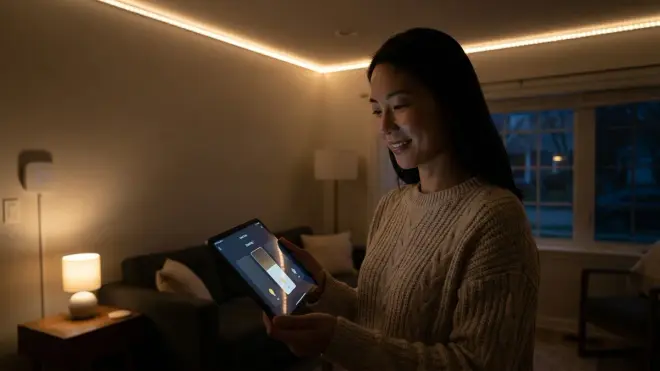
Lighting automations often represent the most perceptible aspect of smart home intelligence—their absence during outages feels especially disruptive. Design intentional degradation sequences that transition from full automation to essential-only illumination as power reserves decline.
Start by identifying absolute minimum lighting requirements during outages: egress paths to exits, stairwells, bathrooms. These zones receive battery-backed illumination maintained throughout the entire outage duration. Secondary zones—kitchens, primary living spaces—receive conditional lighting based on occupancy detection and battery reserves. Tertiary zones—closets, laundry rooms, garages—revert to manual-only operation.
Configure a master outage lighting scene that activates when power fails:
IF outage_mode_confirmed == true
THEN
  SET hallway_lights = 40% warm_white (2700K)
  SET stairwell_lights = 60% warm_white (2700K)
  SET bathroom_lights = motion_triggered, 50% warm_white
  DISABLE all_decorative_lighting
  DISABLE all_color_scenes
  DISABLE circadian_adjustments
  SET all_other_zones = manual_switch_control_only
Notice the shift to warm white temperatures—cooler daylight tones consume marginally more power in LED systems due to phosphor efficiency curves, and warm tones create psychologically calming ambiance during potentially stressful outage situations. Brightness levels drop to minimal functional thresholds, reducing power draw while maintaining visibility.
For Zigbee-based lighting systems, take advantage of group messaging to reduce mesh network overhead. Rather than sending individual commands to eight hallway bulbs, send a single group command that all bulbs process simultaneously. This reduces radio transmissions and hub processing cycles:
SET zigbee_group_hallway.brightness = 40%
SET zigbee_group_hallway.color_temp = 2700K
Implement progressive dimming as battery reserves decline. At 50% UPS battery, reduce all non-critical lighting by an additional 25%. At 25% battery, reduce further and limit lighting to motion-triggered activation only:
IF ups_battery.percentage < 50%
THEN SET all_tier_2_lights.brightness = current_brightness * 0.75

IF ups_battery.percentage < 25%
THEN
  SET all_tier_2_lights = motion_triggered_only
  SET motion_trigger_timeout = 5_minutes
The shortened timeout ensures lights don't remain illuminated in unoccupied spaces, conserving battery for actual occupancy periods.
Consider implementing location-aware degradation if your system supports presence detection. When all occupants are in bedrooms during evening outages, there's no need to maintain living room lighting automation—concentrate battery reserves where humans actually exist. I worked with a family whose typical evening routine involved everyone gathering in a second-floor media room. Their outage automation detected this occupancy pattern through motion sensors and completely suspended first-floor lighting automation after 15 minutes of no detected motion, extending upstairs lighting runtime by 40%.
For Thread and Matter 1.4 lighting implementations, verify fallback behaviors with your specific devices before relying on them during actual outages. These newer protocols continue evolving, and device fallback behaviors vary significantly between manufacturers. Test whether bulbs retain their last commanded state when the border router loses power, or if they default to full brightness—a potentially battery-draining failure mode.
5. Implement Climate and Comfort System Fallback Logic
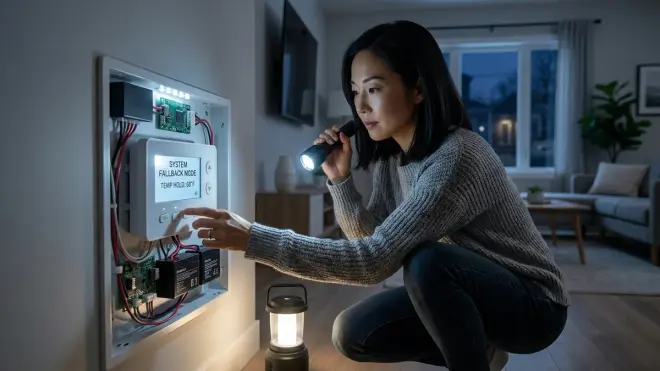
Climate systems represent significant power consumers—HVAC equipment, electric heating, even smart thermostats themselves draw considerable current. During outages, climate automation shifts from optimization to damage prevention and minimal comfort maintenance.
The primary climate concern during power outages isn't comfort—it's preventing freeze damage in cold seasons and monitoring for dangerous temperature extremes in hot climates. Configure climate monitoring to persist as Tier 1 automation even when climate control drops to Tier 3:
IF outage_mode_confirmed == true
THEN
  DISABLE smart_thermostat_adjustments
  DISABLE climate_optimization_routines
  ENABLE freeze_warning_monitoring (threshold: 40°F / 4°C)
  ENABLE heat_warning_monitoring (threshold: 95°F / 35°C)
  SET alert_notification_priority = critical
Battery-backed temperature sensors continue reporting conditions even when the HVAC system itself is offline. These sensors become early warning systems—alerting you to open a window before indoor temperatures become dangerous, or notifying you when pipes risk freezing so you can drain water systems.
For homes with whole-home battery backup or generator automatic transfer switches, implement intelligent climate staging that brings HVAC equipment online only when critical thresholds breach:
IF battery_backup.active == true
AND indoor_temperature < 45°F
THEN
  enable_heating_system
  SET heating_target = 55°F
  LOG battery_consumption_rate

IF battery_level < 40%
THEN disable_heating_system
This preserves battery capacity for extended outages while preventing freeze damage during shorter interruptions. The logging function monitors actual power consumption so you can refine thresholds based on measured runtime impact.
Smart thermostats themselves consume minimal power—often under 5 watts—but rely on Wi-Fi connectivity that disappears when your router loses power unless separately battery-backed. If your climate monitoring depends on a Wi-Fi thermostat, ensure your router sits on UPS backup, or deploy protocol-diverse temperature sensors (Zigbee, Z-Wave, or Thread devices) that report through your hub's local mesh network rather than cloud services.
I specify battery-backed climate sensors in unconditioned spaces specifically for outage resilience—attics, crawl spaces, attached garages. These zones experience temperature extremes quickly when climate systems fail, and early detection prevents damage. A client's pipe burst during a winter outage could have been prevented by a $25 Zigbee temperature sensor that would have alerted them to 28°F crawlspace temperatures two hours before the freeze—plenty of time to manually shut off water systems.
For homes in regions with seasonal extreme temperatures, configure geofencing to escalate climate alerts when residents are away during outages. If the system detects both power failure and zero occupancy (no phones on local network, no motion detected for 2+ hours), send high-priority notifications with current indoor conditions and projected time until critical thresholds:
IF outage_mode == true
AND occupancy.state == "away"
AND indoor_temp.trend == "decreasing"
THEN
  calculate_time_to_freeze_threshold
  SEND critical_notification WITH projected_timeline
This gives you decision-making data: do you return home to manually intervene, or is there sufficient time before damage occurs?
6. Preserve Security Monitoring and Alert Pathways
Security automations demand the highest reliability during power outages—these are precisely the conditions when vulnerability increases. Design security fallback logic that maintains monitoring capability and alert delivery even as other systems degrade.
Battery-backed security sensors—contact sensors on doors and windows, motion sensors in key zones—continue operating through extended outages since they run on coin cells lasting months. The vulnerability lies in communication pathways and hub availability. Ensure your hub and network equipment both receive UPS backup:
Critical Security Stack (UPS-backed):
├── Primary hub (Zigbee/Z-Wave coordinator)
├── Network router
├── Internet modem
└── Mobile hotspot (redundant connectivity)
Configure security automations to escalate alert methods as connectivity degrades:
IF security_breach_detected == true
THEN
  IF internet.available == true
    SEND push_notification
    SEND email_alert
    LOG to_cloud_service
  ELSE IF cellular_backup.available == true
    SEND SMS_alert via cellular
    STORE event_locally
  ELSE
    ACTIVATE local_alarm_siren
    FLASH security_lights
    STORE event_locally
This multi-tier approach ensures some form of alert reaches you regardless of infrastructure availability. Local sirens and light patterns provide immediate deterrent even when external communication fails entirely.
For homes using subscription-free security systems with local storage, outage modes become even more critical since there's no cloud fallback. Ensure adequate UPS runtime to capture security events to local storage throughout reasonable outage durations. A security event recorded but trapped on a dead hub serves no protective function.
Implement security state preservation at the beginning of outage mode:
IF outage_mode_confirmed == true
THEN
  armed_state_pre_outage = security_system.current_state
  MAINTAIN armed_state_pre_outage
  DISABLE automated_disarming_routines
  REQUIRE manual_authentication for state_changes
This prevents automations from accidentally disarming security during outages—a geofence-based "arriving home" routine shouldn't disarm the system when you pull into the driveway during a blackout. Require explicit manual disarm during outage conditions.
Consider implementing visible deterrent behaviors during extended outages. If battery reserves remain above 30% after four hours, activate periodic light patterns that suggest occupancy:
IF outage_duration > 4_hours
AND ups_battery.percentage > 30%
THEN
  EVERY 45_minutes
    SET random_interior_light = on FOR 8_minutes
    SET random_interior_light = off
This simulated occupancy consumes minimal battery while potentially deterring opportunistic intrusion during neighborhood-wide outages when criminals assume security systems are disabled.
For integration with external security cameras, verify their independent power backup. Many PoE (Power over Ethernet) cameras receive power through network switches—if that switch isn't battery-backed, cameras die immediately during outages regardless of hub status. Deploy UPS backup on PoE switches, or specify battery-backed Wi-Fi cameras for critical security viewpoints, accepting the protocol tradeoff for power independence.
7. Test, Refine, and Document Actual Runtime Performance
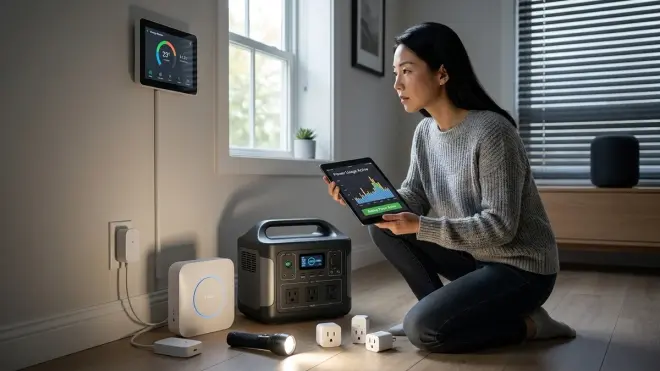
Theoretical automation logic means nothing if untested against real-world outage conditions. Scheduled testing validates that fallback behaviors execute as designed and reveals actual battery runtime under authentic load conditions.
Conduct quarterly outage simulation tests: disconnect mains power to your hub and network equipment (leaving only UPS backup), then trigger various automations and observe behavior. Verify that:
- Priority tier shutdowns execute at correct battery thresholds
- Security alerts successfully deliver through degraded connectivity
- Lighting scenes transition to outage modes within expected latency
- Climate monitoring persists and thresholds trigger appropriately
- Hub remains responsive throughout the test duration
Document actual UPS runtime under different automation loads. The manufacturer's "4-hour runtime" specification assumes specific wattage draws that rarely match real deployment conditions. I've seen hubs with aggressive mesh network polling drain a "6-hour" UPS in 90 minutes because the specification didn't account for continuous Zigbee coordinator activity and dozens of battery sensors reporting every 60 seconds.
Measure runtime under three scenarios:
- Maximum load: All Tier 1 and Tier 2 automations active, full mesh network activity, normal polling frequencies
- Conservative load: Tier 1 only, extended polling intervals, minimal mesh activity
- Emergency load: Security monitoring only, maximum polling intervals, hub in deep sleep between critical events
These measurements reveal your actual operational window and inform when to trigger each degradation tier. If maximum load drains your UPS in 2.5 hours but conservative load extends runtime to 7 hours, you know to drop Tier 2 automations after 90 minutes rather than waiting until 50% battery.
Simulate compound failures—hub UPS functional but router UPS depleted, or vice versa. Verify that automation fallback behaviors respond appropriately when partial infrastructure persists. A common failure mode: hub remains online and continues executing automations, but without router connectivity, those automation commands never reach Wi-Fi devices. The hub logs successful execution while nothing physically happens.
Create an outage testing checklist that family members can execute without technical expertise—this ensures the system remains functional even if you're not present to troubleshoot:
OUTAGE TEST CHECKLIST (Quarterly):
□ Disconnect mains power to hub UPS
□ Verify hub status LED indicates battery operation
□ Trigger motion sensor in hallway—confirm lighting activates
□ Open monitored door—confirm alert received on phone
□ Wait 30 minutes, check UPS battery percentage
□ Trigger motion in secondary zone—confirm Tier 2 lighting works
□ Restore mains power, verify normal operation resumes
□ Document any unexpected behaviors for refinement
Based on test results, refine your automation thresholds and timing. If you discover that mesh network degradation causes 5-second latency in motion lighting after just one hour of outage, either reduce the number of active automations earlier, add additional mesh routers on UPS backup, or adjust expectations and notify occupants that lighting response will slow during extended outages.
Test notification delivery specifically—send test alerts while UPS-powered but internet-disconnected, verify cellular backup delivers messages successfully, confirm that local logging captures events when all external connectivity fails. A security automation that silently fails to alert you serves no protective function.
Pro Tips & Common Mistakes
Avoid protocol mixing without understanding cross-protocol failure modes. A Matter device controlled through a Zigbee hub via a bridge may lose functionality when the bridge device (often mains-powered) dies during outage, even though both the Matter device and Zigbee hub remain powered. Map these bridge dependencies explicitly—they create single-point failures invisible in normal operation.
Don't assume battery-powered devices are outage-immune. Battery-powered smart locks often require hub connectivity to accept remote commands or execute scheduled automations. During outages, the lock hardware persists but automation integration vanishes unless specifically designed for local operation. Similarly, battery-powered sensors continue detecting but may not successfully route messages through degraded mesh networks. Test actual device behavior, not assumed resilience.
Configure explicit automation disable commands rather than relying on natural failure. Hubs often continue attempting to execute automations even when target devices are unreachable, generating error logs, consuming processing cycles, and draining battery through futile retry attempts. Explicit disable statements free resources for critical functions.
I've repeatedly seen beautifully designed fallback logic collapse because the network equipment—the invisible foundation beneath all smart home protocols—received no backup power consideration. Your Zigbee hub can run for days on UPS power, but without a functioning router, you'll receive zero notifications, access no remote monitoring, and lose all cloud-dependent integrations. Router and modem UPS backup isn't optional; it's foundational infrastructure.
Beware of automation thrashing during momentary power flickers. Rapid on-off-on power cycling triggers outage mode, initiates degradation sequences, then immediately reverses when power restores—sometimes multiple times in quick succession. Implement minimum duration requirements and cooldown periods before re-enabling full automation to prevent system instability.
Monitor actual mesh network topology changes during simulated outages. Tools like Zigbee2MQTT and Z-Wave JS expose network maps showing routing paths. During testing, observe how message routing adapts when mains-powered router nodes go offline—you may discover critical sensors now routing through weak links with poor signal quality, causing automation latency or failures.
Consider deploying a small battery-powered LCD display panel mounted discreetly in a utility area that shows current outage status, UPS battery percentages, and active automation tier—visible confirmation of system state without requiring phone access or hub interface. During actual outages, this becomes an at-a-glance status indicator that anyone in the household can interpret. The discreet integration of status indicators need not compromise aesthetic intent.
Frequently Asked Questions

Will my Zigbee smart home automations work during a power outage if I have a UPS on my hub?
Yes, Zigbee automations will continue functioning during power outages as long as your Zigbee coordinator hub remains powered through UPS backup and the relevant devices remain powered or battery-operated. Battery-powered Zigbee sensors (motion, contact, temperature) continue operating indefinitely on coin cells, and battery-backed Zigbee bulbs or switches execute automations normally. However, mains-powered Zigbee devices (most smart plugs, in-wall switches, and bulbs) go offline when grid power fails, reducing your mesh network's routing capability and potentially eliminating devices you're trying to control. Plan your critical automations around battery-powered sensors and ensure target devices either have battery backup or sit on circuits with backup power.
How long will my smart home hub run on battery backup during an outage?
Runtime depends on your UPS capacity, hub power consumption, and active automation overhead. A typical smart home hub consumes 3-10 watts depending on protocol activity—a Zigbee coordinator with moderate mesh traffic draws roughly 5-7 watts. A 600VA/360W UPS with 200Wh battery capacity powering only a 7-watt hub theoretically provides 28 hours runtime, but real-world efficiency losses reduce this to approximately 18-22 hours. Add network equipment (router at 10-15W, modem at 8-12W) and total draw reaches 25-30W, reducing runtime to 5-7 hours. Calculate your specific runtime requirements based on measured device consumption rather than relying on manufacturer estimates, which assume ideal conditions.
What happens to my Wi-Fi smart devices when the power goes out?
Wi-Fi smart devices become completely non-functional during power outages unless both the device itself and your network infrastructure (router and modem) have independent battery backup. Even if a Wi-Fi smart plug is battery-backed, it cannot communicate without a functioning Wi-Fi access point. Most Wi-Fi devices have no battery backup and immediately go offline when power cuts. For critical automations, Wi-Fi protocol creates the highest vulnerability because it introduces two mandatory failure points—device power and network infrastructure—whereas Zigbee and Z-Wave mesh protocols only require hub and device power, with mesh routing adapting to degraded network topology.
Should I use a generator or battery backup for smart home automation during outages?
Battery backup (UPS systems) provides immediate, seamless switchover with zero latency—automations continue uninterrupted. Generators require 10-30 seconds to start and stabilize, during which all automation stops, hubs reboot, and mesh networks rebuild routing tables. For maintaining continuous smart home automation, battery backup is superior. However, battery runtime limits to hours, while generators provide days of operation given adequate fuel. The optimal approach combines both: UPS systems bridging the generator startup gap, with automatic transfer switches bringing generator power online for extended outages. Size your UPS for 30-60 minutes runtime minimum, enough to cover generator startup plus buffer for startup failures requiring manual intervention.
Summary

Resilient smart home automation power outage configurations transform chaotic infrastructure failure into managed degradation—systems that contract gracefully rather than collapse entirely. By mapping dependency chains, implementing power state detection, establishing priority tiers, and designing protocol-aware fallback sequences, you create automation that serves human needs even when conditions deteriorate. The intelligence woven through your spaces needn't vanish the moment the grid falters—proper architecture ensures it persists, focused and purposeful, exactly when you need it most.
Test relentlessly. Refine based on measured performance rather than theoretical specifications. Document clearly enough that future you—or anyone else managing the home—can understand the logic months later. The goal isn't complexity; it's reliability that disappears into the background until the precise moment it becomes essential.
