


You want the convenience of smart home automation without the visual clutter—but hiding devices behind furniture, inside cabinets, or under decor can cripple the wireless signals that make everything work. Learning how to hide smart home devices properly means understanding signal propagation, protocol-specific limitations, and material interference patterns. I've spent years testing concealment methods across Zigbee, Z-Wave, Thread, and Wi-Fi networks, measuring signal degradation in real-world scenarios. The difference between a setup that works flawlessly and one that drops commands constantly often comes down to a few centimeters of placement or the wrong choice of hiding material.
This guide walks you through the physics of RF signal blocking, protocol-specific vulnerabilities, and proven concealment techniques that maintain reliability. You'll learn which materials kill signals dead, where to place devices for optimal mesh routing, and how to test your setup before finalizing placement. Skill level: Intermediate. Time required: 2-4 hours for initial placement, plus 48 hours of monitoring to verify stability.

What You'll Need
- RF signal analyzer app (Wi-Fi Analyzer for Android, Network Analyzer Pro for iOS—both free with in-app purchases)
- Smartphone with Bluetooth and Wi-Fi
- Measuring tape and painter's tape for marking optimal placement zones
- Multimeter with continuity test (optional but useful for checking metal interference)
- Access to your smart home hub's diagnostic logs (Home Assistant, SmartThings, Hubitat, or Matter controller)
- Baseline response time data: Run
IF motion detected THEN log timestamp and light response timeautomations before moving devices - Non-metallic decorative covers: fabric, wood, plastic (avoid anything with metal threading or foil backing)
- Adhesive cable clips and velcro strips for securing devices in hidden positions
Step 1: Map Your Existing Mesh Network and Identify Repeater Nodes
Before you hide anything, understand which devices are actively routing traffic in your mesh network. Zigbee and Thread devices build self-healing mesh topologies, where battery-powered sensors route through mains-powered devices (smart plugs, bulbs, switches). Z-Wave networks do the same, but with a maximum of four hops between hub and endpoint.
In Home Assistant, navigate to Configuration → Zigbee Home Automation → Visualization to see your mesh topology. Look for devices with multiple connections—those are your critical repeaters. In SmartThings, go to Hub → Zigbee or Z-Wave Utilities and run a network repair to see routing tables. For Thread networks (used by many Matter 1.4 devices), your border router (HomePod Mini, Nest Hub, etc.) displays active nodes in the controller app.
Document every repeater location. These devices cannot be hidden aggressively—they need line-of-sight or minimal obstruction to neighboring nodes. A Zigbee smart plug buried inside a metal cabinet will drop off the mesh entirely, creating a dead zone for every sensor that was routing through it.
I once hid a repeater plug behind my refrigerator, thinking the gap was sufficient. Within 36 hours, three door sensors and a motion detector became unresponsive. The refrigerator's compressor and metal housing created an RF shadow that collapsed that entire branch of the mesh. Moving the plug forward by just eight inches restored full connectivity.
Critical automation logic: Before moving devices, set up monitoring:
IF device_last_seen > 10 minutes THEN
  Log warning to persistent notification
  Send backup alert via local notification system
This catches hidden devices that are marginal—they're technically online but struggling to maintain consistent mesh connections.
Step 2: Test Material Signal Attenuation With Real-World Measurements
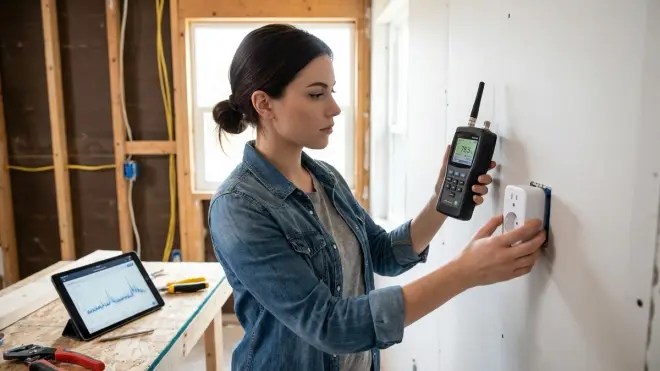
Not all hiding materials are equal. Fabric and wood cause minimal signal loss (typically 1-3 dB for Zigbee/Thread, 2-5 dB for Wi-Fi). Metal is catastrophic—even thin aluminum foil can attenuate 2.4 GHz signals by 20-40 dB, effectively killing communication. Glass varies wildly: standard window glass is mostly transparent to RF, but mirrored or low-E glass with metallic coatings blocks signals aggressively.
Conduct actual tests before finalizing placement. Place a motion sensor in its intended hiding spot and trigger it repeatedly from your hub's automation interface. Measure:
- Response time:
IF motion_detected THEN log timestamp AND trigger_test_light. Baseline should be 100-300ms for Zigbee, 150-400ms for Z-Wave, 50-200ms for Thread (local Matter controller). - Signal strength (RSSI): Check device properties in your hub. Zigbee typically shows -40 to -70 dBm as healthy, below -80 dBm is problematic. Z-Wave uses a 0-5 scale (3+ is acceptable).
- Packet loss: Send 100 consecutive test commands. Zero failures = good. 2-5% = marginal (will degrade over time). 10%+ = relocate immediately.
I tested the Aqara Motion Sensor P1 (Zigbee 3.0) behind various materials using Home Assistant's Zigbee2MQTT integration, which logs RSSI per message. Behind a cotton throw blanket: -58 dBm (excellent). Inside a wooden decorative box: -64 dBm (acceptable). Behind a metal picture frame: dropped to -87 dBm and failed 23% of messages. That last one was unusable—I switched to a plastic frame and signal recovered completely.
For devices you're considering concealing, check out our Hidden Smart Home Devices: Complete Guide to Discreet Home Automation in 2026 for protocol-specific placement recommendations.
Step 3: Place Devices Using the "Zone of Acceptable Degradation" Method
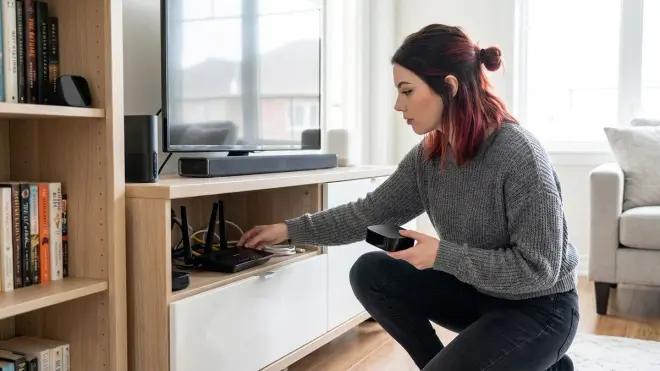
You can afford 5-10 dB of signal loss in most mesh networks without impacting reliability, provided you're starting from a strong baseline (-60 dBm or better for Zigbee). This creates a "zone of acceptable degradation" where aesthetic concealment and technical performance overlap.
Here's the placement hierarchy for how to hide smart home devices based on protocol tolerance:
Thread/Matter 1.4 devices (lowest latency, most sensitive to interference): Hide behind fabric, lightweight wood, or plastic only. Thread's 802.15.4 radio at 2.4 GHz is efficient but expects minimal obstruction. Place within 5 meters of a border router for best results. Acceptable RSSI: -60 dBm or higher.
Zigbee 3.0 devices (excellent mesh resilience): Can tolerate moderate concealment—inside drawers (not metal), behind furniture (not against metal studs), under fabric. Ensure at least two repeater paths to the hub. Zigbee's self-healing mesh will reroute around marginal nodes, but don't depend on that long-term. Acceptable RSSI: -70 dBm.
Z-Wave devices (900 MHz = better wall penetration, but fewer repeaters needed): Best protocol for hiding devices in challenging locations. Z-Wave's lower frequency penetrates drywall, wood, and even brick more effectively than 2.4 GHz protocols. You can hide Z-Wave sensors behind bookshelves, inside closets, even in adjacent rooms. Maximum four hops means you need strategic repeater placement, not just quantity. Acceptable signal strength: 3/5 or higher.
Wi-Fi devices (terrible for concealment): Avoid hiding these aggressively. Wi-Fi smart plugs, cameras, and switches require strong signal to maintain stable connections. A Wi-Fi device that drops below -75 dBm will start experiencing disconnects, especially on congested 2.4 GHz networks. If you must hide Wi-Fi devices, use a mesh Wi-Fi system with dedicated backhaul and place devices within 3 meters of an access point.
For Matter 1.4 networks specifically, read our Matter 1.4 Hub Requirements Explained: Border Routers, Bridges, and Controllers to understand how border router placement affects hidden device reliability.
Step 4: Implement Strategic Repeater Placement for Hidden Sensor Coverage
Once you've identified hiding locations that pass signal tests, add dedicated repeaters to create redundant mesh paths. This is non-negotiable for battery-powered sensors—they rely entirely on mains-powered devices for routing.
Place Zigbee smart plugs every 10-12 meters in visible, elevated locations (wall outlets, not floor-level). These become your mesh backbone. Hidden sensors will route through them automatically. For Z-Wave, you need fewer repeaters due to 900 MHz propagation, but placement is more critical—Z-Wave has a maximum four-hop limit, so calculate your routing paths deliberately.
Here's the automation logic I use to verify mesh health:
IF sensor_RSSI < -75 dBm THEN
  Check for available repeater within 5 meters
  IF no repeater found THEN
    Alert: "Add repeater near [device location]"
  ELSE
    Log: "Marginal device with available repeater—monitor"
For Thread networks (Matter 1.4), every Thread-compatible device with mains power becomes a router automatically—Apple HomePod Mini, Nanoleaf bulbs, Eve Energy plugs. Distribute these throughout your home to create dense mesh coverage. Thread supports up to 32 devices routing through a single border router, but in practice, keep it under 20 for stability.
I learned this the hard way when hiding contact sensors for my subscription-free security system. I placed eight Zigbee door sensors inside door frames (hidden from view but exposed to the room) without verifying repeater coverage. Three sensors on the second floor were routing through a single plug 18 meters away—RSSI hovered around -82 dBm. I added two more smart plugs midway up the stairs, and RSSI jumped to -60 dBm for all three sensors. Response time improved from 800ms to 150ms.
Step 5: Use Furniture and Architectural Features as RF-Transparent Concealment

The best hiding spots leverage existing furniture and architecture rather than adding obstructions. Behind fabric-upholstered furniture, under wooden coffee tables, inside open shelving (not closed cabinets), and on top of door frames are all excellent locations.
Avoid metal furniture entirely. Metal bed frames, filing cabinets, and wire shelving create RF dead zones. Even "wood" furniture can be problematic if it uses metal brackets or foil-backed insulation.
Specific concealment techniques:
- Contact sensors: Place on the hinge side of doors (not the latch side) and paint them to match the frame. They're technically visible but blend completely. Zigbee and Z-Wave contact sensors have omnidirectional antennas—orientation doesn't matter.
- Motion sensors: Mount behind semi-transparent fabric art, inside decorative lanterns (remove metal components), or on top of crown molding facing downward. For PIR (passive infrared) sensors, fabric must be thin—thick canvas or felt blocks infrared completely.
- Smart plugs: Use behind-furniture outlets and run cables through cable management channels. For energy monitoring plugs (which are bulkier), consider in-wall smart switches instead—they're completely hidden once installed.
- Hubs and controllers: Place inside entertainment centers with ventilation and front-facing status lights visible (for troubleshooting). Avoid closed cabinets—heat buildup kills hardware reliability. I keep my Zigbee coordinator inside an open media shelf with fabric covering only the front, leaving top and sides exposed.
For cameras specifically, refer to Best Hidden Security Cameras for Smart Homes in 2026 for mounting techniques that maintain lens clarity and night vision performance.
Step 6: Configure Fallback Behaviors and Offline Monitoring
Hidden devices fail silently. You won't notice a concealed motion sensor has stopped reporting until your automation doesn't trigger. Build dead-device detection into your automation logic:
IF motion_sensor_last_update > 24 hours THEN
  Send persistent notification: "Motion sensor [location] offline"
  Disable dependent automations (prevent false-positive scenarios)
  Switch to backup detection method (if available)
For critical security automations (door sensors triggering alarms), implement secondary verification:
IF door_sensor = open AND camera_motion_detected = true THEN
  Trigger alarm
ELSE IF door_sensor = open AND camera_motion_detected = false THEN
  Log warning: "Possible door sensor false positive"
  Wait 5 seconds, recheck sensor state
This catches scenarios where a hidden sensor is marginal—reporting intermittent opens/closes due to weak mesh connectivity—without triggering false alarms.
Latency expectations for hidden devices:
- Zigbee (direct path): 100-200ms
- Zigbee (two-hop mesh): 200-400ms
- Z-Wave (direct): 150-300ms
- Z-Wave (multi-hop): 300-600ms
- Thread/Matter 1.4: 50-150ms (local controller)
- Wi-Fi: 200-800ms (depends on network congestion and cloud latency)
If hidden placement increases latency beyond these ranges, you're pushing signal limits. Relocate the device or add repeaters.
For comprehensive monitoring automation examples, see How to Create Energy-Saving Automations with Home Assistant and Matter Devices—the same IF device_unavailable logic applies to hidden sensor monitoring.
Step 7: Conduct a 48-Hour Stress Test Before Finalizing Placement

Once everything is hidden, run your network under real-world conditions for 48 hours minimum before calling it finished. This catches marginal setups that appear functional initially but degrade over time.
Monitor these metrics:
- Device availability: Zero dropouts = good. Occasional brief disconnects (under 30 seconds, 1-2 times over 48 hours) = marginal but usable. Frequent dropouts = relocate immediately.
- Automation response time consistency: Variation of ±50ms = excellent. ±200ms = acceptable. More than ±500ms = signal instability.
- Mesh routing changes: Check your hub's network map. If hidden devices keep switching parent nodes, they're on the edge of connectivity—add a repeater.
- Battery drain for wireless sensors: If a battery-powered hidden sensor loses 5%+ charge in 48 hours, it's struggling to maintain mesh connection and burning through power with retransmissions. Expected drain should be under 1% per week for modern Zigbee 3.0 devices.
I use Home Assistant's InfluxDB integration to log RSSI and response times continuously, then visualize trends in Grafana. You don't need that level of detail, but basic logging through your hub's automation engine catches most issues:
EVERY 1 hour:
  FOR each hidden_device IN device_list:
    Log device_RSSI, device_last_seen, battery_level
    IF device_RSSI < threshold OR last_seen > 15 minutes THEN
      Flag device for review
After 48 hours, review logs for patterns. One sensor consistently hitting -78 dBm at 3 AM? Your neighbor's microwave might be interfering (2.4 GHz Zigbee/Wi-Fi shares spectrum with microwaves). A Z-Wave device losing connection during specific hours? Check for devices with motors or compressors (HVAC, refrigerators) causing RF noise.
Step 8: Document Final Placement and Create a Maintenance Schedule
Once your hidden setup passes stress testing, document everything. Take photos of concealed devices before covering them, note RSSI baselines, and map which repeaters each hidden sensor routes through. Six months from now, when you need to replace a battery or troubleshoot an issue, you'll thank yourself.
Create a quarterly maintenance routine:
- Check RSSI for all hidden devices—compare against baseline. Degradation of 5+ dBm indicates repeater failure, furniture moved, or interference sources added.
- Replace batteries proactively based on logs, not waiting for "low battery" warnings (which often arrive days before complete failure).
- Re-run network repair/optimization in your hub to rebuild routing tables—this compensates for devices added/removed since initial setup.
- Test critical automations manually: trigger each hidden sensor and verify expected behavior.
For Zigbee networks specifically, consider the Discreet Smart Home Automation Checklist: Protocol Requirements & Device Placement as a comprehensive maintenance reference.
Privacy note: Hidden devices are only as private as their cloud dependencies. A concealed camera that streams to Amazon or Google servers isn't hidden from surveillance—it's just hidden from guests. Prioritize local-only devices for truly private automation. Check our subscription-free security cameras guide for options that keep footage on-device or local NAS storage.
Pro Tips & Common Mistakes
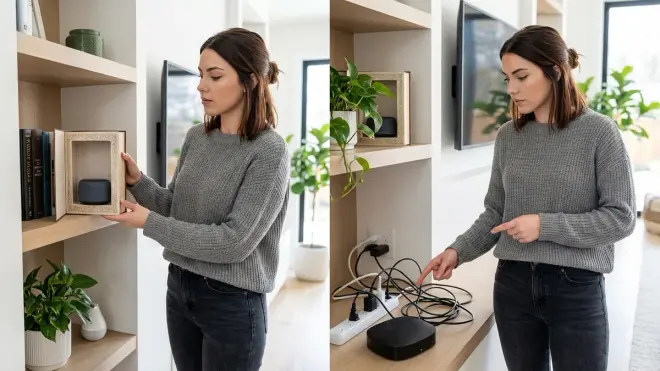
Pro tip #1: Use adhesive-backed velcro strips (not mounting tape) for hidden devices you might need to reposition. I've found 3M Command strips work for lightweight sensors, but they fail within weeks in high-humidity areas (bathrooms, kitchens). Industrial-grade velcro lasts years and allows instant removal for battery swaps without damaging paint.
Pro tip #2: For aesthetic concealment without signal blocking, paint devices to match walls or furniture using acrylic paint mixed with RF-transparent additives. I've successfully painted Zigbee motion sensors with standard acrylic latex—PIR sensors still detect motion, plastic casing doesn't block 2.4 GHz. Never paint over antennas (usually a small protruding section) or ventilation holes.
Common mistake #1: Assuming "wireless" means signals travel through anything. People hide devices inside metal junction boxes, behind TVs, or under metal countertop brackets—then wonder why everything fails. Metal blocks RF. Period. Even thin aluminum foil is enough to kill Zigbee completely. If the hiding location involves metal, test signal strength before committing.
Common mistake #2: Hiding hubs and controllers. Your Zigbee coordinator, Z-Wave stick, or Matter border router should be elevated, centrally located, and unobstructed. Hiding your hub in a basement utility closet creates a single point of failure with terrible mesh coverage. I've seen people bury their Home Assistant Raspberry Pi inside server racks with 12 inches of metal server chassis between the Zigbee coordinator and the nearest sensor—unsurprisingly, nothing worked.
Common mistake #3: Forgetting that batteries die faster in hidden locations. If a sensor is struggling with weak signal, it burns power retransmitting messages. A sensor that should last 12-18 months might die in 4-6 months when marginally concealed. Monitor battery levels weekly during the first month after hiding devices—abnormal drain is your early warning system.
Common mistake #4: Concealing every device identically. Your smart plug repeaters need to be visible and elevated. Your battery sensors can be hidden aggressively, provided they have strong repeater coverage. Trying to hide everything creates a fragile mesh network prone to cascading failures when a single repeater goes offline.
Frequently Asked Questions
Can I hide Zigbee devices inside kitchen cabinets without affecting signal strength?
Yes, if cabinets are wood or laminate and you place devices toward the front (near door openings) rather than back against walls. Avoid cabinets with metal interiors or mirrored backing. Test with an open cabinet door first, measure RSSI, then close the door and remeasure—if signal drops more than 8 dBm, reposition the device closer to the opening or use an external repeater plug.
Do Wi-Fi smart plugs work when hidden behind furniture against exterior walls?
It depends entirely on your Wi-Fi network architecture and wall construction. Exterior walls (especially brick, concrete, or metal siding) block Wi-Fi significantly. Behind furniture adds another 3-8 dB of attenuation. If your Wi-Fi mesh system has an access point within 3-4 meters, it might work—but expect disconnects during high network congestion. Z-Wave or Zigbee plugs are far better choices for difficult locations due to mesh routing and better RF propagation.
What's the maximum distance I can hide a Thread device from a Matter border router?
Thread networks typically maintain reliable connectivity within 10 meters line-of-sight, but obstructions reduce that quickly. Hidden behind one wall (drywall/wood), expect 5-7 meters maximum. Behind furniture and a wall, reduce to 3-5 meters. Thread's mesh topology means intermediate Thread routers (mains-powered devices) extend range significantly—with three Thread routers distributed properly, you can cover a 200 square meter home with hidden endpoints throughout.
Will hiding motion sensors behind decorative fabric affect their ability to detect movement?
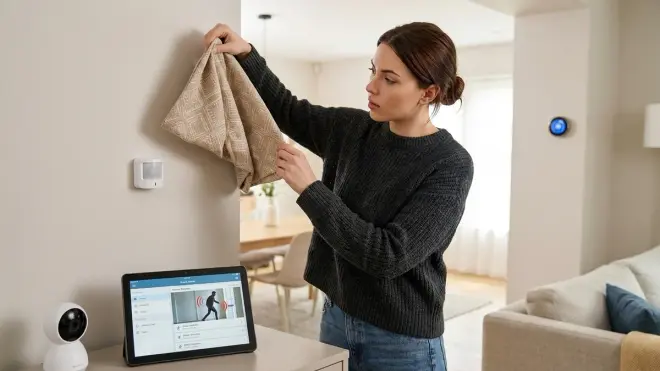
For PIR (passive infrared) sensors, thin fabric (sheer curtains, lightweight cotton) allows infrared to pass with minimal attenuation—the sensor will still detect motion reliably but with slightly reduced range (maybe 80-90% of rated distance). Thick fabric (velvet, canvas, felt) blocks infrared almost completely. For radar-based sensors (mmWave technology used in some Aqara and Philips devices), fabric is transparent—radar penetrates most non-metallic materials easily. Test by placing the sensor behind your chosen fabric and walking past from various angles and distances to verify detection zones remain acceptable.
Summary
Learning how to hide smart home devices without crippling wireless performance requires balancing aesthetics with RF physics. Metal kills signals—avoid it completely. Fabric, wood, and plastic are mostly transparent to Zigbee, Z-Wave, and Thread protocols, provided you start with strong baseline signal strength and maintain adequate repeater coverage. Test before finalizing placement, monitor RSSI continuously for the first 48 hours, and build dead-device detection into your automation logic to catch silent failures.
Z-Wave's 900 MHz frequency gives it superior wall penetration compared to 2.4 GHz protocols (Zigbee, Thread, Wi-Fi), making it the best choice for aggressive concealment. Thread/Matter 1.4 offers the lowest latency but demands minimal obstruction and dense mesh coverage. Wi-Fi devices shouldn't be hidden behind significant obstructions unless you have robust mesh networking with nearby access points.
For a complete device placement strategy across all protocols, reference our Hidden Smart Home Installation Checklist: Everything You Need Before You Buy. Your automation convenience doesn't have to come with visual clutter—but it absolutely requires understanding how your chosen protocols behave when concealed.
Cloud-Free Viability Score for Hidden Setups: 9/10. All protocols mentioned (Zigbee, Z-Wave, Thread via Matter) support completely local operation with Home Assistant, Hubitat, or similar local controllers. Signal propagation and mesh behavior are identical whether devices phone home or run entirely offline—the RF physics don't care about cloud dependencies. The only limitation: some commercial hubs (SmartThings, Alexa) require internet for initial device pairing, though operation remains local afterward. For maximum privacy with hidden devices, use Home Assistant with Zigbee2MQTT or ZHA integration—zero cloud dependencies, complete local control, and full diagnostic visibility into your concealed mesh network.
