
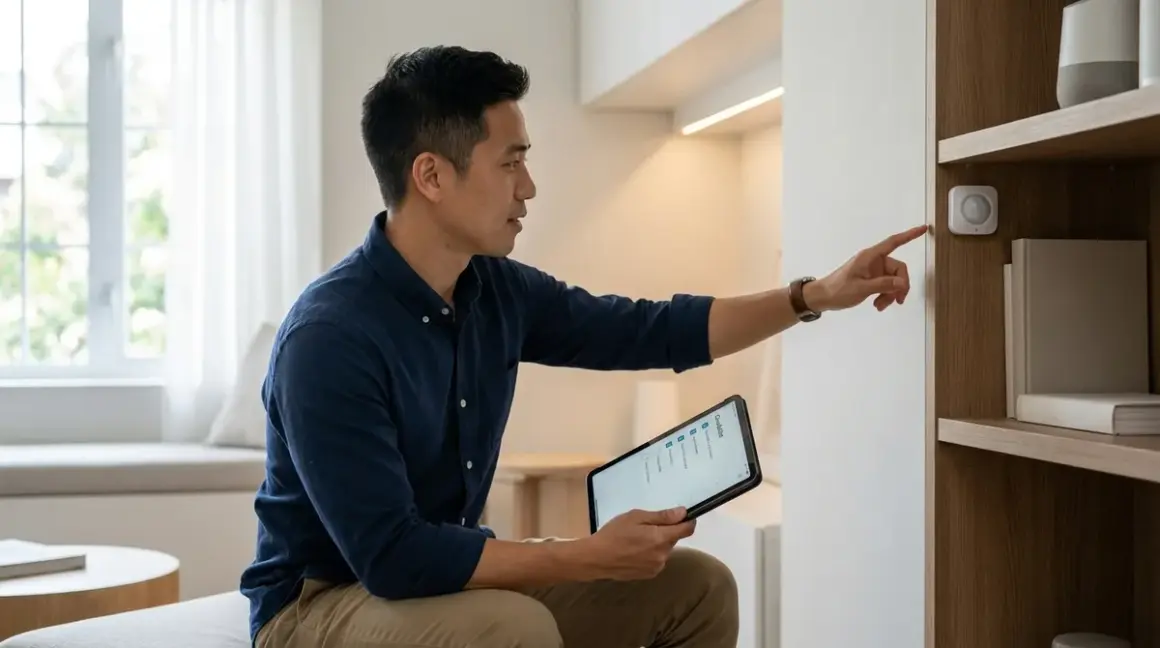

Building a discreet smart home automation checklist means thinking about what stays hidden while maintaining reliable wireless connectivity. You're juggling protocol compatibility, hub requirements, and physical placement constraints all at once. I've worked with hundreds of homeowners who want smart home functionality without the visible clutter of sensors, cameras, and hubs—and the secret is planning your protocols and placement before you buy a single device. This discreet smart home automation checklist will walk you through the essential protocol decisions, compatibility requirements, and installation considerations that determine whether your hidden automation works seamlessly or becomes a troubleshooting nightmare.
Protocol Selection: What Works Behind Walls and Inside Furniture
Before you hide anything, you need to understand which protocols maintain signal strength when devices are concealed. Not all wireless standards handle obstructions equally.

Matter 1.4 over Thread: This combination works exceptionally well for hidden devices because Thread creates a self-healing mesh network that routes around obstacles. Thread devices act as repeaters (if they're mains-powered), so concealing one device actually helps extend the network. Latency typically runs 80-150ms for simple commands, which is imperceptible for most automations. In my experience, Thread handles in-wall and behind-furniture placement better than Wi-Fi because it's designed for low-power mesh networking rather than high-bandwidth point-to-point connections. Learn more about Matter 1.4 vs Thread protocol differences.
Zigbee 3.0: The original smart home stealth protocol. Zigbee operates on 2.4GHz but uses much lower power than Wi-Fi, which means signals penetrate walls and furniture reasonably well. You'll want at least one mains-powered Zigbee device (like a smart plug or in-wall switch) every 30-40 feet to maintain mesh reliability when devices are hidden. I've seen homeowners place Zigbee contact sensors inside cabinet doors or behind picture frames with no connectivity issues as long as they're within mesh range. Typical latency is 100-200ms for sensor-to-action automations.
Z-Wave Plus/Long Range: Operates on 908MHz (US) or 868MHz (EU), which penetrates obstacles better than 2.4GHz protocols. Z-Wave is excellent for in-wall installations and devices hidden in closets or behind furniture. The trade-off is that Z-Wave devices are typically more expensive and you're locked into a Z-Wave hub—no cross-platform Matter benefits yet. Z-Wave mesh requires fewer repeaters than Zigbee for hidden placements (one repeater per 50-60 feet in typical residential construction). Latency runs similar to Zigbee at 120-200ms.
Wi-Fi 6 and 6E: Offers the highest bandwidth but struggles most with hidden placements. Wi-Fi devices behind metal surfaces, inside electrical boxes, or tucked behind appliances often experience intermittent connectivity. If you must hide Wi-Fi devices, position them where they have line-of-sight to your access point even if they're visually obscured by furniture or décor. Wi-Fi 6E's 6GHz band penetrates obstacles poorly but experiences less interference—test placement before committing to permanent installation. Latency is typically 150-300ms due to higher protocol overhead.
Bluetooth Mesh (Thread Border Routers): Only relevant if you're using Matter devices that communicate via Thread but need local control through a phone app. Bluetooth range is 30-50 feet maximum, so hidden Bluetooth-only devices (like some battery-powered sensors) need careful placement. Most modern Matter devices use Thread, not Bluetooth Mesh, for automation—Bluetooth is just for initial pairing.
Protocol decision rule: If you're prioritizing discreet placement, choose Thread-enabled Matter devices or Zigbee first, Z-Wave second, and Wi-Fi only for cameras or devices that need high bandwidth. Bluetooth-only devices should stay visible or near a border router.
Hub and Controller Placement: Where to Hide the Brain
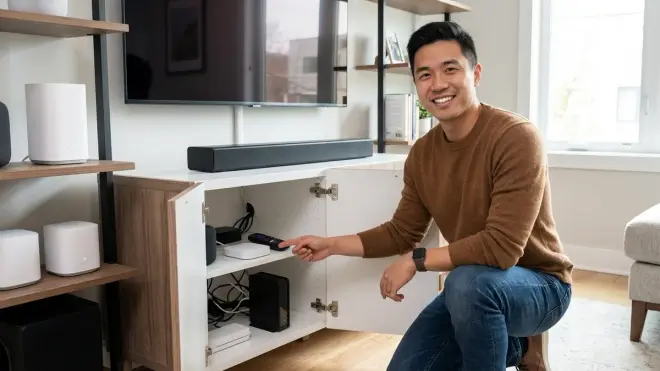
Your hub's location determines mesh network performance and failover behavior. Hiding your hub poorly creates single-point-of-failure scenarios.
Central placement beats aesthetic placement every time: Your hub should be as close to the physical center of your smart home devices as possible, not tucked away in a basement or garage corner. I've seen countless setups fail because the homeowner hid the hub in a metal utility closet or behind a TV cabinet with blocked ventilation. If your hub is central but needs to be discreet, consider inside a climate-controlled closet on the main floor or in a well-ventilated cabinet.
Thread Border Router requirements: For Matter over Thread, you need at least one border router (like an Apple HomePod Mini, Google Nest Hub, or dedicated Thread hub). If this device loses power or connectivity, your Thread network continues functioning locally between devices, but you lose remote access and cross-platform control until the border router comes back online. Place your border router where it has reliable power and Ethernet/Wi-Fi backhaul—hiding it behind a couch on unreliable Wi-Fi defeats the purpose.
Zigbee hub thermal considerations: Hubs like the Amazon Echo Plus 2nd Gen or SmartThings Hub generate heat. If you're hiding these inside furniture, ensure adequate airflow. I've diagnosed several "ghost" connection drops that were actually thermal throttling from poor ventilation. Leave at least 2 inches of clearance on all sides.
Z-Wave hub antenna orientation: Z-Wave hubs with external antennas (or internal ones oriented in specific directions) need thoughtful placement. Laying a hub flat inside a drawer may orient the antenna poorly for mesh communication. Check your hub's documentation—some work best vertical, others horizontal. When in doubt, test signal strength with a Z-Wave device at the farthest point of your home before permanently concealing the hub.
Ethernet backhaul vs Wi-Fi for hubs: If your hub connects via Ethernet, hiding it near your router or a network switch is ideal. Wi-Fi-connected hubs should have strong signal strength (minimum -65 dBm, ideally -50 dBm or better) to avoid becoming the weak link in your network. Use a Wi-Fi analyzer app to verify before installation. Weak hub connectivity manifests as inconsistent automation execution—devices appear connected but commands timeout randomly.
Backup power for hubs and border routers: Most automation hubs don't include battery backup. If you want automations to survive brief power outages, hide a small UPS (uninterruptible power supply) in the same location as your hub. This keeps your mesh network alive during outages and prevents the 5-10 minute reconnection process when power returns. Understanding Concealed Smart Home Hubs covers backup strategies in detail.
Hub placement rule: Prioritize network centrality and thermal management over hiding the hub in the most visually discreet location. A hub that overheats or has poor connectivity creates more problems than it solves.
Device-Specific Placement Guidelines: What Works Where

Different device types have different concealment constraints. Here's what I've learned from testing hundreds of installations.
Motion Sensors and Presence Detectors
Line-of-sight requirements: PIR (passive infrared) motion sensors need unobstructed views of the detection zone. You can hide them behind semi-transparent décor, inside air vents (with careful positioning), or at the top of bookshelves, but never behind solid wood or metal. mmWave (millimeter-wave) presence sensors penetrate thin walls and some furniture, making them more forgiving for concealed installations. The Aqara FP2 mmWave Sensor uses mmWave technology and can detect presence through thin barriers, though accuracy decreases with dense materials.
Height and angle matter more when hidden: Standard motion sensor placement is 6-8 feet high with a downward angle. When you're hiding sensors inside crown molding or behind picture frames, you may need to adjust sensitivity settings to compensate for non-optimal angles. Test detection patterns with various family members and pets before finalizing placement—I've seen hidden sensors miss shorter children or fail to detect people sitting still.
Battery vs mains-powered for hidden installations: Battery-powered sensors are easier to hide since you're not dealing with power cables, but you'll need access for battery changes (typically 6-18 months depending on the device). Mains-powered sensors hidden inside electrical boxes or near outlets are more reliable but create permanent installation considerations. Hidden Motion Sensors vs Visible Motion Sensors covers this trade-off in depth.
Protocol choice affects battery life in hidden placements: Zigbee and Thread sensors typically achieve 12-18 month battery life when placed in locations with good mesh connectivity. If you hide a sensor in a location with weak signal, it will poll more frequently trying to maintain connection, draining batteries in 3-6 months. Wi-Fi motion sensors (rare for good reason) drain batteries in weeks, making them unsuitable for hidden battery-powered installations.
Contact Sensors for Doors and Windows
Recessed sensors beat surface-mount for discretion: Recessed contact sensors like the Aqara Door and Window Sensor P2 mount inside the door/window frame, making them nearly invisible. They require drilling but offer the most discreet installation. Surface-mount sensors can be hidden behind curtains, inside door frames, or painted to match—just ensure the two pieces remain aligned within the sensor's gap tolerance (typically 15-25mm maximum).
Magnet strength decreases through materials: If you're mounting contact sensors inside door frames or behind metal plates, the magnetic field must penetrate the material. Standard sensors work through 1/8" wood or plastic; thicker materials require high-sensitivity sensors or specialty magnets. I've seen installations fail because the homeowner mounted the magnet behind a decorative metal plate that blocked the field completely.
Zigbee/Thread contact sensors dominate this category: Wi-Fi contact sensors are rare because the power draw is excessive for battery operation. Z-Wave offers some options but Zigbee and Thread sensors are most common. If you're building a discreet smart home automation checklist around a specific ecosystem, verify contact sensor availability before committing—some protocols have limited options for recessed installations.
Latency expectations for security automations: Contact sensors typically report state changes in 80-250ms depending on protocol and mesh network health. For security automations (triggering alarms or cameras), this is acceptable. For lighting automations tied to doors opening, users may perceive a slight delay if latency exceeds 200ms. Test your specific automation before hiding sensors permanently—if the delay bothers you, address mesh network issues before concealing everything.
Smart Plugs and In-Wall Switches
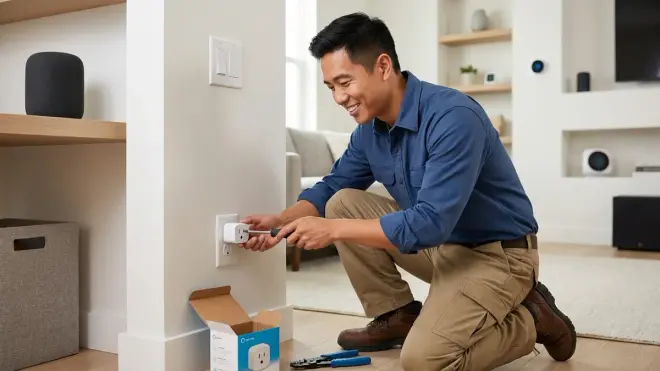
Hidden smart plugs behind furniture: Most smart plugs protrude 1-2 inches from the outlet, which matters when hiding them behind sofas or appliances. Low-profile models exist (search "flat smart plug") but often sacrifice features like energy monitoring. Ensure the plug doesn't block the second outlet unless you don't need it. For devices you'll never unplug (like lamps or entertainment centers), in-wall outlets are more reliable. How to Install Hidden Smart Plugs provides detailed installation guidance.
In-wall vs surface-mount smart switches: In-wall switches require neutral wires in most cases (especially for LED loads) and professional installation if you're not comfortable with electrical work. They're permanently hidden and more reliable than smart plugs for lighting control. Surface-mount switches attach over existing switches but protrude—only "hidden" if they're in low-visibility locations or you don't mind the aesthetic. In-Wall Smart Switches vs Surface Mount compares installation requirements.
Protocol lock-in for switches is permanent: Once you install in-wall Z-Wave switches, you're committed to Z-Wave for those circuits unless you replace them. Choose your protocol ecosystem carefully before installing hidden smart switches. Matter-compatible switches are emerging in 2026 but selection is still limited compared to Zigbee and Z-Wave options.
Load requirements for hidden smart switches: If you're replacing a visible switch with a hidden smart solution (like controlling dumb bulbs with a smart switch hidden inside the electrical box), verify the switch supports your load type (LED, CFL, incandescent, fluorescent). Many smart switches have minimum loads (5-10W) that LED bulbs don't meet, causing flickering or non-operation. This is a common failure point I diagnose in "hidden" switch installations—test with your actual bulbs before finalizing.
Cameras for Discreet Monitoring

Hidden camera field-of-view constraints: Cameras hidden inside décor, behind air vents, or inside bookshelves have limited field-of-view adjustment. Plan coverage zones before installation and test with your phone's camera to preview angles. A visibly-placed camera on a pan/tilt mount offers more flexibility but defeats the purpose of discreet automation. Best Hidden Security Cameras reviews options with various form factors.
Power and network connectivity for concealed cameras: Wi-Fi cameras need strong signal and continuous power. Running power cables to hidden locations requires planning—either install near existing outlets or run cables through walls. POE (Power over Ethernet) cameras simplify hidden installations by combining power and data in one cable, but require a POE switch. Battery-powered cameras can go anywhere but need charging/swapping every 2-6 months depending on activity—not ideal for truly hidden placements you can't easily access.
Local storage for subscription-free hidden cameras: If you're hiding cameras to avoid security company signage and monthly fees, local storage is essential. Most Wi-Fi cameras default to cloud storage with subscriptions. Subscription-free security cameras work with local NVRs, SD cards, or network-attached storage. Verify storage options before buying—some "no-fee" cameras cripple features without subscriptions.
Latency and motion detection reliability: Hidden cameras that trigger automations (lights, alarms, recordings) introduce latency. Wi-Fi cameras typically take 2-5 seconds to analyze motion and trigger actions through cloud services. Local processing (edge AI) reduces this to under 1 second but requires compatible cameras and hubs. If you need instant response, pair hidden cameras with separate motion sensors on faster protocols (Zigbee/Thread) rather than relying on camera motion detection alone.
Automation Logic and Fallback Behaviors: What Happens When Devices Fail
A discreet smart home automation checklist isn't complete without planning for failures. Hidden devices are harder to troubleshoot, so your automations need graceful degradation.
Building Reliable If/Then Logic for Hidden Sensors
Your automation platform (Home Assistant, SmartThings, Apple Home, Google Home, etc.) determines how you write automation logic. Here's pseudocode for common discreet automations:
Hidden motion sensor → lighting automation:
IF hidden_motion_sensor.state = "motion_detected"
  AND sun.elevation < 0 (after sunset)
  AND home_mode = "home" (not away)
THEN
  SET living_room_lights.brightness = 60%
  SET living_room_lights.color_temp = 2700K
  WAIT 10 minutes with no motion
  THEN dim living_room_lights to 10% over 30 seconds
  THEN turn OFF living_room_lights after 5 more minutes if still no motion
FALLBACK:
  IF hidden_motion_sensor offline > 5 minutes
    SEND notification "Living room motion sensor offline"
    REVERT to manual switch control (lights remain controllable via physical switch)
Contact sensor on hidden door → security automation:
IF bedroom_door_sensor.state = "open"
  AND security_mode = "armed_night"
  AND time.hour BETWEEN 22:00 AND 06:00
THEN
  SET bedroom_lights.brightness = 10% (night light mode)
  TRIGGER security_camera.start_recording
  SEND notification "Bedroom door opened while armed"
FALLBACK:
  IF bedroom_door_sensor.battery < 20%
    SEND notification "Replace bedroom sensor battery within 7 days"
  IF bedroom_door_sensor offline > 2 minutes AND security_mode = "armed"
    TRIGGER alarm (assume tamper/failure in armed mode)
Energy monitoring smart plug → usage-based automation:
IF space_heater_plug.power > 10W (device turned on)
  AND temperature.indoor > 72°F
THEN
  WAIT 30 seconds (allow device to stabilize)
  SET space_heater_plug.state = OFF
  SEND notification "Space heater disabled—room already at target temp"
IF space_heater_plug.power > 1500W for 60 minutes continuously
THEN
  SET space_heater_plug.state = OFF
  SEND notification "Space heater safety shutoff—exceeded continuous runtime limit"
FALLBACK:
  IF space_heater_plug offline AND was previously ON
    SEND URGENT notification "Lost contact with space heater—verify device status"
In my experience, the fallback conditions are what separate reliable automations from frustrating ones. Hidden devices fail silently—you don't walk past and notice a blinking LED. Build notifications and fallback behaviors into every critical automation.
Protocol-Specific Reliability Factors

Different protocols handle network disruptions differently, which matters when devices are hidden and harder to reset.
Zigbee mesh healing: When a Zigbee device goes offline or a router node dies, the mesh network automatically reroutes traffic through other nodes. This process takes 30-90 seconds. If your hidden motion sensor suddenly becomes unresponsive, wait 2 minutes before troubleshooting—it may be healing after a nearby router went offline. Zigbee networks with fewer than 3 mains-powered devices struggle with reliability because there aren't enough routing options.
Thread network resilience: Thread networks handle node failures even better than Zigbee because they're designed for more dynamic network changes. If you power off a Thread light bulb that was acting as a router, the network reroutes within seconds. For hidden installations, this means you can place devices more aggressively without worrying about single-point failures—as long as you have at least 2-3 Thread border routers and several mains-powered Thread devices forming the mesh.
Z-Wave Plus automatic route updates: Z-Wave Plus devices update routing tables automatically, but Z-Wave mesh networks are smaller (232 devices maximum vs 65,000+ for Zigbee/Thread). In practice, this rarely matters for residential installations, but if you're building a large discreet smart home automation checklist with dozens of hidden sensors, Zigbee or Thread scales better. Z-Wave Long Range (Z-Wave LR) solves this with star topology rather than mesh, but device availability is still limited in 2026.
Wi-Fi reconnection behavior: Wi-Fi devices that lose connection to your router attempt to reconnect, but behavior varies by manufacturer. Some devices (especially cameras) take 2-5 minutes to reconnect and resume operation after brief network interruptions. Others reconnect within seconds. If your automations depend on Wi-Fi devices hidden in hard-to-reach locations, test reconnection behavior by briefly unplugging your router—you'll discover which devices need manual intervention vs which recover automatically.
When Your Hub Goes Offline
Your hub is the central failure point for most smart home systems. Here's what happens with hidden devices when hubs fail:
Zigbee without hub: Devices can't communicate with each other even though the mesh is technically still present. Your automations stop working. Manual control via physical switches (for smart switches) continues working in most cases. Battery-powered sensors sit idle—they have no way to trigger actions without the hub processing automation logic. The only exception is Zigbee Green Power devices (button controllers) that bind directly to lights without a hub, but these are rare and limited.
Thread without border router: Thread devices maintain local mesh communication, but you lose remote access and cloud-based automations. If you built automations locally on a Thread-compatible controller that stays online (like Home Assistant), those automations continue working because they process locally. Cloud automations through Google Home or Apple Home stop working until the border router reconnects.
Z-Wave without hub: Identical to Zigbee—the mesh exists but nothing processes automation logic. Manual control via Z-Wave smart switches works because they control loads directly, but sensor-based automations fail completely. Z-Wave supports "association" (direct device-to-device communication without a hub), but most consumers never configure this—it's worth exploring if you want hidden sensors to control lights even during hub failures.
Wi-Fi devices without cloud services: Some Wi-Fi devices operate purely through cloud APIs, meaning if your internet goes down or the manufacturer's cloud has issues, devices become unresponsive. Other Wi-Fi devices support local API control (like many Tuya-based devices running local firmware). If you're hiding Wi-Fi devices in critical locations (like security cameras or smart locks), verify they have local control options so brief internet outages don't cripple your system. Matter 1.4 hub requirements explains how Matter devices improve fallback behavior through multi-admin support.
Installation Prerequisites: What You Need Before Hiding Devices
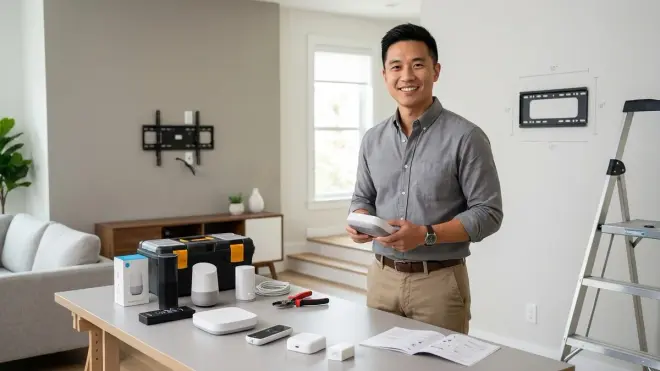
Don't start installing hidden smart home devices until you've completed these foundational steps.
Network Infrastructure Requirements
Wi-Fi coverage verification: Walk through your home with a Wi-Fi analyzer app (like WiFiman or similar) and document signal strength at planned device locations. You need -67 dBm or better for reliable operation of hidden Wi-Fi devices. Areas with weaker signal need mesh Wi-Fi access points or wired solutions. I've diagnosed countless "device offline" issues that were actually weak Wi-Fi—the device worked fine when moved 3 feet closer to the access point.
2.4GHz vs 5GHz band separation: Most smart home devices use 2.4GHz for longer range and better obstacle penetration. If your router broadcasts a unified SSID for both bands, many devices struggle during initial pairing because phones prefer 5GHz. Temporarily disable 5GHz or create separate SSIDs during device setup. Once configured, re-enable unified mode if desired. This is especially critical for hidden devices you won't easily access for reconfiguration.
Hub network placement: If your hub requires Ethernet, plan cable runs before hiding anything. Running Ethernet through walls requires fishing cables or using existing conduits—not a last-minute task. Alternatively, powerline adapters or MoCA adapters can provide wired backhaul without running new cables, but test speed and stability before relying on them for hub connectivity.
Mesh network density planning: For Zigbee or Thread, count mains-powered devices (smart plugs, in-wall switches, smart bulbs that stay powered). You want one mains-powered device per 30-40 feet in each direction to maintain mesh reliability when sensors are hidden behind obstacles. If you're lacking coverage, install inexpensive Zigbee/Thread smart plugs in strategic locations just to extend the mesh—they don't need to control anything important.
Power Planning for Hidden Devices
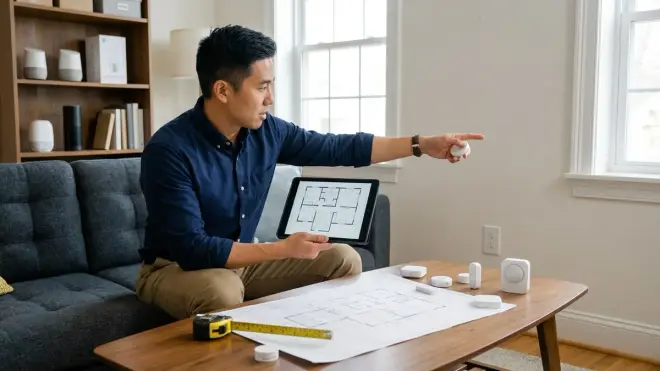
Outlet accessibility: Hidden smart plugs behind heavy furniture are fine if you never need to unplug them. If you'll need access (to reset devices, change settings, or power cycle), ensure you can reach the plug without moving furniture. I've seen homeowners install plugs behind immovable entertainment centers only to discover they need physical access to reset Wi-Fi cameras monthly—frustration guaranteed.
In-wall electrical box requirements: Smart switches require electrical boxes that meet code (properly secured, correct size for the device + wiring). If you're replacing dumb switches with smart ones, verify your boxes have neutral wires. Homes built before the 1980s often lack neutrals in switch boxes. Some smart switches work without neutrals (using the ground wire and load, which is technically against code in many jurisdictions), but these have limitations with low-wattage LED loads. Hire a licensed electrician if you're unsure.
USB power for hidden sensors and hubs: Some devices offer USB power as an alternative to batteries or standard AC adapters. Hiding USB-powered devices inside furniture near USB-enabled outlets simplifies installations, but verify the USB port provides adequate amperage (typically 1A minimum for hubs, 500mA for sensors). Underpowered USB ports cause intermittent connectivity issues that are maddening to diagnose.
POE planning for cameras and access points: If you're installing hidden POE cameras, you need a POE switch with adequate wattage budget (15.4W for standard POE, 30W for POE+) and cable runs to each camera location. Plan cable routes before installing drywall if you're building/renovating. Retrofit installations require fishing cables through walls or using existing conduits. POE injectors work for single cameras but don't scale well for multiple hidden cameras—invest in a proper POE switch.
Testing Before Permanent Installation
Signal strength verification at final locations: Use temporary mounting (tape, sticky tack, etc.) to position devices at planned locations and run them for 48-72 hours before permanent installation. Monitor for dropped connections, delayed responses, or battery drain issues. Moving a sensor 6 inches vertically or horizontally can dramatically affect mesh network reliability—find the optimal position through testing, not guessing.
Automation logic validation: Write and test your automations with devices in temporary positions. Verify sensor triggers, light responses, camera recordings, and notifications all work as expected. Adjust timing, brightness levels, and conditions based on real usage. What sounds perfect on paper often needs tweaking after you live with it—much easier to adjust when devices aren't permanently hidden.
Fallback behavior verification: Intentionally break your setup (unplug the hub, disconnect a mesh router, put a device in a metal box to block signal) and verify your fallback automations trigger properly. Do you get notifications? Do lights revert to manual control? Does the system recover automatically when connectivity restores? Testing failure modes before hiding devices prevents surprises when real failures occur.
Family member usability testing: Have everyone who lives in your home interact with the hidden devices for several days. Kids may trigger motion sensors differently than adults. Someone may find automation timing annoying that you think is perfect. I've seen beautiful discreet smart home automation checklists get abandoned because the spouse found hidden motion sensors too sensitive or lighting automations too slow. Get buy-in before finalizing installations.
Ecosystem Lock-In and Future Expansion Considerations

Your protocol choices today determine your upgrade options tomorrow. Hidden devices are harder to replace, so choose carefully.
Matter as the interoperability layer: Matter 1.4 allows devices from different manufacturers to work across ecosystems (Apple Home, Google Home, Amazon Alexa, SmartThings). If you're building a discreet smart home automation checklist in 2026, prioritize Matter-certified devices even if they cost slightly more. You'll avoid ecosystem lock-in and can switch controllers without replacing hidden sensors and switches. Matter 1.4 compatibility checklist helps verify device certification.
Legacy protocol migration planning: If you're starting with Zigbee or Z-Wave devices now, assume you may want to add Matter devices later. Choose hubs that support multiple protocols (SmartThings, Hubitat, Home Assistant) rather than single-protocol hubs. This allows gradual migration without ripping out hidden devices. How to migrate to Matter 1.4 without breaking automations provides a migration roadmap.
Manufacturer longevity considerations: Hidden devices become orphaned if manufacturers discontinue support or go out of business. Prioritize manufacturers with track records of long-term support (Philips, Aqara, Samsung, Eve) over newcomers with no established history. Local-control-first devices (Zigbee, Z-Wave, Thread) are safer than cloud-dependent devices because they continue working even if cloud services shut down.
Firmware update access for hidden devices: Some devices receive firmware updates automatically via the hub. Others require manual intervention (holding buttons, putting devices in pairing mode). If your hidden sensor is inside a ceiling air vent, you don't want to climb a ladder every time it needs an update. Verify update processes before hiding devices permanently. Battery-powered sensors typically update over-the-air seamlessly; mains-powered devices usually do as well, but always check.
Expansion within existing mesh networks: If you plan to add devices later, ensure your initial installations create robust mesh networks that can absorb new nodes. Each new Zigbee or Thread device potentially becomes a router, improving coverage for future additions. Starting with 5-6 mains-powered devices creates a foundation for expansion. Starting with only battery-powered sensors creates a fragile network that struggles as you add devices.
Final Check Before You Go
Before you commit to hiding devices and finalizing your discreet smart home automation checklist, verify these critical points:
- Protocol compatibility across all devices and your chosen hub — confirm every device works with your ecosystem, not just "supports the protocol generally"
- Mains-powered mesh node count — minimum 3 for small homes, 5-7 for larger spaces, positioned to cover hidden device locations
- Wi-Fi signal strength at hidden device locations — -67 dBm or better for all Wi-Fi devices
- Physical access to hidden devices — can you reach them for battery changes, resets, or troubleshooting without moving heavy furniture?
- Fallback notifications configured — every critical hidden device (security sensors, hidden cameras) has battery/offline alerts set up
- Automation logic tested with temporary installations — you've lived with the automations for at least 48 hours before permanent installation
- Manual control fallback verified — lights and critical devices remain controllable if the hub fails
- Network infrastructure upgrades completed — mesh Wi-Fi, POE switches, or powerline adapters installed and tested
- Neutral wires verified for in-wall smart switches — you've confirmed availability or installed alternative solutions
- Matter compatibility prioritized for long-term flexibility — at least your hub supports Matter, even if not all devices do yet
Frequently Asked Questions
What happens to hidden smart home automations if the hub goes offline?
If your hub goes offline, device-level behavior depends on the protocol and how you built automations. Zigbee and Z-Wave devices lose all automation functionality because the hub processes automation logic, though smart switches retain manual on/off control via physical buttons. Thread-based Matter devices maintain local communication between devices, and automations continue running if you used a local controller like Home Assistant that processes logic on-device rather than in the cloud. Wi-Fi devices may continue operating through manufacturer cloud services if your internet connection stays active, but you lose local control. Always design critical automations with hub failure notifications so you know immediately when the system is degraded rather than discovering it when you need it most.
Can I mix Zigbee and Thread devices in the same hidden smart home automation setup?
Yes, you can mix Zigbee and Thread devices, but they form separate mesh networks that don't directly communicate—you need a hub that supports both protocols to bridge them. Matter over Thread devices can interact with Zigbee devices through a Matter-compatible controller, but the underlying mesh networks remain separate. This means you might have a hidden Thread motion sensor controlling a Zigbee light, but the command routes through your hub rather than directly between devices. In practice this works fine for most automations with latency adding only 50-100ms, but the networks don't reinforce each other's mesh coverage the way devices on the same protocol do. If you're prioritizing hidden device placement, choose one primary protocol for most devices to maximize mesh reliability.
How often do I need to access hidden smart home devices for maintenance?
Battery-powered hidden devices need attention every 6-18 months for battery replacement depending on the device and how frequently it reports. Mains-powered devices rarely need physical access after initial installation unless firmware updates require manual intervention or the device fails. Plan accessibility based on device type—hidden contact sensors on doors may need battery access annually, while hidden smart plugs behind furniture may go years without attention. Enable low-battery notifications for all battery-powered devices so you get 2-4 weeks warning before they die. Many newer Thread and Zigbee devices report battery levels proactively, but some older Wi-Fi devices only alert you when they're already offline. Test notification reliability during your trial period before permanently hiding devices in hard-to-reach locations.
Final Thoughts
Building a discreet smart home automation checklist comes down to three priorities: protocol selection that handles hidden placements, mesh network density that compensates for obstructed signals, and automation logic that fails gracefully when devices go offline. I've watched too many homeowners install hidden sensors and cameras without testing network coverage first, then spend weeks troubleshooting intermittent connectivity issues. The devices themselves are reliable—it's the infrastructure and planning that determines whether hidden automation feels magical or frustrating.
Start with your protocol ecosystem—Matter over Thread if you want maximum flexibility, Zigbee if you're on a budget and starting from scratch, or Z-Wave if you need the best obstacle penetration for in-wall installations. Build your mesh network with more mains-powered devices than you think you need. Test everything in temporary positions for at least 72 hours before permanent installation. Write automations with fallback notifications for every critical device. And verify manual control options remain available when your hub inevitably goes offline during a firmware update.
The best discreet smart home is the one you forget you installed—where motion-triggered lights feel intuitive, hidden sensors catch doors opening exactly when expected, and you only think about the system when something needs a battery. That reliability comes from planning protocol compatibility and physical placement together, not treating them as separate decisions. Use this checklist as your framework, adapt it to your specific home's construction and wireless environment, and test ruthlessly before you start drilling holes or running cables.
