


The infrastructure behind Matter 1.4 feels invisible until it's not. A light that doesn't respond, a sensor that drifts offline, a routine that fires three seconds too late—these small disruptions ripple through the rhythm of a home. Understanding Matter 1.4 hub requirements means grasping the architecture that keeps automation silent, reliable, and woven into the background of daily life. Border routers, bridges, and controllers each play distinct roles in how devices communicate, and choosing the wrong infrastructure can compromise the seamless experience design-conscious homeowners expect.
What Are Matter 1.4 Hub Requirements?
Matter 1.4 hub requirements refer to the specific infrastructure components—border routers, bridges, and controllers—needed to operate Matter devices across different network types and ecosystems. Unlike earlier smart home protocols that locked users into single-brand ecosystems, Matter 1.4 establishes a universal standard. But universality doesn't mean simplicity.

Matter operates across three underlying protocols: Thread (low-power mesh), Wi-Fi, and Ethernet. Thread-based Matter devices require a border router to translate between the Thread mesh network and your home's IP network. Wi-Fi and Ethernet Matter devices connect directly to your network but still need a controller (like a smart speaker or dedicated hub) to issue commands. Bridges serve as translators when existing Zigbee, Z-Wave, or proprietary devices need to participate in a Matter ecosystem.
The Connectivity Standards Alliance (CSA) designed Matter to eliminate proprietary barriers, but the infrastructure layer determines whether your automation feels effortless or fragmented. A home with only Wi-Fi Matter devices has different requirements than one built on Thread sensors and hidden endpoints. Understanding which components you need prevents the visual and functional clutter of redundant hubs stacked in utility closets.
How Matter 1.4 Infrastructure Works
The technical architecture behind Matter 1.4 hub requirements layers three distinct functions: routing (moving data between networks), control (issuing commands and managing automations), and translation (bridging non-Matter protocols).
Border Routers and Thread Networks
Border routers create the pathway between Thread mesh networks and your home's IP network (Wi-Fi or Ethernet). Thread is the low-power, mesh-based protocol that many Matter sensors, switches, and battery-operated devices rely on. Without a border router, Thread devices can't communicate with controllers or the broader ecosystem.
Examples of border routers include the Apple HomePod mini and certain models of Google Nest and Amazon Echo speakers. These devices contain Thread radio hardware and act as gateways. When a Thread-based motion sensor detects movement, the signal travels through the mesh to the nearest border router, which forwards the command over your IP network to the controller.
Automation logic:
IF motion_sensor.state == "detected"
AND light.location == same_room
THEN send_command(controller → border_router → light, "turn_on")
LATENCY: 200-500ms typical
FALLBACK: If border router fails, Thread mesh re-routes to secondary border router if available
Multiple border routers strengthen the mesh. If one fails or loses power, the Thread network reroutes through another. This redundancy matters for homes where automation controls essential functions like entryway lighting or hidden motion sensors integrated into architectural details.
Controllers and Command Structure
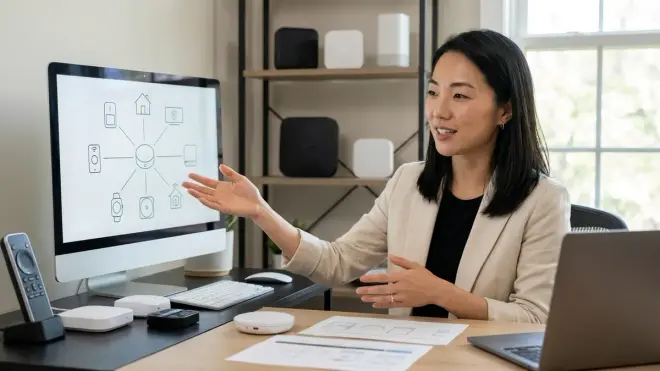
Controllers manage device state, execute automations, and provide the interface (voice, app, or dashboard) for user interaction. Apple Home, Google Home, Amazon Alexa, Samsung SmartThings, and open-source platforms like Home Assistant all function as Matter controllers.
Controllers don't need to be dedicated hubs. A smartphone running Google Home acts as a controller when present, but automations require a persistent controller—something always powered and connected. This is where smart speakers, set-top boxes, or always-on hubs become necessary.
Controller requirements for Matter 1.4:
- Must support Matter 1.4 firmware (older controllers may require updates)
- Must remain powered and connected to execute local automations
- Should support multi-admin mode, allowing devices to pair with multiple ecosystems simultaneously
For design-focused installations, this means choosing controllers that disappear. An in-wall smart switch with built-in Thread radio can act as both endpoint and border router. A concealed Mac mini running Home Assistant in a network closet eliminates countertop clutter while providing robust local control.
Bridges for Legacy Protocol Translation
Bridges connect Zigbee, Z-Wave, or proprietary devices into Matter ecosystems. The Philips Hue Bridge, for example, translates Zigbee commands into Matter-compatible instructions. This allows existing Zigbee smart bulbs to participate in Matter automations without replacing hardware.
Not all bridges support Matter 1.4 yet. Compatibility depends on manufacturer firmware updates and device age. Before assuming existing infrastructure will translate seamlessly, verify Matter support explicitly—Matter 1.4 compatibility isn't retroactive or universal.
Interoperability limitations:
- Bridges introduce latency (typically 100-300ms additional delay)
- Some advanced features (like color temperature shifts or complex scenes) may not translate across bridge boundaries
- Bridge failure creates a single point of failure for all connected legacy devices
Why Matter 1.4 Infrastructure Matters
The difference between functional automation and automation that enhances daily life lies in infrastructure decisions. A home with insufficient border routers experiences dropped commands—lights that don't respond the first time, sensors that report state changes seconds late, or routines that execute out of sequence.
Reliability factors:
- Mesh density: Thread networks strengthen with more border routers. A 2,500 sq ft home benefits from 3-4 border routers distributed strategically.
- Controller redundancy: Relying on a single smartphone as controller means automations fail when you leave home. Persistent controllers (smart speakers, dedicated hubs) ensure routines execute regardless of phone presence.
- Network segmentation: Wi-Fi congestion affects Matter devices on that protocol. Thread devices remain isolated from Wi-Fi traffic, improving reliability in homes with high bandwidth demands.
For energy-conscious installations, infrastructure choices impact more than convenience. A border router that fails disables dozens of Thread-enabled smart plugs, breaking load-balancing routines and eliminating real-time monitoring. The savings evaporate when the infrastructure can't maintain consistent communication.
Types of Matter 1.4 Infrastructure Components
Understanding the distinctions between infrastructure types helps match hardware to specific home layouts and automation goals.
Dedicated Hubs vs Multi-Function Devices
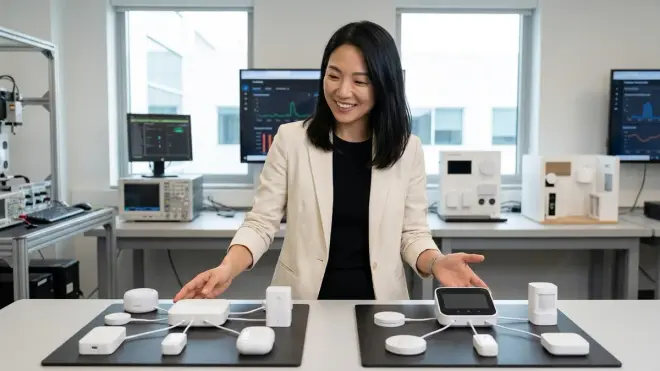
Dedicated hubs like the Samsung SmartThings Station or Aqara Hub M3 focus exclusively on smart home coordination. They typically support multiple protocols (Thread, Zigbee, Matter) and offer robust local processing. The advantage: reliability and protocol flexibility. The disadvantage: another visible device unless strategically concealed.
Multi-function devices—smart speakers, streaming boxes, routers—embed border router or controller functionality into hardware already present. An Apple TV 4K acts as Thread border router and HomeKit controller. Google Nest Wifi Pro includes Thread support directly in the mesh router. This reduces device count but concentrates critical infrastructure in products that may be replaced or relocated for unrelated reasons.
Platform-Specific vs Platform-Agnostic Controllers
Platform-specific controllers tie tightly to ecosystems: Apple Home, Google Home, Amazon Alexa, SmartThings. These simplify setup but limit cross-platform flexibility. A home invested in Apple infrastructure may struggle if new devices prioritize Google or Amazon compatibility.
Platform-agnostic controllers like Home Assistant or Hubitat support multiple ecosystems simultaneously and offer advanced automation logic. They require more technical setup but provide granular control over device behavior, custom fallback routines, and protocol-agnostic operation.
For clients who value long-term flexibility over immediate convenience, platform-agnostic infrastructure prevents ecosystem lock-in. Devices can shift between controllers without re-pairing or reconfiguring, and migration paths remain open as standards evolve.
Frequently Asked Questions
Do all Matter devices require a hub or border router?
Not all Matter devices need a hub, but most require infrastructure for practical use. Wi-Fi Matter devices connect directly to your network and communicate with controllers (like smart speakers or apps) without additional hardware. However, Thread Matter devices—which include most battery-powered sensors, switches, and discreet endpoints—require a Thread border router to bridge the Thread mesh network to your IP network. Without a border router, Thread devices cannot communicate with controllers or execute automations. If your goal is building an invisible automation system with hidden sensors and concealed switches, Thread devices dominate—and that means border router infrastructure is essential.
Can I use multiple controllers with the same Matter devices simultaneously?
Yes, Matter 1.4 supports multi-admin mode, allowing a single device to pair with multiple ecosystems simultaneously. A Matter-certified light can respond to commands from both Apple Home and Google Home without choosing one or the other. This works because Matter devices maintain independent fabric credentials for each controller. However, latency and reliability depend on how controllers coordinate state changes. If both controllers issue conflicting commands (Apple Home says "turn off," Google Home says "dim to 30%"), the device follows the most recent command—potentially creating unexpected behavior. For automations that involve multiple controllers, clearly define which platform handles which routines to avoid conflicts. Multi-admin mode excels when controllers serve different purposes: voice control through Alexa, complex automations through Home Assistant, mobile convenience through Apple Home.
What happens if my border router loses power or goes offline?
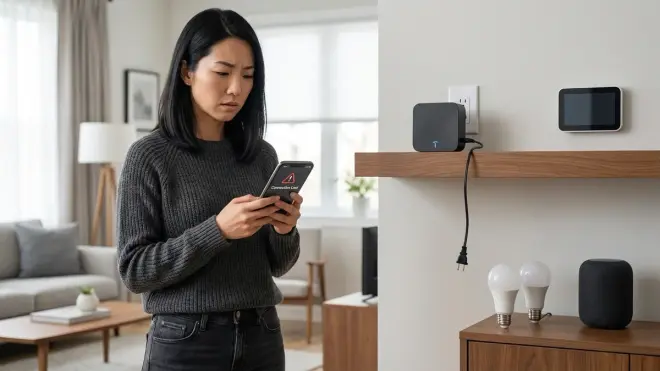
When a border router fails, Thread devices lose connectivity to the IP network, disabling cloud-based commands and app control. However, local Thread mesh communication may continue between devices if they're programmed with direct bindings. For example, a Thread light switch bound directly to a Thread bulb can still toggle the light even when the border router is offline—the command travels directly through the Thread mesh without needing IP translation. Fallback behavior depends on automation design. Cloud-dependent routines (e.g., geofencing triggers, voice commands, app-based schedules) fail completely. Locally-executed automations may continue if the controller and devices remain mesh-connected. To improve reliability, deploy multiple border routers across your home. Thread networks automatically re-route through available border routers, eliminating single points of failure. For critical functions like security automation or entryway lighting, redundancy is non-negotiable.
Can I use a Zigbee or Z-Wave hub as a Matter controller?
Zigbee and Z-Wave hubs do not automatically function as Matter controllers, but some manufacturers add Matter support through firmware updates and hardware integration. For example, certain SmartThings hubs now support Matter devices while still coordinating existing Zigbee and Z-Wave networks. However, protocol translation adds latency and complexity. A Zigbee motion sensor triggering a Matter light requires the hub to translate between protocols—introducing 100-300ms delay compared to native Matter communication. If you're building a new system, native Matter infrastructure offers better performance and future compatibility than relying on bridges and translators. If you have substantial existing Zigbee or Z-Wave investments, verify your hub's Matter support explicitly and test latency in real-world scenarios. For discreet installations where response time affects perceived reliability, minimize protocol translation wherever possible.
How many border routers do I need for a typical home?
Border router density depends on home size, construction materials, and Thread device distribution. A single border router may suffice for a 1,000 sq ft apartment with open floor plan and minimal concrete or brick. However, homes over 1,500 sq ft typically benefit from 2-3 border routers, and larger or multi-story homes may need 4-6. Thread is a low-power mesh protocol—devices relay signals through each other, but each hop introduces minor latency (typically 20-50ms per hop). Placing border routers strategically minimizes hop count and reduces cumulative delay. For example, in a 2,500 sq ft two-story home, positioning border routers near the main living area, primary bedroom, and home office creates balanced mesh coverage. Construction materials matter: concrete, metal framing, and radiant barriers attenuate Thread signals more than wood or drywall. If you're integrating hidden automation into a home with challenging RF conditions, budget for additional border routers and test mesh reliability during installation rather than discovering dead zones after devices are concealed.
Summary

Matter 1.4 hub requirements shape whether automation feels effortless or fragmented. Border routers connect Thread devices to your broader network, controllers execute automations and manage state, and bridges translate legacy protocols when necessary. Choosing infrastructure thoughtfully—prioritizing redundancy, local processing, and protocol compatibility—ensures automation remains invisible, reliable, and woven seamlessly into the architecture of daily life. The right infrastructure disappears behind walls, into furniture, and beneath the rhythms of how spaces function. The wrong choices stack devices on countertops and introduce delays that break the illusion of intuitive response. Design for the infrastructure you need, not just the devices you want, and the technology fades into the background where it belongs.
