
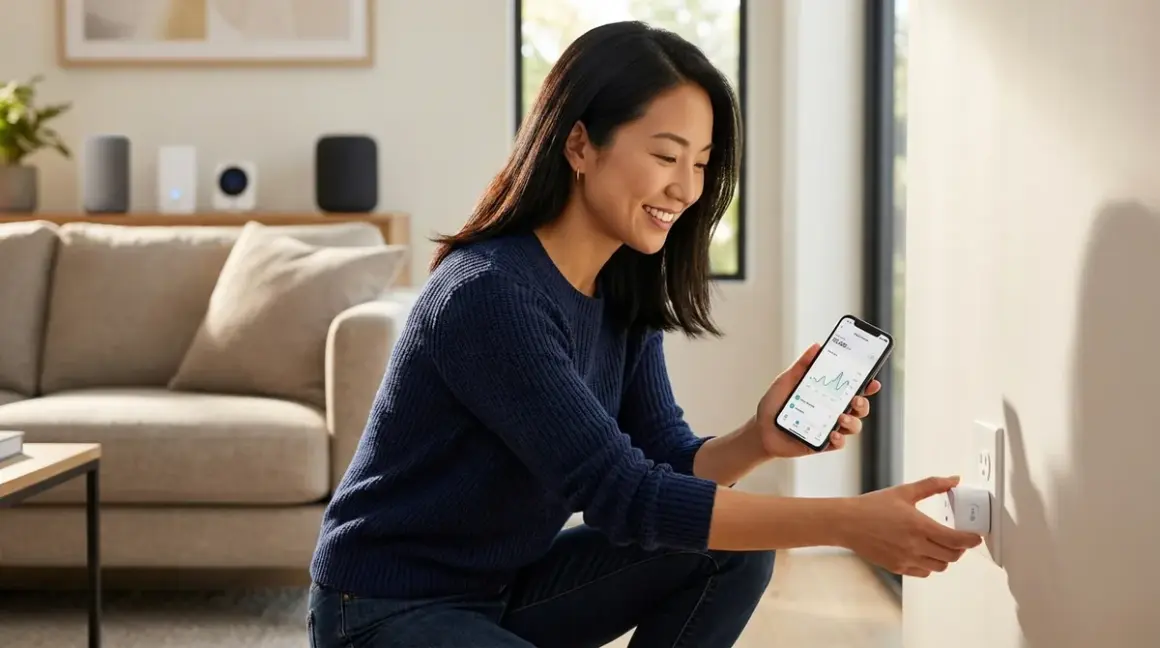

I've watched countless clients discover that their "just a desk lamp" is quietly consuming power all night, or that the guest room's charming reading nook doubles their monthly electricity bill. The best smart plugs energy monitoring reveals these invisible patterns—transforming abstract consumption into tangible data you can act on. After integrating energy-aware automation into dozens of homes where technology needed to remain unobtrusive, I've found that the right monitoring plug doesn't announce itself visually but quietly reshapes how a household breathes and spends.
The verdict: TP-Link Kasa EP25 (Matter) leads for cross-platform homes seeking future-proof compatibility, while Emporia Smart Plug (Wi-Fi) offers granular per-outlet tracking. Sonoff S31 (Zigbee) excels for mesh reliability in hidden installations, and Meross MSS315 (Wi-Fi) balances affordability with legitimate real-time monitoring.

What to Look For in Energy Monitoring Smart Plugs
Protocol Architecture and Ecosystem Lock-In
The protocol determines whether your plug lives harmoniously within your home's existing automation fabric or becomes an isolated island. Wi-Fi plugs operate independently without hubs—liberating for renters or those avoiding visible control boxes, but they congest router bandwidth and typically respond slower (200-800ms latency vs. 50-200ms for mesh protocols). They function perfectly when the internet fails, though cloud-dependent models lose remote access.
Zigbee plugs require a hub—Philips Hue Bridge, Amazon Echo 4th gen, Samsung SmartThings, or dedicated Zigbee coordinators—but they form self-healing mesh networks where each plug strengthens signal for distant devices. Expect 50-150ms response times and minimal router impact. The trade: your automation logic lives in the hub ecosystem, and switching platforms means rebuilding routines.
Matter 1.4 promises cross-platform freedom—one plug controlled by Apple Home, Google Home, and Alexa simultaneously—but requires a Matter controller (recent HomePod, Google Nest Hub, Echo 4th gen or newer) acting as a border router. Early 2026 Matter energy monitoring support remains inconsistent; verify your specific controller exposes power consumption data in its interface before purchasing. Thread-based Matter plugs mesh like Zigbee but currently offer fewer device choices under $50.
For homes where automation already hides behind walls, matching your existing protocol eliminates visible hub additions. If you're starting fresh, Matter offers the longest runway—but verify actual feature parity today, not promised roadmaps.
Monitoring Granularity and Data Export
"Energy monitoring" spans a spectrum from "tells you the fridge is on" to "charts hourly wattage patterns for three years." Real-time wattage display (updated every 1-5 seconds) lets you observe immediate consumption changes—essential for identifying phantom loads or testing whether a device truly powers down. Many budget plugs update only every 10-30 minutes, rendering them useless for troubleshooting.
Historical tracking matters more for pattern recognition. Look for apps that graph daily/weekly/monthly consumption, not just running totals. The ability to export CSV data enables integration with whole-home energy management systems like Home Assistant or custom dashboards.
Voltage and amperage reporting (not just watts) helps diagnose electrical issues—a consistently low voltage reading might explain why your vintage lamp flickers. Plugs reporting only estimated cost based on simplified wattage calculations provide less actionable insight than those tracking actual power factor and reactive loads.
Physical Form Factor and Installation Context
Energy monitoring plugs tend toward bulk—internal current sensors and relay components occupy space that simple switches don't require. Standard two-prong models measure 2.5-3.5 inches per side; grounded three-prong versions often extend 4+ inches from the wall. Behind furniture or inside cabinets, this matters little. Between a sofa and wall? That extra inch determines whether you can push furniture flush.
Side-outlet designs position the bulk parallel to the wall, minimizing protrusion—ideal for installations behind appliances where depth is constrained. Vertical stacking designs let you use both outlets on a duplex receptacle, though monitoring two devices requires two plugs (unlike dedicated dual-outlet monitoring units that track each socket independently).
Check whether the plug blocks adjacent outlets. In older homes with tight outlet spacing, a bulky plug renders the second receptacle inaccessible—defeating the purpose in rooms with limited power access.
Automation Logic Capabilities and Fallback Behavior
The most elegant energy automation disappears into daily rhythm. When total consumption exceeds a threshold, dim non-essential lights. When the washer's wattage drops below 10W (cycle complete), send a notification. When overnight phantom draw exceeds 5W for three consecutive nights, schedule a hard power-off until morning.
This requires conditional automation support beyond simple scheduling:
IF device_wattage < 10W for 5 minutes
THEN send_notification("Washer cycle complete")
AND turn_off_plug after 10 minutes
Wi-Fi plugs typically rely on proprietary apps with limited logic—often just on/off schedules and basic "if power exceeds X watts" triggers. Zigbee/Matter plugs integrated with platforms like Home Assistant, Apple Home (with HomeKit), or SmartThings unlock sophisticated multi-condition automations that reference other sensors and devices.
Fallback behavior reveals design maturity. When Wi-Fi drops, does the plug maintain its last schedule locally, or does automation freeze until connectivity returns? When a hub reboots, do Zigbee plugs remember their state or default to "on" (potentially wasteful for vampire loads)? The best plugs cache schedules locally and resume intelligently after power interruptions—critical for hidden installations where you won't immediately notice a malfunction.
Accuracy, Certification, and Long-Term Reliability
Energy monitoring accuracy varies wildly. Budget models estimate consumption via crude voltage/amperage sampling; precision units sample at higher frequencies and account for power factor (the phase difference between voltage and current that affects true power consumption). Look for ±2-3% accuracy ratings for meaningful data—anything beyond ±5% becomes guesswork.
UL/ETL certification isn't just bureaucratic theater; it confirms the plug won't become a fire hazard under sustained load. Uncertified devices occasionally fail catastrophically when powering resistive loads (heaters, hair dryers) for extended periods. The certification marking usually appears on the physical device or specifications sheet.
Relay lifespan determines how many on/off cycles the plug survives. Quality relays tolerate 100,000+ cycles; budget units fail after 10,000-20,000. If you're automating a lamp that switches six times daily, that's 2,190 cycles annually—a cheap relay dies within five years, while a robust one lasts decades. Unfortunately, manufacturers rarely publish relay specs, so brand reputation and warranty length become proxies for quality.
Our Top Picks
TP-Link Kasa EP25 (Matter over Thread)
The TP-Link Kasa EP25 Matter Smart Plug🛒 Amazon represents the current ceiling for cross-platform energy monitoring under $50—a Thread-based Matter plug that exposes real-time wattage, voltage, and amperage across Apple Home, Google Home, and Alexa simultaneously. Setup requires a Matter controller with Thread border router capability (HomePod mini, Google Nest Hub 2nd gen, Echo 4th gen), after which the plug joins your Thread mesh and reports consumption data every 5 seconds. Automation logic flexibility depends on your chosen platform; Apple Home's "Convert to Shortcut" unlocks complex conditionals like "if weekly consumption exceeds 15 kWh, disable plug during peak hours." The form factor extends 2.8 inches from the wall—manageable behind most furniture but noticeable in exposed locations.
Pros:
- True multi-platform control without ecosystem lock-in or separate hubs per brand
- Thread mesh strengthens network for other Thread devices (improving reliability for distant sensors)
- Historical tracking with CSV export via Kasa app (independent of Matter ecosystem)
- Voltage monitoring helps diagnose electrical anomalies beyond simple consumption
- Maintains last schedule locally when internet connectivity fails
Cons:
- Matter energy reporting still unsupported in some Alexa routines as of early 2026 (works in Apple/Google)
- Requires existing Thread border router—adds $80-100 if starting from zero smart home infrastructure
- Slightly bulkier than non-monitoring Matter plugs, blocking adjacent outlets on tight-spaced receptacles
- CSV export requires opening separate Kasa app, doesn't auto-sync to Matter platforms
Emporia Smart Plug with Energy Monitoring (Wi-Fi)
The Emporia Smart Plug with Energy Monitoring🛒 Amazon offers dual independently-monitored outlets in a single unit—rare under $50 and transformative for spaces where outlet access is scarce. Each socket tracks wattage, amperage, and voltage separately, letting you differentiate between the desk lamp and the always-on monitor that actually drives your home office consumption. The Emporia app graphs hourly usage for 12 months and integrates with whole-home energy monitors from the same manufacturer, creating unified consumption dashboards. Setup involves only Wi-Fi (2.4GHz only, as with virtually all budget smart plugs), and the plug operates autonomously when internet fails—schedules execute locally, though remote access and notifications require connectivity.
Pros:
- Two independently monitored outlets in one plug (effectively half the per-outlet cost)
- 12-month historical data with hourly granularity, accessible via free app without subscription
- Integrates with Emporia Vue whole-home monitors for comprehensive energy ecosystem
- Amperage warnings alert you before tripping breakers (useful for daisy-chained power strips)
- Side-outlet orientation minimizes wall protrusion to 2.3 inches
Cons:
- Wi-Fi only—no Zigbee/Matter option for mesh reliability or hub integration
- Automation logic limited to basic schedules and single-condition triggers (no multi-device conditionals)
- 2.4GHz Wi-Fi congestion slows response times in dense apartment buildings (often 500-800ms)
- Lacks voltage/frequency export to CSV (data stays in app ecosystem)
Sonoff S31 Zigbee Smart Plug
The Sonoff S31 Zigbee Smart Plug🛒 Amazon excels in hidden installations where Wi-Fi signals struggle—behind media centers, inside cabinetry, or concealed behind furniture. As a Zigbee 3.0 device, it requires a compatible hub (Philips Hue Bridge, SmartThings, Echo Plus/Studio, or dedicated Zigbee coordinators like Home Assistant's Zigbee dongles), but once paired it becomes a mesh repeater that strengthens signal for distant sensors. Energy reporting updates every 5 seconds with ±2% accuracy, and the eWeLink app (for standalone use) or hub platform (for integration) provides basic historical graphs. Automation shines when integrated with platforms like Home Assistant, where the plug's power data feeds into complex energy-saving logic.
Pros:
- Zigbee mesh reliability ideal for signal-challenged locations (50-100ms typical response)
- Functions as mesh repeater, extending network for battery-powered sensors
- High monitoring accuracy (±2% vs ±5% for many budget Wi-Fi models)
- Compact 2.5-inch form factor fits behind most furniture without blocking adjacent outlets
- Local control via Zigbee hub persists during internet outages
Cons:
- Requires Zigbee hub investment ($50-150 if starting without existing infrastructure)
- eWeLink app energy dashboards less polished than dedicated apps like Emporia or Kasa
- No native Matter support (upgrade path requires hub replacement, not firmware update)
- Historical data export limited—most users integrate with Home Assistant for long-term logging
Meross MSS315 Wi-Fi Smart Plug
The Meross MSS315 Wi-Fi Smart Plug🛒 Amazon delivers legitimate energy monitoring at the lowest entry price in this category—typically 30-40% less than competitors while maintaining real-time wattage updates and Apple HomeKit certification. Setup via the Meross app takes under two minutes, after which the plug exposes consumption data in Apple Home, Alexa, or Google Home (choose your primary ecosystem during setup). The physical design positions the outlet horizontally, minimizing protrusion to 2.6 inches and preserving access to adjacent receptacles. Automation logic depends on your ecosystem; HomeKit users gain sophisticated conditionals, while Alexa users face more limited triggers.
Pros:
- Lowest cost per unit among legitimate energy monitoring plugs (frequent sales under $15)
- Native HomeKit support enables advanced automations via Apple Home shortcuts
- Horizontal outlet orientation preserves adjacent receptacle access
- Real-time wattage updates every 3 seconds (faster than many pricier Wi-Fi competitors)
- Schedules execute locally when internet fails, maintaining basic automation
Cons:
- Meross app historical tracking limited to 30 days (vs 12 months for Emporia)
- No CSV export or API access for third-party dashboard integration
- 2.4GHz Wi-Fi only—congested networks cause occasional disconnections in dense environments
- Voice control occasionally lags (300-700ms) compared to Zigbee alternatives
Treatlife Single Pole Smart Plug (Wi-Fi)
The Treatlife Single Pole Smart Plug🛒 Amazon occupies a niche: energy monitoring for devices requiring grounded three-prong outlets in tight spaces. The plug's slim 2.4-inch vertical profile fits where bulkier competitors fail—between washer/dryer units, behind refrigerators, or in densely-packed entertainment centers. Energy reporting updates every 10 seconds (slower than competitors but adequate for appliance monitoring), and the Smart Life app provides basic monthly consumption graphs. Tuya Smart platform compatibility means the plug integrates with hundreds of third-party hubs and platforms, though this flexibility comes with ecosystem fragmentation—not all features expose across all integrations.
Pros:
- Slim vertical profile fits in space-constrained installations
- Tuya Smart compatibility enables integration with dozens of third-party platforms
- Grounded three-prong outlet supports higher-draw appliances safely
- Overcurrent protection cuts power automatically at 15A (prevents fire hazards)
- Cost-effective for monitoring multiple fixed appliances (washer, dryer, fridge)
Cons:
- 10-second update interval too slow for real-time troubleshooting or responsive automations
- Historical data limited to monthly totals (no daily/weekly granularity)
- Tuya platform fragmentation means features vary wildly depending on integration method
- Occasionally fails to reconnect after router reboots, requiring manual app re-pairing
GE CYNC Smart Plug with Energy Monitoring (Wi-Fi/Bluetooth)
The GE CYNC Smart Plug with Energy Monitoring🛒 Amazon bridges the gap between budget Wi-Fi plugs and premium ecosystem integration through dual Wi-Fi/Bluetooth connectivity. Initial setup via Bluetooth eliminates Wi-Fi credential hassles (useful in guest networks or corporate housing), and the plug continues responding to local Bluetooth commands when internet fails—rare among Wi-Fi competitors. Energy monitoring exposes real-time wattage plus monthly consumption trends in the CYNC app, with Google Home and Alexa integration for voice control. The three-outlet design (two always-on, one smart-controlled) maximizes utility in outlet-scarce rooms, though only the smart outlet reports consumption.
Pros:
- Bluetooth fallback enables local control during internet outages (10-meter range)
- Three-outlet design (two always-on + one smart) expands receptacle availability
- Setup via Bluetooth bypasses Wi-Fi credential entry (streamlined for non-technical users)
- CYNC app monthly energy reports include cost estimates based on user-entered electricity rates
- Compact side-outlet form factor preserves adjacent receptacle access
Cons:
- Only one of three outlets provides energy monitoring (always-on outlets unmonitored)
- Bluetooth control limited to 10-meter range—defeats purpose for remote monitoring
- Historical data export unavailable (data locked in CYNC app ecosystem)
- Alexa energy reporting occasionally desync from CYNC app by 10-15% (cloud update latency)
Frequently Asked Questions
Do energy monitoring smart plugs work without internet or Wi-Fi?
Energy monitoring smart plugs continue measuring consumption locally when internet fails, but your access to that data depends on the protocol and implementation. Wi-Fi plugs maintain their measurement functions and execute pre-programmed schedules stored in onboard memory, but you cannot view real-time data or historical graphs until connectivity restores—the plug logs internally and syncs when reconnected. Zigbee and Thread plugs preserve full monitoring visibility through their local hub (assuming the hub remains powered and your control device stays on the local network), since mesh protocols operate independently of internet access. The critical distinction: local schedules execute regardless of connectivity, but cloud-dependent features—remote access, push notifications, voice assistant commands—require internet. For hidden smart home installations where you expect the system to function autonomously, verify that your chosen plug caches schedules locally rather than polling cloud servers for every action.
How accurate are smart plug energy monitors compared to whole-home systems?
Smart plug energy monitors achieve ±2-5% accuracy for devices directly connected to them, which exceeds the granularity of whole-home systems measuring individual circuits. A whole-home energy monitor like Sense or Emporia Vue samples your electrical panel's total draw and uses machine learning to disaggregate individual device signatures—impressive for major appliances, but it struggles with low-wattage devices (under 50W) and cannot differentiate between similar loads (two identical desk lamps). Smart plugs measure actual current flow through their internal sensors, providing definitive data for that specific device. The trade: whole-home systems reveal consumption you cannot plug-monitor (hardwired HVAC, lighting circuits, ovens), while smart plugs excel at identifying phantom loads from entertainment centers, always-on chargers, and appliances with complex duty cycles. The most comprehensive approach combines both—whole-home monitoring for infrastructure loads and targeted smart plugs for variable-use devices.
Can I use energy monitoring plugs to create time-of-use automations for peak electricity rates?
Yes, energy monitoring plugs enable sophisticated peak and off-peak automation when integrated with platforms supporting conditional logic. The automation structure typically follows: IF current time falls within peak rate hours (e.g., 4pm-9pm weekdays) AND total monitored consumption exceeds threshold (e.g., 1.5kW across multiple plugs) THEN disable non-essential devices (guest room lamps, decorative fountain, secondary refrigerator) UNTIL off-peak hours resume. This requires a hub or platform capable of time-based conditionals and device grouping—Home Assistant, Apple Home (via shortcuts), SmartThings, or Hubitat all support this natively. Simpler platforms like standalone Wi-Fi plug apps typically offer only basic scheduling ("turn off at 4pm"), which wastes off-peak opportunities when you're actually home and could use devices freely. For maximum savings, integrate plug data with your utility's actual rate schedule and create tiered automations that shed progressively more load as consumption approaches expensive thresholds—a guest bedroom space heater might disable at 1.2kW total draw, while the living room TV waits until 1.8kW.
What happens to energy monitoring data when I switch smart home ecosystems?
Energy monitoring data portability varies dramatically by manufacturer and ecosystem lock-in strategy. Proprietary app data (Meross, Kasa, Emporia, CYNC) typically remains accessible through the manufacturer's app even if you migrate your smart home control to a different platform—you'd continue viewing historical consumption in the Kasa app while controlling the plug via Home Assistant instead of Kasa routines. Platform-locked data (energy statistics stored in Apple Home, Google Home, or Alexa rather than the manufacturer's app) usually cannot migrate between ecosystems; switching from Apple Home to Google Home means rebuilding historical context from zero. Matter promises cross-platform data portability, but as of early 2026 energy monitoring statistics remain siloed within each Matter controller's local database—your HomePod and Google Nest Hub both control the same Matter plug, but maintain separate consumption logs. The most future-proof approach: choose plugs offering local data export (CSV/API access) and archive consumption logs outside any single ecosystem, then import into whichever platform you migrate toward—an approach detailed in comprehensive energy management setups.
Do energy monitoring smart plugs increase my electricity bill through their own consumption?
Energy monitoring smart plugs consume 0.5-2 watts continuously to power their internal circuitry, Wi-Fi/Zigbee radio, and measurement sensors—negligible individually but measurable across ten or twenty units. A plug drawing 1.5W constantly consumes roughly 13 kWh annually, which at average US electricity rates (approximately $0.16/kWh according to the U.S. Energy Information Administration) costs around $2 per year per plug. The paradox: monitoring a device consuming 3W vampire load (7.5 kWh/year, $3 annually) via a plug drawing 1.5W only nets $1 annual savings—marginal value. Energy monitoring plugs justify their own consumption when managing variable or high-draw devices: a space heater cycling unpredictably, an entertainment center with phantom loads totaling 20W+, or appliances where automated shutoff after use prevents hours of unnecessary runtime. For always-on low-draw devices (nightlights, router, modem), the monitoring plug often consumes more than it saves. Target monitoring toward devices drawing above 10W baseline or those with unknown consumption patterns you want to characterize before deciding whether to automate them.
The Verdict
The best smart plugs energy monitoring transform invisible consumption into tangible patterns that reshape how spaces function. For homes already committed to Matter ecosystems or planning cross-platform flexibility, the TP-Link Kasa EP25 delivers future-proof monitoring without vendor lock-in—though you'll pay a premium for that freedom and need existing Thread infrastructure. Budget-conscious buyers monitoring multiple devices in outlet-scarce rooms gain most from the Emporia Smart Plug's dual independently-tracked outlets, while those integrating into existing Zigbee networks benefit from the Sonoff S31's mesh reliability and hidden-installation suitability.
Choose based on what already hides in your walls and what you're willing to make visible. The plug itself might tuck behind a sofa, but the consumption patterns it reveals reshape entire rooms—the reading nook that becomes impractical during peak hours, the guest bedroom whose phantom loads justify a complete power-down automation, the kitchen where the coffee maker's retained heat costs more than brewing itself. That awareness doesn't require visible screens or dashboard obsession; it embeds into automated rhythms that feel inevitable rather than technical, the way a well-designed space guides movement without announcing its intentions.
