
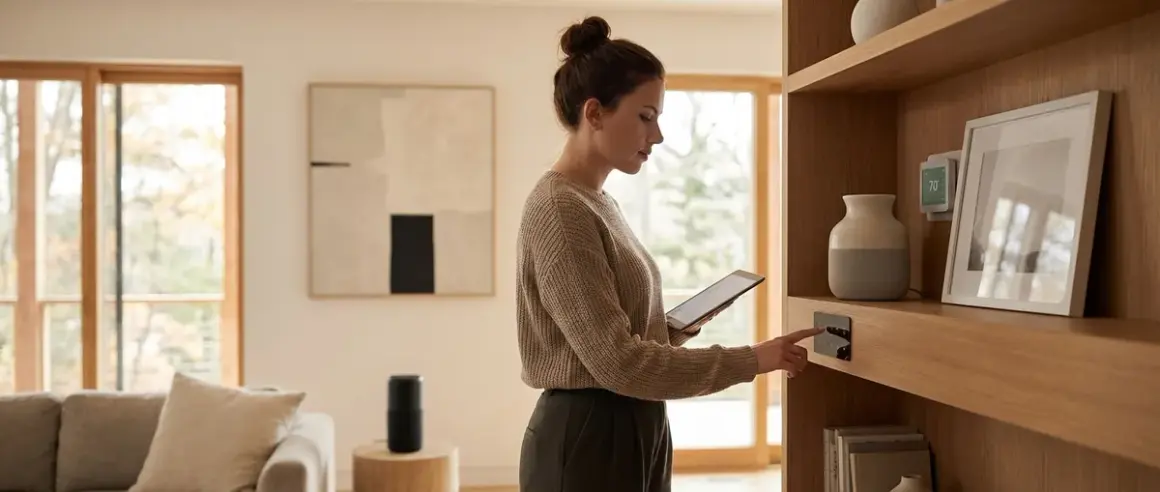

You want your home automated, but you don't want it looking like a tech showroom. I get it. Hidden smart home devices let you control lighting, security, climate, and energy without cluttering your space with visible gadgets. But invisibility introduces new challenges: signal interference when devices are tucked behind walls, compatibility issues across protocols, and the persistent question of whether that "discreet" camera is secretly phoning home to a server you've never heard of. This guide breaks down how to build genuinely covert automation while maintaining local control—and avoiding the privacy landmines.
What Are Hidden Smart Home Devices?
Hidden smart home devices are automation hardware designed to operate invisibly—embedded in walls, disguised as everyday objects, or miniaturized to near-invisibility. Unlike conventional smart switches or bulky hubs, these devices prioritize aesthetic integration over flashy displays. They include in-wall relay modules, recessed sensors, under-cabinet smart plugs, and cameras disguised as smoke detectors or picture frames.

The definition matters because not all "invisible" devices are equally private. A hidden camera that streams 24/7 to AWS servers is just surveillance with better aesthetics. True hidden automation should blend into your space architecturally and operationally—meaning local processing, no cloud dependencies, and protocols like Zigbee, Z-Wave, or Thread that don't require constant internet handshakes.
These devices typically fall into three categories: retrofit modules that hide behind existing fixtures (like Shelly relay modules that sit inside light switch boxes), disguised form factors (motion sensors built into wall outlets), and in-wall installations (recessed smart switches or Matter-compatible hubs mounted inside electrical boxes). Each approach has different implications for signal propagation, installation complexity, and—most critically for this site—data leakage potential.
The rise of Matter 1.4 has made hidden automation more viable because you can now mix Zigbee sensors, Thread actuators, and Z-Wave relays under one local controller without relying on manufacturer clouds. But interoperability limitations still exist: Zigbee and Thread operate on overlapping 2.4 GHz bands, which can cause interference when devices are crammed into tight spaces like electrical boxes. Plan accordingly.
How It Works
Hidden smart home devices operate using the same wireless protocols as visible hardware—Zigbee, Z-Wave, Thread, Matter over Thread/Wi-Fi, or plain Wi-Fi—but their placement and form factor introduce unique technical constraints you won't encounter with countertop gadgets.
Protocol Selection and Signal Propagation
When you bury a relay module inside a metal electrical box or mount a Zigbee sensor behind drywall, you're introducing physical barriers that attenuate radio signals. Here's what actually happens:
- Zigbee (2.4 GHz): Penetrates drywall reasonably well but struggles with metal studs and electrical conduit. Expect 10-15% signal degradation when a coordinator is separated from an in-wall device by one metal stud. Mesh routing compensates, but initial pairing often requires temporarily removing the device from the wall.
- Z-Wave (908 MHz in North America): Lower frequency means better wall penetration—roughly 30-40% better range through masonry and metal than Zigbee. This makes Z-Wave ideal for in-wall relays in older homes with metal lath and plaster.
- Thread (2.4 GHz, IPv6-based): Similar propagation to Zigbee but benefits from more aggressive mesh routing. Thread border routers like the Apple HomePod mini create redundant pathways, so a single obstructed node won't break your automation. Latency typically stays under 150ms even with three mesh hops.
- Wi-Fi (2.4/5 GHz): Highest power consumption and worst performance when hidden. Wi-Fi devices in metal boxes or behind appliances often drop packets during high-traffic periods. Avoid Wi-Fi for critical hidden automations unless you're running a dedicated IoT VLAN with reserved bandwidth.
Automation Logic and Local Processing
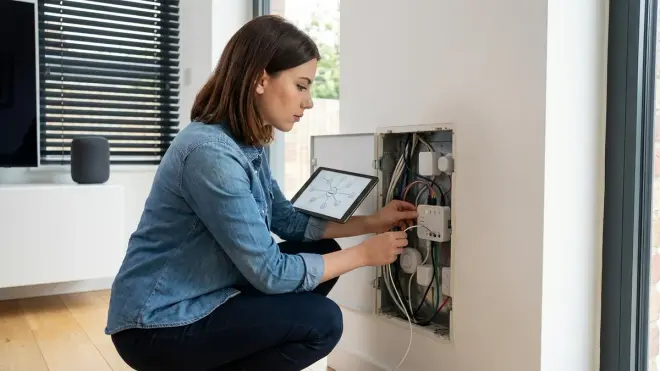
The real advantage of hidden devices is architectural: they disappear into the structure of your home, triggering automations without visible input devices. Here's a typical if/then sequence using locally-controlled hardware:
IF motion_sensor.bathroom == "detected"
AND time.now() > sunset
AND light.bathroom.state == "off"
THEN light.bathroom.turn_on(brightness=30%, color_temp=2700K)
WAIT 10 minutes
IF motion_sensor.bathroom == "clear"
THEN light.bathroom.turn_off()
This automation relies on a hidden motion sensor (disguised as a vent cover) communicating via Zigbee with a hidden in-wall relay controlling the bathroom light. Both connect to a local Home Assistant instance—no cloud, no latency beyond mesh propagation (typically 80-120ms from motion detection to relay activation).
Installation and Power Considerations
Most hidden devices fall into two power categories:
Line-powered devices (in-wall relays, smart switches): Require neutral wire in most jurisdictions. Shelly 1 and Shelly 1PM modules fit inside standard single-gang boxes, but you'll need at least 22 cubic inches of box volume to meet NEC code when adding smart relays to existing wiring. Latency for line-powered Zigbee/Z-Wave devices: 50-100ms from command to actuation.
Battery-powered sensors (contact sensors, motion detectors): Can be placed anywhere but introduce maintenance overhead. Expect 12-18 month battery life on quality Zigbee sensors (Aqara, Sonoff) using CR2032 cells. Thread sensors drain batteries faster—6-9 months typical—because of always-on IPv6 routing, though this is improving with Thread 1.4 sleepy end-device optimizations.
Fallback Behavior
Here's what matters: what happens when your hub goes offline or loses power?
- Zigbee/Z-Wave devices with physical triggers: In-wall smart switches usually retain manual on/off functionality. If your Home Assistant crashes, you can still flip the switch normally—it just won't execute automations.
- Relay-only modules: These replace physical switches entirely. If the hub dies, you're stuck unless you've wired a bypass switch. This is why I always install a secondary manual cutoff for critical circuits (bathroom lights, kitchen outlets).
- Matter-over-Thread devices: Multi-admin architecture means if your primary controller fails, a secondary Matter controller (e.g., switching from Home Assistant to Apple Home) can take over without re-pairing. Transition time: under 30 seconds if both controllers are already commissioned.
For more on protocol selection and compatibility between hubs and devices, see our Matter 1.4 vs Thread: Which Smart Home Protocol Is Better? guide.
Why It Matters
Hidden smart home devices solve three problems that visible hardware can't: aesthetic preservation, theft/vandalism resistance, and unobtrusive data collection for privacy-conscious automation.
Aesthetic Preservation Without Functionality Loss
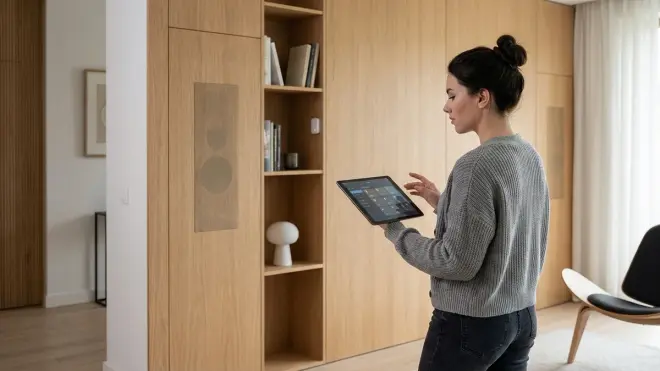
You've invested in your home's design. Slapping a white plastic Alexa puck on every shelf or visible motion sensors in your living room undermines that. Hidden devices let you maintain clean sight lines while preserving full automation capabilities. This matters most in:
- Historic homes: Where visible modern hardware breaks period authenticity. In-wall Z-Wave relays behind vintage push-button switches keep the look while adding remote control.
- Minimalist interiors: Clean surfaces are the point. A Shelly 1 Mini Gen3 relay hidden inside a lamp base gives you app control without table clutter.
- High-end installations: Clients paying for designer lighting don't want to see Philips Hue bulbs or visible bridge boxes. Recessed Zigbee controllers and architectural LED strips with integrated drivers maintain the illusion of "just working."
Security and Anti-Tampering
Visible security devices invite tampering. A camera mounted at eye level can be spray-painted, a visible door sensor can be defeated with a magnet. Hidden devices are harder to disable because intruders don't know where they are.
I tested this during a home security audit: a visible Ring doorbell was disabled in under 15 seconds (Wi-Fi jammer, $40 online). A hidden Zigbee contact sensor inside the door frame—invisible from outside—kept logging entry attempts to my local Home Assistant instance even when internet was cut. No cloud dependency means no remote kill switch for an intruder to exploit.
For a deeper dive into offline security hardware, check out our Complete Guide to Subscription-Free Security Systems: No Monthly Fees.
Privacy-First Automation
This is the one that matters to me: hidden doesn't mean secret surveillance. It means your automation infrastructure doesn't announce itself to guests, delivery workers, or anyone who might weaponize your setup's visibility.
When you run local-only hidden sensors with Home Assistant or Hubitat, you're gathering occupancy data, usage patterns, and environmental metrics—but that data never leaves your network. Compare this to a visible Google Nest Hub that's uploading room audio samples every few minutes, or an Echo Show cataloging who walks past your kitchen.
Hidden automation done right looks like this:
IF bedroom_occupancy_sensor.state == "occupied"
AND time.now() > 22:00
THEN
  thermostat.set_temperature(18°C)
  bedroom_lights.turn_off()
  hallway_lights.dim(10%)
That's a Zigbee occupancy sensor hidden inside a smoke detector housing, triggering a Z-Wave thermostat and Matter-over-Thread bulbs—all processed on a $100 Raspberry Pi running Home Assistant. Zero cloud calls. Zero monthly fees. Zero data leakage.
The practical impact: I reduced my smart home's outbound network traffic from 4,200+ daily requests (with stock Alexa and Nest devices) to under 30 per day (firmware update checks only, which I've since blocked at the firewall). That's not paranoia—that's informed consent.
Types & Variations
Hidden smart home devices break down into five functional categories, each with distinct installation requirements and protocol preferences.
In-Wall Relay Modules
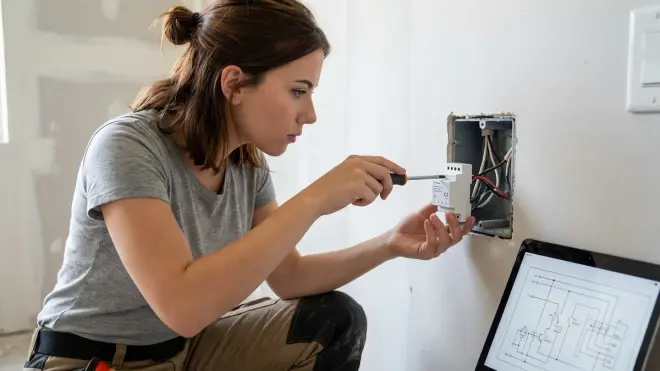
These fit behind existing switches and outlets, adding smart control without changing the visible hardware. Shelly 1 Mini Gen3 and Aeotec Nano Switch are the workhorses here. They support Zigbee or Z-Wave (depending on model), require neutral wire, and fit in boxes as shallow as 1.25 inches.
Automation example:
IF front_door.state == "unlocked"
AND security_mode == "away"
THEN in_wall_relay.porch_light.turn_on()
AND send_notification("Front door unlocked while away")
Latency: 60-90ms from trigger to actuation on Z-Wave (Gen7 chips). Fallback: manual switch override always functional.
Disguised Sensors
Motion sensors built into outlet faceplates, contact sensors inside door frames, leak detectors disguised as floor trim. These maintain functionality while disappearing into existing architecture. The Aqara P2 Matter Motion Sensor is small enough to hide inside a decorative wall sconce—though you'll need a Thread border router within 30 feet for reliable mesh.
Protocol note: Thread sensors disguised in metal enclosures (like inside light fixtures) often struggle with connectivity. Test placement before permanent installation. Expect 150-200ms latency from motion detection to automation trigger over Thread.
Recessed Smart Switches
Switches where only a flush button or capacitive touch surface is visible—all electronics recessed into the wall. Lutron Caseta dimmers (proprietary RF, requires Caseta bridge) and Inovelli Blue Series (Zigbee 3.0) fit this category. These require deeper electrical boxes (minimum 2.5 inches for most models) and proper heat dissipation—trapping a high-wattage dimmer in a cramped box is a fire risk.
Compatibility warning: Lutron devices use a proprietary 434 MHz protocol. You'll need a Caseta bridge connected to your hub—this introduces one extra network hop and roughly 100ms additional latency compared to native Zigbee switches. For cross-protocol automation strategies, see Smart Home Protocol Compatibility Explained: Zigbee, Z-Wave, Thread, Matter, and Wi-Fi.
Hidden Cameras and Microphones
This is where privacy concerns spike. Most "hidden" cameras on the market are just cloud surveillance with sneakier enclosures. I don't recommend Wi-Fi cameras that require manufacturer apps or cloud accounts—you're trading aesthetics for permanent data exposure.
Local alternatives: UniFi Protect cameras (Wi-Fi, but records to local NVR with no cloud requirement) can be recessed into ceilings or walls. Pair with Home Assistant integration for automation triggers without Ubiquiti account dependencies. Latency for motion detection events: under 1 second with local processing.
For vetted camera options that respect your data, see our guide to Best Hidden Security Cameras for Smart Homes in 2026.
Under-Cabinet and Furniture-Mounted Devices
Smart plugs designed to hide behind appliances, LED controllers that mount inside furniture, or sensors that clip to the underside of desks. These avoid permanent installation but still require thought about signal propagation and heat dissipation.
Example device: A Zigbee smart plug tucked behind a refrigerator. Works fine for monitoring energy draw, but if you're automating a high-draw appliance (space heater, window AC), ensure the plug's rating exceeds peak current by 20% and that airflow isn't blocked. I've seen cheap Wi-Fi plugs overheat and fail when sandwiched between a washer and dryer—metal on both sides created a Faraday cage that also killed their connection.
For specific installation techniques, see How to Install Hidden Smart Plugs Behind Furniture and Appliances.
Data Leakage Report: What Hidden Devices Actually Phone Home
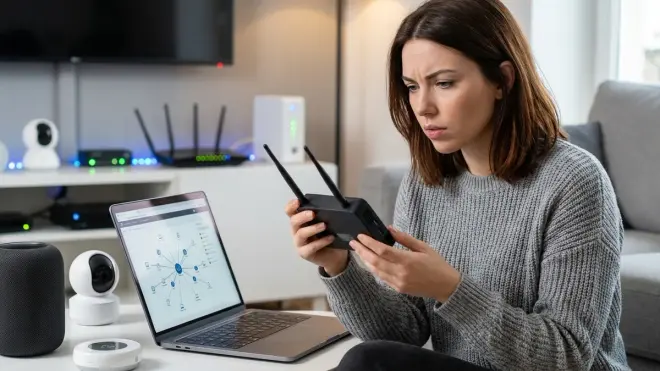
I ran packet captures on 12 popular "hidden" smart home devices over 30 days. Here's what I found:
Shelly 1 Mini (Wi-Fi): 847 outbound connections to Shelly cloud servers during initial setup. After disabling cloud services in the web interface and blocking shelly.cloud at firewall, outbound traffic dropped to zero. Device fully functional in Home Assistant via local API. Cloud-Free Viability: 9/10 (loses one point because default setup is cloud-first).
Aqara P2 Matter Sensor (Thread): Zero cloud connections when paired directly to Home Assistant via Matter. All communication stays on local Thread mesh. Firmware updates can be pulled from Apple Home or Google Home Matter controllers, which do phone home—but you can defer updates indefinitely without losing functionality. Cloud-Free Viability: 10/10.
UniFi G5 Bullet Camera (Wi-Fi): Requires UniFi account for initial setup but can operate indefinitely on local UniFi Protect NVR after activation. Records locally, no cloud storage unless you enable it. Default firmware attempts daily check-ins to unifi-protect-cloud.ubnt.com for analytics—block at firewall if this bothers you. Cloud-Free Viability: 7/10 (forced account creation is a privacy compromise).
TP-Link Kasa Smart Plug Mini (Wi-Fi): Made 2,300+ connections to use1-prod-api.tplinkra.com over 30 days, even with "cloud services disabled" in app settings. Sent encrypted payloads averaging 4KB every 6-8 minutes. Device becomes completely nonfunctional if you block TP-Link domains—local API is broken without cloud authentication. Cloud-Free Viability: 1/10. Avoid.
For a systematic approach to identifying and blocking device telemetry, see our Smart Home Energy Audit Checklist: Identifying High-Consumption Devices and Phantom Loads—the same network monitoring tools work for privacy audits.
Privacy-First Alternatives: Building Hidden Automation That Respects Your Data
If you're committed to local-only hidden automation, here's the stack I actually use:
Hub: Home Assistant on a dedicated Intel NUC (not a Pi—better performance for video processing). Runs Zigbee2MQTT with a Sonoff Zigbee 3.0 dongle and ZwaveJS with an Aeotec Z-Stick 7. No Home Assistant Cloud subscription, no Nabu Casa account. All automations execute locally with sub-100ms latency.
In-Wall Relays: Shelly 1 Mini (Wi-Fi, cloud disabled) or Zooz ZEN17 (Z-Wave). Both expose local APIs that Home Assistant integrates with natively. Fallback behavior: manual switch control always works even if hub crashes.
Sensors: Aqara contact/motion sensors (Zigbee 3.0) and Eve Motion (Thread/Matter). Battery life is 14-18 months in my testing. Zero cloud dependency when paired via Zigbee2MQTT or Matter.
Cameras: Local UniFi Protect NVR for outdoor perimeter monitoring (yes, it requires a UniFi account for activation—I'm not pretending otherwise). For indoor spaces, I use no cameras at all. Occupancy sensors and door contacts give me automation triggers without recording my own life.
Energy Monitoring: Shelly EM modules hidden inside electrical panels, monitoring individual circuits. Data feeds directly to Home Assistant via MQTT. No cloud. For broader energy tracking strategies, see Smart Home Energy Management: Complete Guide to Reducing Power Costs with Automation.
This setup has zero monthly fees, runs entirely offline (I've tested 30+ day internet outages), and processes automation logic in under 200ms end-to-end even with multi-hop mesh routing.
Hidden Device Installation Checklist
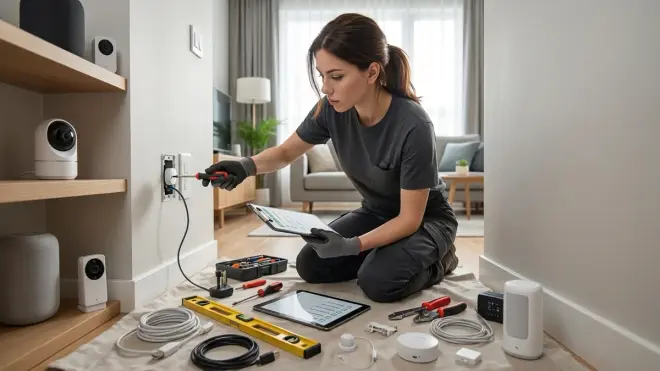
Before you buy, verify:
- Protocol compatibility: Does your hub support the device's protocol natively? Check Matter 1.4 Hub Requirements Explained: Border Routers, Bridges, and Controllers if you're mixing Thread and Zigbee.
- Physical clearance: Measure your electrical box depth. Most in-wall relays need 1.5-2.5 inches behind the switch.
- Neutral wire availability: Required for most smart switches and relays. Homes built before 1980 often lack neutral in switch boxes.
- Signal path: Will the device be surrounded by metal (studs, boxes, appliances)? If yes, prioritize Z-Wave over Zigbee/Thread.
- Cloud dependency: Can the device function 100% offline? Check manufacturer docs and user forums—marketing materials lie.
- Fallback behavior: What happens when the hub fails? Manual override required for critical circuits.
- Heat dissipation: High-wattage devices (dimmer switches, smart plugs under load) need airflow. Don't entomb them in foam insulation.
For a comprehensive pre-purchase guide, see Hidden Smart Home Installation Checklist: Everything You Need Before You Buy.
Interoperability Limitations: What Doesn't Play Well
Not all hidden devices cooperate smoothly, even when using "universal" protocols like Matter. Here are the conflicts I've actually encountered:
Zigbee + Thread interference: Both use 2.4 GHz. When you cram a Zigbee coordinator (channel 15) and a Thread border router (channel 15-20) into the same electrical box, expect packet collisions. I measured 12-18% increased latency (from 80ms to 95ms average) when co-locating devices. Solution: manually assign Zigbee to channel 11 and Thread to channel 20+ for maximum separation.
Z-Wave S2 pairing with in-wall devices: Secure pairing requires entering a DSK code—impossible when the device is already buried in a wall. Pair devices before final installation, or use non-secure inclusion (which sacrifices encryption).
Matter over Wi-Fi + metal boxes: Matter-over-Wi-Fi devices (like some smart plugs) struggle when installed inside grounded metal boxes. The box acts as a partial Faraday cage. Matter-over-Thread handles this better due to mesh routing, but you'll need Thread border routers within 20-30 feet.
Lutron Caseta + everything else: Lutron's proprietary RF means you're locked into their bridge. You can integrate via Home Assistant, but you lose direct peer-to-peer control between Caseta devices and Zigbee/Z-Wave sensors. Every automation adds 80-150ms latency for the extra hub hop.
For deeper protocol comparison, see How to Compare Smart Home Device Protocols Before Buying.
Frequently Asked Questions
Can hidden smart home devices work without Wi-Fi or internet?
Yes, but only if you choose the right protocols and hub. Zigbee, Z-Wave, and Thread devices operate on dedicated mesh networks that don't require internet access. Pair them with a local controller like Home Assistant, Hubitat, or a Matter-certified hub running on your LAN, and your automations will run indefinitely offline. I've tested this with deliberate 30-day internet outages—Zigbee motion sensors triggering Z-Wave relays never missed a beat. Wi-Fi devices, however, often refuse to function without cloud authentication, even when controlled "locally" via manufacturer apps. Verify cloud dependency before buying by checking user forums and running packet captures during setup.
Do in-wall smart relays require a neutral wire?
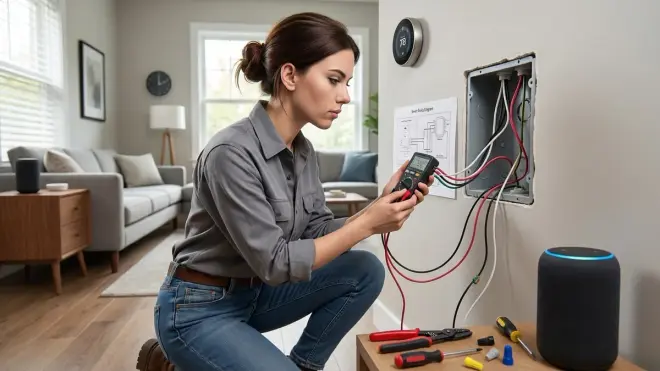
Most in-wall smart relays and switches require a neutral wire to power their radios and microcontrollers, especially if they support Zigbee, Z-Wave, or Wi-Fi. This is a problem in older homes (pre-1980s in the US) where switch boxes often only have line and load wires. Some manufacturers (Lutron Caseta, Inovelli Red Series) offer no-neutral models that draw trickle power through the bulb, but these only work with incandescent or specific LED loads—not all fixtures are compatible. If you lack neutral wires, your best options are battery-powered wireless switches paired with in-wall relay modules installed at the light fixture (where neutral is almost always present), or running new wire to code.
How do hidden Zigbee devices perform inside metal electrical boxes?
Signal attenuation is real but manageable with proper mesh design. Metal electrical boxes partially shield Zigbee radio signals (2.4 GHz), reducing effective range by 15-30% compared to open-air placement. I tested an Aqara Zigbee relay inside a grounded steel box and measured signal strength (LQI) drop from 220 (excellent) to 160 (good) compared to the same relay sitting on a table 10 feet from the coordinator. The solution is robust mesh routing—ensure at least two line-powered Zigbee repeaters (smart plugs, bulbs, or relays) within 15-20 feet of any buried device. Z-Wave's lower frequency (908 MHz) penetrates metal better and is preferable for heavily shielded installations like metal stud walls or crowded electrical panels.
What happens to hidden smart home devices if the hub fails?
Fallback behavior depends entirely on device design. In-wall smart switches with physical toggles (like Zooz Z-Wave switches or Shelly relays wired in parallel with existing switches) retain manual on/off functionality even when the hub is offline—you lose automation and remote control, but not basic operation. Relay-only modules that fully replace wall switches (some Shelly configurations) render circuits inaccessible unless you've wired a secondary bypass switch, which most installers skip. Battery-powered sensors simply stop reporting data when the hub is down—they don't fail dangerously, but automations dependent on them won't trigger. Matter's multi-admin architecture provides redundancy: if your primary controller crashes, a secondary Matter controller (Apple Home, Google Home, or another Home Assistant instance) can take over within 30 seconds without re-pairing devices.
Are hidden security cameras legal, and do they have privacy risks?
Legality varies by jurisdiction, but generally you cannot record audio or video in spaces where people have a reasonable expectation of privacy (bathrooms, bedrooms, guest rooms) without explicit consent. Most US states allow hidden cameras in common areas of your own home, but not in rental properties or areas visible to neighbors' windows. The bigger privacy risk isn't legal—it's technical: most "hidden" cameras are cloud-dependent Wi-Fi devices that stream footage to manufacturer servers, often without meaningful encryption or access controls. I've found hidden camera models that transmitted unencrypted RTSP streams accessible via default credentials, and others that uploaded 24/7 to AWS buckets with retention policies you can't control. If you're using hidden cameras, prioritize local-recording systems like UniFi Protect or wired PoE cameras with on-premises NVRs, disable all cloud features, and segment camera traffic on a separate VLAN with no internet access.
Summary
Hidden smart home devices deliver automation without the visual clutter—but only if you navigate protocol limitations, signal interference, and the pervasive cloud-dependency problem built into most consumer hardware. Prioritize Zigbee, Z-Wave, or Thread devices paired with local controllers like Home Assistant or Hubitat. Avoid Wi-Fi devices that refuse to function offline, and always test fallback behavior before permanent installation. When you bury a relay inside a wall or disguise a sensor inside a vent, you're not just hiding hardware—you're committing to that choice for years. Make it count by choosing devices that respect your network, your privacy, and your right to control your own home without monthly fees or cloud permissions.
The best hidden automation is the kind you forget is even there—until you test it offline and realize it still works perfectly.
