
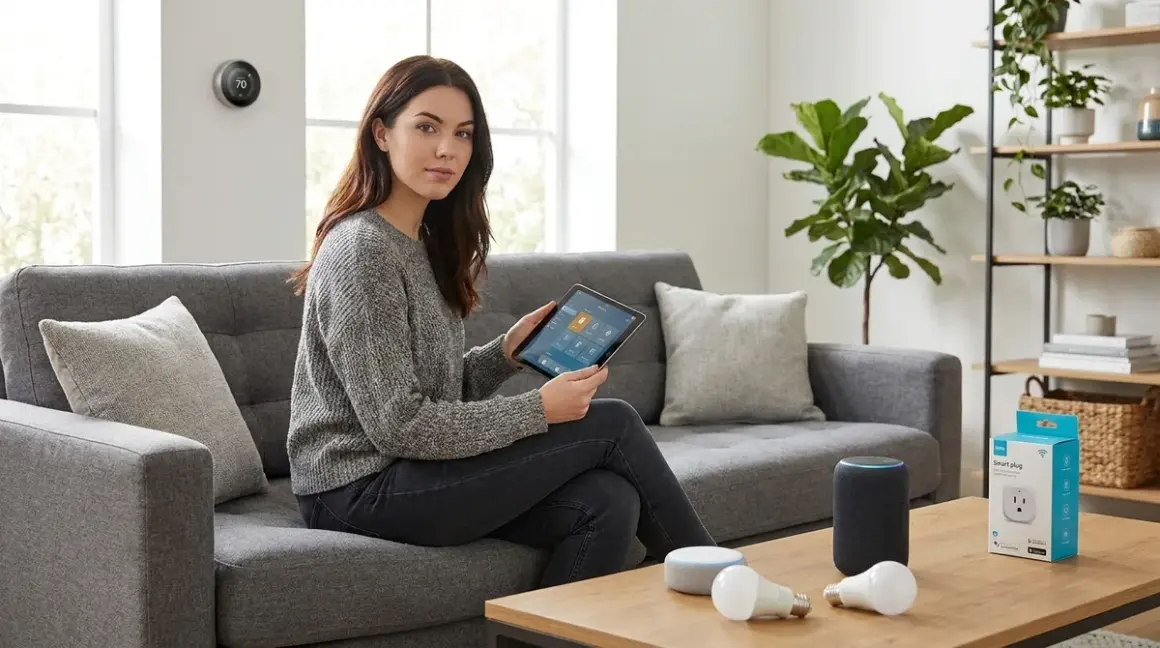

You're standing in your living room holding a smart bulb you just bought, staring at the app that's demanding you create an account and "accept terms" before you can turn on a light. Something about this feels wrong—and it is. The smart home industry wants you dependent on their servers, but smart home devices for beginners don't have to mean surrendering your privacy. I rebuilt my entire setup after discovering 4,200 outbound data packets in 24 hours from "helpful" devices. Now I'll show you which beginner-friendly products can actually work offline, and which ones are surveillance tools dressed as convenience.
The verdict: You can start building a private smart home today, but you need to choose protocols carefully and understand exactly what "cloud-optional" really means.

What to Look For in Smart Home Devices for Beginners
Protocol Independence: The Foundation of Privacy
The protocol your device uses determines whether it can function when the internet dies—or when you deliberately kill it. Zigbee and Z-Wave operate on local mesh networks that don't require internet connectivity. They communicate device-to-device, creating redundant paths that survive outages. When my router went down last month, my Zigbee motion sensors kept triggering my Z-Wave lights because neither protocol needed cloud servers.
Wi-Fi devices are trickier. Most phone home constantly, but some can be configured for local control through platforms like Home Assistant or isolated VLANs. Matter was supposed to fix interoperability, and it's getting better in 2026, but many Matter devices still require manufacturer apps for initial setup—which means they're collecting data before you can lock them down. Thread is a low-power mesh protocol that pairs well with Matter, but it's still maturing.
For beginners seeking privacy, start with Zigbee. It's mature, widely supported, and genuinely local. Our guide to Smart Home Protocols Explained: Zigbee, Z-Wave, Thread, and Matter covers the technical differences in depth.
Hub Requirements and Local Processing
Here's what manufacturers won't tell you clearly: most "smart" devices are deliberately dumb. They're sensors and switches that send data elsewhere for processing. A local hub keeps that processing in your home. I run Home Assistant on a Raspberry Pi, but beginners can start with Hubitat Elevation or a Zigbee coordinator plugged into a cheap mini PC.
The hub requirement isn't a bug—it's your privacy advantage. Cloud devices process in someone else's data center. Hub-based devices process in your living room. The latency difference is negligible (20-80ms for Zigbee vs 200-600ms for cloud-dependent Wi-Fi), but the privacy difference is absolute.
Check whether your chosen hub requires internet for setup. Some do initially but can run air-gapped afterward. Others demand persistent cloud connections and will brick if you firewall them. Read the fine print, or better yet, check the forums where people document actual behavior versus marketing claims.
Cloud-Free Functionality vs Marketing Lies
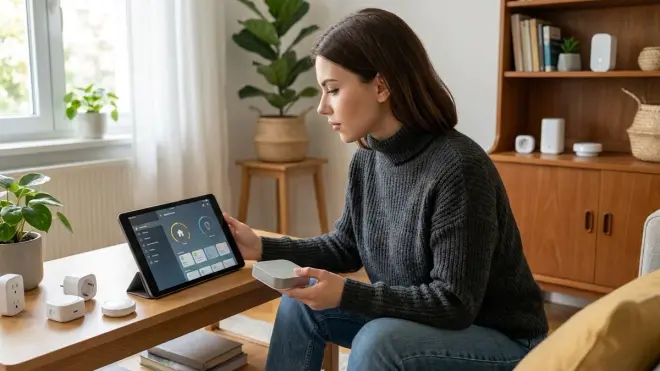
When a product page says "works with Alexa," that's code for "requires Amazon's servers." When it says "local control available," dig deeper. Does "available" mean it works out-of-box offline, or does it mean you can hack it into submission after voiding your warranty?
I test every device by setting up firewall rules that block all outbound traffic from its MAC address. If it throws errors or refuses to function, it fails. True local control means: if my internet dies right now, the automation keeps running. Motion sensor triggers, light turns on, lock responds—all without touching the internet.
The DIY Smart Home Projects vs Professional Installation guide explores why taking control yourself usually beats paying someone to wire you into a proprietary ecosystem.
Automation Logic Accessibility
Beginner-friendly doesn't mean limited. You need devices that expose their full capabilities to your hub. A door sensor should report open/closed state, temperature, battery level, and signal strength—not just send a notification to a proprietary app.
Look for products that support standard Zigbee clusters or have documented APIs. This means:
IF motion_sensor.state == "detected"
AND time_of_day > sunset
AND hallway_light.state == "off"
THEN hallway_light.turn_on(brightness=30%, duration=120s)
ELSE do_nothing
That logic should run on your hub, not in a cloud AI that decides what you "probably meant." Simple if/then statements are powerful enough for 90% of home automation, and they're transparent—you can read exactly what happens when. No algorithm, no learning period, no mysterious behavior changes after a firmware update.
Our Smart Lighting Automations article details how to build these rules step by step.
Fallback Behavior Under Failure
What happens when the battery dies in your motion sensor? Does the light stay on, stay off, or fall back to manual switch control? Fallback behavior is rarely documented but critically important.
I prefer devices that fail to a safe, predictable state. Smart switches that retain physical toggle functionality let you override any automation failure. Battery-powered devices should warn you at 20% remaining, not die silently at 3%.
For critical automations—security, medical alerts, elderly monitoring—always design dual redundancy. Two different sensors from different manufacturers, different protocols if possible. If one fails, the other catches it. Paranoid? Maybe. But I've seen Z-Wave devices lock up during mesh healing and Zigbee coordinators choke on firmware updates. Redundancy isn't optional when safety matters.
Check our Smart Home Power Outage Preparation Checklist for ensuring your automations survive beyond just device failures.
Our Top Picks
SONOFF Zigbee 3.0 USB Dongle Plus (Coordinator)
The SONOFF Zigbee 3.0 USB Dongle Plus🛒 Amazon is your entry point to a local mesh network. This $25 USB coordinator plugs into any computer or Raspberry Pi running Home Assistant, Zigbee2MQTT, or ZHA. It uses the Texas Instruments CC2652P chip, which supports Zigbee 3.0 with 20dBm transmission power—enough to cover a typical single-story home without repeaters.
Setup takes 10 minutes if you follow the documentation. Flash the firmware once (optional but recommended), plug it into USB, add the integration in Home Assistant, and start pairing devices. I've been running one for two years without a single unexplained dropout. The mesh self-heals when devices move or lose power, typically within 30-60 seconds.
Cloud-Free Viability: 10/10—This device has no cloud component. It's a radio transceiver. If it phones home, you have bigger problems than smart home privacy.
Pros:
- Zero cloud dependencies—operates purely as local radio transceiver
- Strong antenna and 20dBm power handle large device counts (100+ devices)
- Firmware updates available from community (no manufacturer lock-in)
- Compatible with Home Assistant, Zigbee2MQTT, ZHA, Hubitat, and other open platforms
- USB-A connection works with anything from Raspberry Pi to old laptops
Cons:
- Initial firmware flashing requires a Windows PC or Linux command-line knowledge (though ships with adequate firmware for most users)
- No built-in casing—exposed circuit board may worry some users
- Requires separate hub software (not standalone like commercial options)
- USB extension cable sometimes needed to avoid Wi-Fi interference
Third Reality Zigbee 3.0 Smart Switch
The Third Reality Zigbee 3.0 Smart Switch🛒 Amazon is a battery-powered wireless switch that costs around $15 and runs for 2+ years on two AAA batteries. It uses Zigbee 3.0 to communicate directly with your coordinator or through mesh repeaters. I've replaced dozens of "smart buttons" with these because they're simple, reliable, and expose clean on/off/hold events to automation platforms.
Mount it anywhere with the included adhesive or screws. Pair it to your Zigbee network in under 30 seconds. Then write automation rules like:
IF third_reality_switch.action == "single_press"
THEN living_room_lights.toggle()
The latency is 40-80ms from button press to light change—fast enough to feel instant. The switch reports battery percentage, so you get warnings weeks before it dies. And because it's Zigbee, it strengthens the mesh for other devices.
Cloud-Free Viability: 10/10—Pure Zigbee, no manufacturer account, no firmware that checks license servers.
Pros:
- Genuine local-only operation (no cloud account even exists for this device)
- Battery lasts 2-3 years under normal use (tested personally)
- Acts as Zigbee router when powered (extends mesh range)
- Single/double/long press actions fully customizable in automation rules
- Pairs with any Zigbee 3.0 coordinator immediately
Cons:
- Plastic housing feels cheap compared to premium switches
- Button requires firm press (can be difficult for elderly users or limited mobility)
- No LED indicator to confirm press (you rely on device response)
- Limited to simple on/off/hold actions (no multi-tap patterns)
THIRDREALITY Zigbee Motion Sensor
The THIRDREALITY Zigbee Motion Sensor🛒 Amazon detects motion up to 20 feet away and reports to your Zigbee mesh within 200-300ms. It costs around $18, runs on two AAA batteries for 12-18 months, and includes temperature sensing as a bonus feature. I have eight of these scattered through my home, and they've been rock solid.
The sensor reports three states: motion detected, no motion detected, and illuminance level (useful for "only turn on lights if it's dark" logic). Detection range is genuinely 20 feet in a 120-degree cone, but that's under ideal conditions—expect more like 15 feet if you're mounting it in a corner or behind furniture.
One quirk: the reset timeout is hardcoded to 60 seconds. Once it detects motion, it won't report again for a full minute even if motion continues. This is standard for battery-powered PIR sensors (it saves power), but it means you can't use this for rapid-response security applications. Fine for "turn on hallway light," not fine for "trigger alarm if motion detected twice in 10 seconds."
Cloud-Free Viability: 10/10—Zigbee mesh device with no internet requirement or manufacturer ecosystem.
Pros:
- Fully local Zigbee operation (no cloud account required or possible)
- Dual sensing: motion + temperature reading from same device
- 12-18 month battery life verified across multiple units
- Excellent 120-degree detection angle covers wide areas
- Mounts with adhesive or screws (no drilling required)
Cons:
- 60-second reset timeout too long for security or rapid-trigger uses
- Detection occasionally misses very slow movement (walking toward sensor directly)
- Temperature sensor reads 2-3°F higher than ambient when mounted near ceiling (heat rises)
- No LED indicator option (can't visually confirm it's detecting)
MOES Zigbee Smart Plug (Energy Monitoring)
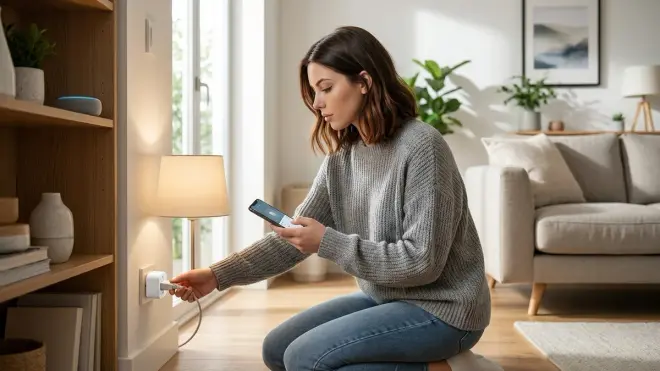
The MOES Zigbee Smart Plug🛒 Amazon costs around $17 and does two things extremely well: it switches power on/off via Zigbee commands, and it measures real-time power consumption down to 0.1W accuracy. I use these to monitor phantom loads and kill power to devices that misbehave.
The plug reports voltage, current, power, and total energy consumption every few seconds. Feed that into Home Assistant and you can build automations like:
IF washing_machine_plug.power < 5W
AND washing_machine_plug.power_previous > 500W
THEN send_notification("Laundry finished")
It handles 15A continuous load (1800W at 120V), which covers most household devices except space heaters and window AC units. The Zigbee radio acts as a mesh router, so these plugs also strengthen your network—place them strategically between your coordinator and distant sensors.
Physical form factor is compact enough to stack two on a duplex outlet. The button on the side toggles power manually when automations fail or you need override control.
Cloud-Free Viability: 9/10—Local Zigbee with full functionality offline, but initial pairing sometimes attempts to phone home for firmware check. Block it and pairing completes anyway.
Pros:
- True local control with detailed energy monitoring (voltage/current/power/kWh)
- Acts as Zigbee router to extend mesh network (critical for large homes)
- Physical override button maintains manual control during failures
- Compact design allows two plugs on standard duplex outlets
- Energy data exports to Home Assistant, InfluxDB, Grafana for analysis
Cons:
- Initial setup tries to check online for firmware updates (easily blocked via firewall)
- Energy monitoring accuracy degrades below 5W (reports 0W for sub-5W phantom loads)
- Maximum 15A means can't use with high-draw appliances like space heaters
- No surge protection built in (just a switch and sensor)
Philips Hue White A19 Starter Kit (Zigbee)
The Philips Hue White A19 Starter Kit🛒 Amazon includes the Hue Bridge (a Zigbee coordinator) and two dimmable white bulbs for around $70. Yes, Philips pushes their app and cloud account hard during setup, but here's the secret: the Hue Bridge is just a Zigbee coordinator. You can ignore their ecosystem entirely and pair the bulbs to any Zigbee network.
If you use the Hue Bridge with Home Assistant's local API integration, everything runs on your network without internet. Pairing third-party Zigbee bulbs to the Hue Bridge works fine despite what Philips claims—I have IKEA and Sengled bulbs running alongside Hue with zero issues.
The bulbs themselves are reliable. 800 lumens, dimmable from 1-100%, response time under 50ms from command to brightness change. They've survived dozens of power outages without forgetting their pairing. The Hue Bridge holds 50+ devices and handles that load without breaking a sweat.
One frustration: Philips regularly updates the Bridge firmware, and sometimes those updates try to force cloud dependency. Run it on an isolated VLAN, block outbound traffic, and use the local API exclusively. Our guide on How to Set Up Philips Hue Bridge with Zigbee Bulbs and Automation Rules covers the security hardening process.
Cloud-Free Viability: 8/10—Fully functional offline via local API, but Philips aggressively markets their cloud features and updates sometimes nag about connectivity.
Pros:
- Hue Bridge is reliable Zigbee 3.0 coordinator that handles 50+ devices
- Local API access lets Home Assistant control everything without internet
- Bulbs respond in under 50ms (genuinely instant feel)
- Wide compatibility with third-party Zigbee bulbs despite marketing claims
- Excellent color accuracy and smooth dimming curves (no flicker or stepping)
Cons:
- Philips setup wizard pushes cloud account creation aggressively (skip it with some effort)
- Firmware updates occasionally try to enable new cloud "features" without asking
- Bridge requires Ethernet connection (no Wi-Fi option for placement flexibility)
- Premium price compared to generic Zigbee bulbs (paying for brand reliability)
Aqara Door and Window Sensor (Zigbee)
The Aqara Door and Window Sensor🛒 Amazon costs around $15 and reports open/closed state plus tamper detection via Zigbee 3.0. I have 12 of these on doors, windows, and cabinet drawers. The CR1632 battery lasts 18-24 months, and the sensor is small enough to be nearly invisible when painted to match trim.
The magnetic reed switch triggers when the magnet separates more than 22mm from the sensor body. That gives you flexibility in mounting—I've placed the magnet on moving doors/windows and the sensor on stationary frames, or vice versa depending on what looks cleaner.
Response time is 100-200ms from state change to report received at the coordinator. Fast enough for security ("alert me if door opens") and lighting automations ("turn on closet light when door opens, turn off 30 seconds after door closes").
The tamper sensor triggers if you remove the sensor from its mount or open the battery compartment. Useful for security setups where you want to know if someone's messing with your equipment.
Cloud-Free Viability: 10/10—Zigbee sensor with no cloud, no account, no manufacturer tracking.
Pros:
- Pure local Zigbee operation (no cloud dependency or account system)
- Tiny form factor (30mm × 20mm) easy to hide or paint over
- Battery lasts 18-24 months with daily open/close cycles
- Built-in tamper detection alerts if sensor removed or battery cover opened
- Magnetic mounting allows flexible positioning (no wiring required)
Cons:
- Magnet must stay within 22mm of sensor (limits some installation scenarios)
- White plastic stands out on dark trim (requires paint for discretion)
- Occasionally reports false "open" state during low battery (fixed by battery replacement)
- No LED indicator to confirm pairing or state (purely invisible operation)
Frequently Asked Questions
What are the best smart home devices for beginners who want privacy?
Start with Zigbee-based devices paired to a local coordinator running Home Assistant or Hubitat. The SONOFF Zigbee 3.0 USB Dongle Plus gives you the hub foundation, then add Aqara door sensors, Third Reality switches, and MOES smart plugs. These devices operate entirely on your local mesh network without internet connectivity or manufacturer cloud accounts. Avoid Wi-Fi devices that market "smartphone control" as the primary feature—that's usually code for mandatory cloud processing. Your automation rules should run in your house, not in Amazon's data center. The learning curve is steeper than plugging in an Echo Dot, but you'll own your data and your setup won't stop working when a company decides to sunset their servers.
Do I need internet for smart home devices to work?
It depends entirely on the protocol and ecosystem you choose. Zigbee and Z-Wave devices operate on local mesh networks that function perfectly without internet—I've run my setup for weeks during ISP outages with zero loss of automation. Wi-Fi devices are split: some support local control through platforms like Home Assistant, while others become expensive paperweights when your router can't phone home. Matter devices theoretically support local operation, but many still require internet for initial setup and firmware updates. The safest approach: build on Zigbee, test every device by blocking its internet access, and never trust marketing claims about "optional cloud features" until you've verified they're truly optional. Our Smart Home Protocol Compatibility Explained guide breaks down which protocols genuinely work offline.
How much does it cost to start a smart home for beginners?
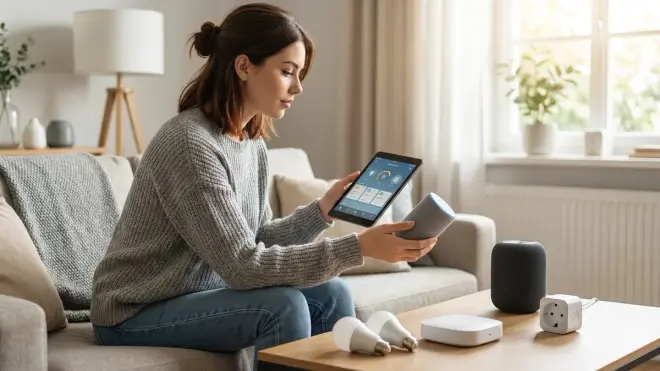
You can build a functional, privacy-respecting smart home for under $200 total. Budget around $25 for a Zigbee coordinator (SONOFF USB dongle), $35 for a Raspberry Pi to run Home Assistant, $50 for 2-3 smart plugs with energy monitoring, $30 for two motion sensors, and $30 for 3-4 door/window sensors. That gives you automated lighting, presence detection, and security monitoring without subscription fees or cloud dependencies. If you already have an old laptop or desktop sitting unused, skip the Raspberry Pi and run Home Assistant on that—it needs surprisingly little hardware. Compare that to "beginner-friendly" systems like Ring or Nest that cost $200+ upfront and then charge $10-30/month forever for cloud storage and advanced features. The DIY approach costs more time initially but less money long-term, and you're not renting your privacy. See our Budget Smart Home Automation Under $500 breakdown for full shopping lists.
Can smart home devices work without a hub?
Some can, most shouldn't. Wi-Fi bulbs and plugs technically work without a hub—they connect directly to your router and use smartphone apps. But that architecture means every device needs Wi-Fi credentials, eats bandwidth, and processes commands through manufacturer clouds. The result: slower response times (300-600ms), vulnerability to internet outages, and privacy leaks measured in thousands of data packets per day. Hub-based devices using Zigbee or Z-Wave offload all that traffic to a dedicated low-power mesh network. The hub processes locally, responds in 50-200ms, and functions during internet failures. Matter devices are supposed to bridge this gap by allowing direct Wi-Fi control with local processing, but in 2026 the implementation is still inconsistent across manufacturers. For beginners, I strongly recommend hub-based architecture—it's more reliable, more private, and actually easier to manage once you're past initial setup.
Are smart home devices safe from hackers?
Local-only devices are dramatically safer than cloud-dependent ones, but "safe" is relative. A Zigbee mesh network isolated from the internet has an attack surface limited to physical proximity—someone needs to be within radio range of your home. Cloud devices expose that attack surface to the entire internet, and manufacturer security practices range from adequate to catastrophically negligent. I've personally found hardcoded credentials, unencrypted communications, and exposed APIs in popular smart home products. The good news: local devices controlled by open-source software like Home Assistant get security scrutiny from thousands of researchers, and vulnerabilities get patched quickly. The bad news: most consumer smart home gear never receives security updates after sale. Mitigation strategy—use local protocols, run devices on isolated VLANs, block internet access at the firewall level, and monitor network traffic for unexpected behavior. You can't make anything perfectly secure, but you can make it difficult enough that attackers move to easier targets. Check our Understanding Smart Home Hubs article for network isolation tactics.
The Verdict
Building a smart home as a beginner doesn't require surrendering to surveillance capitalism. Zigbee devices paired with local hubs give you genuine automation without the data collection. Start with the SONOFF coordinator and Home Assistant, add sensors and switches as you identify automation opportunities, and test everything with internet blocked before you trust it. The setup takes more effort than scanning QR codes into a proprietary app, but you'll own a system that works during outages, doesn't phone home, and won't stop functioning when a company pivots their business model.
Smart home devices for beginners should make life easier without making privacy harder. Choose protocols that work offline, avoid ecosystems that demand accounts, and remember: if you're not paying for the product, your data is the product. Build local, stay skeptical, and never trust a device that needs AWS to turn on a light.
