
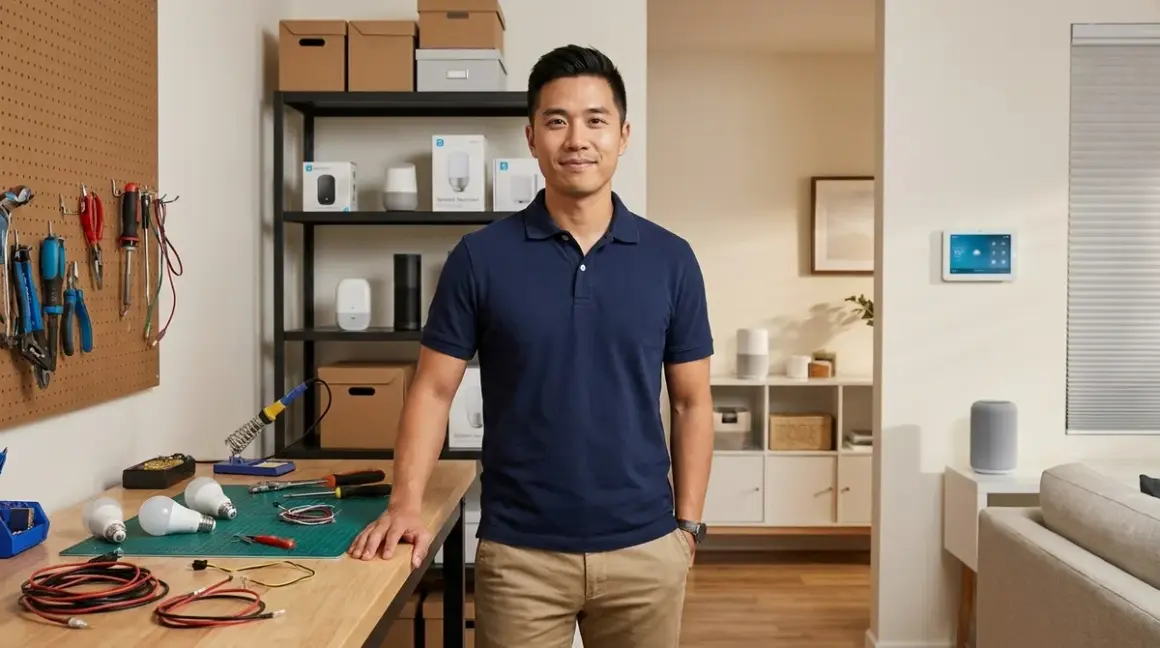

For most homeowners, DIY smart home installation is better for Wi-Fi and plug-and-play devices, while professional installation pays off for hardwired systems, multi-protocol networks, and complex automations. This guide compares diy smart home vs professional installation across cost, complexity, reliability, and long-term maintenance so you can decide which approach matches your technical comfort level and automation goals.
You'll find detailed breakdowns of installation complexity by protocol, cost comparisons including hidden expenses, reliability factors that differ between self-installed and professionally configured systems, and real-world scenarios where one approach clearly outperforms the other.
Quick Comparison: DIY vs Professional Smart Home Installation
| Criteria | DIY Installation | Professional Installation |
|---|---|---|
| Upfront Cost | $300-$2,000 for devices only; no labor costs | $1,500-$8,000+ including labor ($75-$150/hour typical) |
| Protocol Complexity | Best for Wi-Fi, Matter 1.4, simple Zigbee setups | Essential for Z-Wave mesh optimization, multi-protocol bridges, hardwired systems |
| Time Investment | 15-40 hours for learning, testing, troubleshooting | 4-12 hours for consultation and supervision only |
| Long-Term Reliability | Depends heavily on your network knowledge and device selection | Higher upfront reliability but you're dependent on the installer's ongoing support |
| Customization Control | Complete control over automation logic and device selection | Limited to installer's preferred brands and ecosystems |
How Much Does Each Approach Actually Cost?
The diy smart home vs professional cost difference goes far beyond the installer's hourly rate. You need to account for tools, hidden compatibility expenses, and the value of your time.
For DIY installations, you'll spend $0 upfront on labor but you need to budget for learning time. A basic Wi-Fi-based smart lighting system with 8-12 bulbs and a voice assistant costs around $300-$500. Add Zigbee or Thread devices, and you'll need a compatible hub—budget another $80-$180 for something like a SmartThings Station🛒 Amazon or Amazon Echo Hub🛒 Amazon. In my experience, first-time DIY installers underestimate replacement costs when they buy incompatible devices: you might spend $40 on a Z-Wave switch only to discover your hub doesn't support Z-Wave, forcing you to buy a different switch or a new hub.
Professional installation starts at $1,500-$3,000 for basic whole-home systems (lighting, thermostat, locks, and simple automations). Complex installations—whole-home audio, hardwired in-wall switches, multi-zone climate control, integrated security—often run $5,000-$15,000. The installer provides the labor, but you're still buying the devices. Some integrators mark up hardware 20-40% above retail, so a $200 smart thermostat becomes $240-$280 in your final invoice.
Hidden DIY costs include trial-and-error purchases, protocol adapters you didn't know you'd need, and upgraded network equipment. If your Wi-Fi router can't handle 30+ smart devices, you'll need a mesh system or enterprise-grade router—add $200-$400. I've seen homeowners spend $600 on devices over six months, then hire a professional anyway when automations fail.
Hidden professional costs include annual maintenance contracts ($200-$500/year), service call fees for troubleshooting ($100-$200 per visit), and vendor lock-in. If your installer configured everything through a proprietary platform, you can't easily switch providers without rebuilding your automations.
What's the Real Installation Complexity for Each Protocol?
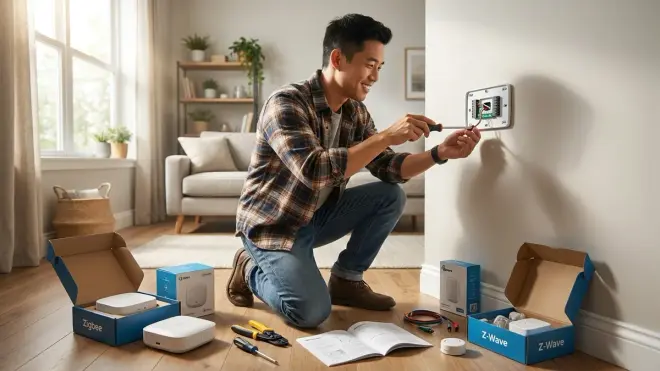
Installation difficulty varies dramatically based on which protocols you choose, and this is where diy smart home vs professional decisions become protocol-specific.
Wi-Fi devices are the easiest DIY option. You download an app, scan a QR code, connect to your 2.4GHz network, and you're operational within 5-10 minutes. The Kasa Smart Plug KP125M🛒 Amazon takes about three minutes to set up. The catch: Wi-Fi devices flood your network. Once you pass 25-30 devices, you'll experience latency spikes (200-800ms response times instead of the typical 100-300ms) and dropped connections. I've seen whole networks crash because someone added 15 Wi-Fi bulbs to an already-congested router.
Matter 1.4 devices promise cross-platform compatibility, but setup varies wildly by ecosystem. Pairing a Matter light to Apple Home takes 30-60 seconds via QR code. Pairing that same light to Google Home and then creating a shared automation between Google and Amazon platforms requires understanding Matter Thread border routers, which Thread radio acts as the primary controller, and fallback behavior when one ecosystem goes offline. For a single-ecosystem setup, DIY is straightforward. For multi-ecosystem Matter networks, professional installation ensures your Thread mesh is properly configured and devices don't orphan themselves when one hub reboots.
Zigbee systems sit in the middle. Pairing a Zigbee bulb to a Philips Hue Bridge is simple—you reset the bulb and it auto-joins the mesh. But scaling to 40+ Zigbee devices across three rooms requires understanding mesh router placement (you need a powered Zigbee router every 30-40 feet to maintain signal strength) and channel conflicts (your Zigbee hub should be on channel 25 if your Wi-Fi router is on channel 6 to avoid interference). This is manageable for DIY if you're willing to spend 8-12 hours learning how Zigbee mesh networks propagate and testing signal strength with a site survey app.
Z-Wave networks are where I recommend professional installation for most homeowners. Z-Wave uses a different frequency (908.4 MHz in North America) and has more stringent mesh requirements than Zigbee. Each Z-Wave switch or dimmer acts as a repeater, but you need to physically sequence the installation correctly—install devices closest to the hub first, then work outward. If you install switches in the wrong order, devices won't establish stable routes and you'll get 3-10 second latency or complete dropouts. I've seen DIYers spend 20+ hours trying to fix routing tables that a professional would have avoided by installing devices in the correct sequence from day one.
Hardwired installations (in-wall switches, dimmers, motorized shades) require electrical work. If you're comfortable with line voltage wiring, a basic in-wall smart switch installation takes 20-30 minutes per switch. But most jurisdictions require licensed electricians for anything beyond replacing a switch in an existing box, and if you need to add neutral wires to older homes (common in pre-1985 construction), that's a multi-day project costing $800-$2,500.
How Reliable Are DIY vs Professional Installations Long-Term?
Reliability differences between diy smart home vs professional setups boil down to network design, fallback logic, and ongoing maintenance—not the devices themselves.
Professional installations typically include network segmentation (IoT devices on a separate VLAN), backup power for critical hubs (UPS systems for Zigbee/Z-Wave controllers), and properly configured fallback automations. When your internet goes down, a well-designed professional system keeps local automations running because the installer configured everything with local control as the priority. For example:
IF motion detected (Zigbee motion sensor → local hub processing)
  AND time is between 10:00 PM - 6:00 AM
  THEN turn on hallway lights at 30% brightness (command sent via Zigbee mesh, no internet required)
  TIMEOUT: lights off after 5 minutes of no motion
This automation runs entirely on the local Zigbee mesh. The installer ensured the motion sensor has a clear mesh path to the hub, tested response times (should be under 400ms for reliable motion lighting), and verified the automation persists through hub reboots.
DIY installations often rely on cloud-dependent automations because that's the default in most consumer apps. Your Alexa routine might work perfectly for six months, then fail when Amazon's servers go down or your ISP has an outage. I've seen homeowners create automations that inadvertently require three different cloud services to communicate (Philips Hue cloud → SmartThings cloud → Alexa cloud → back to Hue cloud), introducing 4-8 second latency and multiple failure points.
The reliability advantage for DIY is you're not dependent on an installer's availability when something breaks. If a device goes offline, you can troubleshoot immediately. With professional systems, you're waiting for a service call, which might take 3-7 days depending on the integrator's schedule.
Protocol-specific reliability: Z-Wave networks professionally installed have failure rates around 2-3% over two years (devices dropping offline or losing routes), while DIY Z-Wave networks see 12-18% failure rates because the mesh wasn't optimized during installation. Wi-Fi devices show the opposite pattern—DIY failure rates (8-10%) are only slightly higher than professional (5-7%) because Wi-Fi setup is more straightforward.
Matter 1.4 networks are still new enough that long-term reliability data is limited, but early indicators suggest professionally configured Thread mesh networks maintain better stability than DIY attempts because the installer understands Thread border router hierarchy and can optimize for multi-ecosystem failover.
When Does Warranty and Support Actually Matter?
Professional installations typically include 90-day to 1-year warranties on labor and device configuration, plus ongoing support contracts. If your automation stops working, one phone call gets you troubleshooting—the installer knows exactly how they configured your system. But here's the catch: if you later buy a new device and try to add it yourself, you might void that support agreement. Many integrators require you to purchase devices through them or pay an hourly fee to integrate third-party hardware.
DIY installations put all troubleshooting on you. You'll spend time in Reddit forums, manufacturer support chats, and YouTube tutorials. For Wi-Fi and Matter devices, manufacturer support is usually adequate—Philips Hue's support documentation is excellent, and most Wi-Fi devices have straightforward app-based troubleshooting. For Zigbee and Z-Wave, you're relying on community forums because manufacturers assume you understand mesh networking fundamentals.
Device warranties are identical whether you DIY or hire a pro. A smart thermostat has a 1-2 year warranty regardless of who installed it. The difference is whether you can diagnose configuration vs hardware failures. I've seen DIYers replace perfectly functional devices because they didn't realize the problem was a Z-Wave routing conflict, not a defective switch.
Who Should Choose DIY Installation?
You're a good candidate for DIY smart home installation if:
You're comfortable with basic network concepts like IP addresses, DHCP, and 2.4GHz vs 5GHz Wi-Fi bands. You don't need to be a network engineer, but you should understand why your Zigbee hub needs a static IP address and what happens when your router assigns it a new one after a reboot.
You're starting with a simple, single-protocol system—all Wi-Fi devices, or a Zigbee-only setup with one hub. Avoid DIY if you're planning a multi-protocol network with Z-Wave switches, Zigbee sensors, Matter lights, and Wi-Fi cameras all talking to each other from day one.
You value control and customization over speed. DIY gives you complete freedom to choose devices, switch ecosystems, and create complex automations using platforms like Home Assistant. You'll spend more time learning and testing, but you're not locked into an installer's preferred brands.
Your home has modern electrical infrastructure (neutral wires in switch boxes, grounded outlets). If you're in a pre-1980s home with no neutral wires, budget for electrical upgrades or stick with smart bulbs and plug-in devices rather than in-wall switches.
Who Should Choose Professional Installation?
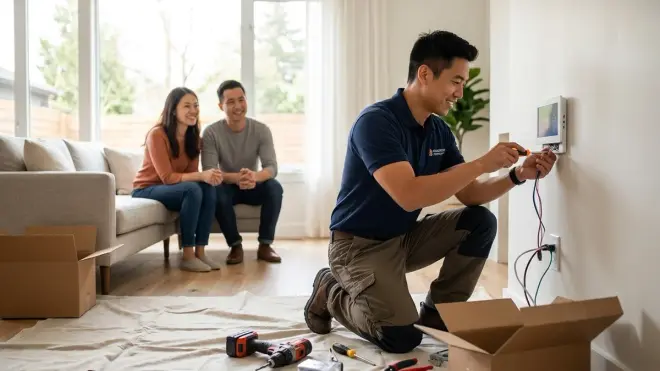
Professional installation makes sense when:
You're installing hardwired devices or making permanent changes like motorized shades, in-wall speakers, or whole-home energy monitoring systems. The labor cost for an electrician to add neutral wires or run low-voltage cabling is the same whether they're installing smart switches or dumb ones—you might as well have them configure the smart features too.
You're building a multi-protocol system with Z-Wave, Zigbee, Thread, and Wi-Fi devices that need to work together reliably. A professional will design the network topology, configure VLAN segmentation for security, and ensure your Thread border routers are positioned correctly to maintain mesh stability. This is especially critical if you're integrating whole-home battery backup with smart load management—you need someone who understands both electrical systems and network protocols.
You don't have 15-30 hours to learn troubleshooting skills. If a motion sensor stops triggering lights, do you want to spend three hours reading about Zigbee channel interference and mesh routing, or do you want to call someone who'll fix it in 20 minutes? Your time has value—if you bill $75/hour professionally, spending 20 hours on DIY installation costs $1,500 in opportunity cost, which starts to approach professional installation pricing.
You want a system that's immediately reliable for critical automations like senior safety monitoring, security systems, or automated irrigation that prevents landscape damage. Professional installers test every automation scenario, verify fallback behavior, and document the system so you know exactly how it works.
Frequently Asked Questions
Can I start with DIY and switch to professional installation later?
Yes, but you'll likely pay more overall than choosing one approach from the start. Most professional installers charge higher hourly rates to integrate existing DIY systems because they need to reverse-engineer your automations, identify compatibility issues, and work around devices they didn't choose. If you DIY a Wi-Fi-based system and later want to upgrade to a Z-Wave mesh network, expect to replace most devices rather than integrate them. The exception: if you DIY using professional-grade equipment (Lutron Caseta, Control4-compatible devices, etc.), many installers will work with your existing hardware at standard rates.
Which smart home protocol is easiest for complete beginners to install themselves?
Wi-Fi devices and Matter 1.4 devices paired to a single ecosystem (Apple Home, Google Home, or Alexa) are the most beginner-friendly options for DIY installation. You'll get 95% of your devices working within 30-60 minutes each, and troubleshooting is usually as simple as rebooting the device or checking your Wi-Fi password. Avoid Z-Wave for your first DIY project unless you're willing to spend significant time learning mesh network optimization—the protocol is powerful but unforgiving of installation mistakes. Zigbee offers a middle ground with easier setup than Z-Wave but better scalability than Wi-Fi, making it ideal for second-stage DIY projects after you've mastered Wi-Fi basics.
How do I know if my home needs electrical upgrades before installing smart switches?
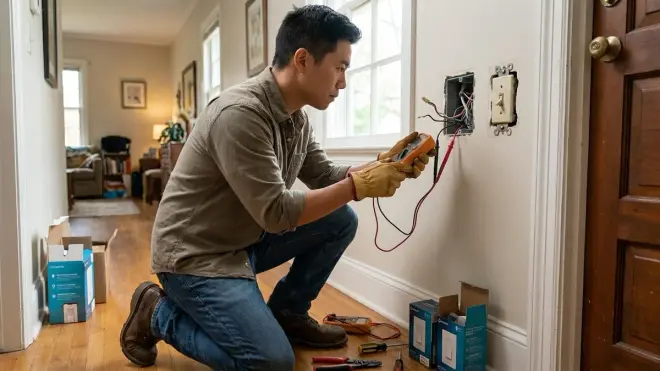
Check whether your existing switch boxes have neutral wires—you'll see a bundle of white wires wire-nutted together in the back of the box, separate from the load and line wires connected to your current switch. If you only see a black wire (line), a red or black wire (load), and a bare copper ground wire, you don't have a neutral and you'll need an electrician to run one from your breaker panel. Alternatively, choose smart switches that don't require neutral wires like Lutron Caseta dimmers (which work with most bulb types) or stick with smart bulbs instead of smart switches. For homes built before 1985, assume you'll need neutral wire upgrades for at least 50% of your switch boxes, which typically costs $600-$1,200 for a whole-home installation.
Bottom Line: Match the Approach to Your System Complexity
The diy smart home vs professional decision isn't one-size-fits-all—it's protocol-specific and scales with system complexity.
Go DIY if you're building a simple Wi-Fi or single-protocol system, you value learning and customization, and you have time to troubleshoot. Start with plug-and-play devices, test automations thoroughly, and expand gradually as you learn each protocol's quirks. You'll save $1,500-$5,000 on labor and gain complete control over your system.
Hire a professional for hardwired installations, multi-protocol networks, Z-Wave mesh optimization, or time-critical projects. You'll pay more upfront but get immediate reliability, proper network design, and support when things break. This approach makes the most sense when your time is worth more than the learning curve investment or when you're integrating smart home features with whole-home energy systems that require both electrical and network expertise.
Most homeowners benefit from a hybrid approach: DIY the Wi-Fi and Zigbee devices, hire an electrician for in-wall switches and neutral wire upgrades, and consult a smart home integrator for one-time network design review (around $300-$500) before you buy devices. You'll avoid costly compatibility mistakes while maintaining control over automations and device selection.
