
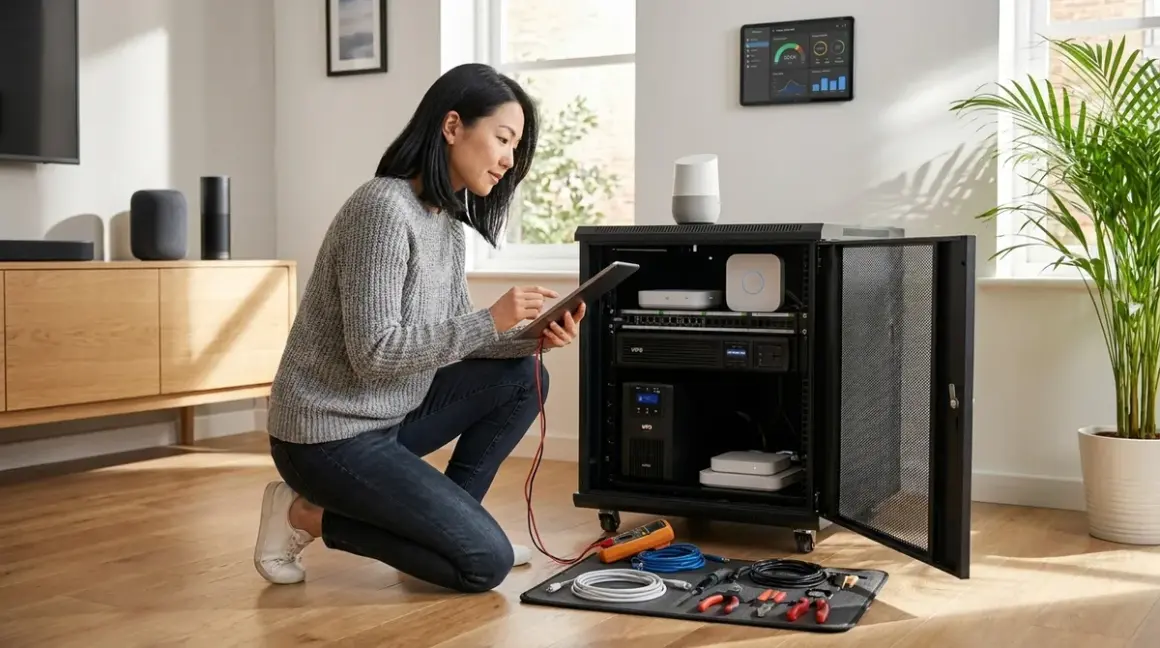

When the power fails, a well-designed smart home shouldn't become a haunted house of dead sensors and dark rooms. This smart home power outage checklist walks through the invisible infrastructure that keeps your automation running seamlessly during blackouts—from calculating UPS runtime for mesh networks to prioritizing which protocols recover fastest. You'll learn to size backup systems properly, understand fallback behaviors across Zigbee, Z-Wave, Thread, Matter, and Wi-Fi ecosystems, and configure automations that adapt gracefully when grid power vanishes.
Critical Infrastructure: Hub & Network Priority
Your smart home's intelligence lives in its hubs and network infrastructure. When power fails, these devices determine whether automations continue or collapse entirely.
Router and modem on dedicated UPS (minimum 2-hour runtime) — Your Wi-Fi backbone serves multiple functions simultaneously: cloud-connected devices need internet access, mesh protocols use your network for remote control via smartphone apps, and hub firmware updates require connectivity during restoration. Calculate total wattage of router, modem, and any network switches, then size a UPS to deliver at least double that capacity for meaningful runtime. The APC Back-UPS Pro 1500VA handles most residential network setups reliably, though its fan activates audibly during battery operation—worth noting if your networking equipment lives in quiet spaces like bedroom closets.
Primary hub for dominant protocol on same UPS as network — If your home runs primarily Zigbee devices through a hub like the Philips Hue Bridge, that controller becomes your automation lifeline during outages. Zigbee and Z-Wave mesh networks operate locally without internet—automations continue executing as if/then logic stored on the hub itself. Thread networks similarly operate through border routers that maintain local mesh connectivity. Wi-Fi smart devices, conversely, often lose all automation capabilities without cloud access, even if your local network stays powered.
Secondary hubs for mixed-protocol homes require separate runtime calculation — Homes blending ecosystems need power planning for each protocol family. A Z-Wave hub managing door locks and sensors draws different wattage than a Matter-over-Thread border router controlling lighting. Understanding which devices need which bridges clarifies your backup power architecture before you size UPS systems.
Smart switches and wired sensors maintain position memory; battery sensors enter low-power mode — Hardwired in-wall smart switches (Zigbee, Z-Wave, or Matter-certified) typically remember their last state when power returns, reconnecting to mesh networks within 30-90 seconds. Battery-powered sensors—motion detectors, door contacts, temperature monitors—continue reporting to hubs during outages, but many enter power-conservation modes that increase reporting latency from <1 second to 5-15 seconds. This delay affects security automations that depend on instant motion detection.
Cloud-dependent automations fail regardless of local power backup — If your lighting scenes run through cloud services (most Wi-Fi bulbs, some poorly configured smart home platforms), local UPS units won't restore functionality during internet outages. Prioritize local automation logic over cloud-based triggers for critical functions like entryway lighting, security responses, and accessibility features.
Mesh network recovery time varies by protocol density — A Zigbee network with 40+ devices on a powered hub recovers in 2-4 minutes as nodes rediscover routes. Sparse networks with 5-8 devices reconnect in 15-45 seconds. Z-Wave networks typically recover faster due to more deliberate routing tables, while Thread networks excel at rapid mesh reformation thanks to their self-healing architecture. Plan for this latency when testing automations after power restoration—don't assume instant responsiveness.
Matter-over-Thread bridged to other protocols introduces recovery dependencies — If you're using Matter to unify Zigbee lighting with Thread sensors, power restoration triggers a cascade: Thread border router comes online, Matter fabric re-establishes, then cross-protocol bridges reconnect. This adds 30-90 seconds to full automation availability compared to single-protocol systems. Matter 1.4's improved fabric recovery reduces this delay, but testing your specific device combinations reveals real-world timing.
Device-Level Backup: What Needs Power, What Doesn't
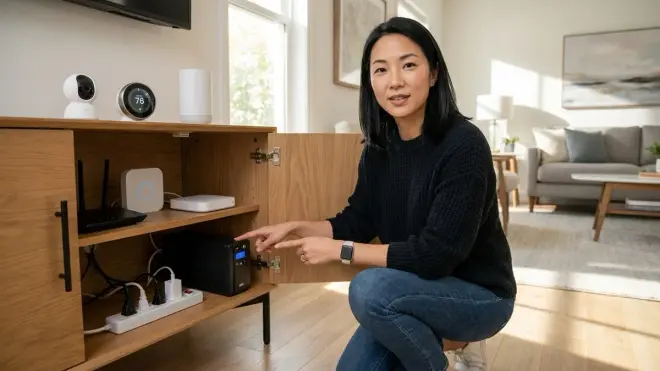
Not every smart device requires backup power—strategic selection keeps costs reasonable while maintaining essential functions.
Battery-powered sensors continue operating independently during outages — Zigbee motion sensors, Z-Wave door contacts, and Thread temperature monitors run on coin cells or AA batteries for months. They'll keep reporting to hubs (assuming those hubs stay powered), but verify their fallback behavior: some devices cache data locally when hub communication fails, others simply stop trying after 3-5 failed transmission attempts.
Smart locks with battery backup operate locally but lose remote access — Most Z-Wave and Thread smart locks maintain manual code entry and physical key operation during power failures. The lock mechanism itself runs on batteries, but remote unlocking via smartphone requires your hub and network to stay powered. If elder care or accessibility needs demand remote unlock capability during outages, dedicated UPS coverage for your network and lock hub becomes non-negotiable.
Hardwired cameras lose all functionality without backup power — PoE security cameras, wired video doorbells, and DVR systems go completely dark unless connected to UPS or battery backup. Wireless cameras with local batteries continue recording but can't upload footage without powered network infrastructure. For subscription-free setups relying on local storage security systems, ensure both camera power and NVR/DVR receive backup coverage.
Smart thermostats maintain schedules but can't control HVAC without system power — Even battery-equipped thermostats like Nest or Ecobee lose climate control when your furnace or air handler shuts down. The thermostat display stays active, but automations triggering temperature adjustments become meaningless. In freezing climates, this matters—consider whether whole-home battery systems make sense for maintaining heat during extended outages.
Irrigation controllers on battery backup prevent missed watering windows — Smart sprinkler systems like Rachio or Orbit B-hyve include backup batteries that preserve schedules during brief outages, but battery runtime typically maxes out at 24 hours. If you've configured complex zone logic with weather integration, longer outages erase queued schedules. Some controllers revert to manual bypass valves—verify your system's fallback behavior before relying on it during vacation absences.
Voice assistants require continuous power for wake-word detection — Amazon Echo, Google Nest, and Apple HomePod devices contain no internal batteries (except HomePod mini's brief handoff buffer). Without power, voice control vanishes entirely. If accessibility needs make voice commands essential, small UPS units for smart speakers cost less than whole-home solutions—a practical middle ground for design-conscious spaces where disguised smart speakers already blend into furniture.
Automation Logic & Fallback Configuration
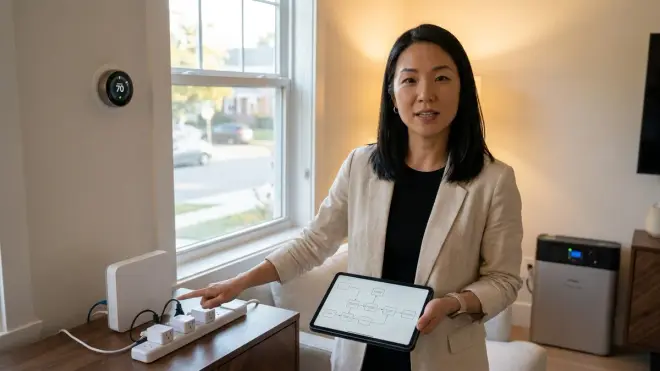
The most elegant power outage preparation happens in software—automations that adapt to degraded conditions without human intervention.
Configure "power restored" automations to re-establish baseline states — When grid power returns, your smart home wakes up chaotically: some devices reconnect instantly, others lag 3-5 minutes, creating inconsistent automation states. Build a dedicated restoration routine:
IF (hub connectivity restored) AND (time > 10 minutes since last power event) THEN (set all lights to off, lock exterior doors, resume normal schedule). This prevents the common scenario where every light in the house turns on at 3 AM when power comes back.Priority routing for critical automations during low-battery UPS states — Advanced UPS models with smart outlets send low-battery warnings to hubs via USB or network connections. Configure conditional logic:
IF (UPS battery < 20%) THEN (disable non-essential automations, suspend polling for energy monitoring devices, reduce lighting scene complexity to binary on/off). This extends runtime for security and accessibility functions by shedding luxury automations.Fallback to local schedules when cloud services timeout — Many smart home platforms let you duplicate cloud-based automations as local timers. For morning routines, create parallel automation paths:
IF (sunrise time from weather API available) THEN (trigger wake-up scene) ELSE IF (6:30 AM local time) THEN (trigger wake-up scene). The first path offers seasonal accuracy, the second ensures functionality during internet outages.Motion-activated lighting with occupancy memory prevents dark hallways — Standard motion triggers fail during sensor battery-conservation modes that increase latency. Add redundancy:
IF (bathroom motion detected) OR (bathroom door opened within last 30 seconds) OR (bathroom occupied for >1 minute from previous trigger) THEN (turn on lights for 10 minutes). This multi-input logic compensates for slow-reporting sensors during outages.Security system arming delays account for hub recovery time — Don't arm your security system immediately after power restoration—give mesh networks time to stabilize. Configure:
IF (power outage detected) THEN (delay security arming by 5 minutes after power restoration, send notification to confirm manual override). This prevents false alarms from sensors still rejoining the network.
UPS Sizing & Runtime Calculation
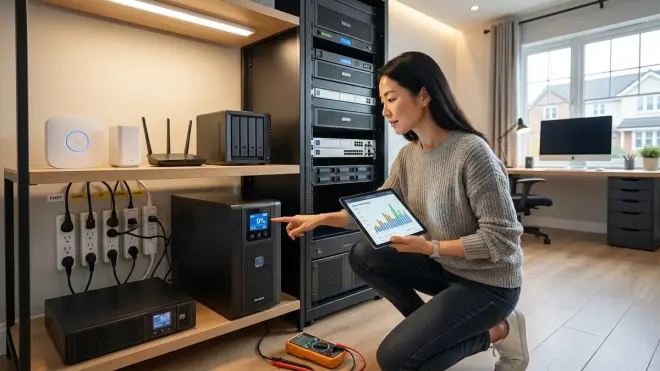
Properly sized battery backup requires more nuance than "bigger is better"—you're balancing runtime, budget, and the physical reality of where equipment lives in your home.
Calculate wattage draw for always-on devices, not peak ratings — Your router's power supply might claim 60W, but actual draw during operation typically measures 12-18W. Use a smart plug with energy monitoring to measure real consumption over 24 hours before sizing UPS capacity. Mesh network hubs draw 2-8W, security cameras 4-12W each, NAS devices 15-45W depending on drive count. Total these measured values, then apply the runtime formula:
UPS_watt_hours ÷ total_device_watts = runtime_in_hours.Account for battery aging and temperature derating — UPS manufacturers rate batteries at 77°F (25°C) under ideal conditions. If your network equipment lives in a garage where summer temps hit 95°F or a basement hovering at 55°F, expect 20-40% runtime reduction. Similarly, batteries lose 15-20% capacity per year. Detailed runtime calculations that factor environmental conditions prevent disappointing real-world performance.
Match UPS form factor to installation location — Rack-mount UPS units make sense for equipment closets with structured networking, but tower models integrate more naturally into living spaces. The spatial consideration matters when you're trying to hide smart home infrastructure without blocking wireless signals—UPS units generate RF noise that can interfere with Zigbee (2.4GHz) if placed directly adjacent to hubs. Maintain 18-24 inches of separation.
Runtime targets differ by outage duration patterns in your region — If your local utility typically resolves outages in 15-45 minutes, a UPS providing 2 hours of hub/network runtime offers comfortable margin. Areas experiencing 4-8 hour outages during storms need different math—either substantially larger UPS capacity or whole-home battery integration becomes more cost-effective than scaling up individual UPS units.
Smart UPS models enable remote shutdown and startup automations — Network-connected UPS systems from APC, CyberPower, and Eaton expose battery state via SNMP, allowing Home Assistant energy automations to react intelligently. Configure:
IF (UPS runtime remaining < 10 minutes) THEN (shutdown NAS gracefully, send critical alert, disable HVAC automations). This prevents data corruption and extends battery life for truly essential devices.
Final Check Before You Go
Pre-outage preparation:
- All hubs and routers connected to appropriately sized UPS units
- Measured actual wattage draw of powered devices (not nameplate ratings)
- Runtime calculations account for battery age and ambient temperature
- Tested UPS self-test function within last 3 months
- Verified battery replacement date (most UPS batteries last 3-5 years)
Protocol-specific verification:
- Zigbee/Z-Wave hubs have local automation logic (not cloud-dependent)
- Thread border routers remain powered alongside Matter-certified devices
- Wi-Fi device cloud dependencies documented (these will fail during internet outages)
- Battery-powered sensors show >50% charge levels in their respective apps
Automation logic:
- "Power restored" routines configured to re-establish baseline states
- Low-battery UPS warnings trigger automation load shedding
- Critical security and accessibility functions have local fallback schedules
- Motion lighting includes redundant triggers for sensor latency during outages
Physical installation:
- UPS units placed 18+ inches from Zigbee/Thread hubs to avoid RF interference
- Battery backup surge protectors used (not just surge strips without battery)
- Concealed hub locations still allow adequate UPS cooling airflow
Frequently Asked Questions
How long do Zigbee and Z-Wave mesh networks take to recover after power is restored?
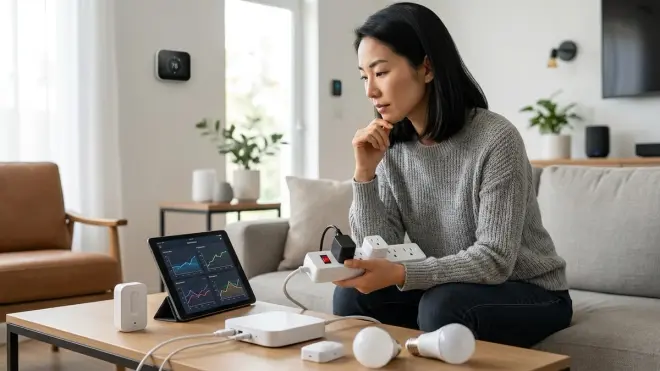
Zigbee and Z-Wave mesh networks typically take 2-5 minutes to fully re-establish routing tables after power restoration, with device count and network density affecting recovery time—networks with 40+ devices can take up to 8 minutes, while smaller 10-device networks often reconnect in under 90 seconds, and individual battery-powered sensors may enter power-conservation modes that increase response latency by 5-15 seconds during the recovery window.
Should I put my smart bulbs on UPS backup or just the hub?
Put your hub on UPS backup, not individual smart bulbs—Zigbee, Z-Wave, and Thread bulbs lose power when their fixture circuit dies regardless of hub status, and maintaining hub power ensures battery-operated sensors and switches continue executing local automations during outages, whereas keeping smart bulbs powered during whole-home blackouts serves no functional purpose unless you're also backing up the specific circuits they're wired to via whole-home battery or generator systems.
Do Matter 1.4 devices reconnect faster than older protocols after power outages?
Matter 1.4 devices reconnect comparably to mature Zigbee and Z-Wave implementations—typically 60-120 seconds for full mesh reformation—with the primary advantage being improved cross-protocol bridge recovery when Matter unifies Thread, Zigbee, and Wi-Fi devices through a single fabric, though real-world performance depends heavily on your specific border router quality and whether you're using Thread or Wi-Fi as Matter's underlying transport layer.
Final Thoughts
The most successful smart home power outage preparation feels invisible until it's needed—like proper insulation or well-placed lighting, the infrastructure simply works without announcing itself. A well-sized UPS tucked behind your networking equipment, automations that gracefully degrade functionality rather than failing completely, and protocol choices that prioritize local operation over cloud dependence all contribute to a home that continues feeling smart even when the grid forgets its job. The checklist above isn't about preparing for disaster; it's about maintaining the seamless daily rhythms that make technology worth integrating in the first place.
Test your backup systems twice yearly—once in spring before storm season, once in fall before winter weather. Simulate power failures by tripping the breaker, observe which automations adapt and which stumble, then refine your logic accordingly. Your smart home should serve you most reliably when conditions are least reliable.
