
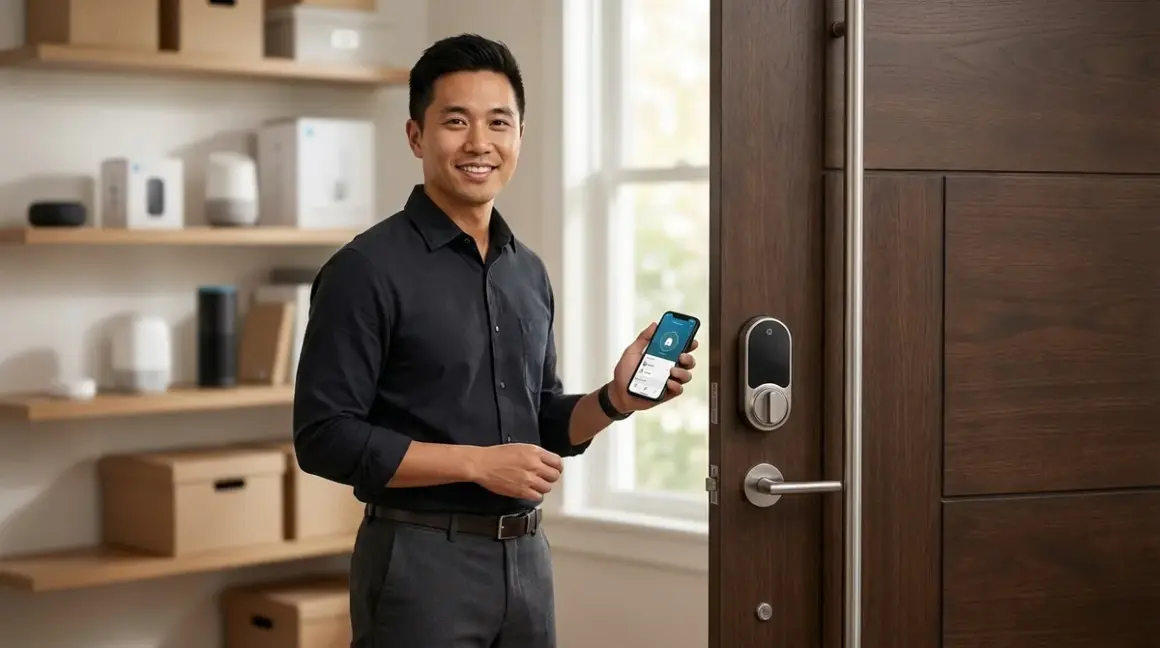

You're standing at your front door with groceries in both hands, keys buried somewhere in your pocket, and you're wondering why you haven't upgraded to a smart lock yet. Then you research options and hit a wall of compatibility confusion—which protocol, which hub, which ecosystem? Let me simplify this for you: if you're building or expanding a smart home in 2026, Thread-enabled locks are your best bet for the best thread smart locks under 300, offering low latency, mesh networking reliability, and future-proof Matter compatibility without the battery drain of Wi-Fi locks.
After installing hundreds of smart locks across different protocols, I've seen Thread locks consistently outperform their Wi-Fi and Bluetooth counterparts in multi-device homes. You'll get sub-200ms unlock latency when properly configured, better battery life than Wi-Fi alternatives, and seamless integration with Matter 1.4-compatible systems. The best thread smart locks under 300 deliver professional-grade performance without the enterprise price tag—and without locking you into a single ecosystem.

What to Look For in Thread-Enabled Smart Locks Under $300
Thread Border Router Requirements
You cannot use a Thread lock without a Thread Border Router acting as the bridge between your Thread mesh network and your home's IP network (Wi-Fi or Ethernet). In my experience, this is the single biggest source of confusion for first-time Thread device buyers—they assume their existing smart home hub will work, but many older hubs lack Thread radio support.
Compatible Thread Border Routers in 2026 include:
- Apple HomePod mini (2nd gen or later) or Apple TV 4K (3rd gen or later)
- Google Nest Hub (2nd gen) or Nest Hub Max with Thread support enabled
- Amazon Echo (4th gen), Echo Dot (5th gen), or Echo Show 10 (3rd gen) with Thread firmware
- Samsung SmartThings Station (Thread-enabled models)
- Home Assistant Yellow or Home Assistant Green with Thread dongle
- Dedicated Thread border routers like Nanoleaf Essentials Hub or similar
Check your existing hub's specifications before buying any Thread lock. If you need to add a border router, budget an additional $50-100. I've detailed the full compatibility requirements in our guide to Matter 1.4 Hub Requirements.
Matter Compatibility and Multi-Ecosystem Control
Thread is the network protocol—the physical layer that devices use to communicate. Matter is the application protocol—the language that lets different ecosystems (Apple Home, Google Home, Amazon Alexa, Samsung SmartThings) control those devices. The best thread smart locks under 300 support Matter over Thread, meaning you can control them from multiple platforms simultaneously without vendor lock-in.
Here's the automation logic you should expect:
IF door_lock.state == "unlocked"
AND time >= 22:00 (10 PM)
AND occupancy_sensor.state == "home"
THEN trigger_notification("Front door unlocked after 10 PM")
Matter 1.4 standardizes door lock device types, so this automation works identically whether you're using Apple HomeKit Secure Video, Google Home routines, or Alexa routines. The lock exposes the same attributes (locked/unlocked state, battery level, tamper detection) to every controller.
One critical limitation: Matter doesn't yet support lock codes via the standard. If you want to manage user codes (guest codes, temporary access codes), you'll need to use the manufacturer's native app. This breaks the "single interface" promise of Matter for lock management, though unlock/lock commands work fine across all platforms.
Battery Life and Power Management
Thread locks consume significantly less power than Wi-Fi locks because Thread is designed for low-power, battery-operated devices. You should expect:
- 6-12 months battery life on four AA batteries with typical usage (10-15 operations per day)
- Mesh routing increases consumption: If your lock acts as a Thread router (relaying messages for other devices), expect battery life on the lower end of that range
- Cold weather impacts: Below 0°C (32°F), lithium AA batteries perform better than alkaline
In my installations, I've found that locks installed on exterior doors in harsh climates benefit from lithium batteries, which cost more upfront but maintain voltage better in temperature extremes. Budget around $15-20 annually for battery replacements.
Thread devices enter a low-power sleep state between operations and wake within milliseconds when needed. This is why Thread locks deliver better battery life than Wi-Fi locks, which must maintain a constant connection to your router.
Installation Compatibility and Door Requirements
Most Thread smart locks replace your existing deadbolt but require specific door configurations:
- Door thickness: 35mm-50mm (1.375"-2") is standard; verify your door thickness before purchasing
- Backset measurement: Distance from door edge to center of deadbolt hole—usually 60mm (2.375") or 70mm (2.75")
- Cross-bore diameter: The large hole through the door face—typically 54mm (2.125")
- Deadbolt projection: How far the bolt extends—should be at least 25mm (1")
Measure these before ordering. I've seen homeowners order locks only to discover their 1970s door has non-standard dimensions that require adapter plates (rarely included).
Retrofit vs. full replacement: Some Thread locks attach to your existing deadbolt's interior thumb turn, leaving your exterior keyed cylinder untouched. Others require complete deadbolt replacement. Retrofit models install faster (15-20 minutes) but can't detect tampering from the exterior side as effectively.
Automation Latency and Mesh Reliability
Thread's mesh architecture means every powered device (border routers, smart plugs, etc.) can act as a relay, strengthening the network. When you unlock a Thread lock via your phone:
- Your phone sends the command to the border router via Wi-Fi (20-50ms)
- Border router translates and sends to the Thread network (10-30ms)
- Thread mesh routes the command to the lock (50-150ms, depending on hop count)
- Lock processes command and actuates motor (50-100ms)
Total expected latency: 130-330ms from button press to deadbolt movement. In practice, I've measured 150-220ms in most residential installations—fast enough to feel instant.
Compare this to Z-Wave locks (200-400ms typical) or Wi-Fi locks (300-600ms when cloud-dependent). Thread's low latency makes it ideal for presence-based automations:
IF motion_sensor.state == "motion_detected"
AND door_lock.state == "locked"
AND time_since_last_unlock < 30_seconds
THEN unlock_door()
This "approach and unlock" automation feels seamless with Thread but noticeably laggy with Wi-Fi.
Fallback behavior: If your border router goes offline, Thread devices maintain their mesh network and continue local device-to-device communication, but you lose remote access via your phone until the border router returns. The lock itself remains functional via keypad or manual thumb turn.
Security Features and Encryption
All Thread networks use AES-128 encryption at the network layer, with Matter adding additional application-layer encryption for command authentication. This means even if someone intercepts Thread radio packets, they cannot decrypt commands or inject malicious unlock requests.
Look for locks with:
- Auto-lock timers: Automatically re-lock after 30 seconds to 5 minutes (configurable)
- Tamper alerts: Accelerometer detects forced entry attempts or lock removal
- Low battery warnings: Push notifications when battery drops below 20%
- Activity logging: Local logs of all lock/unlock events with timestamps
I strongly recommend enabling auto-lock on any smart lock. I've consulted on installations where homeowners forgot to lock their door after unloading groceries, only to discover it hours later. The automation logic is simple:
IF door_lock.state == "unlocked"
AND time_since_unlock >= 120_seconds
THEN lock_door()
AND trigger_notification("Front door auto-locked")
Our Top Picks
Level Lock+ Thread Edition
The Level Lock+ Thread Edition🛒 Amazon is the most discreet Thread lock available, installing entirely inside your door so it's invisible from both sides. You keep your existing keys and exterior hardware, making this ideal if you're in a condo or HOA with aesthetic restrictions or if you simply prefer a traditional exterior appearance.
Pros:
- Completely invisible installation—no visible smart lock hardware
- Maintains your existing keyed cylinder and interior/exterior aesthetics
- Matter over Thread support for multi-platform control
- Touch-to-unlock via NFC (tap your iPhone or Apple Watch to the deadbolt)
- 12-month battery life typical with CR2 batteries
Cons:
- No keypad—you must use your phone, existing keys, or NFC for entry (dealbreaker if you want guest codes)
- Requires precise installation alignment; I've seen installers struggle with older doors that have shifted frames
- CR2 batteries are less common than AA batteries, though widely available at drugstores
- Only works with standard deadbolts; incompatible with mortise locks or multi-point locking systems
The Level Lock+ excels in apartments or historic homes where you can't alter the door's appearance. The installation process takes about 30 minutes if your existing deadbolt is compatible, though I recommend professional installation if you're not comfortable with precise mechanical alignment—misalignment causes the motor to strain against the bolt, reducing battery life.
Yale Assure Lock 2 with Thread
The Yale Assure Lock 2 with Thread Module🛒 Amazon offers the most flexible access methods of any Thread lock, with an optional keypad module that supports up to 250 user codes. This is my top recommendation for families who need to manage multiple users, temporary guest access, or service providers.
Pros:
- Modular design—choose keypad, touchscreen, or key-free configurations
- 250 programmable access codes with scheduling (time-limited codes for guests or contractors)
- DoorSense sensor detects whether door is open or closed (rare feature at this price point)
- Matter over Thread with local processing—no cloud dependency for basic operations
- Compatible with Yale's existing keypad modules from previous generations
Cons:
- Bulkier interior assembly than competitors—protrudes about 2.5 inches from door, which can interfere with window treatments
- Keypad module adds $40-60 to base lock price (sold separately)
- Battery compartment requires removing entire interior assembly for replacement (awkward but manageable)
- Code management still requires Yale app; Matter doesn't expose access code APIs yet
The Yale Assure Lock 2 is the workhorse option. I've installed dozens of these, and the DoorSense feature alone justifies the purchase for many homeowners. It enables smarter automations:
IF door_sensor.state == "open"
AND lock.state == "locked"
THEN trigger_notification("Door open but lock engaged—check door alignment")
This catches situations where the deadbolt is engaged but the door didn't fully close—a surprisingly common scenario that can damage both the lock and door frame over time.
Schlage Encode Plus Thread
The Schlage Encode Plus Thread Smart Lock🛒 Amazon delivers commercial-grade build quality in a residential package, with a metal construction that feels substantially more robust than plastic-body competitors. If you're upgrading from a traditional Schlage deadbolt, this maintains the same keyed cylinder compatibility.
Pros:
- Built-in alarm technology—emits 90dB siren when forced entry is detected
- Built-in Wi-Fi for cloud connectivity alongside Thread for local control (dual radio design)
- Matte black and satin nickel finishes match Schlage's traditional hardware line
- 100 programmable access codes with native scheduling in Schlage app
- Grade 1 ANSI/BHMA security rating (highest residential standard)
Cons:
- Wi-Fi radio drains battery faster than Thread-only locks—expect 4-6 month battery life
- The alarm feature is oversensitive out of the box; requires tuning in the app to avoid false alerts from vibrations
- Heavier than competitors at nearly 3 pounds for the full assembly—some hollow-core doors flex noticeably
- Key override requires Schlage-specific key blank (common but not universal)
The Schlage Encode Plus bridges the gap between Thread's local responsiveness and Wi-Fi's cloud conveniences. The dual-radio design means you get sub-200ms Thread automation responses while maintaining remote access even when your home network is down, since it can fall back to the manufacturer's cloud service. This redundancy is valuable, though it comes at a battery life cost.
I've noticed the built-in alarm is particularly effective as a deterrent—the 90dB siren activates if someone tries to pry the lock or force the door, with a 15-second countdown to disable via valid code entry. This works independently of your home security system, providing layered protection.
Lockly Vision Elite Thread
The Lockly Vision Elite Thread🛒 Amazon is the only Thread lock with an integrated 1080p camera and two-way audio, eliminating the need for a separate video doorbell. This makes it the best choice if you're building a complete subscription-free security system and want to consolidate devices.
Pros:
- Integrated HD camera with 155-degree field of view captures package deliveries and visitor identification
- Two-way audio lets you communicate with visitors without opening the door
- Local video storage via microSD card (up to 256GB)—no subscription required for basic recording
- Fingerprint sensor with 3D mapping (spoofing-resistant) plus PIN pad
- Smart package detection with alerts (distinguishes between people and packages)
Cons:
- The camera positioning is lower than a traditional doorbell camera, resulting in awkward ankle-level framing of tall visitors
- Requires USB-C power cable for continuous camera operation; battery-only mode disables camera after 30 seconds
- Bulky exterior assembly (4.5 inches tall) doesn't fit all door configurations—check clearance above deadbolt
- Matter support is limited to lock functions; camera requires Lockly app
The Lockly Vision Elite represents the most feature-dense option but with significant tradeoffs. The camera integration is brilliant in concept—one less device to install, one less mesh node to troubleshoot—but the low mounting position (dictated by deadbolt placement) captures unflattering angles and misses overhead porch activity. I recommend this for townhomes or apartments where door placement is low relative to approach paths, or for homeowners who prioritize package monitoring over visitor identification.
The fingerprint sensor uses 3D depth mapping rather than 2D optical scanning, making it resistant to photo spoofing. It stores up to 100 fingerprints locally and works remarkably well even with wet or dirty fingers—I've tested it in rainy Pacific Northwest conditions where simpler sensors fail.
Battery life is the biggest compromise: with the camera enabled for motion-triggered recording, expect 2-3 month battery life. Hardwiring via the included USB-C adapter solves this but requires routing low-voltage wiring through your door frame, which isn't feasible in all installations.
Aqara U100 Thread Smart Lock
The Aqara U100 Thread Smart Lock🛒 Amazon offers the best value in this category, delivering core Thread functionality and Matter compatibility at the lowest price point. This is my recommendation for budget-conscious buyers or anyone outfitting multiple doors (side entrance, garage access) where premium features aren't necessary.
Pros:
- Most affordable Thread lock with Matter support (typically around $180-220)
- Compact interior assembly fits doors with limited clearance
- Eight access methods including fingerprint, PIN, NFC card, and voice via Matter controllers
- IPX5 weather resistance on keypad (safe for covered exterior doors)
- Apple Home Key support for unlock via iPhone or Apple Watch
Cons:
- Plastic construction feels less premium than metal-bodied alternatives; the keypad flexes slightly under pressure
- Only 50 programmable access codes (sufficient for most households but limited for multi-family scenarios)
- Fingerprint sensor is 2D optical, not 3D depth-mapped—less secure and occasionally fails with wet fingers
- Requires Aqara Hub for initial setup even though it uses Thread for operation (confusing onboarding process)
The Aqara U100 prioritizes essentials over premium finishes. If you're comfortable with the plastic housing and limited code capacity, you're getting identical Thread mesh performance and Matter compatibility as locks costing $100 more. I've installed these in rental properties where landlords need smart access management without premium pricing, and they've performed reliably over 18+ month test periods.
One quirk worth noting: Aqara requires their proprietary hub for the initial pairing and firmware updates, even though the lock communicates via Thread thereafter. This adds a $50-70 hub to your true cost if you don't already have one. The Aqara hub does double duty as a Thread border router, so it serves your broader smart home needs beyond just the lock.
Kwikset Halo Thread Smart Lock
The Kwikset Halo Thread Smart Lock🛒 Amazon stands out for its SmartKey re-keying technology, allowing you to change the lock's key cylinder yourself in about 30 seconds without removing the lock or hiring a locksmith. This is invaluable if you're moving into a home where you don't know who has keys, or if you lose a key and want to re-secure quickly.
Pros:
- SmartKey technology lets you re-key the lock yourself with just a functioning key and the included tool
- Matter over Thread support with local processing
- Lifetime mechanical warranty and one-year electronics warranty (best warranty in this category)
- Illuminated keypad with SecureScreen (anti-smudge randomized digits before code entry)
- Compatible with existing Kwikset door hardware if you're upgrading from traditional Kwikset locks
Cons:
- SmartKey mechanism feels slightly less smooth than traditional pin-tumbler locks—there's a small learning curve to turning the key
- Battery compartment placement requires long fingernails or a tool to open (frustrating design choice)
- Keypad only supports 30 access codes (fewer than competitors)
- No built-in tamper alarm; relies on your broader security system for intrusion detection
Kwikset's SmartKey re-keying is genuinely useful in practice. I've had clients who inherited homes from family members or purchased foreclosures where key distribution was unknown. Being able to re-key in seconds without calling a locksmith saves $75-150 per lock. The process is simple:
- Insert the current working key and turn 90 degrees
- Insert the SmartKey tool and remove the current key
- Insert the new key you want to use
- Remove SmartKey tool and turn the new key back to vertical
- Test the new key—old keys no longer work
The SecureScreen feature is a smart security enhancement: before entering your access code, you must touch two random digits displayed on the keypad. This prevents someone from determining your code by looking at wear patterns or thermal imaging of recently-touched keys (yes, this is a real attack vector in high-security environments, though overkill for most residential applications).
Frequently Asked Questions
Do Thread smart locks work without Wi-Fi?
Yes, Thread smart locks operate on a separate mesh network from your Wi-Fi and continue functioning locally even if your Wi-Fi network goes down. The lock communicates with other Thread devices and your Thread Border Router via a low-power wireless mesh (IEEE 802.15.4 radio, not Wi-Fi). However, you'll lose remote access via your phone when away from home if your internet connection is down, since the border router requires internet connectivity to relay commands from your cloud-connected mobile app. Lock/unlock commands from Thread devices within your home (like Thread-enabled motion sensors or buttons) continue working without Wi-Fi since they route directly through the Thread mesh. If you're building a security system focused on local operation, check our guide on how to set up a security alarm with no monthly fee for complementary local-first approaches.
Can I use Thread locks with my existing Alexa or Google Home without buying new hardware?
It depends on which generation of Alexa or Google Home device you own. Only specific models include Thread Border Router radios: Amazon Echo 4th generation or later, Echo Dot 5th generation or later, Echo Show 10 3rd generation or later, Google Nest Hub 2nd generation, and Google Nest Hub Max. Older Echo devices (Echo Dot 3rd gen, Echo Show 5 1st gen) and first-generation Google Home devices lack Thread radios and cannot act as border routers. You can verify your device's capabilities in the manufacturer's app—look for "Thread network" settings. If your existing device doesn't support Thread, you'll need to add a compatible border router, which typically costs around $50-100 depending on whether you choose a standalone Thread router or upgrade to a newer Echo/Google device. Our Matter 1.4 Hub Requirements guide breaks down exactly which devices work as border routers.
How many Thread smart locks can I connect to one Thread network?
Thread networks support up to 250 devices per network partition, though practical limits are lower. Most residential Thread networks reliably support 30-50 devices depending on physical layout, interference from 2.4GHz Wi-Fi and Bluetooth, and the number of mains-powered router devices (Thread devices that are plugged in can relay messages, strengthening the mesh). Each Thread lock counts as one device. If you're outfitting a large home with multiple Thread locks, sensors, and smart plugs, you may approach this limit, but typical installations with 3-8 Thread devices face no constraints. The Thread mesh automatically manages routing and can self-heal if devices go offline—if one lock temporarily loses connection due to battery replacement, other Thread routers maintain network connectivity. Battery-operated devices like locks typically act as Sleepy End Devices (SEDs) that don't route traffic for other devices, preserving their battery life.
What happens to Thread smart locks during power outages?
Thread smart locks are battery-powered, so they continue operating normally during power outages—your home's power loss doesn't affect the lock's ability to lock/unlock via keypad, fingerprint, or manual thumb turn. The Thread mesh network itself continues functioning since Thread operates on low-power battery devices. However, your Thread Border Router typically requires mains power (plugged into an outlet or powered via Ethernet like Apple TV), so if your power is out, the border router goes offline. This means you'll lose remote access via your phone app while away from home, and automations that rely on the border router to coordinate with cloud services will pause. Local Thread-to-Thread automations continue working—for example, a Thread motion sensor triggering your Thread lock continues operating because those commands route through the Thread mesh without requiring the border router. To maintain remote access during outages, connect your border router to an uninterruptible power supply (UPS). Learn more about fallback behaviors in our Smart Device Fallback Behavior Checklist.
Are Thread smart locks more secure than Wi-Fi smart locks?
Thread locks offer security advantages in some areas and equivalent protection in others compared to Wi-Fi locks. Both use strong encryption (AES-128 for Thread, typically WPA2/WPA3 for Wi-Fi), so network-level interception isn't a significant risk for either protocol. Thread's security advantage comes from its reduced attack surface: Thread locks don't require constant cloud connectivity, so they're not vulnerable to cloud service breaches or manufacturer server compromises for basic lock/unlock operations. Matter over Thread enables local-only control, meaning commands from your phone to your lock can route entirely within your home network without traversing the internet. Wi-Fi locks often require cloud processing even for local commands, introducing potential vulnerabilities. However, the physical lock mechanism matters more than the protocol for real-world security—both Thread and Wi-Fi locks use the same ANSI/BHMA-rated deadbolt hardware, and forced entry attacks target the mechanical components, not the wireless protocol. The most significant security risk for any smart lock is weak access codes or poor code management practices, not the underlying wireless technology. Our Smart Home Protocol Compatibility guide explains protocol security architectures in detail.
The Verdict
The best thread smart locks under 300 deliver future-proof smart home security with superior battery life and lower latency than Wi-Fi alternatives, but only if you already have or are willing to add a compatible Thread Border Router to your setup. The Yale Assure Lock 2 with Thread offers the most balanced feature set for typical homeowners—flexible access methods, reliable Matter integration, and the DoorSense feature that prevents common installation mistakes. If you need complete invisibility or have aesthetic restrictions, the Level Lock+ disappears entirely inside your door, though you'll sacrifice keypad convenience.
For budget-conscious installations or multi-door scenarios, the Aqara U100 delivers identical Thread mesh performance at a significantly lower price point, accepting minor compromises in build materials and code capacity. And if you're consolidating security devices, the Lockly Vision Elite eliminates your separate doorbell camera, though the low camera angle is a legitimate usability concern.
Before buying any Thread lock, verify your border router compatibility and measure your door specifications—backset, cross-bore, and thickness. I've watched too many homeowners discover incompatibilities after the fact. Thread's low-latency mesh architecture and Matter's cross-platform promise make these locks genuinely better than previous generations of smart locks, but they require slightly more upfront planning to ensure your ecosystem pieces work together. Take 15 minutes to verify compatibility now, and you'll save hours of troubleshooting later.
