
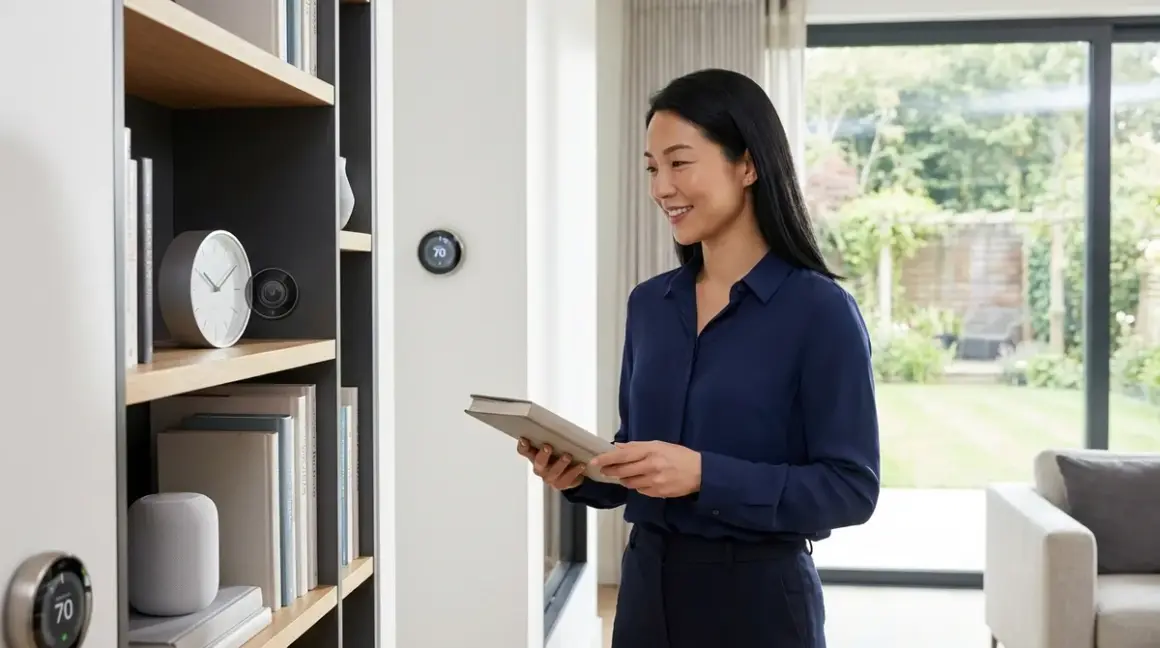

There's a moment in every consultation when I watch a client's face shift—when they realize their home can be secure without looking fortified, monitored without feeling surveilled. The best hidden smart home cameras in 2026 have finally reached that threshold where discretion meets genuine capability, where a lens tucked into a bookshelf or woven into architectural detail offers the same fidelity and responsiveness as its conspicuous cousins. After integrating concealed surveillance into dozens of residential projects across the Pacific Northwest, I've learned that invisibility isn't about deception—it's about preserving the atmosphere you've carefully built while maintaining awareness of the spaces you inhabit.
Quick verdict: The hidden smart home cameras worth installing in 2026 prioritize native Matter 1.4 or Thread compatibility, support local storage with optional cloud backup, and integrate seamlessly with existing automation logic without requiring separate apps or proprietary ecosystems that fragment your control infrastructure.

What to Look For in Hidden Smart Home Cameras
Form Factor and Concealment Philosophy
The most effective hidden cameras don't masquerade as everyday objects—they disappear into them. A camera disguised as a smoke detector screams "surveillance" to anyone who's spent five minutes online; a lens integrated into the actual junction of a picture frame molding or the ventilation grille of a built-in speaker blends into the spatial rhythm of a room. When evaluating form factor, consider whether the device's concealment enhances or disrupts the visual language of your space. Does it require you to add an object that wouldn't naturally belong, or does it slip into existing architecture?
Physical dimensions matter more than marketing suggests. A camera claiming to be "hidden" but requiring a 3-inch diameter circular cutout in drywall creates installation friction that most homeowners underestimate. I've seen beautiful projects stall because concealed devices demanded modifications that exposed wiring or created visual artifacts—patched holes, misaligned trim, awkward furniture placement. The best hidden smart home cameras install within the tolerances of standard electrical boxes, picture frame depths, or the cavity behind outlet covers, minimizing spatial intrusion.
Protocol Compatibility and Integration Depth
In 2026, Matter 1.4 has become the baseline expectation for any camera entering a mature smart home ecosystem. Matter's device-agnostic architecture means your hidden camera can trigger automations across platforms—when motion is detected, your Thread-enabled smart lights can illuminate pathways, your Zigbee door locks can verify status, and your Wi-Fi thermostat can shift modes, all without proprietary bridges fragmenting the logic chain.
But Matter alone doesn't guarantee smooth operation. Verify whether the camera requires a Thread Border Router (devices like the Apple HomePod mini, Google Nest Hub 2nd gen, or dedicated Matter controllers) to maintain low-latency communication with your hub. Thread's mesh networking excels at reliability—each Thread device strengthens the network—but initial setup demands that border router. If your ecosystem is Zigbee-heavy, ensure compatibility with hubs like the Hubitat Elevation or SmartThings Station. Wi-Fi cameras remain viable if they support local RTSP streams and don't force cloud processing, but expect 200–800ms latency compared to Thread's 50–150ms response times.
Integration depth extends beyond protocol support. Can the camera expose granular triggers—motion in specific zones, person detection versus generic movement, audio thresholds—that your automation platform can parse? The difference between "camera detected motion" and "camera detected person in zone 2 between 10 PM and 6 AM" determines whether your automations feel intelligent or merely reactive.
Storage Architecture and Subscription Realities
The subscription-free security camera movement has matured substantially, but storage decisions still fracture along pragmatic lines. Local storage via microSD or NAS eliminates recurring fees and keeps footage within your physical control, but introduces management overhead—card corruption, capacity planning, manual review workflows. Cloud storage offers convenience and off-site redundancy, but typically requires subscriptions ranging from $3–$15 monthly per camera.
The best hidden smart home cameras in 2026 offer dual-path storage: continuous local recording to onboard or network-attached storage, with cloud uploads triggered only by specific events (person detected, audio above threshold, integration with other sensors). This hybrid model preserves local storage autonomy while providing selective cloud backup for critical moments.
Evaluate fallback behavior explicitly. If your network connection drops, does the camera continue recording locally? If the microSD card fails, does the system alert you, or does surveillance silently lapse? Reliable hidden cameras surface their storage health status through your hub's dashboard and offer redundant paths—simultaneous writes to card and NAS, or automatic cloud upload resumption when connectivity returns.
Automation Logic and Conditional Intelligence
A hidden camera that merely records is a passive archive. True integration requires exposing conditional triggers that other devices can consume. In automation platforms like Home Assistant, Node-RED, or Hubitat, you should be able to construct logic like:
IF hidden_camera.zone_2.person_detected == TRUE
AND time.current BETWEEN 22:00 AND 06:00
AND alarm_system.status == "armed_night"
THEN
  lights.hallway.set_brightness(30%)
  locks.front_door.verify_status()
  notification.send("Person detected in hallway - night mode active")
ELSE
  no_action
This granularity demands that the camera manufacturer expose a proper API or native integration with major platforms. Cameras that silo functionality within proprietary apps—forcing you to open a separate interface to review footage or configure detection zones—break the unified control model that makes smart homes genuinely responsive.
Latency expectations shift based on protocol and processing architecture. Edge-processing cameras that run person detection locally respond within 50–200ms and function during internet outages, but typically cost 30–50% more. Cloud-processing models introduce 500ms–2s delays and fail when your connection drops, but spread computational load across remote servers, extending device lifespan. For spaces where immediate response matters—entry points, nurseries, high-value storage—prioritize edge processing. For ambient monitoring where 1–2 second delays are acceptable, cloud models work fine.
Power Delivery and Installation Permanence
Hidden cameras face a paradox: concealment often complicates power access. Battery-powered models offer installation flexibility—no wiring, no electrician, placement anywhere within wireless range—but demand recharging every 2–6 months depending on activity levels. That might sound manageable until you've installed a camera inside a structural column or behind a fixed mirror, where access requires partial disassembly of your design work.
Hardwired cameras drawing from existing AC circuits eliminate maintenance windows but restrict placement to locations near electrical boxes or within walls during new construction or renovation. USB-powered models offer a middle path if you're willing to conceal low-voltage wiring inside furniture or architectural trim, though this introduces voltage drop concerns beyond 15–20 feet without a powered hub.
Power-over-Ethernet (PoE) cameras represent the most reliable solution for permanent installations, delivering both data and power through a single Cat6 cable. PoE requires a network switch with power injection (802.3af or 802.3at standard), but the infrastructure pays dividends in stability—no batteries to swap, no wireless dropout, no power adapter failures. I've used PoE extensively in concealed smart home hub closets where centralized infrastructure makes sense, running cables through conduit to discreet lens locations throughout the home.
Our Top Picks
Aqara Camera Hub G3 (Thread Edition)
The Aqara Camera Hub G3🛒 Amazon represents what happens when a manufacturer understands that hidden cameras serve dual purposes—surveillance and ecosystem expansion. This pan-tilt camera functions as a Thread Border Router and Zigbee hub, eliminating the need for separate infrastructure while tucking into bookcases, credenzas, or behind decorative screens. Its 2K resolution sensor captures enough detail to identify faces across a 15-foot room, and the mechanical gimbal allows remote adjustment of viewing angles—useful when you've concealed it within a fixed enclosure but need to refine coverage zones after installation.
Protocol: Thread (primary), Zigbee 3.0 (hub function), Wi-Fi (fallback)
Hub requirement: Functions as its own Thread Border Router; pairs with Apple Home, Google Home, or Aqara's own app
Storage: Local microSD up to 512GB, optional Aqara cloud (7-day free, 30-day subscription ~$3/month)
Automation exposure: Person/pet detection, gesture control, 9 customizable detection zones with independent triggers
Pros:
- Serves as Thread Border Router, adding mesh network capacity while monitoring
- Pan/tilt mechanism allows post-installation framing adjustments without physical access
- Edge-based person/pet detection with 80–150ms response latency
- Supports RTSP local streaming to Home Assistant or other platforms without subscription
- Physical privacy shutter controlled via automation logic (IF home.mode == "occupied" THEN camera.shutter_close)
Cons:
- Pan/tilt motor produces audible hum during movement (~35dB at 3 feet), breaking concealment during operation
- Requires USB power adapter, limiting truly wireless placement options
- Aqara's cloud service geofencing sometimes conflicts with other presence detection automations, creating race conditions
- Thread implementation occasionally requires manual re-pairing after major firmware updates
The Aqara G3's greatest strength emerges in homes transitioning to Thread infrastructure—it functions as both surveillance and network expansion, reducing the number of discrete devices cluttering your architecture.
Blink Mini 2 (Matter-Compatible)
Amazon's Blink Mini 2🛒 Amazon has quietly evolved from a budget Wi-Fi camera into a surprisingly competent hidden option with Matter 1.4 certification. Its compact 2-inch cube form factor slips behind picture frames, inside decorative boxes, or within bookshelf arrangements without demanding custom enclosures. Matter support means it surfaces motion events to Apple Home, Google Home, SmartThings, and Home Assistant simultaneously, letting you build unified automations without ecosystem lock-in.
Protocol: Wi-Fi 5 (primary), Matter 1.4 over Wi-Fi
Hub requirement: No dedicated hub needed; pairs directly with Matter controllers (HomePod, Echo 4th gen, Nest Hub)
Storage: Local USB flash drive recording (included 64GB drive), optional Blink cloud (30-day trial, then ~$3/month per camera or $10/month unlimited)
Automation exposure: Motion detection, person detection (cloud processing), temperature sensor readings, two-way audio trigger events
Pros:
- Native Matter support eliminates proprietary app dependency for basic functions
- Included USB flash drive provides immediate local storage without subscription
- Night vision extends usable range to 25 feet in complete darkness
- Temperature sensor can trigger HVAC automations (IF camera.temp > 78°F THEN thermostat.cool_activate)
- Affordable enough to deploy multiple units for comprehensive coverage
Cons:
- Wi-Fi-only architecture introduces 400–900ms latency compared to Thread alternatives
- Person detection requires cloud processing and subscription, degrading to generic motion detection without it
- USB storage management is manual—no automatic overwrite warnings or capacity alerts
- Mounting bracket leaves visible screw holes, requiring patching if repositioned
For homes already invested in Wi-Fi infrastructure or testing hidden camera strategies without major financial commitment, the Blink Mini 2 offers Matter compatibility at a price point that encourages experimentation.
Eve Cam (Thread-Native)
The Eve Cam🛒 Amazon occupies a specific niche: HomeKit Secure Video integration with Thread's low-latency mesh networking. Apple's ecosystem demands tight privacy controls and local processing, which Eve delivers through on-device person detection and encrypted iCloud storage. Its cylindrical design blends into contemporary interiors when placed among decorative objects, and the magnetic base allows subtle repositioning without tools.
Protocol: Thread (exclusive—no Wi-Fi fallback)
Hub requirement: Requires Thread Border Router (HomePod mini, HomePod 2nd gen, Apple TV 4K 3rd gen) and iCloud+ subscription for video storage
Storage: iCloud only—10 days of recordings included with 200GB iCloud+ ($3/month), 30 days with 2TB plan ($10/month); no local storage option
Automation exposure: Person detection, activity zones (up to 5), privacy mode toggle, motion sensitivity thresholds
Pros:
- Thread-native operation delivers 50–120ms response times, best-in-class for HomeKit automations
- HomeKit Secure Video processes person detection on-device, maintaining privacy and function during internet outages
- Magnetic mount allows tool-free adjustment and temporary concealment during gatherings
- Activity zones let you mask areas (doors, windows) to prevent nuisance alerts
- Works seamlessly with Matter 1.4 device ecosystems through HomeKit's Matter bridge
Cons:
- Absolutely requires iCloud+ subscription—no local storage alternative, even via USB or NAS
- HomeKit exclusivity means no Android control or third-party automation platform integration
- Thread's device limit (32 active devices per border router) can become a constraint in large deployments
- 1080p resolution feels dated compared to 2K/4K alternatives at similar price points
Eve Cam makes sense for committed HomeKit households where privacy and ecosystem coherence outweigh flexibility. Its Thread foundation ensures responsive automations, but the iCloud dependency contradicts the subscription-free security movement gaining traction elsewhere.
Wyze Cam v4 (Zigbee Bridge Adapter)
Wyze's Wyze Cam v4🛒 Amazon pairs with their optional Zigbee bridge to join mesh networks, transforming a budget Wi-Fi camera into a multi-protocol surveillance node. While not inherently hidden, its small footprint and color-matched faceplates allow integration into wall-mounted shelving, behind potted plants, or within HVAC return vent grilles. Wyze's CamPlus AI subscription unlocks person/pet/vehicle detection, but the base camera functions fully without fees using local microSD storage.
Protocol: Wi-Fi 5 (primary), Zigbee 3.0 (via separate bridge adapter)
Hub requirement: Wyze Bridge Pro required for Zigbee function; otherwise operates standalone on Wi-Fi
Storage: MicroSD up to 256GB (continuous recording), optional CamPlus cloud (14-day event storage, ~$2/month per camera)
Automation exposure: Motion/person/pet/vehicle detection (cloud), sound detection (barking, smoke alarm), customizable detection zones
Pros:
- MicroSD recording offers continuous local footage without subscription—true no-monthly-fee operation
- Color night vision maintains useful image quality in low-light conditions (vs. infrared monochrome)
- IP65 weatherproofing allows hidden outdoor placement in architectural soffits or landscape features
- Wyze Bridge Pro connects up to 50 Zigbee devices, expanding ecosystem capacity beyond the camera
- Affordable enough to create multi-camera coverage zones without budget strain
Cons:
- Zigbee functionality requires additional bridge hardware (~$40), negating initial cost advantage
- Cloud AI processing introduces 1–2 second delays for person/vehicle detection
- Wyze's ecosystem fragmentation (separate apps for different device generations) complicates unified control
- Frequent firmware updates sometimes break third-party integrations (Home Assistant, IFTTT)
The Wyze v4 appeals to builders of hybrid Zigbee/Wi-Fi systems who want surveillance flexibility without premium pricing. Its local storage capability and optional cloud intelligence offer customization depth, though the ecosystem's occasional instability requires patience.
Eufy Indoor Cam S350 (Dual-Lens Pan/Tilt)
The Eufy Indoor Cam S350🛒 Amazon brings dual-lens architecture—one wide 8MP sensor, one telephoto 2K lens—to discreet indoor monitoring. This design allows optical zoom without pixelation, letting you place the camera farther from subjects while maintaining facial recognition clarity. Its mechanical pan/tilt covers 340° horizontally and 70° vertically, reducing the number of cameras needed to monitor complex spaces. Eufy's HomeBase integration offers local storage and processing, sidestepping cloud dependencies.
Protocol: Wi-Fi 5 (primary), RTSP local streaming available
Hub requirement: Optional HomeBase 3 for local storage and enhanced AI; camera functions standalone with microSD
Storage: MicroSD up to 128GB, or HomeBase 3 with integrated 16TB HDD (one-time hardware cost, no subscription)
Automation exposure: Person/pet detection, crying baby detection, cross-camera tracking (with multiple Eufy units), customizable voice alerts
Pros:
- Dual-lens system maintains image quality during digital zoom, useful for concealed placement away from subjects
- HomeBase 3 offers massive local storage (16TB) that supports multiple cameras without monthly fees
- 360° coverage reduces dead zones in open-plan spaces, minimizing camera count
- RTSP streaming integrates with Home Assistant automations and third-party NVR systems
- Physical privacy mode mechanically covers lenses when triggered (IF presence.status == "home" THEN camera.privacy_enable)
Cons:
- Pan/tilt motors produce noticeable mechanical noise (~40dB), making concealment less effective during active tracking
- Requires AC power outlet, limiting battery-free placement to areas with concealed wiring
- Eufy's prior cloud security incidents raise trust concerns despite local storage emphasis
- HomeBase 3 hardware cost (~$150–$200) adds significant upfront expense
For homes prioritizing local storage and optical zoom capability—especially when monitoring large rooms from a single concealed location—the S350's dual-lens design offers functionality that single-sensor cameras can't match.
Reolink E1 Zoom (PoE Option)
The Reolink E1 Zoom🛒 Amazon stands out for offering both Wi-Fi and Power-over-Ethernet variants, the latter enabling truly permanent concealed installations within walls or ceilings where battery access is impractical. Its 5x optical zoom lens allows placement in architectural features—ceiling coffers, high bookshelves, HVAC enclosures—while maintaining usable detail at distance. Reolink's commitment to ONVIF protocol support ensures compatibility with third-party NVR systems and automation platforms beyond their proprietary app.
Protocol: Wi-Fi 5 or PoE (802.3af), supports ONVIF, RTSP/RTMP streaming
Hub requirement: None; can function standalone or integrate with Reolink NVR, third-party NVR systems, or automation platforms
Storage: MicroSD up to 256GB, Reolink NVR (local network storage), optional Reolink cloud (~$4/month)
Automation exposure: Motion detection zones, person/vehicle AI detection (on-device processing), two-way audio, auto-tracking
Pros:
- PoE option delivers permanent power and data over single Cat6 cable, ideal for in-wall concealment
- ONVIF and RTSP support allows integration with professional NVR systems and open-source platforms
- 5x optical zoom maintains image clarity when camera is concealed far from monitoring area
- On-device AI processing maintains person detection during internet outages
- Auto-tracking follows subjects across frame, reducing the need for perfect initial placement
Cons:
- PoE requires compatible network switch infrastructure, adding cost if not already present
- Pan/tilt tracking speed sometimes lags fast-moving subjects, creating tracking gaps
- Reolink's cloud service lacks advanced features (facial recognition, package detection) found in competitor offerings
- Wi-Fi variant suffers from occasional dropout in dense wireless environments
For new construction or major renovations where PoE infrastructure can be planned, the E1 Zoom offers professional-grade concealment potential. Its protocol-agnostic approach respects the open ecosystem philosophy I've advocated for discreet automation installations.
Frequently Asked Questions
Do hidden smart home cameras work without Wi-Fi or internet?
Hidden cameras with local storage continue recording when internet connectivity drops, but functionality degrades depending on architecture. Thread and Zigbee cameras maintain motion detection and local automation triggers because these protocols operate on independent mesh networks—your camera can still tell your hub "motion detected" and trigger lights or locks even when the internet is down, assuming both devices share the same mesh. Wi-Fi cameras lose cloud-based features (person detection, remote viewing, cloud uploads) during outages but continue writing footage to microSD cards if equipped. The automation logic matters: IF camera.motion == TRUE THEN lights.on works locally on Thread/Zigbee; IF camera.person_detected == TRUE THEN notify.phone requires cloud processing and fails without internet. Review each camera's fallback behavior checklist before installation.
Can I integrate hidden cameras with existing security systems using different protocols?
Yes, but integration depth depends on protocol compatibility and hub capabilities. Matter 1.4's cross-platform architecture allows a Matter-certified hidden camera to surface motion events to any Matter controller (Apple Home, Google Home, SmartThings), which can then trigger actions on Zigbee or Z-Wave devices through the controller's native integrations. For example: Matter camera detects motion → Apple Home receives event → triggers Z-Wave smart lock status check via HomePod's Z-Wave integration. Direct camera-to-camera communication across protocols (Thread camera triggering Zigbee camera) requires a hub that translates events—platforms like Home Assistant or Hubitat excel here. Wi-Fi cameras using RTSP streams can integrate with nearly any system, though you'll write custom automation logic. Expect 100–500ms additional latency when crossing protocol boundaries. See our protocol compatibility guide for specific hub requirements.
Are subscription fees required for person detection and smart alerts on hidden cameras?
Not universally—edge-processing cameras run AI detection locally without subscriptions, while cloud-processing models typically paywall advanced features. Cameras like the Aqara G3 or Reolink E1 Zoom perform person detection on-device using integrated neural processing units, functioning fully during internet outages and never requiring monthly fees. Cloud-processing cameras (Blink Mini 2 without subscription, Wyze without CamPlus) degrade to basic motion detection when you opt out of paid plans—they'll still alert you that something moved, but won't distinguish between a person, pet, or curtain blowing. The difference becomes critical in automation logic: generic motion triggers create nuisance alerts; person detection enables useful workflows like "IF camera.person_detected AND time BETWEEN 02:00–05:00 THEN alarm.trigger." Budget for edge-processing cameras if you're committed to subscription-free security systems, even though upfront costs run 30–50% higher.
How do I hide smart home cameras without blocking wireless signals or reducing range?
Strategic placement respects both concealment and signal propagation—avoid enclosing cameras in metal, dense stone, or solid wood enclosures that block radio frequencies. Thread, Zigbee, and Z-Wave operate in the 2.4GHz spectrum, which penetrates drywall, glass, and fabric readily but attenuates sharply through metal studs, brick, or aluminum. When concealing cameras behind artwork, use frames with wood or composite backing rather than metal; when placing inside furniture, position the camera near ventilation openings or alongside the outer surface rather than deep within solid wood construction. Wi-Fi cameras tolerate more obstruction but benefit from the same principles. Test signal strength using your hub's diagnostic tools after installation—Thread networks should show RSSI values above -70dBm, Wi-Fi above -67dBm. If signal degrades, relocate the camera 6–12 inches toward an opening or add a mesh repeater nearby. Our guide to hiding devices without blocking signals covers material-specific attenuation factors.
What latency should I expect between motion detection and automation triggers with hidden cameras?
Latency ranges from 50ms to 2+ seconds depending on protocol, processing location, and automation complexity. Thread-native cameras like the Eve Cam triggering local HomeKit automations respond in 50–150ms—fast enough that lights activate before you've taken two steps into a room. Zigbee cameras add 20–50ms of mesh-routing overhead but still complete simple automations (motion → light on) in 100–200ms. Wi-Fi cameras with edge processing (Reolink, Eufy with HomeBase) introduce 200–600ms delays, noticeable but acceptable for most scenarios. Cloud-processing Wi-Fi cameras (Blink without Sync Module, Wyze relying on cloud AI) can take 800ms–2 seconds from motion detection to trigger execution—fine for notification workflows, frustrating for immediate lighting responses. Complex conditional logic adds latency: IF camera.motion AND door.locked == FALSE AND alarm.armed THEN... might add 50–200ms as your hub evaluates each condition. Measure actual performance using your automation platform's execution logs and adjust expectations—or switch to lower-latency protocols if responsiveness matters for your use case.
The Verdict
The best hidden smart home cameras in 2026 honor the principle that security infrastructure should serve your sense of sanctuary, not compromise it. After years of integrating concealed technology into spaces meant to feel effortless, I've watched the industry finally deliver devices that respect both architectural intention and functional demand—cameras small enough to disappear into molding, protocols responsive enough to feel anticipatory, storage options flexible enough to match privacy convictions.
Choose Thread or Matter-compatible models if you're building an ecosystem meant to evolve with emerging standards. Prioritize local storage and edge processing if you value autonomy over convenience. Accept that true invisibility often costs more upfront but eliminates the recurring friction—both financial and spatial—of half-concealed compromises.
Your home should feel like yours, even when it's watching. The cameras that achieve that balance are the ones worth installing.
