
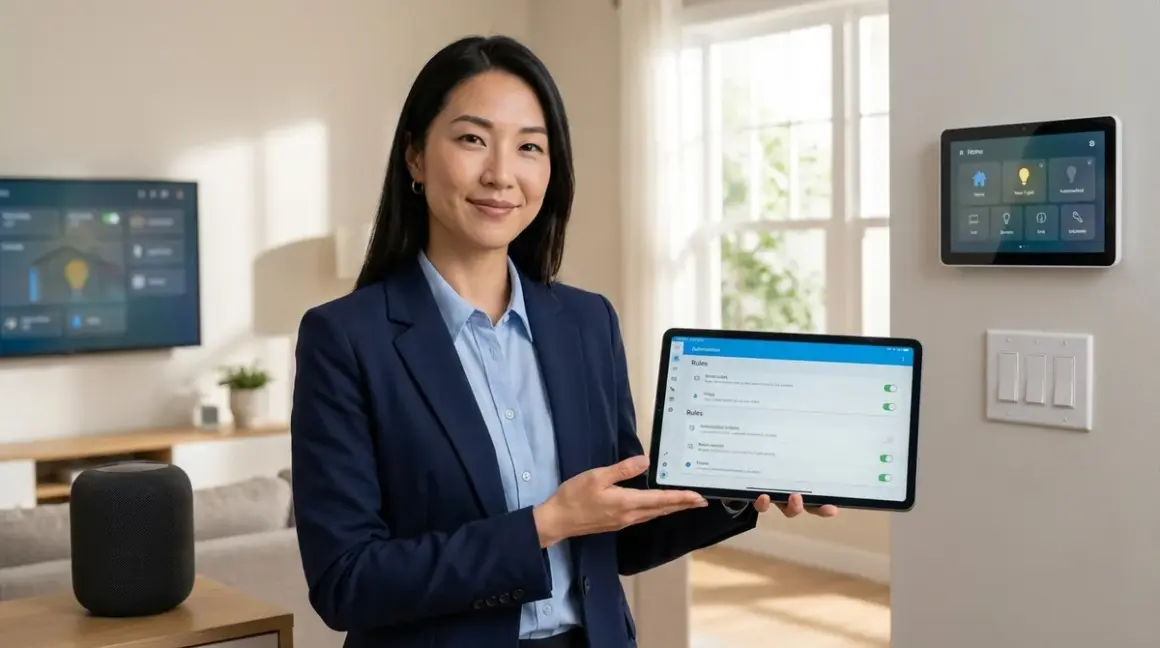

The difference between a smart home that anticipates needs and one that constantly demands your attention often comes down to how well you've compared and structured your automation logic. Understanding how to compare smart device automation across protocols, platforms, and trigger conditions transforms scattered reactions into choreographed rhythms—where light adjusts before you notice the dusk, where climate responds to occupancy patterns rather than scheduled guesses, where the technology recedes completely into the background of daily life. This guide walks through the methodology for evaluating automation logic rigorously: examining conditional structures, latency expectations, fallback behaviors, and the subtle interoperability limitations that determine whether your routines feel seamless or stubbornly mechanical.
Skill level: Intermediate (assumes familiarity with basic smart home concepts and at least one hub platform)
Time required: 2-3 hours for initial comparison framework, ongoing refinement as you test

What You'll Need
- At least one smart home hub or controller running Home Assistant, SmartThings, Hubitat, Apple Home, Google Home, or Amazon Alexa
- Access to your hub's automation editor (native app, web interface, or YAML configuration)
- Documentation for your current devices including protocol (Zigbee, Z-Wave, Thread, Matter, Wi-Fi), response times, and supported trigger types
- Spreadsheet or note-taking tool for tracking logic structures, latency measurements, and compatibility notes
- Network monitoring tool (optional but helpful: Fing, Wireshark, or your hub's built-in diagnostics)
- Physical access to devices for testing actual trigger-to-action timing in real-world conditions
- List of desired automation scenarios written out as plain-language "when/if/then" statements before you begin technical implementation
Step 1: Map Your Conditional Trigger Architecture
Begin by documenting every automation scenario you want to compare not as "turn on light when motion detected" but as complete conditional logic trees. A proper comparison starts with understanding that modern automation platforms support nested conditions, time constraints, state dependencies, and Boolean operators—and not all platforms handle these structures with equal sophistication or reliability.
Write out each automation as explicit if/then/else pseudocode before touching any app. For example:
IF motion detected in hallway
  AND time is between sunset and 11 PM
  AND hallway light is currently off
  AND home mode is "occupied"
THEN turn on hallway light to 40% warm white
  AND start 5-minute timer
ELSE IF motion detected in hallway
  AND time is between 11 PM and sunrise
  AND home mode is "occupied"
THEN turn on hallway light to 5% amber
This structure immediately reveals what your platform must support: time-based conditions, state checks (is the light already on?), mode awareness, nested logic, and timer functions. When you compare platforms, you're not comparing "can it detect motion and turn on a light"—you're comparing how elegantly each handles this layered decision tree, whether conditions can be grouped with AND/OR operators, and whether one failed condition gracefully skips the action or triggers an error.
In my own work, I once designed a morning routine for a client that required checking outdoor temperature, occupancy in three rooms, and whether it was a weekday—simple in concept, but several popular platforms couldn't group those conditions without creating three separate automations that occasionally conflicted. Understanding your conditional architecture up front prevents discovering these limitations after devices are installed behind finished walls.
The protocols matter here too: Zigbee and Z-Wave sensors typically report state changes instantly to the hub, enabling tight conditional logic, while Wi-Fi devices may introduce variable latency that makes complex nested conditions less reliable. Matter 1.4 aims to standardize this, but as of 2026 implementation quality still varies between manufacturers.
Step 2: Document Protocol-Specific Trigger Types and Latency
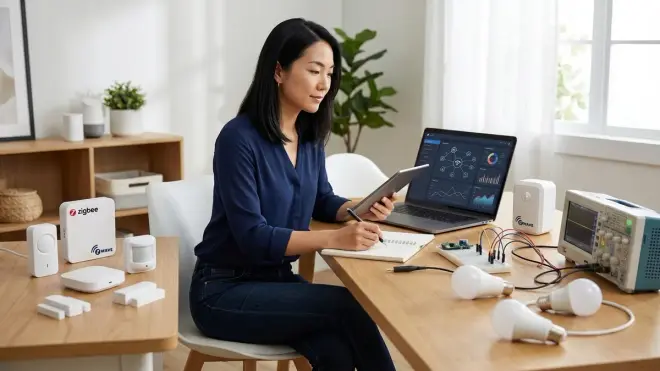
Not all triggers behave identically across protocols, and this becomes critical when you compare smart device automation logic across mixed ecosystems. Zigbee motion sensors like those using the Aqara Motion Sensor P1 typically report state changes to the hub within 100-300 milliseconds over a mesh network, with the hub then executing automation logic locally. Z-Wave sensors exhibit similar performance, though mesh routing differences can introduce slightly longer paths—200-400ms is common. Thread sensors in well-configured networks often achieve sub-100ms reporting to a Thread Border Router. Wi-Fi sensors depend entirely on your wireless infrastructure and internet stability; local execution may match Zigbee speeds, but cloud-dependent platforms (many budget Wi-Fi devices) can take 1-3 seconds or fail entirely if your connection drops.
Create a comparison matrix that captures:
- Trigger device protocol (Zigbee, Z-Wave, Thread, Matter over Thread/Wi-Fi, Wi-Fi only)
- Hub/controller type and whether automation logic runs locally or requires cloud processing
- Measured latency from trigger event to action completion (test this yourself—manufacturer claims are often optimistic)
- Trigger granularity: does the sensor report simple on/off states, or does it provide lux levels, temperature, humidity, battery percentage that can be used as conditional thresholds?
- Minimum re-trigger interval: many motion sensors have cooldown periods (30-60 seconds) before they can trigger again, which breaks certain automation patterns
For example, if you're comparing motion-triggered lighting, a Zigbee sensor with local hub processing might complete the entire trigger-to-light-on sequence in under 400ms—imperceptible. A budget Wi-Fi sensor routing through a cloud service could take 2-3 seconds, creating that awkward pause where you enter a dark room and wait. That latency difference isn't just technical trivia; it's the difference between automation that feels like the home is reading your mind and automation that feels like you're waiting for permission.
When comparing platforms, check whether they expose these latency metrics. Home Assistant provides detailed logs and state change timestamps; SmartThings and Hubitat offer debugging modes; Apple Home and Alexa are essentially black boxes where you must test empirically. Understanding how to test smart device latency gives you the measurement methodology.
Step 3: Evaluate Conditional Operators and Logic Complexity Limits

This is where platform comparison becomes tangible: testing what each automation environment actually allows you to build. Most platforms support basic AND conditions (motion detected AND time is after sunset), but elegance collapses quickly when you add OR logic, NOT conditions, or nested groupings.
Create test automations with increasing complexity:
Basic AND chain:IF sensor_A is triggered AND sensor_B is triggered THEN action
OR branching:IF (sensor_A is triggered OR sensor_B is triggered) AND time constraint THEN action
NOT exclusion:IF sensor_A is triggered AND sensor_B is NOT triggered THEN action
Nested grouping:IF ((sensor_A OR sensor_B) AND NOT (mode is "away")) OR override_switch is on THEN action
Some platforms (Home Assistant, Hubitat) handle these structures natively in their UI or YAML configuration. Others (Alexa routines, Google Home) force you into creative workarounds—creating virtual switches or helper automations that approximate logic they can't express directly. SmartThings improved significantly with its Rules API but still struggles with deeply nested conditions without custom code.
Beyond structure, check evaluation frequency: does the platform only evaluate conditions when a trigger fires, or does it continuously monitor state? For example, if your automation is "turn off lights when room is vacant for 10 minutes AND TV is not playing," does the platform actively track that 10-minute timer, or does it only check when motion stops and then forget about the TV condition? These architectural differences profoundly affect reliability.
Testing also reveals hard limits: maximum number of conditions per automation, maximum number of actions per trigger, timeout limits for complex evaluations. Home Assistant has no practical limits; Alexa routines cap at a handful of conditions and actions; Matter automations currently support basic conditional structures but complex nesting requires hub-level logic.
Step 4: Compare Action Sequencing, Delays, and Parallel Execution
How automation platforms handle action sequencing—the order and timing of what happens after conditions are met—separates graceful choreography from clumsy execution. When you compare smart device automation logic, you're often comparing this: can the platform execute actions in a specific order, introduce intentional delays between steps, or run multiple actions simultaneously?
Test these scenarios:
Sequential with delays:Turn on pathway lights → wait 2 seconds → unlock door → wait 5 seconds → turn on entry hall lights → announce arrival
Parallel execution:Turn on multiple lights simultaneously across different protocols (Zigbee, Z-Wave, Matter) without waiting for each to confirm before sending the next command
Conditional branching within actions:Turn on lights → IF outdoor temperature < 65°F THEN also turn on heated floor → ELSE turn on ceiling fan
Platforms handle this very differently. Home Assistant's scripts and automations support explicit delays (delay: '00:00:02'), parallel execution, and can call other scripts mid-sequence. SmartThings handles parallelization well but sequencing with delays requires careful use of "Wait" actions. Alexa routines execute sequentially but without fine-grained timing control beyond fixed delays, and they'll sometimes abandon a sequence if one action fails.
Latency compounds here: if you're controlling a Zigbee light (local, fast), a Wi-Fi smart plug (cloud-dependent, slower), and a Z-Wave lock (mesh, moderate speed) in sequence, the platform needs to manage those different response times. Poor implementations send all commands immediately and hope for the best; sophisticated ones wait for confirmations or at minimum introduce buffering so mesh networks aren't overwhelmed.
Fallback behavior during sequencing is crucial: if step 2 of a 5-step automation fails, does the platform halt or continue? Can you define alternate actions if a device doesn't respond? This is where understanding smart device fallback behavior becomes essential—automation logic must account for real-world reliability gaps.
Step 5: Test Cross-Protocol and Cross-Ecosystem Interoperability
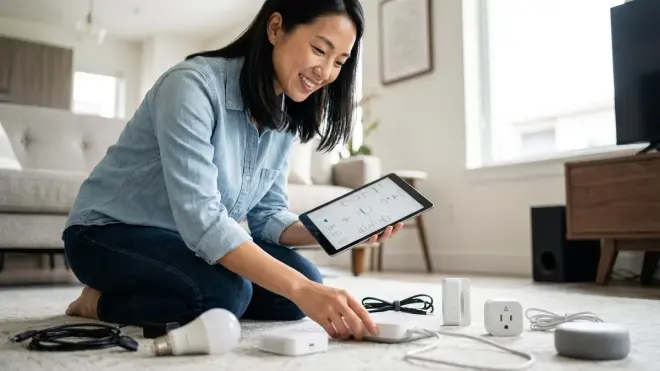
The most sophisticated automation logic collapses if devices can't actually communicate across protocols or ecosystem boundaries. This step involves building test automations that deliberately mix protocols—Zigbee sensors triggering Matter lights, Z-Wave switches controlling Thread locks, Wi-Fi cameras triggering local Zigbee alarms—and documenting where interoperability breaks down or introduces unacceptable latency.
For example, a common scenario: motion sensor detects entry, triggers lights, sends notification, and arms camera recording. If your motion sensor is Zigbee (connected to a Zigbee hub), your lights are Matter over Thread (connected via Thread Border Router), your phone notifications go through a cloud service, and your camera is Wi-Fi (local storage, no cloud), you're now comparing how well your automation platform mediates between four different communication pathways.
Home Assistant excels here because it acts as a protocol-agnostic translation layer—Zigbee events become state changes in the Home Assistant database, which then trigger actions sent via whatever protocol the target device speaks. SmartThings does this reasonably well within Samsung/Aeotec hardware but struggles with third-party Thread devices. Apple Home requires everything to speak HomeKit/Matter natively; bridging other protocols requires workarounds. Google Home and Alexa sit somewhere in the middle, supporting multiple protocols but with opaque cloud dependencies that introduce variable latency.
Test not just whether cross-protocol automations work, but how reliably they work under stress: when your Thread network is re-forming after a power outage, when your Wi-Fi is saturated with a video call, when Zigbee mesh is rerouting around a failed repeater. The logic might be perfect on paper, but real-world radio interference and network congestion reveal which platforms have robust retry logic and which simply fail silently.
Matter is supposed to solve this—and Matter 1.4's expanded device types and improved multi-admin do help—but interoperability in 2026 still isn't seamless. You must explicitly test your specific combination of protocols and document limitations honestly in your comparison framework.
Step 6: Evaluate State Persistence, Memory, and Context Awareness
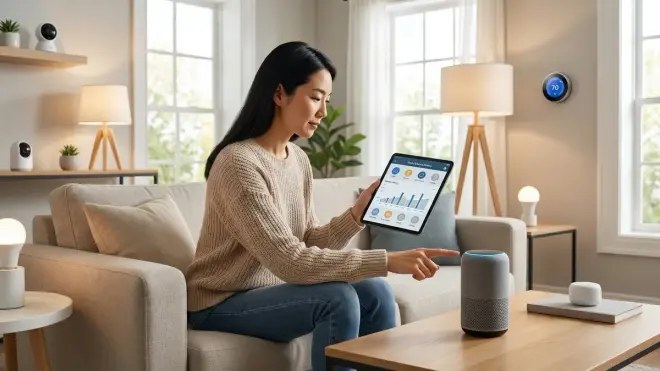
Advanced automation logic often depends on remembering context across multiple triggers: "turn on the light only if it wasn't manually turned off in the last hour" or "when motion stops, return lights to their previous brightness, not just off." This requires platforms to maintain state history and make that history available to conditional logic.
Compare how each platform handles:
State history access: Can automations check what the light's brightness was 10 minutes ago? Can you create a condition like "IF brightness 30 minutes ago was >50% THEN restore to that level ELSE default to 30%"? Home Assistant stores extensive state history in its database and makes it available via templating. Most consumer platforms (Alexa, Google Home) don't expose historical state at all—your automation can check current state only.
Variable storage: Can you create custom variables that persist across automation runs? For example, setting a "last_manual_adjustment_time" variable when someone manually changes a light, then checking that variable in subsequent automations to avoid overriding recent user preferences. Home Assistant offers input helpers and template variables. Hubitat supports hub variables. Consumer platforms typically don't offer persistent variable storage, forcing workarounds like virtual switches to approximate Boolean flags.
Scene memory: Can the automation remember and restore complex multi-device states? "Pause current lighting scene, turn on bright work lights, then resume previous scene when motion stops." This requires capturing state snapshots across multiple devices and reliably restoring them, which depends on both platform capability and device protocol support for state reporting.
Mode/presence context: Does the platform have first-class support for "modes" (home, away, night, vacation) or presence detection, and can automations easily reference these? Or must you build your own using helpers and variables?
In my experience outfitting a lakeside home where the owners wanted lighting to adapt to manual adjustments during the evening—remembering when they dimmed lights for reading and not overriding that choice when they got up briefly—this capability was non-negotiable. We ended up using Home Assistant specifically because consumer platforms couldn't maintain that context across triggers. The automation logic itself was simple, but it required memory the simpler platforms don't provide.
Step 7: Implement and Measure Fallback and Failure Behaviors
The most telling comparison isn't how automation logic performs when everything works—it's how it behaves when things fail. This step involves deliberately breaking parts of your system and documenting what happens: disconnect a device, shut down the hub, disable internet access, let device batteries drain, introduce radio interference. Real-world reliability stems from graceful degradation, not perfect operation.
Build test automations and document:
Hub offline: What happens to Zigbee/Z-Wave/Thread mesh networks? Zigbee and Z-Wave devices retain their mesh and can be controlled locally via physical switches or binding groups, but won't execute hub-based automations. Thread devices connected via Matter may continue local binding if properly configured. Wi-Fi devices with local processing (rare) may continue basic functions; cloud-dependent devices become inert.
Internet outage: Cloud-dependent platforms (Alexa, Google Home, most Wi-Fi devices) lose most functionality. Local platforms (Home Assistant, Hubitat, Apple Home for HomeKit devices) continue executing automations. This is a critical comparison point—if your trigger logic depends on a sensor reporting to a cloud service that then sends a command to your hub that then controls a local device, your automation has two failure points. Local protocols like Zigbee and Z-Wave maintain reliability even during internet disruptions.
Device non-response: If a device doesn't acknowledge a command, does the platform retry? Time out and move on? Halt the entire automation sequence? Home Assistant's service call architecture includes configurable timeouts and error handling. Consumer platforms usually just fail silently, leaving you to wonder why the light didn't turn on.
Protocol network issues: Zigbee mesh re-forming, Z-Wave route optimization, Thread partition healing—these all introduce temporary periods where devices may not respond reliably. Does your automation logic account for this, perhaps with retries or status checks before proceeding to subsequent actions?
Define your fallback preferences explicitly: "if motion triggers lights but lights don't respond within 2 seconds, send notification and abort subsequent actions" versus "retry every 500ms for up to 5 seconds, then continue regardless." Platforms that allow you to express these preferences give you control; platforms that don't force you to accept their default (often: fail silently and hope the user doesn't notice).
Step 8: Document Ecosystem Lock-In and Migration Constraints
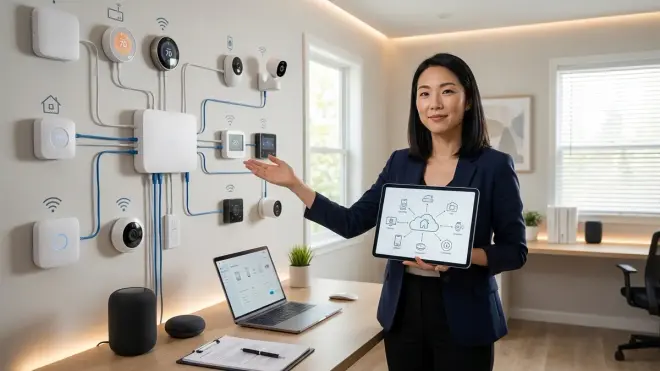
The final comparison dimension is often overlooked until it's too late: how tightly does each automation platform bind you to specific devices, protocols, or cloud services? And if you decide to migrate—say, moving from SmartThings to Home Assistant, or from Alexa routines to Apple Home—what happens to your carefully constructed automation logic?
Evaluate:
Automation portability: Can you export automations in a readable, platform-independent format? Home Assistant uses YAML, which is text-based and theoretically portable (though entities would need remapping). Consumer platforms lock automations in proprietary formats accessible only through their apps. If you leave, you're rewriting everything from scratch.
Device compatibility: If your automation relies on devices tightly integrated with one ecosystem (Amazon Echo built-in Zigbee, Apple HomePod as Thread Border Router, Google Nest's deep integration with Nest devices), migrating means losing functionality or replacing hardware. Matter is designed to prevent this, allowing devices to work with multiple controllers simultaneously, but in 2026 implementation remains inconsistent, especially for complex device types and advanced features.
Cloud service dependencies: Wi-Fi devices from manufacturers who've gone out of business or discontinued cloud services render your automations permanently broken. Z-Wave and Zigbee devices using open standards can often be re-paired to different hubs; Matter devices should (in theory) work with any Matter controller. This isn't directly about logic comparison, but it affects the long-term viability of your automation investment.
Custom code and integrations: Advanced automation often requires custom integrations, add-ons, or scripts. If you've built extensive logic in Home Assistant's Python/YAML, Hubitat's Groovy, or SmartThings' custom handlers, that work is platform-specific and doesn't migrate. Understanding this up front helps you balance capability against portability.
When comparing platforms, ask not just "can it do what I want now?" but "if I outgrow this platform or it gets discontinued, can I move my logic elsewhere without starting over?" This honest assessment prevents investing months in automation development on platforms that become dead ends.
Pro Tips & Common Mistakes
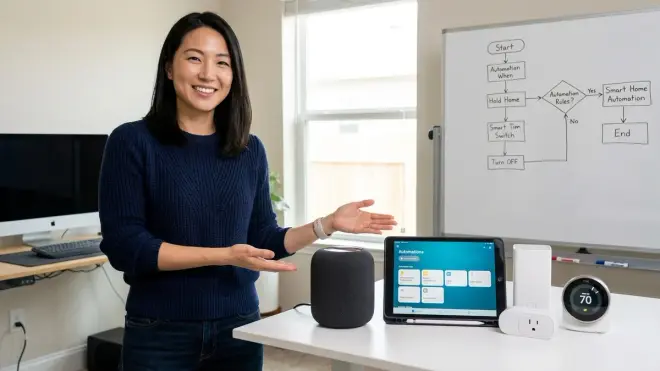
Start with pseudocode, not platform features. The most common mistake is letting a platform's UI dictate your automation logic—building what's easiest in the app rather than what actually serves your routine. Write out the ideal logic in plain language first, then find the platform that can express it cleanly. If you find yourself fighting the interface or creating elaborate workarounds to approximate basic logic, you're on the wrong platform.
Test latency under load, not in isolation. Automation that responds instantly when it's the only thing running may lag badly when your network is saturated or the hub is processing multiple events. Test during peak usage: streaming video, multiple people home, other automations running simultaneously.
Distinguish between device limits and platform limits. If an automation feels sluggish, determine whether the delay is from the device (slow Wi-Fi sensor, long Zigbee route), the protocol (cloud dependency), or the platform (inefficient logic engine, sequential rather than parallel action execution). This diagnosis guides whether you need different devices, a protocol change, or a new hub.
Build incremental fallbacks. Don't create brittle either/or logic that fails catastrophically if one condition isn't met. Instead, layer graceful degradation: if motion sensor fails, check time of day and err toward lights on; if brightness sensor is unavailable, use a reasonable default based on time rather than blocking the entire automation.
Invisible alternatives: If your automation testing reveals reliability issues, consider moving critical functions to hard-wired solutions disguised as standard fixtures. A vacancy sensor wired directly into a lighting circuit provides rock-solid reliability that even the best wireless automation can't match—and it disappears entirely into the ceiling. Reserve your sophisticated conditional logic for enhancements, not essentials.
Frequently Asked Questions
Can I run the same automation logic across multiple smart home protocols simultaneously?
Yes, if you use a hub or controller that acts as a protocol translator—platforms like Home Assistant, Hubitat, or SmartThings can receive triggers from Zigbee devices, evaluate conditions checking state across Z-Wave and Matter devices, and execute actions on Wi-Fi and Thread devices all within a single automation. The hub translates between protocols at the logic layer, so your conditional triggers work regardless of what radio the device speaks. However, each protocol adds latency and potential failure points, so test thoroughly under real conditions and build fallback behaviors for devices that might not respond immediately across protocol boundaries.
What happens to my automation logic if my smart home hub loses internet access?
It depends entirely on whether your hub processes automations locally or requires cloud services. Home Assistant, Hubitat, and Apple Home (for HomeKit devices) execute automations entirely locally, so internet outages don't affect trigger logic or device control—Zigbee, Z-Wave, and Thread networks continue functioning normally, Wi-Fi devices with local APIs remain controllable, and only cloud-dependent integrations (weather data, voice assistants, remote access) stop working. SmartThings, Alexa, and Google Home rely heavily on cloud processing, meaning many automations simply stop executing during outages even though devices remain powered and connected to your local network, which is a critical consideration when comparing platforms for reliability.
How do I know if my automation latency is caused by the protocol or the conditional logic complexity?
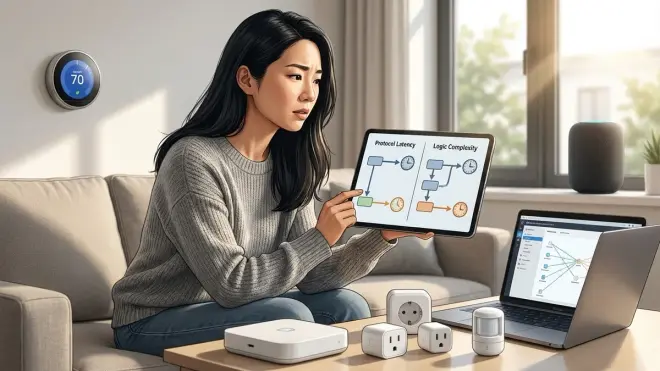
Measure latency at each stage: log timestamps when the trigger device detects an event, when the hub receives and begins evaluating the trigger, when conditions are fully evaluated, when action commands are sent, and when target devices execute those commands—most advanced platforms (Home Assistant, Hubitat) expose these timestamps in debug logs or system monitoring tools. If delay appears between trigger receipt and condition evaluation, your logic is too complex or the hub is underpowered; if delay appears between command sending and device execution, the issue is protocol latency (mesh routing, Wi-Fi congestion, cloud round-trips); comparing these measurements across different automations and protocols reveals exactly where bottlenecks occur and guides whether you need to simplify logic, upgrade the hub, or change device protocols.
Can Matter 1.4 devices use conditional automation logic without a separate hub?
No, Matter devices themselves don't execute conditional automation logic—they report state and accept commands, but the intelligence (if/then conditions, scheduling, mode awareness, action sequencing) lives in a Matter controller like Apple Home, Google Home, Amazon Alexa, Home Assistant, SmartThings, or a dedicated Matter hub. Matter 1.4 standardizes how devices communicate with controllers and allows multi-admin (one device controlled by multiple platforms simultaneously), but each controller still implements its own automation logic engine with varying capability for complex conditionals, so you're comparing the controller's automation features, not Matter itself, when evaluating logic sophistication—Matter simply ensures the devices speak a common language regardless of which controller runs the automation brain.
Summary
Learning how to compare smart device automation logic isn't about picking the platform with the longest feature list—it's about matching conditional complexity, protocol realities, and reliability expectations to the way a space is actually lived in. The frameworks outlined here—pseudocode planning, latency measurement, cross-protocol testing, fallback documentation—transform automation comparison from guesswork into systematic evaluation. The most elegant automation doesn't announce itself; it simply makes the home respond as though it's been paying attention all along, turning protocol specifications and conditional triggers into rhythms that recede entirely into the background of daily life.
