


The difference between a home that responds gracefully to your presence and one that stutters through its commands often comes down to something invisible: the language your smart light bulbs speak. Smart light bulb protocols—Zigbee, Z-Wave, Matter, and Wi-Fi—determine not just whether a bulb turns on, but how quickly it responds, whether it stays connected when the internet drops, and how seamlessly it integrates with the rest of your ecosystem. For those who want technology to enhance the rhythm of daily life without announcing itself, understanding these protocols matters more than lumens or color temperature. The protocol is the foundation; everything else is decoration.
What Are Smart Light Bulb Protocols?
A protocol is the structured communication method that allows a smart light bulb to receive commands from a controller—whether that's a hub, a smartphone app, or a voice assistant. Think of it as the dialect your devices share. A Zigbee bulb and a Z-Wave hub can't communicate directly, no matter how sophisticated either device is, because they speak fundamentally different languages.

Smart light bulb protocols fall into four primary categories in 2026: Zigbee, Z-Wave, Matter (often running over Thread), and Wi-Fi. Each operates on different radio frequencies, employs distinct network topologies, and imposes specific compatibility requirements.
Zigbee and Z-Wave both use mesh networking, where each powered device extends the network's reach. Matter, the newest standard, aims to unify ecosystems by sitting atop existing protocols like Thread and Wi-Fi, acting as a translation layer. Wi-Fi connects directly to your home router, bypassing the need for a dedicated hub but often at the cost of network congestion and higher power consumption.
The protocol you choose shapes everything downstream: which hubs you'll need, how automations execute, what happens when your internet fails, and whether you'll face vendor lock-in or enjoy the freedom to mix devices across ecosystems. In my practice, I've watched homeowners invest thousands in beautifully concealed lighting only to discover their chosen protocol couldn't support the latency-sensitive scenes they envisioned—the bedroom that should dim gradually as evening falls instead lurching through brightness levels like a nervous actor forgetting their cues.
Protocols aren't just technical specifications. They're the invisible scaffolding that determines whether your home feels responsive or sluggish, reliable or temperamental, open or confined to a single manufacturer's vision.
How Smart Light Bulb Protocols Work
Each protocol employs a distinct method for transmitting commands from controller to bulb, with significant implications for speed, reliability, and network architecture.
Zigbee: Mesh Networking on 2.4 GHz
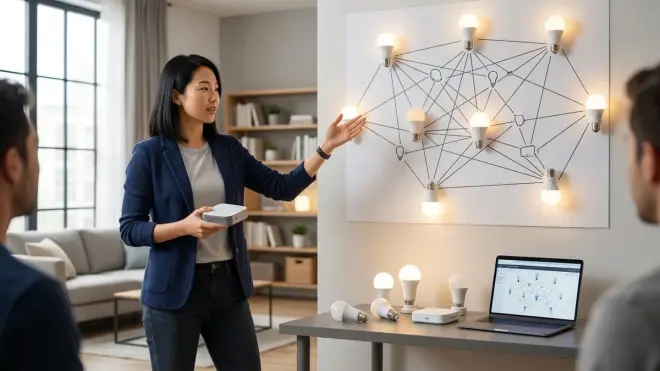
Zigbee operates on the crowded 2.4 GHz band, the same frequency used by Wi-Fi, Bluetooth, and microwave ovens. It forms a self-healing mesh network where each powered device (bulbs, smart plugs, switches) acts as a repeater, forwarding signals to extend range and provide redundant pathways.
When you send a command—say, dimming the kitchen lights to 40%—the signal travels from your hub to the nearest Zigbee device, which relays it to the next, and so on until it reaches the target bulb. If one device fails or moves out of range, the mesh automatically reroutes through alternative nodes.
Zigbee networks support up to 65,000 devices theoretically, though practical limits hover around 50–100 devices depending on hub processing power and network congestion. Latency typically ranges from 50–150 milliseconds in a healthy mesh, fast enough that the human eye perceives changes as instantaneous.
The protocol uses AES-128 encryption for security, and most implementations follow the Zigbee 3.0 standard, which improved device interoperability across manufacturers. However, some older Zigbee bulbs (pre-3.0) require proprietary hubs—Philips Hue Bridge with early Hue bulbs, for example—limiting cross-brand compatibility.
Fallback behavior: If the hub loses internet connectivity, local automations continue to execute because Zigbee doesn't depend on cloud servers. But if the hub itself fails, the entire network collapses—bulbs revert to last-commanded state and won't respond to new instructions until the hub restarts.
Z-Wave: Dedicated Frequency with Lower Interference
Z-Wave runs on sub-GHz frequencies (908.42 MHz in North America, different frequencies in other regions), which avoids the 2.4 GHz congestion that plagues Zigbee and Wi-Fi. This dedicated band yields more reliable signal propagation through walls and obstacles.
Like Zigbee, Z-Wave builds a mesh network with powered devices acting as repeaters. The key difference: Z-Wave networks max out at 232 nodes per controller, a hard architectural limit that makes it less suitable for large installations with hundreds of devices.
Command latency is comparable to Zigbee—50–200 milliseconds in typical deployments—though some users report marginally better reliability in homes with heavy Wi-Fi traffic, a consequence of operating on an uncrowded frequency. Z-Wave Plus (the current standard) extends range up to 100 meters line-of-sight per hop, compared to Zigbee's 10–20 meters.
Because Z-Wave is controlled by the Z-Wave Alliance (now absorbed into the Connectivity Standards Alliance), the protocol enforces stricter interoperability standards. A Z-Wave bulb from one manufacturer will work with any Z-Wave hub, no proprietary bridges required. This makes Z-Wave particularly appealing for those who want freedom to mix brands without ecosystem lock-in.
Fallback: Like Zigbee, Z-Wave operates locally when internet fails, but hub failure halts the network. Battery-powered Z-Wave devices (sensors, switches) add complexity—they sleep to conserve power and only wake periodically, introducing latency measured in seconds rather than milliseconds.
For more on reliability differences between these two mesh protocols, see Zigbee Motion Sensors vs Z-Wave Motion Sensors: Latency and Reliability Compared.
Matter: The Universal Translator
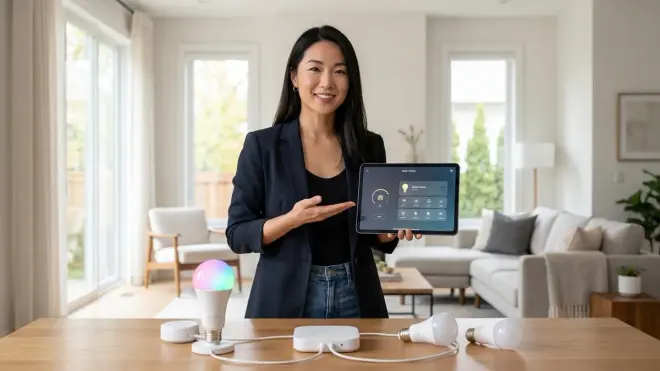
Matter isn't a radio protocol itself—it's an application layer that runs atop Thread, Wi-Fi, or Ethernet. Introduced in late 2022 and significantly refined through version 1.4 by 2026, Matter aims to solve the fragmentation problem: allowing Google Home, Apple HomeKit, Amazon Alexa, and other platforms to control the same devices without manufacturer-specific bridges.
A Matter-certified bulb running on Thread (a low-power mesh protocol similar to Zigbee) can be controlled by an iPhone via Apple Home, an Android phone via Google Home, and an Echo via Alexa—all without separate hubs or complex integrations. The device speaks a single language (Matter), and each ecosystem provides its own translation.
Thread operates on 2.4 GHz like Zigbee but with more efficient routing algorithms and mandatory IPv6 addressing, allowing true internet-style device-to-device communication. Thread Border Routers (built into many modern smart speakers and hubs) connect the Thread mesh to your home network, enabling control from anywhere.
Matter also runs over Wi-Fi for devices that need higher bandwidth (smart displays, cameras), though Matter-over-Wi-Fi bulbs are rare in 2026—most lighting implementations favor Thread for power efficiency.
Command latency for Matter-over-Thread mirrors Zigbee: 50–150 milliseconds in healthy networks. The advantage isn't speed but flexibility: your automation logic lives in whichever ecosystem you prefer (HomeKit, Google Home, Home Assistant), and you can switch without replacing hardware.
Interoperability limitations: Not all ecosystems expose all Matter features equally. As of 2026, color-tuning capabilities, dynamic scenes, and advanced scheduling may work perfectly in one platform but appear limited in another, even with the same bulb. Always verify that the specific features you care about—not just generic "Matter compatibility"—are supported in your chosen ecosystem.
Fallback: If internet drops, Matter devices controlled by local hubs (Apple HomePod, Thread-enabled smart speakers, Home Assistant) continue executing automations. If the Border Router fails but your Wi-Fi stays up, Matter-over-Thread devices become unreachable until the router restarts—the mesh can't communicate outside itself without that gateway.
For those considering a migration, How to Migrate Your Smart Home to Matter 1.4 Without Breaking Automations provides step-by-step logic for transition planning.
Wi-Fi: Direct Connection, No Hub Required
Wi-Fi bulbs connect directly to your home router, eliminating the need for a dedicated hub. Each bulb occupies a slot in your router's device table—a meaningful constraint since most consumer routers max out around 50–100 simultaneous connections before performance degrades.
These bulbs typically operate on 2.4 GHz Wi-Fi (5 GHz is less common due to poorer wall penetration and higher power draw). Command latency depends heavily on router quality and network congestion: 100–500 milliseconds in typical setups, but potentially longer if dozens of devices are competing for bandwidth.
The automation logic usually lives in the cloud. When you tell Alexa to dim the living room, that command travels from your Echo to Amazon's servers, which send instructions back down to the bulb. This round-trip introduces latency and creates a single point of failure: no internet means no control, even if your local Wi-Fi remains functional.
Some Wi-Fi bulbs support local control through apps or integrations like Home Assistant, but this isn't universal. Always verify whether a bulb requires cloud access for basic operation—it's a common frustration for those who discover too late that their "smart" lights go dumb during internet outages.
Power consumption is higher than Zigbee, Z-Wave, or Thread. A Wi-Fi bulb might draw 0.5–1 watt when off, compared to under 0.1 watt for Thread or Zigbee. Over dozens of bulbs, this phantom load becomes measurable in annual energy costs.
The advantage is simplicity: no hub to hide, no mesh to troubleshoot, and straightforward setup through a manufacturer's app. For installations with fewer than a dozen bulbs and reliable internet, Wi-Fi can feel frictionless. Beyond that, the protocol's limitations—network congestion, cloud dependency, higher power draw—begin to outweigh convenience.
For a direct comparison of these trade-offs, see Matter Smart Lights vs Wi-Fi Smart Lights: Which Protocol Is Better?.
Why Smart Light Bulb Protocols Matter in Real-World Use

Choosing the wrong protocol doesn't just create compatibility headaches—it shapes how your home responds in the moments that matter most.
Consider a morning automation: as sunrise begins, bedroom lights gradually warm from 2700K to 3000K, reaching 30% brightness over twenty minutes. The bathroom lights wait until motion is detected, then illuminate instantly to 80% at 4000K. The hallway responds as you leave the bedroom, dimming behind you as you move through the space.
If Zigbee or Z-Wave: This sequence executes locally through your hub. Latency is low (under 150ms), so the hallway light appears to anticipate your movement. If the internet fails overnight, the automation still runs in the morning—your hub has the schedule and the logic (IF time >= 06:30 AND motion_sensor_bedroom.state == "detected" THEN bedroom_lights.brightness = 30%, bedroom_lights.temperature = 3000K).
If Wi-Fi: Each command travels to the cloud and back. Latency varies (150–500ms or more), sometimes creating perceptible lag—you're already in the hallway before the light catches up. If internet is down, the automation doesn't fire. The bulbs sit at whatever state they held last night. You walk through a dark house manually toggling dumb switches embedded in smart bulbs, a peculiar kind of technological regression.
If Matter-over-Thread: The experience mirrors Zigbee—fast, local, reliable. The advantage emerges when you decide to switch from Google Home to Apple HomeKit six months later: you don't replace a single bulb. The automation logic migrates to the new platform, and the bulbs respond identically.
Protocols also determine how failures cascade. In a Zigbee mesh, if a centrally-located bulb (acting as a key repeater) burns out or loses power, devices beyond it may become unreachable until the mesh reroutes—a process that can take seconds to minutes. Z-Wave's longer range per hop makes it slightly more forgiving of node failures. Matter-over-Thread benefits from mandatory minimum mesh standards, ensuring routers meet performance thresholds, though real-world networks still degrade as nodes fail.
Latency expectations vary by use case. For simple on/off commands, anything under 200ms feels instant. For synchronized scenes involving multiple bulbs—say, eight recessed lights dimming in unison as a movie begins—you want sub-100ms consistency across devices. Zigbee, Z-Wave, and Thread can achieve this in well-designed meshes. Wi-Fi struggles, especially if some bulbs are farther from the router or if network traffic spikes.
In homes where technology should enhance ambiance without demanding attention, the protocol becomes the difference between "the lights just know" and "I think the lights are supposed to do something here but they're buffering." That gap, measured in milliseconds and reliability percentages, is felt as mood—either the space responds to your presence like a living thing, or it hesitates, breaking the spell.
Types of Smart Light Bulb Protocols: Choosing for Your Ecosystem
Selecting a protocol means choosing which compromises align with your priorities: speed versus simplicity, flexibility versus cost, local control versus cloud convenience.
Zigbee: Best for Large Mesh Networks with Local Control
Zigbee suits homes where dozens to hundreds of devices will eventually populate the network. The protocol's support for tens of thousands of nodes (in theory) and self-healing mesh make it ideal for expansive installations.
Compatibility requirements: You'll need a Zigbee hub or controller—options include the Amazon Echo (4th generation or newer) with built-in Zigbee hub, Samsung SmartThings Hub, Hubitat Elevation, or Home Assistant with a Zigbee coordinator dongle. Some manufacturers like Philips demand their proprietary bridge (Philips Hue Bridge) for full feature access, even though Hue bulbs are technically Zigbee 3.0 compliant.
Automation logic example:
IF time == 18:00 AND living_room_motion.state == "detected"
THEN living_room_lights.color_temp = 2700K, living_room_lights.brightness = 60%
ELSE IF time >= 22:00
THEN living_room_lights.brightness = 20%
This runs locally on the hub. No internet required.
Fallback behavior: If Zigbee hub loses power, the network collapses and bulbs revert to last state. If a repeater node fails, the mesh reroutes within 30 seconds to 2 minutes. If internet fails, local automations continue.
Invisible alternative: Install Zigbee-compatible in-wall smart switches that control dumb bulbs. The switches join the Zigbee mesh and execute the same automation logic without requiring visible smart bulbs. The technology lives behind the wall plate, entirely concealed.
Z-Wave: Best for Interference-Free Reliability in Mid-Sized Homes
Z-Wave's sub-GHz operation makes it the protocol of choice when Wi-Fi congestion or Bluetooth interference causes Zigbee reliability issues—common in dense apartment buildings or homes with many wireless devices.
Compatibility requirements: Requires a Z-Wave hub (Hubitat, Home Assistant with Z-Wave dongle, older SmartThings hubs). Unlike Zigbee, there's no proprietary bridge confusion—any Z-Wave light works with any Z-Wave hub.
Network limit: 232 devices per hub. This rarely constrains lighting-only setups but matters in whole-home automation with sensors, locks, and thermostats sharing the network.
Automation logic example:
IF bedroom_motion.state == "no_motion" FOR 10 minutes
THEN bedroom_lights.state = "off"
Executes locally with 50–200ms latency.
Fallback behavior: Identical to Zigbee—local automations survive internet loss, but hub failure disables control.
Invisible alternative: Z-Wave in-wall dimmers and switches (from manufacturers like Inovelli or Zooz) can control traditional LED bulbs while hiding all smart functionality behind standard wall plates.
For detailed comparisons of Zigbee and Z-Wave implementations in plug devices, see Best Zigbee Smart Plugs vs Z-Wave Smart Plugs for Home Automation.
Matter-over-Thread: Best for Multi-Ecosystem Flexibility
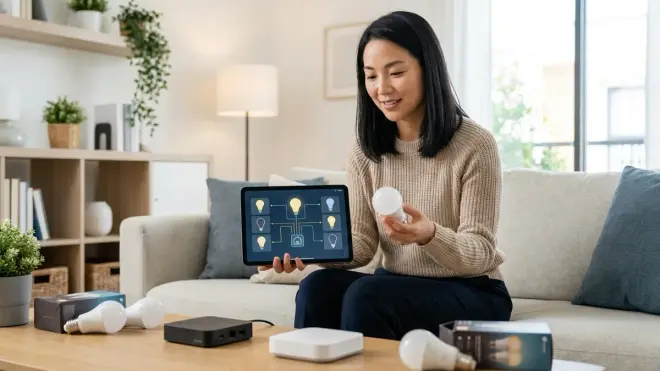
If you value the freedom to switch ecosystems (from Alexa to HomeKit to Google Home) without replacing devices, or if you want different family members to control the home through their preferred platforms, Matter is the protocol to prioritize in 2026.
Compatibility requirements: Requires a Thread Border Router—built into devices like Apple HomePod mini, Google Nest Hub (2nd gen or newer), Amazon Echo (4th gen or newer), and many current smart displays. The border router connects the Thread mesh to your home network, enabling control from smartphones, voice assistants, and automation platforms.
Each ecosystem (Apple Home, Google Home, Alexa) acts as a controller, but the bulbs respond to all of them simultaneously. You're not locked into a single vendor's vision.
Automation logic example (in Apple HomeKit):
IF motion_sensor_hallway.state == "detected" AND time >= 22:00
THEN hallway_lights.brightness = 15%, hallway_lights.color_temp = 2200K
The exact same bulbs could execute a different automation in Google Home or Home Assistant running in parallel—whichever controller you prefer takes precedence, or you can have different automations in different rooms managed by different platforms.
Fallback behavior: If Thread Border Router fails but Wi-Fi continues, Thread devices become unreachable. If internet fails but border router stays up, local automations continue (assuming your controller supports local execution).
Interoperability note: Matter 1.4 (current as of 2026) standardized most lighting features, but dynamic effects and advanced color scenes may still expose platform-specific limitations. A bulb might support smooth transitions in HomeKit but only stepped changes in Alexa. Always test the specific features you care about before committing to dozens of bulbs.
For comprehensive guidance on Matter infrastructure, see Matter 1.4 Hub Requirements Explained: Border Routers, Bridges, and Controllers.
Wi-Fi: Best for Small Installations Prioritizing Simplicity
Wi-Fi makes sense for installations with fewer than a dozen bulbs, especially when users prefer avoiding hubs entirely and don't mind cloud dependency.
Compatibility requirements: Only a 2.4 GHz Wi-Fi network and the manufacturer's app (or integration with Alexa, Google Home, etc.). No hub, no mesh, no additional hardware.
Router capacity: Most consumer routers handle 50–100 devices total. If you're already running security cameras, smart plugs, tablets, phones, and laptops, adding 20 Wi-Fi bulbs may push your network into instability—manifesting as dropped connections, sluggish responses, and intermittent "device unavailable" errors.
Automation logic example (typically in manufacturer's app or Alexa):
IF time == 07:00
THEN kitchen_lights.state = "on", kitchen_lights.brightness = 80%
This logic often runs in the cloud, not locally. Internet outage = no automation.
Fallback behavior: Cloud-dependent bulbs become manual-only during internet failures. Some Wi-Fi bulbs with local API support (rare) can be controlled via Home Assistant or similar platforms even when internet is down, but this requires technical setup.
Invisible alternative: Instead of replacing bulbs, install Wi-Fi smart switches or dimmers. The switch mounts flush in the wall, controlling dumb bulbs, and the technology remains entirely hidden. Many Wi-Fi switches offer local control APIs for use with platforms like Home Assistant, addressing the cloud-dependency issue.
For general guidance on protocol selection across device categories, see How to Compare Smart Home Device Protocols Before Buying.
Frequently Asked Questions
Which smart light bulb protocol is fastest?
Zigbee, Z-Wave, and Matter-over-Thread all deliver comparable latency, typically 50–150 milliseconds in healthy mesh networks, fast enough for imperceptible response times in typical use. Wi-Fi introduces more variability, with latencies ranging from 100–500 milliseconds depending on network congestion and whether commands route through cloud servers. For latency-sensitive applications like motion-triggered hallway lights or synchronized multi-bulb scenes, mesh protocols outperform Wi-Fi consistently.
Do smart light bulb protocols work without internet?

Zigbee, Z-Wave, and Matter-over-Thread all execute local automations through their hubs or border routers even when internet connectivity fails, provided the hub remains powered and your automation logic is stored locally. Wi-Fi smart bulbs typically depend on cloud servers for automation and remote control, becoming manual-only during internet outages unless they specifically support local API control through platforms like Home Assistant. The protocol itself doesn't determine local capability—implementation by the hub manufacturer does—but mesh protocols inherently favor local operation.
Can I mix Zigbee and Z-Wave bulbs in the same home?
Yes, but they require separate hubs and operate as independent networks—they cannot communicate directly with each other. A Zigbee hub controls Zigbee bulbs, a Z-Wave hub controls Z-Wave bulbs, and you'll need an overarching automation platform like Home Assistant, Hubitat, or SmartThings to create unified automations across both protocols. This adds complexity and cost, so most users choose one mesh protocol and commit to it unless specific devices are only available in the other protocol.
Is Matter compatible with older Zigbee and Z-Wave devices?
Matter does not natively control existing Zigbee or Z-Wave devices—it's a separate protocol standard. However, many hubs now support Matter bridge functionality, translating between Matter controllers and legacy Zigbee/Z-Wave networks. For example, a Zigbee bulb connected to a SmartThings hub can be exposed to Apple HomeKit via Matter bridging, allowing HomeKit to control it indirectly through the SmartThings hub acting as a bridge. This works but introduces an extra layer of latency and potential failure points, and advanced features may not translate fully across the bridge.
Do Wi-Fi smart bulbs slow down my home network?
Each Wi-Fi bulb occupies a connection slot on your router and generates periodic network traffic (heartbeat signals, status updates). In small quantities—fewer than 10 bulbs—the impact is negligible on modern routers. Beyond that, especially on older routers or congested networks, dozens of Wi-Fi bulbs can contribute to network instability, slower speeds for other devices, and increased latency for all Wi-Fi-connected devices. Mesh protocols like Zigbee, Z-Wave, and Thread operate on separate networks, avoiding this congestion entirely.
Finding Your Protocol
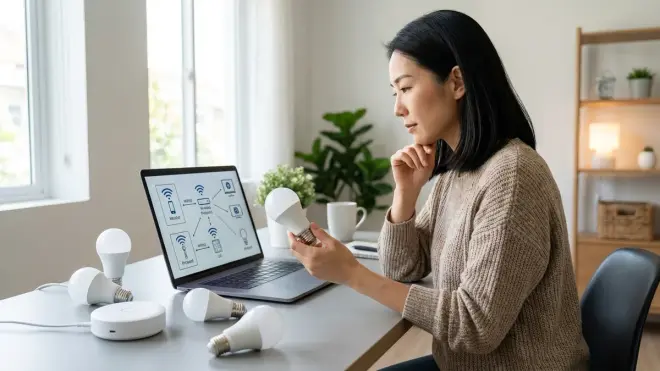
The protocol that feels invisible is the one aligned with how you actually live in your spaces. If you want dozens of concealed lights responding instantly without internet dependency, Zigbee or Z-Wave delivers. If you value the freedom to switch ecosystems or control everything through multiple platforms, Matter-over-Thread offers flexibility older protocols can't match. If you're lighting a single room and prefer simplicity over scalability, Wi-Fi works—until it doesn't.
I've installed Zigbee meshes in century-old homes where walls killed Wi-Fi signals, and I've specified Matter bulbs in new construction where clients knew they'd experiment with ecosystems before settling. Both felt effortless because the protocol matched the architecture and the inhabitants' habits. The wrong choice—Wi-Fi bulbs in a network already straining under security cameras and streaming devices, or a Zigbee mesh with a single hub located too far from half the bulbs—creates frustration that no amount of aesthetic integration can remedy.
Protocols aren't the glamorous part of lighting design, but they're the foundation. Choose carefully, verify compatibility explicitly, and test latency under real-world conditions before committing to dozens of bulbs. The technology should disappear into the rhythm of your day, not announce itself through lag and unreliability. That's when the smart home becomes simply home—responsive, intuitive, and felt rather than seen.
