
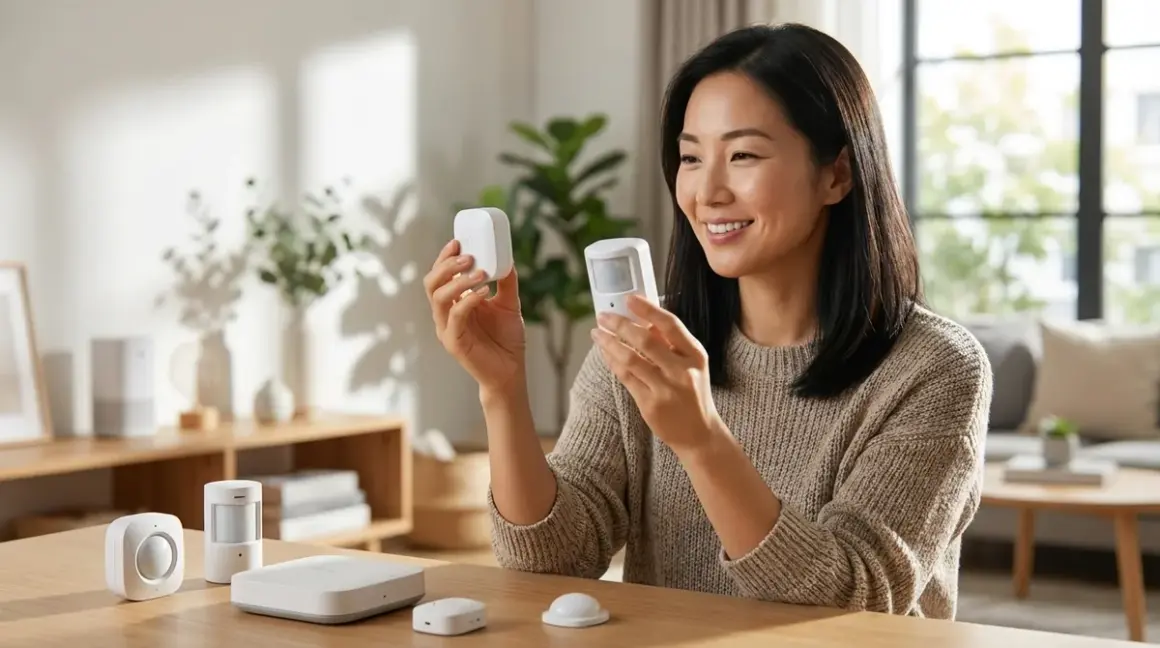

Zigbee motion sensors typically respond 100-200ms faster than Z-Wave equivalents, but Z-Wave offers superior whole-home reliability in homes with thick walls or metal construction. This zigbee vs zwave motion sensor comparison unpacks the nuanced differences in latency, mesh behavior, hub requirements, and the lived experience of automation that actually feels invisible—no lag when you walk into a darkened room, no hesitation before the lighting adjusts to your presence.
Quick Comparison
| Criterion | Zigbee Motion Sensors | Z-Wave Motion Sensors |
|---|---|---|
| Typical Latency | 100–250ms from detection to hub notification | 200–400ms from detection to hub notification |
| Mesh Range & Reliability | Denser mesh (more routers), struggles with metal/concrete | Longer per-hop range (30m+), better wall penetration |
| Hub Requirements | Requires Zigbee-compatible hub (Hubitat, Home Assistant, SmartThings, Philips Hue Bridge for some models) | Requires Z-Wave hub (Hubitat, Home Assistant, SmartThings, Aeotec Smart Home Hub) |
| Battery Life | 1–2 years typical (CR2032 or AA), depends on reporting frequency | 2–3 years typical (CR123A or AA), lower reporting overhead |
| Fallback Behavior | Mesh reroutes within ~2 seconds if router node fails; sensors go offline if hub fails | Mesh reroutes within ~5 seconds; sensors offline if hub fails |
Protocol Architecture and How It Shapes Response Time
The zigbee vs zwave motion sensor comparison begins not with milliseconds, but with how each protocol thinks about space. Zigbee operates on the crowded 2.4 GHz band—the same frequency your Wi-Fi, Bluetooth speakers, and microwave occupy—and compensates by allowing more devices to act as mesh routers. Every mains-powered Zigbee bulb, plug, or switch becomes a signal repeater, creating a dense web of low-power nodes. When a motion sensor detects you entering the hallway at 3 a.m., it doesn't shout across the house; it whispers to the nearest router, which whispers to the next, until the message reaches your hub. That chain typically takes 100–250ms in a well-populated mesh.

Z-Wave, by contrast, operates on 908 MHz in North America (868 MHz in Europe)—a less congested sub-GHz band that penetrates drywall, brick, and even metal studs more effectively. Each hop in a Z-Wave mesh can span 30 meters or more indoors, compared to Zigbee's typical 10–15 meters. But Z-Wave devices communicate more deliberately: each message includes more error-checking overhead, and fewer devices act as routers (only mains-powered Z-Wave devices route; battery sensors do not). The result is 200–400ms latency from motion detection to hub notification—perceptibly slower in a side-by-side test, yet often more reliable in homes where walls are thick or layouts are complex.
In practice, 150ms rarely matters to human perception when you're walking through a room. What does matter is consistency. A Zigbee sensor that fires in 120ms nine times out of ten, but takes 1,200ms the tenth time because a mesh router temporarily dropped, creates the kind of hesitation that makes automation feel broken. Z-Wave's longer per-hop range means fewer hops in many homes, which often translates to more predictable timing even if the baseline is slightly slower.
Automation Logic and Real-World Latency
Suppose you're automating a powder room where natural light is scarce. The automation logic looks like this:
IF motion_detected == TRUE
  AND current_time BETWEEN sunset AND sunrise
  AND light_level < 10 lux
THEN
  SET overhead_light TO 40% brightness
  WAIT 5 minutes after last_motion == FALSE
  FADE light TO 0% over 10 seconds
With a Zigbee motion sensor and a Zigbee bulb on the same mesh, end-to-end latency (motion → light on) typically lands around 200–350ms: 100–250ms for the sensor to notify the hub, plus 50–100ms for the hub to process the conditional logic and send the command to the bulb. A Z-Wave setup extends that to 300–500ms—still imperceptible to most people, but occasionally noticeable if you're moving quickly or if your hub is under processing load.
The friction appears when the mesh is incomplete. A Zigbee sensor placed 20 meters from the hub, with only one intermediate router (a smart plug tucked behind a sofa), may struggle if that router is turned off at the outlet or if interference spikes. Z-Wave's longer per-hop range often means you can skip that intermediate router entirely, reducing points of failure. I've installed both protocols in a Portland loft with exposed steel beams; the Zigbee sensors required three additional plug routers to maintain sub-300ms latency, while Z-Wave needed none.
Mesh Behavior, Interference, and Reliability Under Real Conditions
Mesh networks sound elegant on paper—self-healing, self-routing, resilient. In lived experience, they're as reliable as their weakest link. Zigbee's 2.4 GHz frequency means you're competing with Wi-Fi routers, Bluetooth audio, baby monitors, and even your neighbor's network if you live in an apartment building. Zigbee mitigates this by hopping between 16 non-overlapping channels, but if your Wi-Fi router is blasting on channel 6 and your Zigbee coordinator picks channel 11, you're still sharing spectrum. The result: occasional packet collisions that force retries, adding 200–500ms jitter to an otherwise fast protocol.
Z-Wave's sub-GHz band is quieter—almost serene by comparison. The trade-off is that sub-GHz signals don't penetrate water-dense materials (like a fully stocked pantry or a shower wall) as effectively as you'd hope. In a 1920s brick home with plaster-and-lathe walls, I've seen Z-Wave sensors maintain rock-solid connectivity across 25 meters, while Zigbee sensors in the same location would occasionally drop off the mesh until I added a router node in the hallway.
Both protocols reroute automatically when a mesh node fails, but the speed differs. Zigbee typically completes a reroute within 2 seconds—fast enough that you might not notice unless you're running a timed automation. Z-Wave can take 5 seconds or more, which is noticeable if a critical router (like a dimmer switch on your main circuit) loses power and the motion sensor has to find a new path mid-automation.
Fallback Behavior When the Hub Goes Offline
Here's the uncomfortable truth about both protocols: when the hub fails, your motion sensors become inert. Unlike Wi-Fi smart devices that can sometimes be controlled via their manufacturer's cloud app even if your hub is down, Zigbee and Z-Wave are local-only radio protocols. The sensor will continue to detect motion—its PIR circuitry doesn't rely on the mesh—but it has nowhere to send that information. No hub, no automation.
The exception is Z-Wave's "association" feature, which lets you pair a motion sensor directly to a Z-Wave light switch or dimmer, bypassing the hub entirely for a single pre-programmed action (e.g., motion → light on). This works even if the hub is offline or the network is down, because the association is stored in the switch's firmware. Zigbee offers "binding," which is conceptually similar, but it's less widely implemented and typically requires manufacturer-specific tooling to configure. For a designer obsessed with invisible resilience, Z-Wave associations offer a fallback layer that Zigbee often can't match.
If you're curious about hub options that disappear into your infrastructure, the guide on understanding concealed smart home hubs walks through placement strategies that keep controllers out of sight while maintaining signal integrity.
Device Selection, Compatibility, and Ecosystem Lock-In
The zigbee vs zwave motion sensor comparison isn't just about radio specs—it's about which devices you can actually buy and how they integrate with your existing setup. Zigbee's ecosystem is broader but more fragmented. You'll find dozens of Zigbee motion sensors from brands like Aqara, Philips Hue (via the Hue Motion Sensor), Sengled, and Third Reality, ranging from compact puck designs to sensors with built-in temperature/humidity reporting. The catch: not all Zigbee devices are created equal. Some use manufacturer-specific Zigbee profiles that require pairing through the brand's proprietary hub before they'll work on an open platform like Home Assistant or Hubitat.
The Aqara Motion Sensor P1🛒 Amazon is a favorite in my projects—it's roughly the diameter of a half-dollar coin, battery life stretches past 18 months even with aggressive reporting intervals, and it supports Zigbee 3.0, which means broad hub compatibility. The mounting plate is magnetic, so you can reposition it without drilling holes—ideal for renters or for iterating on sensor placement during commissioning. The downside: Aqara's battery life estimation assumes moderate traffic, and in high-activity zones like a mudroom or kitchen threshold, you'll replace the CR2450 closer to 12 months. The sensor also has a 6-second motion cooldown by default, which is too slow for automation that needs to distinguish between someone pausing in a doorway versus walking through decisively. You can reduce this via custom firmware on Home Assistant, but out-of-the-box, it's a friction point.
Z-Wave's ecosystem is smaller but more standardized. Aeotec, Zooz, and Fibaro dominate the motion sensor category, and because Z-Wave mandates interoperability through the Z-Wave Alliance certification process, you're less likely to encounter pairing headaches. The Zooz ZSE18 Motion Sensor🛒 Amazon offers adjustable sensitivity, custom LED disable (because nothing ruins a darkened bedroom like a blinking indicator light), and USB power as an alternative to batteries—useful if you're mounting it in a media console or closet where you can tap into existing 5V USB. The enclosure is chunkier than most Zigbee options, though, which makes concealment harder unless you're recessing it into a niche or mounting it behind a grille.
Hub Requirements and Protocol Mixing
Zigbee sensors require a Zigbee-compatible hub or coordinator: Home Assistant with a Zigbee USB stick (ConBee II, SkyConnect), Hubitat Elevation, SmartThings, or even a Philips Hue Bridge for certain sensors. You cannot add a Zigbee sensor to a Z-Wave-only hub, and vice versa. If you're already deep in the Philips Hue ecosystem, adding a Philips Hue Motion Sensor🛒 Amazon is frictionless—it pairs in seconds and integrates natively with Hue lighting automations. But if you want to expand beyond Hue bulbs to control Z-Wave door locks or Matter-enabled thermostats, you'll need a more open platform.
Z-Wave sensors need a Z-Wave hub: Hubitat, Home Assistant with a Z-Wave USB stick (Aeotec Z-Stick 7, Zooz ZST10), SmartThings, or a dedicated Z-Wave controller like the Aeotec Smart Home Hub. Many modern hubs support both protocols simultaneously—Hubitat and Home Assistant are particularly strong here—which lets you build a hybrid mesh that plays to each protocol's strengths. Use Zigbee for dense sensor networks in open-plan spaces, Z-Wave for long-range sensors in basements or detached garages.
Matter 1.4 is beginning to bridge this gap by offering a cross-protocol application layer, but as of 2026, motion sensors are not yet part of the Matter device types spec. You'll still need Zigbee or Z-Wave for motion detection, though your hub can expose those sensors to Matter-compatible controllers for unified automation logic. The evolving landscape of smart home protocol compatibility clarifies what works today versus what's aspirational.
Battery Life, Reporting Frequency, and the Cost of Responsiveness
Fast response times demand frequent radio transmissions, which drain batteries. Zigbee sensors typically report every 5 seconds when motion is active (to confirm continued occupancy) and then send a "motion clear" message after a defined timeout—usually 60–120 seconds. This aggressive reporting enables responsive automations but pushes battery life down to 12–24 months depending on traffic patterns and the sensor's power-saving firmware.
Z-Wave sensors often report less frequently—every 10–15 seconds during active motion—because Z-Wave's protocol overhead makes each transmission slightly more power-intensive. Paradoxically, this results in longer battery life: 24–36 months is typical, and some Z-Wave sensors (like the Fibaro Motion Sensor) can stretch past three years if you dial back sensitivity and reporting intervals. The trade-off is slightly less granular data for your automation logic. If you're triggering a simple on/off action, it doesn't matter. If you're building presence-detection logic that distinguishes between "someone walked past the doorway" and "someone is standing in the room," Zigbee's faster updates give you more fidelity.
For high-traffic zones—entryways, kitchens, staircases—USB-powered sensors eliminate battery anxiety entirely. Both Zigbee and Z-Wave offer USB-powered options (though they're rarer in Zigbee). I've tucked USB-powered sensors into the recesses of custom millwork, tapping into existing low-voltage wiring from built-in LED strips. The sensor becomes part of the architecture, never surfacing visually, never requiring a ladder and a screwdriver for a battery swap at 10 p.m.
Who Should Choose Zigbee Motion Sensors
Choose Zigbee if your home already leans into the Zigbee ecosystem—Philips Hue lighting, IKEA Tradfri smart blinds, Aqara sensors—and you want faster baseline latency for automations that feel instantaneous. Zigbee is also the better choice in open-plan layouts where you can scatter mains-powered routers (smart plugs, bulbs) liberally to build a dense mesh with short hops. If you're comfortable tinkering with open-source platforms like Home Assistant or Zigbee2MQTT, Zigbee's broader device selection and lower per-device cost make it easier to instrument every corner of your space without breaking budget.
Zigbee excels when you need small, visually discreet sensors—the Aqara pucks and coin-sized modules that disappear on a windowsill or tuck into a picture ledge. For designers and residents who prioritize aesthetics over spec sheets, Zigbee's form factors often win by default. Just accept that you'll need to manage a denser mesh and potentially replace batteries more frequently.
Who Should Choose Z-Wave Motion Sensors
Choose Z-Wave if your home has challenging RF environments: thick masonry, metal-frame construction, sprawling single-story layouts, or detached outbuildings where long per-hop range is non-negotiable. Z-Wave's sub-GHz frequency and longer reach mean fewer routers, fewer points of failure, and often more predictable latency even if the baseline is slightly slower. If you're building a subscription-free security system and need motion sensors that stay connected reliably without cloud dependencies, Z-Wave's local-only mesh and standardized interoperability reduce integration friction.
Z-Wave is also the pragmatic choice if you value longer battery life and want to minimize maintenance. In rental properties, vacation homes, or aging-in-place retrofits where you're not on-site to swap batteries every year, Z-Wave's 2–3 year battery life buys peace of mind. The ability to configure direct associations between a Z-Wave sensor and a Z-Wave switch—bypassing the hub entirely for critical lighting automations—adds a fallback layer that Zigbee struggles to match. When the hub reboots or the network hiccups, that hardwired association keeps your entryway light functional.
Frequently Asked Questions
Can Zigbee and Z-Wave motion sensors work together in the same automation?
Yes, if your hub supports both protocols simultaneously. Platforms like Hubitat, Home Assistant, and SmartThings can coordinate Zigbee and Z-Wave devices within a single automation rule, treating each sensor as an input regardless of protocol. For example:
IF (zigbee_motion_sensor_hallway == TRUE) OR (zwave_motion_sensor_mudroom == TRUE)
  AND front_door_lock_status == unlocked
THEN
  ANNOUNCE "Welcome home" via smart_speaker
The hub abstracts the protocol layer, so your automation logic sees only device states, not radio frequencies. The catch is that the two meshes operate independently—Zigbee routers don't extend Z-Wave range, and vice versa—so you'll need to provision each mesh adequately. Latency will be determined by whichever sensor responds slower in a given automation run, and if one mesh is struggling (e.g., Zigbee interference from Wi-Fi), that leg of the conditional may lag.
Do Zigbee or Z-Wave motion sensors work without an internet connection?
Yes, both protocols operate entirely on local RF meshes and do not require internet connectivity for basic motion detection and automation triggering. The motion sensor communicates with your hub over Zigbee or Z-Wave radio, and the hub processes automation logic locally. If your internet goes down, your "motion → lights on" automation continues to function as long as the hub remains powered. The exception is if you're using a cloud-dependent hub (like the older SmartThings models or some proprietary brand hubs) that requires internet for automation processing—in that case, the sensor still detects motion locally, but the automation won't execute. Hubs like Hubitat, Home Assistant, and Aeotec Smart Home Hub process automations locally by default, making them resilient to internet outages. For a deeper dive into hub architecture, see the guide on concealed smart home hubs.
Which protocol is more reliable in a home with thick walls or multiple floors?
Z-Wave typically outperforms Zigbee in homes with thick walls, masonry, or metal-frame construction due to its sub-GHz frequency and longer per-hop range. A Z-Wave signal can often reach 30+ meters indoors and penetrate drywall, brick, and even stucco more effectively than Zigbee's 2.4 GHz signal, which attenuates sharply through dense materials. In a two-story Craftsman with original plaster walls, I've seen a single Z-Wave dimmer on the main floor route signals reliably to a motion sensor in a second-floor bedroom, while Zigbee required two intermediate routers (one on each floor) to maintain stable connectivity. Zigbee's denser mesh can compensate for weak per-hop range, but only if you're willing to install enough mains-powered routers to create redundant paths. If you're retrofitting a historic home, Z-Wave reduces the router count and the visual clutter of additional plugs or switches. For reference, the device mesh network reliability guide benchmarks real-world penetration across common building materials.
Bottom Line
The zigbee vs zwave motion sensor comparison distills to this: Zigbee trades raw speed for ecosystem breadth and compact form factors, while Z-Wave trades a few hundred milliseconds of latency for longer range, better wall penetration, and more predictable mesh behavior in challenging RF environments. Neither is universally superior—each protocol serves a different spatial and technical context. If your home is open-plan, your lighting is already Zigbee-based, and you value the fastest possible response times, lean into Zigbee and accept the battery life and mesh management trade-offs. If your walls are thick, your layout is sprawling, or you're building a system that needs to work reliably without constant tinkering, Z-Wave's longer per-hop range and standardized interoperability often deliver a more forgiving, less fragile automation experience.
The invisible integration philosophy holds regardless of protocol: the best motion sensor is the one you never see, never think about, and never have to troubleshoot because it just works when you walk into a room. Choose the radio that lets your space respond to presence as naturally as light shifts with the time of day—felt, not seen.
