
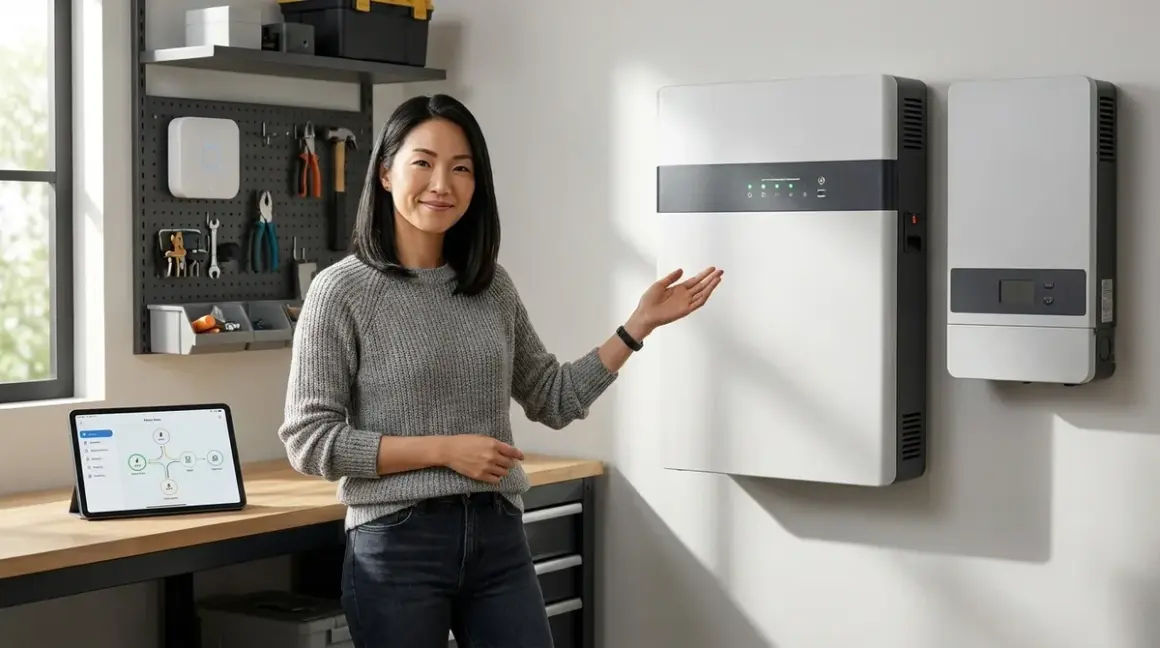

When the lights flicker and die at 11 p.m., your carefully orchestrated home doesn't just go dark—it goes silent. The motion sensors stop watching hallways, climate automations pause mid-adjustment, security cameras blink offline. For those who've woven automation into the quiet rhythm of daily life, power loss feels less like an inconvenience and more like a fundamental disruption to how spaces breathe and respond. Smart home backup power solutions preserve that invisible continuity, ensuring your home's intelligence persists even when the grid fails—without adding clunky battery boxes or noisy generators to rooms you've spent years refining.
What Is Smart Home Backup Power?
Smart home backup power solutions are electrical systems designed to maintain uninterrupted operation of automation devices—hubs, routers, sensors, and controllers—during utility outages. Unlike whole-home generators that restore every circuit, these solutions prioritize the low-voltage infrastructure that keeps your Zigbee mesh responsive, your Z-Wave thermostats active, and your Thread border routers online.
The goal isn't merely uptime for its own sake. It's continuity of experience. When your partner arrives home during a blackout, the entryway should still sense motion and trigger battery-powered smart lighting at the threshold, exactly as it would on any ordinary Tuesday evening. When a storm knocks out power at 3 a.m., the bedroom climate automation shouldn't lose its scheduled temperature ramp, jarring everyone awake with sudden heat or cold. Backup power preserves the felt intelligence of a space—the automations that have become so embedded in routine that their absence is immediately, viscerally noticed.
These systems range from compact uninterruptible power supplies (UPS) tucked behind entertainment centers to whole-home battery arrays integrated into electrical panels. The right solution depends on which protocols your home relies upon, how many devices form critical automation chains, and whether you're protecting a mesh network (Zigbee, Z-Wave, Thread) that requires continuous hub operation or standalone Wi-Fi devices that can tolerate brief disconnections.
In practice, most homes layer multiple approaches: a small UPS for the router and primary hub, targeted battery backup for essential sensors, and perhaps a larger system for climate control and security infrastructure. The architecture should be invisible, threaded through baseboards and concealed in closets, so the mechanics of resilience never intrude on the spaces they protect.
How Smart Home Backup Power Works
The mechanics divide into three distinct tiers, each addressing different failure modes and recovery timelines.
Tier 1: Hub and Network Infrastructure (Immediate Response, 0-50ms Switchover)
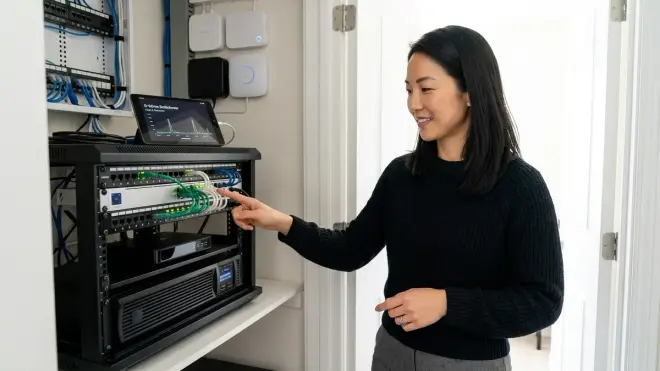
The most critical layer keeps communication pathways alive. When utility power drops, your home's automation intelligence doesn't reside in individual bulbs or switches—it lives in the hub (Zigbee coordinator, Z-Wave controller, Thread border router) and the network infrastructure (router, modem, switches) that connect them.
A typical setup: The APC Back-UPS Pro 1500VA sits in a ventilated cabinet behind the living room credenza, powering the primary router, cable modem, Zigbee hub, and Z-Wave controller. Combined draw rarely exceeds 60 watts, allowing runtime between 3-4 hours during total outage. The UPS provides zero-transfer-time switchover—devices never detect the transition from grid to battery, so mesh networks remain stable and automations continue executing.
Automation logic persists exactly as programmed:
IF motion_detected(hallway_sensor) == TRUE
  AND time >= 22:00
  AND time <= 06:00
  AND ambient_light(hallway) < 10_lux
THEN
  SET hallway_lights(brightness=15%, color_temp=2200K, duration=120s)
This conditional runs identically on battery power, because the Zigbee mesh coordinator and motion sensor never lose connection. The only difference: if your smart bulbs are unpowered (no electricity to fixtures), the command has nowhere to land. Which leads to tier two.
Tier 2: Battery-Operated Endpoints and Strategic Device Selection
Here's where protocol choice determines resilience. Zigbee and Z-Wave devices often include battery-operated options—contact sensors, motion detectors, even some switches operate on coin cells or AA batteries, remaining functional during outages. Wi-Fi and Matter-over-Wi-Fi devices typically require continuous AC power, creating fragility.
During recent work on a hillside home prone to winter windstorms, every critical automation endpoint became battery-capable: Zigbee contact sensors on entry doors, battery-powered Zigbee buttons as physical overrides, even Zigbee-controlled battery LED pucks hidden in crown molding for emergency path lighting. When the grid failed, the home's behavioral intelligence—who's entering, which rooms are occupied, whether windows are open—persisted for days without intervention.
The automation layer adapted gracefully:
IF power_outage_detected == TRUE
  THEN
    DISABLE automations(energy_intensive_devices)
    ENABLE automations(battery_path_lighting)
    SET notification(mobile, "Backup power active, runtime ~3.5 hours")
The hub sent this logic because it remained powered. The battery endpoints responded because their mesh connection never dropped. This is fallback behavior designed before installation, not improvised during crisis.
Tier 3: Whole-Home Battery Systems (Extended Outages, 4+ Hours)
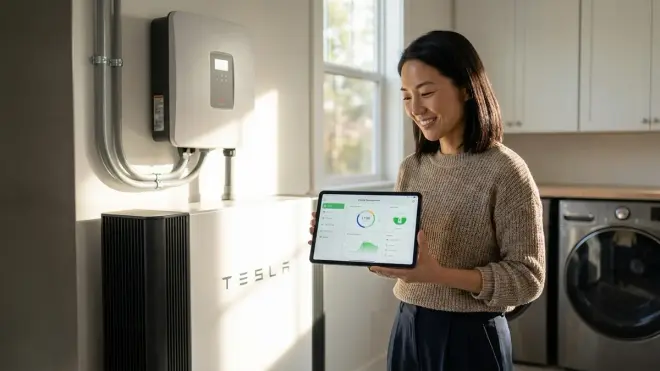
For homes integrating climate, security, and smart home energy management into cohesive ecosystems, a UPS isn't sufficient. Whole-home battery systems—Tesla Powerwall, Enphase IQ Battery, LG Chem RESU—maintain power to entire circuits, not just low-voltage devices.
These systems monitor grid status continuously. When voltage drops or frequency shifts outside tolerance (59.3-60.5 Hz in North America per IEEE standards), the battery's integrated inverter disconnects from the grid and begins supplying stored DC power as clean AC to designated circuits. Switchover latency ranges from 10-30ms—fast enough that sensitive electronics like routers and hubs experience no interruption, though traditional UL-listed smoke detectors may momentarily chirp during the transition.
The advantage for automation: your Matter-over-Thread thermostats, Wi-Fi security cameras, and hardwired smart switches continue operating indefinitely, constrained only by battery capacity (typically 10-20 kWh, translating to 12-48 hours of runtime depending on load). The home feels unchanged because nothing changed—lights still dim on command, climate adjusts with occupancy, irrigation systems pause as programmed.
Integration with smart home platforms allows sophisticated energy prioritization:
IF battery_charge < 30%
  THEN
    DISABLE automations(non_essential_lighting, decorative_features)
    REDUCE hvac_setpoint(heating_offset=-3°F, cooling_offset=+3°F)
    ENABLE automations(critical_security_only)
    SET battery_reserve(minimum=20%, priority=refrigeration+medical)
This conditional runs on Home Assistant or similar platforms, communicating with the battery system via Modbus TCP or proprietary APIs. The logic is invisible to occupants—spaces simply become more conservative, dimming ambient lighting earlier, allowing wider temperature bands, without the jarring total loss of automated comfort.
Why Smart Home Backup Power Matters
The fragility isn't always obvious until it's tested. A client once described returning home after a brief afternoon outage to find their Z-Wave mesh network entirely offline. Not because the hub lost power—it sat on a UPS—but because half the hardwired smart switches (acting as mesh repeaters) had powered down, fragmenting the network topology. Battery-operated sensors couldn't route messages to the hub, automations stalled, and manual resets took forty minutes.
That failure revealed a critical truth: mesh networks depend on topology, not just endpoints. Zigbee and Z-Wave route messages through the strongest neighboring devices. When you lose AC-powered switches and plugs during an outage, you're not just losing those specific devices—you're creating routing dead zones where battery-operated sensors can no longer reach the hub. Even with the hub powered, the mesh collapses.
This is why backup power matters beyond simple uptime. It preserves network integrity, the invisible lattice of signal paths that make low-latency automation possible. When a motion sensor fires in a hallway, its Zigbee radio doesn't beam directly to the hub three rooms away—it hops through two intermediate smart plugs and a light switch, each amplifying and forwarding the message. Lose those intermediaries, and your 40ms response time becomes 400ms or infinite.
The experiential impact is immediate. Automations that felt instantaneous—lights responding to footsteps, climate adjusting to occupancy—suddenly lag or fail entirely. The home stops feeling intelligent and starts feeling like a collection of uncoordinated gadgets. For spaces designed around invisible responsiveness, that shift is jarring.
Backup power also protects time-sensitive automations from data loss. If your irrigation controller loses power mid-cycle, it may forget which zones have watered and default to flooding the lawn or skipping entirely. If your smart thermostat reboots during an outage, it loses its learned occupancy patterns and reverts to a generic schedule. Small UPS units prevent these disruptions, maintaining continuity even during brief flickers that wouldn't affect non-automated homes.
Types & Variations of Smart Home Backup Power Solutions
Not every approach suits every home. Protocol mix, physical constraints, and aesthetic priorities shape which architecture makes sense.
Centralized UPS for Core Infrastructure
The most common starting point: a single 600-1500VA UPS powering the router, modem, primary smart home hub (Zigbee/Z-Wave/Thread), and optionally a NAS or Home Assistant server. Combined load typically stays under 100 watts, yielding 2-6 hour runtime depending on UPS capacity.
Protocols served: All, since the hub and network remain live
Latency: 0-10ms switchover (line-interactive or online double-conversion models)
Limitations: Only devices within the powered mesh topology continue functioning; AC-powered endpoints (Wi-Fi cameras, hardwired switches) still fail unless separately backed up
Best for: Homes with strong Zigbee or Z-Wave mesh density, where most critical automation endpoints run on batteries or have built-in battery backup
Distributed UPS for Zoned Reliability
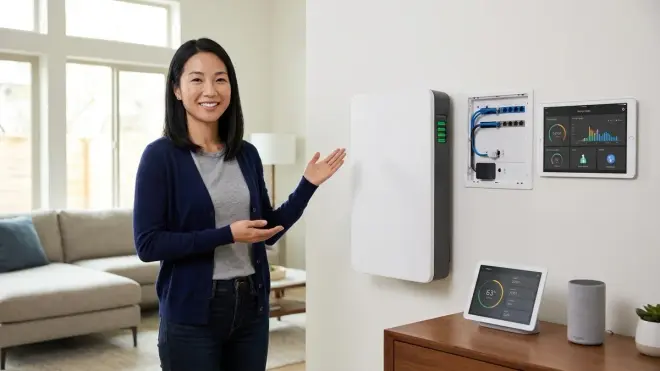
Larger homes or those with multi-hub architectures (e.g., separate Zigbee and Thread controllers, or a primary hub plus satellite mesh extenders) benefit from distributed UPS placement. A 350VA unit in the bedroom closet keeps the Thread border router and bedroom smart displays online; a 600VA model in the garage maintains the smart irrigation controller and outdoor camera POE switch.
Protocols served: Mixed—each UPS protects devices in its physical zone
Latency: Varies by unit (5-50ms typical)
Limitations: More complex to maintain; battery replacement schedules multiply; requires careful load calculation per zone
Invisible alternative: UPS units can mount inside large drawers or behind false cabinet backs, with AC outlets extended via flush-mount receptacles. The CyberPower CP1000PFCLCD is narrow enough to fit vertically in a standard 12-inch cabinet, invisible behind linens or rarely-used cookware.
Whole-Home Battery with Smart Integration
Tesla Powerwall, Enphase IQ, LG Chem RESU, and similar systems power entire circuits, not just individual devices. These integrate at the electrical panel, automatically maintaining power to designated breakers during outages. For comprehensive details on comparing these platforms, see our guide to whole home battery systems for smart automation.
Protocols served: All—everything stays powered
Latency: 10-30ms grid-disconnect to battery-supply transition
Limitations: High upfront cost (typically $8,000-$15,000 installed); requires professional electrical work; not portable or reconfigurable without rewiring
Best for: Homes with solar integration, those in areas with frequent or prolonged outages, or properties where climate and security automation are non-negotiable
Hybrid Approach: UPS + Generator Switchover
Some setups combine short-term UPS with automatic standby generators. The UPS provides instantaneous backup (0-10ms), bridging the 10-30 second interval before the generator starts and the automatic transfer switch (ATS) completes its changeover. For protocol-specific considerations, our comparison of battery backup vs generator for smart homes explores this architecture in depth.
Protocols served: All, with no perceptible gap
Latency: Sub-10ms UPS switchover, followed by seamless generator takeover
Limitations: Generators introduce noise and exhaust; require fuel management; ATS adds complexity
Invisible alternative: Generators install outdoors in acoustically dampened enclosures; the UPS and ATS hide in utility spaces. Occupants experience uninterrupted automation with no awareness of the mechanics.
Device-Level Battery Integration
Increasingly, manufacturers embed internal batteries directly into endpoints. Some Wi-Fi cameras include 2-4 hour battery backup; certain smart thermostats retain settings through brief outages; newer smart locks operate entirely on batteries. This approach eliminates external UPS needs for specific devices but requires per-device evaluation.
Protocols served: Device-specific
Latency: Zero—device never loses power
Limitations: Battery life varies; not user-replaceable in all models; doesn't solve mesh network fragmentation
Frequently Asked Questions
How long will a UPS keep my smart home hub running during a power outage?
Runtime depends on the UPS capacity (measured in volt-amperes, or VA) and the combined wattage of connected devices. A typical Zigbee hub draws 3-8 watts, a cable modem 10-15 watts, and a Wi-Fi router 8-12 watts—totaling around 30 watts. A 1000VA UPS with a 600-watt capacity provides approximately 3-4 hours of runtime at this load, while a smaller 350VA unit might offer 60-90 minutes. The UPS runtime calculator on our site lets you input exact device wattages for precise estimates, and most UPS manufacturers provide runtime charts showing expected duration at various loads.
Do Zigbee and Z-Wave devices continue working during a power outage if the hub has backup power?
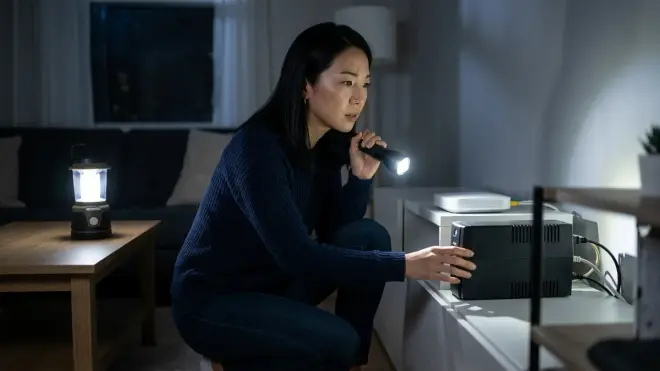
Battery-operated Zigbee and Z-Wave devices (motion sensors, contact sensors, buttons) continue functioning as long as the hub remains powered and the mesh network stays intact. AC-powered devices like smart plugs and hardwired switches go offline unless they also have backup power, which can fragment the mesh topology and prevent battery devices from routing messages to the hub. For homes with many AC-powered mesh repeaters, you may need to strategically back up key routing nodes or design fallback automations during power outages that account for reduced mesh density and longer latency.
Will my Wi-Fi smart devices work during an outage if I have a UPS on my router?
Only if the devices themselves remain powered—most Wi-Fi smart bulbs, plugs, and cameras require continuous AC power and will go offline even if your router and internet connection stay live. Wi-Fi devices don't mesh-route through each other like Zigbee or Z-Wave, so each endpoint needs independent power. Battery-integrated Wi-Fi cameras (like some Arlo and Ring models) continue operating during outages, and smart thermostats with battery backup retain programming even when HVAC power is lost, though they can't actively heat or cool without the furnace or air conditioner running.
Can whole-home battery systems integrate with Home Assistant or other smart home platforms for automated load management?
Yes—systems like Tesla Powerwall, Enphase IQ Battery, and LG Chem RESU expose APIs or Modbus interfaces that Home Assistant, Hubitat, and similar platforms can query for real-time battery charge level, power draw, and grid status. This enables conditional automations that reduce non-essential loads when battery reserves drop below thresholds, prioritize critical circuits, or trigger notifications when backup power activates. Specific integration methods vary by manufacturer; Tesla uses a local API accessible on your home network, while Enphase requires cloud authentication, introducing slight latency and dependency on internet connectivity for automation triggers.
What happens to smart home automations when power is restored after an outage?
Most hubs resume automations immediately upon regaining power, but mesh network recovery can take 30 seconds to several minutes depending on how many devices need to rejoin and re-establish routing tables—our article on why smart homes lose connection during power failures explains this in detail. Devices may execute "power-on" default behaviors (smart bulbs often turn on at full brightness, hardwired switches revert to on-state) unless you've configured custom power-loss recovery settings in their firmware. Well-designed backup power prevents this disruption entirely by maintaining continuous operation, so automations never pause and devices never experience the reconnection cascade that follows a full mesh reboot.
Summary
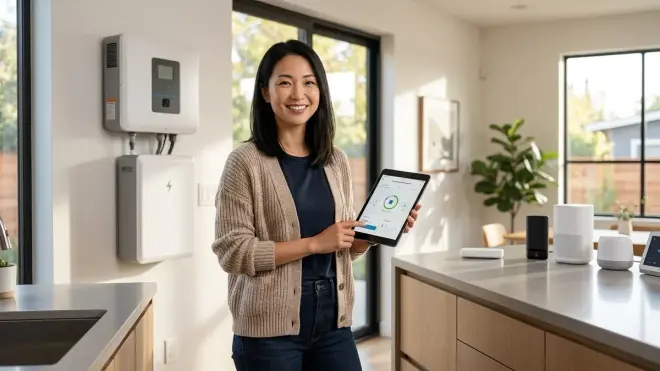
Smart home backup power solutions preserve the invisible intelligence woven into daily routines—the automations that respond to footsteps in dark hallways, adjust temperature with occupancy, and secure entries without conscious thought. Whether through compact UPS units hidden in cabinetry, whole-home batteries integrated into electrical panels, or hybrid approaches blending multiple technologies, the goal remains consistent: continuity of experience, not merely uptime. By matching backup architecture to protocol requirements—maintaining Zigbee mesh topology, bridging Wi-Fi router gaps, preserving Thread border router connectivity—these systems ensure homes feel responsive and alive even when the grid falters, without adding clutter or complexity to spaces designed to disappear.
