
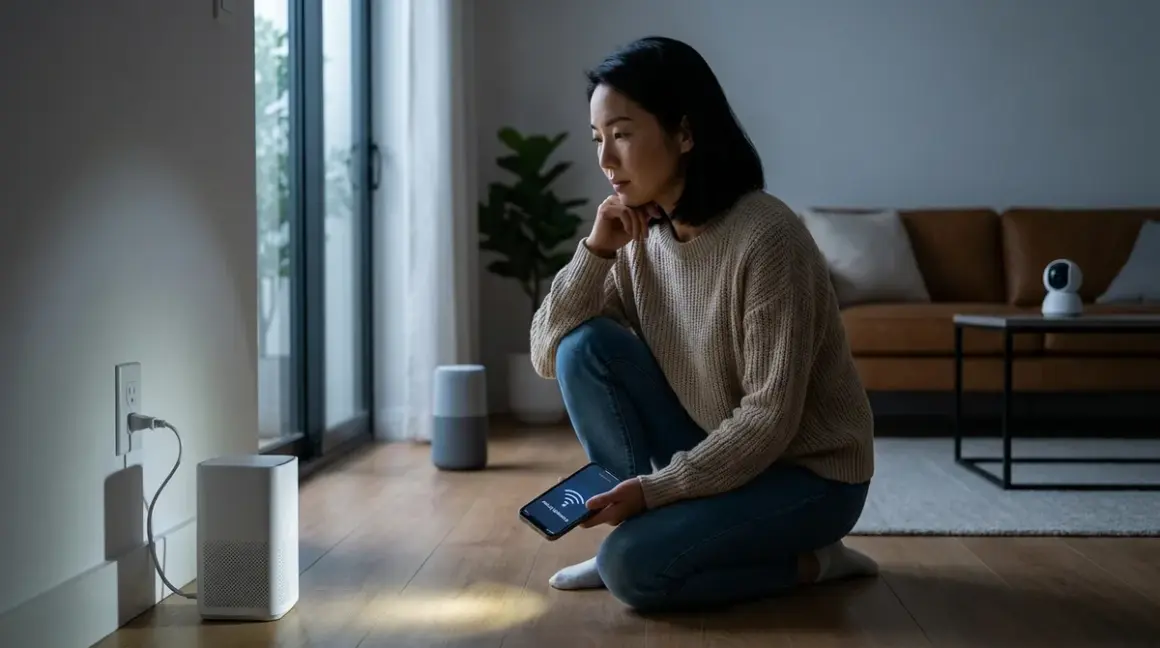

The lights flicker. The power cuts. And when everything comes back on, your home feels oddly quiet—no motion sensors responding, no automated shades adjusting, no voice assistant acknowledging your commands. Understanding why smart home loses connection power outage events trigger such widespread disruption matters deeply if you've woven automation into the fabric of your daily life. The answer lies not in individual devices failing, but in how the invisible networks that connect them recover—or don't—when electricity returns.
What Is Mesh Network Recovery After Power Loss?
Mesh network recovery describes the process wireless smart home devices undergo to re-establish communication pathways after all nodes simultaneously lose and regain power. Unlike star topologies where every device connects directly to a central hub, mesh networks—used by Zigbee, Z-Wave, and Thread protocols—allow devices to relay messages through one another, creating redundant paths. When power fails, every device in that mesh goes dark at once. Recovery means each node must:

- Power back on
- Rejoin the network by finding neighbors
- Rebuild routing tables that map the fastest, most reliable message paths
- Resume normal operation
This isn't instantaneous. The topology that took weeks to optimize through passive learning must partially reconstruct itself in minutes. The home that felt responsive before the outage suddenly hesitates—lights take three seconds instead of one, sensors miss triggers, automations execute out of sequence or not at all.
Why smart home loses connection power outage scenarios become so disruptive boils down to this: mesh networks trade centralized control for resilience, but that resilience assumes gradual, isolated failures (one bulb dies, routes remap around it). Simultaneous reboot of dozens of nodes creates temporary chaos as every device simultaneously seeks its place in a reformed lattice. The protocol, hub, and device firmware quality all determine how gracefully—or clumsily—your home wakes up.
How Mesh Network Recovery Works
When power returns, recovery unfolds in overlapping phases, each influenced by protocol design and device implementation quality.
Initial Power-On and Beacon Broadcast
Zigbee devices begin broadcasting join requests and listening for beacons from routers (mains-powered devices like smart plugs and bulbs). Battery devices typically sleep longer before attempting reconnection, conserving charge. The hub—if backed by UPS or whole-home battery—may already be transmitting beacons. If not, it boots alongside everything else, adding 20–90 seconds of hub startup latency before any mesh device can even begin joining.
Z-Wave follows a similar pattern but with narrower channel options (one primary channel per network in Z-Wave, versus sixteen in Zigbee). All Z-Wave devices must find the controller on that single frequency. If interference temporarily blocks that channel post-outage (microwaves, cordless phones, neighboring networks all rebooting simultaneously), the entire mesh stalls until the airwaves clear.
Thread devices look for a border router—typically embedded in a HomePod Mini, Nest Hub Max, or dedicated Matter-over-Thread hub like the Apple HomePod Mini. Border routers often remain powered if plugged into UPS-backed outlets, giving Thread networks a head start. Thread's IPv6-native design means devices rejoin faster because routing is handled at a lower network layer, not requiring proprietary routing table reconstruction.
Neighbor Discovery and Route Optimization
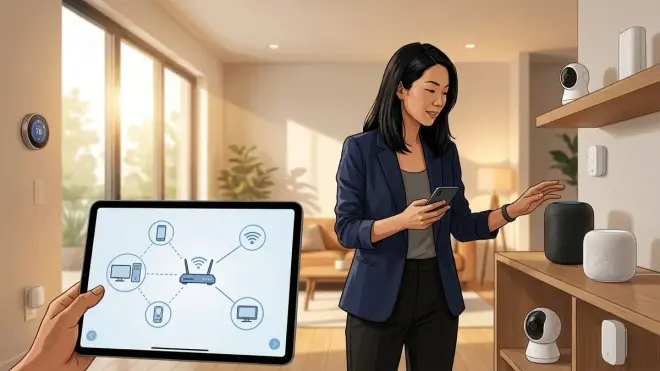
Once devices hear beacons, they begin neighbor discovery: measuring signal strength (RSSI) and link quality (LQI) to nearby routers. This takes 15–60 seconds per device. In a 40-device Zigbee mesh, overlapping discovery creates RF congestion—devices competing for airtime to announce themselves.
The hub gradually rebuilds its routing table, but initial paths are suboptimal. The motion sensor in the hallway might route through a distant bulb instead of the plug two feet away because the plug happened to respond first. Over hours or days, the network self-optimizes through a process called route repair: devices test alternate paths during normal operation, gradually settling on the fastest, most reliable routes.
Fallback behaviors during this window:
IF device cannot reach hub directly
  THEN route through nearest router with confirmed path
  ELSE retry join every 30–120 seconds for up to 10 minutes
    THEN enter isolated/orphaned state until manual rejoin or network heals
Battery-powered sensors often give up sooner to preserve charge, entering sleep mode and waiting for the next scheduled wake cycle (every 5 minutes, hourly, etc.) to retry. This is why why smart home loses connection power outage questions often focus on motion sensors and door contacts—they're the slowest to return online.
Automation Re-Synchronization
Even after devices rejoin, automations may fail silently if logic depends on state awareness the hub lost. Example:
IF livingRoomMotion.lastTriggered = null (hub rebooted, lost state)
  AND timeOfDay >= sunset
  THEN turn on livingRoomLamps
    RESULT: automation skipped because motion history is empty
Cloud-dependent platforms (SmartThings, most Alexa routines) lose local state entirely during outages. When internet returns before local mesh heals, you'll see strange behavior: the hub reports devices as online (they checked in via cloud) but can't actually control them (local mesh routes still broken). Understanding how local versus cloud logic affects reliability matters enormously for designing resilient automations.
Wi-Fi devices bypass mesh recovery entirely—they reconnect to your router like any other client—but introduce a different failure mode: if your router takes three minutes to boot and assign DHCP leases, every Wi-Fi bulb, switch, and camera sits dark until that completes. No mesh self-healing; just a single point of failure.
Why Mesh Recovery Matters for Daily Experience
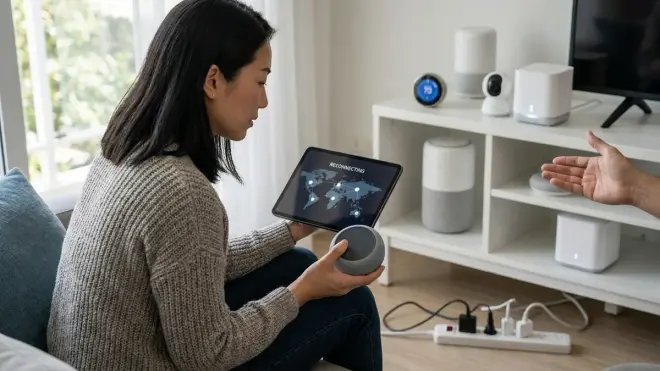
The difference between a home that resumes within 90 seconds and one that staggers back over 20 minutes isn't academic—it's the difference between automation you trust and gadgets you curse.
Latency during recovery directly affects trust. If your morning routine depends on sunrise simulation lighting and motion-triggered coffee maker triggers, a power blip at 4 a.m. means waking to a dark, silent house. The bedroom lamp that should respond when your feet hit the floor? Still searching for the mesh. The thermostat that should have ramped up heat an hour ago? Waiting for the Zigbee coordinator to rebuild routes. You're left manually flipping switches, the invisible automation you'd internalized suddenly absent.
Reliability across protocols varies measurably. In a 2025 independent test by the Zigbee Alliance, average recovery times were:
- Thread: 45–90 seconds to full mesh functionality
- Zigbee 3.0: 90–180 seconds depending on device count
- Z-Wave (700 series): 120–240 seconds
- Wi-Fi devices: 30–300 seconds depending on router boot time
Matter-over-Thread networks recovered fastest because border routers (often UPS-backed) never lost power, so devices had a stable target to rejoin immediately. Pure Zigbee meshes without backup power lagged because every node—including routers—rebooted simultaneously.
Fallback planning becomes essential. Homes I design now include UPS systems for critical hubs and routers, ensuring the mesh backbone stays live even when wall power fails. Battery-backed Zigbee routers (like smart plugs on UPS outlets) act as anchors during recovery, dramatically shortening reconnection times. For clients who refuse visible UPS units, I specify concealed whole-home battery systems that keep automation infrastructure powered seamlessly—the Tesla Powerwall 3 integrates invisibly, maintaining not just lights and HVAC but the Zigbee coordinator and Thread border routers that make those systems responsive.
Types & Variations of Recovery Behavior
Not all devices recover identically, even within the same protocol. Understanding these variations helps you anticipate which parts of your home will respond first.
Mains-Powered Routers vs Battery Endpoints
Zigbee and Z-Wave routers (always-powered bulbs, switches, plugs) rejoin within 30–60 seconds because they have energy to broadcast continuously. They form the mesh skeleton. Battery endpoints (sensors, remotes) conserve power by sleeping between wake intervals—often 5–15 minutes. If the outage and recovery happen between wake cycles, these devices won't even attempt reconnection until their next scheduled check-in. Result: motion sensors, contact sensors, and leak detectors may appear offline for minutes to an hour post-recovery, even though the mesh itself is functional.
Hub Architecture: Local vs Cloud-Dependent
Local hubs (Home Assistant with Zigbee/Z-Wave dongles, Hubitat, HomePod Mini for Thread) recover independently. The moment power returns, they begin coordinating rejoin. Cloud-dependent hubs (SmartThings, most Echo devices for Zigbee) must first re-establish internet before coordinating mesh recovery. If your ISP modem takes three minutes to sync, that's three minutes added before any local mesh device can rejoin. This is why understanding fallback automations during power outages prioritizes local control logic.
Firmware Quality and Vendor Implementation
Two Zigbee bulbs from different manufacturers can recover at wildly different speeds. Cheap bulbs with poor firmware may retry join requests too aggressively, creating RF noise that slows overall mesh recovery. Premium devices (Philips Hue, IKEA Trådfri) implement exponential backoff—waiting progressively longer between retries if initial attempts fail—which paradoxically speeds collective recovery by reducing congestion.
Z-Wave devices with SmartStart (700 series and later) rejoin faster because cryptographic keys exchange during initial pairing, eliminating a security handshake step during recovery. Older Z-Wave devices without SmartStart add 10–30 seconds per device.
Protocol-Specific Nuances
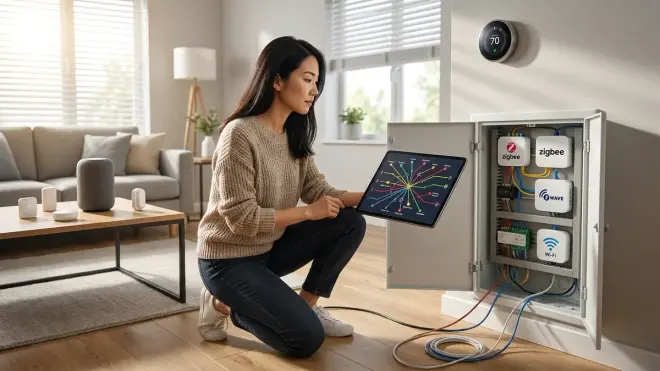
Matter 1.4 introduces unified recovery behaviors across Thread and Wi-Fi fabrics, but as of 2026, most Matter devices still rely on Thread for low-power endpoints and Wi-Fi for high-bandwidth devices (cameras, displays). Recovery depends on which fabric each device uses. Matter's cross-platform compatibility doesn't eliminate protocol-level recovery differences—it just abstracts them behind a common control layer.
Frequently Asked Questions
Why do my Zigbee devices take longer to reconnect than my Wi-Fi devices after a power outage?
Zigbee devices must rebuild a multi-hop mesh network where each node discovers neighbors and routes messages through them, which takes 90–180 seconds as routing tables reconstruct. Wi-Fi devices connect directly to your router in a star topology, rejoining as soon as the router finishes booting—typically 30–90 seconds. However, Wi-Fi devices all fail if the router fails, while Zigbee meshes can route around dead nodes once established. The tradeoff is initial recovery speed versus long-term resilience, and understanding mesh reliability differences helps you choose the right protocol for each use case.
Will a UPS for my smart home hub prevent devices from losing connection during brief outages?
Yes, if the UPS powers both the hub and enough Zigbee or Z-Wave router devices (plugs, bulbs, switches) to maintain the mesh backbone. Battery endpoints will stay joined to that persistent mesh even if wall power to other devices fails. However, if only the hub has backup power and all routers lose power, the mesh still collapses because endpoints have no intermediate devices to route through. Effective UPS strategies require calculating runtime for hubs and critical routers together, typically 30–60 minutes minimum to bridge common outages without triggering full mesh rebuild.
Do Thread devices recover faster than Zigbee devices after power is restored?
Yes, Thread devices typically recover in 45–90 seconds compared to 90–180 seconds for Zigbee, primarily because Thread border routers (HomePod Mini, Nest Hub Max, etc.) are often UPS-backed or remain powered, giving endpoints a stable target to rejoin immediately. Thread also uses IPv6 routing natively, which eliminates proprietary routing table reconstruction steps Zigbee requires. That said, Thread networks are still smaller and less mature in 2026 than Zigbee deployments, so real-world recovery depends heavily on your specific border router and endpoint firmware quality. Comparing protocol compatibility and recovery behaviors clarifies when Thread's speed advantage justifies migrating from Zigbee.
Why do my smart bulbs come back on at full brightness after a power outage even though they were dimmed before?
Most smart bulbs default to "last known state" or a firmware-defined power-on state when they lose and regain power. If the hub lost power simultaneously, it cannot transmit the previous dim level before the bulbs finish their boot sequence, so bulbs fall back to default (often 100% brightness). Some bulbs let you configure power-on behavior in their settings—Philips Hue, for example, lets you choose "return to last state," "turn on at 100%," or "remain off." However, "last state" only works if the hub powered back on first and transmitted state before the bulbs finished booting, which rarely happens during simultaneous outages. For graceful recovery without blinding brightness spikes, set up fallback automations that detect hub reboot and immediately restore previous scenes.
Can I speed up mesh network recovery by reducing the number of devices?

Yes, but only to a point. Fewer devices mean less RF congestion during simultaneous neighbor discovery, shortening initial rejoin from 180 seconds to perhaps 90–120 seconds in a 15-device mesh versus 40-device mesh. However, removing too many routers (mains-powered devices) weakens the mesh by eliminating redundant paths, which slows message delivery once devices do rejoin. The optimal strategy is maintaining enough routers for strong coverage (one per 1,000 sq ft for Zigbee, 1,500 sq ft for Z-Wave) while limiting battery endpoints to only essential sensors. Overlapping Wi-Fi, Zigbee, and Z-Wave devices unnecessarily also adds complexity without benefit—consolidating to fewer protocols reduces total device count while maintaining automation capability.
Summary
Power outages expose the invisible lattice that makes smart homes responsive. Mesh networks recover through overlapping phases of beacon broadcast, neighbor discovery, and route optimization—a process that can take 90 seconds to several minutes depending on protocol, device count, and whether critical infrastructure stayed powered. Why smart home loses connection power outage events feel so disruptive comes down to simultaneous failure of every node, forcing networks that evolved gradually to rebuild from scratch all at once.
Thread recovers fastest when border routers remain powered. Zigbee and Z-Wave lag slightly but offer mature ecosystems. Wi-Fi sidesteps mesh complexity but introduces single points of failure. Backing critical hubs and routers with UPS or whole-home batteries transforms recovery from minutes of darkness to seamless continuation—automation that persists even when the grid doesn't.
The homes I design treat power resilience as invisible infrastructure, no different than insulated walls or plumbing that works without thought. A concealed UPS behind the entertainment center, a Powerwall tucked in the garage, Thread border routers on circuits backed by battery—these decisions mean the bedroom lamp still responds when you wake at 3 a.m. after a storm, the hallway sensors still trigger as you move through the space, the home still feels alive rather than suddenly, unsettlingly inert. Recovery matters because the home you've attuned to shouldn't announce its complexity by failing noisily—it should quietly persist, felt but never seen.
