
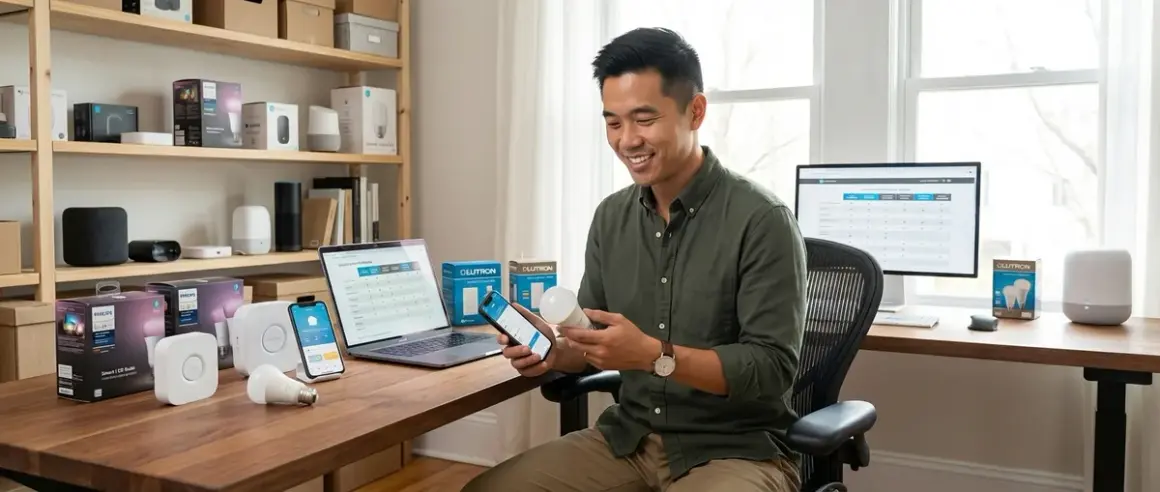

Setting up smart lighting shouldn't feel like solving a puzzle, but smart lighting compatibility issues derail more installations than any other factor. You'll find bulbs that won't pair with your hub, switches that require neutral wires you don't have, and automation platforms that simply refuse to talk to each other. This checklist walks you through every compatibility requirement you need to verify before buying your first bulb or upgrading your existing setup—from protocol matching and hub requirements to electrical constraints and automation logic.
Whether you're building from scratch or adding to an existing system, you'll know exactly what works together and what doesn't before you spend a dollar.

What Protocol Does Your Lighting Use?
Understanding your lighting protocol is the foundation of smart lighting compatibility. In my experience, this is where 60% of setup failures originate—homeowners buy beautiful bulbs without checking if their hub can even communicate with them.
Zigbee lighting requires a Zigbee hub or controller. Popular options include the Philips Hue Bridge, Amazon Echo (4th gen and newer with built-in Zigbee radio), Samsung SmartThings Hub, or Hubitat Elevation. Zigbee operates on 2.4 GHz and uses a mesh network topology, meaning each powered device extends the network range. Expect 20-50ms latency for simple on/off commands in a properly configured mesh. If you're working with Philips Hue products specifically, check out our guide on how to set up Philips Hue Bridge with Zigbee bulbs and automation rules for detailed pairing instructions.
Z-Wave lighting needs a Z-Wave controller—typically SmartThings, Hubitat, or a dedicated Home Assistant setup with a Z-Wave USB stick. Z-Wave Plus operates on sub-GHz frequencies (908.42 MHz in North America, 868.42 MHz in Europe), which provides better wall penetration than 2.4 GHz protocols. Latency typically ranges from 30-70ms depending on hop count. One critical limitation: Z-Wave has regional frequency differences, so bulbs purchased in Europe won't work with North American controllers. For a deeper comparison of how these protocols perform in real-world scenarios, see our analysis of Zigbee motion sensors vs Z-Wave motion sensors—the latency patterns apply equally to lighting.
Matter lighting represents the newest standard and offers true multi-ecosystem compatibility. Matter-certified bulbs can connect to Apple Home, Google Home, Amazon Alexa, or Samsung SmartThings simultaneously without separate hubs. You'll need a Matter controller (iPhone with Home app, Google Nest Hub 2nd gen, Echo 4th gen or newer, or Samsung SmartThings Hub 2022 model). Matter runs over Thread (a low-power mesh protocol on 2.4 GHz) or Wi-Fi. Thread-based Matter lighting requires a Thread Border Router—devices like HomePod mini, Nest Hub Max, or Echo 4th gen provide this functionality. Latency averages 40-80ms for Thread-based Matter, slightly higher for Wi-Fi Matter. Our guide to Matter 1.4 hub requirements explains border router setup in detail.
Wi-Fi lighting connects directly to your 2.4 GHz or 5 GHz router without a separate hub. Popular brands include TP-Link Kasa, Wyze, and Govee. This sounds simpler, but comes with real tradeoffs. Each Wi-Fi bulb occupies a DHCP address and creates traffic on your network—I've seen home routers struggle when client counts exceed 40-50 devices. Latency depends entirely on your network quality and ranges from 100-300ms, with occasional complete dropouts during router congestion. Wi-Fi bulbs also lose all functionality during internet outages unless they support local control (most don't). If you're comparing protocols, read Matter smart lights vs Wi-Fi smart lights for performance metrics across various scenarios.
Proprietary protocols still exist in some ecosystems. Lutron Caséta uses the proprietary Clear Connect RF protocol (434 MHz) and requires the Lutron Caseta Smart Hub. LIFX bulbs connect via Wi-Fi but use a cloud-dependent architecture. Nanoleaf panels use Thread in newer models but required Wi-Fi in earlier versions. Always verify which generation you're buying—compatibility isn't backward-assumed.
Bluetooth lighting is increasingly rare in 2026, but some entry-level bulbs still use it for direct phone control only. These bulbs cannot participate in home automation unless they also support another protocol. Skip them unless you genuinely only want manual phone control with no automation potential.
For a comprehensive breakdown of how these protocols compare across multiple factors, see smart light bulb protocols explained.
Does Your Hub Support Your Chosen Protocol?
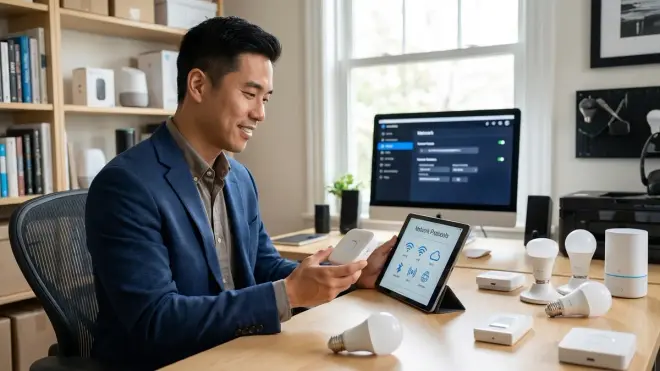
Once you know your lighting protocol, you need to verify hub compatibility explicitly. Smart lighting compatibility breaks down most often at the hub level, where marketing claims and actual technical support diverge.
Hub protocol verification: Check your hub's specifications page on the manufacturer's website—not the retail listing. Amazon Echo Show devices, for example, include Zigbee radios starting with the 2nd generation Show, but the original Show does not have Zigbee despite being marketed as a "smart home hub." Google Nest Hub (2nd gen) supports Thread as a border router, but the original Nest Hub has no Thread radio at all. I've seen dozens of homeowners buy bulbs assuming "smart hub" means "supports everything."
Firmware version matters: Some hubs gained protocol support through updates. The Echo 4th gen shipped without Matter support in 2020 but gained it via firmware update in 2023. If you're using an older hub, check your current firmware version and compare it to the manufacturer's changelog. Matter support specifically requires certain minimum versions: Matter 1.0 was the baseline, but Matter 1.4 (released late 2025) added enhanced multi-admin features that some automations depend on. Our article on how to migrate your smart home to Matter 1.4 covers the upgrade process and compatibility verification.
Multi-protocol hubs simplify but don't eliminate issues: Samsung SmartThings Hub (2022 model) supports Zigbee, Z-Wave, Thread, and Matter. This sounds ideal, but you still need to verify device pairing procedures for each protocol independently. Zigbee devices pair through the SmartThings app using a specific sequence, while Matter devices require scanning a QR code through Apple Home or Google Home first, then sharing to SmartThings. The hub supports both, but the workflows differ completely.
Hidden hub requirements: Some "hub-free" systems actually require a hub but disguise it in marketing. Philips Hue bulbs technically work without the Hue Bridge if you have an Echo with Zigbee, but you lose access to entertainment sync features, advanced scenes, and the full feature set. The bulbs function for basic on/off but aren't delivering what you paid for. I always recommend getting the proper ecosystem hub for full functionality, then adding Matter/multi-ecosystem control on top if desired.
Protocol translators and bridges add complexity: Some homeowners try to bridge protocols—running Home Assistant with both a Zigbee USB stick and a Z-Wave USB stick to unify everything. This works technically, but adds failure points. Each bridge/stick is a device that can crash, lose connection, or require updates. I've helped troubleshoot setups where one USB stick conflicted with another on USB power draw. If you go this route, plan for extra troubleshooting time.
Cloud dependency varies by hub: Amazon Alexa hubs require internet connectivity for voice commands but execute local Zigbee routines without internet. Google Home requires cloud connectivity for most operations. Apple HomeKit runs entirely locally if you have a HomePod or Apple TV as your home hub. This affects reliability during internet outages and introduces latency. Cloud-dependent hubs typically add 50-150ms to command execution compared to local processing.
For a detailed comparison of major hub platforms and their protocol support, see Google Home Hub vs Amazon Echo Hub vs Apple HomePod.
What Are Your Electrical and Installation Requirements?
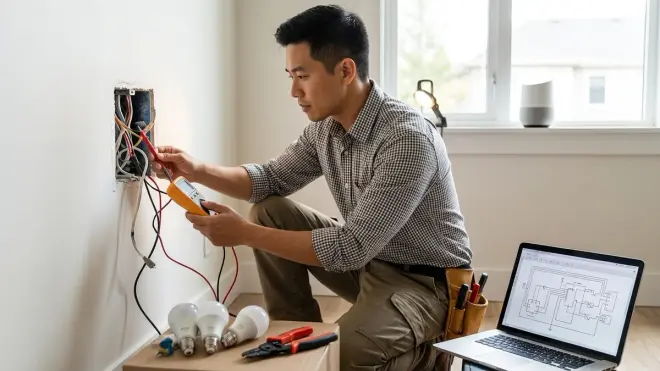
Protocol compatibility doesn't matter if you can't physically install the lighting. Electrical constraints and installation requirements eliminate more product options than most people expect.
Neutral wire requirement for smart switches: Most smart switches (not bulbs—switches) require a neutral wire in the wall box. Older homes built before the 1980s often lack neutral wires in switch boxes. You can verify by removing your current switch faceplate and looking for a bundle of white wires wire-nutted together in the back of the box. If you only see a black wire (hot), a red wire (load), and a bare copper ground, you don't have neutral. Options: Hire an electrician to run a neutral wire (expensive), use Lutron Caséta switches (which don't require neutral but use proprietary protocol), or stick with smart bulbs instead of smart switches. I've seen homeowners buy $200 worth of Z-Wave switches before discovering their house lacks neutral wires in 90% of locations.
Bulb socket type and physical fit: This sounds obvious, but E26 (standard), E12 (candelabra), GU10 (twist-and-lock spotlight), and BR30 (recessed can) bulbs are not interchangeable. Measure your existing bulbs before ordering. Also verify the smart bulb's physical dimensions—some smart bulbs are noticeably longer than standard bulbs and don't fit in enclosed fixtures or recessed cans with shallow depth. The Philips Hue White and Color Ambiance A19 measures 4.37 inches tall, which doesn't fit in some compact ceiling fixtures designed for 3.5-inch standard bulbs.
Dimmable vs non-dimmable bulbs and incompatible dimmers: If you're using smart bulbs with existing dimmer switches, you'll face conflicts. Smart bulbs need full power at all times—they do their own dimming digitally. If your existing wall dimmer reduces voltage, the bulb will flicker, refuse to pair, or fail entirely. You must either replace the dimmer with a standard on/off switch or use smart switches instead of smart bulbs. I've troubleshooted this exact issue at least 50 times—homeowners insist the bulb is defective when the real issue is reduced voltage from the dimmer.
Wattage and load limits for switches: Smart switches have maximum load ratings, typically 300-600 watts. If you're controlling a chandelier with eight 60-watt bulbs (480 watts total), verify your switch supports that load. Exceeding the rating causes overheating, switch failure, or in rare cases, fire risk. LED bulbs dramatically reduce load (eight 9-watt LEDs total 72 watts), but verify before assuming.
Three-way and four-way switch compatibility: If your light is controlled by switches at multiple locations (like a hallway with switches at both ends), you have a three-way setup. Most smart switches require specific three-way configurations—typically a smart switch at one location and a special "companion" or "add-on" switch at the other location. Not all smart switches support three-way setups, and those that do require specific wiring. If you have four-way setups (three or more switch locations), compatibility becomes even more restricted.
Enclosed fixture and outdoor ratings: Smart bulbs generate heat. Fully enclosed fixtures (where the bulb sits inside a glass globe with no air circulation) trap heat and dramatically shorten bulb lifespan—or prevent them from working at all. Many manufacturers explicitly void warranties for enclosed fixture use. For outdoor installations, verify IP ratings for weatherproofing. "Damp rated" (most indoor bulbs) is not sufficient for exposed outdoor use; you need "wet rated" bulbs with IP65 or higher. For outdoor installations, see Govee outdoor lights installation checklist for detailed weatherproofing and power considerations.
Voltage requirements and international compatibility: US lighting operates at 110-120V 60Hz. European and most international markets use 220-240V 50Hz. Smart bulbs are not voltage-universal unless explicitly stated. If you're purchasing bulbs internationally or moving between regions, verify voltage compatibility. Using a 120V bulb on 240V power will cause immediate catastrophic failure.
How Will You Control and Automate Your Lighting?
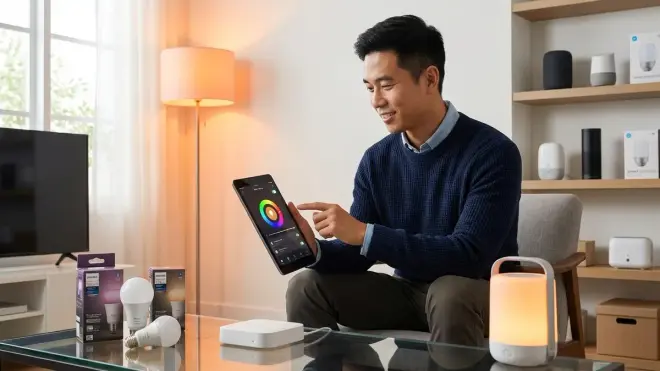
Control interfaces and automation logic determine how useful your lighting actually is. Smart lighting compatibility at the control layer matters just as much as physical installation.
Voice assistant compatibility: Verify your lighting works with your preferred voice assistant. Zigbee bulbs connected to an Echo work natively with Alexa. To control those same bulbs via Google Assistant, you'll need to link your Alexa account to Google Home (which adds cloud latency and creates a dependency chain—if Amazon's servers are down, Google can't control your lights). Matter lighting solves this by allowing native multi-assistant control, but only if your hub and bulbs both support Matter 1.4 multi-admin features.
App control and account requirements: Every smart lighting ecosystem requires an app and typically an account. Philips Hue needs the Hue app and a Hue account. Wyze lighting needs the Wyze app and Wyze account. If you're mixing ecosystems, you'll manage multiple apps—I've seen setups with five different lighting apps on one phone. Matter aims to solve this, but adoption is still incomplete in 2026.
Automation platform compatibility: If you want advanced automations, verify your lighting works with your automation platform. Home Assistant supports virtually everything through custom integrations, but setup complexity varies wildly. Apple HomeKit has strict certification requirements—many Zigbee bulbs work with Alexa but don't support HomeKit without additional bridges. SmartThings offers broad compatibility but requires each device integration to be tested. For an overview of automation platform differences, read understanding hub requirements.
Automation logic and conditional triggers: Basic automations follow simple if/then logic: IF time = sunset THEN lights = on. More useful automations require conditionals: IF time = sunset AND motion_detected = true AND someone_home = true THEN lights = on. Not all platforms support complex conditionals. Alexa routines support basic time-based triggers but struggle with multi-condition logic. SmartThings and Home Assistant offer full conditional support. Apple HomeKit supports conditionals but has limitations on mixing device types. Test your desired automation logic on your chosen platform before committing—our guide on how to create smart lighting automations with if/then logic provides platform-specific examples.
Latency expectations by control method: Voice commands typically take 800ms-2 seconds from speech to light change (includes voice processing, cloud routing, and command execution). App control takes 500ms-1.5 seconds depending on whether control is local or cloud-routed. Physical switch control executes in 20-100ms for local processing. Motion-triggered automations execute in 50-200ms depending on mesh hop count and automation platform. Set realistic expectations—smart lighting will never match the instant response of a dumb light switch.
Group control and scene functionality: If you want to control multiple lights simultaneously, verify group support. Zigbee groups are processed at the Zigbee coordinator level and execute nearly instantaneously across all bulbs. Cloud-based groups send individual commands to each bulb sequentially, creating visible "popcorn" effects where bulbs turn on one by one. Matter supports native group control, but implementation quality varies by controller.
Fallback behavior when connectivity fails: What happens when your Wi-Fi drops, your hub crashes, or your internet goes down? Wi-Fi bulbs typically lose all smart features and cannot be turned on/off at all—unless you power cycle them, which usually defaults them to "on." Zigbee and Z-Wave bulbs maintain their last state and can often be controlled by physical switches if you've left power connected. Smart switches typically fail to "on" or "off" depending on design—you want switches that fail to "on" for safety. For a complete breakdown of what to expect when systems fail, see smart device fallback behavior checklist.
Interoperability limitations you need to know: Not all ecosystems cooperate. Philips Hue bulbs work with non-Hue Zigbee hubs, but you lose access to gradient lighting, entertainment sync, and some color capabilities. IKEA TRÅDFRI bulbs technically use Zigbee but implement the profile differently than Hue—they pair with Hue bridges but firmware updates often break compatibility. Lutron Caséta switches don't integrate with Zigbee or Z-Wave at all—they require the Lutron hub and only communicate outward to other platforms via cloud APIs. I've helped homeowners who bought "compatible" devices only to discover critical features don't work cross-ecosystem.
For detailed guidance on creating reliable automations that account for protocol differences, see how to compare smart device automation logic.
What Ecosystem Lock-In and Future Expansion Considerations Matter?
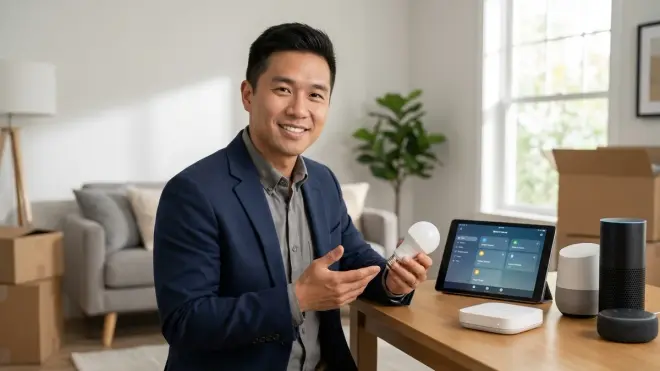
Your first bulb purchase determines your ecosystem path for years. These questions help you avoid costly future changes.
Can you add devices from other manufacturers? Some ecosystems are open (Zigbee, Z-Wave, Matter) and accept devices from any compliant manufacturer. Others are closed (Lutron, LIFX cloud) and only work with the original brand's products. If you start with Philips Hue bulbs, you can later add IKEA TRÅDFRI, Sengled, or Innr Zigbee bulbs to the same hub. If you start with Lutron Caséta switches, you're locked into Lutron switches permanently—you can't mix in GE Z-Wave switches on the same hub because Lutron uses a proprietary protocol. Plan for expansion before buying your first device.
What happens if the manufacturer discontinues the product line or goes out of business? Wi-Fi bulbs that depend on manufacturer cloud services become useless paperweights if the company shuts down servers. This has already happened with Revolv (acquired and killed by Nest), Lowe's Iris (shut down in 2019), and Insteon (shut down in 2022, partially revived under new ownership). Zigbee, Z-Wave, Thread, and Matter devices continue functioning locally even if the manufacturer disappears because they follow standardized protocols. I always recommend protocol-based systems over proprietary cloud systems for this reason.
Can you migrate to a different hub or platform later? Zigbee and Z-Wave devices require re-pairing if you change hubs, which means climbing ladders to power-cycle bulbs and re-running pairing sequences. Matter devices can be shared across multiple controllers without re-pairing—you can have the same bulb controlled by Apple Home, Google Home, and Alexa simultaneously. This multi-admin capability is a major advantage for future flexibility. Our guide on Matter 1.4 compatibility checklist explains how to verify multi-admin support before buying.
How will new protocol versions affect your existing devices? Matter 1.0 devices generally work with Matter 1.4 controllers, but don't support new features like enhanced multi-admin or improved energy reporting. Zigbee 3.0 improved on older Zigbee profiles (ZLL, ZHA) but maintains backward compatibility. Z-Wave Plus improved range and battery life over Z-Wave Classic, and newer 700-series chips improve both—but all versions interoperate. Thread 1.3 added features over 1.0 but remains compatible. Check whether firmware updates can add new protocol features to your existing devices, or whether you'll need hardware replacement.
How much does ecosystem expansion actually cost? Calculate true costs before committing. Philips Hue starter kits appear expensive initially (around $70 for hub and two bulbs) but per-bulb costs drop significantly—third-party Zigbee bulbs work with the Hue bridge for $10-15 each. Wi-Fi bulbs cost $8-12 each with no hub, which seems cheaper, but you can't mix brands effectively and you're paying the connectivity cost in router complexity. Matter devices currently cost 20-40% more than equivalent Wi-Fi devices, but prices are dropping. For comprehensive buying guidance that considers total system cost, see how to choose smart lighting.
What advanced features might you want later? If you think you might want color-changing bulbs, start with a color-capable ecosystem—you can't upgrade Zigbee white-only bulbs to color without replacement. If you want light strips, outdoor lighting, or recessed lighting later, verify your chosen ecosystem offers those form factors. If you want entertainment sync with your TV, only Philips Hue offers full integration (though some Govee products offer TV sync via camera-based color matching). I've helped homeowners rip out entire Lutron Caséta installations when they realized they wanted color lighting—Caséta only does dimming, not color.
Final Check Before You Go
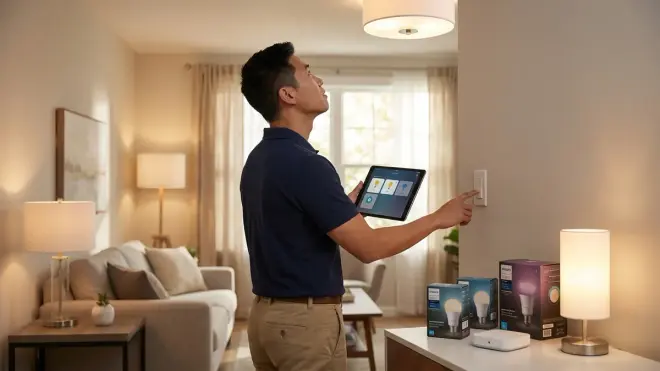
Before purchasing any smart lighting, verify these critical smart lighting compatibility factors:
- Protocol match: Bulb/switch protocol matches your hub's supported protocols
- Hub verification: Your specific hub model and firmware version supports your chosen protocol
- Electrical compatibility: Neutral wire available (if using switches), correct socket type, no dimmer conflicts, adequate load capacity
- Voltage match: Bulb voltage matches your region (110-120V or 220-240V)
- Control platform confirmed: Bulbs work with your voice assistant and automation platform
- Automation requirements met: Your platform supports the conditional logic you need
- Fallback behavior acceptable: You understand what happens when connectivity fails
- Ecosystem expansion path clear: You can add more devices without switching systems
- Multi-location switch support (if needed): Three-way/four-way compatibility verified
- Future-proofing considered: Protocol choice allows for manufacturer independence
If you can check every item, you're ready to buy. If you have gaps, fill them before purchasing—returning bulbs is annoying, but rewiring your house is expensive.
Frequently Asked Questions
Can I mix Zigbee and Z-Wave bulbs in the same room?
You can physically install both Zigbee and Z-Wave bulbs in the same room, but they'll operate on separate mesh networks and require separate hubs or a multi-protocol hub like SmartThings to control them together. Automations that control both bulb types simultaneously will execute commands sequentially rather than simultaneously, potentially creating noticeable delays of 100-200ms between bulbs turning on, which may be visible as a "popcorn" effect in scenes requiring synchronized lighting.
Do I need a hub if I buy Matter-certified bulbs?
Matter-certified bulbs still require a Matter controller, which functions as a hub, such as an iPhone running iOS 16+ with the Home app, a Google Nest Hub (2nd generation), an Amazon Echo (4th generation or newer), or a Samsung SmartThings Hub (2022 model or newer), but you don't need a separate dedicated bridge device like the Philips Hue Bridge because the controller handles Matter communication directly.
What happens to my smart bulbs during a power outage?
Smart bulbs lose power during outages just like traditional bulbs, and when power returns, most bulbs default to full brightness (on state) regardless of their previous setting, though some manufacturers allow you to configure default power-on behavior through their apps. Automations and schedules resume once your hub and network equipment restart, typically within 60-180 seconds of power restoration depending on router and hub boot times.
Final Thoughts
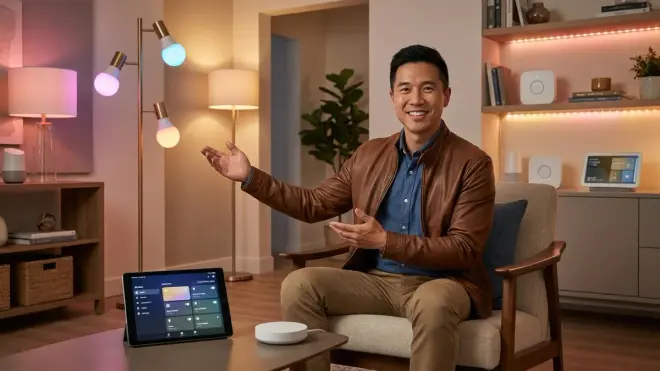
Smart lighting compatibility isn't complicated once you understand the actual requirements. You need protocol matching between bulbs and hubs, electrical infrastructure that supports your chosen devices, and realistic expectations about how different ecosystems cooperate—or don't. I've watched too many people buy beautiful smart bulbs that sit unused because they skipped the compatibility verification steps.
Start with protocol selection based on your existing ecosystem or your preferred control platform. Verify your hub supports that protocol explicitly, including firmware version requirements. Check your electrical infrastructure before ordering switches. Test a small installation (2-3 bulbs) before committing to whole-house deployment. You'll spend less money, waste less time troubleshooting, and actually enjoy your smart lighting instead of fighting with it.
For more practical compatibility guidance across your entire smart home setup, explore our smart home ecosystem compatibility checklist—the same verification approach works for sensors, locks, thermostats, and every other device category.
