
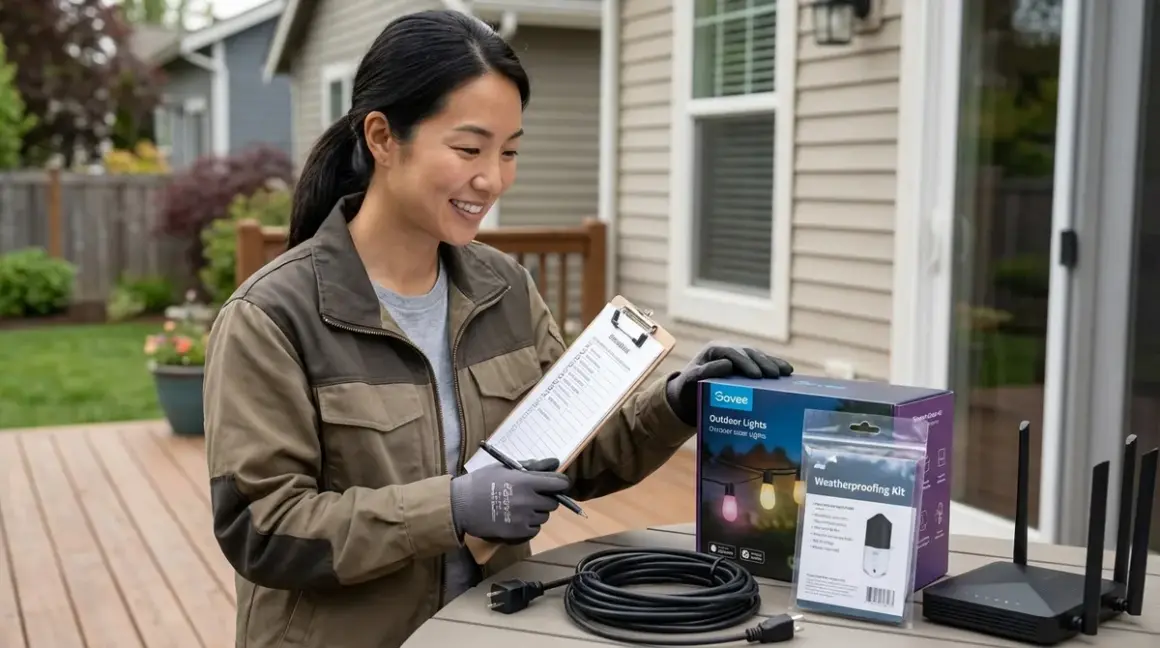

Govee outdoor lights installation demands more than plugging in a string and watching colors dance across your façade. These Wi-Fi-dependent systems create atmosphere—transforming evening gatherings into moments bathed in shifting amber and violet—but only when infrastructure supports them. This checklist walks through the invisible architecture behind successful installations: the signal paths, the weathersealing rituals, the power calculations that prevent mid-dinner darkness. Whether you're illuminating a pergola or tracing eaves with programmable light, these preparations ensure technology recedes while ambiance remains.
Pre-Installation Infrastructure Assessment
Before the Govee Outdoor String Lights arrive, evaluate whether your home's bones can support persistent Wi-Fi communication and weather exposure. Govee operates exclusively on 2.4 GHz Wi-Fi—no Zigbee mesh, no Thread resilience, no Z-Wave reliability. This means every bulb depends on a direct conversation with your router, and interference from neighboring networks or physical barriers becomes your primary adversary.
Map your 2.4 GHz coverage outdoors using a smartphone app like WiFi Analyzer before purchasing—signal strength below -70 dBm at the installation point typically causes intermittent dropouts, particularly during temperature swings when RF propagation shifts. Stand exactly where the controller will mount, not just near the door.
Identify physical obstructions between your router and the planned light path—brick walls, metal siding, and dense foliage attenuate signal far more than interior drywall. A clear line-of-sight installation might show -50 dBm; the same distance through a stone chimney can drop to -85 dBm and unreliable response.
Document your existing smart home protocol ecosystem to set realistic expectations—if you're running Zigbee, Z-Wave, or Thread networks, understand that Govee won't integrate into those mesh systems or benefit from their redundancy. Wi-Fi smart lights operate in isolation unless you're using a platform like Home Assistant as a unifying controller.
Verify GFCI outlet availability within 10 feet of the starting point—Govee controllers require outdoor-rated GFCI protection per NEC Article 210.8, and running extension cords through windows or under doors compromises both weatherproofing and electrical safety.
Calculate total wattage draw for the planned installation length—most Govee outdoor strings consume 0.5-0.8W per bulb, so a 48-bulb string draws roughly 24-38W under full white output. If you're daisy-chaining multiple strands (some models support up to 3 sets), ensure the circuit can handle sustained load plus 20% overhead for power supply efficiency losses.
Check for Wi-Fi extender compatibility if your coverage falls short—not all mesh systems handle persistent IoT connections gracefully. Band-steering features on dual-band routers often force 2.4 GHz devices onto 5 GHz networks momentarily, causing 5-15 second dropouts that interrupt color transitions mid-sequence.
Measure the physical installation path including vertical drops and corner turns—Govee's bulb spacing is fixed, and attempting to compress or stretch strings creates uneven visual rhythm. A pergola with 3-foot beam spacing may look balanced, while 7-foot spacing leaves dark voids that no brightness adjustment can compensate for.
Assess ambient light conditions at different times of day—LED output that feels saturated at twilight often appears washed-out against afternoon sun on white siding. If you're lighting architectural features rather than creating standalone focal points, plan for installations that activate post-sunset rather than attempting all-day visibility.
Weatherproofing & Environmental Protection
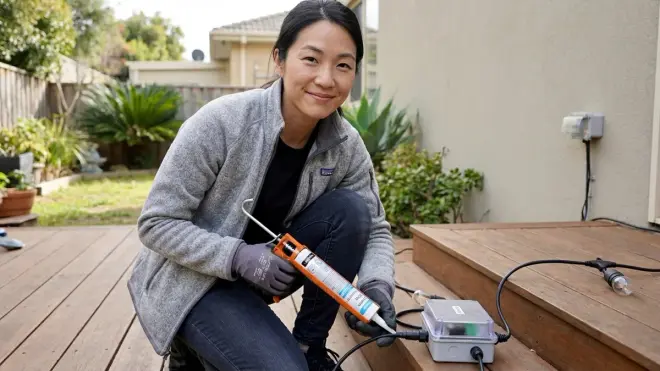
Govee markets their outdoor lights as "IP65 rated," but that designation assumes proper installation. Water ingress at connection points, UV degradation of plastic housings, and thermal cycling from direct sun exposure all degrade performance within months if ignored. I've seen installations fail within a single season when installers treated weather resistance as a given rather than an ongoing maintenance commitment.
Inspect every plug connection point and apply dielectric grease to male/female terminals before mating—the included rubber gaskets compress unevenly without lubricant, leaving microscopic gaps where condensation accumulates. Corrosion typically begins at the controller-to-string junction where voltage is highest.
Orient controller enclosures downward or mount them under eaves where direct rain cannot pool on top surfaces—IP65 means "protected against water jets from any direction," not "submersible" or "impervious to standing water." I once consulted on a project where the homeowner mounted controllers facing skyward on a pergola beam; three months later, moisture had infiltrated the circuit boards despite intact gaskets.
Use UV-resistant cable ties rather than included plastic clips for permanent installations—standard nylon clips become brittle under 18-24 months of sun exposure and snap during windstorms, leaving strings sagging or dangling. Look for UV-stabilized black nylon rated for outdoor telecom use; they cost marginally more but survive years instead of seasons.
Avoid installations where strings contact metal surfaces for extended lengths—aluminum gutters, steel railings, and copper flashing all conduct heat differently than the PVC-coated wire, creating expansion/contraction mismatch that stresses solder joints inside bulb housings. Leave 1-2 inches of clearance using offset mounting clips.
Plan for drainage at low points—if your installation path includes valley or sag where water will pool, either eliminate the low point through tensioning or accept that those bulbs will have shortened lifespan. No amount of weather rating compensates for bulbs sitting in standing water for hours after rainstorms.
Seal any entry points where cables pass through walls or soffits using weatherproof cable glands, not just caulk—silicone deteriorates under UV and temperature cycling within 2-3 years, while proper glands maintain compression regardless of thermal expansion. This matters most if you're routing power through an exterior wall to access interior outlets.
Test weatherproofing before final mounting by assembling the entire system on the ground, spraying all connections with a garden hose for 60 seconds, then powering on—if moisture has infiltrated, better to discover it during installation than after you've mounted lights 12 feet up on a ladder.
Power Planning & Electrical Integration
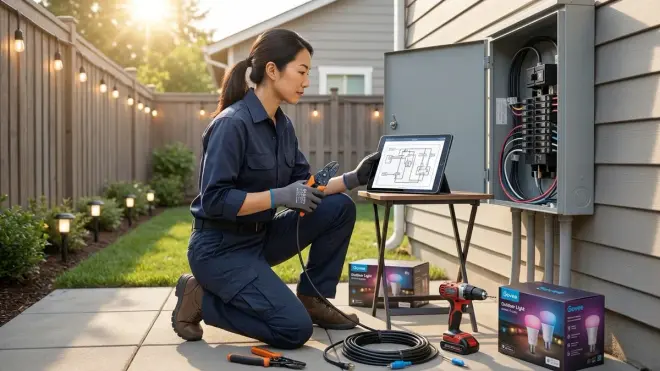
Govee's reliance on Wi-Fi creates a hidden dependency: these systems require continuous power to maintain network connection and respond to automation triggers. Unlike battery-powered Zigbee sensors that wake on-demand, Wi-Fi smart lights in standby mode still draw 2-4W per controller for radio operation. This affects both circuit planning and automation design.
Identify which circuit breaker controls your target outlet and verify it's not shared with high-draw appliances—if your outdoor GFCI shares a circuit with a garage refrigerator or window AC unit, voltage sag during compressor startup can cause momentary dropouts that reset the Govee controller, wiping custom scenes and requiring app reconnection.
Install a dedicated smart plug between the GFCI outlet and Govee controller if you want true "off" states for energy management—Govee controllers draw standby power perpetually, and the only way to achieve zero consumption (and extend lifespan by reducing thermal stress) is to cut power upstream. A weatherproof smart plug with energy monitoring also enables automation logic like
if (solar_production > 500W) then (enable_outdoor_lights).Map fallback behavior for Wi-Fi outages—when your router reboots or internet drops, Govee lights retain their last state but cannot respond to app commands or scheduled automations. If you're using lights for security presence simulation, this creates a visibility gap. Consider whether you need backup lighting on a separate circuit or accept that cloud-dependent devices go dark during network failures.
Calculate voltage drop over cable runs if you're daisy-chaining multiple sets—Govee strings typically use 24V DC power, and voltage drop exceeds 5% over runs longer than 60 feet at rated current. This manifests as dimmer bulbs at the far end and color temperature shift (whites appear more amber). If your installation exceeds 40 feet, plan for mid-run power injection.
Document the automation logic you intend to implement before finalizing power placement—if you're creating if/then automations like
if (sunset + 30 minutes) then (activate_warm_white_30%)orif (motion_detected AND time > 22:00) then (flash_red_3_seconds), you'll need reliable power and network uptime. Write out the pseudocode to identify dependencies on other devices or sensors.Test latency expectations by controlling lights via app during installation—Govee's cloud-dependent architecture introduces 500-1500ms delay between command and response under normal conditions, longer if AWS servers are under load. For mood lighting this is imperceptible; for security-linked automations, it's a meaningful gap.
Plan for controller placement accessibility—you'll need to physically restart controllers occasionally when Wi-Fi handshakes fail or firmware updates corrupt, so mounting them behind locked panels or 15 feet up a wall creates maintenance friction. Leave controllers within ladder-free reach or accept that troubleshooting may require scheduling rather than immediate resolution.
Installation Execution & Signal Validation
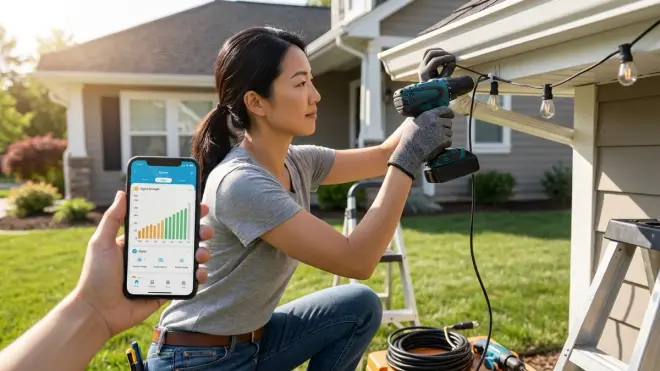
With infrastructure confirmed and weatherproofing materials assembled, the physical installation becomes an exercise in balancing aesthetic intention with wireless physics. Govee outdoor lights installation succeeds when the lights feel inevitable—as though they've always traced that roofline or wrapped that column—but achieving that seamlessness requires testing at every stage rather than mounting everything then hoping signal penetrates.
Install and power-test the controller first before mounting any light strings—connect to Wi-Fi, update firmware via the Govee app, and verify you can control the device from both inside your home and from the approximate location of the farthest bulb. If signal is marginal, this is the moment to relocate the controller or add a Wi-Fi extender, not after 50 clips are securing cable to fascia.
Mount one test section of 10-15 feet before committing to the full run—observe how the bulb spacing interacts with architectural features, whether the cable color disappears against your siding or creates visible lines, and how the light spill affects adjacent windows. I've watched homeowners mount entire 48-foot strings only to realize the warm glow they imagined became harsh glare reflecting off white trim.
Use mounting hardware that disappears—clear plastic clips blend into most surfaces better than black or white alternatives, and placing clips on the shadow side of beams (underneath rather than on top, behind rather than in front) renders them nearly invisible from ground-level viewing angles. The goal is for observers to perceive light, not infrastructure.
Test color accuracy across the full length before final mounting—due to voltage drop and manufacturing tolerances, the first bulb and last bulb may display noticeably different hues when set to the same RGB value. If color consistency matters (for architectural accent lighting rather than party modes), plan for shorter runs or mid-string power injection.
Validate automation triggers while you still have easy access to the controller—create a test automation like
if (time = current_time + 2_minutes) then (cycle_through_5_colors)to confirm the system responds reliably to scheduled events. Wi-Fi congestion at 6 PM when neighbors stream video can delay execution by 30-90 seconds, which may or may not matter depending on your use case.Document your installation with photos that show cable routing, connection points, and controller location—six months from now when you need to troubleshoot or expand the system, you won't remember which junction box feeds the controller or whether that cable runs through the soffit or behind the downspout. I maintain a shared photo album for every project specifically for this invisible infrastructure mapping.
Configure fallback scenes within the Govee app that provide acceptable default lighting if automations fail—a "warm white 40%" scene set as default means that even if Wi-Fi drops or your home automation platform crashes, outdoor spaces remain usable rather than plunging into darkness or stuck on last year's Christmas red-and-green.
Test physical durability by gently tugging mounted strings to verify clips hold under wind load—outdoor installations face sustained 15-25 mph winds regularly, and inadequately secured cables eventually work loose, creating the sagging, neglected appearance that undermines the entire aesthetic goal.
Integration & Ecosystem Limitations
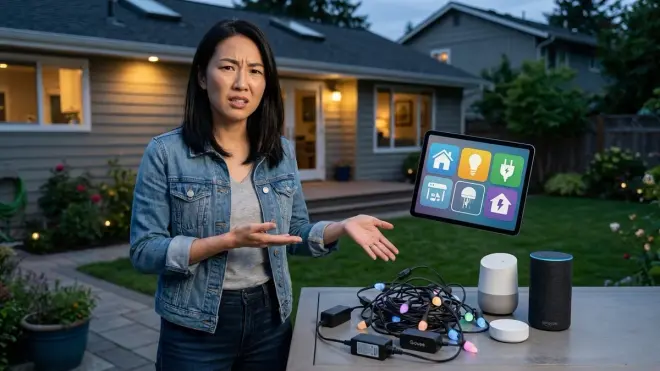
Govee's Wi-Fi architecture creates interoperability challenges that become apparent only after installation, when you attempt to weave these lights into broader home automation. Unlike protocol-agnostic Matter devices or mesh-networked Zigbee systems, Govee lights live in their app ecosystem first, with third-party integration as an afterthought.
Understand Alexa/Google Home limitations—voice control works reliably for on/off and basic color changes, but complex scenes, dynamic effects, and multi-zone control typically require the Govee app. If your automation relies on voice commands rather than scheduled routines, test every command phrase you intend to use before considering the system complete.
Map API access requirements if you're integrating with Home Assistant or other platforms—Govee provides a developer API, but it requires individual device registration, has rate limits that can cause delayed execution during rapid command sequences, and lacks support for real-time state feedback. Your automation sees "command sent" not "bulbs currently displaying this state."
Accept cloud dependency as a permanent architectural constraint—Govee lights cannot operate in local-only mode, meaning internet outages prevent app control even if your Wi-Fi network remains operational. This differs fundamentally from Zigbee lighting systems that continue functioning via local mesh networks when WAN connectivity drops.
Plan for firmware update disruptions—Govee pushes updates that occasionally reset custom scenes or alter color calibration, and there's no mechanism to prevent or roll back updates. If you've spent hours calibrating a specific architectural lighting effect, document the RGB values and settings because an overnight update may erase them.
Evaluate whether Govee fits your protocol ecosystem—if you're building a primarily Matter, Thread, or Z-Wave home, adding Wi-Fi-only devices creates management fragmentation. You'll need the Govee app, your Matter controller app, and any platform-specific apps (Alexa, Google Home) rather than a unified interface. This isn't necessarily disqualifying, but it's friction worth acknowledging before committing to installation.
Consider discreet alternatives—if your goal is architectural accent rather than color-changing effects, in-wall LED systems with Zigbee controllers offer similar ambiance with better integration and no visible hardware. Govee excels at temporary or seasonal installations where you want bold, programmable color; it's less ideal for permanent architectural lighting where you want technology to vanish.
Final Check Before You Go
Run through this condensed verification before declaring the installation complete. Each item confirms a specific failure mode has been addressed:
- 2.4 GHz signal strength at controller: -70 dBm or stronger (use WiFi Analyzer app to measure, not assumption)
- All plug connections treated with dielectric grease and gaskets properly seated, no visible gaps
- Controller mounted with drainage path clear, enclosure facing downward or sheltered from direct rain
- Test automation executed successfully from app, Alexa, or Google Home with observed <2 second response
- Physical cable secured with UV-resistant ties every 12-18 inches, no contact with metal surfaces for extended lengths
- Voltage verified at final bulb under full white output—if brightness differs from first bulb, plan power injection
- Fallback scene configured so if Wi-Fi drops, lights default to acceptable state rather than off or last random color
- Installation photos captured showing all connection points, controller location, and cable routing for future reference
Frequently Asked Questions
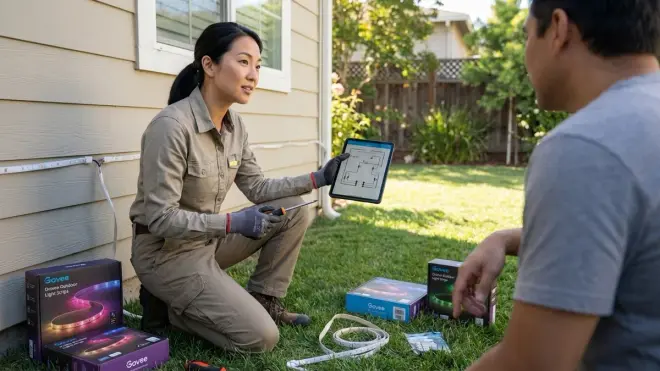
What happens to Govee outdoor lights during a Wi-Fi outage?
Govee outdoor lights retain their last active state when Wi-Fi connectivity drops—if they were displaying warm white at 50% brightness when your router rebooted, they continue displaying that scene until power cycles or Wi-Fi reconnects. However, you cannot change settings, activate different scenes, or trigger automations via the app or voice assistants during an outage. The lights essentially freeze in place. Once Wi-Fi reconnects, the Govee controller re-establishes cloud connection within 15-30 seconds and accepts new commands. This differs from mesh-based protocols like Zigbee that maintain local control through hub communication even when internet fails—Wi-Fi smart lights require both local network and cloud service access for full functionality.
Can I integrate Govee outdoor lights with non-Wi-Fi smart home systems like Zigbee or Z-Wave?
Govee outdoor lights cannot directly join Zigbee, Z-Wave, Thread, or Matter networks because they communicate exclusively via 2.4 GHz Wi-Fi to cloud servers. However, you can achieve indirect integration through platforms like Home Assistant, which supports Govee's API and can bridge commands between protocols—for example, a Zigbee motion sensor could trigger a Home Assistant automation that then sends a command to Govee lights via their cloud API. This introduces additional latency (typically 1-3 seconds total) compared to native mesh communication, and requires stable internet access since Govee devices cannot operate in local-only mode. If you're building a primarily Zigbee or Z-Wave ecosystem and want seamless integration with sub-second response times, Wi-Fi smart lights create architectural mismatches worth considering before installation.
How do I troubleshoot Govee outdoor lights that keep disconnecting from Wi-Fi?
Start by measuring 2.4 GHz signal strength at the controller location using a smartphone app—readings below -70 dBm cause intermittent dropouts, and you'll need to relocate the controller closer to your router or add a dedicated Wi-Fi extender. Check your router settings to disable band steering features that automatically push devices between 2.4 GHz and 5 GHz bands, as this causes temporary disconnections during switches. Verify the controller isn't mounted near dense metal surfaces or inside enclosed spaces that create Faraday cage effects blocking RF signals. If signal strength appears adequate but disconnections persist, separate your 2.4 GHz and 5 GHz networks into distinct SSIDs to prevent the controller from attempting failed 5 GHz connections. Power cycle both your router and the Govee controller, then reconnect—firmware updates occasionally corrupt Wi-Fi credentials, requiring fresh authentication. As a last resort, inspect all weatherproof connections for moisture infiltration that can degrade antenna performance inside the controller enclosure.
Final Thoughts
Govee outdoor lights installation reveals the tension between spectacle and infrastructure—the RGB gradients washing across your garden exist only because invisible Wi-Fi signals thread through walls, because voltage calculations balanced load across circuits, because weatherproofing rituals sealed moisture from terminals. When executed with attention to these hidden dependencies, the technology recedes and ambiance remains: the pergola that shifts from amber to violet as dinner stretches into evening, the architectural lines traced in light that feel as permanent as the structure itself. But skip the signal testing, ignore voltage drop, or assume weather resistance without verification, and you'll spend more time troubleshooting than enjoying the spaces these lights were meant to transform. The checklist above isn't perfectionism—it's the difference between technology that enhances atmosphere and technology that becomes the atmosphere, demanding attention rather than disappearing into experience.
