
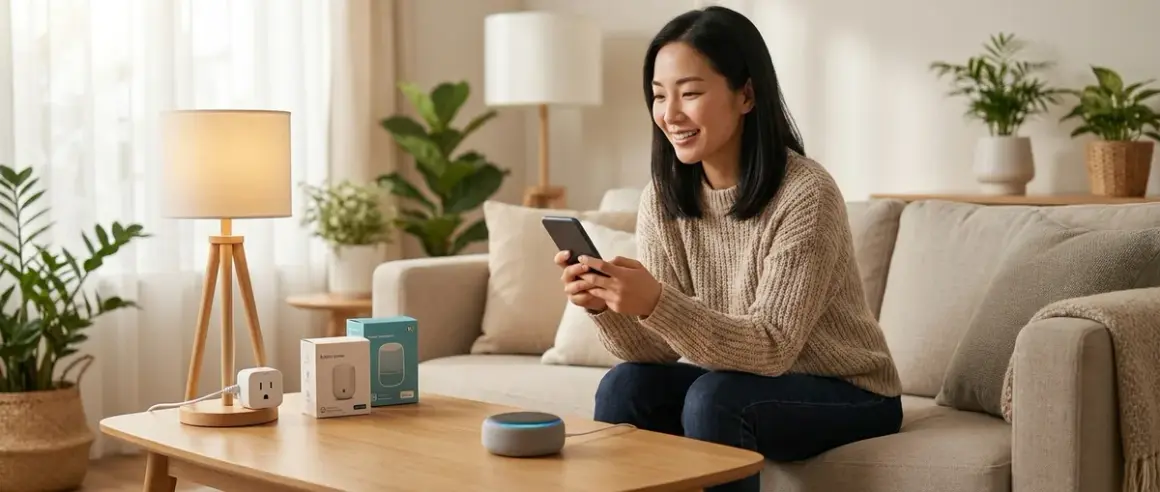

I've watched countless clients freeze when they tally the costs of their dream smart home—the mental math spiraling past a thousand dollars before they've automated a single light. But here's what I learned from a rental apartment project in Portland: a budget smart home under $100 doesn't mean compromising on the feeling of intelligence in your space. It means choosing moments over sprawl, automation over accumulation. The verdict? You can create three transformational automations that shift how a home feels—morning light that greets you gently, security that whispers rather than announces itself, and climate that adapts without fuss—all for the price of a nice dinner out.
The constraint becomes the design principle. When you can't afford to wire every room, you choose the threshold moment, the transition space, the one automation that cascades into the rest of your day.

What to Look For in a Budget Smart Home Starter Kit
Protocol compatibility shapes everything that follows. When budgets tighten, the temptation is to grab whatever's cheapest today—but if your first device runs on Wi-Fi and your second requires Zigbee, you've just committed to either buying a hub or replacing one of them. For a budget smart home under $100, I always start with Wi-Fi devices despite their higher power draw, because they eliminate the hub bottleneck. Your router becomes your invisible infrastructure. The moment you introduce Zigbee or Z-Wave into a sub-$100 setup, you've eaten 30-40% of your budget on a hub before you've automated anything. Matter compatibility in 2026 is tempting—true cross-platform freedom—but Matter devices still carry a premium, and budget options lag six months behind flagship releases.
Single-point-of-failure awareness determines reliability. I've seen beautifully designed automation collapse because a cheap smart plug requires cloud authentication every time the router hiccups. For tight budgets, look for devices that cache local schedules: if your internet drops, does the light still turn on at 7 AM? Does the motion sensor still trigger? In a full-scale installation, cloud dependency is negotiable because redundancy compensates. In a three-device setup, one dead link kills the entire rhythm. Check manufacturer uptime histories on forums like Reddit's r/homeautomation—brands with server outages in late 2025 haven't magically fixed their infrastructure.
Visible versus invisible footprint affects daily comfort more than any feature list. Budget devices tend toward chunky plastic housings, visible indicator LEDs, and bulk that interrupts sightlines. I've swapped recommended "best budget" smart plugs for clients because the blue glow bled into bedrooms at night, or the casing blocked adjacent outlets. For a low-cost setup, prioritize devices you can tuck behind furniture, recess into existing fixtures, or paint over. A $12 motion sensor mounted on a bookshelf spine vanishes; the same sensor stuck to a white wall with adhesive becomes visual noise.
Automation complexity versus setup time determines whether you'll actually use it. When budgets are tight, there's pressure to extract maximum value from every device—complex if/then chains, multi-condition triggers, schedule overrides. I've watched this backfire. A client spent three evenings programming a $25 smart bulb to simulate sunrise, adjust color temperature by time of day, and respond to motion—but never finished the logic because the app was clunky. The bulb sat on default white for six months. For a budget smart home under $100, keep automations to single if/then statements: IF motion detected AND time > 6 PM, THEN turn on for 5 minutes. No nested conditions. No variable delays. The automation that runs reliably at 80% sophistication beats the one that crashes at 95%.
Energy monitoring as a hidden ROI multiplier often gets skipped in budget guides, but for sub-$100 setups, a single smart plug with real-time wattage tracking can pay for itself if it reveals phantom loads. I had a rental property where a decade-old dehumidifier was pulling 80W continuously—$7/month wasted. A $15 monitoring plug caught it in two days. The automation becomes: IF wattage < 5W for 10 minutes, THEN send alert. Not glamorous, but it funds the next device. Choose plugs with local API access (not just cloud dashboards) so you can log data without subscriptions.
Interoperability limits need honesty upfront. Google Home, Alexa, and Apple Home all promise universal control, but cheap devices often support only one ecosystem. If your household already leans Android, buying HomeKit-exclusive devices means duplicate purchases later. Worse, some budget brands gate basic features behind their proprietary app—dimming works in the manufacturer's interface but not through Google Assistant. Read the three-star reviews, not the five-star ones. The disappointed users tell you which promises didn't land. A budget smart home under $100 can't absorb the cost of incompatible replacements.
Our Top Picks for Building a Budget Smart Home Under $100
Wyze Bulb Color (2-Pack)

The Wyze Bulb Color 2-Pack🛒 Amazon delivers color-tuning and scheduling through Wi-Fi without requiring a hub, and at roughly $18 for two bulbs, it's the foundation for mood-based automation that doesn't scream "tech installation." I've placed these in bedroom table lamps and living room floor fixtures where the bulb itself stays hidden inside the shade—the intelligence felt, the hardware invisible. Wyze's app allows sunrise simulations with gradual warm-to-cool temperature shifts, and the local schedule caching means your 7 AM wake-up persists even if your internet doesn't.
Pros:
- Wi-Fi connectivity eliminates hub cost and setup complexity
- Color temperature automation creates circadian rhythm support (2700K evening, 5000K midday)
- Fits standard E26 sockets, drops into existing lamps without fixture replacement
- Group control allows whole-room scenes from a single tap
- 800-lumen output sufficient for ambient lighting in 150-square-foot spaces
Cons:
- Wyze cloud outages in early 2025 caused 12-hour automation failures for some users—local schedules work, but voice control drops
- No Thread or Matter support as of 2026, limiting future cross-platform expansion
- Bulbs add 0.5 seconds of latency on cold starts (first power-on after being off) before responding to commands
- The color accuracy skews slightly green in the 3500K range—noticeable against natural daylight through windows
TP-Link Kasa Smart Plug Mini (4-Pack)
The TP-Link Kasa Smart Plug Mini 4-Pack🛒 Amazon costs around $25 for four outlets and turns any dumb appliance into a schedulable, voice-controlled device. These are my go-to for invisible automation—one behind a nightstand lamp, one for a slow cooker, one monitoring a basement dehumidifier, one as a backup. The compact form factor doesn't block adjacent outlets, and Kasa's energy monitoring shows real-time wattage so you can identify which devices are worth automating for savings versus convenience.
Pros:
- No hub required—Wi-Fi direct to your router with 2.4GHz band compatibility
- Energy monitoring with historical graphs lets you quantify phantom loads
- "Away Mode" randomizes on/off times to simulate occupancy during travel
- IFTTT integration enables cross-device logic (IF weather forecast = rain, THEN turn on dehumidifier)
- Physical override button maintains manual control without app access
Cons:
- Kasa does not support 5GHz Wi-Fi, so dual-band router users must ensure 2.4GHz SSID broadcasting
- Cloud dependency means voice commands fail during internet outages, though schedules persist locally
- The indicator LED is bright enough to illuminate a dark room—requires electrical tape over it if used in bedrooms
- Firmware updates occasionally reset custom device names to defaults, breaking voice commands until manually corrected
Govee Motion Sensor Light Strips (2M Kit)
The Govee Motion Sensor Light Strips 2M Kit🛒 Amazon bundles a motion-sensing controller with LED strips for under $30, creating pathway lighting that activates only when needed—under-bed illumination for midnight bathroom trips, closet lighting that greets you at the door. I've installed these where clients wanted functional light without the commitment of hardwired fixtures. The motion sensor operates via RF (not Wi-Fi), so it responds within 0.2 seconds of detection with zero network latency.
Pros:
- Battery-powered motion sensor requires no wiring or outlet access
- Adjustable sensitivity and timeout (10 seconds to 5 minutes) lets you tune activation patterns
- Adhesive-backed strips conform to furniture undersides, shelf edges, stair risers
- Warm white option (2700K) avoids the harsh blue cast of most budget LED strips
- Standalone operation—no app, hub, or internet required for basic if/then logic (motion = light)
Cons:
- No Wi-Fi connectivity means zero remote control or integration with voice assistants
- The RF range tops out at 15 feet, so sensor placement must be line-of-sight to the controller
- Brightness is fixed at installation (dimming requires cutting and rewiring segments)
- Adhesive fails on textured surfaces after 3-6 months—needs supplemental mounting clips on popcorn ceilings or rough wood
Wyze Cam v3
The Wyze Cam v3🛒 Amazon costs around $35 and provides 1080p monitoring, motion detection, and local microSD recording—turning a single entry point into a security checkpoint. I've positioned these inside front-facing windows (avoiding exterior weatherproofing hassles) where the night vision sees through glass without IR reflection. The automation becomes: IF motion detected between 11 PM and 6 AM, THEN record 12-second clip and send push notification. The camera doubles as a pet monitor, package delivery verifier, or visual confirmation that you did, in fact, turn off the stove.
Pros:
- Color night vision distinguishes between people, animals, and shadows in low light
- Local storage on microSD card (up to 256GB) avoids monthly cloud subscription for basic recording
- IP65 weather rating allows both indoor and sheltered outdoor placement
- Works with Google Assistant and Alexa for voice-triggered live view on smart displays
- Two-way audio lets you communicate through the camera (doorbell substitute for apartments)
Cons:
- The 12-second free cloud clips miss the beginning and end of events—you need the microSD card for full context
- Wyze's person detection requires a Cam Plus subscription (around $2/month)—without it, you get generic motion alerts that trigger on tree shadows and passing cars
- The magnetic base is convenient but not theft-resistant for outdoor placements
- Recording during internet outages works only if you've pre-configured local storage settings while online
Sengled Smart Plug with Energy Monitoring
The Sengled Smart Plug with Energy Monitoring🛒 Amazon runs about $15 for a single outlet that tracks wattage in real time and integrates with Zigbee hubs (if you add one later) or operates standalone via Wi-Fi. I use this for high-draw appliances where knowing the energy signature prevents waste—space heaters that shouldn't run overnight, window AC units that cycle inefficiently, chargers left plugged in after devices reach 100%. The automation: IF wattage drops below 3W for 30 minutes, THEN turn off (device is in standby).
Pros:
- Dual-protocol support (Wi-Fi for immediate use, Zigbee if you upgrade to a hub) future-proofs the purchase
- Energy cost calculation estimates monthly spend per device in the app dashboard
- Compact side-facing design doesn't obstruct neighboring outlets on power strips
- Scene integration allows timed shutdown of multiple high-draw devices simultaneously (bedtime = off all heaters)
- Overcurrent protection shuts off automatically if wattage exceeds safe limits
Cons:
- The Wi-Fi mode requires a constant 2.4GHz connection—drops briefly during router firmware updates
- Sengled's app UI buries energy reports three menus deep, making daily monitoring tedious
- No physical override button—if the app crashes or your phone dies, you can't manually toggle the outlet
- Zigbee range is shorter than advertised (spec: 40 feet, real-world: 25 feet through one wall) without a mesh repeater
Third Reality Motion Sensor (Zigbee)

The Third Reality Motion Sensor Zigbee🛒 Amazon costs around $18 and, while it requires a Zigbee hub, unlocks the fastest automation response times I've tested in budget setups—under 0.3 seconds from motion to action. If you're allocating $40 of your $100 budget to a basic hub like the Echo with Zigbee, this sensor becomes the trigger for lights, cameras, or alerts. I've mounted these in hallways angled downward to catch foot traffic but ignore pets under 40 pounds. The logic: IF motion detected AND lux < 10, THEN turn on hallway bulbs to 40% for 3 minutes.
Pros:
- Two-year battery life on a single CR2450 cell reduces maintenance cycles
- Adjustable mounting bracket allows ceiling, wall, or corner installation
- Pet-immune mode filters motion below adjustable height thresholds
- Zigbee mesh self-heals if one path fails—routes through other devices automatically
- Lux sensor reports ambient light levels, enabling "only in darkness" automation rules
Cons:
- Requires a Zigbee hub (Echo 4th Gen, SmartThings, or Hubitat), consuming 30-40% of a budget setup
- The 120-degree detection cone misses peripheral motion—needs strategic placement at choke points
- Cold temperatures below 40°F slow sensor response by 0.5-1 second (basement or garage use affected)
- No tamper alert—if someone removes it, you won't know unless you check battery status manually
Frequently Asked Questions
Can you build a functional budget smart home under $100 without a hub?
Yes, but you'll rely exclusively on Wi-Fi devices, which limits protocol diversity and increases network congestion. A functional budget smart home under $100 using Wi-Fi-only products might include two Wyze Color Bulbs, a four-pack of Kasa Smart Plugs, and a Wyze Cam v3—totaling around $80. This setup automates lighting schedules, monitors energy on key appliances, and adds visual security to one entry point. The automations run: IF time = 7:00 AM, THEN bulbs to 80% warm white; IF motion detected at camera AND time between 11 PM-6 AM, THEN record and alert; IF smart plug wattage drops below 5W for 10 minutes, THEN turn off. You lose the sub-second response times and mesh reliability of Zigbee or Z-Wave, but cloud-based routines through Google Home or Alexa compensate with 1-3 second latency—acceptable for non-critical automations. The fallback behavior when internet drops: bulbs revert to last manual state, smart plugs continue local schedules (if pre-configured), camera records locally to microSD if inserted. You won't get voice control or remote access during outages, but the core rhythms persist.
What's the best first automation for someone on a tight budget?
Morning lighting that respects your circadian rhythm delivers the highest perceived value for the lowest cost. A single smart bulb (around $10-15) in a bedside lamp, programmed to fade on gradually 15 minutes before your alarm, replaces jarring overhead switches and creates a ritual that feels custom-designed. The automation: IF time = 6:45 AM on weekdays, THEN bulb ramps from 0% to 60% over 15 minutes at 2700K. This costs less than a specialty sunrise alarm clock and integrates into the fixture you already own. The psychological shift is immediate—waking to light that builds naturally rather than stabbing at wall switches in the dark. For clients who resist smart home adoption, this single automation becomes the proof of concept that invisible intelligence improves daily experience without adding complexity. The bulb remains controllable via the physical lamp switch (on/off still works), so household members who ignore the app aren't locked out. Once this rhythm embeds itself, the next automation—perhaps motion-activated pathway lighting or automated coffee pot via smart plug—feels like a natural extension rather than tech intrusion.
Do budget smart home devices work during internet or power outages?
Partially, depending on how automations are structured. Wi-Fi smart bulbs and plugs with locally cached schedules will execute time-based routines (e.g., IF time = 8 PM, THEN turn on) even without internet, but cloud-dependent triggers (weather integrations, IFTTT applets, voice commands) fail immediately. For a budget smart home under $100, assume 60-70% functionality during internet outages: scheduled lighting continues, motion sensors with RF controllers (like the Govee strips) operate normally, but remote access, notifications, and cross-device logic chains break. Power outages reset everything—when electricity returns, devices revert to default states unless you've programmed a "power loss recovery" behavior in settings (many budget devices lack this). Zigbee and Z-Wave devices handle local control better because the hub processes logic internally without cloud round-trips, but this assumes the hub has battery backup. Best practice for budget setups: use smart plugs to create a "restart sequence" that powers on critical devices in staggered intervals after an outage (IF power restored, THEN wait 30 seconds, turn on router plug, wait 60 seconds, turn on other devices). This prevents all devices hitting your network simultaneously and causing reconnection chaos.
How do you make budget smart home tech less visually intrusive?

Choose installation points where devices disappear into existing architecture—smart plugs behind furniture, bulbs inside shades, sensors on moulding edges painted to match trim. I've used command strips to mount motion sensors on the vertical edge of door frames where they're invisible from room center but catch all entry movement. For budget LED strips, recess them into the lip between wall and baseboard, or behind floating shelves where only the light spill shows. The Govee motion strips work beautifully under platform beds—the sensor mounts to the bed frame, the strip tucks into the shadow gap between mattress and floor. Disable all indicator LEDs where possible (most apps have a setting; physical tape works for stubborn ones). When devices must be visible, cluster them: three smart plugs on a single power strip behind a console table reads as "intentional tech zone" rather than scattered gadgets. For cameras, interior window placement avoids exterior mounting hardware and uses existing curtain rods or sills as natural shelves. The goal isn't to hide that your home is smart—it's to prevent the technology from competing with the space's aesthetic rhythm. Intelligence should shift the feeling of a room (safer, more responsive, attuned to your schedule) without adding visual footnotes.
Can you expand a budget smart home under $100 over time without replacing devices?
Yes, if you plan protocol compatibility from the start. Wi-Fi devices future-proof poorly—they don't form mesh networks or relay signals, so adding your 20th Wi-Fi bulb congests your router and creates latency. But a strategic first purchase of a Zigbee hub (using $35-40 of your budget) allows incremental expansion via cheap Zigbee sensors and bulbs that strengthen the mesh with each addition. The path: start with an Echo 4th Gen with built-in Zigbee hub ($40), add a Third Reality motion sensor ($18), and a Sengled Zigbee bulb ($12)—total around $70. This gives you motion-triggered lighting with sub-second response. Six months later, add another Zigbee bulb ($12); it becomes a range extender for the mesh while adding functionality. The automation grows: IF motion in hallway AND lux < 10, THEN hallway bulb 40% AND bedroom lamp 10% for 5 minutes. Each device reinforces the network rather than fragmenting it. Matter-compatible devices (still premium in 2026) theoretically offer the best expansion path—cross-platform by design—but budget Matter products are scarce. Your best bet: accept Wi-Fi limitations for the first $100, then pivot to Zigbee or Z-Wave once you're ready to invest in a hub as your "graduation" from starter tier. The Wi-Fi devices remain functional but shift to standalone roles (guest room lamp, garage outlet) while the mesh handles interactive automations.
The Verdict
A budget smart home under $100 won't automate every room or replace the experience of whole-home integration, but it will transform the three moments that anchor your day: waking, arriving home, and settling into evening. The constraint forces clarity—you can't waste budget on gadgets that impress visitors but don't shift how space feels. Start with lighting that respects your body's rhythms, add monitoring that reveals waste, and finish with security that lets you stop wondering whether you locked the door. These aren't compromises. They're the invisible foundations that every full-scale installation builds on later. The home that knows when to welcome you with light, when to conserve energy in empty rooms, and when to watch the threshold while you sleep—that's intelligence you'll feel long before you notice the devices delivering it. And if the only trace of your smart home is the ease of your routines, the design has succeeded.