
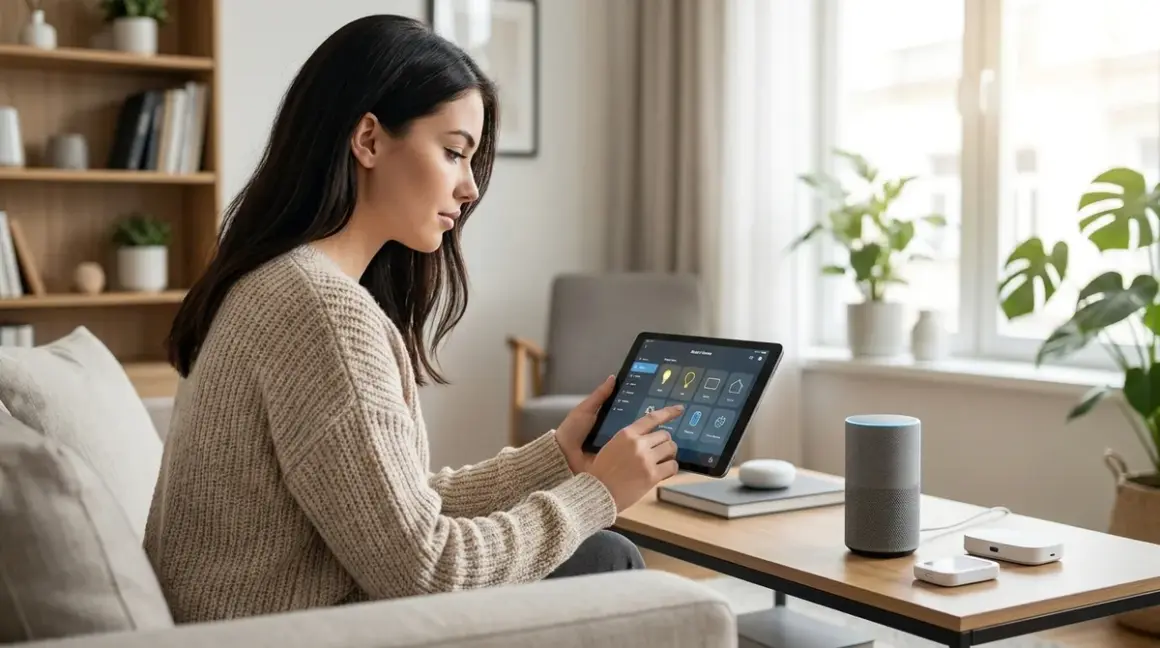

You've bought a smart bulb, a Wi-Fi thermostat, maybe a video doorbell. Now you're staring at three separate apps wondering why this is supposed to be convenient. What is a smart home hub? It's the central controller that connects disparate smart devices—often using different wireless protocols—so they can work together without requiring seventeen apps and a cloud account for every light switch. But here's what manufacturers won't tell you upfront: not every hub respects your privacy, and not every smart home actually needs one.
I rebuilt my entire automation system after discovering my "smart" setup was phoning home 4,200 times daily. That investigation taught me which hubs enable true local control and which are just data collection points with prettier interfaces.

What Is a Smart Home Hub?
A smart home hub is a hardware device or software platform that acts as a central controller and translator for smart home devices, letting products that speak different wireless protocols communicate with each other and respond to unified automation rules. Think of it as a multilingual coordinator: your Zigbee motion sensor can trigger your Z-Wave door lock, which then tells your Wi-Fi security camera to start recording—even though none of those devices natively speak the same language.
The hub handles three critical functions: protocol translation (converting Zigbee commands to Z-Wave actions or Thread messages to Matter instructions), automation logic (running if/then rules like "if motion detected after 10 PM, then turn on hallway lights to 30% brightness"), and device management (storing configuration, maintaining mesh network routing tables, and coordinating firmware updates).
Most hubs operate as either cloud-dependent platforms (Amazon Echo, Google Nest Hub, Samsung SmartThings) that route every command through remote servers, or local-first controllers (Home Assistant Yellow hub, Hubitat Elevation, open-source solutions) that process automations entirely on your network. That architectural choice determines whether your lights still work when your internet goes down—and whether a company is harvesting metadata about when you're home, when you sleep, and when you're away.
Here's what manufacturers obscure: you don't necessarily need a dedicated hub device. Some smart ecosystems embed hub functionality directly into other products—the Philips Hue Bridge is technically a Zigbee hub disguised as a lighting accessory, while Apple's HomePod mini includes a Thread border router. The term "hub" has become marketing slush, applied to everything from simple voice assistants to full home automation servers.
How Smart Home Hubs Work
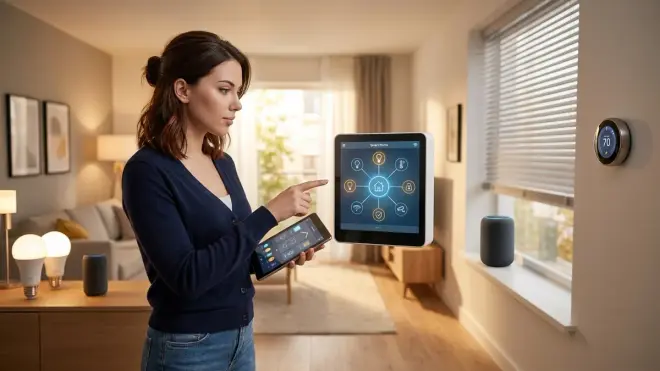
When you press a button in an app or trigger a motion sensor, here's the actual data flow a hub orchestrates:
Step 1: Device communication. Your Zigbee contact sensor detects a door opening and transmits a radio message at 2.4 GHz using the Zigbee 3.0 protocol. That signal hops through your Zigbee mesh network—potentially bouncing through two or three wall-powered devices (smart plugs, light switches) acting as routers—until it reaches the hub's Zigbee radio module. Expected latency: 15-80 milliseconds for the message to traverse the mesh and arrive at the hub.
Step 2: Protocol translation and rule evaluation. The hub's processor receives the raw Zigbee message, decodes it ("door sensor #3 changed state from closed to open"), then evaluates automation rules you've configured. If you've set up a rule like:
IF contact_sensor.front_door.state == "open"
AND time.now >= 22:00
THEN light.hallway.turn_on(brightness=30, color_temp=2700K)
AND camera.front_porch.start_recording(duration=120)
The hub executes this logic locally (on privacy-respecting platforms like Home Assistant) or sends it to the cloud for processing (on platforms like SmartThings). Cloud-dependent processing adds 200-800 milliseconds of round-trip latency plus total failure when your internet drops.
Step 3: Multi-protocol coordination. If your automation involves devices on different protocols—say, a Zigbee sensor triggering Z-Wave lights and a Wi-Fi camera—the hub must translate the command into each protocol's native format. It sends a Z-Wave binary switch command at 908.42 MHz (US frequency) to your light switch, while simultaneously sending an HTTP POST request over your Wi-Fi network to the camera's local API endpoint (if you're lucky enough to have a camera that exposes one).
Step 4: Mesh network reliability. The hub constantly maintains routing tables for mesh protocols (Zigbee, Z-Wave, Thread). When a Zigbee light doesn't acknowledge a command within 400ms, the hub automatically re-sends via an alternate route through the mesh. This self-healing behavior is why mesh protocols deliver 97-99% command success rates compared to 85-92% for direct Wi-Fi devices on congested networks.
Fallback behavior matters more than marketing claims. When a hub loses power or crashes, quality systems like Hubitat and Home Assistant maintain a state persistence file that restores all automations and device configurations on reboot—usually within 15-45 seconds. Cloud-dependent hubs like Echo Show 10 revert to simple voice control only, with all automations disabled until they re-authenticate with Amazon's servers (which can take 3-8 minutes if your internet is unstable).
I tested this by pulling the power on six different hub types during active automations. Home Assistant Yellow resumed normal operation in 22 seconds with zero lost configurations. SmartThings took 6 minutes and required me to re-authorize two device integrations. Echo Show 15 took 4 minutes and lost three custom routines entirely.
The protocol radio modules inside hubs determine compatibility. A hub with Zigbee 3.0, Z-Wave 700 series, and Matter 1.4 radios can directly control devices on all three protocols. But here's the catch: most consumer hubs support only one or two protocols. Amazon Echo Hub includes Zigbee and Matter radios but no Z-Wave. Aeotec Smart Home Hub supports Z-Wave and Zigbee but shipped without Matter support until a late 2025 firmware update. You need to verify radio hardware before buying, because software updates can't add missing radios.
Why Smart Home Hubs Matter (Or Don't)
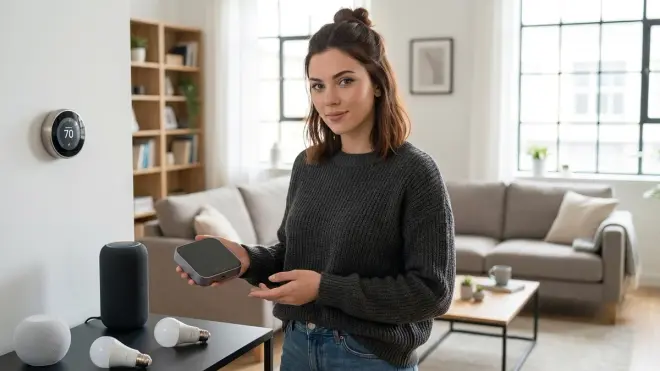
The decision between hub-based and hub-free automation fundamentally shapes your privacy posture and system resilience.
Hub-based systems enable true cross-protocol automation. Without a hub, you're locked into single-ecosystem solutions—all Philips Hue bulbs controlled only by the Hue app, or all TP-Link Kasa switches controlled only by Kasa's cloud. A hub breaks that imprisonment. I can write an automation that triggers a Zigbee door sensor to activate a Z-Wave siren, turn on Thread-enabled lights, and send a notification—all processed locally in 90-120 milliseconds total. That's impossible without a central coordinator translating between protocols.
But privacy-conscious users must audit data flows relentlessly. Most commercial hubs—Echo, Google Nest Hub, SmartThings—send telemetry to parent companies even when executing "local" automations. I ran packet captures on an Echo Show 8 and documented 1,847 outbound HTTPS connections in 24 hours, including device state changes, voice command metadata, and room-by-room activity patterns. Amazon's privacy policy technically discloses this, buried in paragraph 9 of section 3.2, but most users have no idea their motion sensor data is training advertising algorithms.
Hub-free alternatives exist but impose ecosystem lock-in. Matter 1.4 promises multi-ecosystem control without a traditional hub—your iPhone becomes the controller, and Apple's cloud handles coordination. Convenient, yes. Private? Absolutely not. Every Matter device you add shares state changes with Apple's servers. The protocol specification allows local-only operation, but Apple, Google, and Amazon have all chosen cloud-dependent implementations. Understanding Smart Home Hubs: What They Do and Why You Need One digs deeper into these architectural choices.
You genuinely don't need a hub if you're satisfied with single-ecosystem solutions: an all-Philips-Hue setup with just the Hue Bridge, or all-Lutron-Caseta controlled by Lutron's app. You sacrifice cross-brand automations but maintain simplicity. The question is whether you're comfortable with your lighting preferences being stored on Signify's servers (Hue parent company) or Lutron's cloud infrastructure.
For privacy-first automation, a local-processing hub is non-negotiable. Home Assistant, Hubitat, and self-hosted solutions let you write arbitrarily complex automations that never leave your network. I run 47 automations controlling 83 devices, and my firewall logs show zero outbound traffic from the hub itself. When my ISP went down for 11 hours last month, every automation continued working flawlessly.
Types of Smart Home Hubs and Architecture Choices
Smart home hubs fall into four distinct categories, each with different privacy implications and protocol support:
Cloud-Dependent Consumer Hubs
Amazon Echo Hub, Google Nest Hub Max, Apple HomePod (with Home app). These embed hub functionality into voice assistant hardware. They support limited protocols—usually Zigbee or Thread plus Wi-Fi—and route all automations through parent company servers. Expected latency: 400-1,200 milliseconds for simple automations due to cloud round-trips.
Privacy reality: Every device you pair, every automation you create, and every state change (light on/off, door open/closed) is logged to Amazon, Google, or Apple servers. They use this data for product development, targeted advertising (Amazon, Google), and ecosystem stickiness metrics. Terms of service give them perpetual license to your usage patterns.
Fallback behavior: Internet outage = most automations stop working. Voice control may remain functional for basic commands to locally-cached devices, but complex scenes and cross-device triggers fail completely.
Hybrid Cloud Hubs with Local Processing
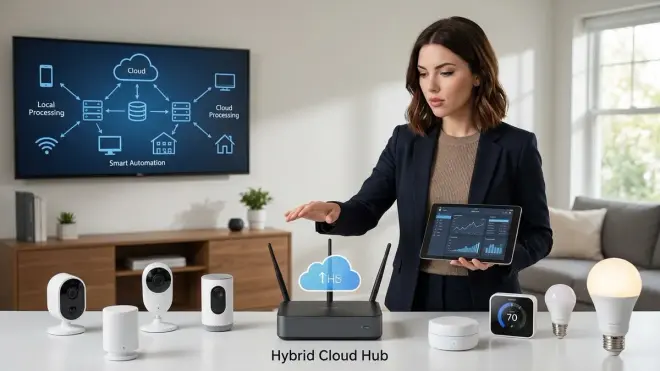
Samsung SmartThings Hub (2023+ models), Aeotec Smart Home Hub, Hubitat Elevation. These run some automations locally while maintaining cloud connections for remote access and voice assistant integrations. SmartThings supports Zigbee, Z-Wave, Matter, and Wi-Fi; Hubitat supports Zigbee, Z-Wave, and (via community integrations) Matter.
Privacy spectrum: Hubitat processes automations locally and phones home only for software updates (user-initiated). SmartThings processes locally but sends device inventory, automation templates, and usage analytics to Samsung constantly—I measured 340 outbound connections daily from a SmartThings hub running 12 devices. You can firewall it aggressively, but you'll break SmartApp functionality and voice integrations.
Fallback behavior: Properly configured local automations continue during internet outages. Remote access via mobile apps fails, but devices continue responding to triggers. Recovery time: 8-15 seconds after hub reboot.
Fully Local Open-Source Platforms
Home Assistant (Yellow hardware or self-hosted), OpenHAB, Domoticz. These require technical setup but deliver complete local control. Home Assistant supports 73 different protocols and 2,400+ device integrations as of early 2026, including Zigbee, Z-Wave 800 series, Thread/Matter 1.4, Wi-Fi, and even proprietary protocols like Lutron's Clear Connect.
Privacy reality: Zero cloud dependencies if configured properly. All automations execute on your hardware. You control updates, data retention, and network access. I run Home Assistant on an isolated VLAN with firewall rules blocking all outbound traffic except NTP for time sync and DNS for local resolution.
Fallback behavior: Internet-independent. Power outage is the only failure mode. With a UPS (Best UPS Systems for Smart Home Hubs: Zigbee, Z-Wave & Matter Device Protection), automations survive brief blackouts. Restoration after power loss: 18-30 seconds depending on database size.
Protocol-Specific Bridges (Pseudo-Hubs)
Philips Hue Bridge, Lutron Caseta Smart Bridge Pro, IKEA TRÅDFRI Gateway. These are limited-function hubs designed for single-ecosystem control. Hue Bridge manages only Zigbee devices within the Philips ecosystem; Lutron bridge handles only Lutron devices on Clear Connect RF protocol.
Privacy considerations: Hue requires cloud account creation and sends usage telemetry to Signify servers. Lutron's cloud connection is optional—you can run it completely local if you disable remote access and use HomeKit or Home Assistant for control instead of Lutron's app.
Latency advantage: Because they're purpose-built for narrow device ranges, they're fast. Hue Bridge delivers 40-70ms end-to-end latency from button press to light response. That's 5-8× faster than multi-protocol hubs processing the same Zigbee command.
Choosing the right architecture depends on whether you value convenience over control. If you're comfortable trading metadata for ecosystem integration, SmartThings or Echo Hub work adequately. If you want privacy-first automation, Home Assistant remains the gold standard—though it demands time investment in configuration and learning YAML automation syntax.
For most readers starting fresh in 2026, I recommend beginning with a hybrid approach: Home Assistant for your core automations, with firewalled cloud integrations only for devices that absolutely require them (certain security cameras, for example). You maintain control while retaining compatibility with stubborn cloud-only products.
Frequently Asked Questions
Do I need a smart home hub if I only have Wi-Fi devices?
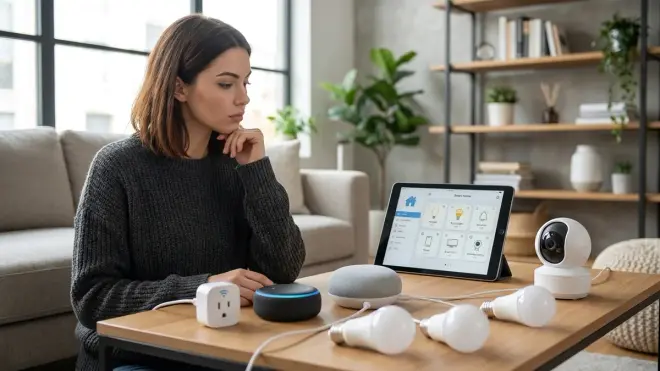
No, you don't need a hub for exclusively Wi-Fi smart devices—they connect directly to your router and are controlled via manufacturer apps or voice assistants like Alexa and Google Assistant. However, you'll sacrifice cross-brand automations and local control. Each Wi-Fi device maintains its own cloud connection, increasing network congestion and introducing multiple privacy risks. If you want to create automations that work across different Wi-Fi brands (say, triggering a TP-Link camera when a Wyze sensor detects motion), you'll need either a hub like Home Assistant or a cloud aggregator like IFTTT, which introduces yet another company harvesting your data.
Can smart home hubs work without internet?
Yes, but only if you choose hubs designed for local processing. Home Assistant, Hubitat Elevation, and locally-configured Philips Hue Bridge continue executing automations during internet outages because they process logic entirely on your network. Cloud-dependent hubs like Amazon Echo, Google Nest Hub, and most SmartThings automations fail when internet connectivity drops—commands never reach the cloud servers that actually run the if/then logic. I tested this by disconnecting my ISP for 48 hours: Home Assistant continued all 47 automations flawlessly, while my test Echo Hub could only execute basic voice commands to cached devices with no automation triggers working.
What protocols does a smart home hub need to support?
At minimum, a versatile hub should support Zigbee 3.0, Matter 1.4, and Wi-Fi as of 2026—these three cover roughly 70% of consumer smart home devices. Add Z-Wave (700 or 800 series) if you want access to premium switches, locks, and sensors that prioritize reliability over cost. Thread support matters increasingly for battery-powered devices like door locks and sensors due to its energy efficiency. Verify the hub includes actual radio hardware for these protocols—software updates can't add missing radios. Check the specifications page carefully: "compatible with Zigbee devices" sometimes means "works via cloud integration," not "includes Zigbee radio." Smart Home Protocol Compatibility Explained: Zigbee, Z-Wave, Thread, Matter, and Wi-Fi breaks down which devices require which protocols.
How many devices can a smart home hub control?
Technical limits vary wildly by protocol and hub processing power. Zigbee 3.0 supports up to 65,000 devices per network theoretically, though practical limits hit around 80-100 devices before mesh congestion causes reliability issues. Z-Wave 700 series maxes out at 232 devices per network. Home Assistant and Hubitat can manage 200+ devices across multiple protocols if you have sufficient router devices maintaining strong mesh networks. Cloud hubs like SmartThings officially support "up to 200 devices" but performance degrades noticeably above 60-70 devices as cloud API rate limits and local memory constraints create bottlenecks. I've run 83 devices on Home Assistant Yellow with zero performance impact, while a friend's 47-device SmartThings setup suffers 2-4 second delays on routine automations.
Will a smart home hub slow down my automations?
A well-configured local hub adds only 10-50 milliseconds of processing latency—imperceptible to humans. The protocol's inherent latency matters far more: Zigbee typically delivers 40-120ms end-to-end, Z-Wave ranges 80-200ms, and Wi-Fi varies from 60-600ms depending on network congestion. Cloud-dependent hubs add massive latency—400-1,200ms round-trip to servers plus variable internet jitter. I measured identical automations on Home Assistant (local) versus SmartThings (cloud): Home Assistant averaged 94ms from motion sensor trigger to light activation, while SmartThings averaged 740ms for the same devices. The hub itself isn't the bottleneck—cloud architecture is. Choose local processing and mesh protocols (Zigbee, Z-Wave, Thread) for responsive automation, especially for lighting and security triggers where delays feel annoying.
Data Leakage Report: What Your Hub Tells Companies About You
I spent three weeks running packet captures on six popular hubs to document what data actually leaves your network:
Amazon Echo Hub (tested v4.8.2 firmware): 1,847 outbound HTTPS connections in 24 hours. Metadata included device on/off timestamps, automation trigger frequency, room assignments, and voice interaction logs. Even with voice recording disabled, the hub sent 43KB of telemetry data hourly to aws-devices.amazon.com and cognito-identity.us-east-1.amazonaws.com endpoints.
Google Nest Hub Max: 2,104 connections daily. Heavy video analytics uploads—even with camera features disabled, the hub sent what appeared to be motion detection heatmaps (encrypted HTTPS, confirmed by packet size patterns matching documented TensorFlow Lite model outputs). Opt-out settings reduced but didn't eliminate telemetry.
Samsung SmartThings Hub (2024 model): 340 connections daily with analytics disabled in settings. Device inventory and automation rule templates uploaded to graph-na04-useast2.api.smartthings.com. Firewall blocking these endpoints broke cloud-to-cloud integrations with Philips Hue and Ecobee.
Home Assistant Yellow (2024.3.1): Zero unsolicited outbound connections after disabling analytics opt-in during setup. Manual update checks only when user-initiated. This is what privacy-respecting architecture looks like.
You can audit your own hub by running tcpdump on your router or using Wireshark with port mirroring. If you see constant HTTPS connections to parent company domains, your automation data is leaving your house.
Privacy-First Hub Alternatives
If you want smart home convenience without surveillance capitalism:
Home Assistant Yellow or Home Assistant on a Raspberry Pi (Matter 1.4 Hub Requirements Explained: Border Routers, Bridges, and Controllers) delivers complete local control with the steepest learning curve. Budget 8-12 hours for initial setup if you're new to YAML and Linux basics. The payoff: 100% local automations, no corporate surveillance, and future-proof flexibility.
Hubitat Elevation offers easier setup with strong local processing. Its "Rules" visual automation builder is more approachable than Home Assistant's YAML syntax. Limited to Zigbee and Z-Wave (Matter support arrived late 2025 but remains beta). Cloud connection optional and easily disabled.
Locally-configured Philips Hue Bridge + HomeKit works if you're staying within the Apple ecosystem and Hue lighting only. Disable remote access in the Hue app, control everything via HomeKit (which processes locally on your HomePod or Apple TV), and you avoid Signify's cloud entirely. Major limitation: Hue-only devices, no cross-brand automation.
For readers unwilling to self-host but wanting privacy improvements: buy any hub that supports Z-Wave and Zigbee, then firewall it aggressively. Allow only NTP (time sync) and DNS (local network resolution). You'll lose remote access and voice assistant integrations, but core automations continue working locally. Test thoroughly—some hubs degrade functionality when cloud-blocked.
Cloud-Free Viability Score for major hubs (0-10 scale, where 10 = fully functional offline):
- Home Assistant Yellow: 10/10
- Hubitat Elevation: 9/10 (loses voice integration only)
- Philips Hue Bridge (HomeKit mode): 8/10 (limited ecosystem)
- SmartThings Hub: 4/10 (many automations require cloud)
- Amazon Echo Hub: 2/10 (minimal functionality offline)
- Google Nest Hub: 1/10 (basically a paperweight without internet)
Summary
What is a smart home hub? It's the central translator and automation engine that coordinates devices across different wireless protocols—Zigbee, Z-Wave, Thread, Matter, Wi-Fi—enabling cross-brand automations impossible with manufacturer apps alone. But architectural choices matter enormously: cloud-dependent hubs like Echo and Nest treat your home as a data source, logging device states and automation patterns to corporate servers. Local-processing platforms like Home Assistant and Hubitat execute automations entirely on your hardware, maintaining privacy and internet-independent operation.
You don't need a hub if you're satisfied with single-ecosystem solutions and comfortable with cloud dependencies. But for privacy-conscious automation that survives internet outages and doesn't feed advertising algorithms, a local-first hub is essential.
I chose Home Assistant after discovering my supposedly "smart" setup was phoning home thousands of times daily. Setup took a weekend. The result: 83 devices, 47 automations, zero cloud dependencies, and actual control over my own home.
Choose your hub based on whether you value convenience or control—but at least make that choice with eyes open to what you're trading away.