
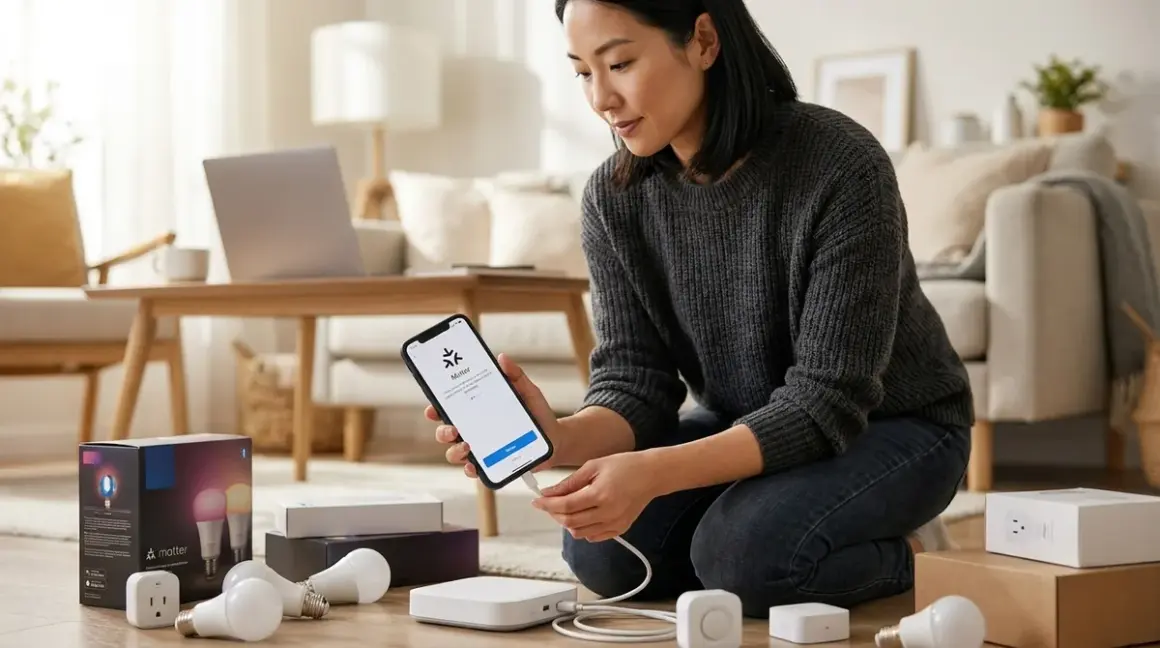

Matter arrived with a promise most of us had stopped believing was possible: devices that speak to one another regardless of who made them. For those of us who've watched clients wrestle with incompatible systems—a Philips Hue bridge that won't talk to a SmartThings hub, a Yale lock that demands its own app—the prospect of a unified protocol feels like opening windows in a room that's been sealed too long. Learning to migrate smart home to matter isn't just about updating firmware; it's about reclaiming the seamless experience that drew you to automation in the first place, without tearing out walls or abandoning devices you've already woven into your daily rhythms.
This guide walks through the migration process step by step, addressing which devices can transition gracefully, how to maintain existing automations during the shift, and what to do when legacy protocols need to coexist with the new standard. Expect to invest 4-6 hours for a typical home with 15-25 devices, spread across several evenings. The technical complexity sits at intermediate level—comfortable with app navigation and basic networking, but no coding required.

What You'll Need
- Matter-compatible hub or controller (current options include Apple HomePod mini, Amazon Echo 4th gen or newer, Google Nest Hub 2nd gen, Samsung SmartThings Hub v3, or dedicated hubs like Aqara Hub M3)
- Updated smartphone or tablet running iOS 16.5+ or Android 8.1+
- Network infrastructure: Wi-Fi router with WPA2 or WPA3 security, Ethernet cable for hub connection (recommended for stability)
- Thread Border Router if migrating Thread-compatible devices (often built into Matter hubs)
- Backup of current automations (screenshots or exported configurations from existing platform)
- Firmware update access for all devices (manufacturer apps must remain temporarily installed)
- 2.4GHz Wi-Fi network operational (Matter over Wi-Fi requires this frequency)
- Device labels or inventory list noting each device's current protocol (Zigbee, Z-Wave, Wi-Fi, Thread)
Before beginning, complete your smart home interoperability checklist to identify which devices support Matter natively versus which will need bridge devices or replacement.
1. Audit Your Current Ecosystem and Identify Migration Paths
Begin by mapping every connected device in your home—not just the ones mounted visibly on walls, but the sensors tucked behind furniture, the contact switches hidden in doorframes, the motion detectors that have become part of the architecture itself. Open each manufacturer app and check for Matter support announcements or firmware availability.
Matter transition comes in three forms: native support through firmware updates, bridge/hub translation for legacy protocols, and no support requiring device replacement or retention on separate systems. Philips Hue bridges, for instance, received Matter updates allowing connected Zigbee bulbs to appear as Matter devices to controllers while still using Zigbee mesh communication behind the scenes. The Aqara Hub M3 performs similar translation for Zigbee devices, exposing them to Matter ecosystems without requiring bulb replacement.
Create a spreadsheet with columns for device name, current protocol, Matter compatibility status, and migration path. This becomes your working document. Devices using proprietary Wi-Fi implementations often prove most challenging—many require complete re-pairing rather than simple updates. Z-Wave devices, unfortunately, remain isolated; Matter doesn't bridge to Z-Wave, so those sensors and switches either stay on their current Z-Wave controller or eventually get replaced.
Latency expectations shift during migration. Native Matter-over-Thread devices typically respond in 50-150ms. Bridged devices add 100-300ms as commands translate between protocols. For the ambient lighting that shifts with sunset or the bedroom lamps that dim with your evening routine, this latency disappears into the natural flow. For security responses—contact sensors triggering locks, motion detectors activating cameras—test thoroughly before removing backup automations.
2. Update Your Hub Infrastructure to Support Matter
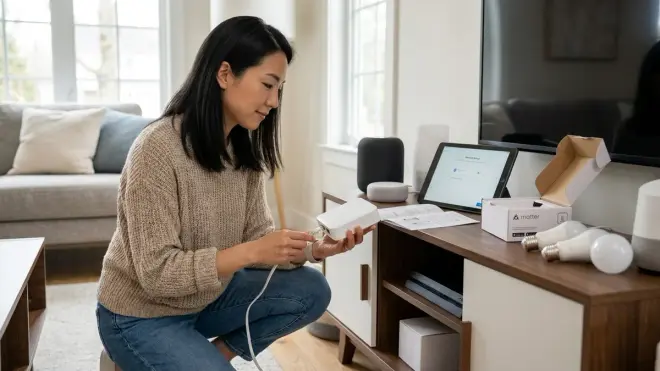
Matter requires a compatible controller, and this decision shapes everything downstream. The controller becomes the brain interpreting Matter's unified language, but each platform handles multi-protocol environments differently.
Apple's Home architecture treats Matter as a first-class citizen, with Thread Border Router capability built into HomePod mini and Apple TV 4K devices. Place one centrally—ideally within 30 feet of your Thread devices with minimal wall interference—and it creates the Thread network automatically. Apple's approach keeps automation logic on-device, meaning if/then automations execute locally without cloud dependencies:
IF sensor.bedroom_motion.state == "detected"
AND time.current >= 22:00
THEN light.bedroom_lamp.brightness = 5%
THEN light.bedroom_lamp.temperature = 2200K
Amazon's ecosystem updated Echo devices to support Matter, but automation latency varies depending on whether routines run locally or require cloud processing. Routines involving only Matter devices on the same Echo typically execute within 200ms. Mixing Matter and legacy Alexa Wi-Fi devices can push latency to 800ms+ as commands round-trip to Amazon's servers.
Samsung SmartThings Hub v3 became one of the best multi-protocol smart home hubs by supporting Zigbee, Z-Wave, and Matter simultaneously—essential if you're maintaining legacy devices during a gradual transition. The hub connects via Ethernet, reducing network congestion and providing more reliable Thread Border Router performance than Wi-Fi-only solutions.
Set up your Matter controller completely before beginning device migration. Update to the latest firmware, connect to your 2.4GHz network, enable Thread functionality if supported, and verify the hub appears stable for 24 hours before touching existing devices. A controller reset mid-migration forces you to re-pair everything.
3. Begin With Non-Critical Devices and Test Automation Logic
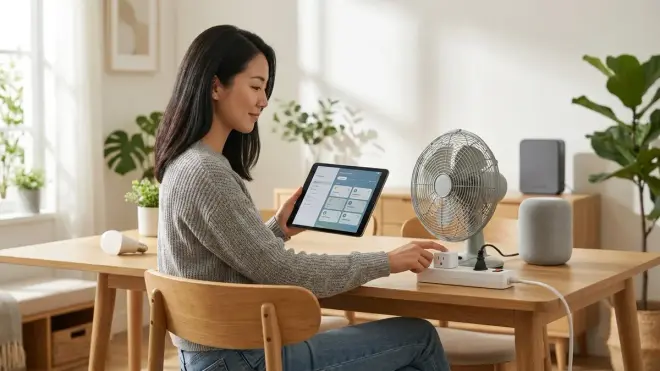
The lighting in your home office—functional but not security-related, controllable but not essential to daily comfort—makes an ideal testing ground. These fixtures let you work through Matter pairing processes, troubleshoot connectivity issues, and verify automation logic without disrupting the routines that define how your space feels throughout the day.
For devices receiving Matter updates, the process typically follows this pattern: open the manufacturer's app, navigate to firmware settings, initiate the Matter update, wait 3-8 minutes for installation and reboot, then pair the device to your Matter controller using a QR code or 11-digit setup code. The device appears in your Matter controller app within 30-90 seconds if pairing succeeds.
Bridge-dependent devices require an intermediate step. A Hue bridge running updated firmware exposes all connected Zigbee bulbs as Matter devices. You pair the bridge itself to your Matter controller, not individual bulbs. This preserves the Zigbee mesh—important for response reliability—while making devices accessible to Matter ecosystems. The bulbs remain controllable through both the Hue app and your Matter controller, though state synchronization can lag 1-2 seconds when controlled from different apps simultaneously.
Recreate one simple automation on your Matter controller:
IF time.current == sunrise
THEN light.office_desk.state = "on"
THEN light.office_desk.brightness = 60%
Let it run for three mornings. Note execution time accuracy and any failures. Matter's local execution model means these time-based automations run even during internet outages—a significant reliability improvement over cloud-dependent platforms. If the automation fails, check Thread network strength (Settings > Matter controller > Thread Devices > Signal Strength) and consider repositioning your Border Router or adding a second one.
4. Migrate Environmental Sensors With Fallback Monitoring
Temperature sensors hidden in HVAC returns, humidity sensors tucked behind bathroom mirrors, ambient light sensors that inform your smart home energy management logic—these quiet devices shape comfort without announcing their presence. Migrating them requires particular care because they often trigger multiple automations simultaneously.
Before touching a sensor, document every automation depending on its data. A single temperature sensor might feed five different routines: morning thermostat adjustment, bathroom fan activation, bedroom dehumidifier control, alert logic for extreme readings, and historical data logging. Take screenshots of each automation.
Thread-based sensors (Aqara, Eve, Nanoleaf) typically migrate smoothly to Matter via firmware update, maintaining their mesh connectivity while becoming visible to Matter controllers. Their battery life often improves post-migration because Matter's efficient polling reduces radio time. Expect 12-18 months from a CR2450 battery in a properly configured Thread sensor.
Wi-Fi sensors present more friction. Many require complete removal from their original app and fresh pairing to Matter controllers. During the 5-15 minutes this takes, any automations depending on that sensor cease functioning. For essential monitoring—sump pump areas, server closets, wine cellars where temperature excursions matter—consider these approaches:
Temporary redundancy: Place a backup sensor nearby, create duplicate automations using the backup, migrate the primary, test for 48 hours, then remove the backup.
Automation fallback behavior: If your platform supports it, program automations with timeout logic:
IF sensor.wine_cellar_temp.state > 65°F
THEN hvac.wine_cellar.mode = "cool"
ELSE IF sensor.wine_cellar_temp.no_update_for > 15_minutes
THEN notification.send("Wine cellar sensor offline—check immediately")
This pattern—explained in depth in our guide to smart home automation fallback behaviors—ensures system degradation happens visibly rather than silently.
5. Address Lighting Scenes and Circadian Routines
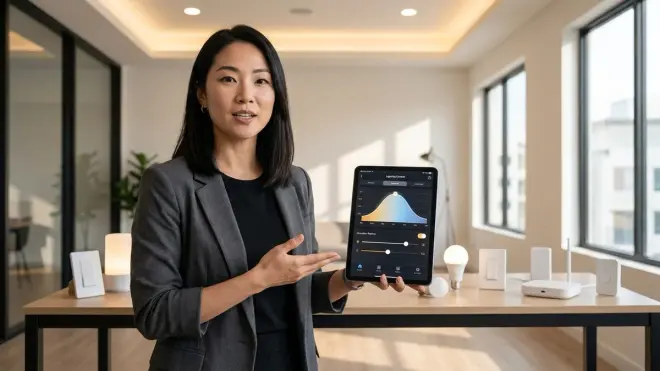
Lighting defines how spaces feel more powerfully than any other element. The warm glow that greets you at sunset, the gradual brightening that replaces jarring alarms, the subtle shift from cool productivity light to evening amber—these transformations happen through coordinated automation, often involving dozens of fixtures executing simultaneously.
Matter supports grouped commands, but scene execution speed depends on controller implementation and device response characteristics. Apple Home executes scenes by sending simultaneous commands to all devices, typically completing within 300-500ms for up to 20 devices. Amazon routines execute sequentially by default, creating a visible "wave" effect as bulbs respond one after another—acceptable for non-critical scenes, distracting for the coordinated lighting changes that define entrances and transitions.
Recreate your essential scenes in the Matter controller app before deactivating scenes in legacy apps. For a typical "Evening Wind-Down" scene:
Living room recessed lights → 35% brightness, 2700K
Floor lamp behind sofa → 25% brightness, 2200K
Kitchen pendants → OFF
Hallway sconces → 15% brightness, 2200K
Bedroom reading lamp → 40% brightness, 2700K
All exterior lights → ON, 100% brightness
Test the scene repeatedly. Measure execution time from trigger to final bulb response. If devices respond inconsistently—some immediately, others delayed—check Thread network topology. Devices beyond three hops from the Border Router may experience degraded performance. Thread automatically builds mesh routing, but placement matters. A single plug-in Thread smart outlet placed strategically can extend network reach into distant rooms.
Circadian lighting—the gradual color temperature shift throughout the day that supports natural rhythms—requires particular attention during migration. Most legacy systems offered this through proprietary features (Hue's "Natural Light" scenes, LIFX Day & Dusk). Matter controllers handle it through scheduled scenes or third-party apps. The automation logic remains straightforward:
06:00 → All lights 6500K (cool white)
09:00 → All lights 5500K (neutral white)
12:00 → All lights 5000K (balanced daylight)
15:00 → All lights 4500K (warm white)
18:00 → All lights 3500K (soft warm)
20:00 → All lights 2700K (warm ambient)
22:00 → All lights 2200K (deep warm)
Create these as individual scenes rather than a single automation. Matter scenes execute more reliably than complex time-based conditionals with multiple color changes, and individual scenes allow manual override without disrupting the entire schedule.
6. Migrate Security and Access Control With Parallel Systems
Locks, cameras, contact sensors, motion detectors—devices that protect and monitor demand the most conservative migration approach. The invisible security layer woven through doorframes and sight lines can't afford gaps in coverage or unreliable response.
Run parallel systems during security migration. Keep legacy automations active while building equivalent Matter-based versions. Test the Matter versions for two weeks minimum before deactivating originals. For a typical door monitoring automation:
Legacy system (keep running):
IF sensor.front_door_contact.state == "open"
AND alarm.mode == "armed_away"
THEN alarm.trigger()
AND notification.send("Front door opened while away")
AND camera.front_door.record()

Matter system (test parallel):
IF sensor.front_door_contact.state == "open"
AND alarm.mode == "armed_away"
THEN alarm.trigger()
AND notification.send("Front door opened while away—Matter system")
AND camera.front_door.record()
The notification text difference lets you confirm which system triggered. If only the legacy notification arrives, the Matter automation failed—troubleshoot before relying on it.
Matter smart locks (Yale, Schlage, Level) typically require complete removal and re-pairing rather than firmware updates. Schedule this for a weekend day when you're home and weather permits leaving doors accessible. The pairing process takes 8-15 minutes per lock, during which the lock may be completely non-functional. Have a traditional key accessible. Once paired, test lock/unlock commands 20+ times, checking for failed responses or commands that appear successful in the app but don't actuate the deadbolt.
Latency for security responses should remain under 500ms for local execution. Commands requiring cloud round-trips—particularly camera recording triggers involving third-party services—can extend to 2-3 seconds. For the contact sensor that activates outdoor lighting when someone approaches, 500ms latency goes unnoticed. For the sensor that should lock doors when alarm mode activates, 2-second delays create vulnerability windows. Test meticulously.
Some devices won't migrate. Proprietary camera systems, Z-Wave sensors without Matter bridge capability, specialized security panels—these remain on their original platforms. This is where future-proof smart home planning proves essential: accepting that "unified" still means "mostly unified, with strategic exceptions" for the foreseeable future.
7. Rebuild Cross-Device Automations and Multi-Room Coordination
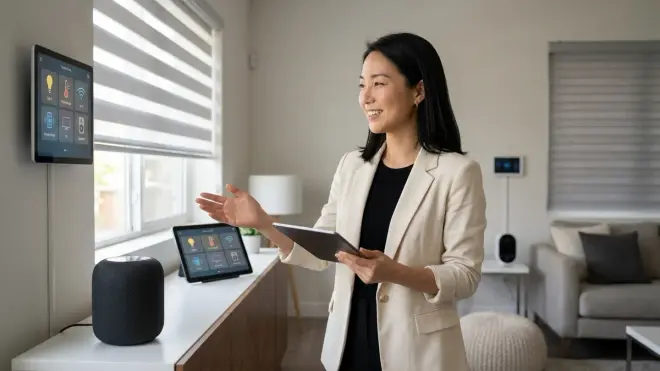
The automations that make a smart home feel thoughtfully designed rather than merely connected typically span multiple protocols and device types—motion in the mudroom dims kitchen lights, the front door unlocking disarms the alarm and adjusts thermostats, bedtime locks all exterior doors while setting interior lighting to minimal guide-light mode.
Matter enables these cross-device automations without the creative workarounds many platforms previously required. A motion sensor (Thread), smart lock (Wi-Fi), and thermostat (Wi-Fi) can trigger coordinated responses through a single Matter controller, all executing locally. The "Arriving Home" automation becomes:
IF lock.front_door.state == "unlocked"
AND time.current >= sunset
THEN security.system.mode = "home"
AND thermostat.main.mode = "heat"
AND thermostat.main.temperature = 68°F
AND light.entryway.brightness = 80%
AND light.entryway.temperature = 3500K
AND light.hallway.brightness = 50%
AND light.living_room.brightness = 60%
AND blind.living_room.position = 100% (closed)
Build these multi-step automations incrementally. Start with the trigger and one action. Verify it executes. Add a second action. Test again. Continue until complete. This methodical approach—tedious but essential—identifies which devices respond reliably and which introduce failures. A single unreliable device can break an entire automation chain if not handled properly.
Device unavailability causes most automation failures. Matter improves device presence detection, but devices still go offline—batteries die, Wi-Fi routers reboot, firmware updates hang. Robust automations include error handling:
IF lock.front_door.state == "unlocked"
AND lock.front_door.last_updated < 5_minutes_ago
AND time.current >= sunset
THEN [execute scene]
ELSE notification.send("Front door automation skipped—lock not responding")
Not all Matter controllers support this conditional logic yet. Apple Home offers limited conditional automation. SmartThings and Home Assistant provide more sophisticated logic trees. Choose your controller based on automation complexity needs, not just device compatibility.
Pro Tips & Common Mistakes
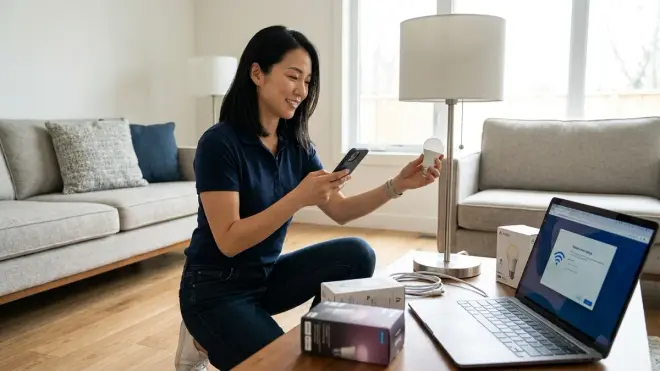
The most common migration error involves removing devices from legacy systems before confirming Matter pairing succeeds. A device unpaired from its original system but failing Matter pairing becomes unreachable—requiring factory resets that delete stored settings and often necessitate physical access to recessed or hidden installations. Always confirm successful Matter pairing before removing devices from legacy apps.
Thread network density matters profoundly. A home with three Thread devices might experience perfect reliability. Add 15 more spread across three floors without considering mesh topology, and devices at network edges become unreachable. Thread supports up to 300 devices theoretically, but practical limits sit around 50-80 depending on home construction and interference. Strategic placement of always-powered Thread devices (smart plugs, hardwired switches) creates router nodes strengthening the mesh.
Matter's local execution represents a meaningful reliability improvement, but "local" assumes your Matter controller remains operational. A HomePod mini that loses power takes your entire smart home offline until it reboots and reconnects. Battery backup for critical Matter controllers prevents this—a simple UPS maintaining hub power during brief outages preserves functionality.
I've watched multiple clients migrate too quickly, moving 30+ devices in a single weekend, only to spend the following week troubleshooting cascading failures while basic functions remain broken. The excitement of unified control tempts speed, but methodical migration—five devices per session, validated before proceeding—prevents the frustration of a non-functional home. Remember that the technology should remain invisible; drawing attention through malfunction defeats the entire purpose.
Firmware version mismatches between devices and controllers cause strange behavior—commands that work intermittently, devices that appear offline randomly, automations that execute only certain actions. Keep everything updated, but implement updates sequentially: controller first, test 24 hours, then devices one at a time. Simultaneous updates across an entire ecosystem create impossible-to-diagnose issues.
Frequently Asked Questions
Will migrating to Matter require replacing all my existing smart home devices?
No—many existing devices receive Matter support through firmware updates, and Matter-compatible smart home hubs can bridge legacy protocols like Zigbee, exposing those devices to Matter ecosystems without physical replacement. Philips Hue, Aqara, Eve, and Nanoleaf devices typically update to Matter compatibility while maintaining their original protocol communication. However, Z-Wave devices cannot bridge to Matter and will require replacement eventually if you want unified control, and some older Wi-Fi devices with discontinued manufacturer support won't receive updates. Audit your current devices for Matter compatibility before assuming wholesale replacement is necessary.
Do Matter devices work during internet outages if they run locally?
Yes—Matter's architecture prioritizes local execution, meaning automations configured on your Matter controller continue functioning during internet outages as long as the controller itself has power. A time-based lighting scene set to trigger at sunset will execute even without internet connectivity because the controller maintains its internal clock and communicates directly with devices over your local Thread or Wi-Fi network. However, voice commands through cloud-dependent assistants, remote access from outside your home, and integrations with internet-based services will fail until connectivity restores. The reliability advantage compared to cloud-dependent platforms becomes most apparent during network disruptions.
Can I control Matter devices through multiple ecosystems simultaneously?
Yes—Matter's multi-admin feature allows a single device to pair with multiple controllers, so the same smart bulb can respond to Apple Home, Google Home, and Amazon Alexa simultaneously. The device maintains separate connections to each ecosystem, and state changes made in one ecosystem propagate to others within 1-2 seconds typically. This flexibility lets different household members use their preferred control methods without forcing platform consensus. However, automations created in one ecosystem don't automatically appear in others—you'll need to recreate automation logic in each platform if you want redundancy, or choose one primary platform for automation while using others only for manual control.
How long does Matter add to device response time compared to native protocols?
Native Matter-over-Thread devices typically respond in 50-150ms from command to execution, comparable to Zigbee response times and faster than most Wi-Fi implementations. Bridged devices—where a Matter controller communicates with a hub that then translates to Zigbee or proprietary Wi-Fi—add 100-300ms of translation latency, resulting in total response times of 150-450ms. For most applications like ambient lighting adjustments or temperature control, this latency remains imperceptible. Security-critical automations should be tested thoroughly, particularly for bridged devices, as delays exceeding 500ms can create noticeable gaps between trigger events and responses. The latency variability depends heavily on network congestion, device firmware efficiency, and controller processing capability.
Summary
The decision to migrate smart home to matter represents a shift toward interoperability that design-conscious homes have needed for years—technology that coordinates invisibly rather than demanding ecosystem allegiance. The migration process requires methodical attention: auditing current devices for compatibility, updating hub infrastructure, testing with non-critical devices before approaching security systems, and rebuilding automations with fallback behaviors that maintain reliability during inevitable device failures.
Matter won't eliminate every protocol in your home—Z-Wave devices persist, proprietary systems remain, specialty functions require dedicated solutions. But the protocol creates meaningful reduction in platform fragmentation, allowing devices to communicate across manufacturer boundaries while maintaining local execution that improves both response time and reliability during network disruptions. The automation logic you build becomes more portable, and the confidence that new devices will integrate without compatibility research changes how you approach future additions.
Treat migration as an evolution rather than a revolution. The smart home that enhances your daily rhythms without demanding attention has always been about thoughtful implementation, not technological uniformity. Matter simply removes some of the friction that previously required compromise.