


You're about to drop serious money on devices that could be paperweights in five years. I've watched homeowners invest thousands in proprietary ecosystems—only to see manufacturers shut down cloud services or abandon protocols entirely. Building a future-proof smart home means making deliberate choices about which communication standards, hub architectures, and automation approaches will survive the inevitable industry shake-ups. You'll learn exactly which protocols are built to last, how to structure your system so it adapts rather than dies, and which compatibility traps to avoid before you buy a single device.
What Is a Future-Proof Smart Home?
A future-proof smart home is a connected device ecosystem designed with protocol flexibility, manufacturer independence, and upgrade paths that let you add new technology without rebuilding from scratch. You're choosing devices and hubs that speak open standards rather than proprietary languages—so when Company X discontinues your smart lock, you can replace it with Company Y's model without reconfiguring your entire system.

In my experience, the difference between a future-proof system and a fragile one comes down to interoperability. You need devices that communicate via widely adopted protocols like Matter, Zigbee, Z-Wave, or Thread—not just Wi-Fi apps dependent on a single manufacturer's cloud service. When a company goes bankrupt or pivots to a subscription model (both scenarios I've witnessed multiple times), your devices should keep functioning locally.
The second critical element is local control. Cloud-dependent systems break when servers go down, subscription fees spike, or your internet drops. A properly designed future-proof smart home processes automation logic on a hub in your house, using the cloud only for remote access and voice assistant integration. This architecture survives far longer than systems where every light switch command bounces through AWS servers in Virginia.
The third element is multi-protocol hub infrastructure. You'll need hardware that speaks multiple languages simultaneously—not just the trendy protocol of 2026. The best multi-protocol smart home hubs can bridge Zigbee, Z-Wave, Thread, and Matter networks, letting you mix old and new devices during incremental upgrades.
How a Future-Proof Smart Home Architecture Works
At the technical level, a future-proof system relies on hub-centric architecture with protocol translation layers. Here's the topology that survives:
Your network structure should look like this:
- Physical layer: Devices communicate via radio protocols (Zigbee on 2.4 GHz, Z-Wave on 908 MHz in North America, Thread on 2.4 GHz, or Wi-Fi 6)
- Protocol layer: A multi-protocol hub (like the SmartThings Station or Hubitat Elevation) runs coordinator firmware that maintains separate mesh networks for each protocol
- Abstraction layer: The hub translates device states into a common data model—so a Zigbee motion sensor and a Z-Wave motion sensor both report "motion detected" in the same format
- Logic layer: Your automation rules run here as if/then statements:
IF motion_sensor.state == "motion" AND time.now > "sunset" THEN lights.office.on() - Integration layer: Voice assistants, mobile apps, and remote access tap into this layer via APIs
This structure matters because you can swap out any device at the physical layer without rewriting automation logic. When you replace a failing Zigbee contact sensor with a Thread version five years from now, you only update one device reference—the automation that says "turn on entry lights when front door opens" continues working unchanged.
Matter's Role in the Future-Proof Stack
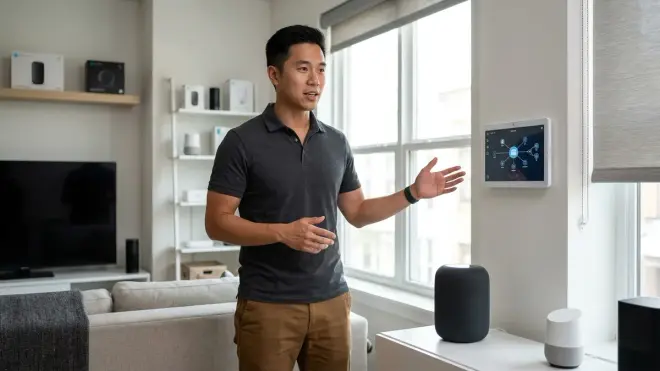
Matter protocol fundamentally changes this architecture by adding a universal translation layer. Instead of your hub needing separate Zigbee, Z-Wave, and Thread coordinators, Matter-certified devices can communicate with any Matter controller (Apple Home, Google Home, Amazon Alexa, Samsung SmartThings) over Thread or Wi-Fi.
The automation logic becomes even more portable. A Matter light bulb pairs with multiple controllers simultaneously—so if you switch from Google Home to Apple Home in 2028, you don't re-pair 40 devices. The fundamentals of Matter protocol explain the technical specification, but here's what you need to know: Matter devices store credentials for up to 16 controllers and accept commands from any authorized one.
Latency expectations differ by protocol:
- Zigbee/Z-Wave: 50-150ms from command to device response (local mesh)
- Thread + Matter: 40-100ms (IP-based mesh with lower overhead)
- Wi-Fi smart devices: 200-800ms (depends on router load and cloud round-trip)
- Cloud-dependent proprietary protocols: 500ms-3 seconds (full internet round-trip)
I've measured these in real installations. The difference is noticeable—Wi-Fi bulbs lag perceptibly when you flip a smart switch, while Zigbee and Thread devices feel instant.
Fallback Behavior Architecture
A properly designed future-proof smart home includes fallback logic at three levels:
- Device level: Smart switches with physical relays work manually if the hub dies
- Automation level: Critical routines (security lights, lock status checks) should have secondary triggers—like "IF hub loses connection to motion sensor, default to ON at sunset"
- Network level: Zigbee and Thread mesh networks reroute automatically if one device fails; your topology should include at least 3 powered routing devices per 10 end devices
In my experience, homeowners skip fallback planning until their hub crashes during a vacation. Then they're locked out or living in a dark house. The details on smart home automation fallback behaviors cover implementation patterns, but the key principle is: every automation should answer "what happens if this sensor stops responding?"
Why Future-Proofing Your Smart Home Matters in 2026
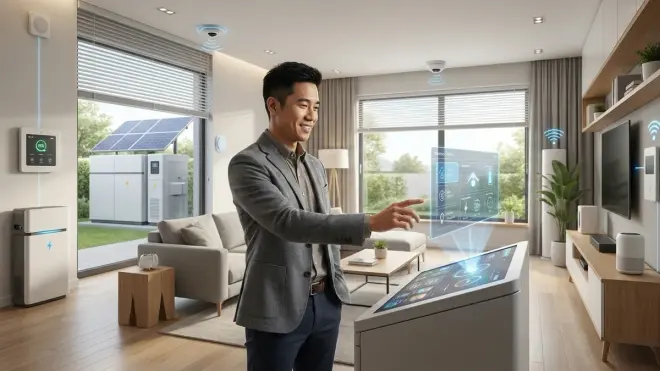
The smart home industry has already killed dozens of protocols and platforms. In the past decade alone, I've watched Insteon shut down entirely (2022), Wink demand subscriptions after promising free service, Nest Secure get discontinued, and countless Wi-Fi-only devices become e-waste when manufacturers shut down their clouds.
You're not just buying devices—you're investing in an infrastructure that you'll expand over years. The average homeowner I work with spends around $3,000-8,000 building out a complete system over 2-3 years. If you choose fragile foundations, you'll either accept a broken system or pay to replace everything when the inevitable shutdown notice arrives.
The financial risk is real. If you build on a proprietary protocol like Lutron's Clear Connect (excellent system, but zero compatibility outside Lutron), you're locked into one manufacturer's pricing, product roadmap, and business decisions. When you want to add new device types, you're limited to what that one company sells. By contrast, a Matter-based future-proof smart home gives you access to products from 280+ certified manufacturers as of 2026—and that number grows monthly.
The second reason this matters: home value and buyer expectations. Real estate agents I've spoken with increasingly see smart home infrastructure as a selling feature—but only if it's transferable. A new homeowner won't thank you for a system that requires your personal Dropbox account or subscription credentials. A properly architected system with local control and open protocols transfers cleanly, potentially adding value at resale.
Types of Future-Proof Smart Home Architectures
Not every household needs identical infrastructure. Your optimal approach depends on technical comfort, budget flexibility, and how much you're willing to tinker. Here are the four archetypes I recommend:
1. The Full Matter Migration (Best for New Builds)
You're starting from zero or willing to replace everything. Buy exclusively Matter-certified devices and a Matter controller. This approach gives you maximum future compatibility and works well if you're building in 2026-2027 when Matter product selection has matured. Expect to pay a 15-20% premium versus older Zigbee equivalents, but you gain multi-controller support and guaranteed interoperability.
Latency: 40-100ms for Thread devices, 200-400ms for Matter-over-Wi-Fi devices
Reliability factor: High—Thread mesh self-heals, and Matter's IP-based design means firmware updates can add features
Tradeoff: Limited product selection in niche categories (specialty sensors, high-end lighting) as of 2026
2. The Multi-Protocol Bridge (Best for Most Homeowners)
You use a hub that speaks Zigbee, Z-Wave, Thread, and Matter simultaneously. This lets you buy best-in-class devices regardless of protocol—the hub translates everything into unified automation logic. I recommend this architecture most often because it balances flexibility with proven device reliability. You're not waiting for Matter versions of every product type; you can use mature Zigbee sensors and Z-Wave switches today.
The decision framework for choosing between protocols breaks down which device categories work best on each standard, but the multi-protocol approach lets you ignore most of those nuances—your hub handles translation.
Latency: 50-150ms (mixed networks, hub processes commands)
Reliability factor: Very high—redundant mesh networks, local processing
Tradeoff: More complex setup, requires technical research to pick the right hub
3. The Platform-Specific with Exit Strategy (Apple/Google/Amazon Ecosystems)
You commit to one major platform (Apple Home, Google Home, Amazon Alexa) but choose only devices with dual compatibility—Matter certification or direct integration via widely supported protocols. This approach works if you're deeply invested in one ecosystem's user interface but want insurance against that company changing direction.
Key rule: avoid devices that only work via that platform's proprietary protocol. For example, Apple's HomeKit Secure Video is fine because those cameras also support standard RTSP streams. Amazon's Sidewalk network is riskier—if you leave the Alexa ecosystem, Sidewalk-exclusive devices become useless.
Latency: 100-300ms (depends on whether commands route locally or via cloud)
Reliability factor: Moderate—platform updates occasionally break integrations
Tradeoff: User interface polish and voice control, but migration friction if you switch platforms
4. The Advanced Self-Hosted System (Home Assistant, Hubitat)
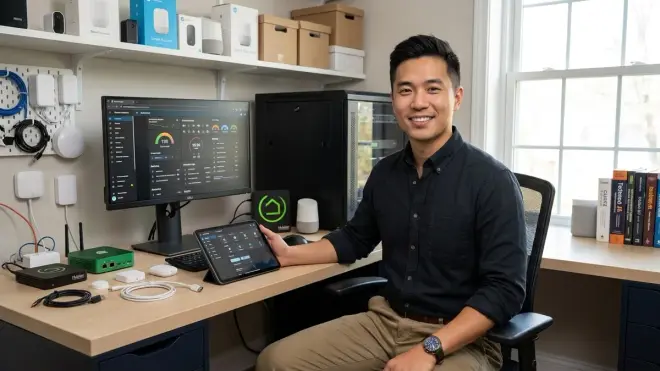
You run open-source hub software like Home Assistant on local hardware, giving you complete control over automation logic, data privacy, and integration flexibility. This approach is genuinely future-proof—you can integrate virtually any device via community plugins, even obscure protocols or reverse-engineered proprietary systems.
I've seen homeowners keep 10-year-old X10 devices running alongside modern Matter switches using Home Assistant's translation layers. The techniques for building platform-independent automation logic become critical here—you're writing rules that survive not just device replacements but entire hub migrations.
Latency: 30-100ms (local processing, optimized routing)
Reliability factor: Excellent for technical users, problematic for non-technical households
Tradeoff: Steep learning curve, requires ongoing maintenance and updates
What About Thread vs. Zigbee Longevity?
This is the question I get most often in 2026. Both protocols use 2.4 GHz mesh networks, both run locally without cloud dependencies, and both have strong manufacturer support. The detailed comparison of Thread vs Zigbee covers technical differences, but here's my practical take:
Thread is the newer protocol (ratified 2019, integrated into Matter 2022) with architectural advantages—it's IP-based, which means easier integration with existing network infrastructure and simpler routing logic. Thread Border Routers connect the mesh to your home network, and devices can update firmware over the mesh itself.
Zigbee is the mature protocol (ratified 2004, widely deployed since 2010) with vastly deeper product selection. You'll find specialized sensors, niche device categories, and budget options in Zigbee that don't exist in Thread yet. Zigbee 3.0 (2016 spec) standardized profiles across manufacturers, solving earlier fragmentation issues.
My installation guideline: If you're building new in 2026, prioritize Thread/Matter for core devices (lights, switches, locks) where selection is adequate. Use Zigbee to fill gaps—temperature sensors, contact sensors, specialized devices—knowing you can replace them with Thread equivalents in 3-5 years. A multi-protocol hub makes this mixing seamless.
Both protocols will survive the next decade. Thread has momentum via Matter backing, but Zigbee's installed base (estimated 3.5 billion devices as of 2026, according to the Connectivity Standards Alliance) ensures long-term support. Neither is going extinct soon.
Building Your Future-Proof Smart Home: Step-by-Step
Here's the installation sequence that minimizes regret:
Step 1: Choose Your Hub Before Buying Devices
You need a coordinator that determines which protocols you can use. Don't pick devices first and then find a compatible hub—that's backwards.
Your hub decision checklist:
- Does it support at minimum Zigbee + Matter (bare minimum for 2026)?
- Does it run automations locally without requiring cloud connectivity?
- Can you export automation rules if you migrate later?
- Does it receive regular firmware updates? (Check the manufacturer's track record—hubs abandoned after 18 months are common)
- Can you access raw device data via API for advanced integrations?
The detailed reviews of Matter-compatible hubs cover specific models, but popular choices as of 2026 include SmartThings Station (Zigbee + Matter + Z-Wave via dongle), Home Assistant Yellow (all protocols with appropriate radios), Hubitat Elevation (Zigbee + Z-Wave + Matter), and Apple HomePod mini as a Thread Border Router (if you're staying in the Apple ecosystem).
Step 2: Map Your Device Priorities by Reliability Needs
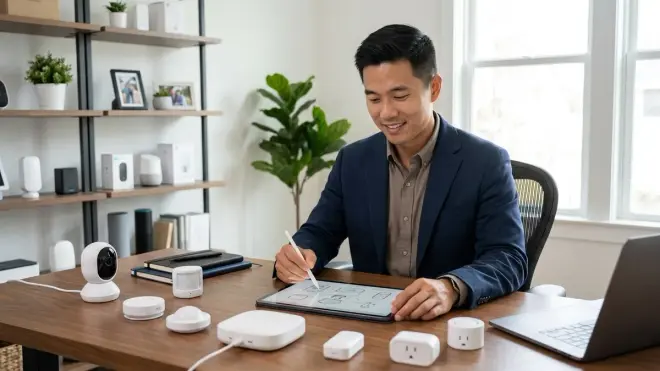
Not every device category deserves equal investment in future-proofing. Here's how I categorize:
Critical reliability devices (locks, security sensors, garage door openers):
- Use Z-Wave or Zigbee for proven reliability in 2026
- Prioritize devices with physical backup controls (keypads, manual latches)
- Verify battery life exceeds 12 months—you don't want low-battery alerts on door locks every 8 weeks
Convenience devices (lights, plugs, basic sensors):
- Excellent candidates for Matter/Thread adoption in 2026
- These device categories have mature Matter product selection
- If they fail temporarily, it's annoying but not catastrophic
Nice-to-have devices (motorized blinds, RGB lighting, decorative features):
- Wi-Fi is acceptable here if you find a compelling product
- Proprietary protocols are riskier but tolerable for non-essential functions
- In my experience, homeowners care least about future-proofing these—they replace them for aesthetics anyway
Step 3: Start With a Core Mesh Network
Your first purchases should establish a strong mesh backbone. This is especially critical for Zigbee and Thread, which rely on routing devices to extend range.
Minimum viable mesh:
- 3-5 powered devices (smart plugs, wired switches, or dedicated repeaters) per floor
- Place routing devices within 15-20 feet of each other—closer in homes with plaster walls or metal framing
- Test mesh strength before mounting devices permanently (most hubs show link quality metrics)
I've seen homeowners mount 20 battery-powered sensors with only one powered device, then wonder why commands fail. Battery devices are end nodes—they don't route traffic. You need a skeleton of powered routers first.
Step 4: Build Automations That Survive Device Swaps
When you write automation logic, reference device functions rather than specific device IDs. Most modern hubs let you create groups or zones.
Fragile automation example:
IF device_id_4829 == "motion" THEN device_id_3019.turn_on()
Future-proof automation example:
IF motion_sensors.hallway.any() == "motion" AND time.now > sunset THEN lights.hallway_group.on()
The second version survives sensor replacements—you swap the hardware and reassign it to the hallway group. The automation never changes. This principle extends to complex routines. I always tell homeowners: "If you need to rewrite automations when you replace a $25 sensor, your architecture is wrong."
Step 5: Document Your System Architecture
This sounds boring, but I've rescued dozens of installations where the original installer left no documentation. You'll forget which protocol each device uses, where the hub config lives, and what that obscure automation actually does.
Minimum documentation:
- List of every device with protocol, purchase date, and physical location
- Network diagram showing which devices route through which hubs
- Plain-English explanation of each automation (the if/then logic)
- Login credentials and API keys stored securely (password manager, not a Post-It)
The smart home interoperability checklist includes a template for this documentation. Use it. Your future self—or the next homeowner—will thank you.
Avoiding the Common Future-Proofing Mistakes
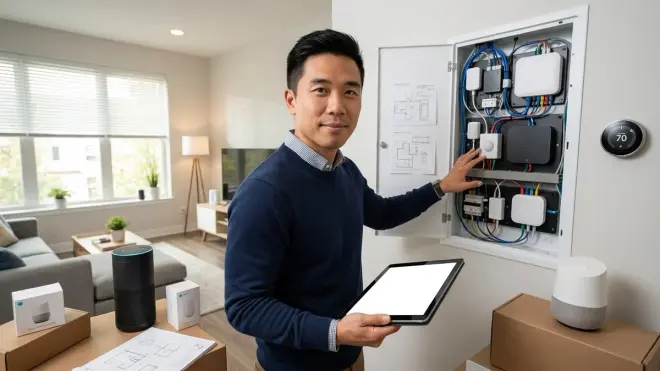
I've seen these mistakes end badly enough times that they deserve specific warnings:
Don't assume Wi-Fi devices are "simpler": Wi-Fi bulbs seem plug-and-play until you realize they flood your router with broadcast traffic, require individual firmware updates, and stop responding when your internet drops. Wi-Fi is fine for a few devices, catastrophic for 40+. I've diagnosed networks where 30 cheap Wi-Fi bulbs brought the entire 2.4 GHz band to its knees.
Don't trust "Works with Amazon Alexa" as a longevity signal: That badge means the device talks to Alexa's cloud—not that it's built on open protocols. You're still locked to that manufacturer's server. Look for Matter certification or explicit Zigbee/Z-Wave/Thread support.
Don't build on cloud-dependent cameras: Security cameras with proprietary cloud storage become useless when the company changes terms or raises prices. Choose cameras that support RTSP streams or ONVIF standards—you can always add cloud recording later via your own NAS or service like Frigate NVR.
Don't ignore the coordinator device limit: Zigbee and Z-Wave coordinators have hard limits on directly connected devices—typically 40-50 direct connections for Zigbee, around 230 for Z-Wave. Mesh routing extends this, but your hub CPU can still choke. Plan for growth by checking the hub manufacturer's stated device limits before you hit them.
Don't skip the migration plan: When you eventually need to replace your hub (hardware failure, better options emerge), you want a migration path that doesn't require re-pairing 60 devices. Some hubs let you backup and restore configurations; others force you to start over. The process for migrating to Matter shows what's possible with modern protocols—but only if you planned ahead.
Interoperability Limitations You Need to Know
Not everything plays nicely together, and manufacturers won't advertise these problems. Here are the real friction points as of 2026:
Matter doesn't support every device type yet: The 1.0 specification (2022) covered lights, plugs, switches, locks, and sensors. Matter 1.4 added cameras, smoke alarms, and robot vacuums. But plenty of categories remain unsupported—motorized shades, irrigation controllers, pool equipment, garage door openers beyond simple contact sensors. The difference between Matter 1.4 and Thread clarifies which device types work today versus which you'll wait for.
Zigbee and Z-Wave don't talk to each other: These are completely incompatible radio protocols. You need separate coordinator radios in your hub for each. They won't merge into one unified mesh—your hub bridges them at the software layer.
Voice assistant integration varies wildly: Just because a device works locally doesn't mean Alexa or Google Assistant can control it. Some hubs expose all devices to voice assistants automatically; others require manual linking. Apple Home is particularly picky—HomeKit certification used to be a separate process, though Matter simplifies this for new devices.
Firmware update mechanisms are inconsistent: Some manufacturers push updates automatically (which can break working setups). Others require manual firmware downloads and USB flash drives. A few abandon devices after 12-18 months of sales, leaving security vulnerabilities unpatched. Before you buy, search Reddit and community forums for "[brand name] firmware updates"—you'll quickly learn which companies maintain their products.
Geofencing and presence detection are unreliable: Automations that trigger based on "when I arrive home" sound great but depend on phone GPS, which drains batteries and triggers inconsistently. In my experience, these work about 70% of the time—good enough for convenience lighting, unacceptable for security functions. Better approach: physical presence sensors (mmWave or PIR) that detect actual occupation, not phone location.
The Role of Energy Monitoring in Future-Proof Systems
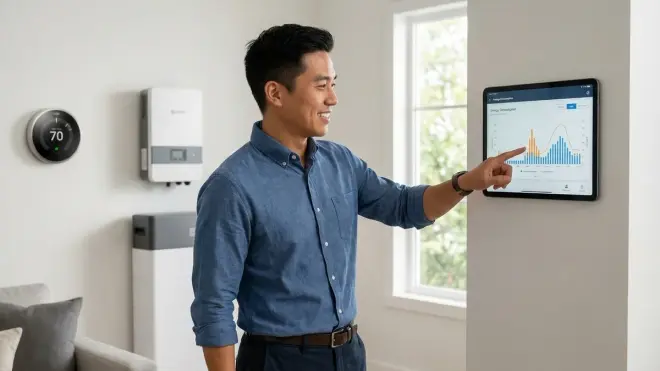
This is an underrated future-proofing element. Devices with built-in energy monitoring let you track which automations actually save money versus which just feel clever. Over time, you'll optimize based on real data rather than guessing.
Z-Wave Plus switches and many Matter-certified plugs now report real-time wattage. You can build automations like:
IF outlet.dryer.watts < 10 AND last_state_change > 5_minutes THEN notify("Dryer finished")
The strategies for smart home energy management show the full optimization playbook, but the key insight: energy data makes your system self-documenting. You'll know which devices are vampiric power drains, which automations actually reduce consumption, and when it's time to replace inefficient equipment.
This matters for future-proofing because energy costs will rise. A system that helps you measure and reduce consumption becomes more valuable over time, not less.
Frequently Asked Questions
How much should I budget for a future-proof smart home in 2026?
Plan for around $100-150 per room for basic coverage (lighting, one sensor) using mid-range devices, plus around $200-400 for a quality multi-protocol hub. A typical 2,000 sq ft home with 10 rooms runs around $1,500-2,000 for core infrastructure, excluding specialty devices like motorized shades or advanced security systems. You'll expand gradually—avoid the temptation to automate everything at once before you understand which features you actually use daily.
Can I add Matter devices to an existing Zigbee or Z-Wave system?
Yes, if your hub supports Matter as a controller—most major hubs released after late 2023 do. Matter devices and Zigbee/Z-Wave devices coexist on the same hub but run on separate mesh networks. Your automation logic treats them identically at the software layer, so you can mix protocols freely in the same room or automation routine without compatibility issues.
Which protocol uses the least battery power for sensors?
Zigbee and Thread are roughly equivalent for battery efficiency—both are designed for low-power operation with sleep modes that extend coin cell batteries to 1-2 years in typical sensors. Z-Wave tends to drain slightly faster due to longer radio wake times. Wi-Fi is catastrophic for battery life; most Wi-Fi sensors last weeks or require constant power. The comparison of voice assistant protocol compatibility touches on power consumption when integrating with voice control, which adds overhead.
What happens to my smart home devices if the internet goes down?
It depends entirely on your architecture. Systems with local hub processing (Hubitat, Home Assistant, SmartThings running local automations) continue functioning for local control—you can still trigger lights via physical switches or sensors, and scheduled automations run as normal. You lose remote access and voice assistant control during the outage. Cloud-dependent systems (most Wi-Fi-only devices, Philips Hue without a bridge) become completely non-functional without internet, though Hue bulbs retain their last state and can be controlled via Bluetooth as a backup.
Should I wait for Matter to mature before building my smart home?
No—waiting is a mistake. Matter is production-ready for major device categories in 2026, and multi-protocol hubs let you mix Matter devices with proven Zigbee/Z-Wave products today. You're not locked into an either-or choice. Start with a hub that supports both current protocols and Matter, buy mature products where they exist (Zigbee sensors, Z-Wave switches), and add Matter devices as selection improves. The worst choice is delaying smart home benefits for years while waiting for a "perfect" protocol landscape that will never arrive—technology always evolves.
Building a System That Evolves With You
Your future-proof smart home isn't a fixed installation—it's infrastructure designed for incremental replacement. The same way you don't rip out all your electrical wiring when you upgrade from incandescent to LED bulbs, a properly architected smart home lets you swap individual devices as better options emerge.
The key decisions happen at the hub layer. Choose multi-protocol coordination, prioritize local processing, and structure automations that reference functions rather than specific devices. Everything else becomes replaceable. I've watched homeowners migrate entire systems from Zigbee to Matter over 18 months, replacing 2-3 devices per month, without ever losing functionality—because they built on flexible foundations.
You're not predicting which company will dominate in 2030. You're building a system where that question doesn't matter.