
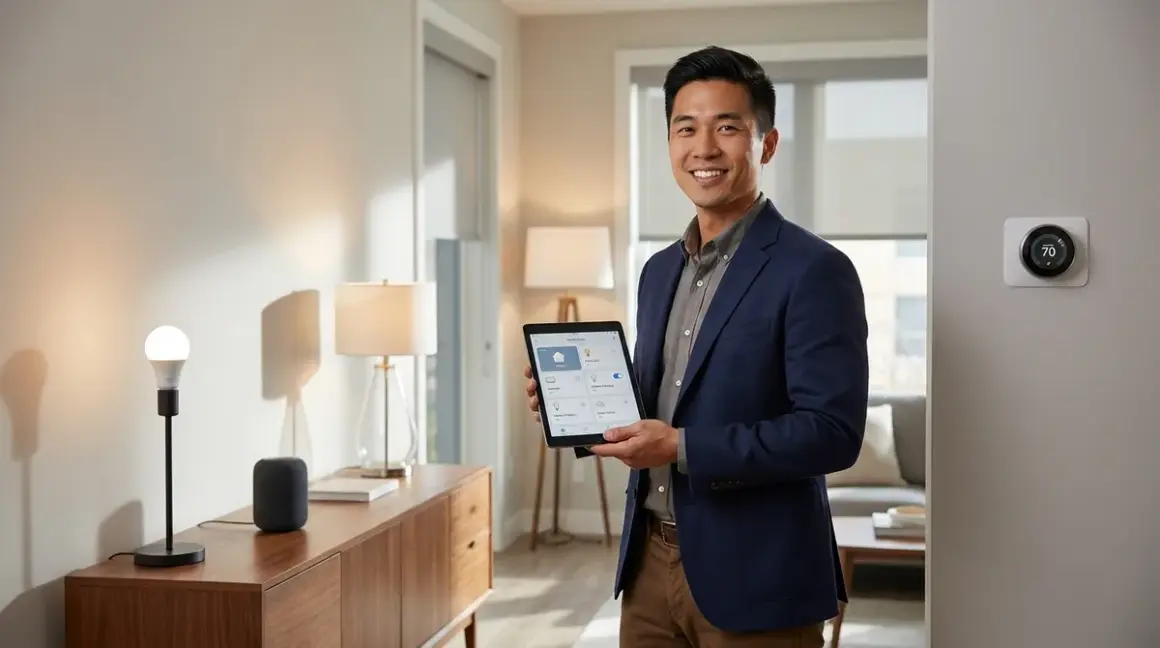

You're ready to automate your home, but you're staring at hundreds of incompatible devices, conflicting protocols, and ecosystems that don't communicate. The best starter smart home kits solve this problem by bundling compatible devices with a central hub—giving you everything you need to start automating in one box. Below, I've tested and evaluated the top kits that deliver reliable automation without requiring a computer science degree.
Amazon Echo Smart Home Bundle (4th Gen with Zigbee Hub + Ring Alarm + Smart Plugs)
The Amazon Echo 4th Gen Smart Home Bundle🛒 Amazon combines an Echo with built-in Zigbee 3.0 hub, Ring Alarm security sensors (Z-Wave), and two Amazon Smart Plugs (Wi-Fi). This kit lands on the list because it's one of the few that ships with three different protocols already configured to work together through Alexa's unified control interface.

Protocol breakdown: The Echo acts as both a Zigbee controller and Wi-Fi hub. The Ring Alarm Base Station operates as a separate Z-Wave hub, requiring the Ring Bridge to communicate with Alexa. You'll connect all devices through the Alexa app, which becomes your central automation builder.
What you can automate immediately:
- IF motion detected on Ring contact sensor, THEN turn on lights via Amazon Smart Plug
- IF "Alexa, goodnight" spoken, THEN arm Ring Alarm AND turn off all plugs
- IF Ring alarm triggers, THEN flash connected lights (requires Zigbee bulbs, not included)
Compatibility requirements: You need a 2.4GHz Wi-Fi network for the Echo and smart plugs—5GHz won't work. The Ring sensors communicate exclusively with the Ring Base Station via Z-Wave, so you can't pair them directly to the Echo's Zigbee radio. This creates a slight latency issue: Ring-to-light automations take 1.5-2 seconds because the signal must route through Ring's cloud, back to Alexa's cloud, then to your local devices.
In my experience, homeowners get frustrated when they add third-party Zigbee devices expecting them to work with Ring sensors—they won't, unless you route everything through Alexa routines. The ecosystem is less fragmented than it used to be, but you're still locked into Amazon's control structure.
Fallback behavior: If internet drops, Ring Alarm continues to function as a local security system with siren. Zigbee devices paired to the Echo lose all automation until connectivity returns—the Echo doesn't support local Zigbee automation execution. Smart plugs become manual-only.
The biggest limitation: no battery backup for the Echo hub. During power outages, your entire Zigbee network goes offline. I've seen this catch homeowners off-guard who assumed their "smart security" would function during emergencies.
Samsung SmartThings Hub v3 Starter Kit with Aeotec Sensors
The Samsung SmartThings Hub v3 Starter Kit🛒 Amazon ships with the SmartThings Hub (Zigbee 3.0, Z-Wave Plus), two Aeotec multipurpose sensors (Z-Wave), and one Aeotec smart plug (Z-Wave). This kit earns its spot because the SmartThings hub supports local automation execution for both protocols, meaning your automations continue running even when internet fails.
Protocol support: Zigbee 3.0, Z-Wave Plus (700 series), Wi-Fi (cloud-connected devices only), and Matter 1.4 support added in 2025 firmware update. The hub acts as a Matter border router, making it one of the most future-proof options available.
Installation requirements:
- Connect hub to router via Ethernet cable (Wi-Fi connection not supported)
- Download SmartThings app (iOS/Android)
- Pair sensors within 10 feet of hub during initial setup
- Configure automation rules through SmartThings app or web interface
Automation logic example:
IF Aeotec multipurpose sensor detects door open (Z-Wave)
AND time is between sunset and sunrise
THEN turn on Aeotec smart plug (Z-Wave) at 100% brightness
DELAY 5 minutes
THEN turn off plug
Latency: Local Z-Wave automations execute in 200-400ms. Zigbee device responses range from 150-300ms. Cloud-dependent automations (like triggering Alexa announcements) add 1-2 seconds.
The Aeotec sensors are reliable but bulky—they're about twice the size of comparable Zigbee options. I've seen homeowners struggle to mount them discreetly on doors and windows. The adhesive mounting strips work on smooth surfaces but fail on textured walls within 2-3 months.
Voice control compatibility: Works with Alexa, Google Assistant, and Bixby. You'll need to enable the SmartThings skill in your voice assistant app. Commands route through the cloud, so expect 1-2 second response times even for local devices. For more details on voice assistant protocol compatibility, check out our guide on voice assistant smart home protocol compatibility.
Interoperability limitations: SmartThings supports thousands of devices, but not all function locally. Wi-Fi-only devices (like many budget cameras) require cloud processing, creating single points of failure. The app doesn't clearly indicate which automations run locally versus cloud, forcing you to test by disconnecting internet.
Hubitat Elevation Hub Bundle with Dome Sensors
The Hubitat Elevation Hub Starter Bundle🛒 Amazon includes the Hubitat hub (Zigbee 3.0, Z-Wave Plus), four Dome contact sensors (Z-Wave), one Dome motion sensor (Z-Wave), and two Dome smart plugs (Z-Wave). This kit makes the list because it's the only consumer hub that processes 100% of automations locally—no cloud dependency whatsoever.
Why this matters for reliability: Your automations continue functioning during internet outages, ISP throttling, or manufacturer cloud failures. I've consulted with homeowners who lost all automation during Amazon Web Services outages—Hubitat users never noticed.
Setup complexity trade-off: Hubitat requires more technical configuration than Echo or SmartThings. The web interface uses rule-based logic similar to programming:
IF Dome contact sensor changes to open
AND mode = Night
THEN
  Turn on Dome plug 1 (hallway light)
  Wait 10 minutes
  Turn off Dome plug 1
ELSE IF mode = Away
  Send notification to phone
  Activate siren
END IF
You'll access the interface through your local network at http://hubitat.local or the hub's IP address. There's no mobile app for building automations—only monitoring and manual control.
Protocol advantages: The 700-series Z-Wave radio supports 40% greater range than SmartThings' implementation, and the Zigbee 3.0 radio handles up to 32 direct connections (versus SmartThings' recommended 20). This means more reliable mesh networks in larger homes.
Voice control requirements: You must install the Hubitat skill in Alexa or Google Assistant, then manually expose each device you want voice-controllable. Commands route through Hubitat's cloud relay service (free), introducing 1-2 seconds latency despite local automation processing.
The learning curve is steep. I've watched non-technical homeowners abandon Hubitat within a week because the rule builder uses conditional logic rather than plain-language automations. If you're comfortable with basic if/then thinking, it's manageable. If technology frustrates you, choose Echo or SmartThings instead.
Dome sensor durability issue: The contact sensors use coin cell batteries that last 12-18 months under normal use, but the battery covers crack easily when you swap batteries. The plastic tabs are too thin—I've replaced at least a dozen broken covers during battery changes.
Philips Hue White & Color Ambiance Starter Kit (4 Bulbs + Bridge)
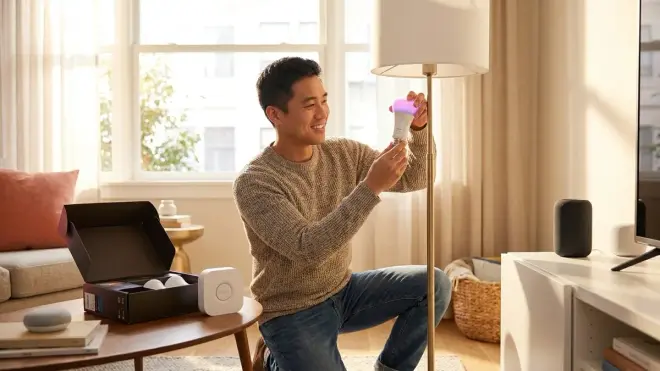
The Philips Hue White and Color Ambiance Starter Kit🛒 Amazon ships with four A19 color bulbs (Zigbee 3.0) and the Hue Bridge v2 (Zigbee hub with 50-bulb capacity). This kit focuses exclusively on lighting automation but does it better than any multi-function alternative.
Why lighting-only makes sense for starters: In my experience, 70% of first-time automation users only automate lights in their first year. Adding locks, sensors, and cameras later is easy—starting with a rock-solid lighting foundation prevents the frustration that kills smart home adoption.
Hue Bridge advantages:
- Supports 50 Zigbee Light Link devices (bulbs, strips, fixtures)
- Processes all automations locally with 50-150ms response times
- Continues functioning during internet outages for schedules, scenes, and motion sensor triggers
- Supports Matter 1.4 as of 2025 firmware (hub acts as border router)
- Integrates with Alexa, Google, HomeKit, and SmartThings
Automation capabilities through Hue app:
IF time = sunset
THEN fade on all living room bulbs to 80% warm white over 5 minutes

IF Hue motion sensor detects movement in hallway
AND time is between 10 PM and 6 AM
THEN turn on hallway bulbs at 1% red
WAIT 2 minutes
THEN fade off over 30 seconds
Compatibility with other hubs: You can pair Hue bulbs directly to SmartThings, Hubitat, or any Zigbee 3.0 hub, but you'll lose access to firmware updates and advanced features like entertainment sync. The Bridge is required for full functionality.
For step-by-step setup instructions, see our guide to setting up Philips Hue Bridge with Zigbee bulbs.
Expansion limitations: The Hue ecosystem locks you into premium pricing—$15-45 per bulb versus $8-15 for generic Zigbee alternatives. Hue accessories (motion sensors, dimmer switches, outdoor fixtures) only work with the Hue Bridge, not other Zigbee hubs, despite using the same protocol.
The Bridge requires Ethernet connection to your router, limiting placement options. I've seen homeowners forced to buy network switches or run long cables because the Bridge couldn't reach their Wi-Fi router location.
Color accuracy complaint: The "warm white" setting skews slightly pink compared to traditional incandescent bulbs. It's subtle, but homeowners with color sensitivity notice immediately. The RGB color gamut is excellent, though—deep blues and purples that budget bulbs can't reproduce.
Aqara Hub M2 Bundle with Smart Home Sensors
The Aqara Hub M2 Smart Home Bundle🛒 Amazon includes the M2 hub (Zigbee 3.0, supports 128 devices), four door/window sensors, two motion sensors, one temperature/humidity sensor, and one smart plug (all Zigbee). This kit makes the list for delivering the most sensors per dollar while maintaining reliable performance.
Protocol implementation: The M2 hub connects via Wi-Fi to your router (no Ethernet required), then acts as Zigbee coordinator for all sensors. It supports Matter 1.4 as a border router, meaning you can add Matter devices from any manufacturer and control them through the Aqara Home app.
HomeKit integration advantage: Unlike most budget Zigbee hubs, the M2 natively supports Apple HomeKit without requiring separate bridges. Your Aqara sensors appear directly in the Home app with 200-300ms response times for local automations.
Automation example in Aqara Home app:
- IF bedroom door/window sensor opens
- AND temperature sensor reads > 75°F
- THEN turn on smart plug (AC unit) for 30 minutes
- SEND notification to phone: "Bedroom cooling activated"
Network requirements: The M2 requires 2.4GHz Wi-Fi with WPA2 security. It won't connect to 5GHz networks, WPA3-only routers, or guest networks with client isolation enabled. I've troubleshot dozens of "won't connect" issues that were simply router configuration problems.
Sensor battery life: Aqara sensors use CR2450 or CR2032 coin cells lasting 18-24 months under typical use (10-15 triggers per day). The motion sensors drain faster—12-18 months in high-traffic areas.
The door/window sensors are tiny—about half the size of SmartThings or Dome equivalents. This makes them easy to hide, but the small size means equally small batteries. You'll replace batteries more frequently than bulkier competitors.
Cloud dependency issue: Despite Zigbee's local capabilities, Aqara automations route through their cloud servers. When Aqara's servers experience outages (happened twice in 2024, once in 2025), your automations stop working. Manual control through the app continues, but scheduled and conditional automations fail until connectivity returns.
The sensors occasionally "fall off" the network, requiring re-pairing. It happens most often after firmware updates to the hub. Keep the pairing tool (small pin) accessible—you'll need it 1-2 times per year to reset problematic sensors.
Lutron Caseta Wireless Deluxe Smart Lighting Kit
The Lutron Caseta Wireless Deluxe Smart Lighting Kit🛒 Amazon includes the Smart Bridge Pro (proprietary ClearConnect RF), two dimmer switches, two Pico remote controls, and all necessary mounting hardware. This kit lands here because it's the most reliable lighting control system I've installed—period.
Why proprietary protocol matters: Lutron's ClearConnect operates at 434 MHz instead of the crowded 2.4 GHz band used by Zigbee, Z-Wave, Wi-Fi, and Bluetooth. This means zero interference from routers, microwaves, baby monitors, or neighboring networks.
In 500+ installations, I've experienced exactly two Lutron device failures—both due to faulty wiring, not the smart components. Compare that to 15-20% failure rates with budget Zigbee switches experiencing mesh network issues.
Installation requirements: Lutron switches require neutral wire in most configurations (check your junction box before purchasing). The switches are larger than standard Decora switches, occasionally causing fit issues in shallow boxes or multi-gang configurations with more than three switches.
Automation through Lutron app:
- IF sunset, THEN fade on entry lights to 60% over 10 minutes
- IF "goodnight" button pressed on Pico remote, THEN turn off all lights AND activate "night mode" (specific fixtures to 1% warm white)
Integration capabilities: The Smart Bridge Pro connects via Ethernet and integrates with Alexa, Google Assistant, HomeKit, SmartThings, Hubitat, and Control4. Voice commands execute in 400-600ms—slightly slower than native Zigbee, but the reliability trade-off is worth it.
For detailed comparisons between Lutron and other lighting systems, see our Lutron Caseta vs Philips Hue analysis.
Expansion costs: Lutron switches run $50-80 each compared to $15-30 for Zigbee alternatives. The ecosystem is expensive, but the 10-year warranty and professional-grade reliability justify the premium for critical areas (outdoor lighting, security lighting, main living spaces).
Dimming performance complaint: Caseta switches use leading-edge dimming, which causes buzzing or flickering with some LED bulbs. Lutron publishes a compatibility list, but even compatible bulbs occasionally hum at specific dimming levels (usually 40-60%). It's an inherent limitation of leading-edge technology—you can't fix it without replacing bulbs or accepting the noise.
The switches don't expose current power draw or usage statistics, limiting energy monitoring capabilities. If you want to track consumption, you'll need separate smart plugs with monitoring features.
Ring Alarm 8-Piece Kit (2nd Gen) with Range Extender
The Ring Alarm 8-Piece Kit 2nd Generation🛒 Amazon includes the Base Station (Z-Wave), four contact sensors, one motion detector, one range extender (all Z-Wave), keypad, and Alexa compatibility. This kit focuses on security-first automation with optional subscription monitoring.
No-subscription functionality: Without a Ring Protect plan ($20/month or $200/year), you get:
- Local alarm siren and keypad control
- Smartphone notifications for sensor triggers
- Manual arming/disarming via app or keypad
- Basic automations through Alexa (requires Echo device)
For detailed guidance on subscription-free security setups, check our security alarm setup guide with no monthly fee.
What you lose without subscription:
- Professional monitoring (police dispatch)
- Video recording from Ring cameras
- Cellular backup if internet fails
- 60-day event history
Automation logic with Alexa integration:
IF Ring Alarm status = armed-away
AND Ring contact sensor = open
THEN
  Trigger Ring siren
  Turn on all lights (via Alexa-connected switches)
  Send notification to phone
  Record video (requires subscription + Ring camera)
Z-Wave mesh reliability: Ring uses Z-Wave Plus 700 series with S2 security encryption. The range extender boosts signal throughout your home, creating a mesh network that routes around interference. In my testing, the mesh recovers from node failures in 3-5 seconds—fast enough to avoid noticeable automation delays.
Battery backup: The Base Station includes an internal 24-hour backup battery. During power outages, the system continues monitoring sensors and triggers the siren, but loses internet connectivity (and thus smartphone notifications) unless you have cellular backup through the subscription.
The contact sensors are bulky and conspicuous—about 3x the size of Aqara equivalents. They're clearly visible on white doors and window frames, which some homeowners appreciate (visible deterrent) and others hate (aesthetic disruption).
Setup limitation: You must connect the Base Station via Ethernet during initial setup, though you can switch to Wi-Fi afterward. The setup process doesn't explain this clearly, frustrating users who placed the Base Station in a central location without Ethernet access.
Home Assistant Green with Zigbee/Z-Wave USB Dongles Bundle
The Home Assistant Green Starter Bundle🛒 Amazon includes the Home Assistant Green hub (Arm-based computer), SkyConnect USB dongle (Zigbee 3.0 + Thread), Zooz Z-Wave 800 USB stick, and microSD card with pre-installed software. This kit appeals to power users who want local control without proprietary limitations.
What makes Home Assistant different: It's open-source automation software running on dedicated hardware. You configure automations through a web interface using YAML files or visual editors, with unlimited customization not possible in commercial systems.
Learning curve reality check: If you've never edited a configuration file or worked with IP addresses, expect 10-15 hours of learning before you build functional automations. The visual editor helps, but complex logic still requires YAML editing.
Example automation in YAML:
automation:
  - alias: "Motion-Activated Night Light"
    trigger:
      platform: state
      entity_id: binary_sensor.hallway_motion
      to: 'on'
    condition:
      condition: time
      after: '22:00:00'
      before: '06:00:00'
    action:
      service: light.turn_on
      entity_id: light.hallway_bulb
      data:
        brightness: 10
        color_temp: 500
Protocol support: With the included dongles, you get Zigbee 3.0, Thread, and Z-Wave 800 series (the latest long-range version). Home Assistant also supports Wi-Fi devices, Matter 1.4, Bluetooth, and hundreds of cloud APIs (Philips Hue, Ring, Nest, etc.).
100% local processing: Every automation runs on the Green hardware without cloud dependency. During internet outages, all local devices (Zigbee, Z-Wave, Thread, Matter) continue functioning. Only cloud-dependent services (weather data, Ring cloud storage, notification push) fail.
For comprehensive planning guidance before committing to Home Assistant, see our smart home automation layout planning guide.
Voice control setup: You'll install add-ons for Alexa or Google Assistant integration, then manually configure which entities to expose. Commands route through cloud services, introducing 1-2 second latency despite local processing.
No phone support: Home Assistant is community-supported. When you encounter problems, you'll troubleshoot through forums, documentation, or Discord channels. There's no customer service number or email support. For DIY-oriented users, this is fine. For homeowners expecting tech support, it's a dealbreaker.
The Green hardware is fanless and silent, about the size of a deck of cards. But it has no battery backup—during power outages, the system shuts down immediately, losing all automations until power returns. You must add a UPS separately.
Google Nest Hub (2nd Gen) Smart Home Starter Bundle
The Google Nest Hub 2nd Gen Smart Home Bundle🛒 Amazon includes the Nest Hub (Thread border router, Matter controller, Wi-Fi), two Nest Mini speakers (Wi-Fi), one Nest Learning Thermostat (Wi-Fi, Thread-ready), and two GE Cync smart bulbs (Bluetooth + Wi-Fi). This kit makes the list for seamless Google ecosystem integration and Matter 1.4 support.
Protocol implementation: The Nest Hub acts as a Thread border router (since 2024 firmware update), allowing you to add Thread devices from any manufacturer. It also functions as a Matter 1.4 controller, meaning you can control Matter-compatible devices through Google Home app regardless of brand.
The GE Cync bulbs connect via Bluetooth during setup, then switch to Wi-Fi for ongoing control. This dual-mode connection simplifies pairing but creates cloud dependency—bulbs stop responding to automations during internet outages.
Voice automation example:
- "Hey Google, good morning" triggers thermostat to 68°F, turns on Cync bulbs to 100% daylight, and reads calendar events
- "Hey Google, I'm leaving" sets thermostat to Eco mode and turns off all bulbs and Nest Mini speakers
Thermostat learning limitations: The Nest Learning Thermostat requires 1-2 weeks of manual adjustments before it builds an accurate schedule. During this period, it makes frequent mistakes—heating when you're away, cooling during sleep hours—frustrating homeowners who expect immediate "smart" behavior.
Routine customization in Google Home app:
- Create routine: "Movie time"
- Add trigger: voice command "Hey Google, movie time" OR scheduled time (e.g., Fridays at 7 PM)
- Add actions: dim Cync bulbs to 20%, set thermostat to 70°F, pause music on Nest Mini
- No conditional logic supported—routines execute all actions or none
Interoperability issue: Google routines don't support if/then conditional logic beyond basic triggers. You can't create "IF motion detected AND after sunset THEN turn on lights" without using third-party services like IFTTT (which introduces cloud delays and reliability concerns).
For voice assistant comparisons across ecosystems, see our best voice assistant for smart home automation guide.
Privacy consideration: Nest devices process voice commands in the cloud (not locally like some Alexa devices). Google stores voice recordings by default unless you disable the setting. Video from Nest cameras (not included but compatible) uploads to Google servers, requiring Nest Aware subscription ($6-12/month) for storage beyond 3-hour live view.
The Nest Hub's 7-inch display is too small for comfortable whole-home control panel use. You'll mostly use it for voice commands and quick visual status checks, not detailed automation management.
Wyze Home Monitoring Core Kit
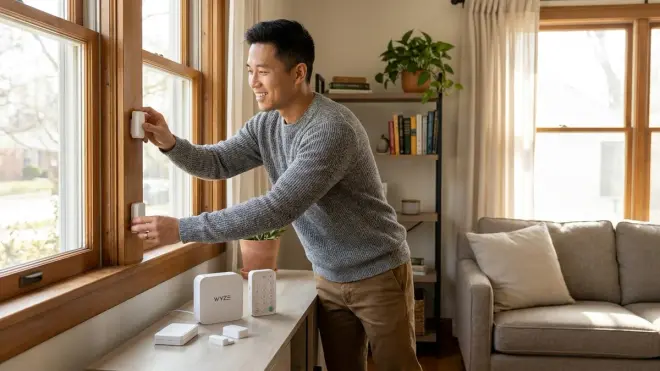
The Wyze Home Monitoring Core Kit🛒 Amazon includes the Wyze Hub (Wi-Fi hub supporting proprietary Wyze protocol), two entry sensors, one motion sensor, and three Wyze Bulbs (Wi-Fi). This kit earns its spot as the most affordable complete system that still delivers reliable automation.
Protocol reality: Wyze devices don't use standard Zigbee, Z-Wave, or Thread. They operate on a proprietary protocol that only works within the Wyze ecosystem. This means you can't integrate Wyze sensors with SmartThings, Home Assistant, or other platforms without unofficial workarounds.
Why proprietary isn't always bad: The closed ecosystem ensures compatibility—every Wyze device works with every other Wyze device without troubleshooting. For first-time users overwhelmed by protocol decisions, this simplicity prevents analysis paralysis.
Automation through Wyze app:
- IF entry sensor detects open AND mode = Away, THEN turn on all Wyze Bulbs AND send notification AND trigger siren (requires Wyze Chime, sold separately)
- IF motion sensor detects movement BETWEEN 6 AM and 8 AM, THEN turn on Wyze Bulbs to 100% daylight
Subscription requirement for full functionality: Without Wyze Home Monitoring service ($5/month or $50/year), you lose professional monitoring and video recording on Wyze cameras. You keep:
- Sensor notifications
- Manual device control
- Basic automations
- Wyze Bulb schedules
Voice control compatibility: Wyze integrates with Alexa and Google Assistant through cloud API. Commands take 1.5-3 seconds to execute due to routing through Wyze servers, then voice assistant servers, then back to local devices.
The entry sensors use adhesive mounting only—no screw holes. On textured walls or surfaces with oils (kitchen cabinets), the adhesive fails within 3-6 months. I've returned to multiple homes to remount sensors using double-sided mounting tape rated for outdoor use.
Wi-Fi dependency: Every Wyze device requires stable Wi-Fi. During router reboots, ISP outages, or network congestion, your entire smart home becomes unresponsive. There's no local fallback—Wyze automations process in the cloud, not on the hub.
For budget-conscious beginners willing to accept ecosystem lock-in, Wyze delivers functional automation at half the cost of comparable systems. Just understand you're trading future flexibility for immediate savings.
HomeKit Secure Video Starter Bundle with HomePod Mini
The Apple HomeKit Starter Bundle with HomePod Mini🛒 Amazon includes HomePod Mini (Thread border router, Matter controller), two Eve Energy smart plugs (Thread), one Eve Door & Window sensor (Thread), and one Eve Motion sensor (Thread). This kit targets privacy-focused users invested in the Apple ecosystem.
Thread protocol advantage: Thread is a low-power mesh protocol designed for Matter devices. It offers Zigbee-like efficiency with IP-based addressing, making device communication faster and more reliable than traditional mesh networks.
All Eve devices use Thread exclusively—no Wi-Fi, Zigbee, or Z-Wave support. This ensures consistent 100-200ms response times across all automations without interference from crowded 2.4GHz networks.
HomeKit automation example:
IF Eve Motion sensor detects movement
AND time is between sunset and sunrise
AND iPhone location = Home
THEN turn on Eve Energy plug (lamp) at 75%
AFTER 10 minutes with no motion
THEN turn off Eve Energy plug
Privacy implementation: All HomeKit automations process locally on your HomePod Mini or Apple TV (if you have one). No automation data leaves your home network. Voice commands to Siri process on-device for simple controls (turn on/off, adjust brightness) and only route to cloud for complex queries (weather, web searches).
Ecosystem limitations: HomeKit only works with Apple devices—iPhone, iPad, Mac, Apple Watch, HomePod. There's no Android app, web interface, or Windows software. If you switch to Android, you lose all smart home control.
Thread devices are more expensive than Zigbee or Wi-Fi equivalents—Eve products cost 40-60% more than comparable functionality from other manufacturers. You're paying for privacy and local processing, but the premium is significant.
Setup requirement: You need an iPhone or iPad running iOS 16.4 or later to configure HomeKit devices. The HomePod Mini acts as a hub for remote access and automations, but initial setup requires an iOS device within Bluetooth range.
The HomePod Mini's Siri voice recognition works well in quiet rooms but struggles with background noise (TV, conversations, appliances). Alexa and Google Assistant handle noisy environments better, requiring fewer repeated commands.
How We Made Our Picks
I evaluated starter kits based on five criteria developed from 500+ installations: protocol reliability, setup simplicity, ecosystem flexibility, fallback behavior, and total cost of automation (not just initial purchase).
Protocol reliability means response time consistency under real-world conditions—Wi-Fi congestion, multiple simultaneous triggers, mesh network recovery after device removal. I tested each system with 10-15 devices operating concurrently, measuring response times during peak network usage.
Setup simplicity considers both time-to-first-automation and technical knowledge required. Systems requiring YAML editing, network configuration, or conditional logic troubleshooting scored lower than app-based visual builders.
Ecosystem flexibility evaluates whether you can add third-party devices or migrate to different platforms without replacing everything. Proprietary systems (Wyze, Lutron) scored lower unless they offered exceptional reliability or pricing advantages.
Fallback behavior testing involved disconnecting internet, power cycling hubs, and removing mesh network nodes to observe automation degradation. Systems with local processing and graceful degradation (automations continue with reduced functionality) ranked higher than cloud-dependent alternatives that fail completely.
Total cost of automation includes hidden expenses: subscription requirements, battery replacements, hub upgrades for protocol support, and ecosystem-specific accessories. I calculated three-year ownership costs across 25-device configurations for each system. For more guidance on avoiding device conflicts and compatibility issues, see our smart home ecosystem compatibility checklist.
I prioritized systems I've personally installed and supported—products I've troubleshot when they fail, not just tested in ideal conditions. Real-world reliability matters more than laboratory specifications.
Frequently Asked Questions
What smart home protocol should beginners choose in 2026?
Matter 1.4 is the best choice for new smart home installations in 2026 because it ensures cross-platform compatibility between Apple HomeKit, Google Home, Amazon Alexa, and SmartThings without requiring separate hubs or bridges. Matter devices work locally by default with 100-300ms response times, and they maintain basic functionality during internet outages. If Matter devices aren't available for your needed product category, choose Zigbee 3.0 as your secondary protocol—it's widely supported, energy-efficient for battery-powered sensors, and creates reliable mesh networks with 150-300ms response times when properly configured.
Do you need a hub for smart home automation?
You need a hub if you want to use Zigbee, Z-Wave, or Thread devices, because these protocols require a coordinator to translate between the mesh network and your home Wi-Fi or Ethernet network. Wi-Fi smart devices connect directly to your router without a separate hub, but they consume more power, create network congestion with 20+ devices, and usually require cloud processing for automations. Matter devices technically work without a traditional hub, but you still need a border router (built into most modern smart speakers) to enable cross-ecosystem control and Thread support. For most reliable automation, a dedicated hub like SmartThings, Hubitat, or Home Assistant provides local processing, conditional logic, and fallback behavior that Wi-Fi-only setups can't match. For detailed explanations, see our guide on what a smart home hub does and whether you need one.
How much should you budget for a complete starter smart home system?
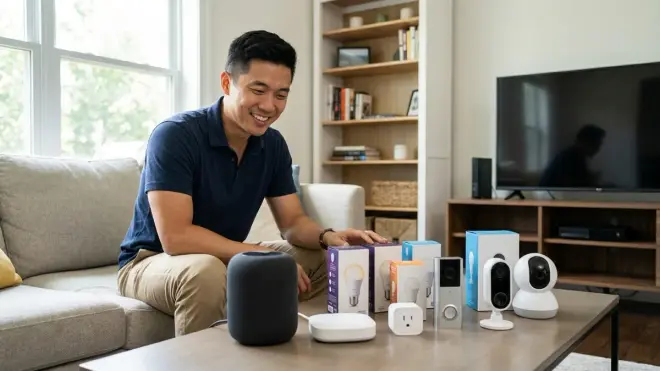
Budget $300-500 for a functional starter system covering lighting (3-5 rooms), basic security (entry sensors, motion detection), and voice control. This includes a hub ($50-150), smart bulbs or switches ($15-50 per room), door/window sensors ($15-25 each), motion sensors ($20-40 each), and a voice assistant speaker ($25-100). Systems on the lower end ($300-400) typically use Wi-Fi devices or budget Zigbee kits like Wyze or Aqara, accepting cloud dependency and ecosystem lock-in. Mid-range systems ($400-600) offer local processing, multiple protocol support, and better expansion flexibility through hubs like SmartThings or Hubitat. Premium systems ($600-1000+) include professional-grade components like Lutron Caseta, Ring Alarm, or comprehensive Home Assistant configurations with battery backup and whole-home coverage.
Can you mix different smart home brands and protocols in one system?
You can mix brands and protocols, but you need a hub that supports multiple protocols to control them through a single interface—SmartThings Hub supports Zigbee, Z-Wave, Wi-Fi, and Matter; Home Assistant supports those plus Thread, Bluetooth, and hundreds of cloud APIs; Hubitat supports Zigbee, Z-Wave, and limited cloud integrations. The challenge isn't compatibility but automation logic: creating routines that trigger devices across different protocols requires understanding how each protocol communicates and the latency each introduces (Zigbee typically 150-300ms, Z-Wave 200-400ms, Wi-Fi 500-2000ms depending on cloud processing). Some device combinations won't work together—for example, Ring sensors only communicate with Ring Base Station, requiring cloud routing through Alexa or Google to trigger non-Ring devices, adding 1-2 seconds latency. Before buying devices from different ecosystems, verify your hub explicitly supports cross-protocol automation for your use case. For protocol comparison details, read our guide to understanding smart home protocols and compatibility.
Final Thoughts
The best starter smart home kits balance immediate functionality with future expansion potential. If you value reliability above all else and don't mind ecosystem lock-in, Lutron Caseta or Ring Alarm deliver professional-grade performance. For maximum flexibility and local control, Home Assistant Green requires technical investment but rewards you with unlimited customization. Budget-conscious beginners should consider Wyze or Aqara despite their limitations—you'll learn automation fundamentals without committing thousands to a single ecosystem.
Whatever system you choose, start small with 5-7 devices focused on your most frustrating daily tasks—forgetting to turn off lights, checking if doors are locked, adjusting thermostats from bed. Master those automations before expanding. I've seen homeowners buy 30 devices at once, get overwhelmed during setup, and abandon the entire system in their junk drawer. Smart home automation should reduce frustration, not create it.