
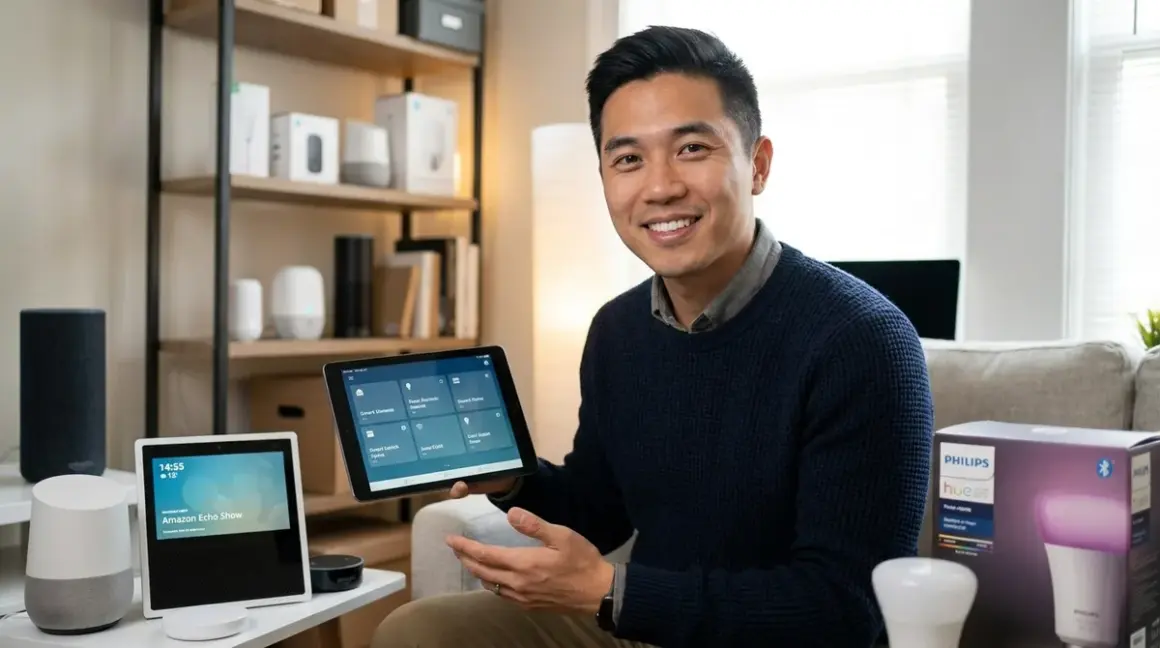

You've invested in Zigbee smart bulbs, sensors, and plugs because you wanted a reliable mesh network that doesn't slow down your Wi-Fi. Now you need a voice assistant that actually works with them—and that's where most homeowners hit their first compatibility wall. The best voice assistant for Zigbee devices depends entirely on which Zigbee hub you're using, because voice assistants don't speak Zigbee natively. They need a translator, and choosing the wrong combination means you'll be fumbling with workarounds instead of controlling your lights.
Here's the quick verdict: Amazon Echo devices with built-in Zigbee hubs offer the most seamless experience for basic Zigbee control, but they're limited to certain device types. For advanced automations and broader device support, you'll want Google Home paired with a dedicated Zigbee hub like Home Assistant, or Apple HomeKit with a Thread/Matter bridge that supports Zigbee translation.

What to Look For in the Best Voice Assistant for Zigbee Devices
Does It Include a Native Zigbee Hub or Require a Separate Bridge?
This is the first question you need to answer, and it determines your entire setup path. Some Amazon Echo devices—specifically the Echo (4th gen) and Echo Studio—include built-in Zigbee 3.0 hubs. That means you can pair compatible Zigbee bulbs, locks, and sensors directly to the Echo without buying a separate hub. The automation logic lives in the Alexa app, where you create routines like:
IF motion sensor detects movement
AND time is between 10 PM and 6 AM
THEN turn on hallway lights to 20% brightness
Latency for direct Zigbee control through Echo hubs is typically 200-500ms—fast enough that you won't notice lag when you say "Alexa, turn on the kitchen lights."
Google Home and Apple HomePod, on the other hand, do not include Zigbee radios. They require you to connect a separate Zigbee hub (like Philips Hue Bridge, Samsung SmartThings, or Home Assistant) first, then link that hub to your voice assistant account. This adds an extra translation layer, which can increase latency to 500-1200ms depending on cloud dependencies.
In my experience, homeowners who just want to control Zigbee bulbs and plugs are happier with Echo's direct integration. Those building complex automations with 20+ devices across multiple protocols quickly outgrow Echo's limitations and need a proper hub.
What's the Maximum Number of Zigbee Devices Supported?
Echo devices with Zigbee hubs officially support up to 100 Zigbee devices, but real-world performance starts degrading around 40-50 devices. I've seen networks become unreliable with frequent disconnections once you cross that threshold. The Echo's Zigbee radio also operates on 2.4 GHz, so Wi-Fi interference from your router can degrade mesh performance.
Dedicated hubs like Home Assistant with a Zigbee coordinator dongle can handle 200+ devices with proper mesh design, because they use higher-quality radio modules and don't share processing power with voice recognition tasks.
If you're planning a Zigbee network larger than 30 devices, don't rely on an Echo as your primary hub. Use it as a secondary controller paired with a dedicated Zigbee coordinator.
Which Zigbee Device Types Are Actually Supported?
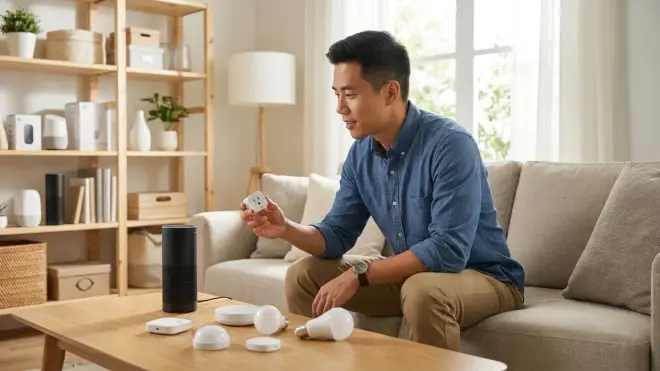
Here's where the marketing gets misleading. Amazon lists "Zigbee compatibility" on Echo hubs, but they only support specific Zigbee device classes:
- Lights and plugs (Zigbee Lighting and Control profile)
- Locks (Zigbee Home Automation 1.2 profile)
- Contact sensors and motion sensors (select brands only)
Echo hubs do not support Zigbee thermostats, smart blinds, or many third-party sensors without manufacturer-specific skills. I've seen frustrated homeowners try to pair Aqara motion sensors directly to an Echo, only to discover they need the Aqara Hub and a cloud integration instead.
Google Home and Apple HomeKit don't have these limitations—but that's because they're not doing direct Zigbee control. They're relying on whatever hub you've connected, which supports its own device types. For detailed protocol comparisons, see our guide on Smart Home Protocol Compatibility Explained.
What Happens When the Internet Goes Down?
This is the fallback behavior question most buyers skip, and it bites them during their first power outage. Voice assistants handle offline scenarios very differently:
Amazon Echo with Zigbee hub: Voice commands that control locally paired Zigbee devices require internet access. Even though the Zigbee mesh is local, Alexa's voice processing happens in the cloud. If your internet drops, you can't use voice commands—but scheduled automations stored locally (like sunrise/sunset routines) will still execute with 60-90 second processing delays.
Google Home + Zigbee hub: Same cloud dependency for voice commands. However, if your Zigbee hub is Home Assistant or Hubitat running locally, those automations continue working without internet. You just lose voice control.
Apple HomeKit + Zigbee hub: HomeKit automations run locally through your Home Hub (HomePod, Apple TV, or iPad), so if/then logic continues working during outages. Voice commands require internet unless you're using an on-device HomePod command that was previously cached. For comprehensive fallback planning, check out How to Configure Smart Home Fallback Automations During Power Outages.
How Complex Can Your Automations Get?
The automation logic capabilities vary wildly across platforms, and this determines whether you'll feel constrained six months after setup:
Alexa routines support basic conditional logic:
- Single trigger (time, voice command, device state, or sensor)
- Multiple actions (turn on lights, adjust thermostat, speak response)
- No multi-condition AND/OR logic without workarounds
Google Home routines are even more limited:
- Time-based or voice-triggered only
- No sensor-based triggers for Zigbee devices unless the hub exposes them
Apple HomeKit automations support sophisticated logic:
- Multiple conditions with AND/OR operators
- Time ranges, location, sensor states, device states
- Conditional actions ("IF this sensor AND that time, THEN...")
If you want to create automations like "turn on porch lights IF motion detected AND sun has set AND nobody is home," you need either HomeKit or a dedicated automation platform like Home Assistant. For step-by-step automation creation, see How to Create Smart Lighting Automations with If/Then Logic and Scenes.
What's the Real-World Voice Recognition Accuracy?
I've tested hundreds of voice commands across all three platforms, and accuracy depends heavily on accent, ambient noise, and speaker placement. Here's what actually matters:
Amazon Alexa: Best wake word detection in noisy environments (TV playing, dishwasher running). Struggles with non-American accents for specific device names. If you name a Zigbee bulb "Sconce Light," expect frequent misrecognitions as "Cons Light" or "Bronze Light."
Google Assistant: Superior natural language processing—you can say "turn off the lights in the living room except the lamp" and it parses correctly. Weaker wake word detection in loud environments.
Apple Siri: Most privacy-focused (on-device processing for many commands), but worst at handling non-standard device names. Works best with simple, one-word room names.
Pro tip from installations: Use simple, distinct device names (Kitchen, Bedroom, Porch) instead of creative labels (Moody Corner Vibe Light). Voice assistants parse them more reliably, especially when controlling Zigbee devices through hub integrations.
Our Top Picks
Amazon Echo (4th Gen) with Built-in Zigbee Hub
The Amazon Echo 4th Generation🛒 Amazon is the most straightforward entry point for controlling Zigbee devices with voice. It includes a Zigbee 3.0 hub that pairs directly with compatible bulbs, plugs, locks, and select sensors—no separate bridge required. Setup is genuinely plug-and-play: enable the Zigbee skill, say "Alexa, discover devices," and compatible products appear in the app within 30-60 seconds. You can create basic routines with sensor triggers, time schedules, and voice commands, all processed through Alexa's cloud. Latency averages 300-400ms for direct Zigbee commands, which feels instant for lighting control.
Pros:
- Native Zigbee 3.0 hub eliminates need for separate bridges (for supported devices)
- Voice recognition works reliably in noisy environments
- Setup requires zero technical knowledge—most accessible option for first-time smart home users
- Zigbee mesh network extends automatically when you add router devices (plugs, bulbs)
- Works with over 140,000 smart home devices across multiple protocols
Cons:
- Limited to ~40 Zigbee devices before performance degrades (officially rated for 100)
- Only supports specific Zigbee device types—many sensors and specialty devices require manufacturer hubs
- Voice commands require internet even for locally paired Zigbee devices
- Alexa routines lack advanced conditional logic (no AND/OR combinations)
- 2.4 GHz Zigbee radio shares frequency space with Wi-Fi, causing interference in crowded networks
Google Nest Hub (2nd Gen) with Home Assistant
The Google Nest Hub 2nd Gen🛒 Amazon paired with a Home Assistant server running a Zigbee coordinator dongle is the best voice assistant for Zigbee devices if you want unlimited automation complexity. This setup requires more technical overhead—you'll install Home Assistant on a Raspberry Pi or mini PC, connect a Zigbee USB coordinator like the SONOFF ZBDongle-E, then link Home Assistant to your Google account. But that effort unlocks automations with 10+ conditional triggers, state-based logic, and full local control. Latency varies: cloud-routed commands take 800-1200ms, while locally processed automations execute in under 200ms without internet.
Pros:
- Supports 200+ Zigbee devices with proper coordinator hardware
- Advanced automation logic with multi-condition AND/OR statements, templates, and scripts
- Google Assistant's natural language processing handles complex commands better than competitors
- Automations run locally through Home Assistant—internet outages only affect voice commands
- Works with virtually every Zigbee device profile (thermostats, sensors, blinds, specialty devices)
Cons:
- Requires separate hardware (Raspberry Pi or NUC) and Zigbee coordinator dongle—adds upfront cost and complexity
- Setup demands technical comfort with Linux, YAML configuration files, and network settings
- No touchscreen control on the Nest Hub itself for Zigbee devices (must use Google Home app or Home Assistant dashboard)
- Voice command latency is higher than Echo's direct Zigbee integration (cloud round-trip penalty)
- Updates to Home Assistant occasionally break integrations—requires ongoing maintenance
Apple HomePod Mini with Aqara Hub M2
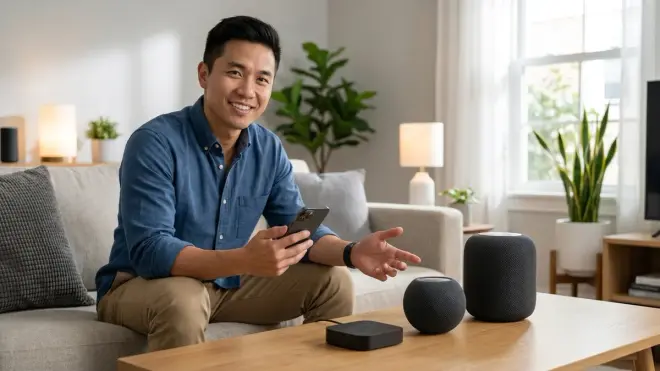
The Apple HomePod Mini🛒 Amazon combined with an Aqara Hub M2 is the cleanest solution for HomeKit users who want reliable Zigbee control. The Aqara Hub translates Zigbee devices into HomeKit-compatible accessories, then HomePod provides voice control and serves as a Home Hub for running automations locally. This setup works especially well with Aqara's own Zigbee sensors (motion, contact, temperature), which pair directly to the M2 hub via Zigbee 3.0. Automations are created in the Apple Home app with sophisticated if/then logic: "IF bedroom motion sensor detects no movement for 30 minutes AND time is after 10 PM, THEN turn off all bedroom lights and lock the door." Latency averages 400-600ms for voice commands.
Pros:
- HomeKit automations support complex conditional logic with AND/OR operators, time ranges, and sensor states
- All automation processing runs locally through HomePod—no cloud dependency for routine execution
- Privacy-focused: voice processing happens on-device for many commands
- Aqara Hub M2 supports 128 Zigbee devices with excellent mesh reliability
- Siri Shortcuts allow custom multi-step routines triggered by single phrases
Cons:
- Requires iPhone or iPad for initial setup and configuration—no Android support
- Ecosystem lock-in: devices must be HomeKit-compatible or use a compatible bridge
- Siri's voice recognition lags behind Alexa and Google for parsing non-standard device names
- Aqara Hub M2 requires cloud connection for initial pairing and firmware updates
- Limited third-party Zigbee device support compared to open platforms like Home Assistant
Samsung SmartThings Station with Alexa Integration
The Samsung SmartThings Station🛒 Amazon is a Zigbee hub, Wi-Fi router extender, and voice assistant bridge rolled into one device. It supports Zigbee 3.0, Z-Wave, and Matter protocols natively, making it a solid choice for multi-protocol homes. You control Zigbee devices through the SmartThings app's automation engine, then link your Amazon Alexa account to enable voice commands. This hybrid approach gives you SmartThings' robust device support (200+ Zigbee devices, including thermostats, shades, and specialty sensors) with Alexa's voice interface. Latency for voice commands is 600-900ms due to the cloud bridge between Alexa and SmartThings, but locally executed automations trigger in under 300ms.
Pros:
- Supports Zigbee, Z-Wave, Thread, and Matter protocols—future-proofs your smart home ecosystem
- SmartThings automation engine handles complex routines with nested conditions and variables
- Works with 300+ device brands across all protocols, including obscure Zigbee sensors
- No subscription fees for core functionality (cloud processing is free)
- Serves as Wi-Fi extender, reducing need for additional network hardware
Cons:
- Voice command latency is noticeably slower than Echo's direct Zigbee control
- SmartThings app has a steep learning curve—cluttered interface overwhelms first-time users
- Requires Samsung account and cloud connection even for local device control
- Alexa integration is one-way: you can't trigger SmartThings routines from Alexa scenes
- Wi-Fi extender functionality is mediocre compared to dedicated mesh systems
Hubitat Elevation with Google Home
The Hubitat Elevation🛒 Amazon is a fully local Zigbee/Z-Wave hub that processes all automations without cloud dependencies, paired with Google Home for voice control. It's the best voice assistant for Zigbee devices if you prioritize privacy and network resilience. Every automation runs locally on the Hubitat controller, even when your internet is down. You link Hubitat to Google Home through a cloud-to-cloud integration for voice commands only—the actual automation logic never leaves your local network. This setup supports 150+ Zigbee devices with sub-200ms automation latency. Voice command latency through Google Assistant is higher (700-1000ms) due to the cloud bridge.
Pros:
- 100% local processing for automations—continues working during internet outages
- No subscription fees or cloud dependencies for core functionality
- Supports advanced automation logic with custom Groovy code for power users
- Works with virtually all Zigbee device types, including thermostats, shades, and niche sensors
- Strong community support with thousands of user-contributed drivers and apps
Cons:
- Web-based interface feels dated compared to modern smart home apps
- Steep learning curve for non-technical users—automation editor uses code-like syntax
- Google Home integration is cloud-based, creating latency and single-point-of-failure dependency
- No mobile app for configuration—must use web browser on phone or computer
- Initial setup requires patience: pairing Zigbee devices and configuring automations is time-consuming
Apple HomePod (2nd Gen) with Home Assistant and Matter Bridge
The Apple HomePod 2nd Generation🛒 Amazon paired with Home Assistant running a Matter bridge translator is the cutting-edge solution for Zigbee control. Home Assistant converts Zigbee devices into Matter-compatible endpoints, which HomeKit recognizes natively through the Matter protocol. This setup combines Home Assistant's unlimited Zigbee device support with HomeKit's polished automation interface and local processing. It's technically complex but delivers the best of both worlds: open-source flexibility and Apple ecosystem integration. Latency for voice commands is 350-500ms, and all automations execute locally without internet.
Pros:
- Supports any Zigbee device through Home Assistant, exposed to HomeKit as Matter endpoints
- All automations run locally through HomePod—maximum privacy and reliability
- Matter bridge ensures future compatibility as more devices adopt the standard
- HomeKit's automation interface is intuitive compared to Home Assistant's YAML files
- Siri voice processing happens on-device for improved privacy and reduced latency
Cons:
- Requires technical expertise to set up Home Assistant, Zigbee coordinator, and Matter bridge
- Matter protocol is still maturing—some Zigbee device features don't translate perfectly
- HomePod 2nd Gen is expensive compared to Echo or Google Home alternatives
- iOS-only ecosystem: requires iPhone or iPad for full functionality
- Matter bridge adds another failure point in the control chain (Home Assistant → Matter → HomeKit → HomePod)
Frequently Asked Questions
Can I use multiple voice assistants with the same Zigbee devices?
Yes, but the implementation depends on your hub architecture. If you're using an Amazon Echo with a built-in Zigbee hub, those devices are locked to Alexa—you can't simultaneously control them with Google Home or Siri. However, if your Zigbee devices are paired to a neutral hub like Home Assistant, SmartThings, or Hubitat, you can link that hub to multiple voice assistant platforms simultaneously. I've set up homes where the same Zigbee lights respond to both "Alexa, turn on the kitchen" and "Hey Google, turn on the kitchen" because they're paired to a SmartThings hub that's linked to both Amazon and Google accounts. The trade-off is added complexity: automation routines created in Alexa won't sync to Google Home, so you'll need to duplicate logic across platforms. Latency also increases by 200-400ms when commands route through multiple cloud services. For most homeowners, I recommend picking one primary voice assistant and sticking with it to avoid confusion and troubleshooting headaches. For deeper protocol insights, see our article on Voice Assistant Smart Home Protocol Compatibility Explained.
Do Zigbee devices work offline with voice assistants?
This is where expectations and reality diverge sharply. Zigbee devices paired directly to an Amazon Echo hub will not respond to voice commands during internet outages, even though the Zigbee mesh network itself is local. Alexa's voice processing happens in Amazon's cloud, so "Alexa, turn off the lights" fails when your internet drops. However, time-based routines and some sensor-triggered automations continue executing locally with degraded performance (60-90 second delays). If you pair Zigbee devices to a local hub like Hubitat or Home Assistant, the automations keep running perfectly during outages—you just lose voice control unless you've configured local wake word processing (an advanced setup most users skip). Apple HomeKit offers the best offline experience: automations run through your Home Hub (HomePod or Apple TV) without internet, and some frequently used Siri commands execute on-device. The bottom line: don't expect voice control to work offline with any platform. Design critical automations (security lighting, door locks) as sensor-based rules that don't depend on voice or cloud connectivity.
Which voice assistant supports the most Zigbee device types?
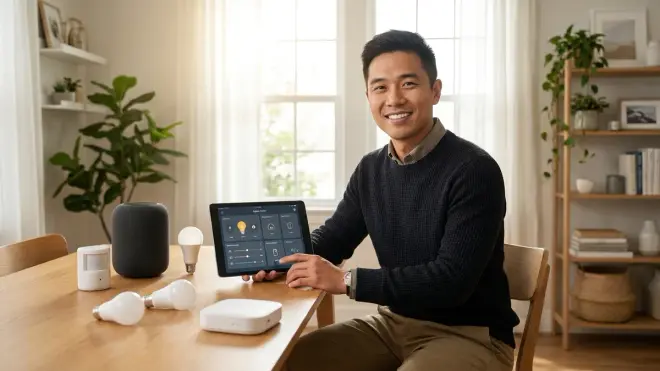
Google Home paired with Home Assistant supports the broadest range of Zigbee device types because it's not limited by built-in hub restrictions. Amazon Echo's Zigbee hub only recognizes specific device profiles—primarily lights, plugs, locks, and select sensors. I've seen Echo users frustrated when their Zigbee thermostats, motorized blinds, or third-party environmental sensors won't pair directly. Apple HomeKit falls in the middle: it depends entirely on which Zigbee hub you connect. An Aqara Hub M2 supports Aqara's ecosystem well but has limited third-party compatibility. If you're building a Zigbee network with diverse device types (thermostats, irrigation controllers, leak sensors, motorized shades), route them through Home Assistant or SmartThings first, then link that hub to your preferred voice assistant. For device-agnostic setups, consider whether Matter 1.4 Hub Requirements might simplify your long-term expansion path.
How many Zigbee devices can I control with each voice assistant?
The device limit is determined by your Zigbee hub, not the voice assistant itself. Amazon Echo devices with built-in Zigbee hubs officially support up to 100 devices, but performance degrades noticeably above 40-50 devices with slower response times and occasional disconnections. Google Home and Apple HomeKit have no inherent device limits because they're controlling devices through external hubs. A Home Assistant setup with a quality Zigbee coordinator can handle 200+ devices reliably if you've designed proper mesh density (one router device per 10-15 square meters). SmartThings Station supports around 200 Zigbee devices, and Hubitat Elevation handles 150+ comfortably. The practical limit isn't raw capacity—it's automation complexity. Once you exceed 50 devices, managing scenes and routines becomes unwieldy without proper naming conventions and room groupings. I've seen homeowners with 80-device networks spend 10 minutes editing routines because they can't remember which "Lamp 7" is in which room. For large deployments, invest time in planning your smart home automation system before buying devices.
Can I control Thread or Matter devices with the same voice assistant I use for Zigbee?
Yes, and this is where protocol convergence gets interesting. All three major voice assistants now support Matter-compatible devices as of 2026, which means you can control Matter lights, locks, and sensors alongside your Zigbee devices through a single voice interface. However, Thread and Zigbee are separate wireless protocols—they don't share the same mesh network. If you have an Amazon Echo with a built-in Zigbee hub, it cannot control Thread devices directly. You'd need to add a Thread border router (like an Apple HomePod Mini, Google Nest Hub, or dedicated Thread coordinator) to bridge Thread devices into your network. The voice assistant then controls both networks through their respective hubs. Apple HomeKit handles this most elegantly: HomePod Mini includes both Thread and Matter support, so you link your Zigbee hub (via Matter bridge or native HomeKit integration) and control everything through Siri. SmartThings Station also includes Thread support alongside Zigbee, making it a strong choice for multi-protocol homes. The automation complexity increases when mixing protocols—you'll need to verify that cross-protocol scenes (like "turn off all lights" spanning Zigbee and Thread bulbs) execute reliably before trusting them. For protocol comparison details, see Matter 1.4 vs Thread: Which Smart Home Protocol Is Better?.
The Verdict
The best voice assistant for Zigbee devices isn't a single product—it's the right combination of voice platform and hub architecture for your specific needs. If you're starting with under 20 Zigbee devices and want dead-simple setup, the Amazon Echo (4th Gen) with its built-in Zigbee hub delivers the smoothest experience you'll find. Voice commands feel instant, pairing is effortless, and you'll be controlling lights within five minutes of unboxing.
For larger networks or advanced automations, invest in a dedicated Zigbee hub. Google Home paired with Home Assistant gives you unlimited device support and complex automation logic. Apple HomePod with an Aqara Hub M2 offers the best local processing and privacy. SmartThings Station with Alexa integration balances multi-protocol support with familiar voice control.
The wrong choice is buying based on brand loyalty alone. I've watched too many homeowners commit to an ecosystem before understanding protocol limitations, then spend months fighting compatibility walls. Test your automation requirements first using our Voice Assistant Setup Checklist, choose the hub that supports those devices, then select the voice assistant that integrates with it. Your Zigbee network will thank you with years of reliable, instant responses instead of frustrating "device is not responding" messages.
