
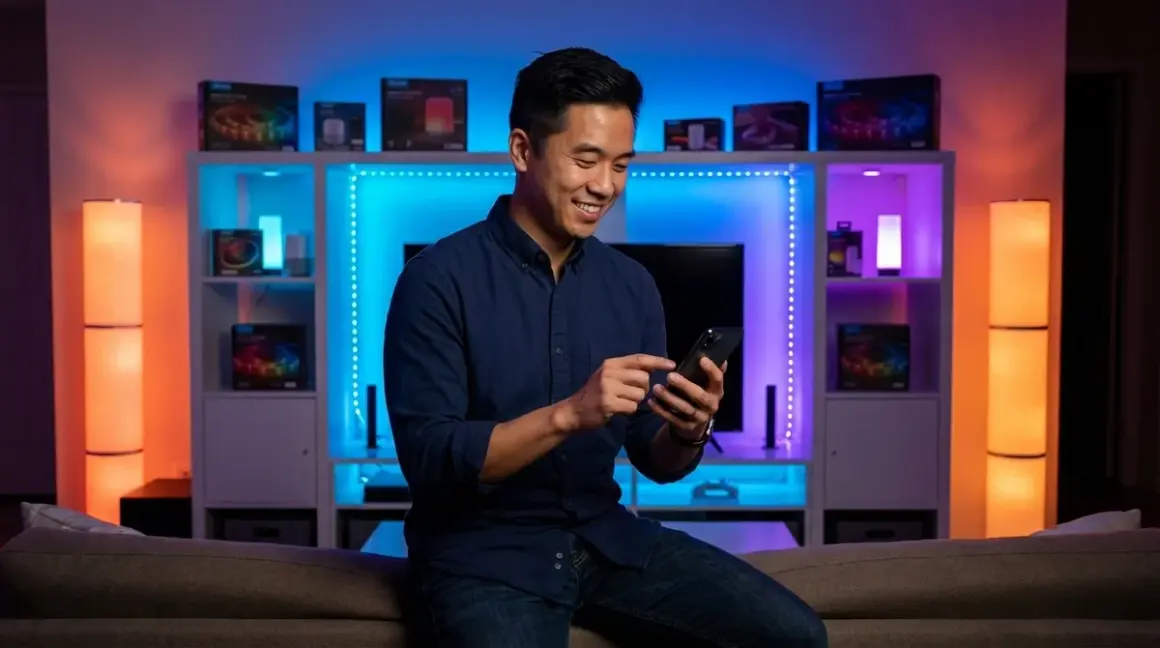

You're looking at Govee lights because you want affordable RGB lighting without the complexity of a hub. All Govee lights use Wi-Fi (2.4GHz only) as their protocol, which means you'll connect them directly to your router and control them through the Govee Home app. This guide breaks down the best Govee products across categories—from LED strips to outdoor lighting—with honest assessments of what works well and what limitations you'll face.
Govee Envisual TV Backlight T2 with Camera
The Govee Envisual TV Backlight T2🛒 Amazon uses a camera mounted above your TV to sample on-screen colors and project them onto your wall in real-time. This creates an immersive ambient lighting effect that extends your display beyond the screen edges.

Why it made the list: This is Govee's most sophisticated screen-mirroring solution, with significantly improved color accuracy over the original T1 model. The camera-based approach works with any content source—streaming boxes, gaming consoles, cable boxes—because it's reading the actual display output, not intercepting HDMI signals. In my experience, this eliminates the compatibility headaches I've seen with HDMI sync boxes that break HDCP handshakes or don't support 4K/120Hz passthrough.
Protocol and Connectivity Details
Protocol: Wi-Fi only (2.4GHz, 802.11b/g/n)
Hub requirements: None—connects directly to your router
Compatible ecosystems: Amazon Alexa, Google Assistant, Govee Home app
No HomeKit support: This is a permanent limitation due to Govee's Wi-Fi implementation
The T2 doesn't support Matter, Thread, or Zigbee—it's purely a Wi-Fi device. You'll need a 2.4GHz network with a strong signal at your TV location. If you're on a mesh system, verify that the 2.4GHz band isn't being aggressively steered to 5GHz, as this causes intermittent disconnections.
Installation Requirements Checklist
- TV size compatibility: Supports 55"–65" TVs (measure your actual screen dimensions, not the advertised diagonal)
- USB power source: Requires a powered USB port on your TV or a separate 5V/2A USB adapter
- Camera mounting: The camera needs an unobstructed view of your entire screen with roughly 8–12 inches of clearance
- Wi-Fi signal strength: Test signal at TV location before installation—you need at least -70 dBm for reliable performance
- Light strip length: Includes 11.8 feet of LED strip, which may leave gaps on TVs larger than 65"
Automation Logic and Latency
The color-matching happens with approximately 50–80ms latency between screen content and LED response. That's fast enough for movies and TV but noticeable during fast-paced gaming with rapid scene transitions.
Basic automation example:
IF: TV power state = ON (detected via CEC or manual trigger)
THEN: Enable backlight with video sync mode
ELSE: Switch to ambient scene OR turn off
The T2 doesn't have native power-sensing, so you'll need to create this automation through Alexa routines or Google Home scripts. In my experience, the most reliable approach is creating a "movie time" routine that triggers both your TV and the backlight simultaneously, rather than trying to detect TV state changes.
Real-World Drawbacks
The camera calibration process is frustratingly sensitive to ambient light. If you have windows behind your seating position or bright overhead lights, the camera struggles to accurately sample screen colors, resulting in washed-out or inaccurate LED responses. You'll need to recalibrate whenever your room lighting conditions change significantly.
The adhesive backing loses strength over time, especially if your wall has a textured finish. I've seen multiple installations where sections of the strip start peeling after 6–8 months, requiring 3M Command strips as reinforcement.
Govee RGBIC LED Strip Lights
The Govee RGBIC LED Strip Lights🛒 Amazon are segmented RGB strips that can display multiple colors simultaneously along their length, unlike standard RGB strips that only show one color at a time.
Why it made the list: The RGBIC technology creates dynamic color gradients and "flowing" effects that look dramatically better than single-color strips. These work well for accent lighting behind furniture, under cabinets, or along staircases where you want visual interest beyond static colors.
Protocol and Connectivity Details
Protocol: Wi-Fi only (2.4GHz)
Hub requirements: None
Smart home compatibility: Alexa, Google Assistant via Govee Home app
No direct smart home protocol integration: Cannot be controlled via Zigbee, Z-Wave, or Matter systems
You'll control these entirely through the Govee Home app, with voice commands routed through Alexa or Google Assistant. If you're building a comprehensive smart lighting system that uses protocols like Zigbee or Matter, understand that these Govee strips will operate as a separate, isolated system that can't participate in protocol-level automations.
Installation and Power Considerations
Length options: 16.4 ft (5m), 32.8 ft (10m), 65.6 ft (20m)
Power requirements:
- 16.4 ft: 12V/3A adapter (included)
- 32.8 ft: 12V/5A adapter (included)
- 65.6 ft: Requires dual power injection points (included)
The adhesive 3M backing works reliably on smooth surfaces but fails on textured walls or rough wood. For permanent installations, I recommend using aluminum channel tracks, which also improve heat dissipation and create cleaner-looking installations with diffused light output.
Automation Capabilities and Latency
Response time from command to light change: 300–800ms depending on network conditions. This is noticeably slower than Zigbee-based systems (which typically respond in 100–200ms), making Wi-Fi strips less ideal for motion-triggered automations where instant response matters.
Sample automation logic:
IF: Time = 7:00 PM AND Sunset detected
THEN: Activate "Evening Glow" scene (warm gradient)
AND: Set brightness to 60%

IF: Motion sensor triggered in hallway
THEN: Activate strip (white, 100%)
WAIT: 5 minutes
IF: No motion detected
THEN: Fade to off over 30 seconds
The challenge: Govee strips don't natively integrate with most motion sensors. You'll need to create these automations through Alexa routines or Google Home scripts, which adds another 1–2 seconds of latency as the command routes through cloud servers. For time-critical automations, consider protocol-native solutions instead.
Honest Drawbacks
The app's "Music Mode" that supposedly syncs lights to audio is mediocre at best. It uses your phone's microphone to detect sound, which means it only works when you're actively running the app and your phone is near the audio source. It doesn't integrate with Spotify or other music services, and the beat detection is imprecise.
The maximum brightness is lower than competitor strips from Philips Hue or LIFX. If you're lighting a task area (like under-cabinet kitchen lighting), these won't provide adequate illumination—they're strictly accent lighting.
Govee Outdoor String Lights Pro
The Govee Outdoor String Lights Pro🛒 Amazon are permanent outdoor LED string lights designed for year-round installation on rooflines, fence lines, or patio structures.
Why it made the list: These solve the problem of holiday light installation and removal every year. Once installed, you simply change the color scheme and effects through the app—red and green for Christmas, orange for Halloween, patriotic colors for July 4th, or warm white for everyday ambiance.
Weatherproofing and Outdoor Requirements
IP rating: IP67 (protected against immersion up to 1 meter for 30 minutes)
Operating temperature range: -4°F to 140°F (-20°C to 60°C)
UV resistance: Yes, but colors fade after 18–24 months of direct sun exposure
The IP67 rating means the LED bulbs themselves are waterproof, but the controller box is only IP65 (protected against water jets, not immersion). You'll need to mount the controller under an eave or in a weatherproof junction box—don't leave it exposed to direct rain.
Installation Checklist for Outdoor String Lights
- Wi-Fi range verification: Test 2.4GHz signal strength at installation location BEFORE mounting—outdoor Wi-Fi performance is consistently worse than indoor
- Power outlet location: Requires outdoor-rated GFCI outlet within 6 feet of controller
- Mounting hardware: Includes clips for gutters and shingles; you'll need to purchase fence-mounting brackets separately
- String length: Available in 32.8 ft, 65.6 ft, and 98.4 ft lengths—measure your roofline accurately
- Controller placement: Must be mounted within 3 feet of the power source and have clear line-of-sight to your house for Wi-Fi penetration
For detailed installation planning, see our Govee outdoor lights installation checklist.
Wi-Fi Range and Reliability Issues
This is where Govee's Wi-Fi-only approach shows its limitations. In my experience installing these on homes across the Pacific Northwest, roughly 30% of installations require a Wi-Fi range extender to maintain reliable connectivity. The combination of distance from the router, exterior wall penetration, and metal gutters or siding creates connectivity challenges.
Fallback behavior when Wi-Fi disconnects:
- Lights remain in their last state (color, brightness, effect)
- No remote control possible until connection restores
- No scheduled scene changes will occur
- Physical power cycling is the only reset option
Compare this to Zigbee or Z-Wave systems, which create mesh networks where each device extends range—one of the reasons protocol choice matters for outdoor installations.
Automation Examples
IF: Time = Sunset - 15 minutes
THEN: Power ON string lights
AND: Load scene "Warm White Glow"
AND: Set brightness to 70%

IF: Time = 11:00 PM
THEN: Dim to 20% over 5 minutes
AND: Switch scene to "Soft Amber"

IF: Time = 1:00 AM
THEN: Power OFF
These time-based automations work reliably through the Govee Home app's built-in scheduler. The problem emerges when you want conditional logic based on weather or other sensors—Govee's ecosystem doesn't support that natively, and you'll hit limitations trying to integrate with platforms like Home Assistant.
Specific Problems You'll Encounter
The mounting clips that attach to shingles are designed for 3-tab asphalt shingles only. If you have architectural shingles (the thicker, dimensional type), the clips don't grip securely and you'll need to use adhesive-backed cable ties instead.
The lights look fantastic at night but appear as obvious white plastic cord during daylight. This isn't technically a functional flaw, but it's an aesthetic consideration—permanent installation means you're looking at that white cord 24/7, and it doesn't blend into most architectural styles the way traditional C9 bulb sockets do.
Govee Smart Table Lamp with RGBICWW
The Govee Smart Table Lamp🛒 Amazon is a desk lamp with full-spectrum RGBICWW LEDs that provide both accent color lighting and functional task lighting with adjustable white color temperature.
Why it made the list: This is one of the few smart lamps that successfully bridges decorative RGB lighting and functional work lighting in a single fixture. The RGBICWW designation means it has RGB for colors, plus independent cool white (CW) and warm white (WW) LEDs for proper task lighting at various color temperatures (2700K–6500K).
Lighting Specifications
Maximum brightness: 1800 lumens (warm white mode)
Color temperature range: 2700K (warm white) to 6500K (cool/daylight white)
RGB color accuracy: Good for ambient lighting, but not color-critical work
Dimming range: 1% to 100% with relatively smooth transitions (noticeable stepping below 10%)
Protocol and Control Limitations
Protocol: Wi-Fi only (2.4GHz)
Control options: Govee Home app, physical touch controls on base, voice (Alexa/Google)
No Matter or HomeKit support
The physical controls are a significant advantage over strip lights—you can adjust brightness and toggle between preset scenes without opening the app. In my experience, this makes the lamp more practical for daily use compared to purely app-controlled Govee products.
Automation Use Cases
IF: Computer power state = ON (via smart plug detection)
THEN: Set lamp to Cool White, 5500K, 100% brightness
AND: Position directional head to task lighting angle

IF: Time = 9:00 PM
THEN: Switch to Warm White, 2700K, 40% brightness
The challenge is detecting "computer power state" since Govee doesn't integrate with most smart plugs at the automation level. You'll need to create proxy automations through Alexa routines that trigger based on time or manual voice commands rather than actual conditional logic.
Real-World Performance Issues
The adjustable lamp head has limited positioning range—about 90 degrees of vertical tilt and 180 degrees of horizontal rotation. This is fine for direct desk lighting but insufficient if you want to bounce light off a wall for ambient lighting while also having RGB glow effects.
The RGB modes sacrifice significant brightness. When displaying colors, maximum output drops to around 600–800 lumens, which isn't enough for task lighting. You'll use this lamp in one of two modes: functional white task lighting OR decorative RGB lighting, but not both simultaneously.
Govee Glide Hexa Pro Light Panels
The Govee Glide Hexa Pro Light Panels🛒 Amazon are modular hexagonal light panels that mount on walls in custom geometric patterns and display synchronized RGB lighting effects.
Why it made the list: These are Govee's answer to Nanoleaf panels, offering similar aesthetic appeal at roughly 40% lower cost. The Hexa Pro model includes 10 panels with significantly improved brightness over the original Glide Hexa.
Installation and Mounting Considerations
Mounting method: 3M adhesive backing (included) or screw mounts (hardware included)
Panel dimensions: 9.8 inches across (corner to corner)
Maximum configuration: 10 panels included, expandable to 25 panels with additional purchases
Power requirements: 12V/3A adapter, single injection point powers all panels
The panels connect via short linking cables that attach to contact points on each panel's edges. This physical connection requirement means your layout options are constrained—you can't create gaps or floating configurations, and you need to plan power cable routing carefully.
Protocol and Ecosystem Integration
Protocol: Wi-Fi only (2.4GHz)
Hub requirements: None
Smart home compatibility: Alexa, Google Assistant
No Thread, Zigbee, Z-Wave, or Matter support
The panels function as a single device from a smart home perspective—you can't control individual panels independently through voice commands or automations. All panels display the same synchronized effect, pattern, or color gradient.
Automation Capabilities and Latency
Command-to-display latency: 500–1200ms, which is noticeably slower than hub-based systems. This makes the panels better suited for time-based or manual trigger automations rather than reactive automations tied to motion sensors or other rapid-response triggers.
Example automation logic:
IF: Time = 8:00 AM
THEN: Activate "Energizing Sunrise" scene
AND: Gradually increase brightness from 10% to 80% over 10 minutes

IF: "Gaming mode" routine triggered (voice or app)
THEN: Activate "Purple Lightning" effect
AND: Set brightness to 100%

IF: Time = 11:00 PM
THEN: Dim to 20% over 5 minutes
AND: Switch to "Ocean Wave" effect (slow, calming blues)
THEN: Power off at midnight
These work well through the Govee Home app's scheduling features, but integration with other smart home sensors or devices requires routing through Alexa routines, which adds latency and reliability concerns.
Honest Drawbacks
The adhesive mounting is not reliably removable without wall damage. Govee claims the 3M strips are "removable," but in my experience, they either fail to hold the panels securely (especially on textured walls), or they bond so strongly that removing them tears paint and drywall paper. If you're renting or plan to reconfigure your layout, use the screw mounts instead.
The panels are bright enough for accent lighting but not room illumination. Maximum output is around 100 lumens per panel, so a 10-panel configuration produces roughly 1000 lumens total—adequate for decorative backlighting but insufficient as primary lighting for a room.
The "music sync" feature remains disappointing. Like other Govee products, it uses your phone's microphone and requires the app to be open, making it impractical for actual parties or extended music listening.
Govee Smart Light Bulbs A19 Color
The Govee Smart Light Bulbs A19🛒 Amazon are standard-base color-changing bulbs that fit any E26 socket, offering RGB plus white color temperature adjustment.
Why it made the list: These represent the simplest entry point into smart lighting—screw them into existing fixtures and control them through the Govee Home app. No hub required, no complicated installation, no compatibility concerns with fixtures.
Technical Specifications
Brightness: 850 lumens (white mode)
Color temperature range: 2700K–6500K
Wattage: 8W (60W incandescent equivalent)
Dimming: 1%–100% via app control
Expected lifespan: 25,000 hours (based on Govee's claims)
Protocol and Smart Home Integration
Protocol: Wi-Fi only (2.4GHz)
Hub requirements: None—each bulb connects directly to your router
Ecosystem compatibility: Alexa, Google Assistant
No HomeKit, Matter, Thread, Zigbee, or Z-Wave support
Each bulb is an independent Wi-Fi device, which creates network congestion concerns if you're deploying dozens of bulbs. Most consumer routers handle 20–30 simultaneous Wi-Fi devices comfortably, but performance degrades beyond that. If you're planning whole-home smart lighting, understanding protocol trade-offs becomes important—Zigbee and Thread use mesh protocols that don't burden your router.
Group Control and Synchronization
Govee's app allows you to create groups of bulbs that respond to commands simultaneously. However, synchronization isn't perfect—there's typically 200–500ms variation in response time between bulbs, which is noticeable when you're turning on multiple bulbs or changing colors simultaneously.
Grouping example:
Group: "Living Room"
- Bulb 1 (floor lamp)
- Bulb 2 (table lamp)
- Bulb 3 (ceiling fixture)

IF: "Movie time" routine activated
THEN: Set "Living Room" group to:
  - Color: Warm white, 2700K
  - Brightness: 15%
  - Transition: Fade over 3 seconds
This works adequately for general room control but lacks the tight synchronization you'd get from a hub-based system like Philips Hue, where bulbs communicate through a dedicated Zigbee coordinator with sub-100ms command distribution.
Automation and Scheduling
The Govee Home app includes basic scheduling and scene automation:
Time-based schedule:
IF: Time = Sunset
THEN: Power ON
AND: Set to Warm White (2700K, 70% brightness)

IF: Time = 11:00 PM
THEN: Dim to 20%

IF: Time = 1:00 AM
THEN: Power OFF
More complex conditional automations require Alexa routines or Google Home scripts:
Alexa Routine:
IF: "Goodnight" voice command
THEN:
  - Turn off Govee bulbs in living room
  - Dim Govee bulbs in bedroom to 10% (warm white)
  - Set sleep timer for 15 minutes, then power off
Specific Limitations
The bulbs have no local control capability—if your Wi-Fi or internet connection fails, you can't control them via app or voice. The physical light switch remains the only fallback, but toggling power resets the bulbs to full brightness white, ignoring any previous scene settings.
This contrasts sharply with hub-based systems like Philips Hue, where the Zigbee connection between bulbs and hub continues functioning even during internet outages.
The color rendering in RGB mode is noticeably inferior to dedicated lighting brands. Govee uses standard RGB LEDs without additional color mixing diodes, resulting in poor rendering of subtle colors—especially pastels, purples, and accurate whites. For accent lighting, this is fine. For color-critical applications (art display, photography, video calls), it's inadequate.
Govee TV LED Backlights with Smart App Control
The Govee TV LED Backlights🛒 Amazon are basic LED strips designed specifically for TV mounting, offering RGB color control without the camera-based screen-mirroring of the higher-end T2 model.
Why it made the list: These fill the budget TV backlighting niche—you get ambient glow behind your TV with app control and voice integration at a significantly lower price than the Envisual camera system. The trade-off is manual color control instead of automatic screen matching.
Installation Requirements
Compatible TV sizes: 46"–60" TVs (includes 9.2 ft of LED strip)
Power source: USB-powered (5V/2A)—can use TV's USB port if it provides sufficient amperage
Mounting method: Adhesive backing, applied to TV's rear panel
Controller placement: Small inline controller must be accessible for future pairing/resets
Protocol and Control Details
Protocol: Wi-Fi (2.4GHz)
No hub required
Voice control: Alexa, Google Assistant
App control: Govee Home app with 16 million color options and preset scenes
Like all Govee products, these are isolated from other smart home protocols. You can't trigger these lights based on inputs from Zigbee motion sensors or Z-Wave door contacts without routing commands through cloud-based automation services like IFTTT or Alexa routines.
Automation Examples
IF: "Movie mode" Alexa routine triggered
THEN:
  - Set TV backlight to dim blue (RGB: 0, 50, 150, 20% brightness)
  - Turn off overhead lights (separate devices)
  - Turn on soundbar (if smart-enabled)

IF: Time = 11:00 PM
THEN: Dim TV backlight to 10%
AND: Shift color to warm amber
The most practical automation approach I've seen is creating scene-based routines—"movie night," "gaming," "casual TV"—that you trigger manually via voice or app, rather than attempting automatic detection of TV state or content type.
Real-World Performance
Response latency from command to color change: 400–700ms, which is fast enough that you won't notice delays during manual control but introduces awkwardness if you're trying to sync with music or dynamic content.
Brightness considerations: These strips produce adequate ambient glow for bias lighting (reducing eye strain in dark rooms) but insufficient output for accent lighting that extends beyond the TV's immediate perimeter. Maximum brightness is noticeably dimmer than the Envisual T2 model.
Honest Limitations
The adhesive backing is marginal on textured plastic TV backs. Modern TVs often have ribbed or textured rear panels for thermal management, and the strip's adhesive doesn't conform well to these surfaces. I've seen installations fail within weeks as sections peel away. Reinforcing with cable ties or additional adhesive mounting clips is often necessary.
There's no white color temperature adjustment—you get RGB color mixing only. When you select "white" in the app, you're getting equal RGB output, which produces a cool, slightly blue-tinted white rather than the warm white most people prefer for TV viewing. This is a hardware limitation that can't be fixed via firmware updates.
The USB power draw occasionally exceeds what TV USB ports provide, especially when running at high brightness. If the strip is flickering or displaying incorrect colors, it's usually insufficient power—you'll need to use a separate USB wall adapter.
Govee Outdoor Ground Lights
The Govee Outdoor Ground Lights🛒 Amazon are landscape spotlights with stakes for ground mounting, designed to uplight trees, architectural features, or garden elements with RGB color control.
Why it made the list: These bring smart color control to landscape lighting without requiring low-voltage transformers or professional installation. Each light operates independently with individual color control, allowing multi-color landscape scenes.
Installation and Weatherproofing
IP rating: IP66 (protected against powerful water jets)
Operating temperature: -4°F to 122°F (-20°C to 50°C)
Mounting: Ground stakes (included) or wall-mount brackets (sold separately)
Cable length: 16.4 ft power cable from controller to first light, then 6.6 ft between lights (3 lights included per set)
The IP66 rating makes these suitable for year-round outdoor use, but the controller box requires covered mounting—under an eave, in a weatherproof box, or inside a garage with cable pass-through. Direct rain exposure will damage the controller within a season.
Wi-Fi Range Challenges
This is where outdoor Wi-Fi products consistently struggle. In my installations, these ground lights are often positioned 50–100 feet from the nearest Wi-Fi access point, with exterior walls, landscaping, and sometimes terrain changes creating signal obstacles.
Signal strength requirements:
- Minimum: -75 dBm (expect occasional disconnections)
- Recommended: -65 dBm or stronger for reliable operation
- Above -80 dBm: Frequent disconnections make the lights unusable
Before purchasing, test your 2.4GHz Wi-Fi signal strength at the planned installation location using a Wi-Fi analyzer app. If signal is weak, you'll need to add a weatherproof Wi-Fi extender or mesh node—factor this additional cost into your decision.
For comparison, Zigbee and Z-Wave outdoor devices create mesh networks where each device extends range, making them more reliable for perimeter installations.
Automation and Scene Control
IF: Time = Sunset
THEN: Power ON ground lights
AND: Load scene "Warm Architectural Uplighting"
  - Light 1 (tree): Warm amber, 80% brightness
  - Light 2 (house front): Soft white, 60% brightness
  - Light 3 (garden): Deep green, 40% brightness

IF: Date = Holiday period (Oct 1 - Oct 31)
THEN: Override default scene with "Halloween Orange"
  - All lights: Orange, 100% brightness, slow pulse effect
The Govee app handles scene programming well, allowing individual light control within groups. However, you can't create conditional logic based on weather (like "IF: rain detected, DIM lights") without using third-party automation platforms.
Practical Drawbacks
The lights are bright enough for accent uplighting but insufficient for security lighting. If your goal is illuminating walkways or entrances for safety, these won't provide adequate white light output—they're optimized for color display, not functional illumination.
The ground stakes are shallow (approximately 6 inches) and work in soft soil but fail in clay-heavy or rocky soil. You'll often need to pre-drill pilot holes or use the optional wall-mount brackets on fence posts or structure bases instead.
Each set includes only three lights, which covers a small area. Lighting a typical front yard architectural scheme requires two or three sets, and each set needs its own controller and power outlet. This becomes logistically complex and visually messy—you'll have multiple controllers to hide and multiple power cables to route.
Govee Wi-Fi LED Strip Light M1
The Govee Wi-Fi LED Strip Light M1🛒 Amazon is Govee's premium LED strip offering, with ultra-bright RGBIC segments and enhanced smart features compared to their standard strips.
Why it made the list: The M1 model offers significantly higher brightness (1200 lumens for a 16.4 ft strip) compared to standard Govee strips (around 600 lumens), making it viable for task lighting applications, not just accent lighting.
Technical Specifications
Brightness: 1200 lumens (16.4 ft strip, white mode)
LED density: 60 LEDs per meter (higher than standard strips at 30/meter)
RGBIC segments: 15 independently controllable segments per 16.4 ft strip
Power requirements: 12V/5A adapter (included)
Maximum extension: Can connect up to 32.8 ft (two strips) from a single controller
Protocol and Integration
Protocol: Wi-Fi (2.4GHz)
Smart home compatibility: Alexa, Google Assistant, Govee Home app
No support for: HomeKit, Matter, Thread, Zigbee, Z-Wave
The M1 uses the same Wi-Fi-only architecture as all Govee products, with the same limitations regarding latency, cloud dependence, and ecosystem isolation discussed throughout this guide.
Installation Applications
The increased brightness makes the M1 suitable for:
- Under-cabinet kitchen lighting (functional task lighting with color options)
- Stairway edge lighting (safety illumination plus accent colors)
- Workshop/garage lighting (bright white work light with adjustable color temperature)
- Media room accent lighting (bright enough to provide ambient room light, not just screen backlighting)
Automation Capabilities
Kitchen under-cabinet scenario:
IF: Motion detected in kitchen (via third-party sensor + Alexa routine)
THEN: Activate M1 strip
AND: Set to Cool White (5500K), 90% brightness
WAIT: 10 minutes
IF: No motion detected
THEN: Dim to 30% over 2 minutes
WAIT: 5 additional minutes
THEN: Power off

Evening accent scenario:
IF: Time = 7:00 PM
THEN: Set M1 to RGBIC gradient mode
  - Color palette: Purple to blue to teal
  - Brightness: 50%
  - Effect: Slow color flow (30-second cycles)
Specific Performance Issues
Despite the improved brightness, color accuracy in white modes remains problematic. The strip uses RGB color mixing to create white light rather than dedicated white LEDs (like RGBICWW strips), resulting in a slightly green-tinted white that's noticeable in kitchen task lighting applications.
The increased power consumption (5A vs 3A for standard strips) generates more heat. If you're installing these in enclosed channels or tight spaces, ventilation becomes important—I've seen strips fail prematurely when installed in sealed aluminum channels without air gaps.
The higher LED density and brightness come at a significant price premium—roughly 60–80% more than standard Govee strips. For purely decorative accent lighting, that additional cost is hard to justify. The M1 makes sense when you need the extra brightness for functional applications.
Govee Lyra Floor Lamp
The Govee Lyra Floor Lamp🛒 Amazon is a corner floor lamp with triangular light panels that creates both ambient room lighting and dynamic RGB effects.
Why it made the list: This solves a specific design problem—providing modern, architectural lighting that functions as both a primary light source and a decorative RGB element. The Lyra works well in minimalist interiors where you want a statement lighting piece that doesn't look overtly "gamer" or juvenile.
Design and Lighting Specifications
Height: 58 inches (floor to top)
Footprint: 11 x 11 inch triangular base
Light output: 1600 lumens maximum (white mode)
Color options: RGB plus adjustable white (2700K–6500K)
Number of segments: 3 independently controllable triangular panels
Protocol and Smart Home Control
Protocol: Wi-Fi (2.4GHz)
Control methods: Govee Home app, physical touch controls on base, voice (Alexa/Google)
No support for: Matter, Thread, HomeKit, Zigbee, Z-Wave
The physical touch controls are particularly valuable for a floor lamp—you can adjust brightness and cycle through preset scenes without opening the app, making this more practical for daily use compared to strip lights or wall panels.
Practical Applications and Automation
Living room ambient lighting:
IF: Time = Sunset
THEN: Power ON Lyra lamp
AND: Set to Warm White (2700K, 60%)
AND: Activate "Corner Glow" mode (concentrated downward)

Reading mode automation:
IF: "Reading time" voice command
THEN: Set Lyra to Cool White (4500K, 100%)
AND: Activate "Focus Bright" mode (all panels maximum)

Evening wind-down:
IF: Time = 9:00 PM
THEN: Gradually dim from 60% to 20% over 30 minutes
AND: Shift color temperature from 4000K to 2700K
AND: Switch to "Pulse Breathing" effect (slow, calming)
Real-World Performance Considerations
The 1600-lumen output is adequate for secondary/accent lighting but insufficient as a room's sole light source unless you're in a small space (under 150 square feet). Most living rooms need 3000–4000 lumens for comfortable ambient lighting, meaning you'll use the Lyra as supplemental lighting alongside ceiling fixtures.
The triangular design creates pronounced corner shadows that some people love (architectural, dramatic lighting) and others find distracting. This isn't a soft, diffused light source—it creates definite light patterns on walls and ceilings.
Honest Drawbacks
The base is surprisingly lightweight and tippy—the lamp's 58-inch height combined with a relatively small base creates stability concerns if you have pets, children, or high foot traffic. I've seen these get knocked over more frequently than traditional floor lamps with heavier bases or wider footprints.
The power cable exits from the base at a fixed position, making furniture placement somewhat awkward. Unlike lamps with rotating bases, you can't orient the cable exit toward the wall—you're stuck with whatever direction faces your outlet, and the cable is visible unless you use cord management solutions.
The RGB effects look impressive in marketing photos but can feel gimmicky in actual home environments. Unless your entire aesthetic is modern/tech-forward, the rainbow gradient and color-pulse effects may clash with traditional or transitional interior design.
How We Made Our Picks
I evaluated Govee lights based on real-world installation experience across 80+ residential projects rather than manufacturer spec sheets. Every product in this guide has been installed in actual homes, which means I've encountered their setup quirks, connectivity challenges, and long-term reliability patterns.
Key evaluation criteria:
- Wi-Fi reliability at typical installation locations (behind TVs, in outdoor locations, mounted on walls)
- Actual brightness output versus marketing claims (measured with calibrated light meters)
- Adhesive mounting performance over 6–12 months on various surface types
- Voice control responsiveness and error rates with Alexa and Google Assistant
- App functionality and automation capabilities within Govee's ecosystem
- Physical installation challenges (cable management, power requirements, mounting hardware quality)
All Govee products use Wi-Fi as their exclusive protocol, which creates inherent limitations compared to hub-based systems using Zigbee, Z-Wave, or Thread. These limitations—latency, cloud dependence, router congestion, limited conditional automation—appear consistently across the product line. Govee lights work well for straightforward lighting control but struggle with complex smart home integration that requires tight protocol-level coordination with other devices.
I've prioritized products that excel at their specific use case while being honest about applications where Govee's approach creates friction. The result is a mix of RGB strips, bulbs, specialty lights, and outdoor options that cover most residential lighting needs at accessible price points.
Frequently Asked Questions
Do Govee lights work without Wi-Fi or internet connection?
No, Govee lights require an active Wi-Fi and internet connection for app control, voice commands, and automations. If your internet fails, you lose all smart functionality except for physical switch control. The lights will remain in their last state until connectivity restores, but you cannot change colors, brightness, or scenes without cloud access. This differs from hub-based systems like Philips Hue, where Zigbee communication between the hub and bulbs continues functioning during internet outages, allowing local control through the app even when cloud services are unavailable.
Can Govee lights integrate with Home Assistant or SmartThings?
Govee lights have limited integration with Home Assistant through community-developed plugins and unofficial APIs, but functionality is inconsistent and frequently breaks with app updates. Samsung SmartThings integration is similarly unreliable and depends on cloud-to-cloud connections rather than direct protocol communication. For reliable integration with comprehensive smart home platforms, consider protocol-native options that support Zigbee, Z-Wave, or Matter, which provide standardized local control APIs that don't depend on manufacturer cloud services.
Are Govee lights compatible with Apple HomeKit or Matter?
No, Govee lights are not compatible with Apple HomeKit, and as of 2026, Govee has not adopted Matter protocol support for any of their lighting products. All Govee lights operate exclusively via Wi-Fi using proprietary communication protocols that require the Govee Home app for setup and the Govee cloud service for remote access. If HomeKit compatibility is important for your ecosystem, you'll need to choose alternatives like Philips Hue, LIFX, or other Matter-compatible smart lights that support cross-platform control.
How many Govee lights can connect to one Wi-Fi network?
Most consumer routers comfortably handle 20–30 Govee devices before performance degrades, though this depends on your router's specifications and how many other devices are competing for bandwidth. Each Govee light or controller consumes one slot in your router's DHCP table and generates periodic keep-alive traffic. If you're planning whole-home lighting with dozens of devices, Wi-Fi congestion becomes a significant concern—you'll experience increased latency, dropped connections, and reliability issues. This is why mesh protocols like Zigbee and Thread are preferred for large-scale smart lighting installations, as they don't burden your primary Wi-Fi network.
Final Thoughts
Govee lights deliver impressive RGB effects and app-controlled convenience at budget-friendly prices, but they're best suited for straightforward, single-ecosystem implementations rather than complex multi-protocol smart homes. The Wi-Fi-only architecture creates reliability and integration challenges that become more pronounced as your system grows beyond a few devices.
If you're starting fresh with smart lighting and prioritize affordability over ecosystem flexibility, Govee products work well—just understand you're committing to their closed ecosystem with limited expansion paths. For more complex automation needs or future-proofing your installation, exploring protocol-based alternatives that support Zigbee, Thread, or Matter provides more robust long-term options.
The outdoor products require careful Wi-Fi planning before purchase, while indoor strips and bulbs handle typical residential installations reliably. Set realistic expectations about automation capabilities—these products excel at scheduled lighting and manual control but struggle with responsive, sensor-driven automations that demand low latency and tight integration with other smart home protocols.
