


The difference between a home that quietly anticipates your needs and one cluttered with incompatible gadgets often comes down to understanding smart home protocols compatibility. Before mounting a single switch or concealing a sensor behind crown molding, the invisible infrastructure—Zigbee, Z-Wave, Thread, Matter, Wi-Fi—determines whether your automation will hum along seamlessly or fragment into a collection of devices that refuse to speak to one another. These protocols are the languages your devices use to communicate, and choosing the wrong combination means waking at 3 a.m. to manually adjust the thermostat because your motion sensor and HVAC controller live in separate, incompatible worlds.
What Is Smart Home Protocol Compatibility?
Protocol compatibility refers to whether your smart home devices can communicate with each other and your central hub or controller using the same wireless language. Each protocol—Zigbee, Z-Wave, Thread, Matter, and Wi-Fi—operates on specific radio frequencies, follows distinct communication standards, and requires particular hub hardware to translate commands. When a Zigbee motion sensor detects movement, it broadcasts that signal over the 2.4 GHz band using Zigbee's mesh network structure; a Z-Wave door lock, operating on 908 MHz in North America, cannot natively hear that broadcast.

Compatibility extends beyond frequency to mesh topology, power consumption, message latency, and fallback behavior. A home where every device speaks Zigbee creates a self-healing mesh network—each powered device acts as a repeater, extending range and rerouting signals if one node fails. Mix in Wi-Fi smart bulbs and Z-Wave outlets without a unifying controller, and you've built isolated islands that require separate apps, cannot trigger each other, and offer no redundancy when your router reboots.
The invisible elegance I prioritize in design depends entirely on this foundational compatibility. A living room where lighting, temperature, and motorized shades respond fluidly to sunset requires devices that share a common protocol or a hub sophisticated enough to bridge multiple standards. Without that cohesion, you're left fumbling with three different apps—one for lights, another for climate, a third for shades—destroying the seamless experience automation promises.
How Smart Home Protocols Work
At the core of understanding smart home protocols compatibility is grasping how these systems transmit, receive, and act on commands. Each protocol uses a distinct physical layer (radio frequency and modulation) and network layer (how devices discover each other, form connections, and route messages).
Zigbee: Mesh Networking Over 2.4 GHz
Zigbee operates on the crowded 2.4 GHz band, forming a mesh network where each mains-powered device—bulbs, plugs, switches—acts as a repeater. When you send a command from a Zigbee hub to a bulb three rooms away, the signal hops through intermediate devices:
IF [motion detected by Zigbee sensor]
THEN [hub sends "on" command to Zigbee bulb]
  → Command hops: hub → Zigbee plug in hallway → Zigbee switch in bedroom → target bulb
Latency typically ranges from 30–100 milliseconds for local mesh commands, though interference from Wi-Fi routers on overlapping channels can double that. Reliability improves with more powered nodes; a sparse Zigbee network with only battery-operated sensors struggles because those sensors sleep to conserve power and cannot relay messages. Fallback behavior: if the primary route fails, Zigbee automatically reroutes through alternate nodes within seconds, though the initial retry adds 2–5 seconds of delay.
Z-Wave: Frequency Isolation and Controlled Mesh
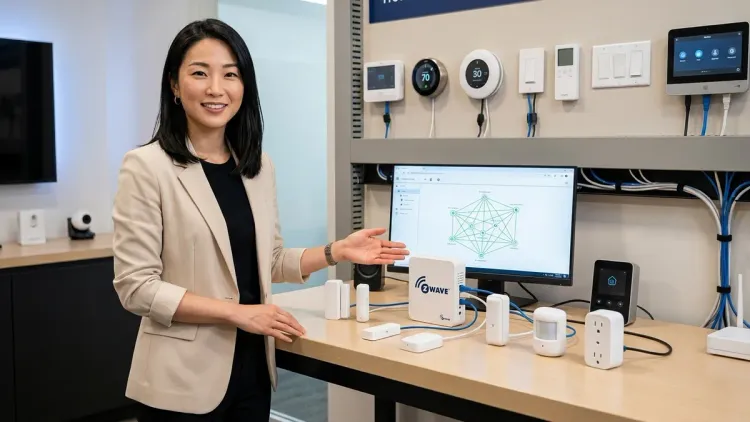
Z-Wave uses sub-1 GHz frequencies (908 MHz in the US, 868 MHz in Europe), avoiding Wi-Fi congestion entirely. Its mesh network supports up to 232 devices per controller, with a maximum of four hops between source and destination:
IF [Z-Wave door sensor reports "open"]
THEN [Z-Wave hub triggers alarm siren]
  → Command hops: hub → Z-Wave plug → Z-Wave dimmer → siren (max 4 hops)
Latency is similar to Zigbee—40–120 milliseconds—but Z-Wave's less crowded spectrum often delivers more consistent performance. Interoperability limitation: Z-Wave devices certified for one region cannot operate in another due to regulatory frequency differences. Fallback behavior: like Zigbee, Z-Wave reroutes if a node fails, but the smaller hop limit means dense device placement matters more in large homes.
Thread: Low-Power IPv6 Mesh
Thread is an IPv6-based mesh protocol running on 2.4 GHz, designed for battery efficiency and direct internet addressability. Each Thread device holds an IPv6 address, and border routers (Thread-capable hubs or HomePods) bridge the Thread mesh to your home Wi-Fi network:
IF [Thread door lock reports "unlocked"]
THEN [border router sends command to Thread smart plug to enable entry lighting]
  → All communication stays within Thread mesh until border router translates to IP
Latency averages 20–80 milliseconds for mesh-local commands. Thread's advantage is scalability—hundreds of devices can coexist without the hub bottlenecks common in Zigbee/Z-Wave, because routing decisions happen at the device level. Fallback: Thread networks automatically elect new border routers if one fails, though this transition can take 10–30 seconds during which cloud-dependent automations may stall.
Matter: A Unifying Application Layer
Matter 1.4 (ratified in 2025) is not a radio protocol but an application-layer standard that runs atop Zigbee, Thread, Wi-Fi, and Ethernet. It defines a common language for device types—lights, locks, thermostats, sensors—so a Matter-certified light bulb can be controlled by any Matter-compatible hub or voice assistant, regardless of underlying transport. For details on the protocol itself, explore our guide to Matter 1.4 Smart Home Protocol.
IF [Matter motion sensor (Thread) detects presence]
THEN [Matter controller sends unified command]
  → Thread bulb responds via Thread mesh
  → Wi-Fi plug responds via local IP command
  → Zigbee thermostat responds via Zigbee bridge in hub
Latency depends on the underlying protocol—Thread commands execute in 20–80 ms, Wi-Fi in 50–200 ms, Zigbee in 30–100 ms. Interoperability limitation: Matter 1.4 supports only specific device categories (lighting, locks, thermostats, sensors, blinds, HVAC); niche devices like smart irrigation controllers or robotic mowers often lack Matter certification and require proprietary apps. Fallback: if the Matter controller loses internet, local automations continue executing over the mesh, but cloud-dependent integrations (voice assistants, remote access) fail until connectivity returns. For migration strategies, see How to Migrate Your Smart Home to Matter 1.4 Without Breaking Automations.
Wi-Fi: Direct Cloud Connection
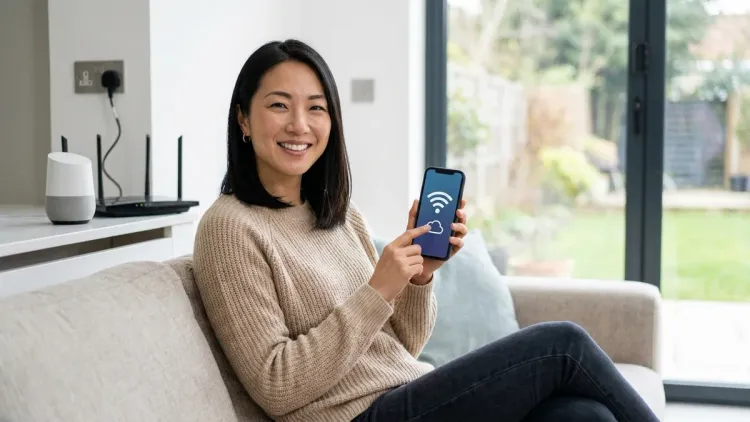
Wi-Fi smart devices connect directly to your router, bypassing mesh networks. Commands route through the manufacturer's cloud:
IF [motion detected by Wi-Fi camera]
THEN [camera uploads event to cloud]
  → Cloud server sends command to Wi-Fi smart plug
  → Plug executes "on" command
Latency is highly variable—50 ms for local commands on a strong network, 200–800 ms for cloud-routed automations, and indefinite if internet drops. Reliability factors: Wi-Fi devices saturate router capacity (each device holds an IP lease), and cloud dependence means outages or manufacturer server issues break automations entirely. Fallback behavior: most Wi-Fi devices revert to last-known state or simply stop responding if they lose cloud connection; local app control may work if your phone and device share the same LAN, but cross-device automations typically fail.
For deeper technical comparisons, see Zigbee vs Z-Wave vs Thread: Which Protocol Should You Choose?.
Why Protocol Compatibility Matters
In a Bellingham project where the homeowners wanted lighting that shifted from cool blue mornings to warm amber evenings, compatibility determined whether the automation felt intentional or janky. We specified Zigbee bulbs throughout because the hub they already owned—a Philips Hue Bridge—spoke Zigbee natively. Every bulb joined a single mesh, and automations executed in under 100 milliseconds. The alternative—mixing Wi-Fi bulbs in bedrooms, Zigbee in the kitchen, and Z-Wave in the living room—would have required three separate hubs, three apps, and cloud-dependent routines vulnerable to internet hiccups.
Energy efficiency also hinges on protocol choice. Thread and Zigbee devices consume milliwatts in sleep mode, allowing battery-powered sensors to last years; Wi-Fi sensors drain batteries in months because maintaining a persistent router connection is power-hungry. For homes prioritizing hidden sensors—contact sensors recessed into door frames, motion detectors tucked above cabinetry—battery longevity is non-negotiable. I've removed beautifully concealed Wi-Fi sensors after clients grew frustrated replacing coin cells every eight weeks.
Latency expectations shape user experience. A hallway where lights flick on instantly when you round the corner feels responsive; a 2-second delay—common with cloud-routed Wi-Fi automations during peak traffic—feels broken. Understanding smart home protocols compatibility means recognizing that Zigbee and Thread deliver sub-100 ms local responses, while Wi-Fi devices relying on cloud logic can lag unpredictably. For motion-triggered lighting, that distinction is the difference between seamless and irritating.
Interoperability limitations manifest when ecosystems clash. Amazon's Alexa supports Zigbee natively in Echo Plus and Echo Studio hubs but requires cloud integrations for most Z-Wave devices. Google Home speaks Wi-Fi and Thread (via Nest Hubs as border routers) but needs third-party bridges for Zigbee or Z-Wave. Apple HomeKit favors Thread and Wi-Fi, with Zigbee and Z-Wave requiring HomeKit-certified bridges like the [HOOBS Homebridge Hub]. Choosing devices without checking protocol support for your existing voice assistant creates friction—you'll end up adding a [Samsung SmartThings Hub] purely to bridge the gap, adding cost and complexity your design aimed to avoid. For ecosystem-specific guidance, see Alexa vs Google Assistant for Smart Home Control.
Types and Variations of Protocol Architectures
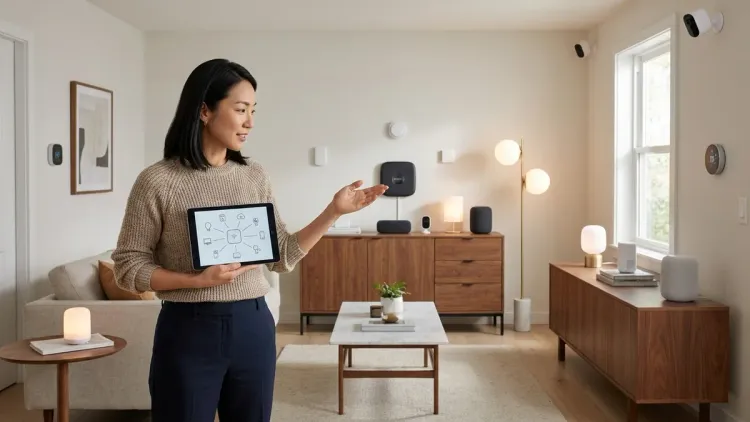
Not all protocol implementations are equal—hub-dependent, hub-optional, and hub-free architectures each carry distinct compatibility requirements.
Hub-Dependent Systems (Zigbee, Z-Wave)
Devices cannot communicate without a central controller. The hub stores automation rules, manages mesh routing, and translates protocol commands into app-readable data:
IF [Zigbee contact sensor on front door = open]
AND [time > 10:00 PM]
THEN [hub sends command to Zigbee siren]
AND [hub sends notification to phone via internet]
Compatibility requirement: every device must be compatible with your specific hub's firmware. A Zigbee 3.0 device should pair with any Zigbee 3.0 hub, but proprietary implementations (Philips Hue's Zigbee variant, IKEA's firmware quirks) sometimes create pairing failures. Fallback behavior: if the hub fails, the mesh collapses—devices may retain last-set states (a bulb stays on), but no new automations execute. For hub-specific comparisons, see Understanding Smart Home Hubs: What They Do and Why You Need One.
Hub-Optional Systems (Thread + Matter, Wi-Fi with Local APIs)
Thread and Matter devices operate locally via border routers, which can be standalone hubs or dual-role devices like Apple HomePods or Google Nest Hubs. Wi-Fi devices with local API support (like certain Shelly or Tasmota-flashed devices) can execute automations without cloud dependency:
IF [Thread motion sensor detects movement]
THEN [border router sends command to Thread bulb directly over mesh]
  → No cloud involved unless user requests remote access
Compatibility requirement: you need at least one border router compatible with the protocol. A Matter-certified Thread lock requires a Thread border router (HomePod Mini, Google Nest Hub 2nd Gen, or dedicated Thread border radio). Fallback behavior: losing the primary border router triggers automatic failover to another if present (10–30 seconds of downtime); losing all border routers isolates the Thread mesh from external control, though mesh-local automations persist.
Hub-Free Systems (Direct Wi-Fi, Bluetooth)
Devices connect directly to your phone or router. Automations run in the manufacturer's cloud or on-device:
IF [Wi-Fi smart plug detects power spike]
THEN [cloud server sends alert to phone app]
Compatibility requirement: devices must share a cloud ecosystem (e.g., all Govee Wi-Fi lights work within the [Govee Home app], but cannot natively trigger non-Govee devices). Fallback behavior: losing internet typically breaks all automations except those explicitly coded for local-only operation. For energy-focused applications, see Smart Home Power Monitoring: Real-Time Energy Tracking with Matter & Zigbee Sensors.
Frequently Asked Questions
Can Zigbee devices talk directly to Z-Wave devices?
No. Zigbee (2.4 GHz) and Z-Wave (sub-1 GHz) operate on different frequencies with incompatible radio modulation and network protocols. To integrate both in a single automation, you need a dual-protocol hub like the [Samsung SmartThings Hub] or a software controller like Home Assistant running on a Raspberry Pi with separate Zigbee and Z-Wave USB dongles. The hub receives a command from the Zigbee sensor, processes the automation rule internally, then sends a translated command to the Z-Wave device. Latency increases by 50–200 milliseconds due to this translation step.
Does Matter replace Zigbee, Z-Wave, and Thread?

No—Matter is an application layer that runs on top of existing protocols, primarily Thread, Wi-Fi, and Ethernet. Zigbee support exists via Matter bridges (a Zigbee hub can expose Zigbee devices to Matter controllers), but native Zigbee devices do not automatically become Matter-compatible. Z-Wave has no official Matter integration path; Z-Wave devices require bridging through a third-party controller. Matter unifies how you control devices across ecosystems, but the underlying mesh and power characteristics of Zigbee, Z-Wave, and Thread remain unchanged. For specifics, see Matter 1.4 vs Thread: Which Smart Home Protocol Is Better?.
What happens to automations during a power outage?
Hub-dependent systems (Zigbee, Z-Wave) lose automation capability if the hub and router both lose power. Battery-backed devices (sensors, locks) retain settings but cannot execute automations without the hub. Wi-Fi devices fail entirely unless you have UPS backup for your router and modem. Thread/Matter networks continue local automations if the border router has battery backup, but cloud-dependent triggers (geofencing, weather-based rules) fail. To maintain automations during outages, place hubs, routers, and border routers on a UPS—see Best UPS Systems for Smart Home Hubs for sizing guidance. For comprehensive outage planning, review How to Configure Smart Home Fallback Automations During Power Outages.
Can I mix Wi-Fi and Zigbee devices in the same room?
Yes, but they cannot directly trigger each other unless unified through a hub or cloud service. A Zigbee motion sensor detecting movement cannot natively turn on a Wi-Fi bulb—you need a hub that speaks both protocols (like Hubitat Elevation) or a cloud platform (Alexa, Google Home) that integrates both ecosystems. Latency for cross-protocol automations adds 100–500 milliseconds because the command routes through the hub's logic engine or cloud. Interference warning: both Zigbee and Wi-Fi operate on 2.4 GHz; set your router to channels 1 or 11 and configure Zigbee to use channel 25 to minimize overlap. For practical guidance, see Smart Home Ecosystem Compatibility Checklist: Avoiding Device Conflicts.
How do I know if my voice assistant supports a specific protocol?
Check the assistant's hardware specifications and official protocol documentation. Amazon Echo Studio and Echo Plus (4th Gen) include built-in Zigbee radios, so Zigbee devices pair directly without a separate hub. Google Nest Hub (2nd Gen) and Nest Hub Max function as Thread border routers, enabling Thread device control. Apple HomePod Mini also acts as a Thread border router for HomeKit. None of these assistants natively support Z-Wave—you'll need a third-party hub (SmartThings, Hubitat) to bridge Z-Wave devices into your voice ecosystem. For detailed comparisons, see Best Voice Assistant for Smart Home Automation and Voice Assistant Smart Home Protocol Compatibility Explained.
Summary
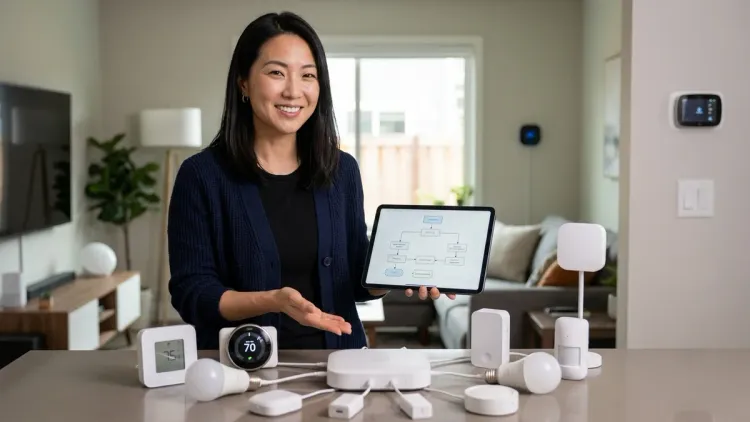
Understanding smart home protocols compatibility transforms raw technology into invisible infrastructure that serves your daily rhythms without demanding attention. Zigbee and Z-Wave deliver robust mesh networks ideal for battery-efficient sensors and broad device ecosystems; Thread offers scalable IPv6 mesh with Matter unification; Wi-Fi provides simplicity at the cost of reliability and power consumption. The protocol you choose—and how carefully you ensure devices speak a common language—determines whether your home anticipates your arrival with warm light and adjusted climate, or whether you're left toggling three separate apps while standing in the dark. Before mounting a single sensor or concealing a switch, map your ecosystem: confirm hub compatibility, verify protocol support, and design automations with fallback behaviors in mind. The most elegant smart home is the one you never see, and that invisibility begins with compatibility chosen deliberately, not discovered in frustration after installation.