
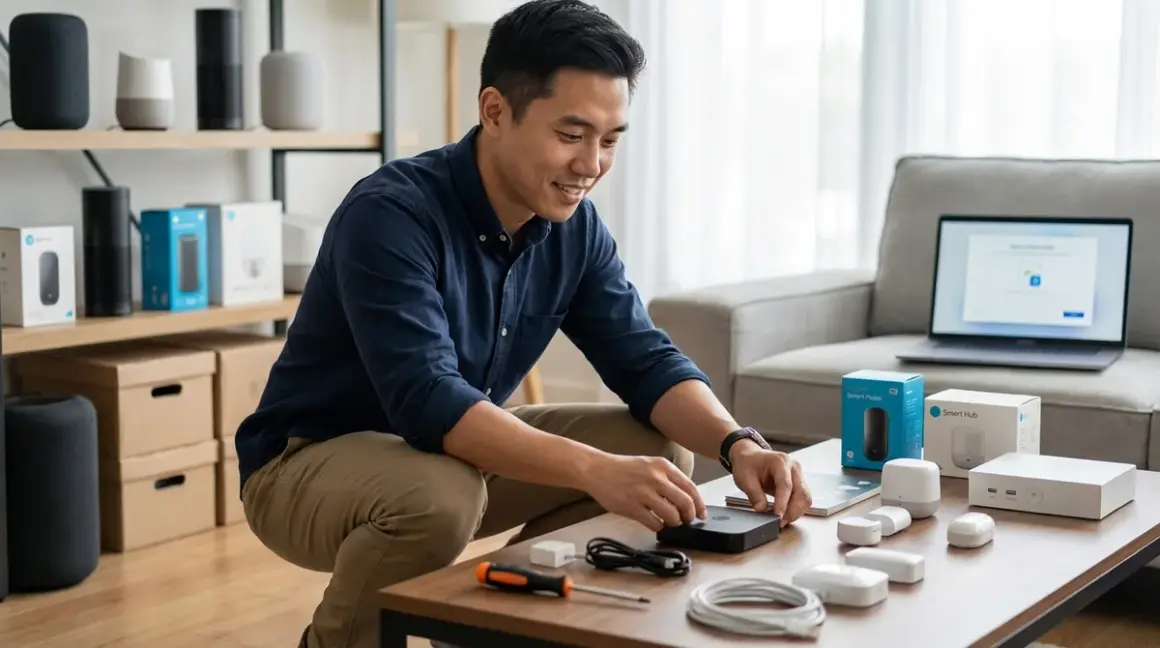

Setting up Matter 1.4 devices should be straightforward, but only if you've prepared your network and ecosystem correctly beforehand. This checklist covers all the Matter 1.4 setup requirements you'll need to verify before you start pairing devices—from network infrastructure to controller compatibility to backup plans when things don't work as expected.
I've walked dozens of homeowners through their first Matter installations, and the pattern is clear: the people who succeed spend 90% of their time preparing and 10% actually installing. The ones who struggle do it backwards. This guide ensures you're in the first group.

What Network Infrastructure Do You Need?
Your network is the foundation of every Matter 1.4 setup. Get this wrong, and you'll chase phantom connectivity issues for weeks.
IPv6-enabled router with firmware from 2024 or later: Matter 1.4 requires IPv6 for device-to-device communication within your home network. Most routers from 2022 or earlier don't handle this correctly, even if IPv6 is technically "supported." Check your router manufacturer's site for firmware updates—if your model hasn't received one since late 2023, you're likely looking at a router replacement. In my experience, trying to run Matter on outdated router firmware causes intermittent device drops that appear totally random.
Wi-Fi 6 (802.11ax) coverage with 2.4GHz and 5GHz bands: Matter devices use Wi-Fi for direct communication, but most sensors and battery-powered devices require 2.4GHz for range. Your router needs both bands active simultaneously—no band steering that forces devices to 5GHz only. I've seen homeowners disable 2.4GHz thinking it's "old technology," then wonder why their Matter door sensors won't pair.
Static IP reservation for your primary Matter controller: Whether you're using an Apple HomePod, Google Nest Hub Max, or Amazon Echo (4th Gen), assign it a static IP in your router settings. This prevents the controller from changing addresses after a router reboot, which can break automations that rely on local network communication. Symptoms: automations that work perfectly for two weeks, then suddenly stop.
Multicast DNS (mDNS) enabled on your network: Matter uses mDNS for device discovery. Some routers disable this by default, especially on guest networks or networks with "client isolation" features. You'll find this setting under advanced wireless settings—look for "Enable mDNS" or "Allow multicast traffic." Without it, your controller can't even see Matter devices during setup.
Mesh network with wired backhaul or dedicated wireless backhaul: If you're using a mesh Wi-Fi system (which I recommend for homes over 1,800 square feet), wired backhaul between nodes dramatically improves Matter reliability. Wireless backhaul works, but only if your mesh system uses a dedicated band for node-to-node communication. Generic dual-band mesh systems that share backhaul and client traffic introduce latency that causes Matter commands to time out—typically 2-4 seconds instead of the expected 300-800ms response time.
Network segmentation that allows controller-to-device communication: If you've set up VLANs or IoT-specific networks (smart move for security), verify that your Matter controller can reach devices on the IoT network. Matter requires bidirectional communication between controllers and devices. I've debugged setups where the firewall allowed outbound traffic from the controller but blocked inbound responses from devices—everything appeared to connect, but no commands actually worked.
Port forwarding disabled for Matter-specific ports: Unlike older protocols, Matter doesn't require port forwarding for remote access—that's handled by your ecosystem's cloud service. If you've manually forwarded ports 5540 or 5541 (Matter's default ports), disable those rules. They can create routing conflicts that prevent local communication.
Quality of Service (QoS) rules that prioritize smart home traffic: Optional but valuable if you have heavy network usage (streaming, gaming, video calls). Set QoS to prioritize traffic from your Matter controller's IP address. This prevents lag when you trigger automations while someone's streaming 4K video. Without QoS, I've seen Matter commands take 3-5 seconds to execute during peak network usage—unacceptable for lighting or security devices.
Which Controllers and Hubs Are Compatible?
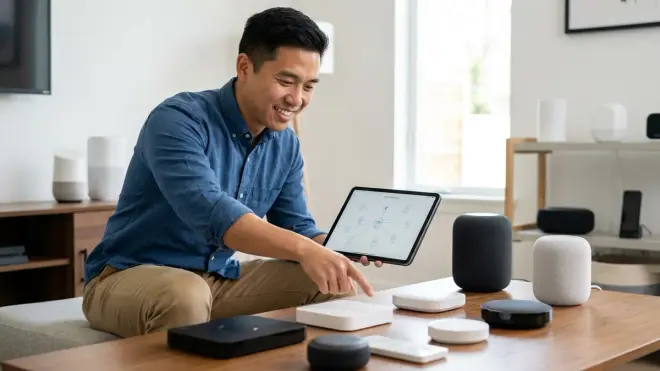
Matter 1.4 setup requirements include at least one certified controller. Not all devices marketed as "Matter-compatible" can actually control a Matter network—some are only controllable endpoints.
Apple HomePod (2nd Gen), HomePod mini, or Apple TV 4K (2022 or later) running tvOS 17.4+: These act as Matter controllers and Thread border routers simultaneously, which is ideal if you're mixing Matter-over-Wi-Fi devices with Matter-over-Thread devices. The Apple ecosystem limitation: you can only create automations using Apple's Home app, which lacks advanced conditional logic (no "if motion detected AND door unlocked THEN..."). For complex automations, you'll need to add Home Assistant as a secondary controller.
Google Nest Hub (2nd Gen) or Nest Hub Max with firmware 1.56.324896 or later: Google controllers support Matter 1.4 but do not include Thread border router functionality. If you're planning to use Thread devices (which offer better battery life and mesh reliability), you'll need a separate border router. I've seen this catch people off-guard—they buy a Nest Hub and Thread sensors, then discover they need an additional $30-50 Thread border router like the Eve Thread Border Router to make everything work. For a deeper dive into how Matter and Thread interact, see our guide on Matter 1.4 vs Thread.
Amazon Echo (4th Gen), Echo Show 10, or Echo Studio with firmware 9918627716 or later: Amazon controllers support Matter 1.4 and include Thread border router functionality. The ecosystem limitation here is automation complexity—Alexa Routines can only evaluate one condition per trigger. If you need "if X AND Y THEN Z" logic, you'll export the Matter device to Home Assistant or another platform that supports complex conditionals.
SmartThings Hub v3 or SmartThings Station running firmware 0.51.7 or later: Samsung's controllers support Matter 1.4, Thread border routing, and Zigbee/Z-Wave devices simultaneously—the most versatile option for multi-protocol homes. The trade-off: SmartThings' cloud dependency means local-only operation isn't possible. If your internet goes down, Matter devices will still respond to direct controller commands, but automations that involve SmartThings-managed Zigbee or Z-Wave devices will fail.
Home Assistant with Matter integration enabled (Core 2024.2.0 or later): This is the power-user option. Home Assistant can act as a Matter controller and integrates with virtually every other protocol and ecosystem. Your automation logic can be as complex as you want—"if motion detected in hallway AND front door unlocked AND time is between 10pm-6am AND no one home according to phone presence THEN turn on all lights and send notification." Latency is typically 200-400ms for locally executed automations. The downside: initial setup requires more technical knowledge than plug-and-play controllers. If you're interested in migrating existing devices to Matter without disrupting your current automations, check out how to migrate your smart home to Matter 1.4.
Multiple controllers in one home (multi-admin setup): Matter 1.4 supports this, and it's a genuine advantage—you can pair a device to both Apple Home and Google Home simultaneously, so household members can use whichever ecosystem they prefer. Critical limitation: only one controller can create or modify automations for a given device. If you create an Apple Home automation that controls a light, then try to create a Google Home automation for the same light, the second automation may override the first. I've seen families argue over who "broke" the automations when this happens. Plan which ecosystem handles which automations before you start.
Legacy hub compatibility: If you have existing Zigbee or Z-Wave devices, verify your Matter controller can act as a bridge. SmartThings handles this natively. Apple, Google, and Amazon controllers cannot directly control Zigbee or Z-Wave—you'll need to keep those devices on their original hubs and link those hubs to your Matter controller via cloud integrations. This introduces cloud dependency and latency (typically 1-3 seconds for automations that cross protocols).
For detailed specifications on what each controller requires, our Matter 1.4 hub requirements guide breaks down border routers, bridges, and controllers.
What Device-Specific Prerequisites Should You Verify?
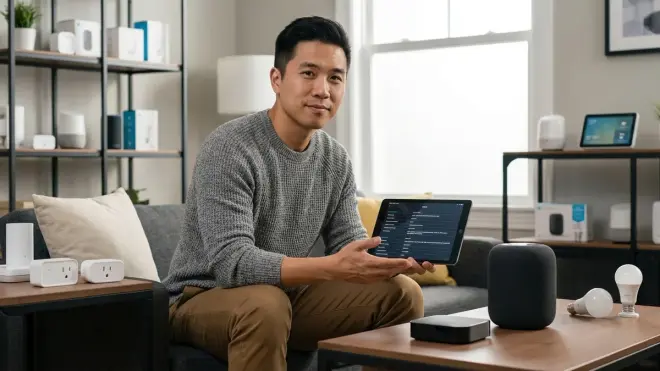
Not all Matter 1.4 devices are created equal. Before you buy, confirm these device-specific Matter 1.4 setup requirements.
Certified Matter 1.4 support, not "Matter-ready" or "Matter-compatible": Look for devices that explicitly state "Matter 1.4 certified" with a certification number from the Connectivity Standards Alliance. "Matter-ready" usually means the manufacturer plans to add support via firmware update (which may never arrive). "Matter-compatible" is marketing nonsense—it typically means the device works with one specific Matter controller but not others. I've debugged too many setups where a "Matter-compatible" bulb only worked with Google Home, not Apple or SmartThings.
Power requirements and backup behavior: Battery-powered Matter devices (sensors, locks, remotes) should specify expected battery life under normal use. Quality devices will include fallback behavior—what happens when the battery dies? Do they default to unlocked (security risk) or locked (convenience risk)? Hardwired devices should clarify whether they require neutral wires for installation. I've seen homeowners buy smart switches only to discover their 1970s wiring doesn't include neutrals, requiring expensive rewiring or device returns.
Update mechanism and manufacturer commitment: Matter devices receive firmware updates to fix bugs and add features. Verify the manufacturer has released at least one firmware update for their Matter devices in the past six months—this indicates ongoing support. Devices that never receive updates will become security liabilities. Check how updates are delivered: over-the-air via your Matter controller is ideal. Updates that require plugging the device into a computer via USB are a hassle you'll eventually skip.
Local processing vs cloud dependency: True Matter devices should work entirely locally—commands from controller to device shouldn't require internet access. However, some manufacturers add "features" that require cloud connectivity (voice assistants, remote access, usage analytics). Read the setup instructions or manufacturer documentation to identify what works offline and what doesn't. In my experience, devices that fail when internet drops are usually using Matter as a thin wrapper around a proprietary cloud service.
Maximum devices per controller: Most controllers support 100-150 Matter devices before performance degrades. If you're planning a whole-home installation with 80+ devices, verify your controller's documented limit. Symptoms of exceeding capacity: devices randomly showing as "not responding," automations that execute inconsistently, and pairing failures when adding new devices even though you're well within the theoretical limit.
Protocol used for communication: Matter is a compatibility layer, not a communication protocol. Devices communicate via Wi-Fi, Thread, or Ethernet, then use Matter for standardized control. Verify which underlying protocol your device uses. Matter-over-Wi-Fi devices require continuous Wi-Fi coverage and consume more power (problematic for battery devices). Matter-over-Thread devices require a Thread border router but form self-healing mesh networks and use minimal power. If you're mixing protocols, read our Matter 1.4 compatibility checklist to understand how different protocols interact.
Interoperability limitations with specific ecosystems: Not every Matter 1.4 device exposes all features to all controllers. For example, a Matter smart lock might support keypad codes in Apple Home but not in Google Home due to how Google implements the Matter lock specification. Check manufacturer documentation for ecosystem-specific limitations. This is especially common with security devices (cameras, locks, sensors) where manufacturers interpret Matter specifications differently.
How Should You Prepare Your Physical Space?
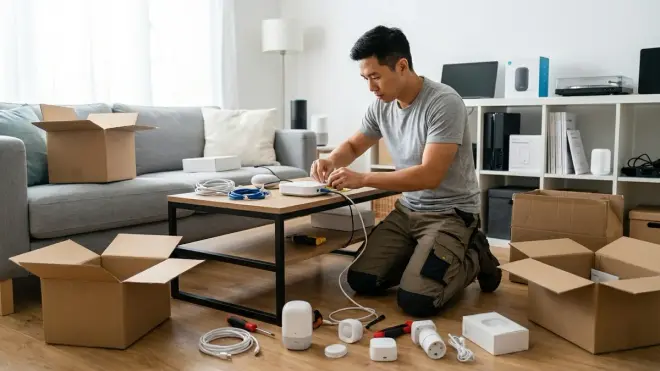
Network and device compatibility are only part of Matter 1.4 setup requirements. Physical installation environment matters more than people realize.
Signal strength testing at each device location: Before you mount devices permanently, test Wi-Fi signal strength at the intended location using your phone. Matter-over-Wi-Fi devices need -70 dBm or better for reliable operation. You can check signal strength on iOS by going to Settings > Wi-Fi and tapping the info icon, or on Android using a free app like WiFi Analyzer. If signal is below -70 dBm, add a mesh node or relocate the device. I've seen too many installations where someone mounts a motion sensor in the perfect spot aesthetically, only to discover it's in a Wi-Fi dead zone that causes 30% of triggers to fail.
Electrical box compatibility for smart switches: If you're installing Matter smart switches or dimmers, verify your electrical boxes are deep enough (minimum 2.5 inches) and that you have neutral wires. Smart switches are bulkier than traditional switches due to built-in radios and processors. Cramming them into shallow boxes causes overheating and poor Wi-Fi reception. For homes without neutral wires, look for switches that explicitly state "no neutral required"—these use a capacitor divider to power themselves but have limitations on minimum load (usually 25W minimum).
Thread border router placement for mesh coverage: If you're using Matter-over-Thread devices, your Thread border router should be centrally located, not tucked in a closet or entertainment center. Thread devices form a mesh network by relaying messages through each other, but the border router is the gateway to your IP network. Poor border router placement creates a mesh topology where devices are far from the router, increasing latency and reducing reliability. Expect 100-200ms latency with good placement, 500-1000ms with poor placement.
Interference sources near device locations: Matter-over-Wi-Fi devices operate on 2.4GHz, which shares spectrum with microwaves, baby monitors, cordless phones, and Bluetooth. If you're placing a device within 10 feet of a microwave, expect intermittent connectivity issues when the microwave runs. Same for placing devices near aquariums with Wi-Fi-connected equipment (pumps, heaters). The interference isn't constant, which makes debugging frustrating—devices work fine 90% of the time, fail randomly, and you can't figure out why.
Power outlet access for hardwired devices: Smart plugs, hardwired sensors, and controllers need accessible power outlets. Sounds obvious, but I've seen people place a Matter controller on a bookshelf with a power strip hidden behind the shelf, then struggle to restart it when needed. Devices that require occasional reboots should have easily accessible power. If you're using smart plugs to automate lamps, verify the lamp's switch is in the "always on" position—cutting power at the lamp switch defeats the smart plug.
Environmental factors for outdoor devices: Matter devices rated for outdoor use typically specify IP65 or IP66 weatherproofing. Verify the rating covers your specific climate—IP ratings don't account for extreme cold (below -20°C/-4°F) or extreme heat (above 50°C/122°F). I've debugged outdoor smart plugs that failed after six months in Phoenix heat because the manufacturer's "outdoor rated" claim assumed moderate climates. Also verify outdoor devices can connect to your Wi-Fi—exterior walls and stucco significantly reduce signal strength.
Mounting hardware and surface compatibility: Matter sensors (motion, contact, leak) come with adhesive backing or screws. Adhesive works on smooth surfaces (painted drywall, glass, smooth wood) but fails on textured walls, brick, or stone. If you're mounting on textured surfaces, you'll need screws. Some sensors include both options; others don't. Check before you start installation. I've watched someone open six contact sensors and discover none included screws, forcing a trip to the hardware store.
Final Check Before You Go
Use this summary checklist to verify you've covered all Matter 1.4 setup requirements before you start installing devices:
- Router firmware updated to 2024 or later with IPv6 enabled
- Wi-Fi 6 active on both 2.4GHz and 5GHz bands
- mDNS enabled on your network
- Matter controller assigned static IP address
- Controller firmware verified at required version or later
- Multiple controllers configured for multi-admin if needed
- Thread border router in place if using Thread devices
- Devices verified as Matter 1.4 certified, not "ready" or "compatible"
- Signal strength tested at each device location (-70 dBm or better)
- Electrical boxes checked for depth and neutral wires (switches only)
- Manufacturer's setup app downloaded and account created
- Backup plan identified: what works if internet drops?
This checklist is the difference between a two-hour smooth installation and a two-week troubleshooting nightmare. If you're planning a more comprehensive setup including security devices, our guide to subscription-free security systems covers how to integrate Matter-compatible cameras and sensors without monthly fees.
Frequently Asked Questions
Can I use Matter 1.4 devices without a smart home hub?
Yes, if your Matter devices communicate via Wi-Fi and you use your phone as the controller. However, this eliminates automations—you'll only be able to control devices manually. For automations ("if motion detected THEN turn on lights"), you need a persistent controller like an Apple HomePod, Google Nest Hub, Amazon Echo, or dedicated hub like SmartThings or Home Assistant running 24/7.
Do all my devices need to support Matter 1.4 specifically, or will older Matter versions work?
Devices certified for Matter 1.0, 1.1, 1.2, or 1.3 will work with Matter 1.4 controllers, but you'll lose access to newer device types and features introduced in 1.4. For example, Matter 1.4 added support for heat pumps, electric vehicle chargers, and enhanced energy reporting—devices certified before 1.4 won't support these features even on a 1.4 controller. Existing devices like lights, switches, and sensors that were certified under earlier Matter versions will continue working normally with backward compatibility.
What happens to my Matter devices if my internet connection goes down?
Local control and automations will continue working if your controller supports local processing. Apple Home, SmartThings, and Home Assistant execute automations locally after initial device pairing. Google Home and Amazon Alexa execute some automations locally but require internet for others, depending on automation complexity. Commands from a controller to a device on the same local network don't require internet. However, remote access (controlling devices when you're away from home) and voice assistant commands will stop working until internet is restored.
Can I use Matter 1.4 devices without a smart home hub?
Yes, if your Matter devices communicate via Wi-Fi and you use your phone as the controller. However, this eliminates automations—you'll only be able to control devices manually. For automations ("if motion detected THEN turn on lights"), you need a persistent controller like an Apple HomePod, Google Nest Hub, Amazon Echo, or dedicated hub like SmartThings or Home Assistant running 24/7.
Do all my devices need to support Matter 1.4 specifically, or will older Matter versions work?
Devices certified for Matter 1.0, 1.1, 1.2, or 1.3 will work with Matter 1.4 controllers, but you'll lose access to newer device types and features introduced in 1.4. For example, Matter 1.4 added support for heat pumps, electric vehicle chargers, and enhanced energy reporting—devices certified before 1.4 won't support these features even on a 1.4 controller. Existing devices like lights, switches, and sensors that were certified under earlier Matter versions will continue working normally with backward compatibility.
What happens to my Matter devices if my internet connection goes down?
Local control and automations will continue working if your controller supports local processing. Apple Home, SmartThings, and Home Assistant execute automations locally after initial device pairing. Google Home and Amazon Alexa execute some automations locally but require internet for others, depending on automation complexity. Commands from a controller to a device on the same local network don't require internet. However, remote access (controlling devices when you're away from home) and voice assistant commands will stop working until internet is restored.
Final Thoughts
The difference between a Matter installation that "just works" and one that causes constant frustration comes down to preparation. You've now verified network infrastructure, confirmed controller compatibility, checked device-specific requirements, and prepared your physical space.
When you start pairing devices, they should connect quickly—typically 30-90 seconds per device with proper preparation. If a device takes longer or fails repeatedly, stop and revisit this checklist rather than forcing it through. In my experience, persistent pairing failures always trace back to one of these prerequisites being incomplete.
Your Matter 1.4 setup should give you reliable 300-800ms response times for local commands, stable connections that don't require weekly device restarts, and automations that execute consistently. If you're experiencing anything less, the problem is almost never the Matter protocol itself—it's usually infrastructure or configuration. For more guidance on building a reliable Matter ecosystem, explore our complete guide to Matter 1.4 smart home protocol and best Matter 1.4 compatible devices available in 2026.
