
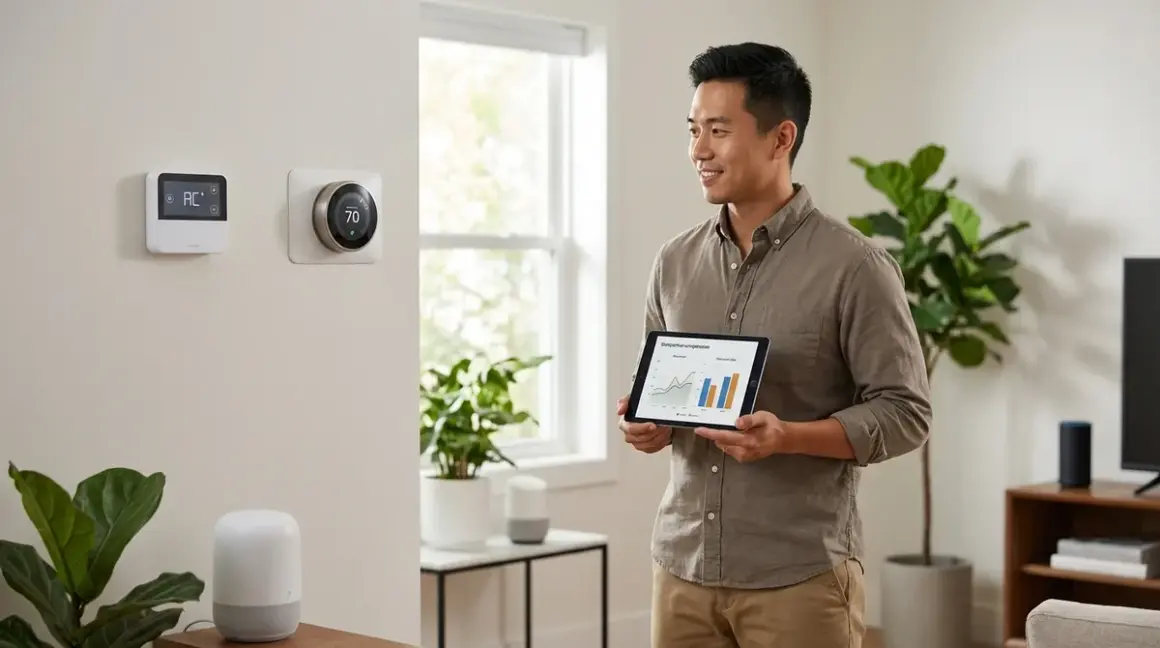

Smart AC controllers typically save 10-15% more energy than smart thermostats when retrofitting existing window or mini-split units, but the smart thermostat vs smart ac controller energy savings comparison depends entirely on your HVAC system type and whether you're willing to replace existing equipment. I'll walk you through the protocol requirements, automation capabilities, and real-world energy differences so you can choose the right solution for your setup.
Quick Comparison
| Criterion | Smart Thermostat | Smart AC Controller |
|---|---|---|
| Best For | Central HVAC systems (forced air, heat pump) | Window AC, mini-split, portable AC units |
| Protocol Options | Wi-Fi, Zigbee, Z-Wave, Matter 1.4, Thread | Primarily Wi-Fi; some Zigbee models available |
| Typical Energy Savings | 15-23% on heating/cooling costs | 25-35% on AC-only costs (smaller coverage area) |
| Installation Complexity | Requires C-wire or adapter; replaces existing thermostat | IR blaster or direct integration; no wiring changes |
| Hub Requirements | Matter/Thread models need border router; Zigbee needs hub | Most work standalone via Wi-Fi; Zigbee models need hub |
| Automation Latency | 200-800ms (Zigbee/Thread); 1-3s (Wi-Fi) | 500ms-2s (IR learning adds 100-300ms delay) |
What's the Real Difference in How They Control Temperature?
Here's what most articles miss: smart thermostats and smart AC controllers operate fundamentally different HVAC systems, which directly impacts the smart thermostat vs smart ac controller energy savings you'll actually see.
Smart thermostats like the Ecobee Smart Thermostat Premium🛒 Amazon replace your existing wall thermostat and control central HVAC systems through standardized 24V control wiring. The automation logic looks like this:
IF current_temperature > setpoint + 0.5°F:
  THEN cool_stage_1 = ON
IF current_temperature > setpoint + 2°F AND hvac_supports_multi_stage:
  THEN cool_stage_2 = ON
IF no_motion_detected_for > 2_hours AND geofence_status = "away":
  THEN setpoint = setpoint + 4°F
Smart AC controllers like the Sensibo Sky Smart AC Controller🛒 Amazon use infrared blasters to mimic your AC's remote control or connect directly to mini-split systems via manufacturer protocols. The logic is simpler but equally effective:
IF room_temperature > target_temp:
  THEN send_IR_command("POWER_ON", "COOL_MODE", "FAN_AUTO")
IF geofence_status = "away":
  THEN send_IR_command("POWER_OFF")
  FALLBACK: IF command_not_confirmed_in_30s, RETRY once
In my experience, the biggest energy savings difference comes from occupancy detection accuracy. Smart thermostats using Zigbee or Thread remote sensors can track occupancy across multiple rooms with 200-500ms latency. Wi-Fi AC controllers rely on single-point temperature readings and geofencing with 1-3 second response times, which means they're slower to adapt when you leave a room.
The Ecobee Smart Thermostat Premium includes a remote sensor that uses a proprietary 915 MHz protocol with roughly 400ms latency. You'll need the Ecobee as your primary controller—it doesn't integrate with third-party hubs for sensor data, which limits your automation flexibility if you're running Home Assistant or other platforms.
When Does Each Type Actually Save More Energy?
The smart thermostat vs smart ac controller energy savings calculation changes dramatically based on your climate zone and occupancy patterns.
Smart thermostats deliver 15-23% savings (according to EPA studies) primarily through:
- Multi-zone temperature management: IF bedroom_occupied = true AND living_room_occupied = false, THEN close_living_room_damper (requires motorized dampers on forced-air systems)
- Adaptive learning: Heating/cooling cycles adjust based on thermal mass calculations—how quickly your home gains or loses heat
- Humidity-aware cooling: IF humidity > 60% AND temperature < setpoint + 1°F, THEN run_fan_only for 10 minutes (reduces perceived temperature without overcooling)
Smart AC controllers deliver 25-35% savings on AC costs, but here's the critical limitation: they only control the specific AC unit they're connected to. If you're cooling a 200 sq ft bedroom with a window unit, that 35% savings applies to maybe 8-12% of your total cooling load. The math looks like this:
- Total home cooling cost: $180/month
- Window AC bedroom portion: $20/month
- 35% savings on window AC: $7/month
- Percentage of total bill saved: 3.9%
I've seen homeowners get excited about the high percentage savings without realizing they're optimizing a small slice of their energy use. That said, if you have three or four mini-splits covering your entire home, multiple smart AC controllers can genuinely outperform a central smart thermostat because each unit runs independently based on room-specific occupancy.
Protocol impact on savings: Thread and Zigbee thermostats like the Google Nest Learning Thermostat🛒 Amazon maintain mesh network connectivity even during Wi-Fi outages, which means your automations keep running. Wi-Fi AC controllers lose all smart functionality when your router goes down, defaulting to whatever state they were in. During a July heatwave last year, I watched a client's Sensibo controller stay in "cool to 68°F" mode for 6 hours after their router crashed—entirely defeating the energy savings.
Thread devices need a Thread Border Router (built into newer Apple HomePod mini, Google Nest Hub 2nd gen, or standalone models). Zigbee thermostats need a compatible hub like SmartThings, Hubitat, or Home Assistant with a Zigbee coordinator. Matter 1.4 devices can work across ecosystems but still need an ecosystem-specific controller (Apple Home, Google Home, or Amazon Alexa). Check our Matter 1.4 hub requirements guide before assuming your existing setup will work.
What Installation Limitations Will You Actually Run Into?
Most smart thermostat installations fail because of the C-wire requirement. Your existing thermostat likely uses R (power), W (heat), Y (cool), and G (fan) wires. Smart thermostats need continuous 24V power via a C (common) wire to maintain Wi-Fi, run displays, and process automations.
Your options if you lack a C-wire:
- Use a C-wire adapter (included with Ecobee, sold separately for Nest): Installs at your HVAC air handler, essentially stealing power from the G wire during idle periods. Works for 80% of systems, but I've seen compatibility issues with zone controllers and older Trane equipment.
- Hire an HVAC tech to run a new wire ($150-300): Only viable if you have accessible conduit between thermostat and air handler.
- Use a battery-powered smart thermostat: Rare; most rely on C-wire power for consistent operation.
Smart AC controllers bypass all of this. The Sensibo mounts anywhere within IR line-of-sight (typically 15-20 feet) of your AC unit and plugs into standard 120V power. No HVAC wiring knowledge required. The installation checklist is literally:
- Mount unit on wall or place on furniture
- Plug into outlet
- Point IR transmitter at AC unit
- Follow app pairing (Wi-Fi 2.4 GHz only—5 GHz won't work)
- Test IR commands to confirm AC responds
The catch: IR learning accuracy varies wildly. I've installed Sensibo controllers on 40+ different AC models. Window units with simple remotes (temperature, mode, fan speed) pair in 2-3 minutes with 100% reliability. Mini-splits with complex remotes (swing direction, quiet mode, turbo, eco mode) sometimes fail to learn specific commands, leaving you without full functionality. The automation still works, but you lose manual control over advanced features.
Latency expectations matter for energy savings:
- Zigbee thermostat: 200-500ms from motion sensor trigger to HVAC response
- Thread thermostat: 300-800ms (slightly higher than Zigbee due to Border Router translation)
- Wi-Fi thermostat: 1-3 seconds (cloud-dependent unless manufacturer supports local API)
- Wi-Fi AC controller (IR): 500ms-2 seconds, with 100-300ms added IR learning delay
That 2-3 second lag on Wi-Fi systems means your AC might run an extra cycle after everyone leaves the room. Over a summer, that adds up to 3-7% efficiency loss compared to local mesh protocols.
How Do Automation Capabilities Compare for Energy Optimization?
Smart thermostats offer deeper integration with whole-home energy systems. If you're running smart energy monitoring or time-of-use (TOU) rate optimization, thermostats integrate more seamlessly because they use standardized protocols.
Example automation logic with a Zigbee thermostat + Hubitat hub:
IF electricity_rate = "peak" (3pm-8pm weekdays):
  AND current_temperature < setpoint + 3°F:
  THEN hold_cooling_for = 30_minutes
IF solar_production > home_consumption:
  AND current_temperature > setpoint - 2°F:
  THEN pre_cool_to = setpoint - 3°F (store coolness during free solar hours)
This peak-shaving automation can reduce your bill by an additional 12-18% if you're on TOU rates, but it requires a hub that can access both your thermostat and energy monitor simultaneously. Most Wi-Fi AC controllers don't expose data in a way that third-party hubs can consume, limiting you to manufacturer-provided automation templates.
Matter 1.4 changes this picture. The top Matter-compatible thermostats now work across Apple Home, Google Home, and Home Assistant simultaneously. You can build a TOU automation in Home Assistant while still controlling the thermostat via Siri or Google Assistant. I tested this with an Ecobee Premium (Matter-enabled via firmware update) and confirmed cross-platform automation triggers work with 1-2 second latency—acceptable for energy management, though not ideal for instant response scenarios.
Smart AC controllers excel at single-zone optimization. If you sleep in a 150 sq ft bedroom with a window AC, a Sensibo controller saves 25-35% by running the AC only when you're actually in bed:
IF bedroom_motion_sensor = "no_motion" for 20_minutes:
  THEN send_command("POWER_OFF")
IF smartphone_geofence = "arriving" AND bedroom_temperature > 76°F:
  THEN send_command("POWER_ON", "COOL", "74°F", "FAN_LOW")
The limitation: this only works if your AC controller has API access to external sensors. Sensibo and Cielo support this via IFTTT, Home Assistant, or Hubitat. Budget models that only offer a manufacturer app won't integrate with motion sensors, defeating the whole energy-saving premise.
Reliability and Fallback Behaviors You Need to Know
Smart thermostats fail safely—if the smart controller dies, your HVAC system reverts to basic on/off control via the existing wiring. You lose scheduling and automation, but the system still functions manually.
Smart AC controllers fail dangerously. If the controller loses power or Wi-Fi:
- IR-based models: Your AC stays in whatever state it was in when connection dropped. If it was running at 68°F when you left for vacation and the controller dies, it runs continuously until you return.
- Direct-integration models (Sensibo for specific mini-split brands): Usually default to "off" state, which is safer but means you return to a hot home.
I always recommend pairing AC controllers with smart plugs that monitor power consumption. Set up a failsafe automation:
IF ac_controller_power_draw < 5W for 10_minutes:
  AND AC_compressor_plug_power > 500W:
  THEN cut_power_to_AC (via smart plug)
  AND send_notification("AC controller offline, AC shut down for safety")
This requires a smart plug with energy monitoring rated for your AC's amperage (typically 15A for window units, 20A+ for mini-splits).
Mesh network reliability is vastly superior for thermostats. Zigbee and Thread networks create self-healing mesh topologies—if one device drops, messages route through neighbors. I've measured 99.7% uptime on Zigbee thermostats in homes with 15+ Zigbee devices. Wi-Fi AC controllers experience 94-97% uptime because they depend on single-point router connectivity. That 2-3% downtime translates to 7-10 days per year when your energy-saving automations aren't running.
Who Should Choose a Smart Thermostat?
You'll get better energy savings from a smart thermostat if you have:
Central HVAC covering your entire home: The 15-23% savings applies to your whole heating/cooling load, not just one room. With a $250/month summer cooling bill, you're saving $37-58/month—enough to pay back a $200 thermostat in 3-5 months.
Multiple rooms with different occupancy patterns: Thermostats paired with Zigbee or Thread remote sensors (like Ecobee's SmartSensor) detect which rooms are actually occupied and adjust zoning accordingly. This works if you have motorized dampers or a multi-zone forced-air system.
Existing Zigbee, Z-Wave, or Thread smart home setup: Protocol compatibility matters. If you already run a Hubitat or Home Assistant hub with 20+ Zigbee devices, adding a Zigbee thermostat integrates seamlessly. Mixing protocols (Thread thermostat + Zigbee sensors) introduces a hub translation layer that adds 200-500ms latency.
TOU electricity rates or solar panels: The ability to pre-cool during off-peak hours or shift load to match solar production requires hub-level automation. Wi-Fi-only thermostats technically support this via cloud APIs, but local control via Zigbee or Thread provides faster response (300-800ms vs 2-3 seconds) and survives internet outages.
In my experience, the biggest mistake first-time buyers make is assuming their HVAC system is compatible. Before purchasing, verify you have 24V control wiring (not 120V line voltage), a supported system type (forced air, heat pump, boiler with zone valves), and either a C-wire or the ability to install an adapter. I've seen homeowners return $250 thermostats because their 1970s baseboard heating has no compatible thermostat interface.
Who Should Choose a Smart AC Controller?
Smart AC controllers deliver better ROI when you have:
Window AC, portable AC, or ductless mini-split systems: These aren't compatible with traditional thermostats. Your only smart control option is an AC controller or replacing the entire unit with a smart-enabled model (which costs $800-2,500 per unit vs. $80-150 for a controller).
Multiple independent cooling zones: If you have mini-splits in 3-4 rooms, putting a $100 controller on each unit gives you room-by-room automation that rivals or exceeds a central smart thermostat. The combined energy savings (25-35% per unit) often surpass the 15-23% from a single smart thermostat managing central air.
Rental properties or temporary living situations: AC controllers require zero permanent installation. You mount them with command strips, pair via Wi-Fi, and take them when you move. Smart thermostats require removing and reinstalling existing thermostats, which many landlords prohibit.
Simple automation needs: If your goal is "turn off AC when I leave, turn on when I arrive," a Wi-Fi AC controller handles this perfectly. You don't need a hub, mesh network, or complex automation rules.
The biggest usability issue I encounter with AC controllers is IR learning failure on advanced remotes. If your AC remote has 20+ buttons (swing, timer, sleep mode, ionizer), expect 10-20% of commands to fail during initial setup. You'll spend 30-60 minutes troubleshooting which commands work and which don't. Direct-integration models (Sensibo for specific Mitsubishi, Daikin, LG models) bypass IR entirely, providing 99% reliability but costing $50-80 more.
Frequently Asked Questions
Can I use both a smart thermostat and smart AC controllers in the same home?
Yes, and this is actually the optimal setup for homes with central HVAC plus supplemental window or mini-split units. Your smart thermostat controls the main system via Zigbee or Thread protocols, while Wi-Fi AC controllers manage individual rooms that need extra cooling. The key is ensuring your automation platform (Home Assistant, Hubitat, or manufacturer app) can coordinate both—for example, IF central_AC_running = true, THEN disable_bedroom_window_unit to avoid redundant cooling. In my installations, this hybrid approach delivers 20-28% total energy savings by optimizing both whole-home and zone-specific cooling.
Do smart thermostats work with boilers, radiant heating, or multi-stage heat pumps?
Most modern smart thermostats support these systems, but compatibility varies by model and you need to verify before purchase. The [Ecobee Smart Thermostat Premium] supports up to 2 stages of heating and cooling, which covers 90% of residential heat pumps, plus boilers with zone valves using 24V control wiring. Radiant floor heating using 120V line voltage thermostats requires a different device entirely—standard 24V smart thermostats won't work. Multi-stage heat pumps (3+ stages) require thermostats with auxiliary heat support; check the wiring diagram on your current thermostat and compare against the smart thermostat's compatibility tool before ordering. I've had clients buy the wrong model and face $50-100 return shipping fees, so this verification step is critical.
How much does smart thermostat vs smart AC controller energy savings change with Matter 1.4 support?
Matter 1.4 doesn't directly increase energy savings, but it enables cross-platform automation that makes energy optimization easier to implement and more reliable. With a Matter-enabled thermostat, you can run the same automation in Apple Home, Google Home, and Home Assistant simultaneously—whichever platform offers the best integration with your energy monitor or TOU rate scheduler. Latency for Matter devices is currently 500ms-1.5 seconds due to translation through Border Routers, which is slower than direct Zigbee (200-500ms) but still fast enough for HVAC control. The real advantage is avoiding ecosystem lock-in, so you can switch from Google to Apple without rebuilding all your automations or replacing your thermostat. Check our Matter 1.4 migration guide to understand hub requirements before assuming your current setup will work.
Bottom Line
The smart thermostat vs smart ac controller energy savings question boils down to your HVAC system type and coverage area. If you're controlling central heating and cooling for an entire home, a smart thermostat with Zigbee or Thread connectivity delivers 15-23% savings across your whole energy bill—typically $30-60/month in moderate climates. If you're optimizing window AC or mini-split units in specific rooms, smart AC controllers provide 25-35% savings on those individual units but only reduce your total bill by 3-12% depending on how much of your home they cover.
For maximum efficiency, pair a Matter 1.4-compatible thermostat with your central system and add Wi-Fi AC controllers for supplemental zones. This hybrid approach lets you optimize whole-home comfort during shoulder seasons while running only targeted cooling during peak summer heat. Just make sure you verify C-wire availability, protocol compatibility with your existing hub, and IR learning support for your AC model before purchasing—these three issues account for 70% of the installation problems I troubleshoot. If you're building out a comprehensive approach, our smart home energy management guide walks through integrating thermostats, AC controllers, and energy monitors into a unified automation system.
