
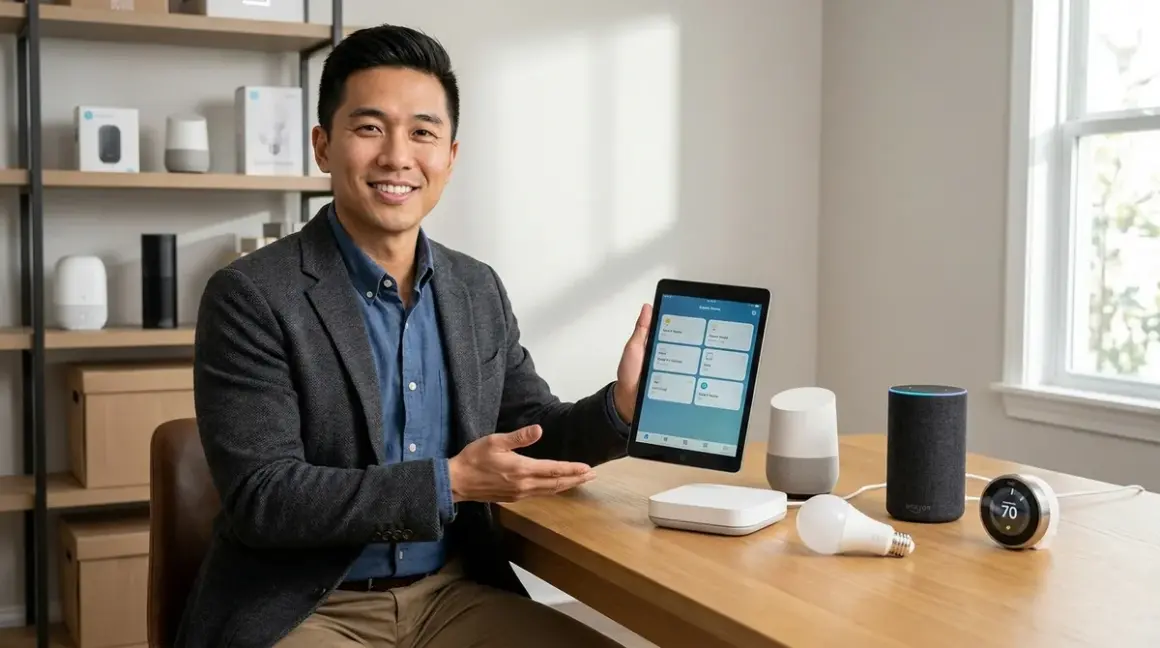

You've bought a few smart bulbs, maybe a video doorbell, and now you're staring at three different apps wondering why nothing talks to each other. I've seen this exact scenario play out hundreds of times. The best smart home hubs for beginners solve this fragmentation problem by acting as translators between devices, but only if you choose one that matches your technical comfort level and existing ecosystem. My quick verdict: if you want the simplest possible start, the Amazon Echo (4th Gen) offers voice control and basic Wi-Fi device coordination without requiring protocol knowledge, while the Aqara M3 Hub gives you access to Zigbee, Thread, and Matter devices if you're willing to spend 20 minutes on setup.
Let me walk you through what actually matters when you're choosing your first hub—not the marketing specs, but the real-world compatibility issues that determine whether your setup works smoothly or becomes a weekend troubleshooting project.

What to Look For in Smart Home Hubs for Beginners
Protocol Support: Which Standards Does It Speak?
The protocol determines which devices your hub can control. Think of it as language compatibility—a hub that only speaks Wi-Fi can't directly communicate with Zigbee sensors, no matter how many times you restart the app.
Here's what you need to know:
Wi-Fi hubs (Amazon Echo, Google Nest Hub) control Wi-Fi-based smart devices like Wyze cameras, TP-Link plugs, and most video doorbells. Latency typically runs 500ms-2 seconds for commands. They don't require additional radios, but Wi-Fi devices drain batteries fast, so you won't find many battery-powered motion sensors using this protocol.
Zigbee hubs (Amazon Echo Plus, Aqara Hub M3, SmartThings Hub) communicate with low-power mesh devices. Latency runs 100-300ms. Zigbee devices form a mesh network—each powered device extends range by relaying signals. In my experience, Zigbee networks reliably cover 2,000-2,500 square feet with 3-4 powered devices as mesh repeaters.
Z-Wave hubs (SmartThings Hub, Hubitat Elevation) use a different mesh protocol with similar latency but better wall penetration. Z-Wave operates on 908.42 MHz in North America (868.42 MHz in Europe), which interferes less with Wi-Fi than Zigbee's 2.4 GHz band.
Thread hubs require a Thread Border Router (found in Apple HomePod mini, Google Nest Hub 2nd Gen, and some newer hubs). Thread offers 50-150ms latency and IPv6 addressing, making it excellent for time-sensitive automations.
Matter controllers (anything with Matter 1.4 support) can coordinate devices across ecosystems. The catch: as of 2026, Matter works best for lights, switches, and locks—more complex automations still hit compatibility walls.
The biggest mistake I see beginners make is buying a Wi-Fi-only hub like the standard Amazon Echo, then discovering their preferred smart lock only works with Z-Wave. Check your existing devices' protocol compatibility before committing to a hub.
Ecosystem Lock-In: How Much Freedom Do You Keep?
Some hubs play nicely with multiple voice assistants and platforms. Others chain you to a single ecosystem with no escape hatch.
Apple HomeKit requires compatible devices and locks you into the Apple ecosystem—no Google Assistant control, limited Android functionality. But if you're already deep in Apple's world, the automation reliability is exceptional. HomeKit runs automations locally on your home hub (Apple TV, HomePod), so internet outages don't break basic rules.
Amazon Alexa offers the widest device compatibility but runs most automations in the cloud. When your internet drops, so do most of your Alexa routines. Typical fallback behavior: devices revert to their last state and respond only to manual controls until connectivity returns.
Google Home sits somewhere between Apple and Amazon—better local processing than Alexa, broader compatibility than HomeKit. Google's automation logic (called "routines") allows basic if/then statements:
IF motion detected on Front Door Camera
AND time is between sunset and 11 PM
THEN turn on Porch Light to 80% brightness
AND send notification to phone
Platform-agnostic hubs like Home Assistant or Hubitat require more technical setup but give you complete control. I've installed Home Assistant for clients who want subscription-free security systems, and while the initial configuration takes longer, you own your data and automations forever.
Setup Complexity: Can You Actually Get This Running?
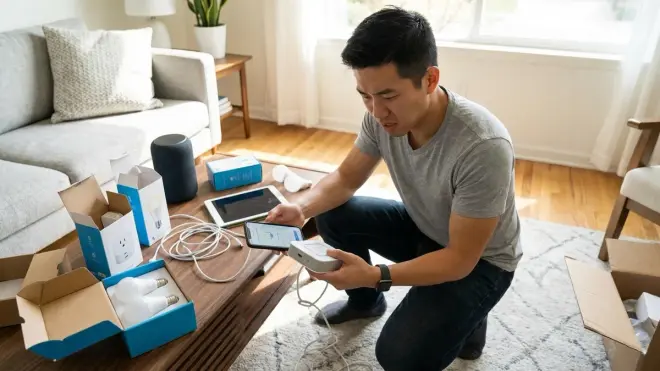
I measure setup complexity by how many steps stand between unboxing and your first working automation.
Plug-and-play hubs (Amazon Echo, Google Nest) require:
- Plug in device
- Download app
- Connect to Wi-Fi
- Add devices through voice ("Alexa, discover devices") or app interface
Total time: 10-15 minutes for someone comfortable with smartphone apps.
Intermediate hubs (SmartThings, Aqara M3) add protocol configuration:
- Physical setup
- Wi-Fi connection
- Account creation
- Protocol initialization (pairing Zigbee/Z-Wave devices requires putting them in pairing mode)
- Device discovery and naming
Total time: 30-45 minutes, assuming devices cooperate. In my experience, Z-Wave devices occasionally need factory resets before they'll pair—budget an extra 20 minutes for troubleshooting.
Advanced hubs (Home Assistant, Hubitat) involve:
- Hardware setup or software installation
- Network configuration
- Integration installation through add-ons
- Manual device pairing with protocol-specific steps
- Automation creation through YAML files or visual editors
Total time: 2-4 hours for your first installation. These hubs give you powerful automation logic:
IF battery_level(Bedroom Motion Sensor) < 20%
THEN send_notification("Replace bedroom sensor battery")
AND set_reminder(repeat_every=24_hours_until_acknowledged)
But you're trading time for flexibility.
Automation Capabilities: What Can You Actually Automate?
Simple hubs execute basic conditional triggers:
- IF [trigger] THEN [action]
- "When motion detected, turn on light"
- "At sunset, close blinds"
These work fine for 80% of beginner needs. Latency for voice-activated commands runs 1-3 seconds through cloud processing.
Mid-tier automation adds conditions:
- IF [trigger] AND [condition] THEN [action]
- "When motion detected AND time is after 10 PM, turn on light to 30%"
- "When front door unlocks AND no one is home, send security alert"
Most ecosystem hubs (SmartThings, Aqara, Alexa) handle this level without custom code.
Advanced automation supports multiple conditions, variables, and state tracking:
- IF [trigger] AND [condition_1] AND [condition_2] THEN [action_1] ELSE [action_2]
- "When bedroom motion detected AND sun is down AND TV is off AND last motion was >30 minutes ago, turn on bedside lamp to 40% warm white, ELSE ignore trigger"
This requires Home Assistant, Hubitat, or similar platforms with scripting capabilities. The automation logic gets complex but enables genuinely intelligent behavior.
Reliability and Fallback Behavior: What Happens When Things Break?
Every hub fails sometimes. What matters is how gracefully it degrades.
Cloud-dependent hubs (Alexa, Google Home) lose most functionality during internet outages. Your voice commands fail, app control stops working, and scheduled automations don't fire. Individual devices usually maintain manual control—light switches still work physically, smart locks retain keypad access.
Local-first hubs (HomeKit, Hubitat, Home Assistant) continue running automations stored on the hub itself. Internet outages only affect:
- Remote access via smartphone apps
- Voice commands through cloud assistants
- Integrations with cloud services (weather data, notifications)
The typical latency difference: cloud automations run 1-3 seconds after triggers, while local processing executes in 100-500ms.
Mesh network reliability depends on powered device count. Zigbee and Z-Wave networks need at least 3-4 always-on devices (smart plugs, powered switches) to maintain reliable coverage. Battery-powered sensors alone won't form a stable mesh—they sleep too much to relay signals effectively.
For detailed mesh network behavior and recovery after power outages, the protocol matters more than the hub brand.
Budget Considerations: What Actually Costs Money Long-Term?
The hub's purchase price tells half the story. Consider:
Subscription requirements: Some hubs charge monthly fees for advanced features. SmartThings charges for cloud storage and advanced automations beyond basic routines. Home Assistant and Hubitat have zero recurring fees.
Device compatibility expansion: If your hub only supports Wi-Fi devices, adding Zigbee capability later requires buying a separate Zigbee hub or replacing your main hub entirely. Multi-protocol hubs cost more upfront but save money over time.
Power backup: Hubs without battery backup go offline during power outages. Adding a UPS (uninterruptible power supply) costs $60-150 but keeps your network running during brief outages. For proper backup power planning, you'll need to power the hub, router, and modem simultaneously.
The cheapest best smart home hubs for beginners start around $30 (basic Echo devices), while feature-complete multi-protocol hubs run $100-180. Budget another $15-40 per room for compatible devices.
Our Top Picks
Amazon Echo (4th Gen)
The Amazon Echo 4th Generation🛒 Amazon delivers the easiest entry point into voice-controlled smart home automation, with built-in Zigbee radio and Alexa voice assistant support for thousands of Wi-Fi and Zigbee devices. It's not the most powerful hub, but it's the one I recommend most often to complete beginners who just want to start with a few lights and plugs.
Pros:
- Voice setup works out of the box—literally say "Alexa, discover devices" and it finds compatible products
- Built-in Zigbee radio controls Zigbee sensors, bulbs, and switches without additional hubs
- Wide device compatibility across Wi-Fi and Zigbee ecosystems (Philips Hue, Sengled, Wyze, TP-Link)
- Routines support basic if/then automations with scheduling and sensor triggers
- Built-in speaker provides voice feedback and plays music during setup
Cons:
- Cloud-dependent processing means 1-3 second latency for voice commands and most automations fail during internet outages
- No Z-Wave or Thread support limits device options
- Advanced automations require workarounds or third-party skills that often break during updates
- Privacy concerns around always-listening microphones and Amazon's data collection practices
The Echo's Zigbee implementation works reliably for mainstream brands but struggles with less common manufacturers. I've seen pairing failures with older Xiaomi Aqara sensors—they technically use Zigbee but implement it in non-standard ways that confuse the Echo.
For a broader comparison of voice assistants, check out our guide on Alexa vs Google Assistant for smart home control.
Samsung SmartThings Hub (2023 Model)
The Samsung SmartThings Hub 2023🛒 Amazon supports Zigbee, Z-Wave, and Wi-Fi devices in a single hub, making it the most protocol-flexible option for beginners who want room to expand without ecosystem lock-in. The setup process takes 30-45 minutes but opens access to thousands of devices.
Pros:
- Triple-protocol support (Zigbee, Z-Wave, Wi-Fi) means nearly universal device compatibility
- Local processing for basic automations continues working during internet outages (though not all routines run locally—you can't easily tell which ones do)
- SmartThings app offers visual automation builders with conditional logic support
- Integrates with both Alexa and Google Assistant for voice control flexibility
- Active community provides custom device handlers for unsupported products
Cons:
- Samsung's ecosystem changes have left some advanced features subscription-locked after initially being free
- The app's interface redesigns every 12-18 months, breaking muscle memory and occasionally breaking custom automations
- Z-Wave pairing can be finicky—I've spent 20+ minutes resetting devices that refuse to pair on first attempts
- Local vs. cloud automation processing isn't clearly labeled, so you discover which automations fail during outages by accident
The SmartThings Hub excels when you're mixing device brands. I've successfully connected Aeotec Z-Wave sensors, Philips Hue Zigbee bulbs, and Ring Wi-Fi cameras to a single SmartThings Hub, controlling everything through one app. That flexibility comes at the cost of setup complexity—expect to reference manufacturer pairing instructions rather than just pressing "add device."
Aqara Hub M3

The Aqara Hub M3🛒 Amazon combines Zigbee 3.0, Thread, and Matter support with local infrared control for non-smart devices, all in a compact hub that costs less than most multi-protocol alternatives. This is my go-to recommendation for beginners who want future-proof protocol support without complex setup.
Pros:
- Quad-protocol support (Zigbee 3.0, Thread, Matter, IR) at a competitive price point
- Apple HomeKit, Alexa, and Google Home compatibility gives you voice assistant flexibility
- Built-in IR blaster controls traditional TVs, air conditioners, and appliances without requiring smart versions
- Aqara's own sensors and switches offer excellent quality-to-price ratio for expanding your system
- Setup takes about 20 minutes and works reliably with mainstream devices
Cons:
- The Aqara app's English translation occasionally stumbles, creating confusion during advanced automation setup
- Thread support is solid but Matter implementation still hits compatibility walls with less common device brands
- Some advanced automations require keeping both the Aqara app and your voice assistant app in sync, which doubles the configuration work
- Range limitations in homes over 2,000 square feet require additional Zigbee repeaters or Thread border routers
The M3's IR functionality solved a common problem I encounter: clients with one or two non-smart devices they don't want to replace. The hub can send IR commands to control these devices, then integrate them into automations alongside your smart devices:
IF temperature_sensor > 75°F
AND time is between 6 AM and 10 PM
THEN send_IR_command(AC_Unit, power_on, temp_72, fan_auto)
For more on Matter compatibility, the M3 supports Matter 1.4's latest features including enhanced multi-admin support.
Apple HomePod mini
The Apple HomePod mini🛒 Amazon serves as a Thread border router and HomeKit hub, offering the tightest integration for iPhone users and the most reliable local automation processing among voice assistants. It's not the most versatile hub, but for Apple ecosystem users, it's remarkably capable.
Pros:
- Thread border router capability brings low-latency (50-150ms) control to Thread devices
- All HomeKit automations run locally on the hub—internet outages don't break basic automations
- Voice control through Siri works without internet once devices are paired
- Setup literally takes 5 minutes if you have an iPhone—hold it near the HomePod and follow prompts
- Physical touch controls provide manual volume and Siri access without voice commands
Cons:
- HomeKit's device compatibility lags far behind Alexa and Google—many popular brands don't support it
- No Zigbee or Z-Wave support limits you to Thread, Wi-Fi, and Bluetooth devices
- Android users get minimal functionality—this is exclusively for iOS/macOS households
- Siri's voice recognition accuracy still trails Alexa and Google Assistant, especially with accents
The HomePod mini's automation reliability stands out. I've installed these for clients who experienced constant automation failures with Alexa or Google, and HomeKit's local processing eliminates 90% of those issues. The tradeoff is device selection—if your preferred smart lock or sensor doesn't support HomeKit, you're stuck buying a different product or adding another hub.
The Thread support particularly matters for battery-powered devices. Thread door locks maintain 6-12 month battery life versus 2-4 months for Zigbee equivalents, thanks to more efficient sleep modes.
Hubitat Elevation C-8 Pro
The Hubitat Elevation C-8 Pro🛒 Amazon delivers advanced automation capabilities with Zigbee, Z-Wave, Thread, and Matter support, all running locally without cloud dependencies or subscription fees. This hub requires technical comfort but rewards you with complete control.
Pros:
- Complete local processing—no subscriptions, no cloud requirements, no recurring costs ever
- Support for Zigbee 3.0, Z-Wave Plus (700 series), Thread, and Matter in one hub
- Automation logic supports complex conditional statements, variables, and state tracking
- Active user community provides apps and drivers for virtually any device
- Built-in backup system preserves your configuration if hardware fails
Cons:
- Setup demands technical knowledge—expect 2-4 hours for initial configuration and learning curve
- The web interface looks dated compared to polished smartphone apps from Amazon or Google
- No voice assistant built in—you'll pair it with Alexa or Google Home for voice control
- Documentation assumes familiarity with automation concepts like "virtual devices" and "hub variables"
The Hubitat's automation engine enables logic that simpler hubs can't match:
IF (motion_detected(Living_Room_Sensor) AND lux_level < 50)
AND (time_between(sunset - 30_minutes, 11:00 PM))
AND (NOT(TV_power_state == "on"))
THEN
  dim(Living_Room_Lights, 60%, transition_time=2_seconds)
  wait(5_minutes)
  IF motion_detected(Living_Room_Sensor)
    THEN maintain_lighting
    ELSE dim(Living_Room_Lights, 0%, transition_time=10_seconds)
I recommend Hubitat to beginners who have IT backgrounds or who've hit the limits of ecosystem hubs and want more control. If you're comfortable editing configuration files and don't mind reading forum posts to solve problems, the Hubitat delivers capabilities that cost thousands in professional automation systems.
For step-by-step guidance, see our home automation setup guide.
Google Nest Hub (2nd Gen)
The Google Nest Hub 2nd Gen🛒 Amazon combines voice control, visual automation management, and Thread border router functionality in a touchscreen hub that makes setup visual rather than voice-only. The 7-inch screen helps beginners see what's happening during automation setup instead of guessing through voice commands.
Pros:
- Touchscreen interface shows device status and automation states at a glance
- Thread border router enables low-latency control of Thread devices
- Google Home routines support visual automation builders with straightforward if/then logic
- Built-in sleep tracking and ambient display features add utility beyond smart home control
- Compatible with both Wi-Fi and Thread devices, plus integrates with most major smart home brands
Cons:
- No Zigbee or Z-Wave support severely limits device selection compared to multi-protocol hubs
- Most automations require cloud processing, creating 1-3 second latency and internet dependency
- Privacy concerns around camera/microphone hardware in bedrooms and private spaces
- Screen brightness can be distracting in bedrooms at night despite auto-dimming features
The visual interface particularly helps during troubleshooting. When a routine fails, you can see which step broke instead of asking Alexa "why didn't that work?" and getting unhelpful responses. The screen also displays device battery levels, connection status, and recent activity logs—information that's buried in smartphone apps on voice-only hubs.
Thread support positions the Nest Hub well for future expansion as more Thread-enabled devices reach market.
Frequently Asked Questions
Do I really need a smart home hub or can I just use individual apps?
You can control smart devices through individual manufacturer apps, but you'll quickly hit frustration points. Each app requires separate login credentials, updates independently (and breaks automations during updates), and can't communicate with devices from other brands. A hub consolidates control into one interface and enables cross-brand automations—like having your Philips Hue lights turn on when your Ring doorbell detects motion. The hub also provides a single point for voice control across all your devices. Without a hub, you're stuck creating automations separately in each app, which means your Wyze cameras can't trigger your TP-Link smart plugs without elaborate IFTTT workarounds that add 5-10 seconds of delay. If you're only running 2-3 devices from the same brand, individual apps work fine. Beyond that, a hub saves time and unlocks automation possibilities.
Which protocol should I prioritize when choosing my first hub?
Start with Zigbee and Wi-Fi support if you want the widest device selection at beginner-friendly prices. Zigbee devices from brands like Philips Hue, Sengled, and Aqara offer reliable performance and low prices, while Wi-Fi compatibility ensures you can add popular cameras, video doorbells, and voice assistants. Add Matter support if you want future-proofing—Matter 1.4 is gaining adoption across brands and reduces ecosystem lock-in. Z-Wave makes sense if you're focusing on security devices (locks, sensors, alarms) since Z-Wave's 908 MHz frequency penetrates walls better than Zigbee's 2.4 GHz. Thread matters for battery-powered devices where you want maximum battery life, but as of 2026, Thread device selection is still growing. For most beginners, a hub supporting Zigbee + Wi-Fi + Matter covers 90% of devices you'll want to buy. Our guide to Zigbee vs Z-Wave vs Thread breaks down the technical differences in detail.
What happens to my smart home during internet or power outages?
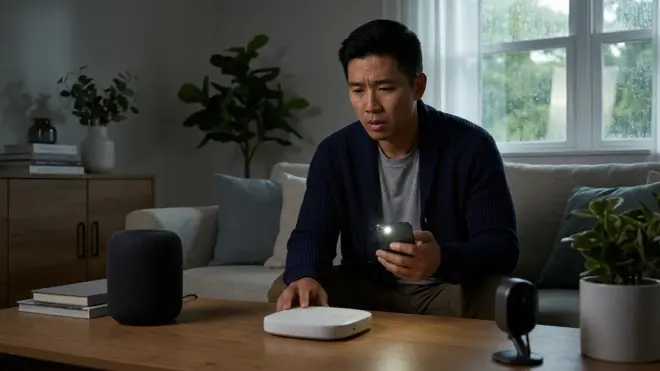
During internet outages, cloud-dependent hubs (Amazon Echo, Google Nest) lose most automation capabilities—voice commands fail, smartphone app control stops, and scheduled routines don't fire. Devices typically maintain manual control (physical switches still work), but smart functionality disappears. Local-processing hubs (Apple HomeKit, Hubitat, Home Assistant) continue running automations stored locally, though you'll lose remote access and cloud-dependent features like weather-based triggers. During power outages, everything stops unless you have battery backup. Hubs, routers, and modems all need continuous power. A UPS (uninterruptible power supply) costing $60-120 keeps your network running for 30-90 minutes during brief outages. For longer protection, you'll need whole-home battery systems or generators. Battery-powered devices like smart locks and sensors continue functioning during outages, but they can't communicate with the hub if the hub is offline. The most reliable approach uses local-processing hubs with UPS backup—check our power outage preparation checklist for detailed planning.
Can I use multiple hubs if I have devices with different protocols?
Yes, and it's increasingly common as smart homes grow. You might run an Amazon Echo for voice control and Wi-Fi devices, plus a separate Zigbee hub for sensors and lights. The challenge is integration—each hub requires its own app unless you use a platform like Home Assistant that can aggregate multiple hubs. I've installed systems with SmartThings handling Zigbee/Z-Wave devices, an Echo providing Alexa voice control, and a Philips Hue Bridge managing Hue bulbs. This works but creates three points of failure and three apps to maintain. The better long-term approach uses a multi-protocol hub from the start, then adds specialized hubs only when absolutely necessary. For example, if you're heavily invested in Philips Hue, keep the Hue Bridge for its advanced Hue-specific features (like entertainment zones), then connect it to a main hub that handles everything else. Multiple hubs increase complexity exponentially—each additional hub means more device pairings, more automation logic split across platforms, and more troubleshooting when things break.
How many devices can a beginner hub typically handle?
Device limits vary by hub and protocol. Wi-Fi hubs often hit practical limits around 30-50 devices because Wi-Fi congestion degrades performance—your router can theoretically handle more, but you'll experience latency and connection drops. Zigbee hubs support larger networks (theoretical maximums of 65,000+ devices per network) because Zigbee uses mesh networking where each powered device extends range and capacity. In practice, I've installed Zigbee networks with 80-100 devices running smoothly on hubs like SmartThings and Hubitat. Z-Wave networks max out at 232 devices per hub due to protocol limitations. Thread networks support hundreds of devices but performance depends on border router capacity and network topology. For beginners, plan for 15-30 devices in your first year—a few smart bulbs, some sensors, plugs, switches, and maybe a smart lock or thermostat. Basic ecosystem hubs (Echo, Google Nest) handle this easily. If you're planning aggressive expansion to 50+ devices, choose a hub with documented performance at that scale (SmartThings, Hubitat, Home Assistant). Hub performance degrades gradually as devices increase—you'll notice longer response times to automations and occasional failed commands before hitting hard limits.
The Verdict
The best smart home hubs for beginners balance ease of setup with room to grow. If you're starting with just a few Wi-Fi devices and want the absolute simplest experience, the Amazon Echo (4th Gen) gets you voice control and basic automations in 10 minutes. Need multi-protocol flexibility without advanced complexity? The Aqara Hub M3 delivers Zigbee, Thread, and Matter support at a budget-friendly price with straightforward setup.
For Apple ecosystem users, the HomePod mini provides unmatched automation reliability and Thread support. Android users mixing multiple device brands should look at the Samsung SmartThings Hub for its Zigbee/Z-Wave/Wi-Fi versatility. And if you want zero ongoing costs with advanced automation logic, the Hubitat Elevation rewards your technical investment with complete local control.
Start with what matches your current technical comfort level. You can always add capabilities later through additional hubs or by upgrading to more advanced options. The important part is choosing a hub that supports the devices you already own or plan to buy first—check our smart home setup checklist before purchasing anything, and verify your target devices' protocol compatibility. A $50 hub that works seamlessly with your devices beats a $150 hub that leaves half your purchases incompatible.
