
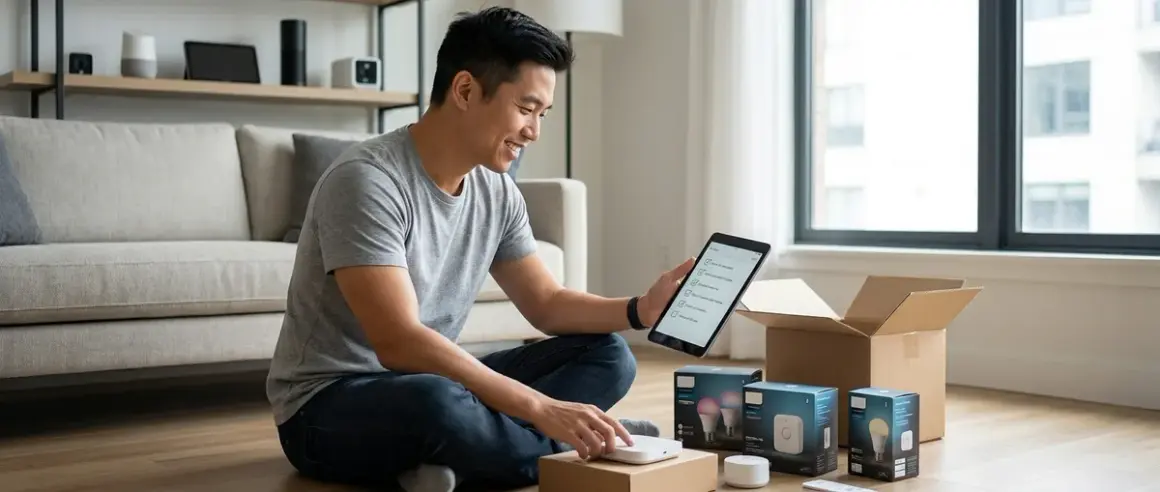

You're ready to start building your smart home, but where do you actually begin? This smart home setup checklist walks you through every essential component you'll need before you buy your first device, install your first hub, or write your first automation. I've built this checklist from hundreds of real installations where I've watched homeowners get stuck on compatibility issues, protocol mismatches, and infrastructure gaps they didn't know existed.
This isn't a product list—it's a framework. You'll learn what foundational infrastructure you need, which protocol decisions lock you into specific ecosystems, and what compatibility requirements you must verify before checkout. Whether you're starting from scratch or fixing a system that doesn't quite work, this checklist ensures you don't miss critical dependencies.

What Infrastructure Do You Need Before Buying Smart Devices?
Your smart home needs reliable infrastructure before you add a single smart bulb. I've seen too many homeowners discover their Wi-Fi can't reach their garage or their router can't handle 40 connected devices only after they've unboxed everything.
Whole-home Wi-Fi coverage with no dead zones: Test your Wi-Fi signal strength in every room you plan to automate using your smartphone. Wi-Fi devices (cameras, smart plugs, most thermostats) will fail constantly if signal strength drops below -70 dBm. If you have weak spots, install a mesh Wi-Fi system before you buy smart devices—I recommend testing coverage with a free app first.
Router with sufficient device capacity: Consumer routers typically handle 20-30 simultaneous connections reliably. If you're planning more than 15 smart devices, you'll need a router rated for at least 50 connections—protocol overhead means a "30-device smart home" actually generates 45+ connections when you account for hubs, phones, tablets, and computers.
Gigabit Ethernet ports for hub placement: Your Zigbee, Z-Wave, or Matter hubs need wired Ethernet connections for maximum reliability. Wi-Fi-connected hubs add latency (typically 20-40ms) and create single points of failure. Plan hub placement near Ethernet ports or budget for powerline adapters if running cable isn't feasible.
Uninterruptible power supply (UPS) for critical hubs: When power flickers, mesh networks collapse and take 2-5 minutes to rebuild. A UPS rated for at least 400VA keeps your router, primary hub, and modem online during brief outages. This prevents the "why did my lights stop working" calls I get after every thunderstorm.
Dedicated 2.4 GHz and 5 GHz SSID bands: Most smart devices only connect to 2.4 GHz networks, but they'll fail during setup if your router presents a combined network name. Separate your bands with distinct SSIDs—it's a 30-second router setting change that eliminates 80% of connection problems I troubleshoot.
Internet service with at least 25 Mbps upload: If you're adding cloud-connected cameras or remote access, upload speed matters more than download. Security cameras uploading to the cloud need 2-3 Mbps per camera. Calculate your total camera count × 3 Mbps, then verify your ISP plan supports it.
Backup internet connection or cellular failover: Your smart home loses critical functionality (security notifications, remote access, cloud automations) when internet drops. I've installed LTE failover routers for clients who need guaranteed security system connectivity—expect 200-500ms additional latency during failover, which breaks real-time streaming but maintains notifications.
Network isolation or VLAN capability for IoT devices: Smart home devices are security risks. If your router supports VLANs or guest network isolation, place all smart devices on a separate network segment that can't access your computers or NAS. This requires intermediate networking knowledge but dramatically reduces attack surface.
Which Hub and Protocol Should You Start With?
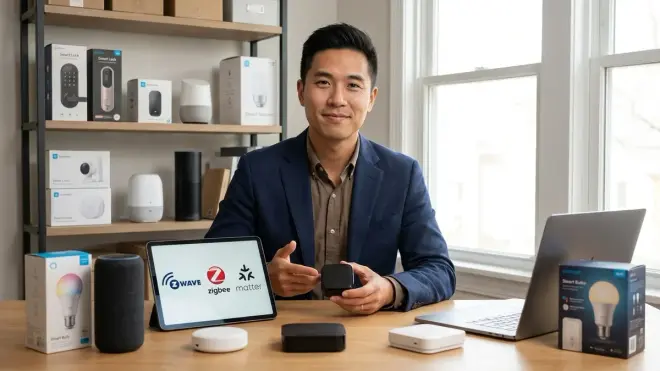
Protocol selection is the most consequential decision in your smart home setup checklist—it determines which devices you can buy, which ecosystems you're locked into, and whether devices from different manufacturers can communicate. You can't easily change protocols later without replacing everything.
Matter 1.4 hub if you want future-proof multi-ecosystem support: Matter is the newest protocol designed for cross-ecosystem compatibility. A Matter 1.4 border router lets you control Thread and Matter devices from any certified controller (Google, Apple, Amazon, Samsung). But Matter still has limited device categories—as of 2026, you'll find lights, locks, thermostats, and sensors, but not cameras, garage controllers, or irrigation systems.
Zigbee hub for the widest device selection and mature ecosystem: Zigbee has the largest device catalog and is particularly strong in lighting (Philips Hue, Sengled), sensors (Aqara, Third Reality), and smart plugs. The Philips Hue Bridge is the most reliable Zigbee hub I've installed, with typical mesh latency under 50ms and excellent recovery after power failures. Zigbee devices from different manufacturers usually work together, though some proprietary features require matching brands.
Z-Wave hub if you prioritize reliability and backward compatibility: Z-Wave offers the best mesh network reliability I've tested—devices consistently reconnect after power loss within 30-60 seconds versus 2-5 minutes for Zigbee. Z-Wave Long Range (introduced in 2024) extends range from 30m to 800m in line-of-sight conditions. The tradeoff is smaller device selection and higher prices (expect 20-40% more than equivalent Zigbee devices). Learn more about mesh network reliability differences.
Thread border router if you're building a Matter-native home: Thread is the wireless protocol that Matter devices use for communication. You'll need a Thread border router (built into many newer smart speakers and hubs) to connect Thread devices to your network. Thread offers similar mesh benefits to Zigbee but with lower power consumption—battery-powered Thread sensors last 30-50% longer than Zigbee equivalents in my testing.
Platform controller (Google Home, Apple Home, or Amazon Alexa): After choosing your wireless protocol, select your primary control platform. This determines your voice assistant, mobile app interface, and automation logic system. Critical compatibility check: Not all hubs work with all platforms. Verify that your chosen hub supports your preferred platform before buying—for example, some Zigbee hubs require Home Assistant and won't connect directly to Google Home.
Local processing hub if you need offline automation: Cloud-dependent systems fail when internet drops. If you need automations to continue during outages (security responses, critical lighting), choose a hub with local processing like Home Assistant, Hubitat, or HomeBridge. These systems process if/then logic locally, so automations like
IF motion detected in hallway AND time between 10pm-6am THEN turn on hallway light at 20% brightnesscontinue working without internet.
What Devices Should You Buy First?

Starting with the right device categories makes everything easier. I always recommend this specific order based on which devices create the most value, teach you how automations work, and lay groundwork for advanced setups later.
Smart plugs with energy monitoring in 2-3 high-use locations: Smart plugs are your training wheels. They're cheap (usually around $15-25 each), teach you basic automations, and don't require electrical work. Choose plugs with energy monitoring so you can identify phantom loads and measure automation savings. Place them on always-on devices first (fans, lamps, coffee makers) where you'll immediately notice automation benefits.
Motion sensors for high-traffic areas (hallways, stairs, entryways): Motion sensors enable presence-based automations that feel genuinely smart. I start with hallways because the automation logic is simple:
IF motion detected THEN turn on light FOR 2 minutes THEN turn off. Zigbee motion sensors typically respond in 100-200ms, fast enough that lights turn on before you take your second step.Smart bulbs or switches for rooms you use most: This is where protocol decisions get real. If you're renting or can't do electrical work, choose smart bulbs. If you own your home and have neutral wires, in-wall smart switches are cleaner and work with existing bulbs. Don't mix both in the same room—it creates confusion where wall switches sometimes disable smart control.
Smart thermostat with Matter or protocol compatibility: Thermostats offer the fastest ROI through automated temperature setbacks. Look for Matter-compatible thermostats that support time-of-day automations:
IF time = 10pm THEN set to 68°FandIF time = 6am THEN set to 72°F. This simple automation typically saves 10-15% on heating/cooling costs based on my clients' utility bill comparisons.Contact sensors for doors and windows you want to monitor: Door/window sensors enable security automations and energy-saving logic. The basic security automation is
IF front door opens WHEN nobody home THEN send notification. The energy automation isIF bedroom window opens THEN turn off bedroom AC. Battery life varies dramatically by protocol—expect 1-2 years from Zigbee sensors, 2-3 years from Z-Wave, and 3-5 years from Thread sensors.Voice assistant speaker in your primary living space: Even if you plan to use app control primarily, a voice speaker becomes essential when your hands are full or you're across the room. Place it centrally for best voice pickup (kitchens work well). Avoid bathrooms and bedrooms initially—voice control in those spaces requires specific wake word training to avoid false triggers.
Security camera with local storage option: Start with one camera covering your front door or primary entry point. Choose a model offering local storage so you're not forced into subscriptions. Verify the camera supports continuous recording versus motion-only—motion detection misses events 10-20% of the time in my experience, especially with adjustable sensitivity settings.
Smart lock with Thread or Z-Wave protocol: Smart locks have the highest failure stakes (getting locked out is bad). Choose Thread or Z-Wave for their superior reliability—I've seen far fewer "battery died and lock won't respond" emergencies with these protocols versus Wi-Fi locks. Budget for battery replacement every 6-8 months and create fallback behavior:
IF lock battery < 20% THEN send daily notification.
What Planning Should You Complete Before Installation?

The worst installations I've salvaged started with "I'll figure it out as I go." This section of your smart home setup checklist prevents expensive mistakes and rework.
Document your home's electrical setup: Before buying switches, verify you have neutral wires in your switch boxes. Remove one wall plate and look for white wires bundled together in the back. No neutral wire means you need battery-powered switches or expensive rewiring. Photograph your current switch boxes so you remember wiring later.
Map your mesh network placement on paper: Zigbee, Z-Wave, and Thread devices create mesh networks where each powered device extends range. You need powered devices (not battery sensors) every 30-40 feet maximum. Sketch your floor plan and mark where you'll place always-on devices (plugs, switches, repeaters). If you have dead zones, you'll need dedicated repeaters.
Choose your automation platform before buying devices: Will you write automations in Google Home, Apple Shortcuts, Home Assistant, or your hub's native app? Each platform has different capability limits. Google Home and Alexa handle basic if/then logic well. Home Assistant supports complex multi-condition automations like
IF motion detected AND time between sunset-sunrise AND nobody home THEN turn on lights AND send notification. Match platform to complexity needs.Create device naming conventions that scale: Name devices by location and function: "kitchen-main-light" not "light-1." I've seen 50-device homes where the owner doesn't know which "bedroom light" is which. Consistent naming also makes voice control less frustrating—"turn off kitchen lights" works better than remembering arbitrary names.
Plan power backup for critical security and safety devices: Identify which devices must work during power outages (locks, cameras, motion sensors for security). You'll need UPS backup for hubs, battery backup for switches, or whole-home battery systems if you're going comprehensive. Calculate required runtime—most people need 2-4 hours to maintain security during typical outages.
Verify protocol compatibility across your device shortlist: Before checkout, confirm every device uses the same protocol or that your hub supports multiple protocols. I've watched clients buy Z-Wave sensors for their Zigbee-only hub because packaging was unclear. Check the protocol compatibility guide and literally write down "Zigbee" or "Z-Wave" next to each item in your cart.
Test one room completely before scaling: Buy everything for one room, install it, and live with it for two weeks. You'll discover if the protocol works reliably in your home, if the automation platform meets your needs, and if device placement makes sense. I've prevented countless whole-home deployments of incompatible devices by insisting on this one-room pilot.
Budget for the 20% of devices you didn't expect to need: Every installation needs extras—additional repeaters for dead zones, longer Ethernet cables, mounting hardware for sensors, spare batteries. Plan for 20% cost overrun. Better to have money left over than to compromise placement because you're out of budget.
Final Check Before You Go
Here's your condensed smart home setup checklist for quick reference before making purchases:
Infrastructure Ready:
- Whole-home Wi-Fi coverage tested and verified
- Router capacity exceeds planned device count by 30%
- Ethernet ports available near planned hub locations
- UPS purchased and sized for hub + router runtime
- Internet upload speed supports planned camera count
Protocol Decisions Made:
- Primary wireless protocol chosen (Matter/Thread, Zigbee, or Z-Wave)
- Hub selected and verified compatible with control platform
- Device compatibility confirmed across entire shopping list
- Mesh network coverage mapped with powered device placement
First Purchase Order:
- Smart plugs with energy monitoring (2-3 units)
- Motion sensors for automation testing (2-4 units)
- Smart lighting (bulbs or switches, not both)
- Smart thermostat with protocol compatibility
- Contact sensors for critical doors/windows
- Voice assistant speaker
- One security camera with local storage
- Smart lock with reliable protocol
Planning Complete:
- Electrical setup documented (neutral wire availability)
- Device naming convention established
- Automation platform selected and tested
- One-room pilot planned before full deployment
- 20% budget buffer allocated for unexpected needs
Frequently Asked Questions
What's the most important thing to verify before buying smart home devices?
Protocol compatibility is the most critical verification in your smart home setup checklist—every device must use a protocol that your hub supports, or it simply won't connect. Check that your hub explicitly lists support for the protocol marked on the device packaging (Zigbee, Z-Wave, Thread, Matter, or Wi-Fi), and verify that your control platform (Google Home, Apple Home, Alexa) supports that hub. I've watched homeowners buy $500 worth of Z-Wave devices for Zigbee-only hubs because they assumed "smart home hub" meant universal compatibility.
How many devices should I start with in my first smart home setup?
Start with 5-8 devices concentrated in one room or functional area, which gives you enough mesh network coverage to test reliability while keeping complexity manageable. I recommend two smart plugs, two motion sensors, lighting for one room, and a voice speaker as your core starter kit—this combination teaches you basic automations (motion-triggered lighting, scheduled plug control) and tests whether your chosen protocol and hub work reliably in your home before you commit to larger deployment.
Do I need professional installation for a smart home setup?
Most smart home devices are designed for DIY installation, but you'll need an electrician if you're installing in-wall smart switches and your home lacks neutral wires in switch boxes, which requires rewiring that typically costs around $100-200 per switch location. Everything else on this checklist—hubs, sensors, smart plugs, cameras, and smart bulbs—installs without tools beyond a screwdriver, though I've found homeowners struggle most with network configuration and automation logic rather than physical installation. Consider reading through the DIY versus professional installation comparison if you're unsure about your technical comfort level.
Final Thoughts

Your smart home setup checklist isn't just about buying devices—it's about building infrastructure that scales reliably. I've seen too many homeowners add devices randomly until nothing works right, then try to troubleshoot a system with no coherent architecture.
Start with solid infrastructure: reliable Wi-Fi, adequate power backup, and proper hub placement. Choose your protocol deliberately based on device selection, reliability needs, and future compatibility requirements. Buy your first 5-8 devices strategically to test your system and learn automation logic before expanding.
The difference between a smart home that delights you and one that frustrates you isn't the number of devices—it's whether you built compatible infrastructure first. This checklist ensures you do. If you're ready to move from planning to implementation, start with room-by-room automation strategies that build on this foundation.
