
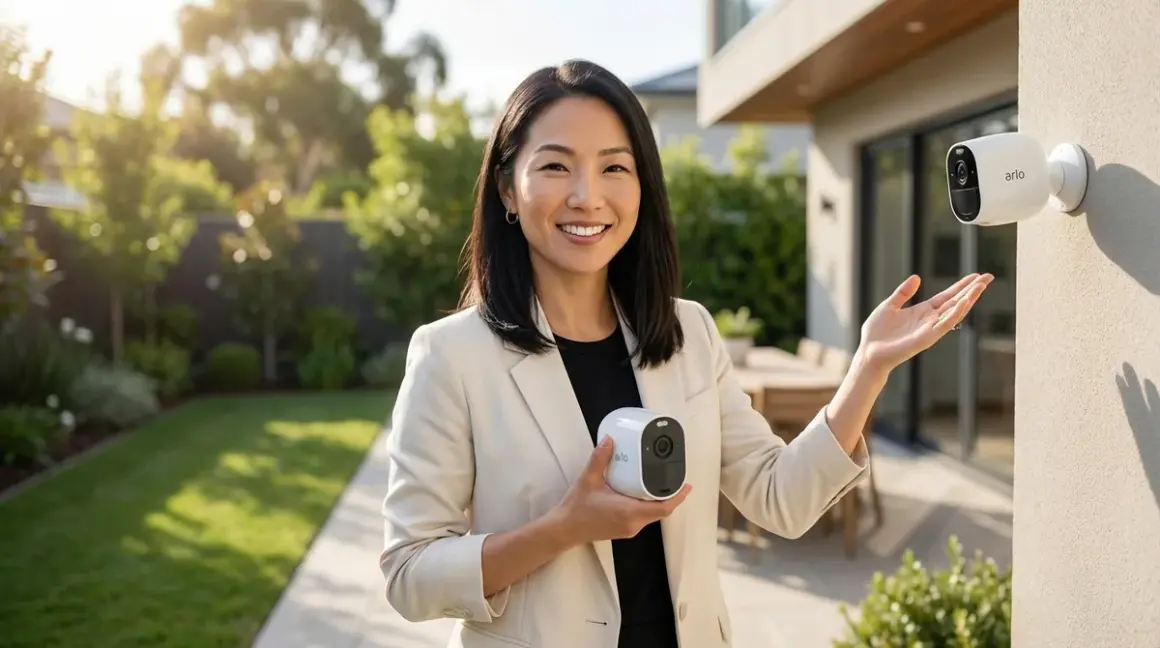

Ring edges ahead for subscription-free use, thanks to richer local processing and better offline fallback behavior—but both systems reveal how security cameras lose much of their utility the moment you decline ongoing payments. This comparison examines what remains when you strip away the recurring fees, and which compromises fit more gracefully into a home that values autonomy over convenience.
Quick Comparison
| Criterion | Arlo Without Subscription | Ring Without Subscription |
|---|---|---|
| Local Storage | None—requires microSD hub sold separately (~$200) | Supported on wired doorbell and select models with USB or microSD |
| Live View Access | Limited to 10 minutes per session, no pre-roll | Unlimited live view, 5-second pre-roll on battery models |
| Smart Detection | None—motion only, no person/package/vehicle detection | Basic motion zones; no AI detection without subscription |
| Protocol & Integration | Wi-Fi only; limited IFTTT and SmartThings support | Wi-Fi only; works with Alexa natively, limited third-party hooks |
| Automation Logic | if motion detected → send push notification (no recording trigger without hub) |
if motion detected → record to local storage + send push notification |
| Fallback Behavior | Camera non-functional if internet drops; no local recording without SmartHub | Continues recording locally if internet fails; notifications resume when reconnected |
What You Lose Without a Subscription
Both the Arlo Essential Spotlight Camera🛒 Amazon and Ring Stick Up Cam Battery🛒 Amazon are designed, at their core, to funnel users toward monthly payments. Without subscriptions, these cameras shed features the way a deciduous tree drops leaves in winter—what remains is skeletal, functional, but stripped of the lushness you saw in the marketing materials.

Arlo's free tier eliminates cloud recording entirely unless you purchase the separate Arlo SmartHub or base station, which adds local microSD storage. Without it, the camera becomes a live-view-only device with motion alerts that arrive without accompanying footage—a notification that something happened, with no evidence of what. The automation logic collapses to:
if motion_detected:
    send_push_notification()
    # no recording, no clip, no history
Ring's subscription-free experience is marginally richer. Wired models like the Video Doorbell Pro 2 support local storage via USB drive or microSD card when paired with a Ring Alarm Base Station (sold separately, around $200). Battery-powered models store nothing locally but still allow unlimited live viewing and retain basic motion detection with customizable zones. The logic becomes:
if motion_detected_in_zone:
    if local_storage_available:
        record_clip_locally()
    send_push_notification()
    allow_live_view_access()
Latency and reliability diverge here. Arlo cameras, relying entirely on cloud connectivity for any recording function, falter when internet drops. Ring cameras with local storage continue capturing footage even during outages, syncing clips once connectivity returns. In a home where network stability isn't guaranteed—or where you've intentionally segmented your security devices onto a VLAN without full internet access—Ring's offline resilience matters.
Both systems use Wi-Fi exclusively; neither supports Zigbee, Z-Wave, Thread, or Matter as of 2026. This means no mesh network redundancy, no low-power protocol advantages, and no native integration with platforms like Home Assistant without significant workarounds. If you're building a subscription-free security system that spans multiple protocols, these cameras sit awkwardly apart—visible, cloud-dependent islands in an otherwise self-sufficient ecosystem.
For those prioritizing aesthetic discretion, neither Arlo nor Ring offers particularly elegant industrial design. Both cameras announce their presence with LED indicators, prominent lenses, and branding. If unobtrusive monitoring matters, consider hidden security cameras that mount inside existing fixtures or behind architectural elements—though these typically lack the doorbell functionality Ring provides.
Live View and Real-Time Access
This is where the subscription-free experience diverges most sharply, and where Ring's design philosophy—centered on immediate, synchronous access—proves more accommodating.
Arlo restricts live view sessions to 10 minutes without a subscription, and the camera offers no pre-roll buffer. When you open the app to check who's at the door, you see only what's happening in that exact moment. If someone rang the bell 30 seconds earlier and walked away, you've missed them entirely. For households where the camera serves as a real-time intercom or a window into the front porch during deliveries, this limitation becomes a daily friction point.
Ring imposes no time limit on live view. You can leave the feed open indefinitely, monitoring a delivery driver's approach or watching children play in the yard without the app severing the connection. Battery-powered Ring models include a 5-second pre-roll buffer—when motion triggers the camera, it saves the five seconds before the trigger, capturing the moment someone stepped into frame rather than just their back as they walk away. This small temporal grace note transforms the camera from a reactive device into something closer to a witness.
The automation logic for live view becomes:
Arlo:
if user_requests_live_view:
    if session_duration < 10_minutes:
        stream_live_feed()
    else:
        terminate_connection()
        prompt_for_subscription()
Ring:
if user_requests_live_view:
    stream_live_feed()
    # no duration limit
Latency for live view initiation averages 2-3 seconds for both systems under strong Wi-Fi conditions (−60 dBm or better), but Ring's connection feels more stable during extended sessions. Arlo cameras occasionally stutter or disconnect mid-stream, likely due to aggressive power management on battery models. Wired Ring cameras maintain consistent frame rates with fewer dropouts.
From a design perspective, the way these cameras intrude into the rhythm of your day matters as much as their technical specs. A camera that cuts off mid-conversation—forcing you to restart the session, wait for reconnection, and resume—interrupts the flow of a moment. Ring's unlimited live view respects the tempo of real life: the meandering conversation with a neighbor, the lingering check to see if the mail arrived, the quiet surveillance of a fox crossing the yard at dusk. Arlo's 10-minute cap feels transactional, a reminder that you're using a free tier, not a complete product.
For integration into home automation routines, both systems remain limited without subscriptions. You cannot trigger a Philips Hue light to turn on when motion is detected, or send a recording to a local NAS via IFTTT, because the cameras don't expose those hooks in their free tiers. If you're building smart lighting automations or device fallback behaviors that rely on camera triggers, you'll need to invest in third-party hubs or accept that these cameras operate as standalone sentinels rather than nodes in a larger system.
Local Storage and Offline Resilience
Cloud dependency defines both ecosystems, but Ring offers a more graceful degradation when subscriptions and internet connectivity vanish.
Arlo cameras store nothing locally by default. To enable local recording, you must purchase an Arlo SmartHub (around $200) or an older base station that supports microSD cards. Once added, the hub records motion-triggered clips locally—but only when the camera can reach the hub via Wi-Fi, and only if you've manually enabled local storage in the app. The hub itself connects to your router via Ethernet, adding another device to your network and another piece of visible infrastructure. For a design philosophy centered on invisible integration, this is a compromise: the camera may be outdoor-mounted, but the hub now occupies a shelf or closet, blinking LEDs announcing its presence.
Ring supports local storage on select models when paired with a Ring Alarm Base Station (around $200). The Video Doorbell Pro 2, for example, records to a USB drive or microSD card inserted into the base station. Battery-powered models like the Stick Up Cam do not support local storage—they're cloud-only, even with the base station. This fragmentation across Ring's product line complicates purchasing decisions: the camera you like may not support the features you need.
Offline resilience favors Ring decisively. When your internet connection fails—whether due to an outage, a router reboot, or intentional network segmentation—Arlo cameras become inert. They won't record, won't send alerts, and won't respond to live view requests. They revert to decorative status. Ring cameras with local storage continue recording motion events to the base station's storage. Once connectivity returns, clips sync to the cloud (if you later add a subscription) or remain accessible locally via the Ring app on the same network. The automation logic becomes:
Ring with local storage:
if motion_detected:
    record_to_local_storage()
    if internet_available:
        send_push_notification()
        sync_clip_metadata_to_cloud()
    else:
        queue_notification_for_later_delivery()
Arlo without subscription:
if motion_detected:
    if internet_available:
        send_push_notification()
        # no recording without SmartHub
    else:
        # no action taken, event lost
This distinction matters most in scenarios where security devices are deliberately isolated from full internet access—segmented VLANs, offline-first setups, or homes where bandwidth is metered and unreliable. Ring's willingness to function locally, even partially, aligns better with self-sufficient security architectures.
Neither system integrates smoothly with local NAS solutions or home automation platforms like Home Assistant without substantial workarounds. Arlo offers RTSP streams on some older models (discontinued in newer products), allowing advanced users to pipe footage to local servers—but this requires the SmartHub and technical fluency. Ring locks down its video feeds entirely; unofficial integrations exist but violate terms of service and break frequently with firmware updates. If local storage security is your priority, both ecosystems will frustrate you. Purpose-built solutions like Reolink or UniFi Protect—though outside this comparison—offer native local recording without subscriptions or hubs.
Storage capacity and retention: Arlo's SmartHub supports microSD cards up to 2TB, retaining footage until the card fills (then overwrites oldest clips first). Ring's base station supports USB drives up to 128GB, with similar rolling retention. Neither system allows you to configure retention windows or selective deletion in the free tier—it's automatic overwrite only.
Motion Detection and Smart Alerts
Without subscriptions, both Arlo and Ring cameras revert to rudimentary motion detection—binary triggers that distinguish movement from stillness, nothing more. The AI-powered person detection, package alerts, and vehicle recognition vanish entirely. What remains feels like stepping backward a decade, to an era when security cameras barked at every swaying branch and passing car.
Arlo's free tier offers basic motion zones (you can define areas where motion should be ignored, like a street or a tree) but no differentiation between a person, a package, or a raccoon. The camera triggers on pixel change within the zone. The logic:
if pixel_change_detected_in_active_zone:
    send_generic_motion_alert()
    # no object classification
This leads to alert fatigue. A client in Portland installed Arlo cameras along her driveway, hoping to monitor deliveries. Within three days, she'd received 47 notifications—most triggered by passing cars, shadows from an oak tree, and a neighbor's cat. She disabled notifications entirely, defeating the camera's purpose. The design lesson: a security camera that cries wolf becomes furniture.
Ring's free tier also limits detection to motion zones, but its pre-roll buffer and more aggressive motion sensitivity tuning reduce (but don't eliminate) false positives. Ring cameras seem calibrated to favor over-alerting rather than missing events—a philosophical choice that prioritizes security over convenience. You'll still get notifications for irrelevant movement, but fewer than Arlo in comparable conditions.
Neither system allows conditional automation logic without subscriptions. You cannot create rules like:
if person_detected_at_front_door AND time_between(22:00, 06:00):
    trigger_porch_light_on()
    send_priority_notification()
Instead, you're limited to:
if motion_detected:
    send_notification()
This lack of nuance renders the cameras poor candidates for home automation triggers. If you're building routines around occupancy, delivery detection, or time-based security modes, these cameras cannot participate meaningfully. Integration with Matter 1.4 or Thread-based systems remains nonexistent; both Arlo and Ring operate exclusively over Wi-Fi with proprietary app control. For households invested in Matter-compatible ecosystems, these cameras sit outside the protocol mesh, accessible only through their respective apps.
Latency from motion trigger to notification averages 3-5 seconds for both systems under ideal conditions, but real-world performance varies widely. Arlo cameras on battery power can take up to 8 seconds to wake from sleep, detect motion, and send an alert—by which time a package thief has already walked away. Wired Ring cameras respond faster (2-3 seconds), though battery models lag similarly. If you're counting on instant alerts to catch events in progress, both systems will disappoint.
One honest flaw: neither Arlo nor Ring allows you to adjust motion sensitivity granularly in the free tier. You get a basic slider in the app—low, medium, high—but no fine control over detection algorithms, no ability to mask specific pixel regions (beyond zones), and no scheduling to reduce alerts during high-traffic hours. Advanced motion tuning requires a subscription, a frustrating paywall for a feature that should be fundamental.
Integration and Ecosystem Lock-In
Both Arlo and Ring operate as walled gardens, but Ring's deeper integration with Amazon's Alexa ecosystem gives it a slight edge for users already committed to that platform.
Ring cameras integrate natively with Alexa devices. You can say, "Alexa, show me the front door," and the feed appears on Echo Show displays. Motion alerts can trigger Alexa routines—for example, announcing "Someone is at the front door" through speakers. This works without a subscription, though you cannot save or review clips afterward. The automation logic:
if ring_motion_detected:
    trigger_alexa_routine("Front Door Motion")
    # e.g., announce via Echo, turn on smart lights
Arlo offers limited Alexa integration but requires a subscription for most functionality. Without it, you can view live feeds on Echo Show devices, but cannot trigger automations or routines based on camera events. Google Home support exists for both systems, but remains shallow—live view only, no automation hooks.
Neither system supports Zigbee, Z-Wave, Thread, or Matter protocols as of 2026. This is a critical limitation for anyone building a multi-protocol smart home. You cannot add these cameras to a Zigbee mesh to improve reliability, cannot trigger Z-Wave devices based on camera motion, and cannot incorporate them into Matter-based scenes. They're Wi-Fi islands, dependent on router performance and 2.4 GHz congestion. For context, protocol compatibility increasingly defines the long-term viability of smart home devices—products locked to single protocols age poorly as ecosystems converge around open standards.
IFTTT support exists for both systems, but Arlo's free tier blocks most applets. Ring allows basic IFTTT triggers (motion detected, doorbell pressed) without a subscription, enabling rudimentary cross-platform automations—for example, logging motion events to a Google Sheet or toggling a Zigbee smart plug via an intermediate hub. These workarounds feel fragile and require technical fluency.
From a design perspective, ecosystem lock-in matters less if the ecosystem itself is robust and well-maintained. Ring's integration with Alexa feels polished and reliable; the company benefits from Amazon's resources and updates routinely. Arlo, now owned by a private equity firm, has seen slower development and less consistent support. Firmware updates arrive less frequently, and user forums surface more complaints about features breaking or degrading over time. This isn't a fatal flaw, but it's a signal: Ring feels like a product with a future, while Arlo feels like one coasting on past momentum.
Fallback behavior during hub or internet failure:
- Arlo: Camera becomes non-functional. No recording, no alerts, no live view. Must reconnect to internet to resume operation.
- Ring (with local storage): Continues recording locally. Notifications queue and deliver once internet returns. Live view unavailable until reconnected.
If you're designing a no-fee security system, Ring's fallback behavior aligns better with resilience principles. Arlo's total dependence on cloud connectivity introduces a single point of failure that undermines the camera's purpose.
Who Should Choose Arlo Without Subscription
Arlo cameras suit households where live view access matters most and where recording history is genuinely unnecessary—a narrow use case, admittedly, but one that exists.
If you're installing a camera primarily to check in on pets during the day, monitor a babysitter in real-time, or glance at the driveway before heading out, Arlo's free tier provides that live feed (within its 10-minute session limit). For someone living alone in a low-crime area who wants occasional visual reassurance rather than forensic evidence, the lack of recording may feel liberating rather than limiting—no footage to manage, no privacy concerns about stored clips, no digital clutter.
Arlo's design language is slightly more refined than Ring's, with smoother contours and less aggressive branding. If the camera must remain visible—mounted on a porch column or aimed at a driveway—Arlo's white-on-white aesthetic disappears more gracefully into light-colored architecture. Ring's glossy black finishes and prominent LED ring announce their presence loudly. For design-conscious users who cannot conceal the camera but want to minimize its visual weight, Arlo edges ahead.
The 10-minute live view limitation remains a frustration. For those unwilling to commit to a subscription but needing a security camera for occasional use, Arlo's free tier is functional but stingy. You'll feel the constraints daily.
Who Should Choose Ring Without Subscription
Ring cameras are the better choice for anyone prioritizing recording capability and offline resilience without subscriptions, despite their aesthetic shortcomings and ecosystem lock-in.
If you pair a wired Ring camera with a Ring Alarm Base Station, you gain local storage—actual recorded clips you can review after events occur. For households where the camera serves as evidence (documenting package theft, monitoring a rental property, verifying visitor arrivals), this matters decisively. Arlo's subscription-free tier offers no recording at all without a separate SmartHub purchase, making Ring the more functional option out of the box.
Ring's unlimited live view also suits homes where the camera serves as a communication tool—talking to delivery drivers, checking on children playing outside, monitoring elderly family members. The lack of session time limits means the camera respects your rhythms rather than dictating them.
For users already invested in the Alexa ecosystem, Ring's native integration provides immediate value. Motion triggers can announce alerts, live feeds display on Echo Show screens, and basic routines function without subscriptions. If you've built your home around Amazon's platform, Ring slots in seamlessly. Arlo's integration feels bolted-on by comparison.
Ring's fallback behavior during internet outages also aligns better with security priorities. A camera that continues recording when connectivity drops is simply more reliable than one that goes dormant. For off-grid properties, homes with metered internet, or anyone prioritizing resilience, Ring's offline functionality is essential.
The honest flaw: Ring cameras are visually intrusive. The glossy black finishes, prominent lenses, and LED rings dominate whatever space they occupy. If aesthetic discretion matters—if you're trying to maintain the serene, uncluttered feeling of a thoughtfully designed entryway—Ring cameras will undermine that effort. Consider hidden camera alternatives that achieve the same functionality without the visual weight.
Frequently Asked Questions
Can Arlo cameras record without a subscription?
Arlo cameras do not record any video without a subscription unless you purchase an Arlo SmartHub or compatible base station (around $200) that supports local microSD storage. Without the hub, the cameras function only for live viewing and send motion alerts without accompanying footage. This makes the subscription-free experience severely limited compared to Ring cameras, which support local recording on wired models when paired with a Ring Alarm Base Station.
Does Ring work without a subscription for local storage?
Yes, Ring cameras can record locally without a subscription when paired with a Ring Alarm Base Station that has a USB drive or microSD card installed. However, this feature is limited to wired models like the Video Doorbell Pro 2; battery-powered Ring cameras do not support local storage at all. Recorded clips remain accessible on your local network and continue saving even if internet connectivity drops, providing better offline resilience than Arlo's subscription-free tier.
Which camera has better motion detection without a subscription?
Both Arlo and Ring cameras lose AI-powered smart detection features (person, package, vehicle identification) without subscriptions, reverting to basic motion detection only. Ring's free tier performs slightly better due to its 5-second pre-roll buffer on battery models and more stable motion sensitivity tuning, but both systems generate frequent false alerts from irrelevant movement like passing cars, shadows, or animals. Neither system allows you to create conditional automation logic or trigger smart home routines based on detected object types without paying for subscriptions.
Bottom Line
Ring cameras deliver more functionality without subscriptions, primarily because they retain local recording capability and unlimited live view access—features Arlo locks behind paywalls or expensive hub purchases. For households building subscription-free security systems that prioritize resilience and evidence retention, Ring is the more practical choice despite its aesthetic shortcomings.
But neither system excels at subscription-free operation. Both are designed, fundamentally, to convert free-tier users into paying subscribers. The features that remain—rudimentary motion detection, limited automation, no smart alerts—feel vestigial, deliberately hobbled. If you're committed to avoiding recurring fees, consider purpose-built local-recording systems like Reolink or UniFi Protect, which treat storage and intelligent detection as baseline features rather than premium add-ons.
For those who must choose between these two, Ring's offline reliability and Alexa integration tip the balance—but only just. Both cameras reveal how much modern security devices depend on cloud infrastructure, and how little remains when that infrastructure is removed. The question isn't which works better without subscriptions, but whether either works well enough to justify installation at all.
