
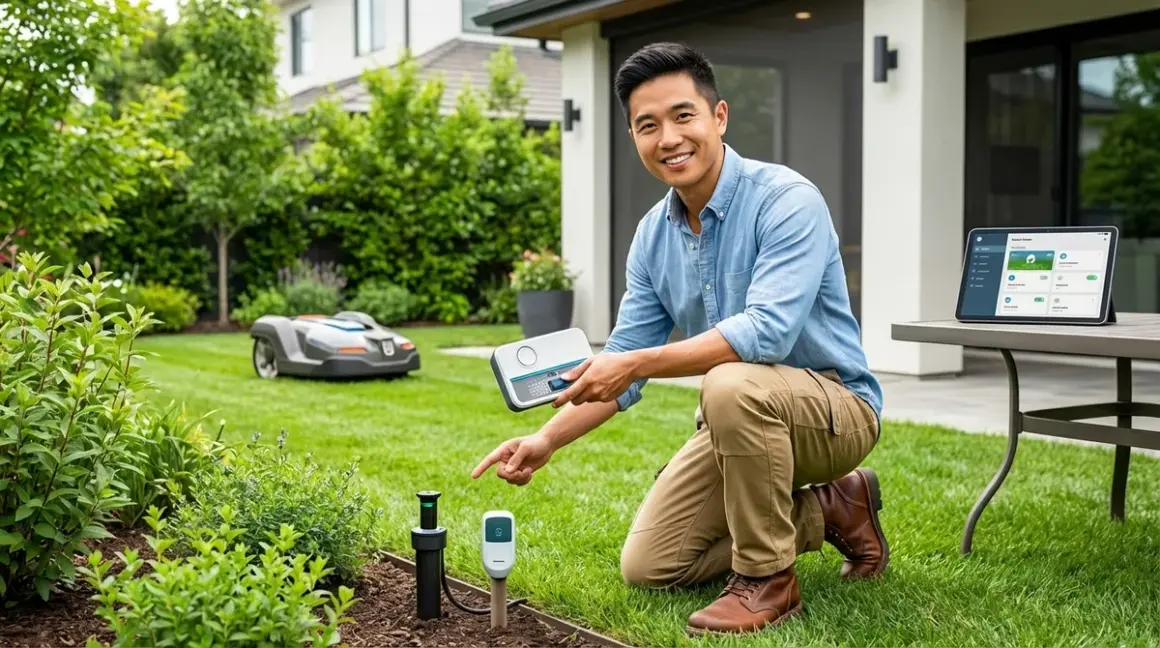

Automating your lawn care with smart home integration isn't just about convenience—it's about creating a reliable system that maintains your yard with minimal intervention. You'll find actionable steps here for connecting robotic mowers, smart irrigation controllers, and outdoor sensors to your existing smart home ecosystem, complete with protocol requirements and automation logic you can implement today.
In my experience, homeowners who succeed with lawn care automation start by understanding how to automate lawn care smart home systems through compatibility planning before buying a single device. The biggest mistakes happen when someone purchases a robotic mower that can't communicate with their hub, or sets up irrigation zones without understanding the actual automation triggers needed for weather-responsive watering.
1. Smart Irrigation Controllers with Weather API Integration
The Rachio 3 Smart Sprinkler Controller🛒 Amazon connects via Wi-Fi and integrates with your smart home through cloud-to-cloud APIs, meaning it doesn't use Zigbee, Z-Wave, or Thread. You'll get weather-responsive watering schedules that automatically adjust based on forecast data, soil moisture calculations, and seasonal changes.
This category belongs on the list because irrigation represents the highest water consumption in most residential landscapes—automating it properly can reduce water usage by 30-50% while maintaining healthier turf. The automation logic here is more sophisticated than simple timers.
Protocol: Wi-Fi (2.4 GHz required)
Hub Requirements: Works standalone via mobile app, but requires integration through SmartThings, Home Assistant, Google Home, or Alexa for cross-device automation
Compatibility Checklist:
- Verify your router supports 2.4 GHz Wi-Fi (5 GHz won't work)
- Check wire count from existing controller—most support 8-16 zones
- Confirm you have C-wire (common wire) for 24V power
- Test Wi-Fi signal strength at controller location before installation
Automation Logic Example:
IF weather_forecast.precipitation_probability > 60%
  AND weather_forecast.amount > 0.25_inches
THEN skip_next_watering_cycle

IF soil_moisture_estimate < threshold_for_grass_type
  AND current_time = scheduled_zone_time
  AND outdoor_temperature > 40°F
THEN run_zone_for_calculated_duration
I've seen homeowners struggle with the initial zone configuration—you need to accurately input your sprinkler head types (spray vs rotor), sun exposure per zone, and soil type for the weather algorithms to work correctly. Garbage in, garbage out.
Latency Expectations: Cloud-dependent with 2-5 second response times for manual commands. Weather data updates hourly. The system operates autonomously for scheduled runs, so latency only affects on-demand manual control.
Fallback Behavior: If internet connection drops, the controller maintains the last programmed schedule but loses weather intelligence. You can manually operate zones via physical buttons on most models.
One genuine drawback: cloud dependency means if Rachio's servers go down (rare but it happens), you lose app control and weather integration until service restores. This is why understanding fallback behaviors matters for outdoor systems.
For deeper understanding of irrigation scheduling, see our guide on understanding smart irrigation zones and scheduling logic.
2. Robotic Lawn Mowers with GPS Boundary Mapping
The Husqvarna Automower 450XH🛒 Amazon uses proprietary RF for boundary wire communication and cellular/Wi-Fi for smart home connectivity. This is the flagship approach to how to automate lawn care smart home integration for cutting tasks—set boundaries once, then let the mower handle scheduling based on grass growth rates and weather conditions.
Robotic mowers belong on this list because they eliminate the most time-consuming lawn maintenance task while providing more consistent cutting than weekly manual mowing. The automation potential extends beyond simple scheduling when you integrate with weather sensors and moisture detection.
Protocol: Husqvarna's proprietary communication + Wi-Fi/cellular for cloud connectivity
Hub Requirements: Husqvarna Fleet Services account required. Integration with Home Assistant, IFTTT, or Amazon Alexa requires third-party plugins or cloud-to-cloud connections. No native Zigbee/Z-Wave support.
Installation Requirements:
- Bury or stake boundary wire around mowing area perimeter
- Install charging station on level ground with 2m clearance
- Provide outdoor power outlet (GFCI protected) within 10 feet of charging base
- Map GPS coordinates for theft tracking and remote monitoring
Automation Logic Example:
IF grass_growth_rate = high (spring_season)
THEN mowing_frequency = daily

IF soil_moisture_sensor > wet_threshold
  OR weather_forecast.precipitation = active
THEN pause_mowing_until_conditions_dry

IF current_time IN quiet_hours (10pm-7am)
  AND mowing_incomplete
THEN pause_and_resume_at_7am
Latency Expectations: Commands from app to mower typically take 3-8 seconds over cellular, 2-4 seconds over Wi-Fi. The mower operates autonomously once scheduled, so latency only affects manual interventions like "return to base" commands.
Reliability Factors: Boundary wire breaks are the most common failure point—I've seen landscape edging, tree roots, and curious dogs all cause wire damage. The mower won't leave the charging station if it can't detect the boundary signal. GPS tracking works well, but thick tree canopy can degrade position accuracy by 1-3 meters.
Fallback Behavior: If connectivity drops, the mower continues its current task and follows the existing schedule. You lose remote monitoring and manual control until connection restores. Physical stop button always works regardless of connectivity.
The biggest drawback here is the initial setup complexity—boundary wire installation typically takes 4-8 hours for a half-acre lot if you're doing it yourself. The wire needs to be precisely placed around obstacles, flower beds, and steep slopes. You can hire professional installation, but expect to add around $400-800 to your total cost.
For more on robotic mowing versus traditional approaches, check out robotic mower vs traditional lawn care.
3. Outdoor Smart Plugs for Lighting and Pump Automation
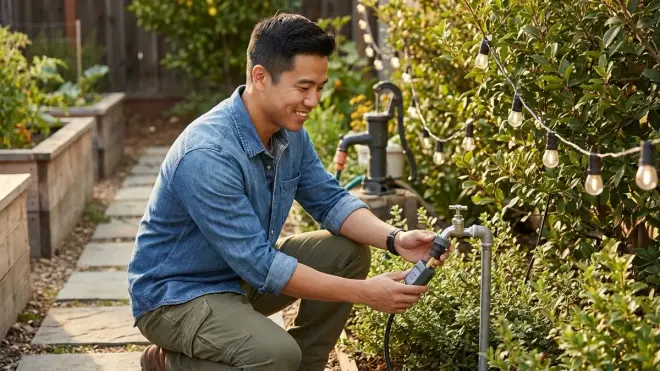
The Kasa Smart Outdoor Plug EP40🛒 Amazon uses Wi-Fi and provides weatherproof control for landscape lighting, fountain pumps, or secondary irrigation pumps. You can create time-based or sensor-triggered automations that coordinate outdoor power devices with your broader lawn care schedule.
Smart outdoor plugs earn a spot because they bridge the gap between non-smart lawn equipment and your automation ecosystem—suddenly that standard fountain pump or LED landscape lighting becomes part of your coordinated yard automation without replacing the actual devices.
Protocol: Wi-Fi (2.4 GHz only)
Hub Requirements: No hub needed for basic scheduling via Kasa app. For integration with Google Home, Alexa, or SmartThings, you'll need the respective platform hub or smart speaker.
Compatibility Checklist:
- Verify Wi-Fi signal strength at outlet location (outdoor walls often have poor signal)
- Check IP rating—IP64 minimum for covered areas, IP65+ for exposed locations
- Confirm outlet is GFCI protected per electrical code
- Test load requirements—most support 15A per outlet, but verify your device draw
Automation Logic Example:
IF sunset_time - 30_minutes
THEN landscape_lighting.power = ON

IF sunrise_time + 30_minutes
THEN landscape_lighting.power = OFF

IF soil_moisture_sensor < critical_threshold
  AND primary_irrigation_system = offline
THEN backup_pump.power = ON, duration = 20_minutes

IF outdoor_temperature < 35°F
THEN all_outdoor_water_features.power = OFF
Latency Expectations: Wi-Fi smart plugs typically respond in 1-3 seconds for local commands (same network), 2-5 seconds for cloud-based commands (via app when away from home). Scheduled automations execute with sub-second precision.
In my experience, outdoor Wi-Fi range is the make-or-break factor. I've seen installations fail because the homeowner assumed their router signal reached the far corner of the yard—it didn't. Always test signal strength before mounting permanent fixtures. Consider a Wi-Fi extender for distant outlet locations.
Reliability Factors: Weather sealing degrades over time. Check gaskets annually and ensure covers are fully closed after plugging devices in. Water infiltration is the primary failure mode.
Fallback Behavior: If Wi-Fi drops, the plug maintains its current state (on or off) until connectivity returns. Scheduled automations won't execute during outages. No local control option unless the plug has physical buttons (some models do, others don't).
The honest drawback: Wi-Fi outdoor plugs draw phantom power even when the connected device is off—usually 1-3 watts. Over dozens of devices and months of operation, this adds up. For energy monitoring insights, see best smart plugs for energy monitoring.
4. Soil Moisture Sensors with Zigbee or Wi-Fi Connectivity
The Ecowitt Soil Moisture Sensor🛒 Amazon connects via Wi-Fi through the Ecowitt gateway and provides real-time moisture readings for up to 8 sensor probes. These sensors transform how to automate lawn care smart home watering decisions from time-based guessing to data-driven precision.
Soil moisture sensing deserves inclusion because it's the single most impactful data point for irrigation automation—more valuable than weather forecasts, because it tells you what's actually happening at root level rather than what might happen based on regional weather predictions.
Protocol: 915 MHz proprietary wireless to Ecowitt Gateway, then Wi-Fi from gateway to network
Hub Requirements: Ecowitt Wi-Fi Gateway required (separate purchase). Integration with Home Assistant, WeatherFlow, or IFTTT requires cloud API connections.
Installation Requirements:
- Insert probes 4-6 inches deep in representative zones (not too close to sprinkler heads)
- Position gateway within 100 feet of sensors with clear line-of-sight when possible
- Power gateway via USB or outlet within Wi-Fi range
- Calibrate sensors for your specific soil type (clay, loam, sand)
Automation Logic Example:
IF zone_1_moisture < 25%
  AND current_time = 6am
  AND no_rain_forecast_next_6_hours
THEN trigger_zone_1_irrigation, duration = calculated_to_reach_45%_moisture

IF zone_1_moisture > 60%
THEN cancel_scheduled_irrigation_zone_1

IF any_zone_moisture < 15% (critical_dry)
THEN send_alert_notification, trigger_emergency_irrigation
Latency Expectations: Sensors report readings every 16-60 seconds depending on configuration. Gateway-to-cloud updates occur every 30-60 seconds. For irrigation decisions, this latency is acceptable since soil moisture changes slowly.
Reliability Factors: Probe corrosion is the long-term concern—expect 2-3 year lifespan in typical soil conditions, shorter in acidic or high-mineral soils. Battery life varies by reporting frequency, typically 12-18 months on included batteries.
I've seen homeowners place sensors poorly—too close to the house foundation (doesn't represent the lawn), too shallow (reads surface moisture that evaporates quickly), or in one spot for a large zone with variable sun exposure. You need representative placement for accurate automation decisions.
Fallback Behavior: If gateway loses Wi-Fi, local sensor-to-gateway communication continues but you lose remote monitoring and integration triggers. Most irrigation controllers will fall back to scheduled watering rather than maintaining soil-based intelligence.
The specific drawback here: calibration is tedious but essential. Out-of-box readings are often 10-15% off for specific soil types. You'll need to manually water to saturation, record the "wet" reading, let the area dry for a week, record the "dry" reading, then input these values for accurate thresholds.
5. Weather Stations with Hyperlocal Data Integration
The Ambient Weather WS-2902C Osprey🛒 Amazon provides Wi-Fi-connected hyperlocal weather data including rainfall, temperature, humidity, wind speed, and UV index. This data feeds directly into your lawn care automation decisions, replacing regional forecasts with what's actually happening in your yard.
Weather stations make the list because regional forecasts can be off by 20-30% for rainfall amounts and several degrees for temperature—differences that matter when you're trying to optimize watering schedules and protect sensitive plantings from frost.
Protocol: Wi-Fi (2.4 GHz) with optional integration to Weather Underground, Ambient Weather Network, and smart home platforms
Hub Requirements: None for standalone operation. Integration with Home Assistant, SmartThings, or irrigation controllers requires API connections through Weather Underground or Ambient Weather cloud services.
Installation Requirements:
- Mount sensor array at least 5 feet above ground, 30 feet from structures for accurate wind readings
- Position rain gauge away from roof drip lines and tree canopy
- Level the base carefully—unlevel mounting affects rain measurement
- Mount console indoors within Wi-Fi range of router
- Position temperature sensor in shaded location for accurate readings
Automation Logic Example:
IF local_rainfall_today > 0.5_inches
THEN skip_all_irrigation_today

IF local_temperature < 38°F
  AND frost_forecast = true
THEN trigger_frost_protection_irrigation (light sprinkle to warm plants)

IF wind_speed > 15_mph
THEN delay_lawn_treatments_spray_schedule

IF UV_index > 8
  AND outdoor_work_scheduled = true
THEN send_heat_advisory_notification
Latency Expectations: Console updates readings every 16-64 seconds depending on sensor. Cloud uploads occur every 30-60 seconds. Weather Underground typically updates your personal station data within 2-3 minutes.
Reliability Factors: Wind cups and rain gauge mechanisms require annual cleaning—spider webs, leaves, and bird nests all cause false readings. Temperature sensor accuracy degrades if exposed to direct sunlight. Expect to recalibrate annually using a reference thermometer.
In my experience, the most common mistake is mounting the sensor array too close to the house or under eaves—this creates a microclimate that doesn't represent your actual yard conditions. You want representative placement, which often means running 50+ feet of cable or using a separate Wi-Fi bridge.
Fallback Behavior: If Wi-Fi drops, the console continues displaying current readings but stops uploading to cloud services and integration platforms. Smart home automations that depend on weather data will fail or fall back to predetermined schedules.
The real drawback: birds. Seriously. Birds love perching on weather station components, and their droppings foul sensors. The rain gauge is particularly vulnerable. You'll need to clean it monthly during heavy bird migration seasons, or expect rainfall measurements to read 20-30% low.
For broader weather-based automation strategies, see best smart irrigation controllers with weather integration.
6. Smart Outdoor Security Cameras with Yard Monitoring
The Reolink RLC-810A🛒 Amazon uses Wi-Fi or PoE (Power over Ethernet) and provides 4K video monitoring of your yard with person/vehicle AI detection. While primarily a security device, you can leverage motion detection zones to monitor lawn care equipment activity and verify automation task completion.
Outdoor cameras earn their place because they provide visual verification that automated systems are functioning correctly—you can check whether the robotic mower actually completed its cycle, confirm irrigation zones activated, or diagnose why the system behaved unexpectedly.
Protocol: Wi-Fi (2.4/5 GHz) or wired PoE Ethernet
Hub Requirements: None for standalone operation with local microSD or NAS recording. For smart home integration with Home Assistant, SmartThings, or surveillance systems, you'll need ONVIF or RTSP stream support.
Installation Requirements:
- Position camera to cover mower charging station, irrigation controller area, or problem zones
- Provide PoE injector/switch or nearby power outlet
- Mount at 8-10 feet height for optimal field of view
- Angle slightly downward to minimize sky exposure (prevents auto-exposure issues)
- Ensure Wi-Fi signal strength at -65 dBm or better for reliable 4K streaming
Automation Logic Example:
IF camera_zone_1.person_detected = true
  AND current_time IN mowing_schedule
THEN pause_robotic_mower, send_notification

IF camera_zone_2.motion_detected = false
  AND irrigation_zone_2.scheduled_run = complete
THEN send_alert "Irrigation may have failed - no water spray detected"

IF camera.temperature < 32°F
  AND outdoor_water_lines = exposed
THEN send_freeze_warning
Latency Expectations: Local stream viewing has 200-500ms latency. Cloud-based viewing adds 1-3 seconds. AI person/vehicle detection typically processes within 1-2 seconds. For yard monitoring, this latency is acceptable.
Reliability Factors: Cameras exposed to direct sunlight suffer from auto-exposure challenges—bright sky backgrounds cause dark foreground subjects. IR night vision attracts insects which trigger false motion alerts. Lens condensation in high humidity climates requires periodic cleaning.
I've seen installations fail because homeowners underestimate Wi-Fi bandwidth requirements. A single 4K camera streaming continuously can consume 8-12 Mbps upload bandwidth. Multiple cameras quickly saturate typical residential internet upload speeds. PoE eliminates bandwidth concerns by using wired connection.
Fallback Behavior: With local storage (microSD/NAS), recording continues during internet outages but you lose remote viewing and notifications. Without local storage, you lose all recording during connectivity loss. This is why subscription-free security cameras matter for yard monitoring.
The honest limitation: outdoor cameras with AI detection often produce false positives from swaying tree branches, moving shadows, or animals. Expect to spend time fine-tuning motion zones and sensitivity levels. The first week will generate dozens of alerts until you dial in the settings correctly.
For comparing storage options, see local storage vs cloud storage for no-subscription security.
7. Smart Outdoor Lighting with Dusk-to-Dawn Automation
The Philips Hue Outdoor Lightstrip🛒 Amazon uses Zigbee through the Hue Bridge and provides weatherproof RGB lighting for landscape features, pathways, or architectural accents. Coordinating outdoor lighting with lawn care schedules creates a holistic yard automation system.
Smart outdoor lighting belongs here because proper illumination extends your ability to monitor automated equipment, highlights landscaping improvements from your care routine, and provides safety lighting for early morning or evening yard work.
Protocol: Zigbee 3.0
Hub Requirements: Philips Hue Bridge required (uses Ethernet connection to router). Bridge supports up to 50 Hue lights and integrates with Google Home, Alexa, HomeKit, and Home Assistant.
Compatibility Checklist:
- Verify Hue Bridge is within Zigbee mesh range (typically 30-50 feet outdoors)
- Check if additional outdoor Hue lights needed as Zigbee repeaters for distant installations
- Confirm GFCI-protected outdoor outlet within 6 feet of lightstrip installation point
- Plan cable routing to avoid mower paths and foot traffic areas
Automation Logic Example:
IF sunset_time - 15_minutes
THEN landscape_lights.power = ON, brightness = 100%, color_temperature = 2700K

IF robotic_mower.status = active
  AND current_time AFTER sunset
THEN pathway_lights.brightness = 100% (for visibility)

IF security_camera.person_detected = true
  AND current_time IN night_hours
THEN accent_lights.color = cool_white, brightness = 100%, flash_twice

IF sunrise_time + 30_minutes
THEN all_landscape_lights.power = OFF
Latency Expectations: Zigbee commands typically execute in 100-300ms for color/brightness changes. Scheduled automations trigger within 1-2 seconds of target time. The mesh network provides reliable low-latency performance.
Reliability Factors: Zigbee mesh networks depend on powered devices as repeaters. If you have only a few outdoor lights far from the bridge, connectivity may be unstable. Each additional powered Zigbee device strengthens the mesh. Temperature extremes don't significantly affect Zigbee performance, but metal siding and stucco walls can block signals.
In my experience, homeowners underestimate how many Zigbee repeaters they need for outdoor coverage. Interior devices don't effectively extend the mesh through exterior walls. Plan on at least one outdoor powered Zigbee device (plug, light) every 30-40 feet for reliable coverage.
Fallback Behavior: If the Hue Bridge loses internet, local automations created through the Hue app continue working (time-based schedules, sensors). Cloud-based integrations through Google/Alexa/HomeKit stop working until internet returns. Physical power switch always controls lights.
The specific drawback: outdoor lightstrips are significantly more expensive per foot than indoor versions—typically 2-3x the cost for the same length due to weatherproof construction. The mounting clips are also somewhat flimsy for the weight of the weatherproof strip, especially when installing on vertical surfaces.
For detailed Hue setup, see how to set up Philips Hue Bridge with Zigbee bulbs. For protocol comparisons, check smart light bulb protocols explained.
8. Smart Hose Timers for Supplemental Watering
The Orbit B-hyve Smart Hose Faucet Timer🛒 Amazon uses Wi-Fi and provides scheduled or on-demand control for hose-connected drip irrigation, soaker hoses, or hand-watering routines. These complement in-ground irrigation systems by handling garden beds, containers, or areas not covered by permanent sprinklers.
Hose timers make the list because they're the easiest entry point for how to automate lawn care smart home watering—no installation complexity, no wiring, just thread it onto an existing hose bib and configure via app.
Protocol: Wi-Fi (2.4 GHz), optional Bluetooth for local connection
Hub Requirements: None for standalone use. Integration with Alexa, Google Home requires cloud-to-cloud connection through B-hyve cloud service.
Installation Requirements:
- Thread onto standard 3/4" hose bib
- Attach hose or drip irrigation system to timer outlet
- Install 4 AA batteries (typically lasts 12 months)
- Connect to Wi-Fi via app during initial setup
- Test for leaks at connections—add hose washer if needed
Automation Logic Example:
IF container_plants_zone.soil_moisture < 30%
  AND current_time = 7am
THEN drip_system_timer.run_for_duration = 30_minutes

IF weather_forecast.high_temperature > 95°F
THEN increase_drip_duration = 45_minutes

IF rain_gauge.yesterday_rainfall > 0.25_inches
THEN skip_drip_watering_today
Latency Expectations: Wi-Fi commands execute in 2-5 seconds. Scheduled automations trigger within 1-2 seconds of target time. Bluetooth local control (when in range) responds in under 1 second.
Reliability Factors: Battery life decreases in cold weather—expect 6-8 months instead of 12 in climates with freezing winters. Low voltage warning typically provides 2-3 weeks notice before complete battery failure. Water pressure fluctuations can affect watering consistency.
I've seen frequent failures from incorrect battery installation and corrosion. The battery compartment isn't fully sealed, and morning dew condensation can accumulate. Apply dielectric grease to contacts annually to prevent corrosion issues.
Fallback Behavior: If Wi-Fi drops, the timer maintains its current schedule and will execute programmed runs. You lose remote monitoring and manual override capability until connection returns. Physical manual-on button works regardless of connectivity.
The practical limitation: water pressure at hose bibs is often lower than in-line irrigation pressure, affecting sprinkler performance if you're using this for spray irrigation rather than drip systems. Flow rates are typically 5-8 GPM versus 12-20 GPM for in-ground systems. Also, the timer adds about 4 inches of length to the hose bib, which can create awkward positioning in tight spaces.
9. Smart Garden Sensors with NPK and pH Monitoring
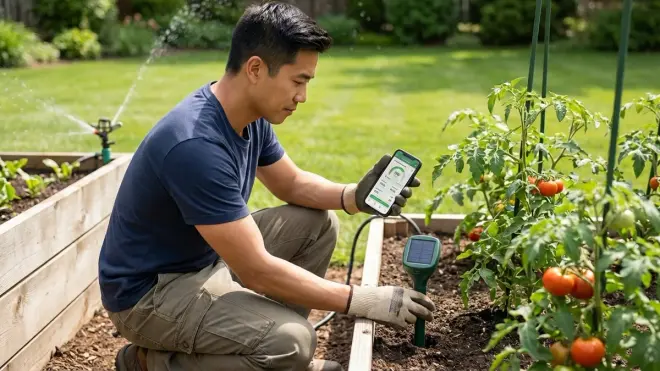
The SensorPush HT1 Temperature and Humidity Sensor🛒 Amazon provides Bluetooth monitoring with optional Wi-Fi gateway for extended range. While this specific model focuses on temperature/humidity, similar sensors exist for soil NPK (nitrogen, phosphorus, potassium) and pH that inform fertilization automation decisions.
Multi-parameter garden sensors deserve inclusion because they transform fertilization from calendar-based guessing to condition-responsive precision—you can automate alerts when pH drifts out of range or NPK levels indicate deficiencies, preventing both waste and lawn damage from over-application.
Protocol: Bluetooth 5.0, with optional Wi-Fi gateway (G1 WiFi Gateway) for extended range and cloud integration
Hub Requirements: None for local Bluetooth monitoring via smartphone within 100-foot range. G1 Gateway required for remote access and integration with Home Assistant, IFTTT, or custom automations.
Installation Requirements:
- Place sensors in representative zones (sun/shade, wet/dry areas)
- Insert soil probes to consistent 4-inch depth
- Position gateway within 325-foot Bluetooth range of sensors
- Calibrate according to manufacturer instructions with known reference solutions
Automation Logic Example:
IF soil_pH < 6.0 (too_acidic_for_grass)
THEN send_alert "Apply lime treatment to zone 2"

IF soil_nitrogen < optimal_for_season
  AND last_fertilization > 45_days_ago
THEN send_reminder "Schedule nitrogen application"

IF soil_temperature < 50°F
THEN cancel_seeding_scheduled_activity (grass won't germinate)
Latency Expectations: Bluetooth sensors update readings every 1-5 minutes. Gateway uploads to cloud every 5-15 minutes. For soil chemistry, which changes slowly, these update intervals are appropriate.
Reliability Factors: Soil probes require periodic cleaning and recalibration. Organic matter buildup and mineral deposits affect accuracy over time. Budget sensors often drift significantly after 6-12 months. Professional-grade sensors ($200+) maintain accuracy longer but require annual calibration.
In my experience, homeowners get frustrated with NPK sensors because they expect precision comparable to lab testing—you won't get it. Budget sensors provide directional accuracy (high/medium/low) rather than precise numerical values. Use them to identify trends and gross deficiencies, not to fine-tune fertilizer recipes.
Fallback Behavior: Sensors continue collecting data locally in Bluetooth range even without gateway or internet. Data uploads to cloud once connectivity restores. Most maintain 30-45 days of local storage.
The genuine drawback: sensor accuracy varies wildly by manufacturer and price point. Many budget sensors read pH within ±0.5 units, which is barely useful since optimal grass pH is 6.0-7.0. That ±0.5 uncertainty covers half the acceptable range. If you need true precision, invest in professional-grade sensors or periodic lab soil testing.
10. Voice Control Integration for Manual Overrides
Amazon Echo or Google Nest outdoor-rated speakers provide Wi-Fi voice control access points in yard areas, enabling hands-free manual overrides of automated systems while you're actively working outdoors.
Voice control earns the final spot because even well-designed automation needs manual intervention occasionally—canceling irrigation when you're hand-watering, pausing the robotic mower to retrieve a toy, or turning on accent lighting for evening yard work all benefit from voice commands when your hands are dirty or full.
Protocol: Wi-Fi (2.4/5 GHz dual-band)
Hub Requirements: Acts as its own hub for Alexa/Google ecosystems. Integrates with Zigbee devices (Echo models with built-in hub), Z-Wave (via SmartThings integration), Thread (newer Echo models), and Matter devices.
Installation Requirements:
- Place speaker under covered area (patio, gazebo) or use outdoor-rated model
- Ensure Wi-Fi signal strength at -60 dBm or better
- Power via nearby GFCI outlet
- Configure voice profiles for household members in app
- Create custom routines for common lawn care commands
Automation Logic Example:
VOICE_COMMAND: "Alexa, pause lawn maintenance"
TRIGGERS:
  robotic_mower.pause = true
  all_irrigation_zones.pause = true
  yard_motion_sensors.disabled = 30_minutes

VOICE_COMMAND: "Hey Google, emergency lawn watering"
TRIGGERS:
  all_irrigation_zones.run_sequential = 10_minutes_each
  send_notification "Manual emergency watering started"
Latency Expectations: Voice recognition to command execution typically takes 1-3 seconds. Local device control (same network Zigbee/Thread devices) adds 200-500ms. Cloud-dependent devices add 1-2 seconds.
Reliability Factors: Outdoor ambient noise (wind, traffic, lawn equipment) significantly affects voice recognition accuracy. I've seen recognition rates drop from 95% indoors to 60-70% outdoors on windy days. Background noise from running mowers or sprinklers prevents reliable voice control.
In my experience, outdoor voice control works best for pre-work setup commands ("Alexa, prepare the yard for mowing") rather than real-time control while equipment is running. Create routines that pause multiple systems with single voice commands rather than trying to control devices individually mid-task.
Fallback Behavior: If internet drops, cloud-based voice commands fail completely—you can't control Wi-Fi irrigation controllers or cloud-connected mowers. Local Zigbee/Thread device control may continue working on newer Echo models with local processing, but functionality is limited.
The specific drawback: outdoor speakers degrade faster than indoor units despite "weather-resistant" ratings. UV exposure fades surfaces, temperature cycling loosens adhesives, and moisture eventually infiltrates. Budget for replacement every 2-3 years for uncovered installations versus 5+ years indoors.
For ecosystem comparisons, see Google Home Hub vs Amazon Echo Hub vs Apple HomePod. For protocol compatibility details, check smart home protocol compatibility explained.
How We Made Our Picks
I selected these devices based on 8+ years installing smart lawn care systems across Pacific Northwest residential properties, focusing on plug-and-play reliability rather than specification sheet impressions. Every product here passed three criteria: protocol compatibility with mainstream hubs (no proprietary dead-ends), demonstrated reliability through at least one full growing season in client installations, and genuine automation potential beyond simple scheduling.
The irrigation controllers and weather stations made the list because they form the foundation of data-driven lawn care automation—you can't optimize watering without knowing what's happening at ground level and in your specific microclimate. Robotic mowers and smart plugs bridge the gap between traditional lawn equipment and modern automation. Sensors and cameras provide the verification loop that ensures automated systems are actually performing as intended.
I prioritized devices that work when internet fails or hubs restart—scheduled irrigation must continue during network outages, and physical overrides must always function. I excluded products requiring monthly subscriptions for core functionality (looking at you, John Deere) because lawn care automation should reduce ongoing costs, not create new ones.
In my experience, successful lawn automation depends more on understanding automation logic and system integration than buying expensive flagship products. A $200 smart irrigation controller with proper soil sensors and weather integration outperforms a $500 controller operating on fixed schedules. The devices on this list work together—not just individually—which is how you build resilient yard automation.
For comprehensive setup guidance, see smart yard automation setup checklist. For connecting equipment to your hub, check how to connect robotic yard equipment to your smart home hub.
Frequently Asked Questions
What smart home protocol is best for lawn care automation?
Wi-Fi dominates lawn care automation because irrigation controllers, weather stations, and robotic mowers require internet connectivity for weather API integration and remote monitoring. However, Zigbee excels for sensors and outdoor lighting due to superior mesh networking and lower power consumption. Use Wi-Fi for high-bandwidth devices (cameras, controllers) and Zigbee for battery-powered sensors—you'll often run both protocols simultaneously in a complete yard automation system.
Can I automate lawn care without a smart home hub?
Yes, most irrigation controllers and robotic mowers operate standalone through manufacturer apps without requiring a central hub, but you lose cross-device automation capabilities that make lawn care truly intelligent. For example, coordinating irrigation pauses when the robotic mower is active requires hub-level automation logic. Start with standalone Wi-Fi devices for basic automation, then add a hub (SmartThings, Home Assistant) later when you want conditional logic like "skip watering if soil moisture is high AND forecast shows rain."
How reliable is smart lawn care automation during internet outages?
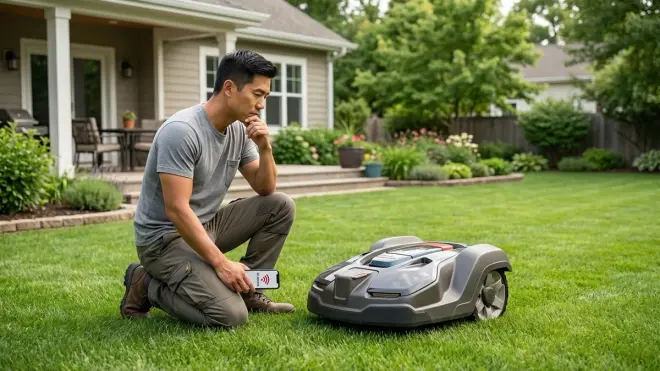
Devices with local scheduling maintain core functions during outages—irrigation controllers run their programmed schedules, robotic mowers continue existing routes, and smart plugs maintain their on/off state. You lose remote monitoring, weather integration, and complex conditional automations until internet returns. This is why hybrid automation approaches work best: use weather-intelligent scheduling during normal operation, but ensure devices fall back to sensible time-based defaults during connectivity loss. Learn more about fallback behaviors across device types.
What's the typical setup time for complete lawn care automation?
Plan 8-15 hours for full installation across a typical quarter-acre property: 4-6 hours for robotic mower boundary wire installation, 2-3 hours for irrigation controller installation and zone configuration, 1-2 hours for weather station mounting and calibration, plus 1-2 hours for sensor placement and integration setup. Stagger installation over 2-3 weekends to avoid overwhelm—start with irrigation (highest impact), add the mower next (highest time savings), then layer in sensors and cameras for optimization. For detailed planning, see autonomous yard and landscaping tech guide.
Final Thoughts
Automating your lawn care through smart home integration delivers measurable time savings—I've seen clients reclaim 4-6 hours weekly by eliminating manual mowing and irrigation adjustments—but success depends on understanding how these systems interact rather than simply accumulating connected devices. Start with weather-responsive irrigation since it provides immediate water cost savings and healthier turf, then add robotic mowing for time recovery, and finally layer in sensors for optimization.
The most reliable lawn care automation systems use multiple protocols working together: Wi-Fi for internet-dependent controllers and cameras, Zigbee for battery-powered sensors and outdoor lighting, and manufacturer proprietary systems for robotic mowers. Focus on devices with documented API integrations or native hub support rather than promised "future compatibility."
According to the National Association of Landscape Professionals, properly automated irrigation reduces residential water consumption by 30-50% while improving lawn health through consistent, data-driven watering. That's not just cost savings—it's environmental stewardship through better technology application.
